



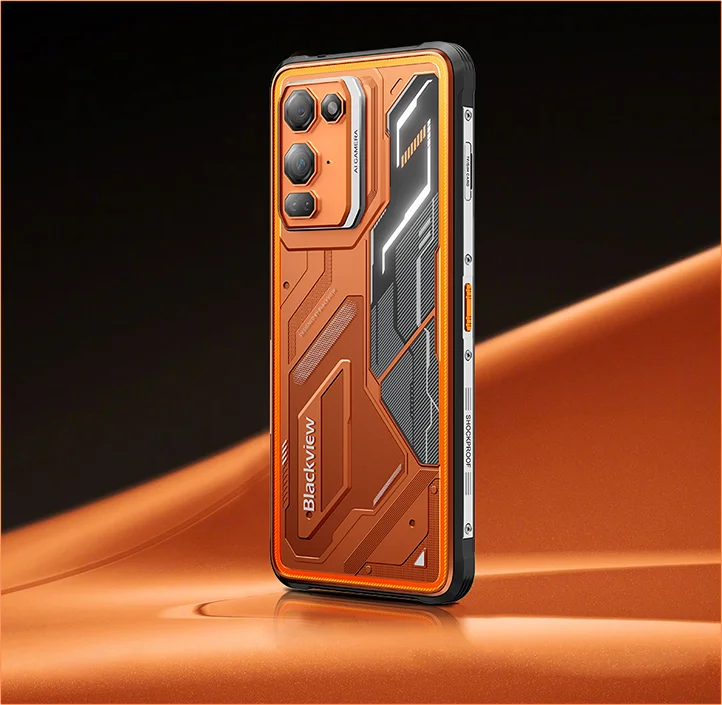
Blackview FORT 200 Тонкий телефон із бездротовим заряджанням, екраном 6.78-inch, восьмиядерним процесором MediaTek Helio G100, акумулятором на 5000mAh, камерами 108MP+13MP, камерою нічного бачення та захищеним корпусом, 4G

Немає в наявності
Основні переваги
Основні переваги
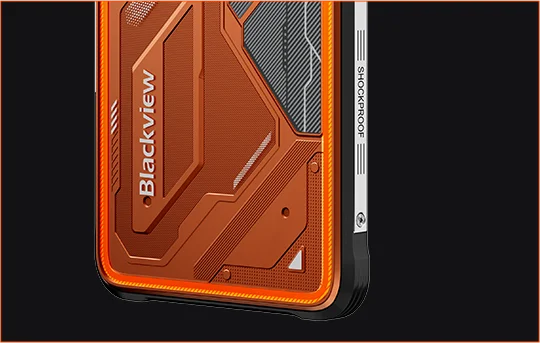
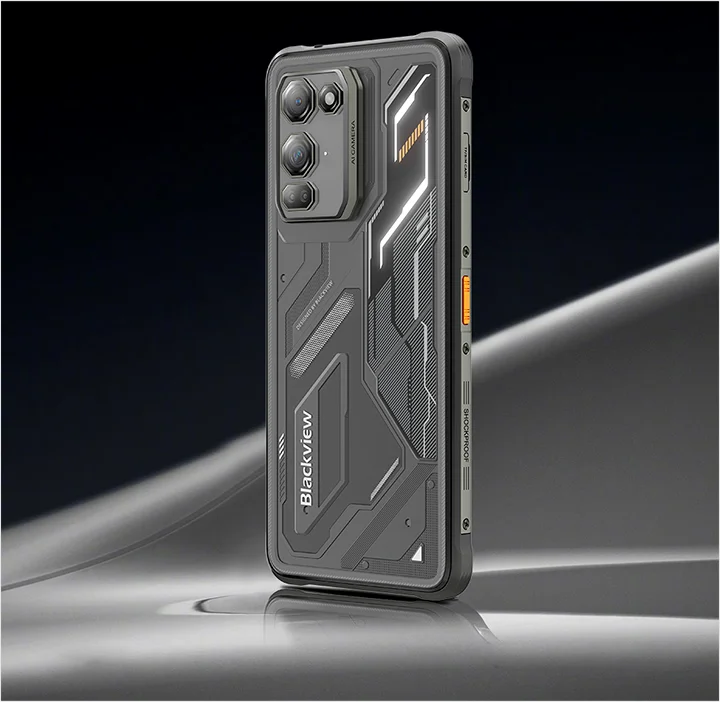
✔6,78-дюймовий, 268 г та 11,5 мм тонкий корпус
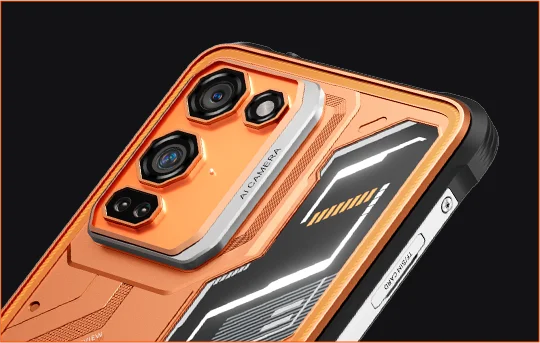
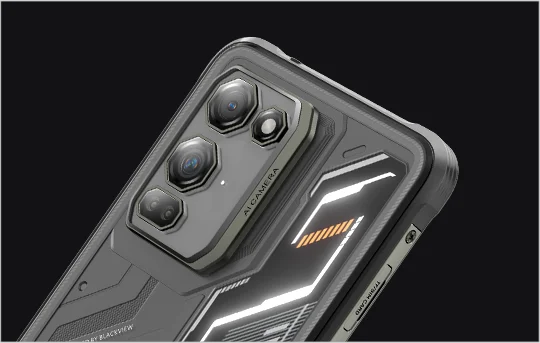
✔108 МП камера Samsung® HM6 + 13 МП камера нічного бачення
✔ Восьмиядерний процесор MediaTek Helio G100
✔5000 мА·год та швидка зарядка 33 Вт + бездротова зарядка 15 Вт
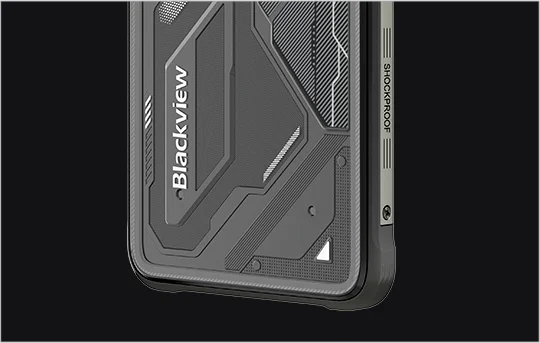
✔Сертифікати IP68, IP69K та MIL-STD-810H
Інформація
Інформація
Blackview FORT 200 — це тонкий міцний 4G телефон, створений для користувачів, які хочуть кращу якість зображення, плавніше відтворення та надійну витривалість для використання на вулиці без громіздкого пристрою. Його 6,78-дюймовий дисплей з роздільною здатністю 2,4K і частотою оновлення 120 Гц залишається чітким завдяки яскравості 700 ніт, а процесор MediaTek Helio G100 забезпечує швидку роботу щоденних завдань, навігації та польових робіт. Основна камера Samsung на 108 МП, камера нічного бачення на 13 МП, акумулятор ємністю 5000 мА·год, швидка зарядка 33 Вт і бездротова зарядка 15 Вт роблять його практичним для роботи та пригод. Завдяки захисту IP68, IP69K і стандарту MIL-STD-810H він готовий до суворих умов.
Про бренд
Про бренд
У Blackview ми віримо, що чудові технології мають бути чимось більшим, ніж вражаючі характеристики. Вони мають відповідати реальному життю, розв’язувати справжні проблеми й залишатися надійними саме тоді, коли це найважливіше.
Blackview почала з міцних телефонів, створених для складних умов. Сьогодні ми пропонуємо ширшу екосистему розумних пристроїв, зокрема смартфони, планшети, ноутбуки, розумні годинники, аудіопродукцію та інше.
У всіх категоріях ми незмінно зосереджуємося на довговічній якості, практичних інноваціях і доступних цінах. Ми створюємо продукти, яким можна довіряти з першого дня.
Ми розуміємо, що найбільше цінують клієнти: плавну роботу, довготривалу надійність, корисні функції та технології, які полегшують повсякденне життя без зайвих витрат.
Саме тому Blackview приділяє особливу увагу тестуванню продукції, зручності для користувачів і функціям, що приносять реальну користь у роботі, подорожах, творчості, дослідженні природи та повсякденному спілкуванні.
Blackview створює техніку для тих, кому важливо довіряти своїм пристроям: розумні й функціональні пристрої, що встигають за ритмом сучасного життя.
Надійність закладена в конструкцію. Практичність — у саму суть. Створено для реального життя.
Доставка та повернення
Доставка та повернення
• Доставка: Обробка замовлення зазвичай триває близько 2-7 робочих днів, крім товарів за передзамовленням. Строк доставки охоплює лише робочі дні, за винятком святкових і неробочих днів. Час доставки залежить від способу доставки.
• Повернення: Ви можете запросити повернення протягом 14 днів після доставки, якщо телефон не використовувався, не пошкоджений і має всі оригінальні аксесуари. У разі виявлення несправностей товару протягом місяця після перевірки може бути запропоновано заміну, відшкодування коштів або безкоштовний ремонт. Пошкодження внаслідок неправильного використання, падінь, контакту з водою, розбирання чи несанкціонованих модифікацій не покриваються.


Зручно лежить у руці. Чітке зображення. Готовий до невідомого.
 Тонкий. Яскравий. Неймовірно чіткий Чітке зображення. Будь-де й будь-коли
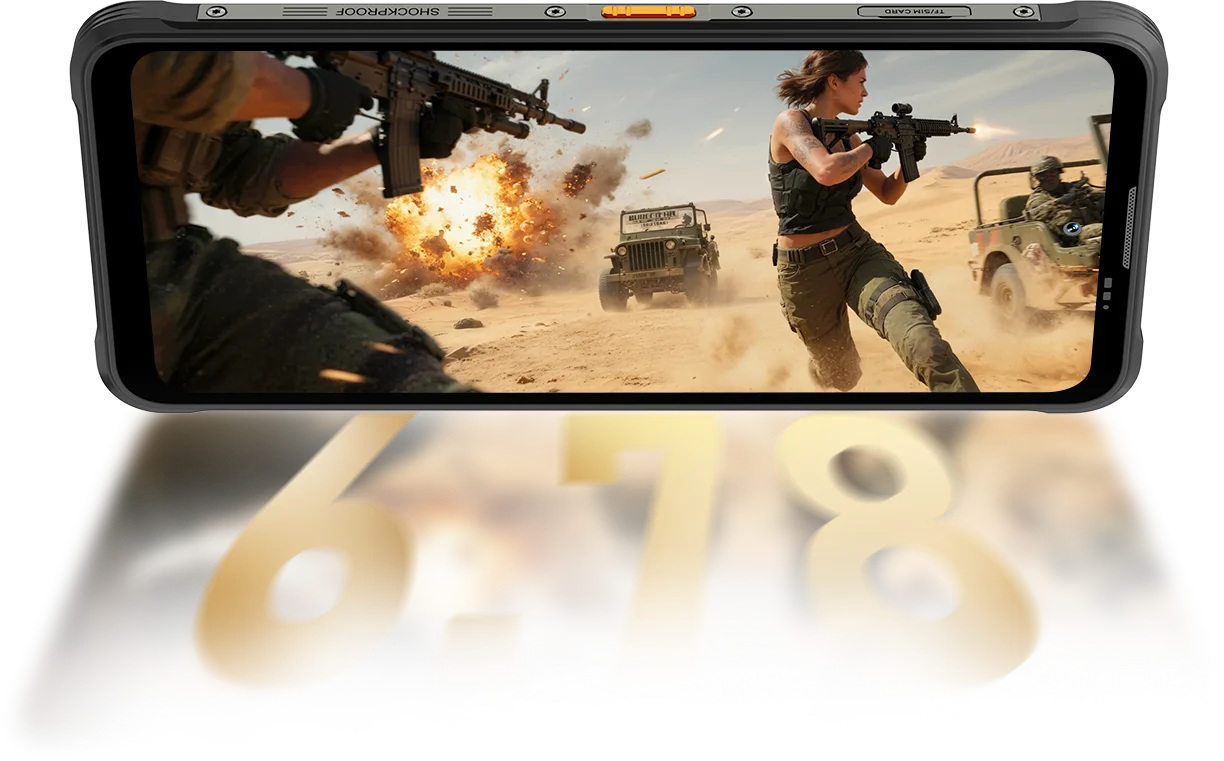
Роздільна здатність
IPS Full View
Пікова яскравість
PPI
Інтелектуальна частота оновлення на основі ШІ
Співвідношення площі екрана до корпусу
Частота опитування сенсора
FORT 200 забезпечує яскравість до 700 ніт, залишаючись чітким і добре читабельним, коли тьмяніші екрани втрачають видимість.

 Інші
 500 ніт
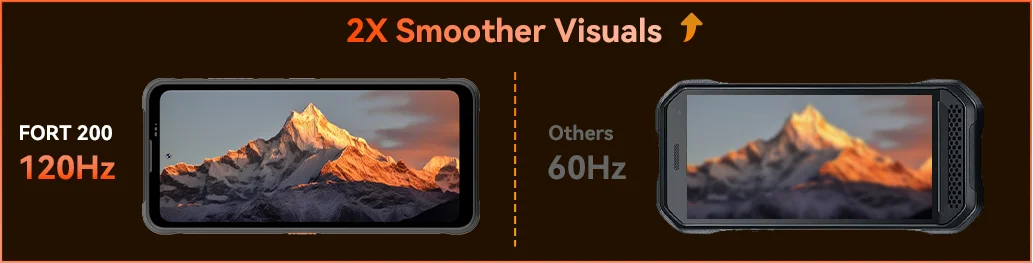
Відчуйте плавність роботи з частотою оновлення 120 Гц на основі ШІ у Blackview FORT 200 — заощаджуйте заряд під час прокручування, насолоджуйтеся плавністю в іграх і надшвидким відгуком на кожен рух, де б ви не були.
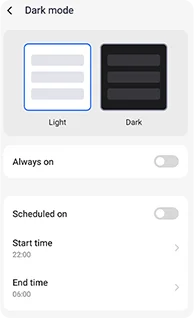
Регульовані темні теми зменшують навантаження на очі та подовжують час роботи від акумулятора.
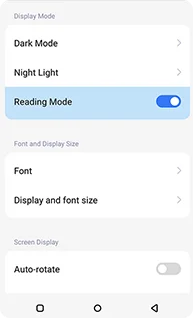
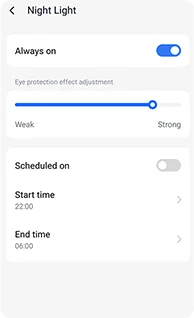
М’які бурштинові відтінки з регульованою інтенсивністю допоможуть вашим очам розслабитися вночі.
Чистий ефект, схожий на Kindle, який забезпечує комфорт під час тривалого читання.
 Бачте більше. Знімайте чіткіше. Будьте першими у своєму класі Зафіксуйте все — чіткіше вдень, помітніше вночі Створено з найчіткішою системою обробки зображень у галузі.
Пікселі 1,28 мкм, технологія 4-в-1
Сенсор 1/2,76"
Лінза 5P
Великий сенсор 1/1,67"
Nonapixel Plus 1,92 мкм
Діафрагма f/1.9
Лінза 6P
Яскравіші ночі.
Менше шуму. Більше деталей.
Чіткіші зображення.
Чистіша оптика.
Ширший динамічний діапазон.
Природніші кольори.
Розумніша експозиція.
Кращий контраст.
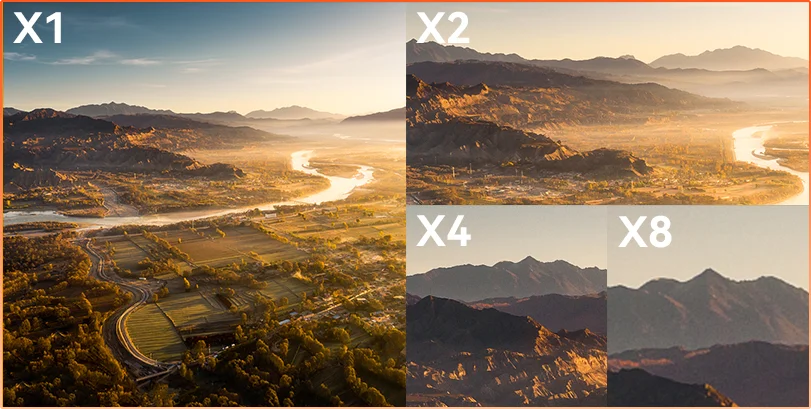
приховує відстань Спостерігайте, оглядайте чи документуйте — 8-кратне наближення дає змогу чітко бачити далекі об’єкти й фіксувати їх у деталях.
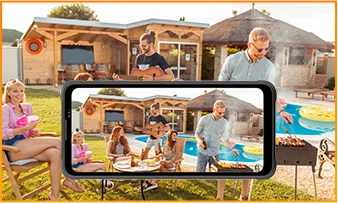
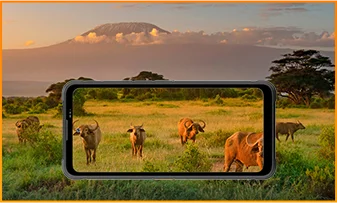
 ISOCELL 2.0
 Технологія Tetrapixel 4-в-1
 Подвійний Super PD
Залишайтеся уважними в будь-якому середовищі з камерою нічного бачення на 13 МП у FORT 200 — вона забезпечує чіткий огляд, коли світло зникає, а умови стають складними.
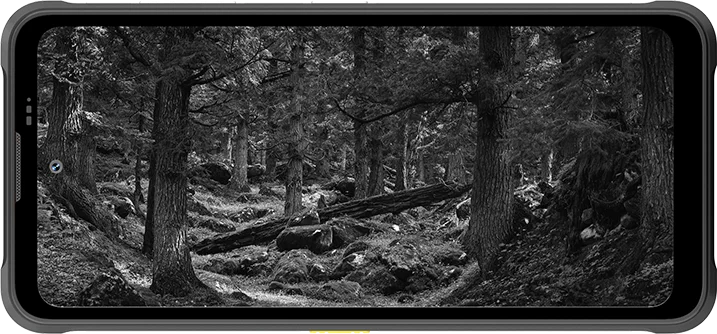
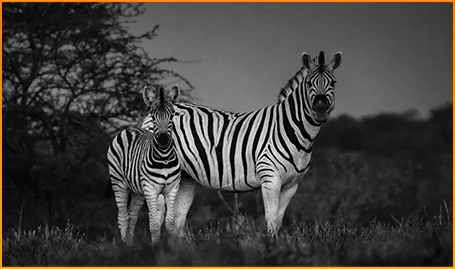
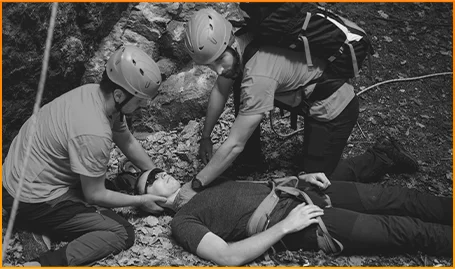
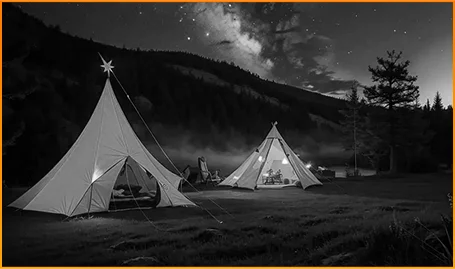
Чітко розрізняйте тварин — навіть коли в темряві не видно їхніх рухів.
Швидко знаходьте людей і предмети, коли важлива кожна секунда.
Стежте за тим, що рухається навколо вашого табору після настання темряви.
Встигніть зафіксувати мить, перш ніж вона зникне, з функцією «Фото з рухом» на FORT 200 — вона захоплює рух, звук і ту частку секунди, яку звичайні фото зазвичай не передають.
Знімайте з задумом завдяки чіткішому відео у 2K на FORT 200, а коли автоматичний режим не справляється зі складним освітленням чи швидкоплинними моментами, точно налаштовуйте параметри в режимі Pro.
 Фото за допомогою ШІ
дощ / пісок і пил / вібрацію / удари / прискорення / високу температуру / низьку температуру / вологість / висоту над рівнем моря
Захист від падіння
Розбитий ущент
Робота за екстремальних температур
Водонепроникність з усіх боків
Готовий до будь-яких випробувань.
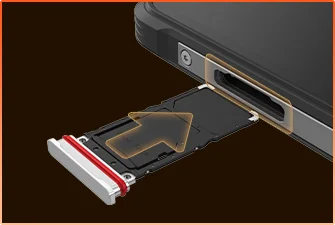 Водонепроникне ущільнення лотка SIM-картки
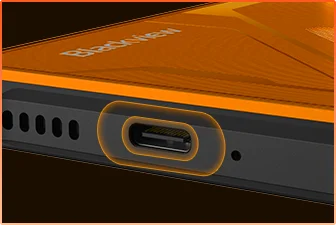 Водонепроникний захист порту USB
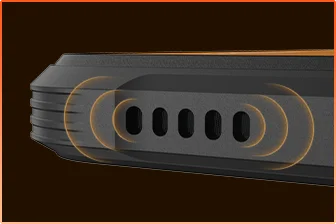 Решітка динаміка з водонепроникною конструкцією
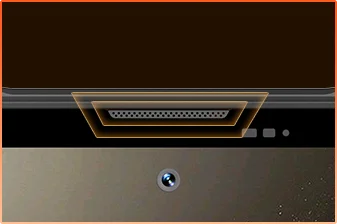 Вологозахищена кришка порту мікрофона
Готові?
Камера
Динамік у корпусі
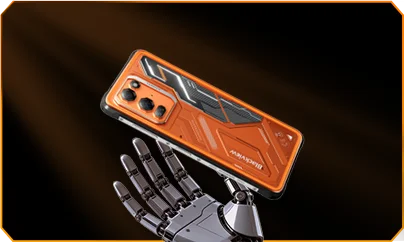
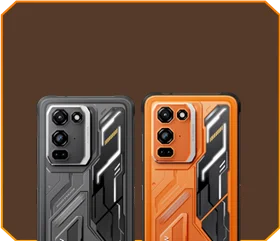





 Фантомний чорний
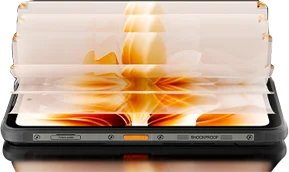
Яскравість


Витримує падіння з висоти 1,5 м
Працює за екстремальних
температур від -20 °C до +55 °C
 Функції бічної
кнопки
 Корисний
набір інструментів

Пульт
дистанційного керування
 Під водою
Камера
 Розумний динамік потужністю 2 Вт
Динамік у корпусі
Клас захисту IP69K
MediaTek Helio G100
12 ГБ ОЗП+36 ГБ розширення
Розширення за допомогою карти


≈303 тис.+ фото
≈5,1 тис.+ коротких відео
з підтримкою швидкого заряджання 33 Вт
Великий сенсор 1/1,67"
Кришталево чиста лінза 6P
Smart-ISO Pro
Зум 8X
Технологія Tetrapixel 4-в-1
Подвійна система Super PD
з абсолютно новим професійним режимом

Розширення зображення за допомогою ШІ
Розмиття фото за допомогою ШІ

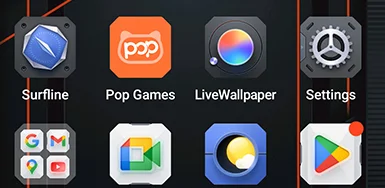


 Система
Менеджер
2.0
 Камера
2.0
 Глобальна
Мережа
Готовий
 Розумний
NFC
Доступ
 Більше потужності. Більше швидкості. Більше встигайте. Без затримок. Без обмежень. Лише потужність

Працюють одночасно
Технологія нового покоління з розширенням
Швидше завантаження застосунків
 ≈796 тис.+ пісень
 ≈303 тис.+ фото
 ≈5,1 тис.+ коротких відео

 Бездротове заряджання 15 Вт
Заряджання
 Зворотне заряджання
потужністю 5 Вт
 Алгоритм заощадження
заряду
 Режим надвисокого
енергозбереження
 Захист під час
заряджання
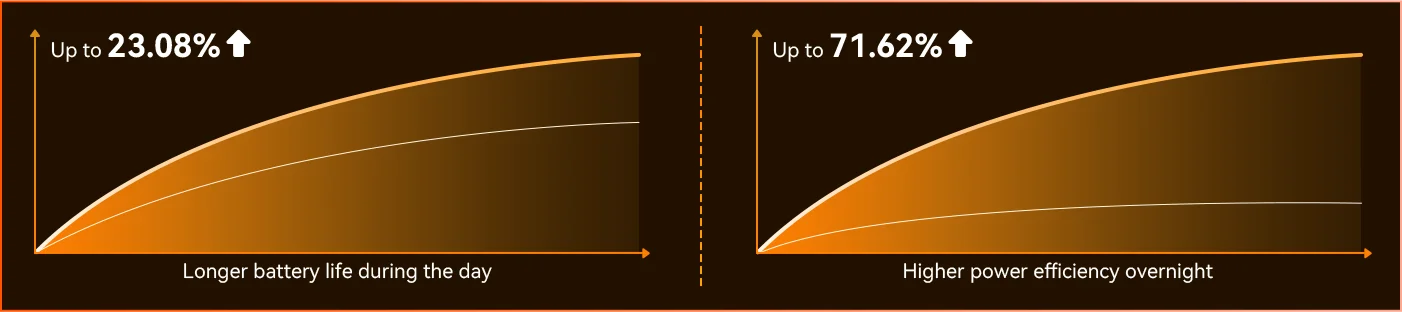
кожен день *Дані лабораторії Blackview. Фактичні результати можуть відрізнятися залежно від використання й умов довкілля.
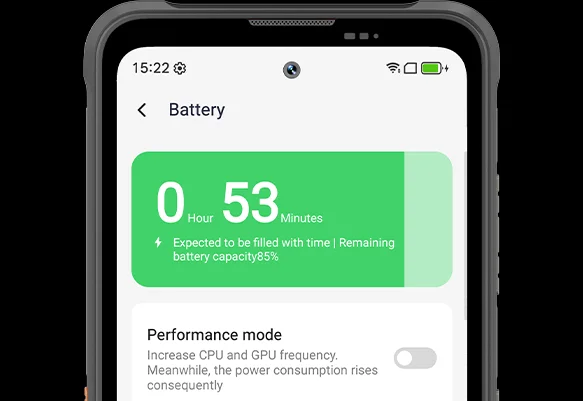
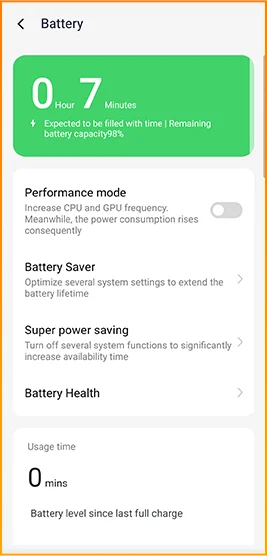
Відчуйте різницю, коли FORT 200 підлаштовується до вашого дня — абсолютно новий режим глибокого енергозбереження визначає періоди бездіяльності навіть удень і зменшує споживання енергії без жодних зусиль з вашого боку.
 Розумніша, плавніша, створена, щоб краще вас розуміти. Абсолютно нова DokeOS 5.0 (Android 16)
 Покращена зручність Покращена персоналізація Покращена конфіденційність і безпека & Покращений штучний інтелект
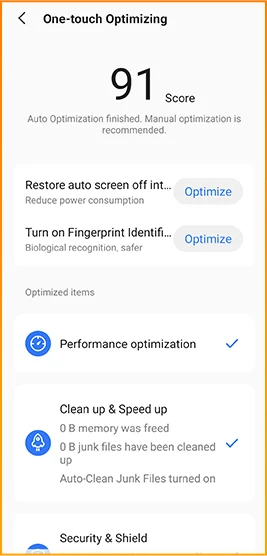
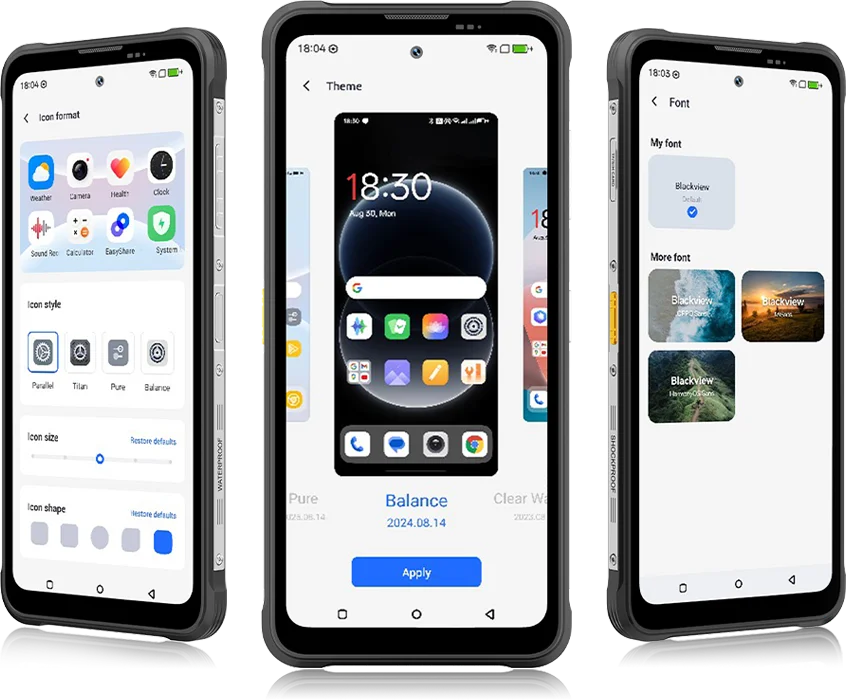 Від DokeOS 4.2 до 5.0 усе змінилося: швидкість, яку ви відчуваєте, плавність, яку бачите, і розумні функції, що передбачають ваші наступні дії. Система стала плавнішою, розумнішою та персоналізованішою, ніж будь-коли, перетворюючи повсякденні моменти на легкий і приємний досвід.
для повсякденних завдань


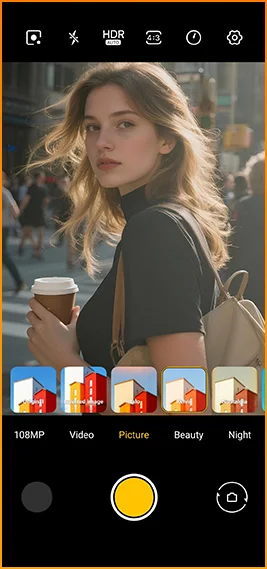
Кінематографічний вигляд одним дотиком.
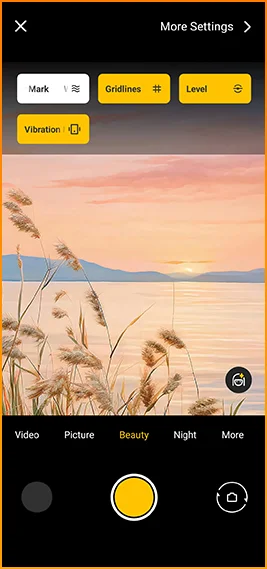
Сітки, водяні знаки, рівень
і тактильний відгук завжди під рукою.
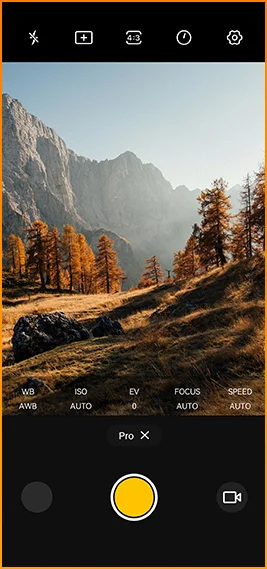
Точно налаштовуйте колірну
температуру та експозицію
з професійною точністю.


Створений для надійного зв’язку в різних
регіонах світу.
Відмикайте двері, миттєво оплачуйте покупки та швидше підключайтеся
одним дотиком.
Blackview FORT 200 Характеристики
Інтелектуальна частота оновлення 120 Гц, співвідношення площі екрана до корпусу 86%
13 Мп (нічне бачення)
Діапазон 3G: WCDMA:B1/2/4/5/8
Діапазон 4G: FDD:B1/2/3/4/5/7/8/12/13/17/18/19/20/26/28A/28B/66
TDD:B38/40/41
| Дизайн | |
| Продукт | Blackview FORT 200 |
| Колір | Blaze Orange, Phantom Black |
| Розміри | 178,4 × 83 × 11,5 мм |
| Вага | 268 g |
| ОС | DokeOS 5.0 на базі Android 16 |
| Дисплей | |
| Основний дисплей | 6,78-дюймовий IPS-дисплей |
| Роздільна здатність | 1080 × 2460 |
| Частота оновлення | 120 Гц |
| Частота вибірки дотику | 180 Гц |
| Яскравість | Пікова яскравість 700 ніт |
| PPI | 396 |
| Співвідношення екрану до корпусу | 86% |
| Скло | Скло Panda |
| Продуктивність | |
| ЦП | MediaTek Helio G100 |
| Тактовий сигнал ЦП | 2 × Cortex-A76 2.2 ГГц + 6 × Cortex-A55 2.0 ГГц |
| GPU | Графіка Mali-G57 3D |
| ОЗП і ПЗП | 12 ГБ ОЗП + 256 ГБ ПЗП |
| Тип пам’яті | LPDDR4X + UFS 2.2 |
| Розширення оперативної пам’яті | Розширення до 36 ГБ |
| Розширення TF | До 2 ТБ |
| Камера | |
| Фронтальна камера | Фронтальна камера 50 МП Samsung® ISOCELL JN1 |
| Основна камера | Основна камера 108 МП Samsung® ISOCELL HM6 + камера нічного бачення 13 МП |
| Датчик основної камери | Samsung® ISOCELL HM6 + OV08B10 |
| Запис відео | Запис відео 2K з професійним режимом |
| Функції камери | Рухоме фото, AI Photos, 8× збільшення, професійний режим, Smart Google Lens |
| Акумулятор і заряджання | |
| Акумулятор | 5000 мАг |
| Заряджання | Швидка зарядка 33W, бездротова зарядка 15W |
| Зворотне заряджання | Зворотний розподіл потужності 5W |
| Аудіо | |
| Динамік | Динамік 2W Smart-K BOX |
| Довговічність | |
| Рейтинг міцності | IP68 & IP69K & MIL-STD-810H |
| Водонепроникність | Захист від занурення на 2 м / 30 хв |
| Захист від падіння | Захист від падіння до 6 м |
| Стійкість до гарячої води | Стійкість до гарячої води 80°C |
| Захист від струменя тиску | 10 000 кПа |
| Робоча температура | -20°C до +55°C |
| Підключення | |
| Мережа | Підтримка подвійної 4G SIM |
| Wi-Fi | IEEE 802.11 a/b/g/n/ac, 2.4 ГГц / 5 ГГц |
| Bluetooth | BT 5.2 |
| NFC | Підтримка |
| Слот для карт | Подвійний: 2 × SIM / 1 × SIM + 1 × TF-карта |
| USB | Тип-C |
| Діапазони мережі | |
| 2G | B2 / B3 / B5 / B8 |
| 3G | WCDMA: B1 / B2 / B4 / B5 / B8 |
| 4G | FDD: B1 / B2 / B3 / B4 / B5 / B7 / B8 / B12 / B13 / B17 / B18 / B19 / B20 / B26 / B28A / B28B / B66; TDD: B38 / B40 / B41 |
| 5G | Ні |
| Навігація | |
| Позиціонування | GPS / GLONASS / Galileo / BeiDou / QZSS |
| Датчики | |
| Датчики | G-сенсор, P-сенсор, L-сенсор, гіроскоп, компас, магнітний сенсор, сенсор відбитків пальців, RGB-сенсор |
| Додаткові функції | |
| Особливості для активного відпочинку | Функція бічної кнопки, інфрачервоний пульт дистанційного керування, ToolBag, підводна камера |
| Функції штучного інтелекту | Doke AI 2.0, AI Chat, AI Photos, AI Video, AI Music, додаток ImageX |
| Інші функції | Бездротова зарядка, NFC, FM, OTG, розблокування відбитком пальця, режим читання, нічне світло, темний режим |
What are the differences between the Blackview FORT 200 and the Blackview FORT 2?
Compared with the Blackview FORT 2, the FORT 200 features a larger, higher-resolution display, more RAM, and a higher-resolution camera, along with faster wired charging and wireless charging support. The FORT 2 is slimmer and lighter, weighing 245.3g compared with the FORT 200’s 268g.
For everyday use, the FORT 200’s larger screen makes reading documents, viewing maps, and browsing photos easier. Its camera and charging features also suit users who prioritize photography and charging convenience. Both are 4G rugged smartphones, with key differences in their displays, hardware, cameras, and dimensions.
| Feature | Blackview FORT 200 | Blackview FORT 2 |
|---|---|---|
| Processor | MediaTek Helio G100 | MediaTek Helio G81 |
| Display | 6.78-inch, 1080 × 2460 | 6.56-inch, 720 × 1612 |
| Refresh rate | 120Hz | 90Hz |
| Physical RAM | 12GB | 8GB |
| Internal storage | 256GB | 128GB / 256GB |
| Main camera | 108MP | 16MP |
| Front camera | 50MP | 13MP |
| Wired charging | Up to 33W | Up to 18W |
| Weight | 268g | 245.3g |
| Thickness | 11.5mm | 10.7mm |
Who is the Blackview FORT 200 rugged phone designed for?
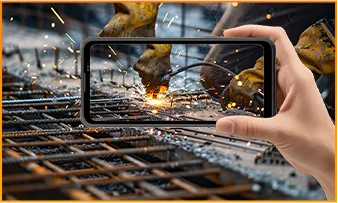
The Blackview FORT 200 is ideal for maintenance technicians, construction workers, delivery personnel (food/courier), farmers, and outdoor enthusiasts who enjoy hiking or camping. It is also well-suited for users who frequently find themselves in environments prone to dust, rain, or accidental impacts—situations where they still need to make calls, use navigation, run work-related applications, or take photos.
Its rugged design ensures reliability even in demanding work environments or during outdoor activities. The large screen provides ample space for viewing maps, reading documents, and looking at photos, while the high-resolution main camera captures detailed imagery. It is designed to support both professional tasks and everyday use.
What charging methods does the Blackview FORT 200 support?
The Blackview FORT 200 supports wired charging at up to 33W and wireless charging at 15W. Wired charging is ideal for topping up your phone’s battery before heading out or while at your workstation, while wireless charging allows you to power up simply by placing the device on a charging pad on your desk or nightstand.
For wired charging, ensure you use a compatible charger and cable. For wireless charging, place the phone accurately on a compatible charging pad and confirm that charging has begun. If you are using a thick protective case or any metal accessories, it is recommended to remove them for optimal charging performance.
What can I use the Blackview FORT 200’s 108MP main camera for?
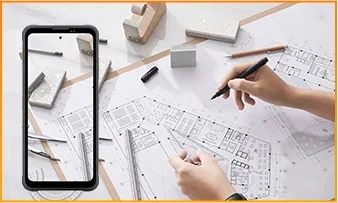
The 108MP main camera on the Blackview FORT 200 can be used to capture landscapes, equipment, documents, and various everyday scenes. It preserves a high level of detail, making it easy to zoom in or crop specific areas—such as isolating a sign within a scene or focusing on a particular detail in a portrait.
When documenting work-related tasks, you can take a wide-angle shot to show the surrounding environment, followed by close-up shots of labels, connections, or damaged areas. When photographing documents, keep the phone parallel to the page to ensure the entire content is captured within the frame.
What can I see with the Blackview FORT 200’s night vision camera?
The Blackview FORT 200’s night-vision camera helps you see people, animals, and objects nearby in the dark. Utilizing infrared illumination technology, it is well-suited for viewing the area around a campsite or observing dimly lit spaces.
For a clear view, keep the phone steady and point it directly toward the area you wish to observe. Identifying targets may be difficult if they are far away or obscured by obstacles. The night-vision feature only reveals the appearance of scenes in the dark; it cannot measure temperature or see through walls, and therefore cannot serve as a substitute for a thermal imager.
What does the Motion Photo feature do on the Blackview FORT 200?
The "Motion Photo" feature records both motion and sound while capturing a still image, allowing you to preserve more of your special moments. Beyond freezing a specific expression, it captures subtle movements—such as a smile, a pet turning its head, or leaves swaying in the breeze.
Please keep your phone steady while shooting. If you need to record for a longer duration, it is recommended to use the standard video recording mode. When sharing a "Motion Photo," please note that the recipient's device must support the playback of motion and sound; some devices may only display or transmit the image as a static photo.
What photo-editing features does the ImageX app offer on the Blackview FORT 200?
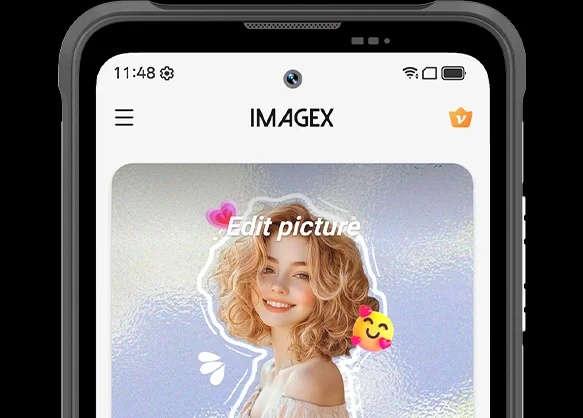
ImageX provides a variety of AI-powered tools, including features to remove unwanted objects, expand image edges (outpainting), and apply blur effects. These tools allow you to refine your photos after they have been taken—for example, by cleaning up cluttered backgrounds or creating more space around the main subject.
The "Object Removal" feature can enhance vacation photos; "Image Expansion" (outpainting) can fill in backgrounds where the original composition was too tight; and the "Blur" tool can make specific areas less prominent. After applying these edits, be sure to carefully review the results—paying close attention to faces, text, and the edges of objects—as AI editing may sometimes require multiple attempts to achieve the desired outcome.
Can I expand the Blackview FORT 200’s storage?
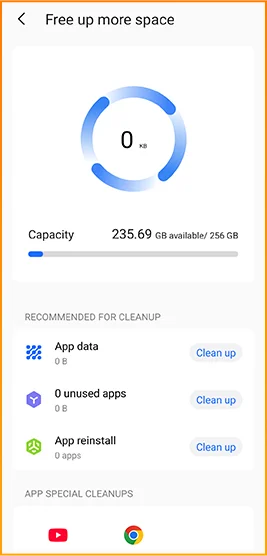
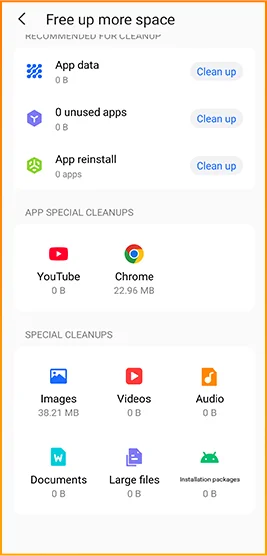
Yes. The Blackview FORT 200 supports microSD cards with a capacity of up to 2TB, providing extra space for photos, videos, music, documents, and more. Please note that the microSD card slot is shared with the second SIM card slot; You must choose between a "dual SIM" configuration or a "single SIM + one microSD card" configuration.
If your phone’s internal storage becomes full due to a large number of work-related photos, downloaded videos, or other files, you can move these items to the microSD card to free up internal space. It is recommended to keep applications and certain app data on the phone’s built-in storage; the microSD card is intended primarily for file storage and cannot replace the device's internal memory.
What mobile networks does the Blackview FORT 200 support?
The Blackview FORT 200 is a 4G rugged smartphone that supports 4G LTE, 3G, and 2G networks. When used with a compatible SIM card and mobile plan, the device allows for making calls, sending and receiving text messages, and using mobile data (including web browsing, navigation, instant messaging, and video calls).
Before purchasing, please compare the network frequency bands listed in the product specifications with those used by your mobile carrier. You may also wish to consult your carrier to confirm that their network supports the device for calls and mobile data services. Network availability depends on local coverage and your chosen mobile plan.
What devices can I control with the Blackview FORT 200’s infrared remote?
The Blackview FORT 200 can control compatible TVs, air conditioners, and set-top boxes via infrared, allowing you to change channels, adjust volume, or set temperatures, depending on the device.
Open the remote control app, select the appliance type, and follow the prompts to test and match a configuration. Point the phone’s infrared transmitter at the appliance without obstructions. Compatibility depends on the configurations available in the app. Devices that support only Bluetooth or Wi-Fi cannot be controlled via infrared.
Does the Blackview FORT 200 support NFC payments?
Yes, it does. You can make NFC payments by using a compatible payment app and linking an eligible bank card. Once set up, you can make payments without needing to take your physical card out of your wallet.
Before use, please enable the NFC function, add your bank card to the payment app, and complete the verification steps required by your bank. Ensure you have a screen lock set up and have selected your preferred payment app for contactless payments. When paying, simply unlock or verify your phone as prompted and hold it near the payment terminal. Actual availability depends on the payment service provider, your bank, and your country or region.
What protection does the Blackview FORT 200 offer for outdoor use?
The Blackview FORT 200 features IP68 and IP69K ratings and meets MIL-STD-810H testing standards. It is resistant to dust, water immersion, and impact, making it suitable for outdoor work and activities involving exposure to rain, dirt, or accidental knocks.
To maintain its protective capabilities, ensure the SIM card tray is properly installed and check the phone for damage after any severe impact. If the phone gets wet, ensure both the device and the charging port are dry before charging. Please note that water and impact resistance have limits and may diminish over time due to wear or damage; Therefore, exercise caution during high-intensity activities.
What everyday tasks can the Blackview FORT 200’s AI assistant help with?
The Blackview FORT 200's AI chat assistant can answer questions, explain complex concepts, and help you understand document content. It can interpret reading materials in plain language and summarize key points from lengthy information.
For the best results, clearly describe your specific needs. You can also ask follow-up questions regarding any unclear points. Before using the answers for work or sharing them with others, it is recommended to verify the original information, including important names, data, and instructions.
Can I connect a USB flash drive to the Blackview FORT 200?
Yes. The Blackview FORT 200 supports USB OTG functionality, allowing you to connect compatible USB flash drives to access and transfer files. Flash drives with a USB-C connector can be plugged in directly, while standard USB-A flash drives require a suitable USB-C OTG adapter.
Once connected, open the file manager and select the USB storage device to browse its contents. You can copy work documents to your phone or move photos and videos to the flash drive without needing a computer or cloud service. Wait for all transfers to complete before disconnecting; if the system offers an "Eject" option, use it to prevent incomplete transfers or file corruption.
How can I use Google Lens on the Blackview FORT 200?
You can use Google Lens on the FORT 200 to search for objects, find similar products, and process text within images. Open the Google app, tap the Lens icon, and then point your camera at the target you wish to search for, or select a photo already saved on your phone.
Google Lens can identify unfamiliar plants, search for products you have photographed, or extract text from printed documents. Ensure the subject is in focus; If the frame contains multiple objects, you may need to select the specific area of interest. Note that an internet connection is generally required to access online information.
What features make reading more comfortable on the Blackview FORT 200?
The Blackview FORT 200 offers Reading Mode, Night Light Mode, and Dark Mode. Reading Mode adjusts the display to suit reading needs; Night Light Mode adds warm tones; and Dark Mode applies a dark background to menus and applications.
Choose a mode that suits your reading content and surroundings, and adjust the text size to reduce frequent zooming. At night, lower the brightness or enable “Night Light” for warmer colors. During the day, increase the brightness as needed to keep text clear without making the screen too bright.
Jump to another section