



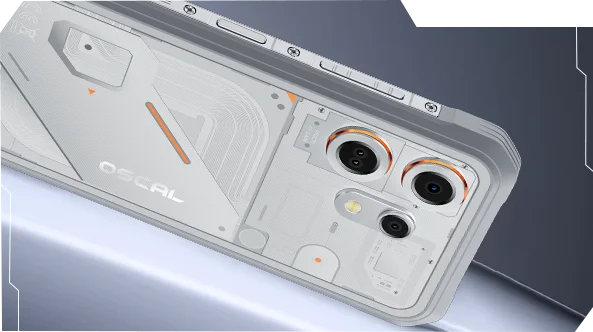
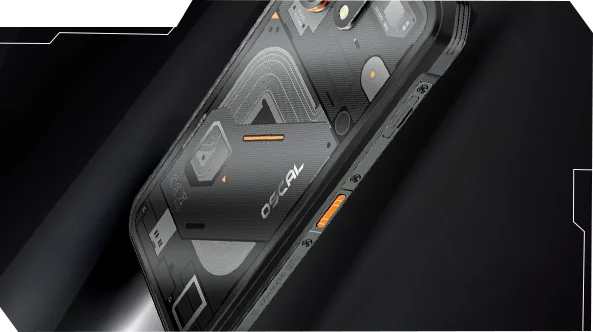
Oscal MARINE 3 6.56" 90Hz-skärm MediaTek Helio G81 Octa-core 13MP infraröd nattvisionskamera 5000mAh 4G robust telefon

Slut i lager
Höjdpunkter
Höjdpunkter
✔6,56" 90Hz HD IPS-skärm
✔13MP infraröd nattvisionskamera
✔MediaTek Helio G81 Octa-core
✔5000mAh batteri med 18W snabbladdning
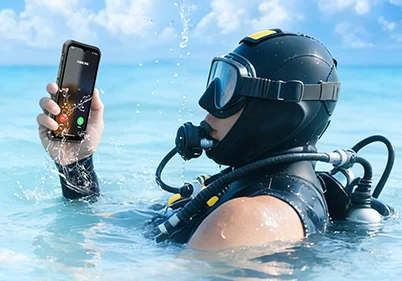
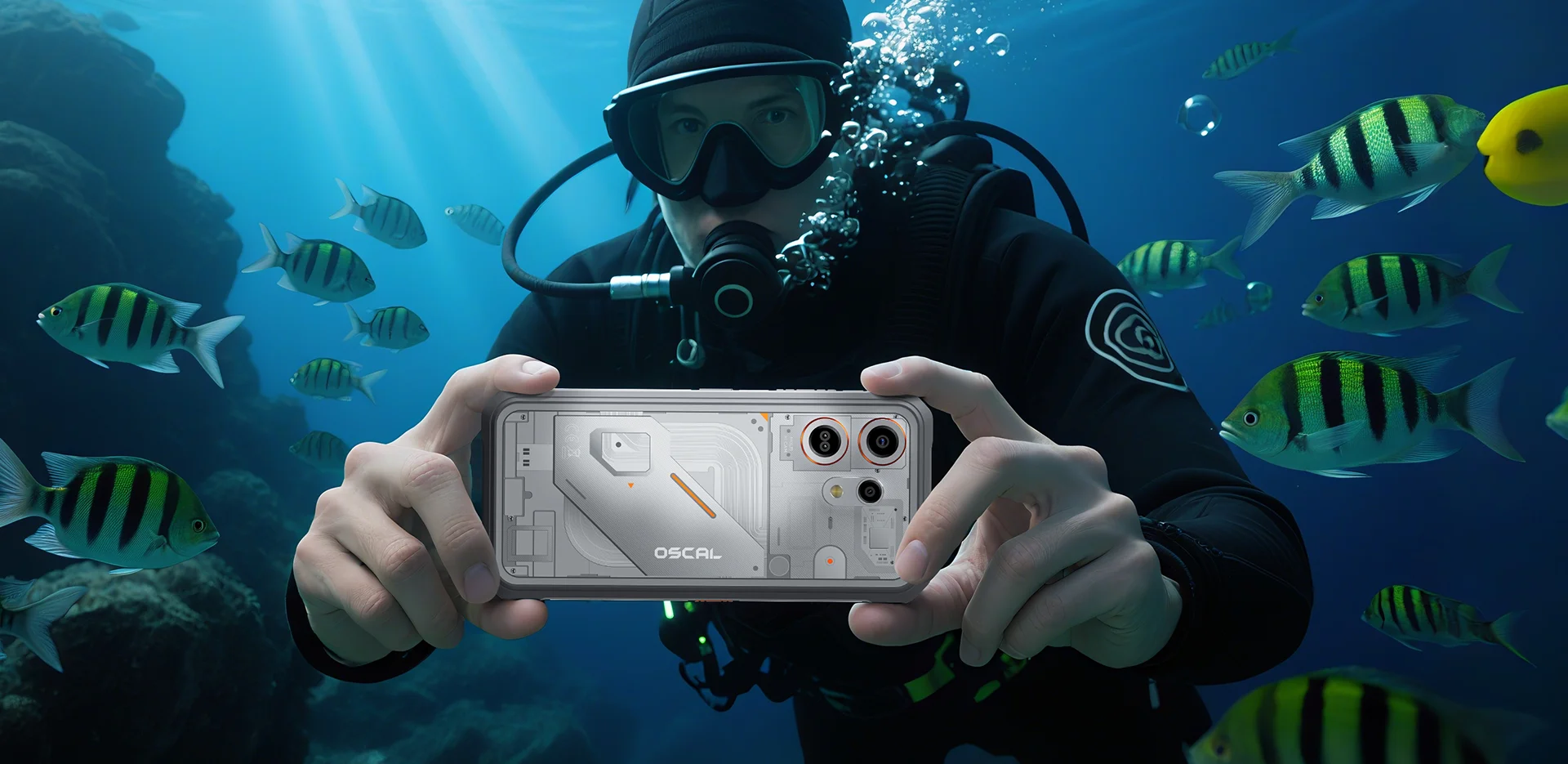
✔IP68 & IP69K & MIL-STD-810H certifierad
Informationer
Informationer
OSCAL MARINE 3 är byggd för användare som behöver pålitlig mobil prestanda i krävande miljöer. Den kombinerar en 6,56-tums 90Hz HD IPS-skärm med MediaTek Helio G81-prestanda och ett 5000mAh-batteri med 18W snabbladdning för arbete, resor, navigation och utomhusbruk. Viktiga fältanpassade funktioner inkluderar en 13MP infraröd nattvisionskamera, en slimmad robust design för utomhus- och vardagsbruk samt IP68 & IP69K & MIL-STD-810H-skydd. Designad för arbetsplatser, avlägsna resor och vardaglig tuffhet ger den användarna självförtroendet att hålla sig uppkopplade, fånga detaljer och fortsätta när vanliga telefoner inte räcker till.
Om varumärket
Om varumärket
På Blackview tror vi att fantastisk teknik ska gå bortom imponerande specifikationer. Den ska passa verkliga livet, lösa verkliga problem och vara pålitlig när det verkligen gäller.
Blackview började med robusta telefoner byggda för tuffa miljöer. Idag erbjuder vi ett bredare ekosystem av smarta enheter, inklusive smartphones, surfplattor, bärbara datorer, smartklockor, ljudprodukter och mer.
I varje kategori är vårt fokus detsamma: hållbar kvalitet, praktisk innovation och tillgängliga priser. Vi designar produkter som känns pålitliga från dag ett.
Vi förstår vad kunder värdesätter mest: smidig prestanda, långvarig pålitlighet, användbara funktioner och teknik som gör vardagen enklare utan onödiga kostnader.
Därför lägger Blackview verklig omsorg på produkttestning, användarupplevelse och funktioner som tillför verkligt värde till arbete, resor, skapande, utomhusäventyr och daglig kontakt.
Blackview är gjort för människor som vill ha teknik de kan lita på: smarta, kapabla enheter byggda för att hänga med i det moderna livet.
Påliteliga från början. Praktiska av naturen. Gjorda för verkliga livet.
Frakt och returer
Frakt och returer
• Frakt: Beställningar behandlas inom 1–2 arbetsdagar. Standardleverans tar 3–7 arbetsdagar beroende på din plats.
• Returer: Du kan returnera eller byta produkter inom 30 dagar efter att du mottagit din beställning. Artiklar måste vara i originalskick med inköpsbevis.
Om din vara är defekt eller skadad på grund av tillverkningsfel byter vi gärna ut den utan extra kostnad.


Android 16 med DokeOS 5.0 | Infraröd nattvision
Robust prestanda IP68
MIL-STD-810H
IP69K

 2.0
Navigering GPS+GLONASS+
Galileo+Beidou




Anti-kaffe & oljebeständig yta
nödräddningar
videor
 Fler funktioner för utomhus

Förbättrad touch förblir responsiv med handskar. Från vinterpendling till snabba stannar under turer, svarar OSCAL MARINE 3 utan ansträngning.
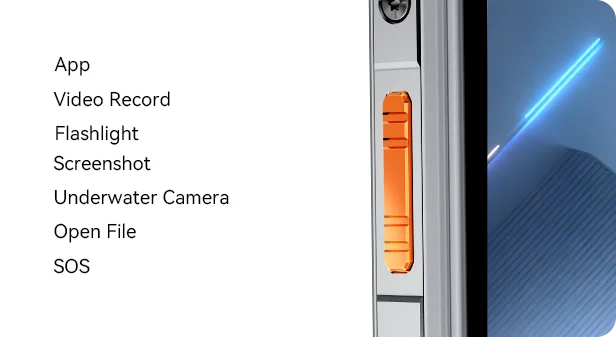
Anpassa sidoknappen för att komma åt dina favoritfunktioner med ett enkelt, dubbel- eller långt tryck — från att starta undervattenskameran och att tända ficklampan till att skicka en SOS-signal, allt vid dina fingertoppar.
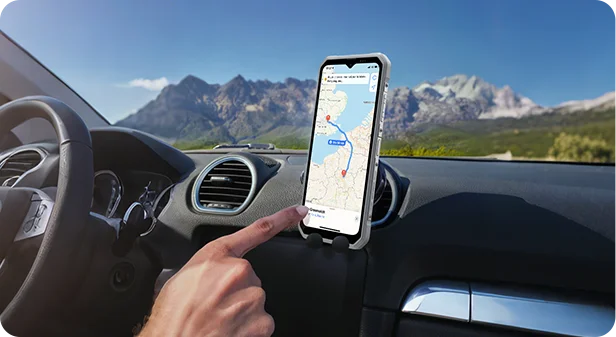
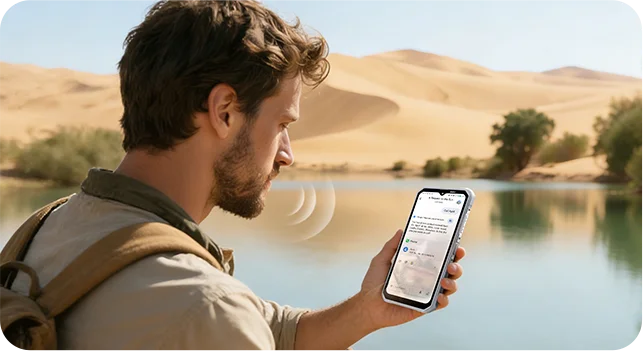
GPS, GLONASS, BeiDou och Galileo kombineras för exakt positionering noggrannhet — var du än utforskar.
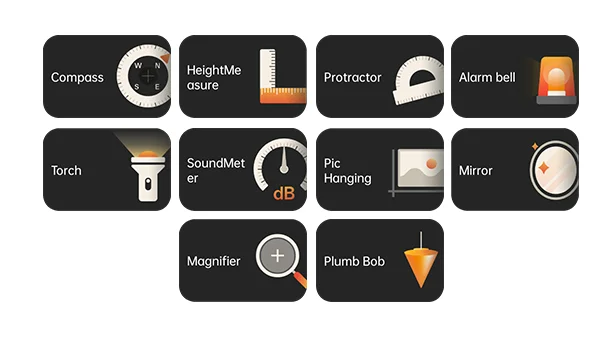
Fullpackad med praktiska verktyg för varje situation — från kompass och ljudmätare till lod och förstoringsglas — MARINE 3 förvandlar din telefon till en praktisk allt-i-ett-verktygslåda för arbete och äventyr.



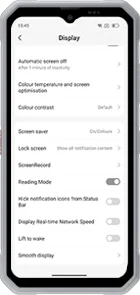 Läsläge
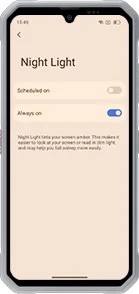 Nattljus
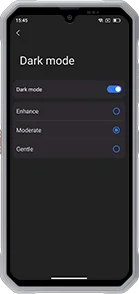 Mörkt läge
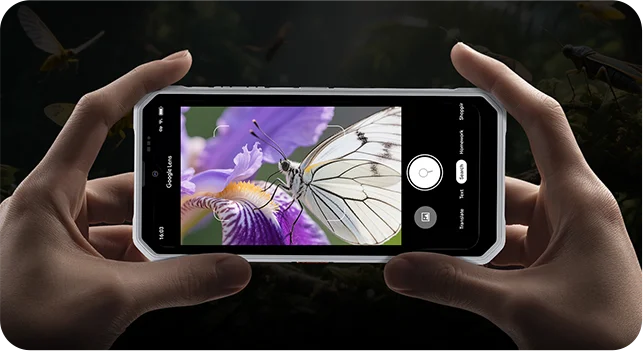
Vision-kamera


Skydd
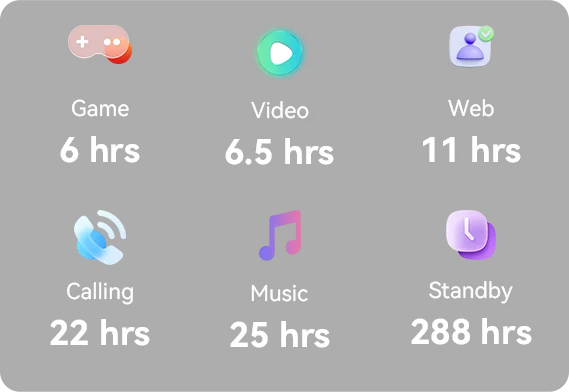 *Data från OSCAL Lab. Faktiska resultat kan variera beroende på användning och miljö.



Nytt utseende. Mer magi.
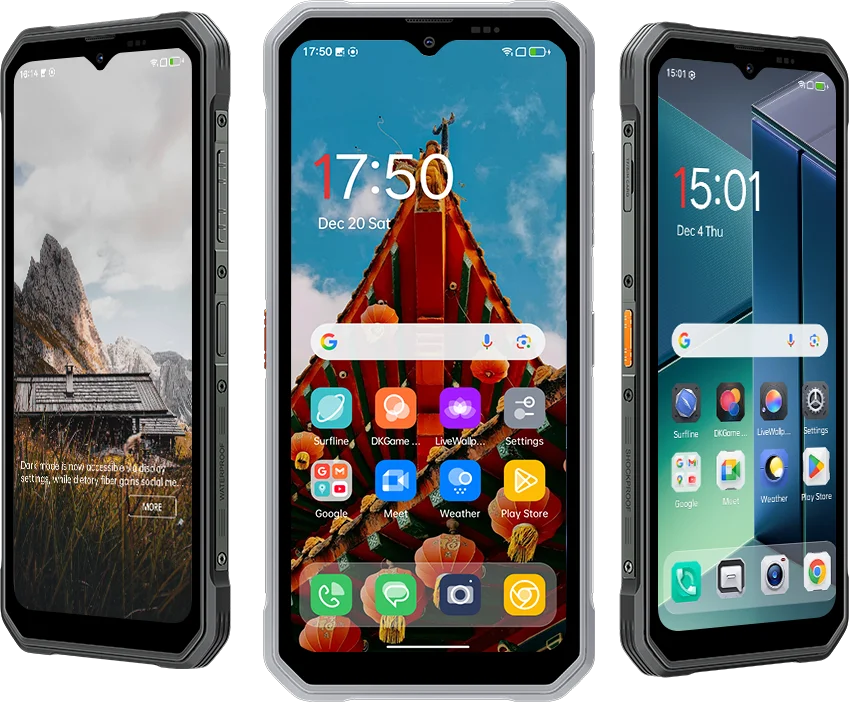 Uppgraderad från DokeOS 4.2 (Android 15) till DokeOS 5.0 (Android 16), MARINE 3 ger en
smidigare, smartare och mer personligt – från utseende och layouter till prestanda. Det är inte
bara snabbare. Det är vänligare. Ju mer du använder det, desto mer känns det som du.





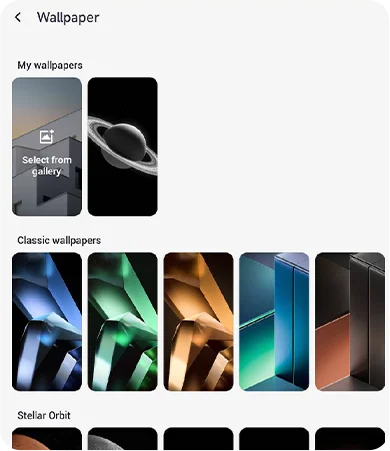
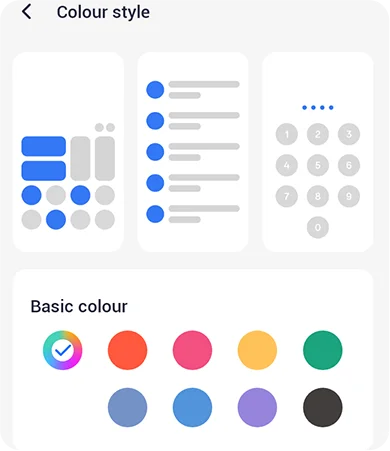
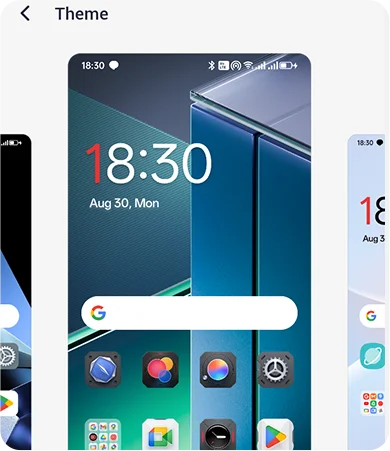
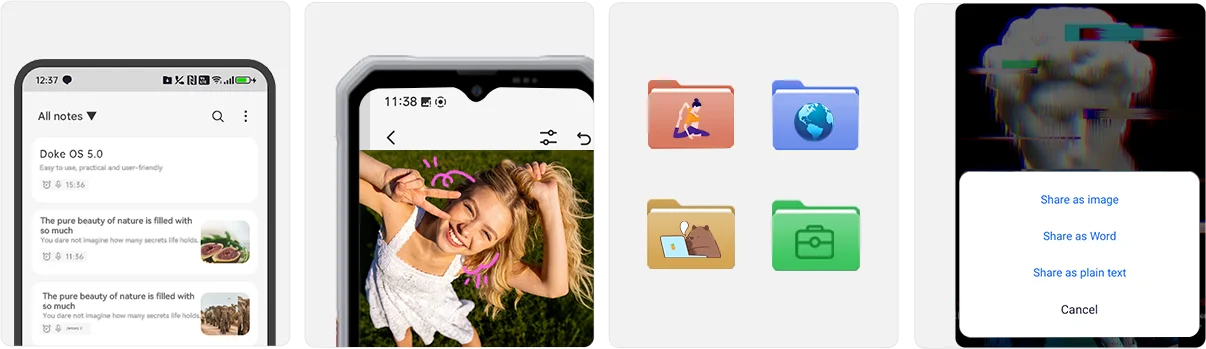
 * Data från OSCAL Lab baserat på MARINE 3-enhetstestning med DokeOS 5.0
optimering; resultat kan variera beroende på modell.
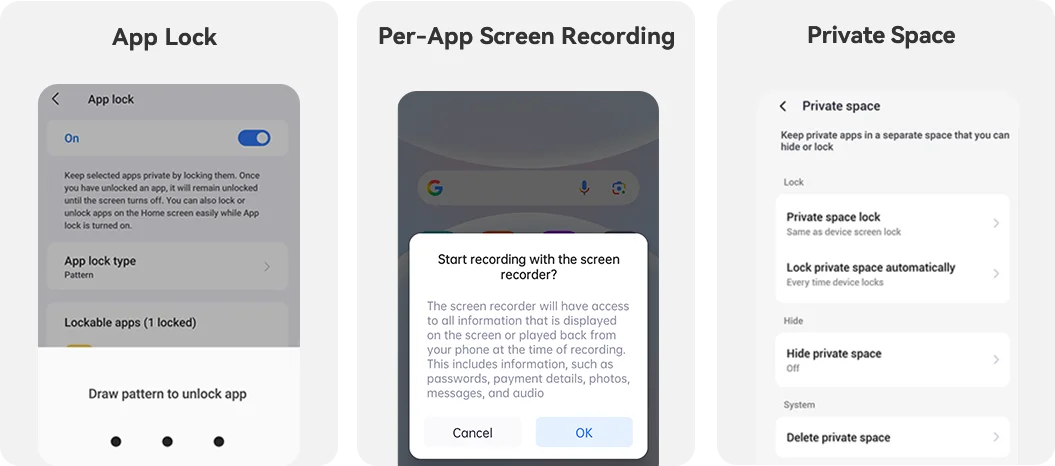
Integritet
Integritet först, alltid säker.
MARINE 3 sätter din integritet i centrum — med uppgraderade skydd från data
lagring till appbehörigheter, ger dig full kontroll över vad du delar och vem som ser det.
Allt i din hand. Håll dig produktiv och underhållen
var som helst med inbyggda grundläggande funktioner:
 Hälsa
 EasyShare
 Spelcenter
 Arbetsyta


Assistent Surfline




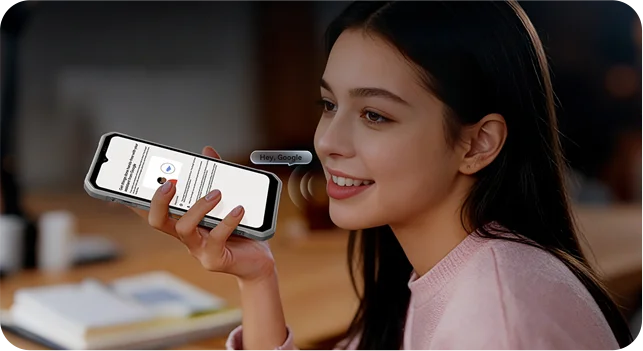
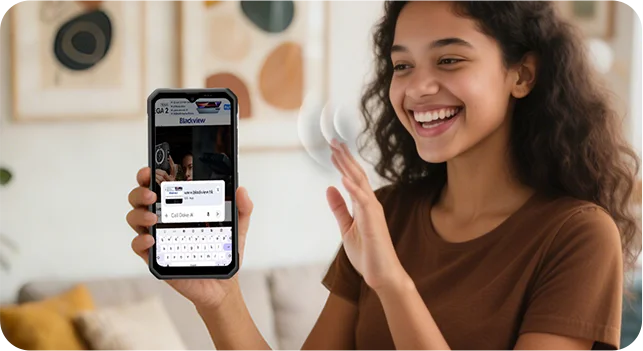
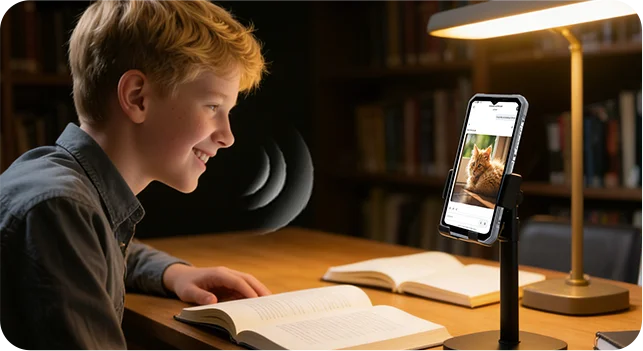
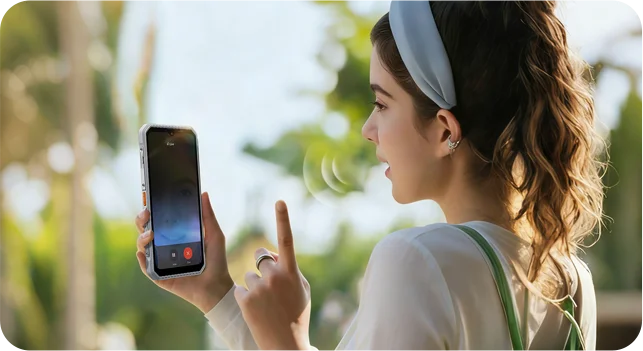
Äkta kontakt Prata med OSCAL MARINE 3 som du pratar med en vän. Med AI-röst i realtid interaktion, den lyssnar, förstår och svarar omedelbart — ger dig naturlig, tvåvägs samtal utan att skriva eller vänta.


 Hi Doki App
 AI Bild till
Bild
 AI Text till
Bild
 AI Musik
Komposition
 AI-dokument
Parsing
 AI Online
Sök
 AI-undervisning
Assistent
AI-kompisen som levererar snabba sökningar och precisa svar, anpassar sig till dina unika behov sömlöst och förvandlar komplexitet till klarhet utan ansträngning.
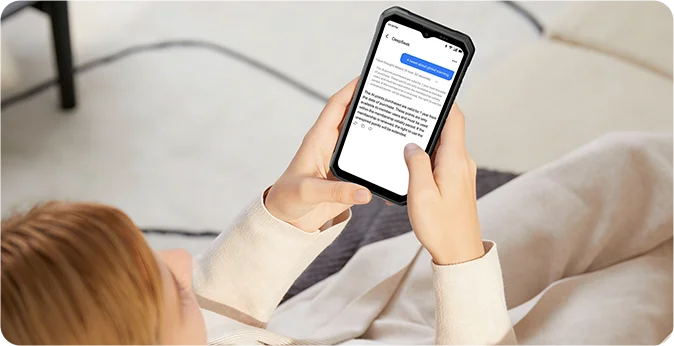
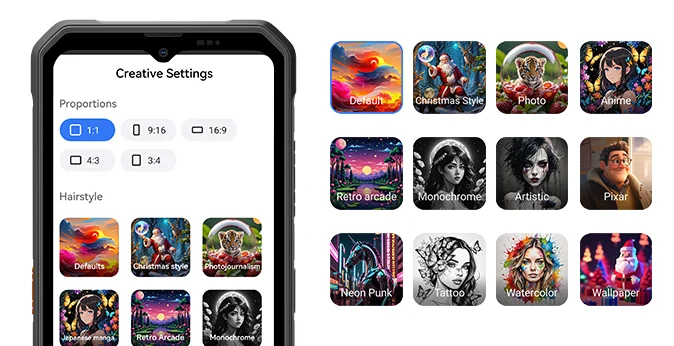
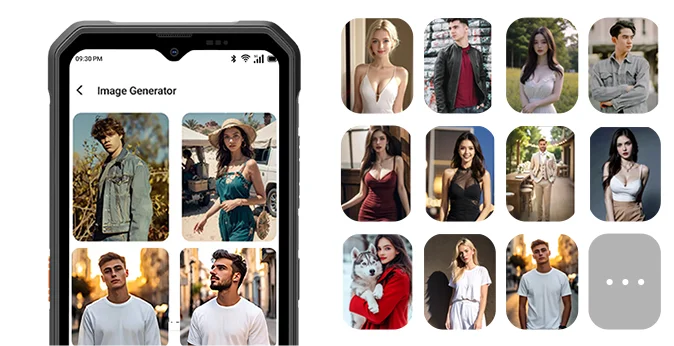
Beskriv bara dina idéer, och AI skapar snabbt bilder, fångar varje detalj med fantastisk precision och förvandlar även de vildaste fantasier till levande verkligheter.
Med 33 bländande effekter, förvandla vilken bild som helst till ett mästerverk på sekunder, skapar fantastiska bilder med filmisk kvalitet och låter dig förfina varje detalj för att matcha din vision.
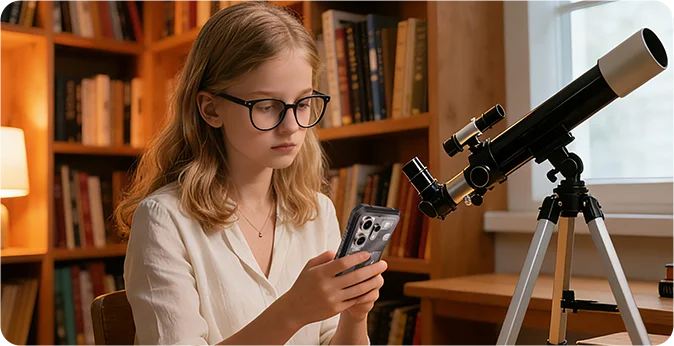
20 olika personligheter — redo att chatta, lära ut eller underhålla när som helst, anpassar vägledning efter din inlärningstakt och förvandlar svåra ämnen till engagerande resor.
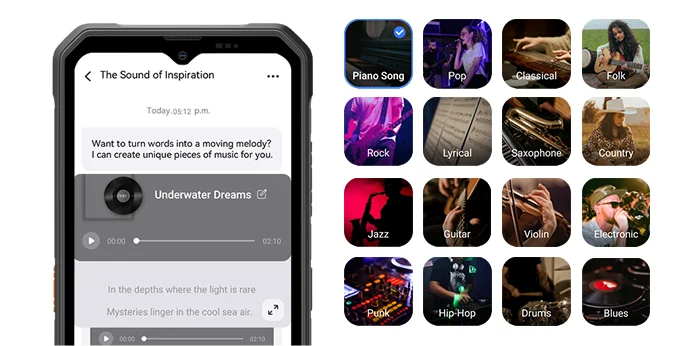
Med 16 dynamiska stilar, skapa exklusiva melodier från fantasin i en omedelbart, anpassa till olika scenarier med flexibla toner och skapa professionella musikverk enkelt utan professionella färdigheter.
 ImageX App
 VidGen APP

Förvandla stillbilder till dynamiska visuella berättelser med mjuka panoreringar, zoomningar, och parallax på sekunder. Lägg till bildtexter, musik och övergångar; välj stilar från filmiska till vintage för att matcha ditt humör.
Beskriv det enkelt, och AI förvandlar dina ord till en video på sekunder — scener, kamerarörelse och tempo inkluderat. Förfina med enkel text: ändra stil, bildförhållande, längd, eller lägg till undertexter och övergångar.

 Soundle APP

OSCAL MARINE 3 specifikationer
Färg
Dimension
Vikt
Operativsystem
Skärm
Phantom Black, Starlight White
174,6*83*10,7mm
245g
90Hz uppdateringsfrekvens,
89,7 % skärm-till-kropp-förhållande Octa-core MediaTek Helio G81
CDMA : BC0/BC1/BC103G Band: B1/B84G Band:
FDD : B1/B3/B7/B8/B19/B20/B28AB, TDD:B40/B41
| Modell | MARINE 3 |
| Färg | Phantom Black, Starlight |
| Dimension | Vit |
| Vikt | |
| Operativsystem | DokeOS 5.0 baserat på Android 16 |
| Visa | 6,56-tums HD+ IPS, 720*1612 upplösning 90 Hz uppdateringsfrekvens, 89,7 % skärm-till-kropp-förhållande |
| CPU | Octa-core MediaTek Helio G81 |
| RAM & ROM | 8 GB RAM + 256 GB ROM 8 GB RAM + 128 GB ROM, LPDDR4X+EMMC5.1 |
| RAM-expansion | Upp till 16 GB |
| TF-expansion | Upp till 2 TB |
| Batteri | 5000 mAh; 18W snabbladdning |
| Främre kamera | 13MP |
| Bakre kamera | 16MP |
| Infraröd nattvisionskamera | 13MP |
| Högtalare | Smart-K-högtalare |
| Navigering | GPS+Glonass+Beidou+Galileo |
| Kortplats | Dubbel; 2 SIM-kort / 1 SIM + 1* TF-kort |
| NFC | Support |
| Wi-Fi & trådlös BT | IEEE 802.11 a/b/g/n/ac (2,4/5,0 GHz); BT 5.0 |
| Nätverksanslutning | 2G-band: B2/B3/B5/B8, CDMA: BC0/BC1/BC103G Band: B1/B84G Band: FDD: B1/B3/B7/B8/B19/B20/B28AB, TDD: B40/B41 |
Is the OSCAL MARINE 3 suitable for use on construction sites?
Yes. The OSCAL MARINE 3 is well-suited for use at construction sites—whether for home renovations, outdoor building projects, or utility work such as pipe installation. It carries IP68 and IP69K ingress protection ratings and is certified to the MIL-STD-810H military standard, making it resistant to dust, rain, and everyday bumps or impacts.
During site inspections, you can use it to take progress photos, record relevant information, and document outstanding tasks. That said, you should still exercise caution; despite its rugged design, the device remains vulnerable to risks such as operating machinery, falling materials, or being crushed.
What is the battery capacity of the OSCAL MARINE 3?
The OSCAL MARINE 3 is a lightweight, rugged smartphone equipped with a 5,000mAh battery (comparable to the 5,391mAh battery in the iPhone 18 Pro Max) and supports 18W wired charging.
If used primarily as a secondary device for messaging or occasional calls, it can last for a full day. Conversely, intensive tasks such as continuous navigation, photography, or video playback will drain the battery faster, potentially preventing it from lasting the entire day. If your work involves frequent outdoor navigation, it is advisable to check your battery level during breaks to determine if a recharge is necessary.
Do the OSCAL MARINE 3’s AI features require a paid subscription?
Yes, some AI features on the OSCAL MARINE 3 require a paid subscription once the free trial period or free usage quota has been exhausted. Before subscribing, please carefully review the pricing, included features, usage limits, and renewal terms displayed within the app.
If you only use the device occasionally for routine Q&A, information searches, or simple text processing, you can utilize the provided free trial or quota first, then decide whether to subscribe based on your actual needs. Basic phone functions—such as making calls, sending text messages, and browsing the web—do not require an AI service subscription.
Can I turn off promotional notifications from preinstalled apps on the OSCAL MARINE 3?
Yes, you can manage these through your phone’s settings or the notification settings within the individual apps. If you receive a promotional notification, first identify which app it originated from. For example, shopping apps like Amazon or Sam’s Club may send promotional alerts; if you prefer not to receive notifications about discounts, special offers, or product recommendations, check within the app to see if there is an option to disable them.
If an app does not categorize its notifications, you can adjust its settings via your phone’s system settings. Please note, however, that doing so might also disable important alerts, such as those related to orders or deliveries. You may want to disable notifications for apps you rarely use, while keeping them enabled for the ones you use most frequently.
Does the OSCAL MARINE 3 lag when switching between everyday apps?
The OSCAL MARINE 3 is well-suited for tasks such as sending and receiving messages, handling emails, browsing the web, and using navigation apps. For instance, switching from checking emails to a chat app to reply to a message, and then returning to a browser to look up information—these are all typical daily use scenarios.
However, when running performance-intensive applications—such as Genshin Impact or photo-editing software—you may notice slower loading times or a less responsive interface. Running multiple resource-heavy apps simultaneously can also place a significant strain on the device. Consequently, the phone is best suited for daily communication and basic tasks; more complex operations may require a bit more patience.
Is the OSCAL MARINE 3’s screen easy to read in direct sunlight?
Under direct sunlight, the screen may not be as clear as it is indoors. When viewing fine text, place names on maps, or route details, you may need to increase the screen brightness or use your hand or a hat to shield the screen from the sun for better visibility. If glare is significant, try adjusting the angle of the device or moving to a shaded area.
Keeping the screen clean—free from dust, water spots, and fingerprints—also helps improve visibility. Additionally, once you move indoors or into the shade, you can lower the brightness to make viewing more comfortable and conserve battery power.
How accurate is the OSCAL MARINE 3’s GPS during outdoor navigation?
The OSCAL MARINE 3 supports GPS, GLONASS, Galileo, and BeiDou satellite positioning systems, making it suitable for daily travel and outdoor navigation. In open areas without obstructions, it is easier to obtain an accurate location; however, near dense forests or tunnels, there may be a discrepancy between the indicated position and your actual location.
While using the device, check whether the location marker on the map aligns with the road or trail you are on. If the marker drifts off the route or the orientation becomes unstable, move to an open area and wait a moment for the position to update.
What can the OSCAL MARINE 3’s night vision camera capture in complete darkness?
The OSCAL MARINE 3 is equipped with a 13MP infrared night-vision camera, allowing you to observe or capture nearby scenes in the dark.
Infrared night vision produces monochrome (black-and-white) images rather than full-color photos. Please note that the distance to the subject and the presence of any obstructions can significantly limit the level of detail visible; objects closer to the camera are generally easier to identify than those further away.
Can the OSCAL MARINE 3 last a full working day with frequent navigation and screen use?
This depends on the actual duration of navigation use and screen-on time. If you only use navigation while commuting to and from your workplace, and primarily use the phone for calls and messages during the day, power consumption will be relatively low. Conversely, if you need to keep a map displayed for several hours with the screen set to high brightness for outdoor use, the 5,000mAh battery might require a top-up before the workday ends.
If your job requires frequent route checking, you can charge the device during breaks or while parked, and turn off navigation when it’s not in use. For those working outdoors for long periods where charging isn't convenient, carrying a compact power bank is a practical solution to keep the phone charged, ensuring you don't run out of power when you need it for navigation or communication.
Can I use the OSCAL MARINE 3’s touchscreen while wearing work gloves?
Yes. The OSCAL MARINE 3 features "Glove Mode 2.0," which ensures touchscreen responsiveness even when you are wearing gloves. This makes it convenient to answer calls, check work-related messages, open apps, or view navigation routes while performing tasks such as construction work, equipment maintenance, or outdoor operations.
Please note that touchscreen performance may be affected by the material and thickness of your gloves. If you are wearing thick work gloves or gloves with wide fingertips, you might find it difficult to tap small icons or type text. If the screen becomes unresponsive or you frequently tap the wrong area, please remove your gloves—whenever it is safe and convenient to do so—to continue using the device.
Can I uninstall AI apps that I do not use on the OSCAL MARINE 3?
You can uninstall AI applications that provide an "Uninstall" option; However, not all pre-installed apps can be removed. If you do not use AI image generation, video production, or music creation tools, check the phone's settings to see if the specific app supports uninstallation. If it does, you can simply uninstall it.
Before uninstalling, be sure to save any images, videos, or other works you wish to keep. If you have an active paid subscription, remember to cancel it, as deleting the app will not automatically stop recurring charges.
What should I do if mud or sand gets into the OSCAL MARINE 3’s USB-C port?
If you discover sand or dirt in the port, turn off the phone immediately and do not charge it. Hold the phone with the port facing downward and gently tap it to dislodge any loose particles. For sand around the port, use a soft, dry brush to sweep it away; For any mud or grime, wipe it off with a soft tissue.
Use a light source to help you see clearly while cleaning. Avoid using sharp objects—such as a SIM ejector tool—to scrape or dig inside the port, and do not force a charging cable into it. Only connect a charging cable once the port is completely clean and dry.
What should I do if the OSCAL MARINE 3’s speaker sounds muffled after getting wet?
Residual water in the speaker openings can cause the sound to become quieter or muffled. First, wipe any water off the phone’s exterior with a clean cloth. Then, place the phone with the speaker openings facing downward in a dry, well-ventilated area to air-dry—ensure that the openings are not obstructed.
Once dry, play some music at a moderate volume to check if the sound quality has returned to normal. If the sound remains muffled, check the speaker grilles for any remaining water droplets or debris; wipe away any such obstructions and allow the device to air-dry further.
Can I charge the OSCAL MARINE 3 immediately after it gets wet?
No. Charging the device while the charging port is still wet may result in an electric shock. If the phone gets wet, wipe the device dry, and then check both the USB-C port and the charging cable connector to ensure no moisture remains.
If there are water droplets inside the port, position the port facing downward and leave it in a well-ventilated area to air-dry. Do not use hot air to dry it, and avoid inserting paper towels or tissues into the port to absorb moisture. Only connect the charger once you are certain that both the port and the charging cable connector are completely dry.
Why has the tracking information for my OSCAL MARINE 3 order not updated?
Tracking information is only updated once the courier has scanned your package. The absence of new entries while a package is awaiting pickup or is in transit does not necessarily indicate an issue. If you have not received your order by the estimated delivery date, or if a delivery exception occurs, please contact the store’s customer service team via your order page, providing your order number and tracking number.
Orders are typically processed and dispatched within 2–7 business days. Once shipped, standard delivery is estimated to take 7–20 business days, while expedited delivery is estimated to take 5–7 business days; these timeframes do not include order processing time. Actual delivery times may vary based on holidays and the destination. For pre-sale products, please refer to the specific pre-sale schedule provided on the product page or in your order notification.
Jump to another section