



Blackview FORT 200 Slim & trådlös laddning 6,78-tums MediaTek Helio G100 Octa-core 5000mAh 108MP+13MP nattvisionskamera robust 4G-mobiltelefon

Slut i lager
Höjdpunkter
Höjdpunkter
✔6,78-tums 268g & 11,5 mm tunn
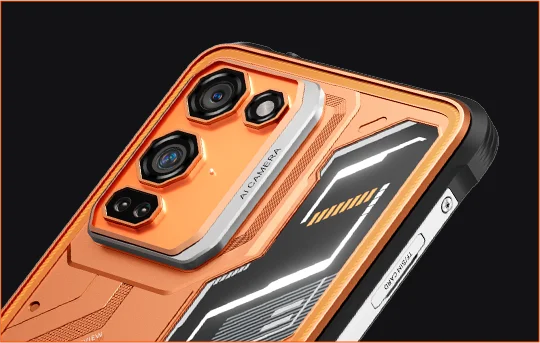
✔108MP Samsung® HM6 + 13MP nattvisionskamera
✔ Octa-core MediaTek Helio G100-processor
✔5000mAh & 33W snabbladdning + 15W trådlös laddning
✔IP68 & IP69K & MIL-STD-810H certifierad
Informationer
Informationer
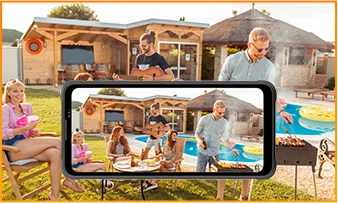
Blackview FORT 200 är en slimmad robust 4G-telefon byggd för användare som vill ha bättre bildkvalitet, smidigare visning och hållbarhet för utomhusbruk utan att bära en klumpig enhet. Dess 6,78-tums 120Hz 2,4K-skärm förblir klar med 700 nits ljusstyrka, medan MediaTek Helio G100 håller vardagliga uppgifter, navigering och fältarbete responsiva. En 108MP Samsung-bakkamera, 13MP nattvisionskamera, 5000mAh-batteri, 33W snabbladdning och 15W trådlös laddning gör den praktisk för arbete och äventyr. Med IP68 & IP69K och MIL-STD-810H-skydd är den redo för tuffa miljöer.
Om varumärket
Om varumärket
På Blackview tror vi att fantastisk teknik ska gå bortom imponerande specifikationer. Den ska passa verkliga livet, lösa verkliga problem och vara pålitlig när det verkligen gäller.
Blackview började med robusta telefoner byggda för tuffa miljöer. Idag erbjuder vi ett bredare ekosystem av smarta enheter, inklusive smartphones, surfplattor, bärbara datorer, smartklockor, ljudprodukter och mer.
I varje kategori är vårt fokus detsamma: hållbar kvalitet, praktisk innovation och tillgängliga priser. Vi designar produkter som känns pålitliga från dag ett.
Vi förstår vad kunder värdesätter mest: smidig prestanda, långvarig pålitlighet, användbara funktioner och teknik som gör vardagen enklare utan onödiga kostnader.
Därför lägger Blackview verklig omsorg på produkttestning, användarupplevelse och funktioner som tillför verkligt värde till arbete, resor, skapande, utomhusäventyr och daglig kontakt.
Blackview är gjort för människor som vill ha teknik de kan lita på: smarta, kapabla enheter byggda för att hänga med i det moderna livet.
Påliteliga från början. Praktiska av naturen. Gjorda för verkliga livet.
Frakt och returer
Frakt och returer
• Frakt: Beställningar behandlas inom 1–2 arbetsdagar. Standardleverans tar 3–7 arbetsdagar beroende på din plats.
• Returer: Du kan returnera eller byta produkter inom 30 dagar efter att du mottagit din beställning. Artiklar måste vara i originalskick med inköpsbevis.
Om din vara är defekt eller skadad på grund av tillverkningsfel byter vi gärna ut den utan extra kostnad.


Robust bildflaggskepp Slimmad i handen. Skarp i synen. Redo för det okända.
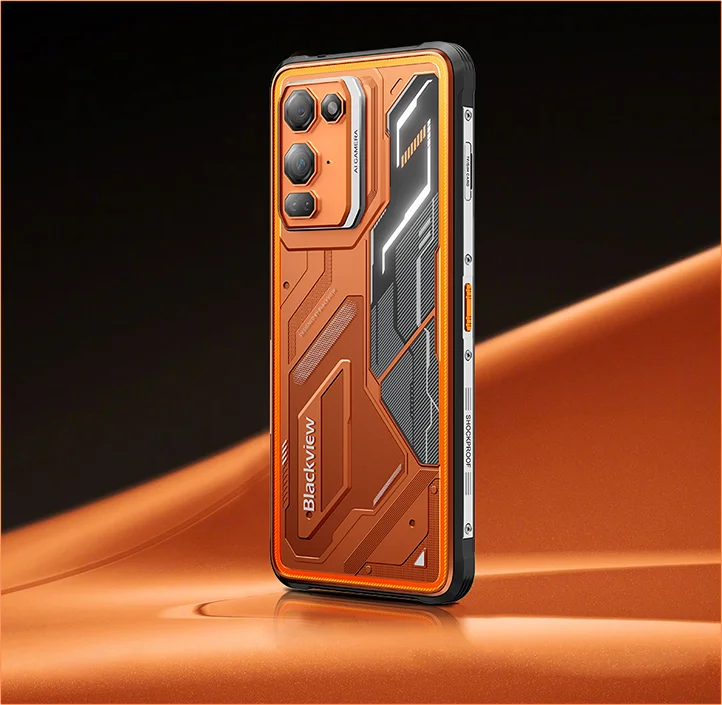
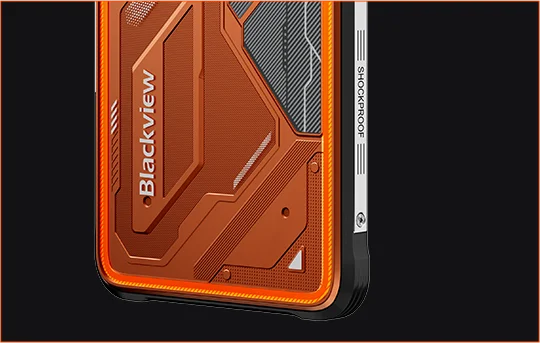
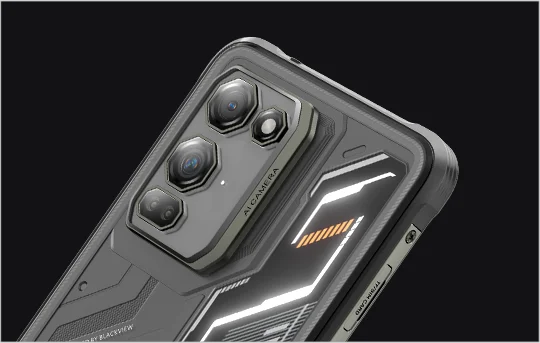
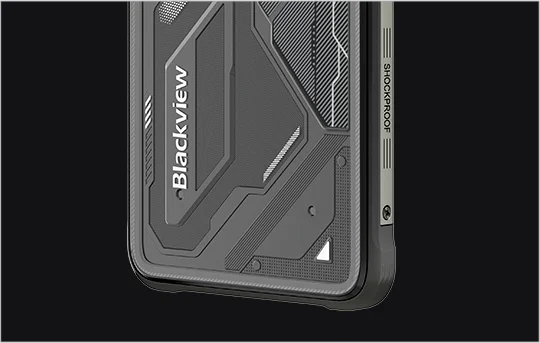
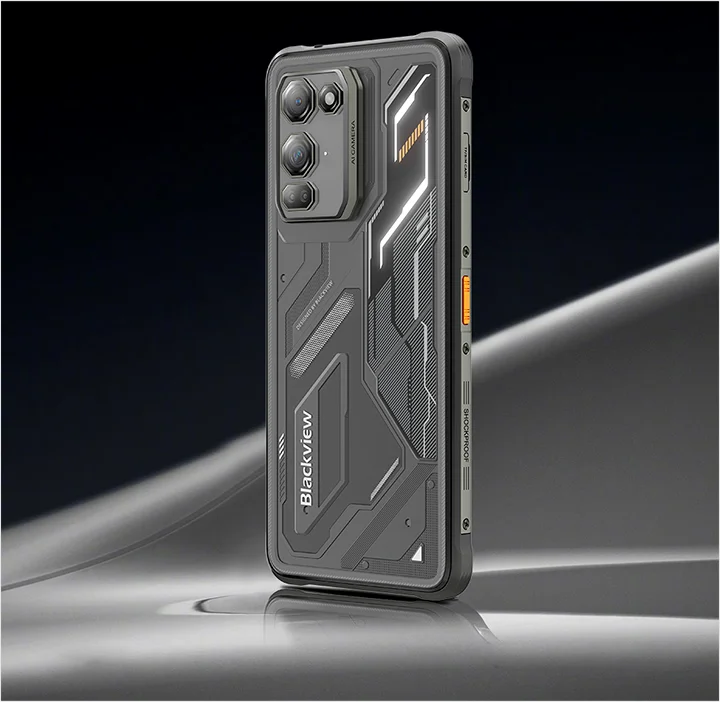
 Slimmad. Ljus. Otroligt klar Se det klart. Se det var som helst
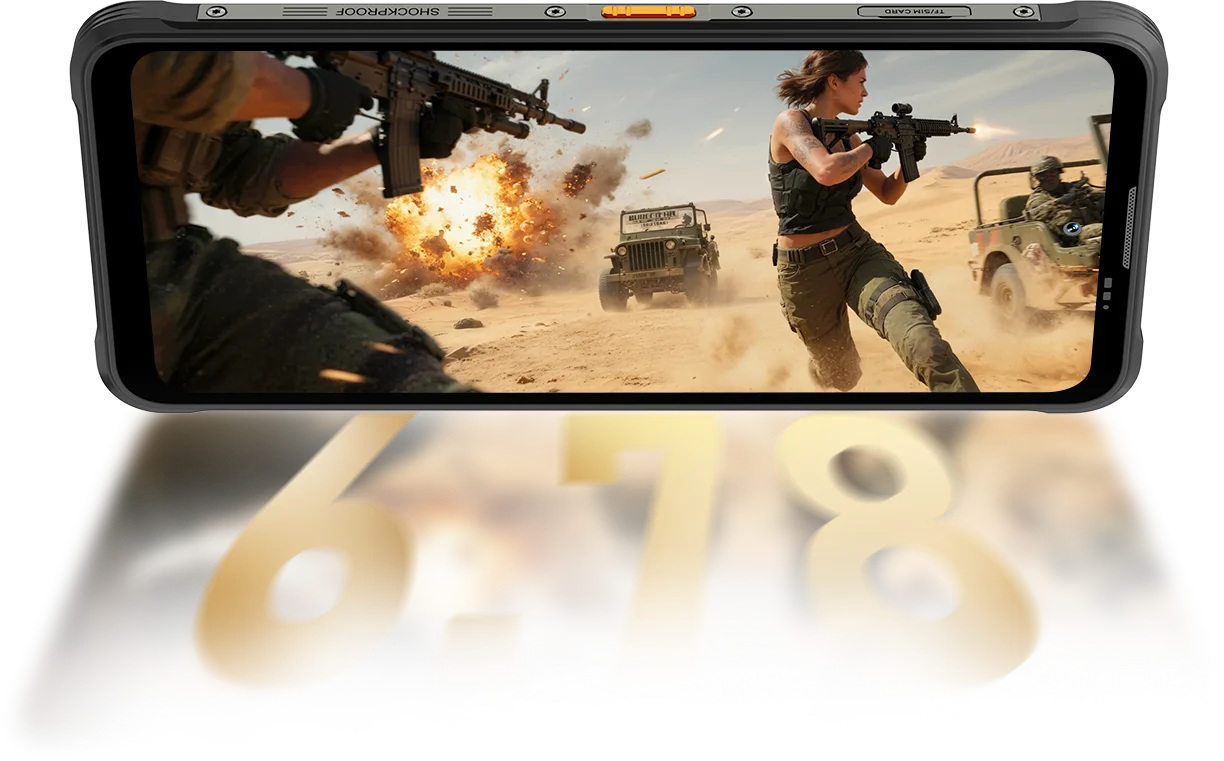
Upplösning
IPS Full View
Maximal ljusstyrka
PPI
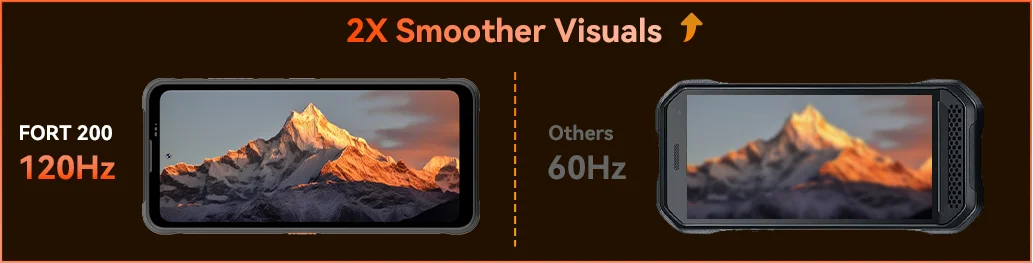
AI Smart Refresh Rate
Skärm-till-kropp-förhållande
Touch-samplingsfrekvens
FORT 200 når upp till 700 nits för att förbli ljus och läsbar när svagare skärmar bleknar.

 Andra
 500 nits
Känn hur mjukheten kickar in med Blackview FORT 200:s 120Hz AI Smart Refresh Rate — sparar energi när du scrollar, ökar flytet när du spelar och håller varje rörelse ultrakänslig var du än är.
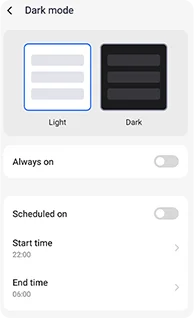
Justerbara mörka teman designade för minskad ansträngning och längre batteritid.
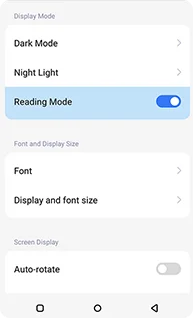
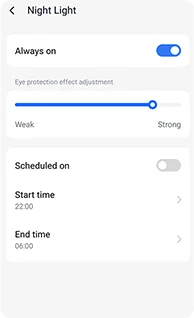
Mjuka bärnstensfärgade toner med justerbar intensitet för att hjälpa dina ögon att slappna av bekvämt på natten.
En ren, kindle-liknande effekt som är bekväm för långa läsningar.
 Se mer. Fånga tydligare. Led klassen Fånga allt — skarpare på dagen, synligt på natten Byggd med branschens klaraste bildkraft.
1,28μm 4-i-1 pixlar
1/2,76" sensor
5P-objektiv
1/1,67" Stor Sensor
1,92μm Nonapixel Plus
f/1.9 bländare
6P-objektiv
Ljusstarkare nätter.
Mindre brus. Mer detalj.
Skarpare bilder.
Renare optik.
Bredare dynamiskt omfång.
Sannare färger.
Smartare exponering.
Bättre kontrast.
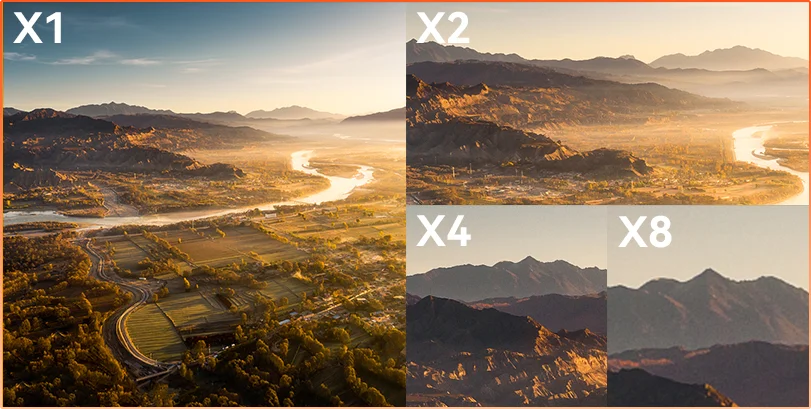
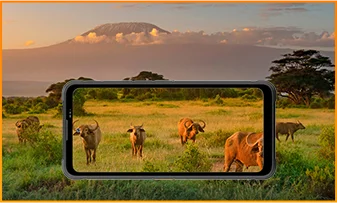
Avstånd döljer Oavsett om du observerar, inspekterar eller dokumenterar, ger 8× zoom avlägsna detaljer i skarp, användbar klarhet.
 ISOCELL 2.0
 Tetrapixel 4-i-1 Teknik
 Dubbel Super PD
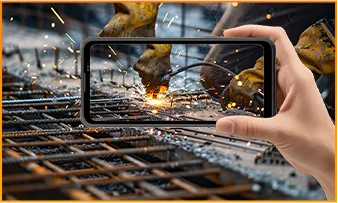
Håll dig medveten i alla miljöer med FORT 200:s 13MP nattvisionskamera — som ger klar sikt när ljuset slocknar och förhållandena blir tuffa.
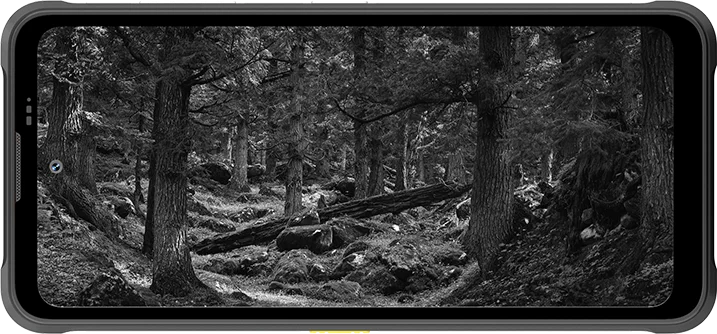
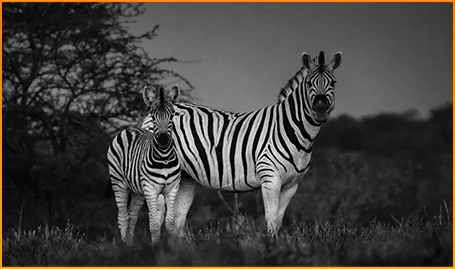
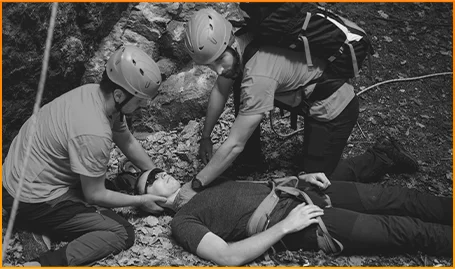
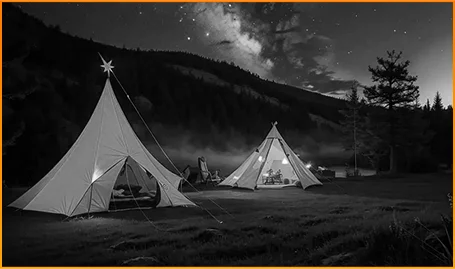
Se djur tydligt — även när mörkret döljer deras rörelser.
Hitta människor och föremål snabbt när varje sekund räknas.
Håll koll på vad som rör sig runt din campingplats efter mörkrets inbrott.
Fånga ögonblicket innan det försvinner med FORT 200:s Rörelsefoto — som fångar rörelse, ljud och den där bråkdelen av energi som stillbilder vanligtvis missar.
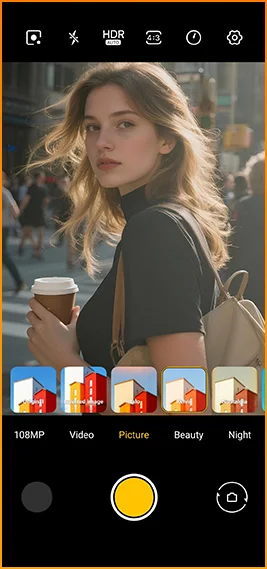
Fotografera med mening med FORT 200:s skarpare 2K-video, och finjustera inställningarna med Pro-läget när Auto-läget inte hänger med i svåra ljusförhållanden eller snabba rörelser.
 AI-foton
Regn / Sand och damm / Vibration / Stöt / Acceleration / Hög temperatur / Låg temperatur / Fuktighet / Höjd
Stöttålig
Dödsstött
Extrem temperaturdrift
Vattentät från alla vinklar
Redo för varje utmaning.
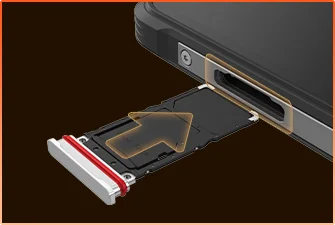 SIM-fack Vattentät Försegling
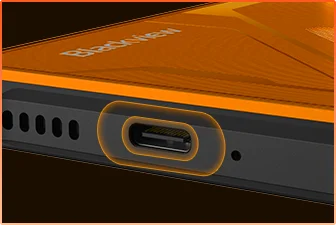 USB-port Vattentät Skydd
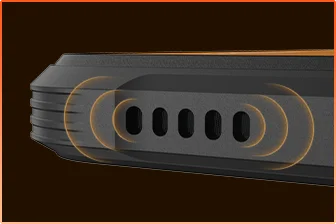 Högtalargaller Vattentät Design
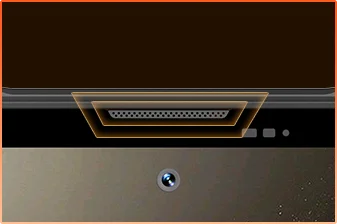 Mikrofonport Vattentät Skydd
Du Är Redo.
Kamera
BOX Högtalare
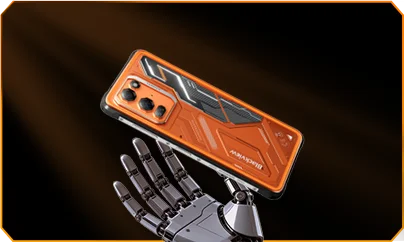
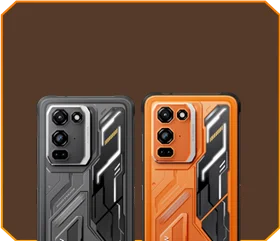





 Phantom Black
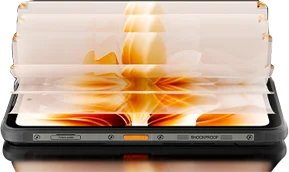
Ljusstyrka


1,5m Dödsstöt
-20°C till +55°C Extrem
Temperaturdrift
 Sidoknapp
Funktion
 Användbar
Verktygslåda

Fjärrkontroll
Kontroll
 Under Vatten
Kamera
 2W Smart-K
BOX Högtalare
IP69K Klassificeringar
MediaTek Helio G100
12GB RAM+36GB Expansion
Kort Expansion


≈303K+ Foton
≈5,1K+ Korta Videor
med 33W Snabbladdning
1/1,67" Stor Sensor
6P Kristallklart Objektiv
Smart-ISO Pro
8X Zoom
Tetrapixel 4-i-1 Teknik
Dubbel Super PD
med Helt Nytt Pro-läge

AI Utmålning
AI Sudda Bakgrund Foto

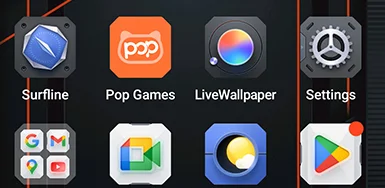


 System
Chef
2.0
 Kamera
2.0
 Global
Nätverk
Redo
 Smart
NFC
Tillgång
 Mer Kraft. Mer Hastighet. Mer Gjort. Ingen Fördröjning. Inga Gränser. Bara Kraft

Kör Samtidigt
Nästa Generations Expanderbar Teknik
Snabbare Appstart
 ≈796K+ Sånger
 ≈303K+ Foton
 ≈5,1K+ Korta Videor

 15W trådlös
Laddning
 5W omvänd
ström-delning
 Batterispar-
algoritm
 Super strömspar-
läge
 Laddnings-
skydd
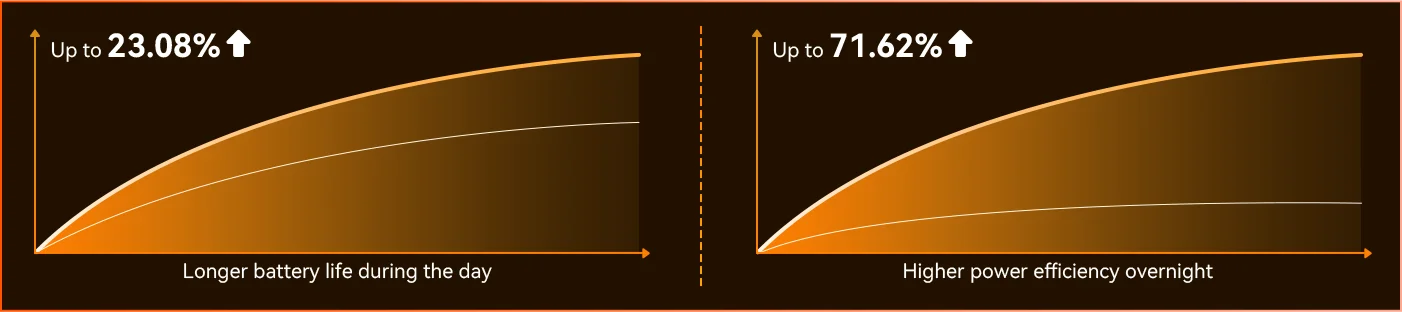
Varje dag *Data från Blackview Lab. Faktiska resultat kan variera beroende på användning och miljö.
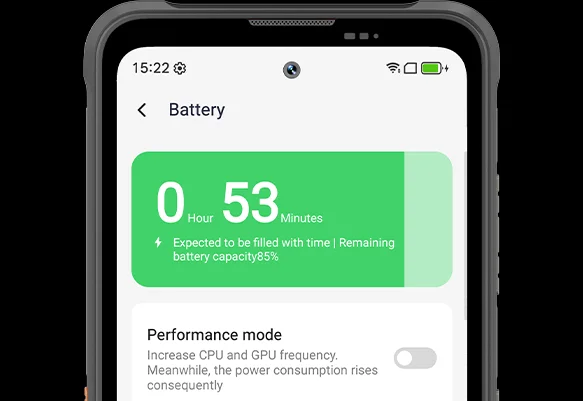
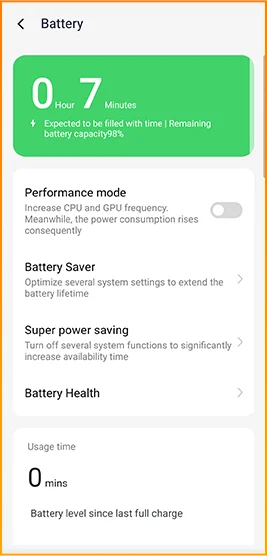
Märk skillnaden när FORT 200 anpassar sig till din dag — det helt nya djupgående strömsparläget identifierar inaktiv tid även i dagsljus och minskar strömförbrukningen utan att du behöver lyfta ett finger.
 Smartare, smidigare, designad för att känna dig bättre. Helt nya DokeOS 5.0 (Android 16)
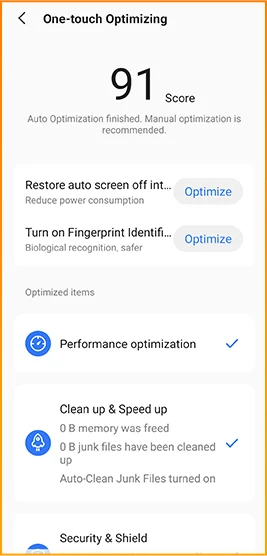
 Bekvämlighetsuppgradering Personlighetsuppgradering Integritets- och säkerhetsuppgradering AI-intelligensuppgradering
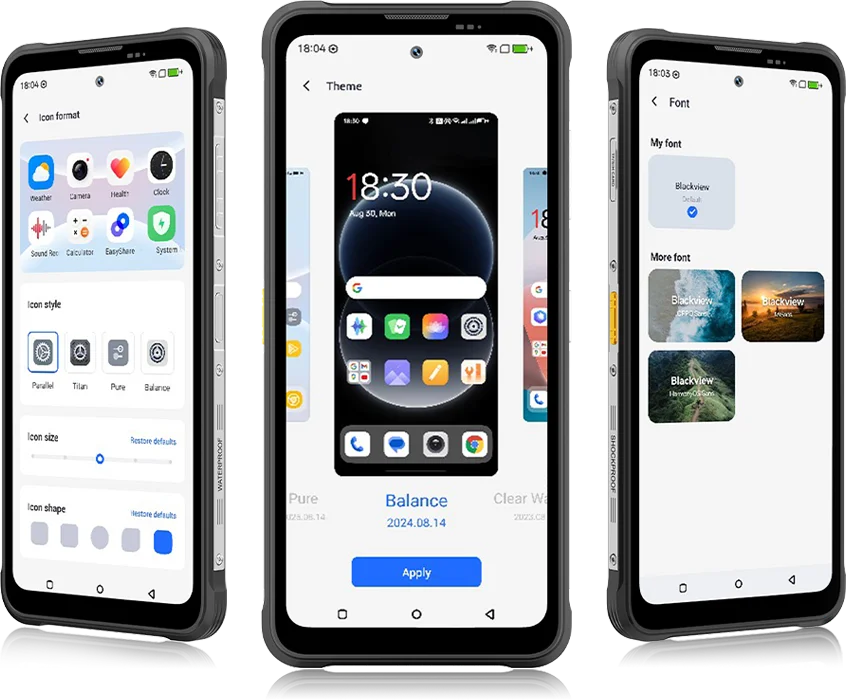 Från DokeOS 4.2 till 5.0 har allt utvecklats — hastigheten du känner, flytet du ser, intelligensen som förutser ditt nästa drag. Det är smidigare, smartare och mer personligt än någonsin, och förvandlar vardagsögonblick till enkla upplevelser.
för vardagliga uppgifter


Kinematiska utseenden med ett tryck.
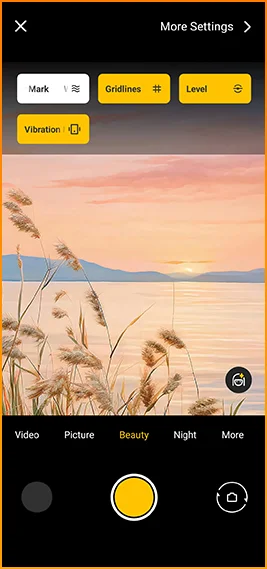
Rutnät, vattenstämplar, nivå,
och haptik direkt till hands.
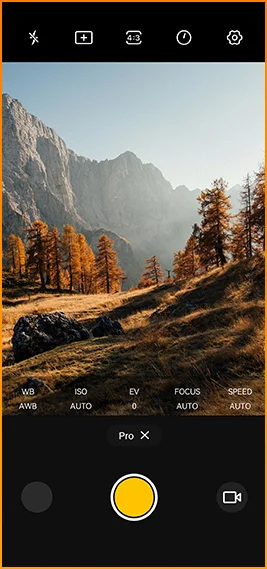
Finjustera färg
temperatur och mätning
med proffsnivåkontroll.


Designad för pålitlig anslutning över
regioner världen över.
Lås upp dörrar, betala direkt och anslut snabbare
med ett enda tryck.
Blackview FORT 200 specifikationer
120Hz smart uppdateringsfrekvens, 86% skärm-till-kropp-förhållande
13MP (nattseende)
3G-band: WCDMA:B1/2/4/5/8
4G-band: FDD:B1/2/3/4/5/7/8/12/13/17/18/19/20/26/28A/28B/66
TDD:B38/40/41
| Design | |
| Produkt | Blackview FORT 200 |
| Färg | Blaze Orange, Phantom Black |
| Mått | 178,4 × 83 × 11,5 mm |
| Vikt | 268 g |
| Operativsystem | DokeOS 5.0 baserat på Android 16 |
| Visa | |
| Huvuddisplay | 6,78-tums IPS-skärm |
| Upplösning | 1080 × 2460 |
| Uppdateringsfrekvens | 120 Hz |
| Touch Sampling Rate | 180Hz |
| Ljusstyrka | 700 nits toppljusstyrka |
| PPI | 396 |
| Skärm-till-kropp-förhållande | 86% |
| Glas | Panda-glas |
| Prestanda | |
| CPU | MediaTek Helio G100 |
| CPU-klocka | 2 × Cortex-A76 2,2GHz + 6 × Cortex-A55 2,0GHz |
| GPU | Mali-G57 3D-grafik |
| RAM & ROM | 12GB RAM + 256GB ROM |
| minnestyp | LPDDR4X + UFS 2.2 |
| RAM-utbyggnad | Upp till 36GB utbyggnad |
| TF-utbyggnad | Upp till 2TB |
| Kamera | |
| Främre kamera | 50MP Samsung® ISOCELL JN1 |
| Bakre kamera | 108MP Samsung® ISOCELL HM6 huvudkamera + 13MP nattvisionskamera |
| Bakre kamerasensor | Samsung® ISOCELL HM6 + OV08B10 |
| Videoinspelning | 2K videoinspelning med Pro-läge |
| Kamerafunktioner | Rörlig bild, AI-foton, 8× zoom, Pro-läge, Smart Google Lens |
| Batteri & laddning | |
| Batteri | 5000mAh |
| Laddning | 33W snabbladdning, 15W trådlös laddning |
| Omvänd laddning | 5W omvänd strömdelning |
| Ljud | |
| Högtalare | 2W Smart-K BOX-högtalare |
| Hållbarhet | |
| Robusthetsklassning | IP68 & IP69K & MIL-STD-810H |
| Vattentålighet | 2 m / 30 min djup nedsänkning |
| Fallmotstånd | Upp till 6 m fallskydd |
| Varmvattenbeständighet | 80°C varmvattenbeständighet |
| Tryckstråleskydd | 10 000 kPa |
| Drifttemperatur | -20°C till +55°C |
| Anslutning | |
| Nätverk | Stöd för dubbel 4G SIM |
| Wi-Fi | IEEE 802.11 a/b/g/n/ac, 2,4 GHz / 5 GHz |
| Bluetooth | BT 5.2 |
| NFC | Support |
| Kortplats | Dubbel: 2 × SIM / 1 × SIM + 1 × TF-kort |
| USB | Typ-C |
| Nätverksband | |
| 2G | B2 / B3 / B5 / B8 |
| 3G | WCDMA: B1 / B2 / B4 / B5 / B8 |
| 4G | FDD: B1 / B2 / B3 / B4 / B5 / B7 / B8 / B12 / B13 / B17 / B18 / B19 / B20 / B26 / B28A / B28B / B66; TDD: B38 / B40 / B41 |
| 5G | Nej |
| Navigering | |
| Positionering | GPS / GLONASS / Galileo / BeiDou / QZSS |
| Sensorer | |
| Sensorer | G-sensor, P-sensor, L-sensor, gyroskop, kompass, magnetsensor, fingeravtryckssensor, RGB-sensor |
| Extra funktioner | |
| Utomhusfunktioner | Sidoknappsfunktion, infraröd fjärrkontroll, ToolBag, undervattenskamera |
| AI-funktioner | Doke AI 2.0, AI-chatt, AI-foton, AI-video, AI-musik, ImageX-app |
| Andra funktioner | Trådlös laddning, NFC, FM, OTG, fingeravtryckslås, läsläge, nattlampa, mörkt läge |
What are the differences between the Blackview FORT 200 and the Blackview FORT 2?
Compared with the Blackview FORT 2, the FORT 200 features a larger, higher-resolution display, more RAM, and a higher-resolution camera, along with faster wired charging and wireless charging support. The FORT 2 is slimmer and lighter, weighing 245.3g compared with the FORT 200’s 268g.
For everyday use, the FORT 200’s larger screen makes reading documents, viewing maps, and browsing photos easier. Its camera and charging features also suit users who prioritize photography and charging convenience. Both are 4G rugged smartphones, with key differences in their displays, hardware, cameras, and dimensions.
| Feature | Blackview FORT 200 | Blackview FORT 2 |
|---|---|---|
| Processor | MediaTek Helio G100 | MediaTek Helio G81 |
| Display | 6.78-inch, 1080 × 2460 | 6.56-inch, 720 × 1612 |
| Refresh rate | 120Hz | 90Hz |
| Physical RAM | 12GB | 8GB |
| Internal storage | 256GB | 128GB / 256GB |
| Main camera | 108MP | 16MP |
| Front camera | 50MP | 13MP |
| Wired charging | Up to 33W | Up to 18W |
| Weight | 268g | 245.3g |
| Thickness | 11.5mm | 10.7mm |
Who is the Blackview FORT 200 rugged phone designed for?
The Blackview FORT 200 is ideal for maintenance technicians, construction workers, delivery personnel (food/courier), farmers, and outdoor enthusiasts who enjoy hiking or camping. It is also well-suited for users who frequently find themselves in environments prone to dust, rain, or accidental impacts—situations where they still need to make calls, use navigation, run work-related applications, or take photos.
Its rugged design ensures reliability even in demanding work environments or during outdoor activities. The large screen provides ample space for viewing maps, reading documents, and looking at photos, while the high-resolution main camera captures detailed imagery. It is designed to support both professional tasks and everyday use.
What charging methods does the Blackview FORT 200 support?
The Blackview FORT 200 supports wired charging at up to 33W and wireless charging at 15W. Wired charging is ideal for topping up your phone’s battery before heading out or while at your workstation, while wireless charging allows you to power up simply by placing the device on a charging pad on your desk or nightstand.
For wired charging, ensure you use a compatible charger and cable. For wireless charging, place the phone accurately on a compatible charging pad and confirm that charging has begun. If you are using a thick protective case or any metal accessories, it is recommended to remove them for optimal charging performance.
What can I use the Blackview FORT 200’s 108MP main camera for?
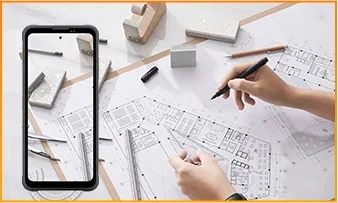
The 108MP main camera on the Blackview FORT 200 can be used to capture landscapes, equipment, documents, and various everyday scenes. It preserves a high level of detail, making it easy to zoom in or crop specific areas—such as isolating a sign within a scene or focusing on a particular detail in a portrait.
When documenting work-related tasks, you can take a wide-angle shot to show the surrounding environment, followed by close-up shots of labels, connections, or damaged areas. When photographing documents, keep the phone parallel to the page to ensure the entire content is captured within the frame.
What can I see with the Blackview FORT 200’s night vision camera?
The Blackview FORT 200’s night-vision camera helps you see people, animals, and objects nearby in the dark. Utilizing infrared illumination technology, it is well-suited for viewing the area around a campsite or observing dimly lit spaces.
For a clear view, keep the phone steady and point it directly toward the area you wish to observe. Identifying targets may be difficult if they are far away or obscured by obstacles. The night-vision feature only reveals the appearance of scenes in the dark; it cannot measure temperature or see through walls, and therefore cannot serve as a substitute for a thermal imager.
What does the Motion Photo feature do on the Blackview FORT 200?
The "Motion Photo" feature records both motion and sound while capturing a still image, allowing you to preserve more of your special moments. Beyond freezing a specific expression, it captures subtle movements—such as a smile, a pet turning its head, or leaves swaying in the breeze.
Please keep your phone steady while shooting. If you need to record for a longer duration, it is recommended to use the standard video recording mode. When sharing a "Motion Photo," please note that the recipient's device must support the playback of motion and sound; some devices may only display or transmit the image as a static photo.
What photo-editing features does the ImageX app offer on the Blackview FORT 200?
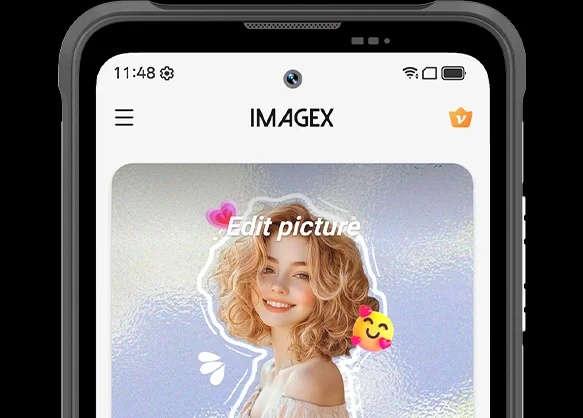
ImageX provides a variety of AI-powered tools, including features to remove unwanted objects, expand image edges (outpainting), and apply blur effects. These tools allow you to refine your photos after they have been taken—for example, by cleaning up cluttered backgrounds or creating more space around the main subject.
The "Object Removal" feature can enhance vacation photos; "Image Expansion" (outpainting) can fill in backgrounds where the original composition was too tight; and the "Blur" tool can make specific areas less prominent. After applying these edits, be sure to carefully review the results—paying close attention to faces, text, and the edges of objects—as AI editing may sometimes require multiple attempts to achieve the desired outcome.
Can I expand the Blackview FORT 200’s storage?
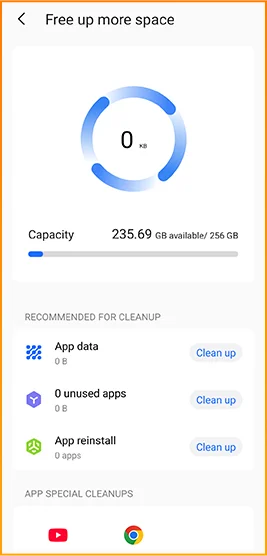
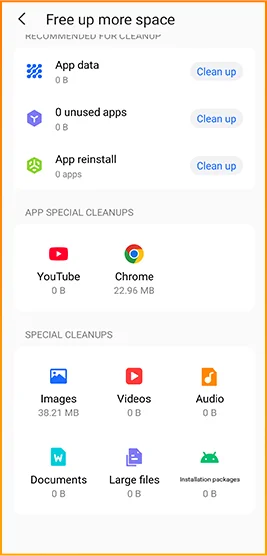
Yes. The Blackview FORT 200 supports microSD cards with a capacity of up to 2TB, providing extra space for photos, videos, music, documents, and more. Please note that the microSD card slot is shared with the second SIM card slot; You must choose between a "dual SIM" configuration or a "single SIM + one microSD card" configuration.
If your phone’s internal storage becomes full due to a large number of work-related photos, downloaded videos, or other files, you can move these items to the microSD card to free up internal space. It is recommended to keep applications and certain app data on the phone’s built-in storage; the microSD card is intended primarily for file storage and cannot replace the device's internal memory.
What mobile networks does the Blackview FORT 200 support?
The Blackview FORT 200 is a 4G rugged smartphone that supports 4G LTE, 3G, and 2G networks. When used with a compatible SIM card and mobile plan, the device allows for making calls, sending and receiving text messages, and using mobile data (including web browsing, navigation, instant messaging, and video calls).
Before purchasing, please compare the network frequency bands listed in the product specifications with those used by your mobile carrier. You may also wish to consult your carrier to confirm that their network supports the device for calls and mobile data services. Network availability depends on local coverage and your chosen mobile plan.
What devices can I control with the Blackview FORT 200’s infrared remote?
The Blackview FORT 200 can control compatible TVs, air conditioners, and set-top boxes via infrared, allowing you to change channels, adjust volume, or set temperatures, depending on the device.
Open the remote control app, select the appliance type, and follow the prompts to test and match a configuration. Point the phone’s infrared transmitter at the appliance without obstructions. Compatibility depends on the configurations available in the app. Devices that support only Bluetooth or Wi-Fi cannot be controlled via infrared.
Does the Blackview FORT 200 support NFC payments?
Yes, it does. You can make NFC payments by using a compatible payment app and linking an eligible bank card. Once set up, you can make payments without needing to take your physical card out of your wallet.
Before use, please enable the NFC function, add your bank card to the payment app, and complete the verification steps required by your bank. Ensure you have a screen lock set up and have selected your preferred payment app for contactless payments. When paying, simply unlock or verify your phone as prompted and hold it near the payment terminal. Actual availability depends on the payment service provider, your bank, and your country or region.
What protection does the Blackview FORT 200 offer for outdoor use?
The Blackview FORT 200 features IP68 and IP69K ratings and meets MIL-STD-810H testing standards. It is resistant to dust, water immersion, and impact, making it suitable for outdoor work and activities involving exposure to rain, dirt, or accidental knocks.
To maintain its protective capabilities, ensure the SIM card tray is properly installed and check the phone for damage after any severe impact. If the phone gets wet, ensure both the device and the charging port are dry before charging. Please note that water and impact resistance have limits and may diminish over time due to wear or damage; Therefore, exercise caution during high-intensity activities.
What everyday tasks can the Blackview FORT 200’s AI assistant help with?
The Blackview FORT 200's AI chat assistant can answer questions, explain complex concepts, and help you understand document content. It can interpret reading materials in plain language and summarize key points from lengthy information.
For the best results, clearly describe your specific needs. You can also ask follow-up questions regarding any unclear points. Before using the answers for work or sharing them with others, it is recommended to verify the original information, including important names, data, and instructions.
Can I connect a USB flash drive to the Blackview FORT 200?
Yes. The Blackview FORT 200 supports USB OTG functionality, allowing you to connect compatible USB flash drives to access and transfer files. Flash drives with a USB-C connector can be plugged in directly, while standard USB-A flash drives require a suitable USB-C OTG adapter.
Once connected, open the file manager and select the USB storage device to browse its contents. You can copy work documents to your phone or move photos and videos to the flash drive without needing a computer or cloud service. Wait for all transfers to complete before disconnecting; if the system offers an "Eject" option, use it to prevent incomplete transfers or file corruption.
How can I use Google Lens on the Blackview FORT 200?
You can use Google Lens on the FORT 200 to search for objects, find similar products, and process text within images. Open the Google app, tap the Lens icon, and then point your camera at the target you wish to search for, or select a photo already saved on your phone.
Google Lens can identify unfamiliar plants, search for products you have photographed, or extract text from printed documents. Ensure the subject is in focus; If the frame contains multiple objects, you may need to select the specific area of interest. Note that an internet connection is generally required to access online information.
What features make reading more comfortable on the Blackview FORT 200?
The Blackview FORT 200 offers Reading Mode, Night Light Mode, and Dark Mode. Reading Mode adjusts the display to suit reading needs; Night Light Mode adds warm tones; and Dark Mode applies a dark background to menus and applications.
Choose a mode that suits your reading content and surroundings, and adjust the text size to reduce frequent zooming. At night, lower the brightness or enable “Night Light” for warmer colors. During the day, increase the brightness as needed to keep text clear without making the screen too bright.
Jump to another section