



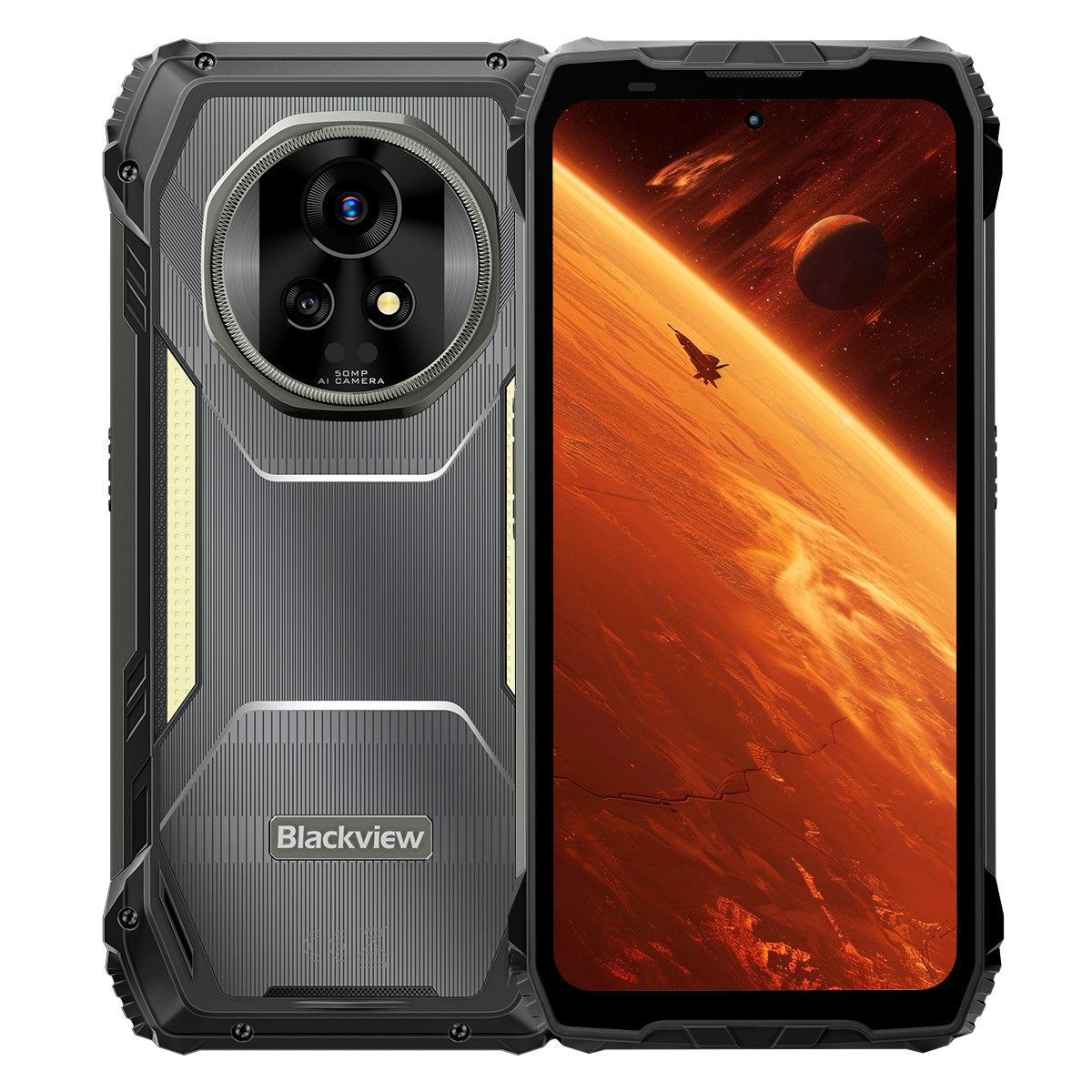


Blackview XPLORE 2 telemóvel robusto 5G com IA, ecrã AMOLED de 6.73 polegadas e 3.2K, 12+256GB ou 16+1TB, Dimensity 8300, 20000mAh e luz de campismo de 467LM

Disponível em stock (41)
Destaques
Destaques
✔Ecrã AMOLED LTPO 6,73" 120Hz 3,2K
✔Luz de Campismo Dupla Incorporada de 467 Lúmens
✔MediaTek Dimensity 8300 4nm 5G Octa-core & WiFi 6E
✔Bateria de 20000mAh com Carregamento Rápido de 120W
✔Câmara Principal de 50MP + Visão Noturna de 20MP
✔Certificação IP68 & IP69K & MIL-STD-810H
✔Suporte eSIM
Informações
Informações
O Blackview XPLORE 2 é um smartphone robusto 5G topo de gama, concebido para utilizadores que procuram qualidade de ecrã de elite, longa autonomia e utilidade profissional para atividades ao ar livre. O seu ecrã AMOLED de 6,73 polegadas com 120Hz e resolução 3.2K, processador Dimensity 8300, WiFi 6E e enorme bateria de 20.000mAh com carregamento rápido de 120W tornam-no potente para trabalho, navegação, multimédia e viagens. Uma câmara principal de 50MP, câmara de visão noturna de 20MP, luz de campismo de 467LM, suporte eSIM, proteção IP68 e IP69K, e durabilidade MIL-STD-810H fazem dele um dispositivo preparado para condições exigentes em campo.
Sobre a marca
Sobre a marca
Na Blackview, acreditamos que a tecnologia de qualidade deve ir além de especificações impressionantes. Deve adaptar-se à vida real, resolver problemas reais e continuar fiável quando mais importa.
A Blackview começou com telemóveis robustos concebidos para ambientes exigentes. Hoje, oferecemos um ecossistema mais amplo de dispositivos inteligentes, incluindo smartphones, tablets, computadores portáteis, relógios inteligentes, produtos de áudio e muito mais.
Em todas as categorias, mantemos o mesmo foco: qualidade duradoura, inovação prática e preços acessíveis. Concebemos produtos fiáveis desde o primeiro dia.
Compreendemos o que os clientes mais valorizam: desempenho fluido, fiabilidade duradoura, funcionalidades úteis e tecnologia que facilita o quotidiano sem custos desnecessários.
É por isso que a Blackview dedica verdadeira atenção aos testes dos produtos, à experiência do utilizador e às funcionalidades que acrescentam valor real ao trabalho, às viagens, à criação, à exploração ao ar livre e à ligação no dia a dia.
A Blackview é feita para pessoas que querem tecnologia em que possam confiar: dispositivos inteligentes e capazes, concebidos para acompanhar o ritmo da vida moderna.
Fiável por conceção. Prático por natureza. Feito para a vida real.
Envios e devoluções
Envios e devoluções
• Envio: O processamento da encomenda demora normalmente cerca de 2-7 dias úteis, exceto no caso dos produtos em pré-venda. O prazo de envio aplica-se apenas a dias úteis, excluindo feriados e dias não úteis. Os prazos de envio dependem dos métodos de envio.
• Devoluções: Pode solicitar uma devolução no prazo de 14 dias após a entrega, desde que o telemóvel não tenha sido utilizado nem danificado e inclua todos os acessórios originais. As avarias relacionadas com o produto ocorridas no prazo de um mês podem dar direito a uma substituição, reembolso ou reparação gratuita após inspeção. Os danos causados por utilização indevida, quedas, água, desmontagem ou modificações não autorizadas não estão cobertos.


O primeiro 5G AMOLED 3.2K do mundo
A flagship robusta com IA
Nascido para o topo. Construído para a natureza selvagem.
Ecrã AMOLED de 6,73" e 3.2K a 120 Hz | Visuais HDR deslumbrantes | Câmaras Samsung® duplas de 50 MP+visão noturna de 20 MP| Estabilização dupla (OIS + EIS) | 5G Dimensity 8300 de 4 nm | 48 GB LPDDR5X e 1 TB UFS4.0 + expansão TF até 2 TB | Bateria Mega de 20 000 mAh e carregamento super-rápido de 120 W
9 principais razões para escolher Blackview
XPLORE 2
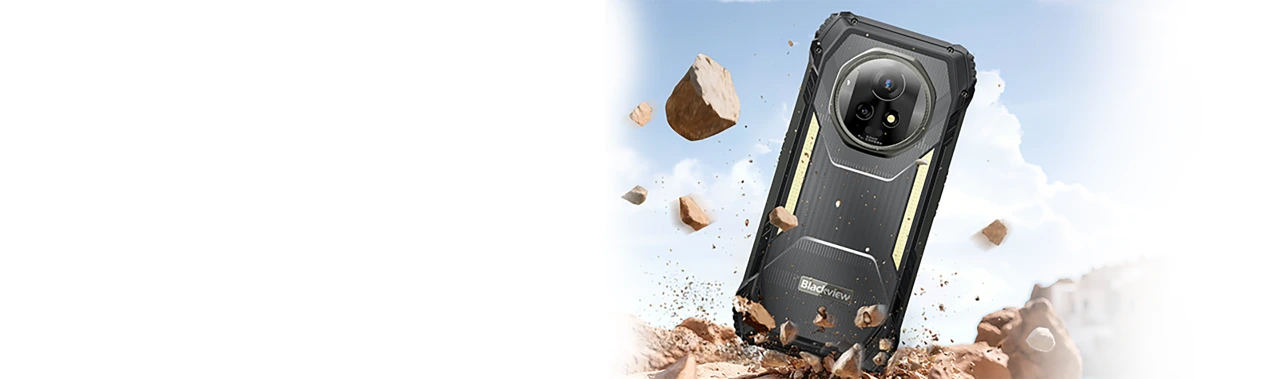
A durabilidade mais robusta do setor
Certificação militar de topo MIL-STD-810H
Resistência a quedas de 6 metros | Carga ultrapesada de 500 kg | Resistência a temperaturas extremas de -20°C a +60°C
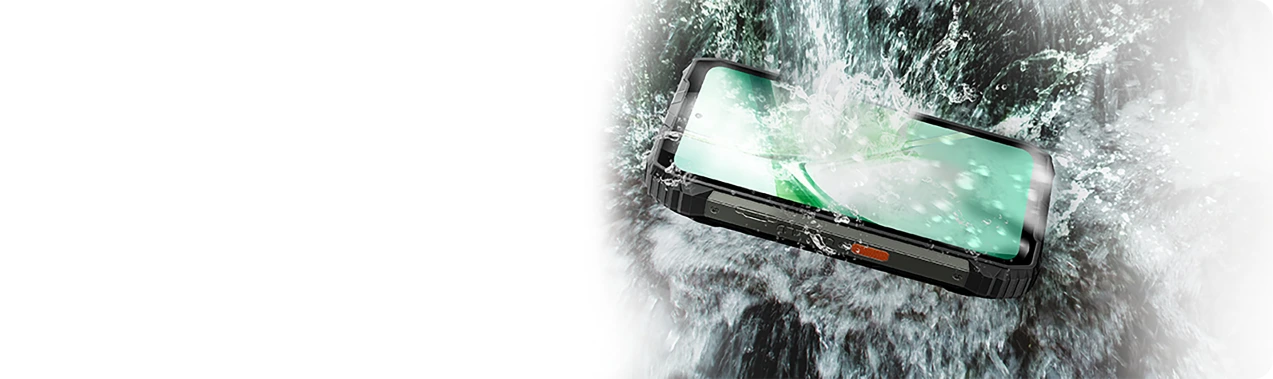
O auge da proteção contra água
Proteção de topo IP69K e IP68
Ejeção de pó e água com um toque | Toque AI à prova de chuva| Fotografias subaquáticas
Resistente à submersão a 2 m durante 30 min | Resistência à água a ferver a 80℃
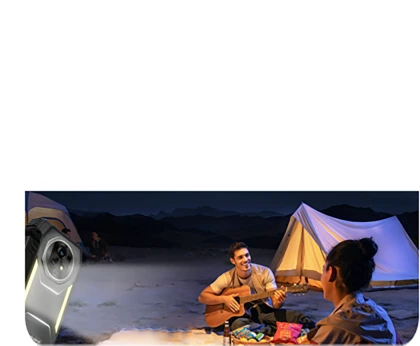
Guardião noturno
Luz de campismo de 467 lm
Luz mais brilhante | Luz estroboscópica potente para avisos e defesa | Sinal SOS instantâneo em caso de emergência
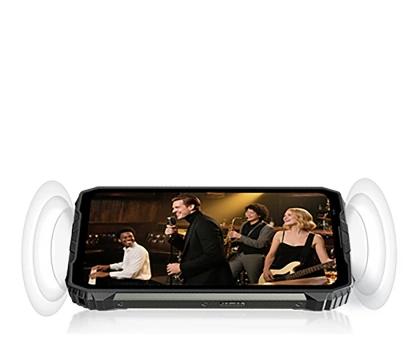
Som estéreo revolucionário
Altifalantes estéreo Smart-K duplos de 2 W
Até 316% mais potência estéreo para um áudio imersivo em qualquer lugar.
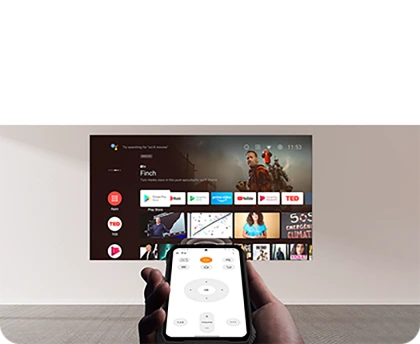
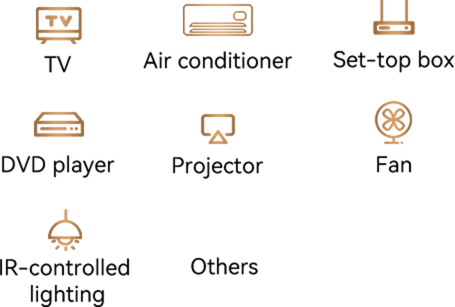
Comando por infravermelhos
Transforme o seu telemóvel num comando universal em segundos!
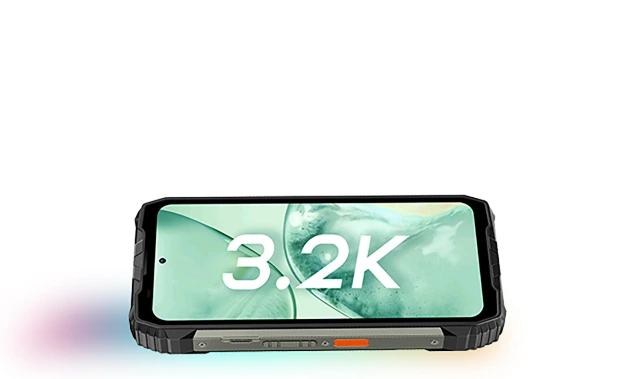
Além dos limites visuais
Um ecrã HDR 3.2K de 6,73” - sem igual na sua categoria
Brilho máximo líder do setor de 2600 nits | Taxa de atualização adaptativa LTPO de 1–120 Hz | Regulação de brilho de alta frequência de 1920 Hz | Certificado TÜV SÜD de baixa luz azul
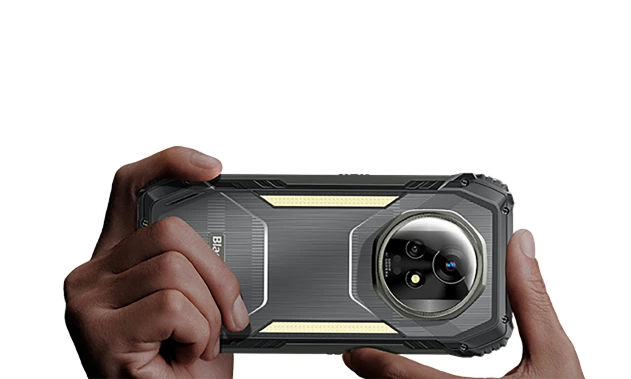
A imagem no seu auge
Duas câmaras Samsung® AI de 50 MP | Visão noturna de 20 MP | Ultra HDR | OIS e EIS
Gravação de vídeo cinematográfica em 4K HDR10+ | Seguimento de movimento | Zoom de 8×
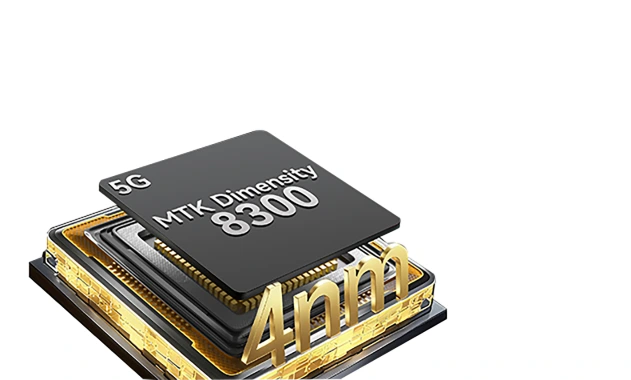
Desempenho totalmente evoluído
Chip Dimensity 8300 5G de topo | 16 GB de RAM LPDDR5X + 32 GB de expansão | 1 TB de ROM UFS 4.0
1,339,275
Pontuação AnTuTu
 84%
Desempenho global
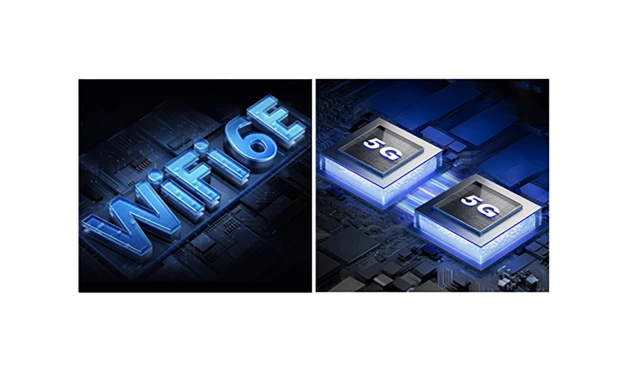
Conectividade de nova geração
Suporte para Wi-Fi 6E + 5G duplo
Velocidade 3 vezes superior
Carregamento instantâneo. Transmissão contínua sem interrupções.
Conetividade verdadeiramente global
O primeiro do setor
Smartphone robusto com suporte para eSIM
Poupe até 90% nas tarifas de roaming | Sem necessidade de cartão SIM físico | Liberdade para mudar de operador
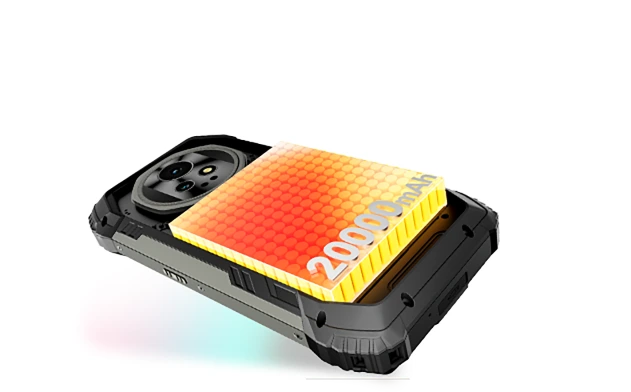
Rei da autonomia
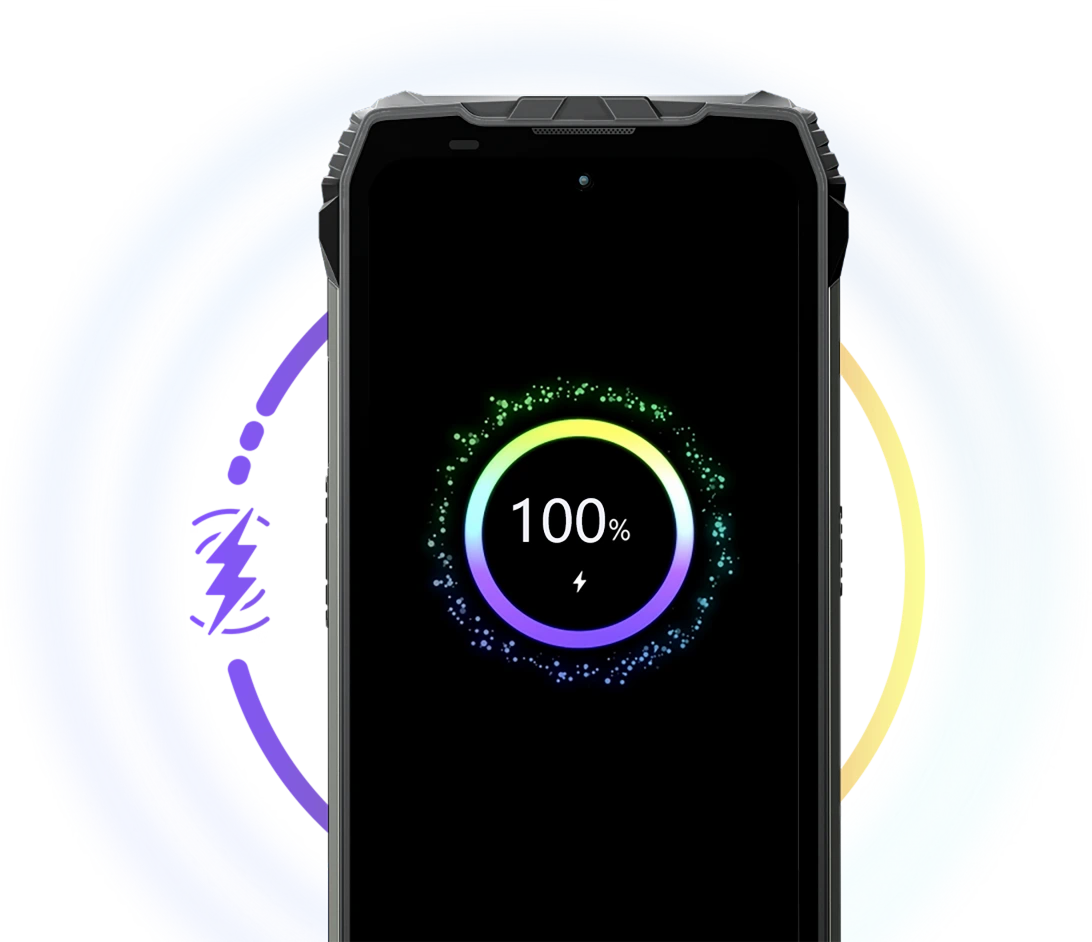
A maior bateria de sempre num telemóvel robusto
Bateria gigante de célula dupla de 20 000 mAh | Até 75 dias em espera ultralonga | Carregamento ultrarrápido de 120 W | Carregamento inverso de 10 W
O único desenvolvido internamente no setor
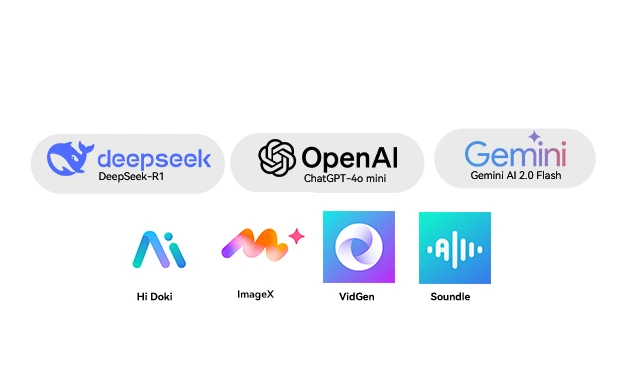
Os 3 melhores modelos de IA do mundo. Tudo num só.
Ativação por impressão vocal & controlo mãos-livres
O único desenvolvido internamente no setor
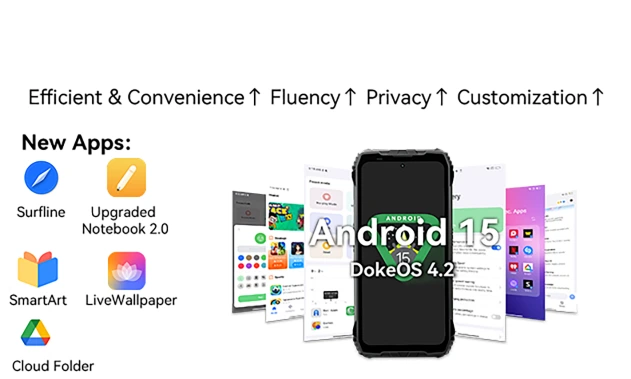
DokeOS 4.2 totalmente novo, baseado em Android 15
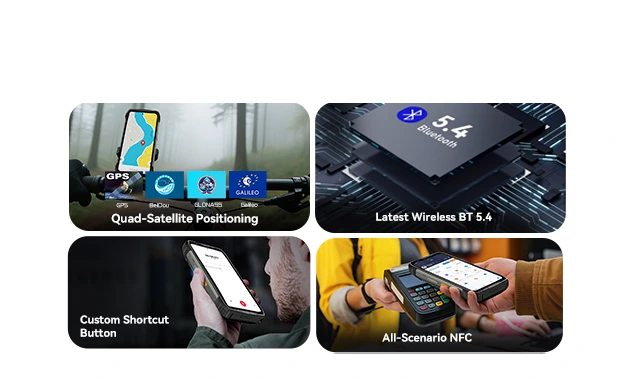
Melhorias inteligentes para todos os cenários
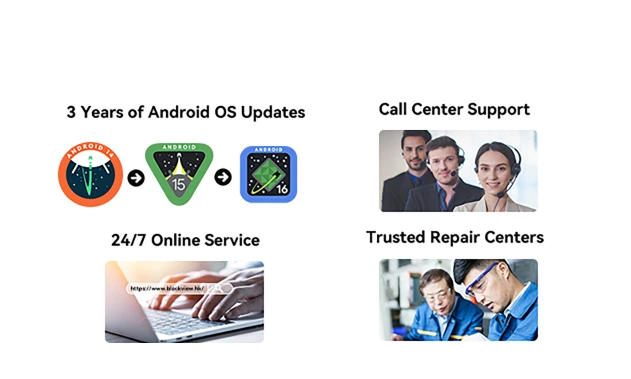
O único compromisso pós-venda do setor
Uma nova definição de robustez
Proteção robusta de topo.
Certificações de robustez de topo do setor
Certificado com as classificações militares MIL-STD-810H e IP68/IP69K, o XPLORE 2 oferece proteção máxima contra quedas, pó, água e esmagamentos - estabelecendo uma nova referência em durabilidade robusta.

6 metros
Verdadeiramente resistente a quedas
Resiste a quedas de até 6 metros, em qualquer ângulo e sobre qualquer superfície.1

IP6X
Verdadeiramente à prova de pó
Proteção completa contra areia, pó e partículas industriais.

IPX9K
Verdadeiramente à prova de água
Resiste a jatos de água a alta temperatura e pressão, salpicos e imersão.

MIL-STD-810H
Verdadeiramente resistente a esmagamentos
Resiste a compressão extrema, impactos e ambientes difíceis.
A durabilidade mais robusta do setor
Inquebrável de todos os lados
Mais resistente do que nunca - reforçado por dentro e por fora para resistir a quedas, forças de esmagamento e temperaturas extremas.
6 metros
Resistência a quedas
Resistência a quedas de outro nível
1,5 metros
Queda mortal
Resiste a quedas a direito
500 kg
Capacidade de carga
Resiste a pressão ultrapesada2
-20°C a +60°C
Temperaturas extremas
Amplo intervalo de funcionamento
Comprovado através destes testes extremos

Construção ultrarrobusta
Primeiro no setor
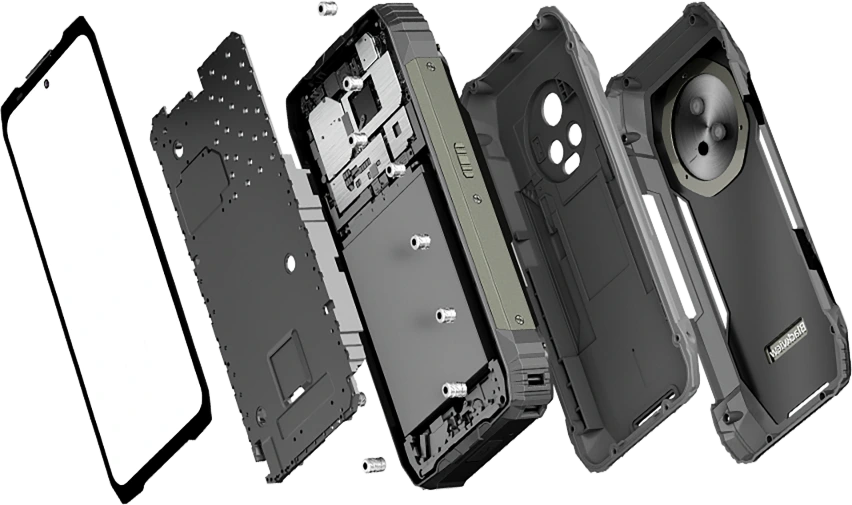
Estrutura ArmorShield
O XPLORE 2 adota um design ArmorShield de 5 camadas, reforçado com Gorilla® Glass 5 e liga de alumínio e titânio de grau aeroespacial para uma durabilidade total.
5 camadas
ArmorShield
Estrutura
4 cantos
Reforçado
Proteção
400%
Maior resistência ao impacto
Resistência3
O auge da proteção contra água
Proteção IP69K de nível superior
Com certificação IP69K e IP68, resiste a tudo - água escaldante, jatos implacáveis de alta pressão, salpicos de vários ângulos e imersões prolongadas.
80 ℃
Resistência à água a ferver
10 000 kPa
Resiste a jatos de nível industrial
0° / 30° / 60° / 90°
Proteção contra jatos de água de todos os ângulos
2 m durante 30 min
Resistência comprovada à submersão em profundidade4
Mais de 1 000 000 de vezes
Fiabilidade testada por imersão
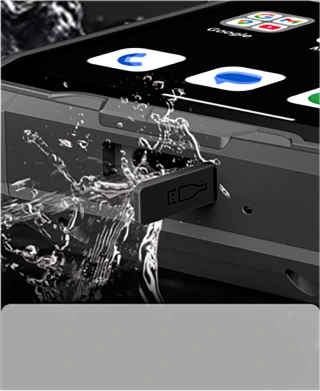
Porta USB com proteção dupla contra água
Resiste à água sem proteção, com proteção dupla quando selado.
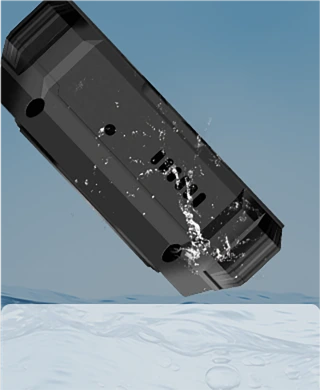
Ejeção de pó e água com um toque
Limpa o altifalante instantaneamente para manter todas as chamadas nítidas e audíveis.5
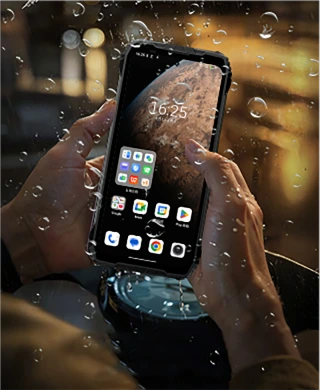
Toque AI à prova de chuva
Mesmo sob chuva intensa, o ecrã mantém-se fluido e responsivo.6
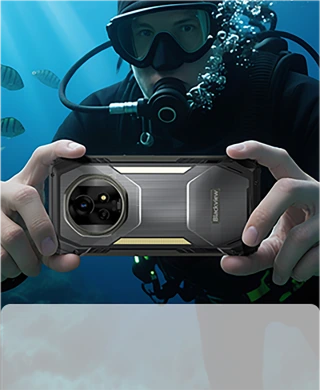
Fotografias subaquáticas
De salpicos a mergulhos, capte facilmente o mundo subaquático.
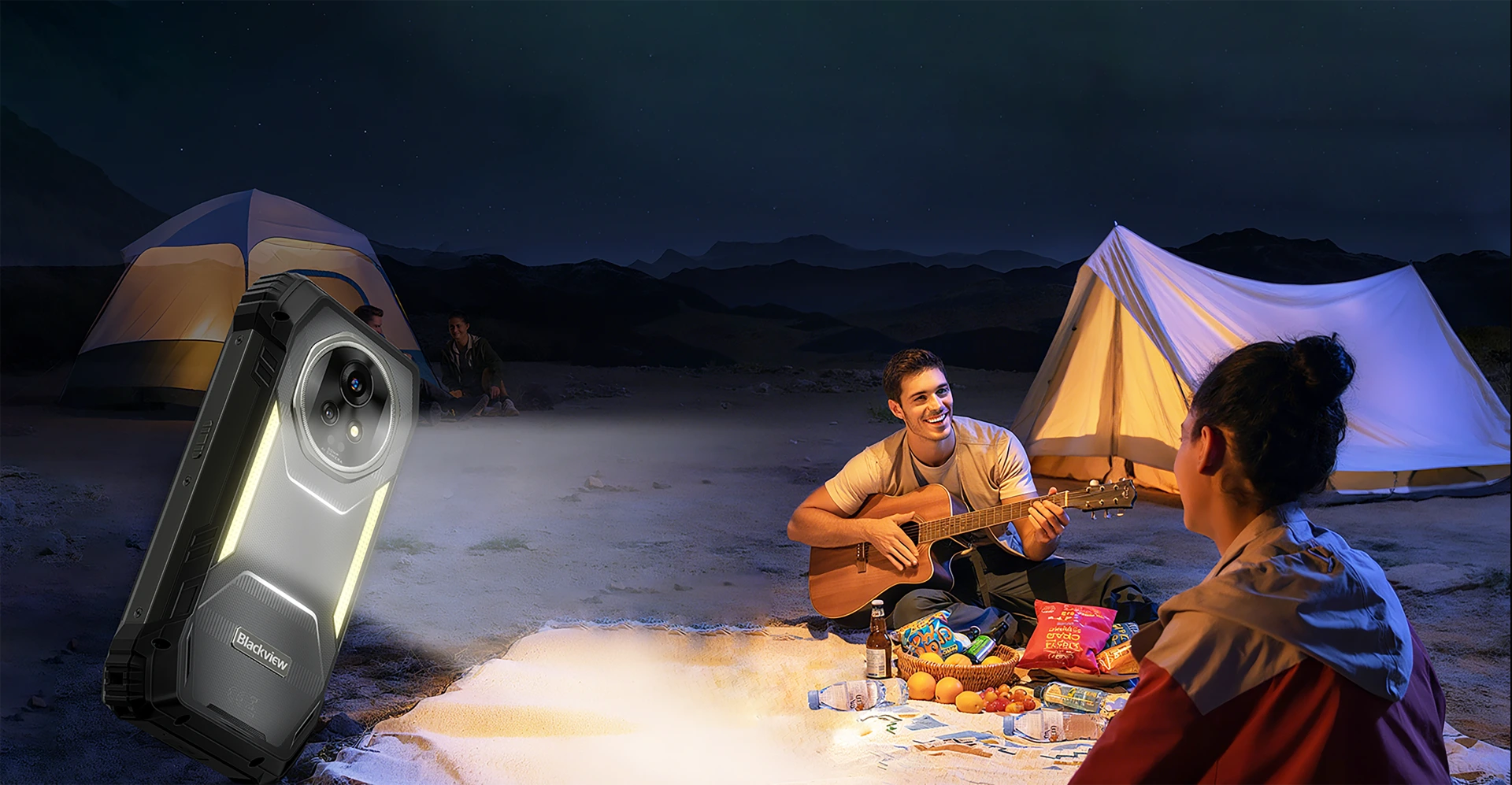
Guardião noturno
Luz de campismo de 467 lm para uma natureza mais luminosa e segura
Quando a noite cai, a luz de campismo de 467 lm do XPLORE 2 transforma a escuridão em segurança. Dos parques de campismo a cortes de energia, mantém-no preparado e no controlo.
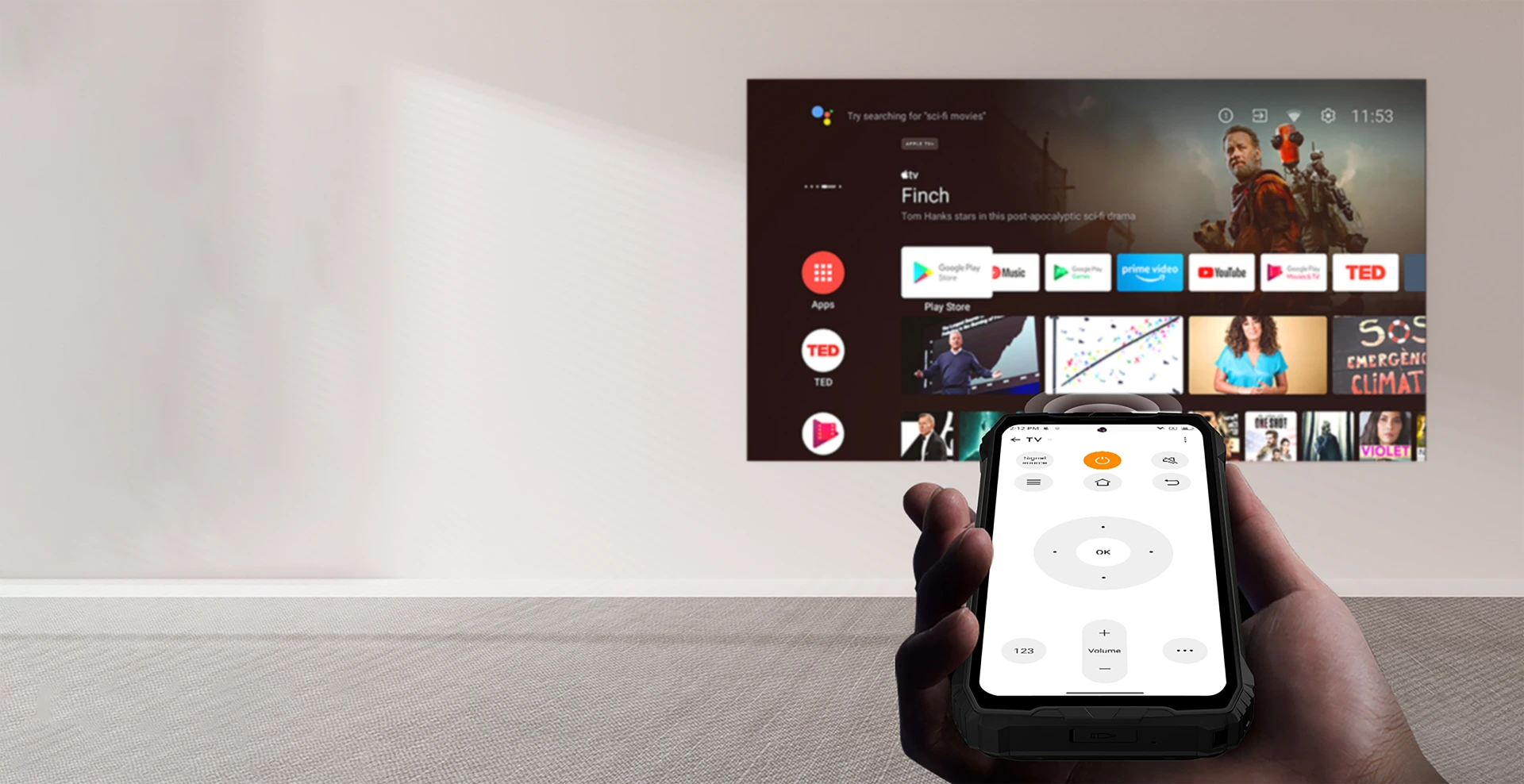
Comando por infravermelhos
Transforme o seu telemóvel num comando universal em segundos!8
Som estéreo revolucionário
Altifalantes estéreo Smart-K duplos de 2 W
Até 316% mais potência estéreo para um áudio imersivo em qualquer lugar.9
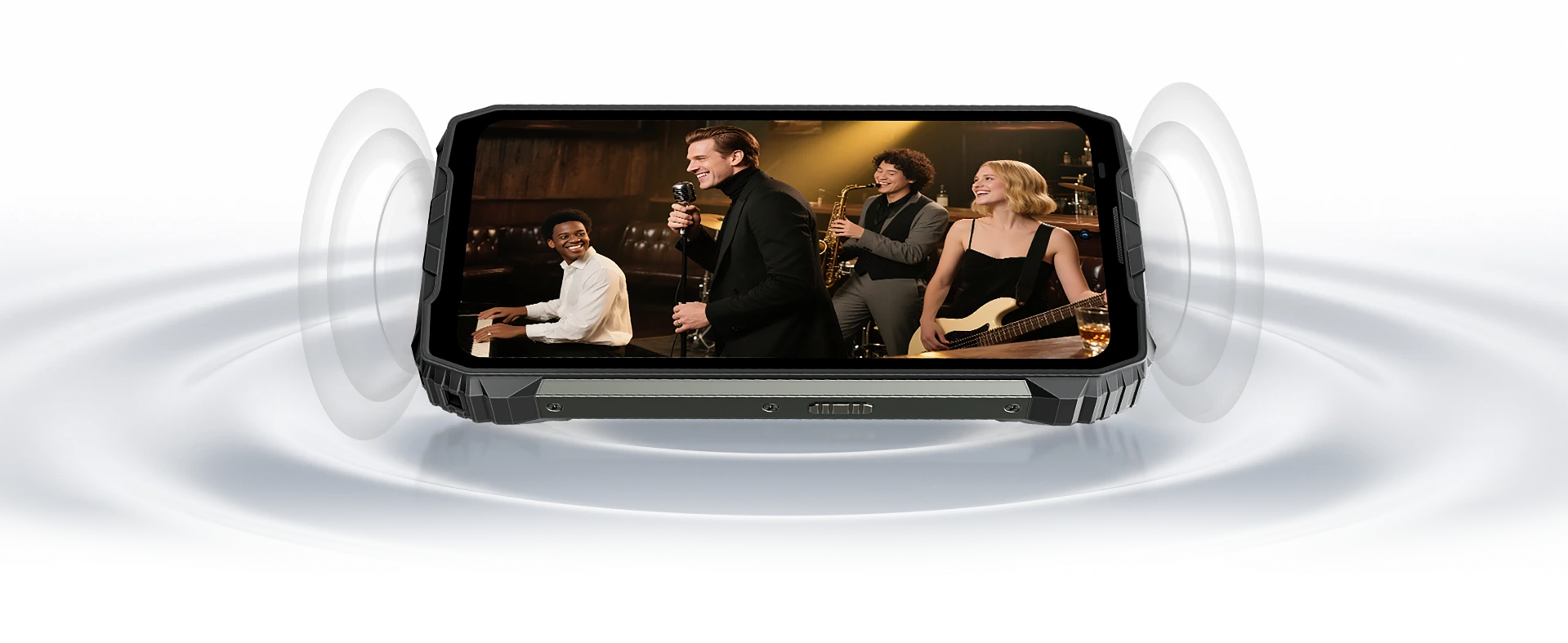
5 dB
Volume mais alto 10
+50%
Áudio mais nítido11
Além dos limites visuais
Ecrã
Vívido
Realista
HDR
Contraste e detalhe melhorados
Precisão de cor de nível profissional
Contraste e detalhe melhorados
2600 nits
Brilho máximo líder do setor12
6,73 polegadas
Ecrã AMOLED emblemático
521 PPI
Densidade de píxeis extremamente nítida
Ecrã sempre ligado
Hora e alertas num relance
DCI-P3
Gama de cores ampla de qualidade cinematográfica13
68,7 mil milhões
Cores realistas
10,000,000:1
Relação de contraste ultr elevada
1–120 Hz
Taxa de atualização adaptativa LTPO14
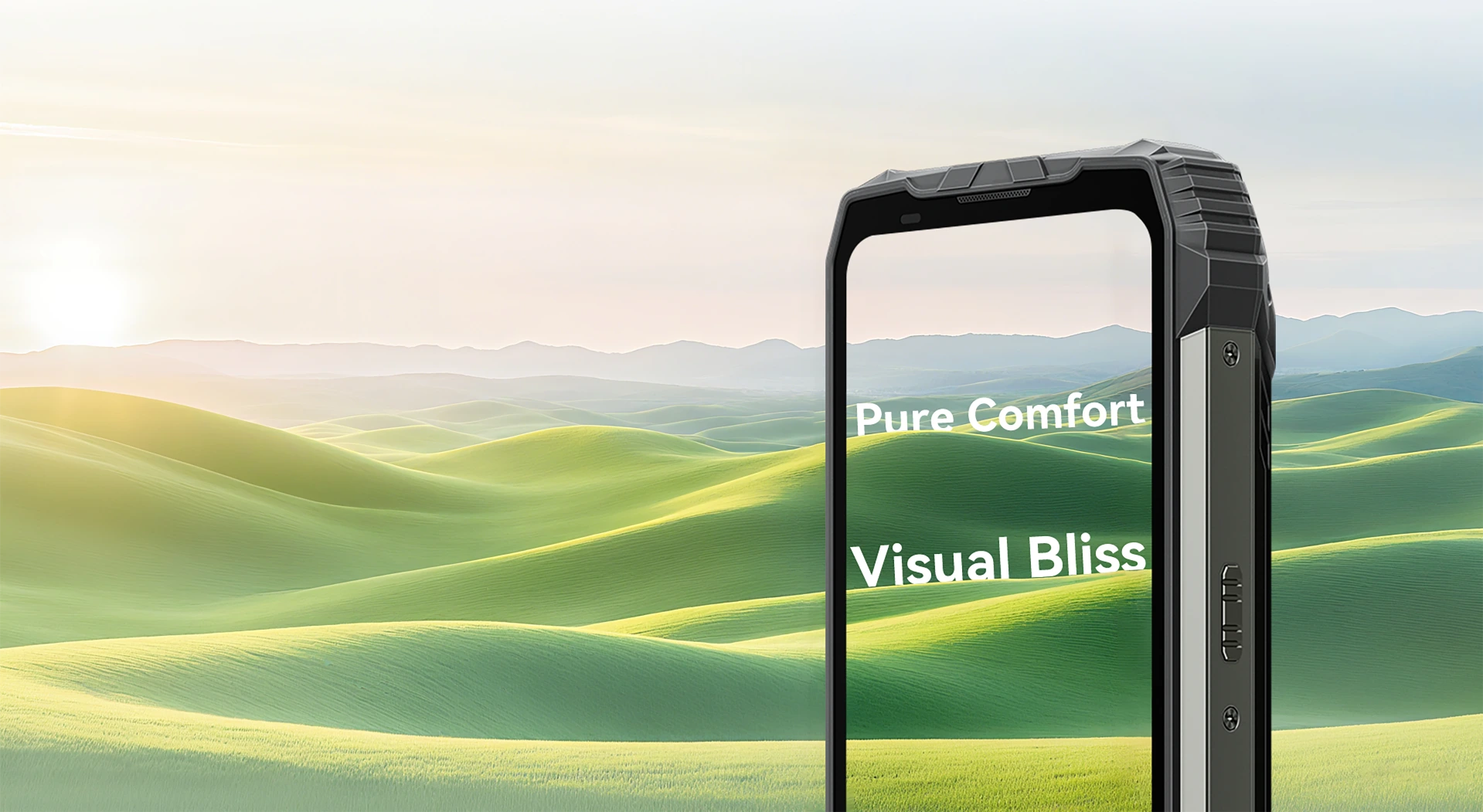
Ecrã
Alívio
Conforto


Full-Link HDR
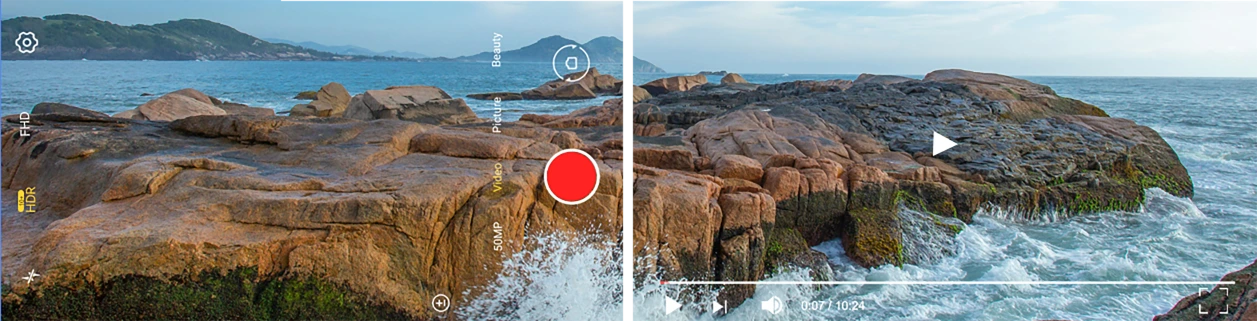
Começando por imagens deslumbrantes e chegando à captura ultra-dinâmica, o Full-Link HDR oferece um brilho realista e garante a preservação de todos os detalhes.
A imagem no seu auge
Imagem mais nítida e estável
Câmara principal emblemática Samsung® GN9 de 50 MP
De paisagens distantes a momentos em movimento, capte tudo em detalhe.
1/1.57"
Sensor maior
f/1.88
Fotografias noturnas mais luminosas
6P
Nitidez ultranítida


Detalhe da melhor qualidade
Fotografia Ultra HDR, 3× mais detalhes15
Veja a natureza selvagem em todos os detalhes - de horizontes escaldados pelo sol a trilhos sombrios, com cada sombra, realce e cor mais vivos do que nunca.
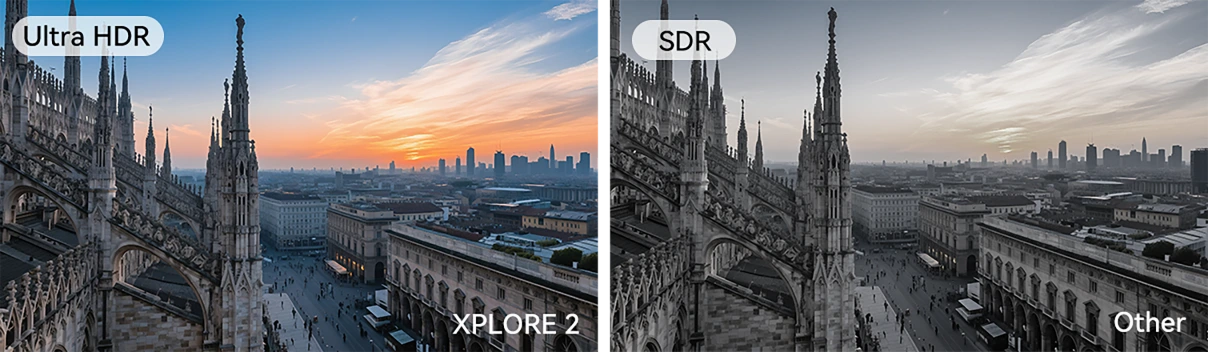
Líder do setor
8× mais perto. Continua ultranítido
Aproxime cenas distantes com detalhes cristalinos e foco estável.
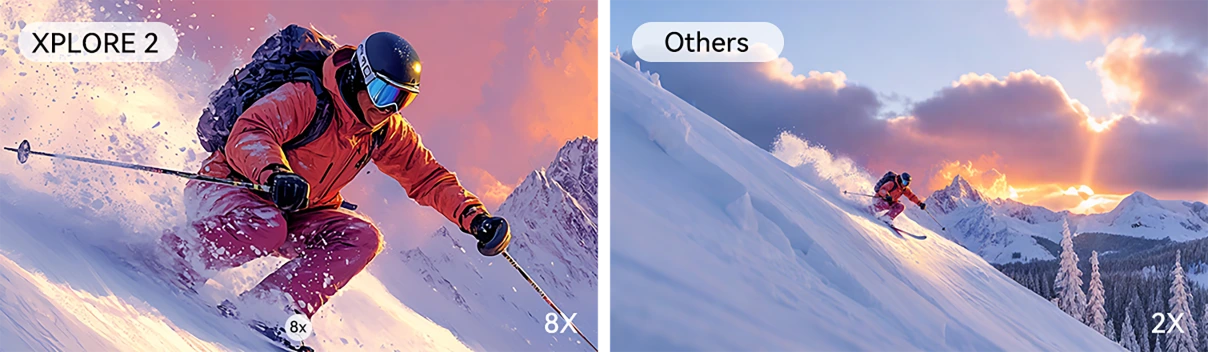
Câmara frontal Samsung® JN1 de 50 MP
Quer sob uma luz intensa quer com pouca luz, capte selfies nítidas, luminosas e naturais.

Visão noturna de outro nível
Câmara de visão noturna Sony® de 20 MP
Desde inspeções de segurança a missões de salvamento, veja com clareza na escuridão total.
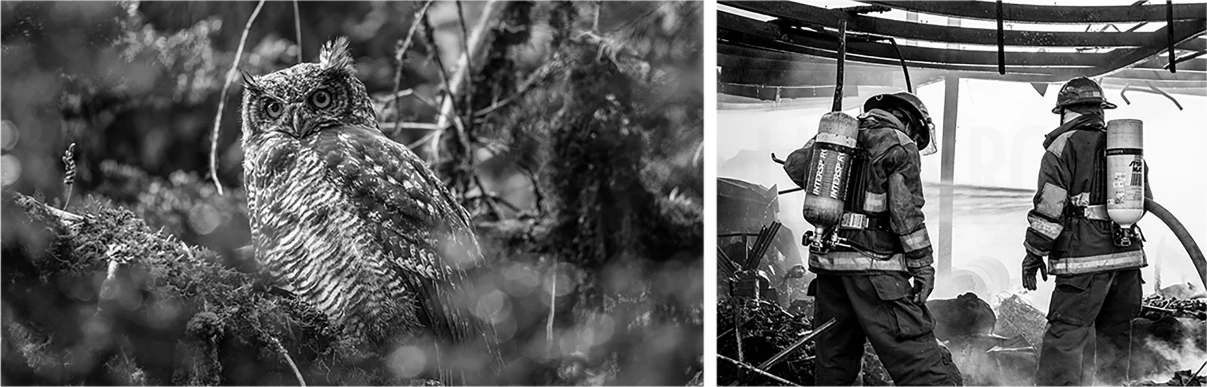
Vídeo de nível profissional
4K HDR10+ cinematográfico
Capte detalhes ultranítidos, cores vivas e contraste realista a 60 FPS. De paisagens a vídeos pessoais, cada imagem conta uma história cinematográfica.
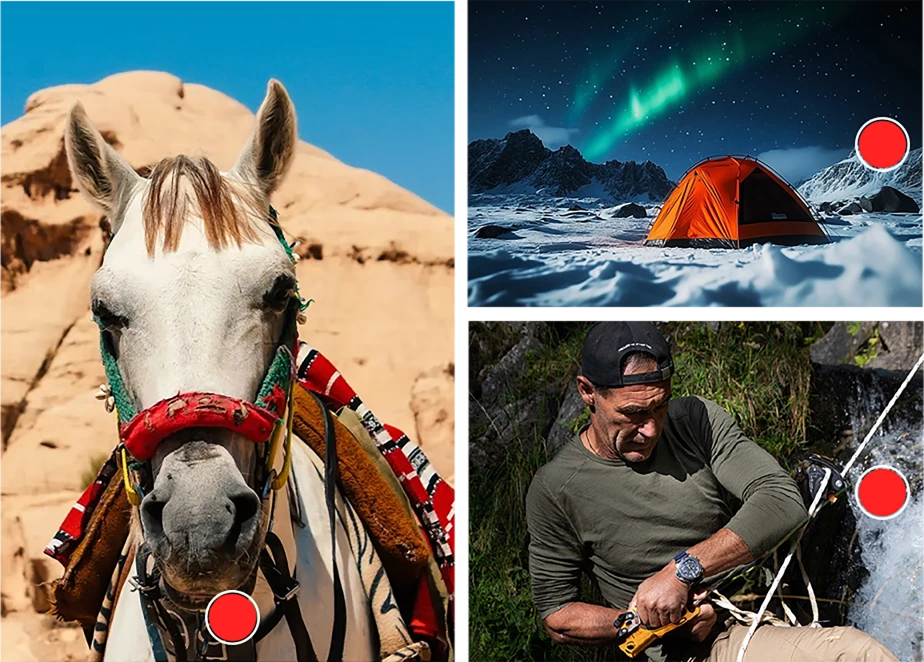
Ferramentas de fotografia mais inteligentes

Inteligência artificial

IA tudo-em-um  Edição de imagens
Transforme as suas fotografias em imagens deslumbrantes com um só toque — editar nunca foi tão fácil!
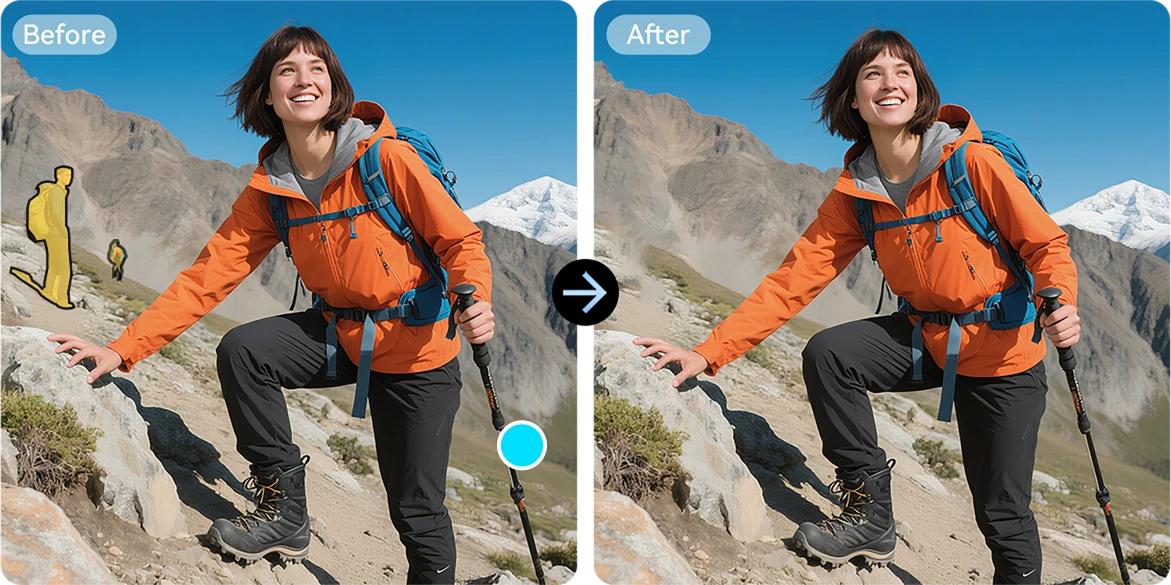
IA Remover objetos
Apague distrações com precisão e sem esforço.
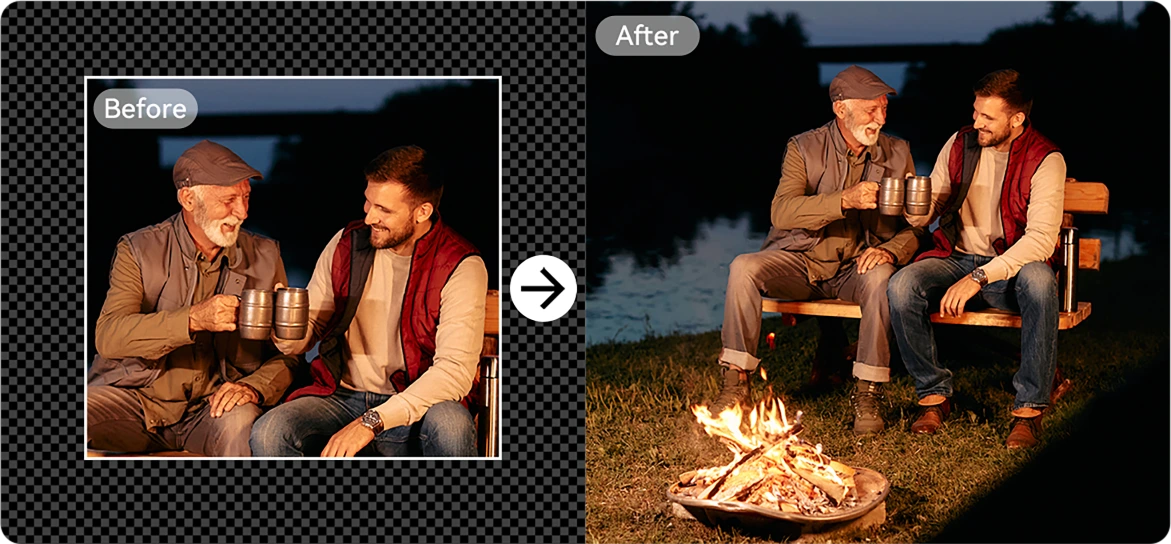
IA Expansão de imagem
Expanda os limites de forma inteligente.
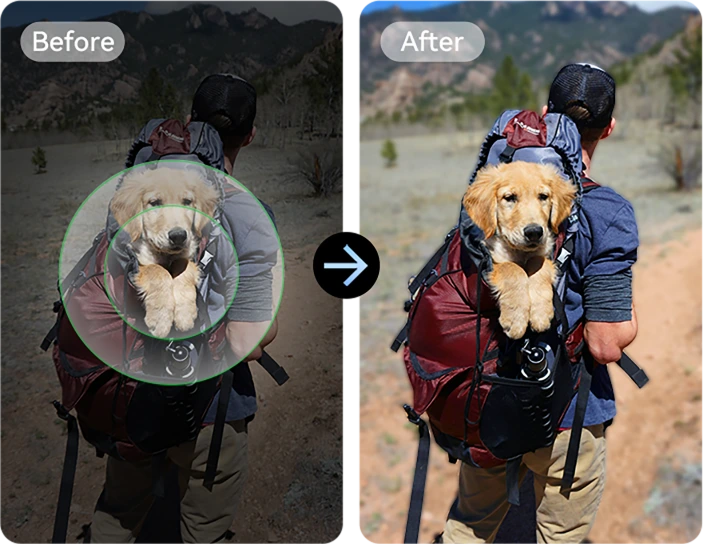
IA Desfocar fotografia
Destaque o que importa com o desfoco inteligente.
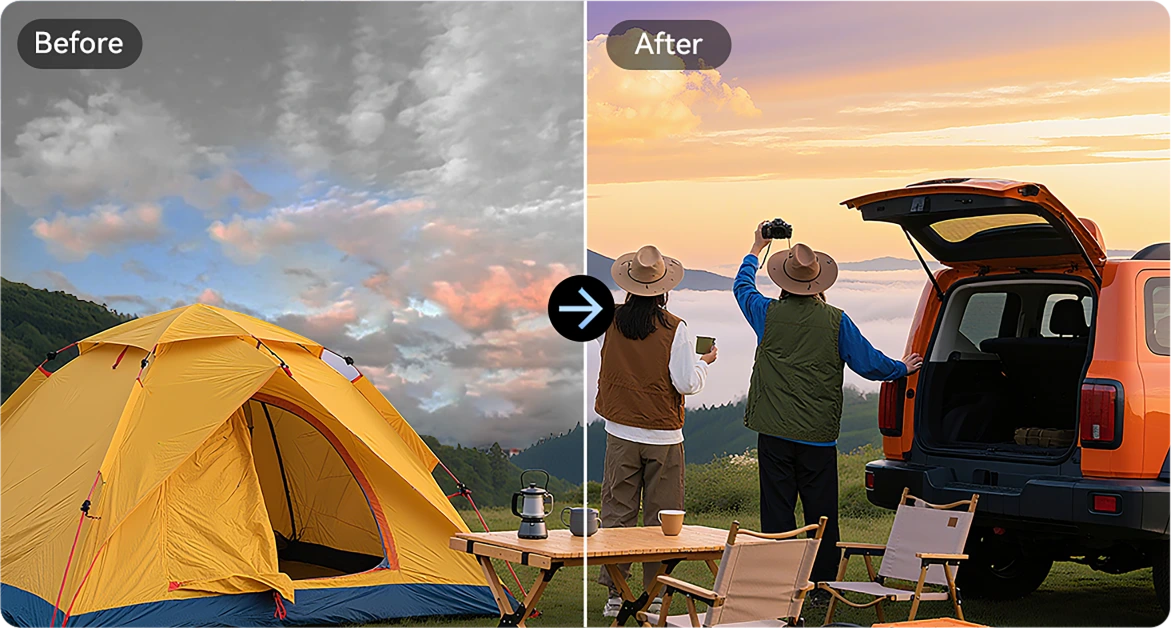
IA Substituir fundo
Altere os fundos e transforme os cenários como quiser.
Momentos renascidos
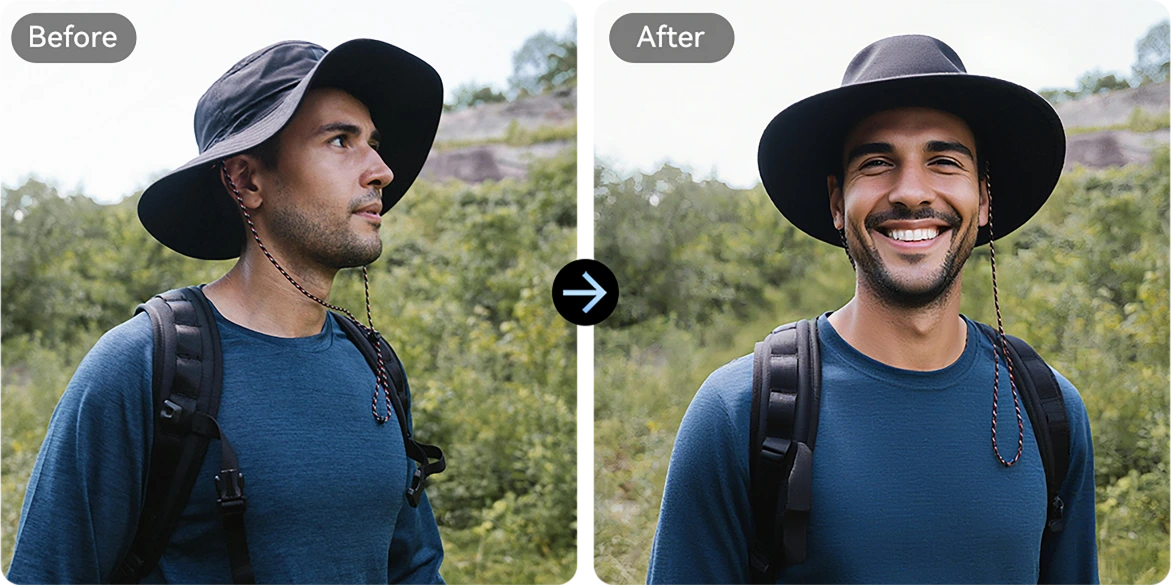
IA Animar
Dê vida às fotografias! Anime os rostos e veja as suas memórias ganharem vida
Desempenho totalmente evoluído
Desempenho de outro nível
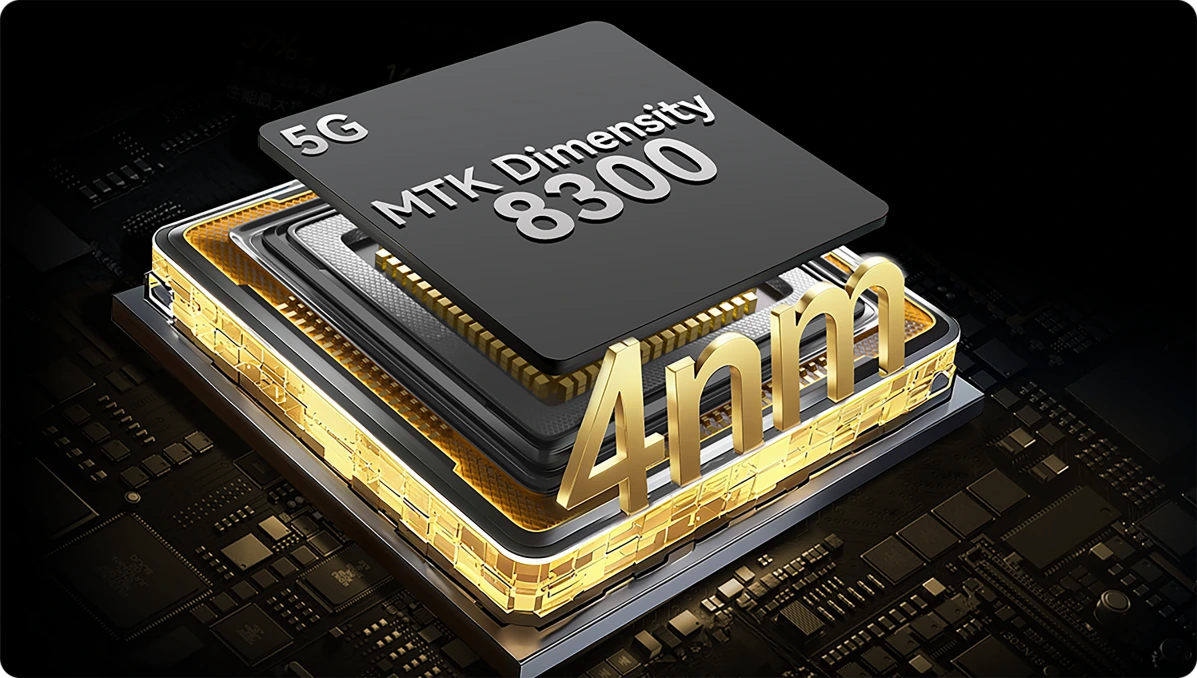
MediaTek Dimensity 8300 5G de 4 nm de topo
Com um processo de fabrico de 4 nm e uma frequência até 3,35 GHz, o XPLORE 2 aguenta sessões de jogo prolongadas e multitarefas exigentes com a fluidez de um topo de gama.
40%
CPU mais rápida16
30%
GPU mais potente17
84%
Desempenho global18
1,339,275
Pontuação AnTuTu
Memória ao máximo
Até 48 GB de RAM
(16 GB físicos + 32 GB de expansão)
Com até 48 GB de RAM e Memória Atomizada 2.0, o XPLORE 2 oferece uma resposta mais rápida, multitarefas fluidas e um desempenho sem atrasos.
2X
Transmissão de dados mais rápida19
45%
Abertura e alternância entre aplicações mais rápidas20
22 aplicações
Multitarefas fluidas, sem atrasos21
LPDDR5X
RAM de alta velocidade

Armazenamento acelerado
1 TB de ROM + até
Até 2 TB de expansão TF
Com 1 TB de ROM UFS 4.0 e expansão TF até 2 TB, o XPLORE 2 guarda tudo, desde mapas de alta resolução e filmagens de drones até ficheiros de salvamento — com acesso instantâneo, mesmo no terreno.
2X
Maior capacidade de armazenamento22
2,3 vezes
Velocidades de leitura e escrita superiores23
UFS 4.0
Armazenamento ultrarrápido
1 TB + expansão TF de 2 TB = espaço para tudo

Conectividade de nova geração
Suporte para Wi-Fi 6E + 5G duplo
Esteja um passo à frente com Wi-Fi 6E e 5G duplo — mais rápido, mais fluido e verdadeiramente global.
Velocidade 3 vezes superior
Carregamento instantâneo. Transmissão contínua sem interrupções.24
6 GHz + 5 GHz + 2,4 GHz
Wi-Fi de três bandas. Mais rápido. Mais potente.
2,5 Gbps de envio | 5,11 Gbps de transferência
Carregamentos e transferências ultrarrápidos.25
Suporte para 5G duplo
Conetividade verdadeiramente global
Todo o desempenho, sem limites
Sistema de arrefecimento eficiente 3 em 1
Mantenha-se fresco graças ao design térmico avançado — mesmo durante sessões intensas de jogos, streaming contínuo em 5G ou trabalho ao ar livre durante todo o dia.
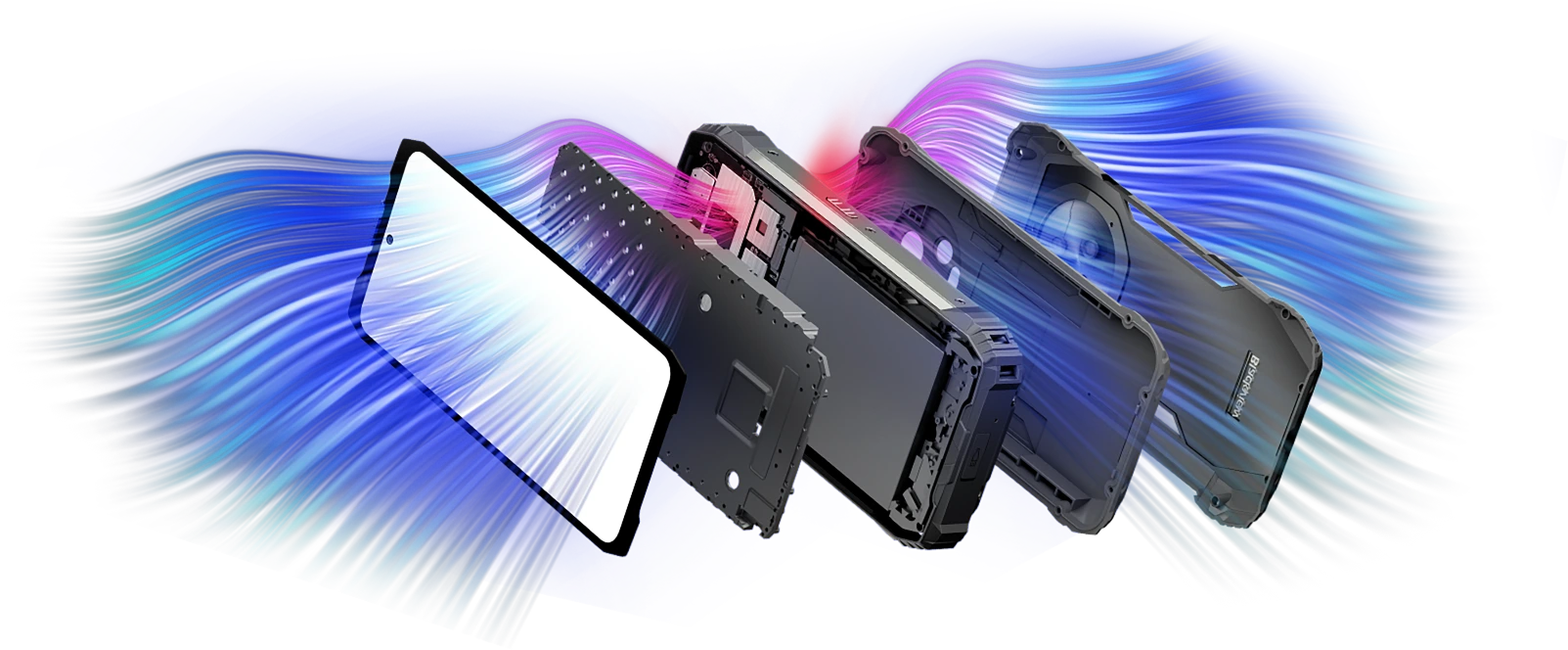
Grafite + cobre + silicone
Três materiais, transferência rápida de calor
Área de dissipação de 2 262,8 mm²
Dissipação de calor mais rápida, desempenho máximo mais duradouro
<37°C no uso diário
Sempre fresco, sempre estável
O primeiro do setor
Smartphone robusto com suporte para eSIM
Uma revolução global na comunicação!
Comunicação global mais simples e acessível!

Poupe dinheiro: reduza os custos de roaming até 90%!
Poupe esforço: sem cartão SIM físico, com liberdade para mudar de operador!
Mantenha-se ligado: sinal fiável, sempre online!
Mantenha-se ligado a qualquer hora e em qualquer lugar!
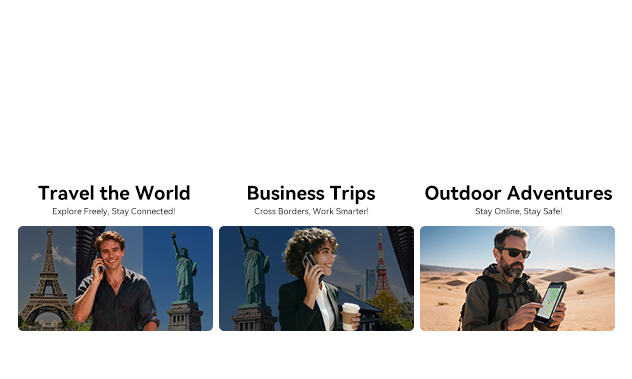
Viaje pelo mundo
Explore à vontade, mantenha-se ligado!

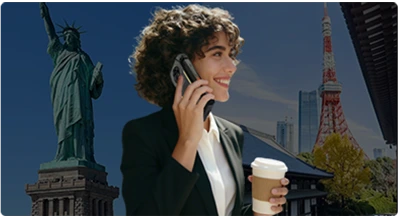
Viagens de negócios
Atravesse fronteiras, trabalhe com mais inteligência!
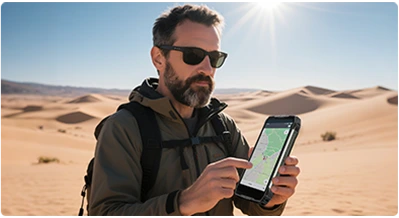
Aventuras ao ar livre
Mantenha-se ligado, mantenha-se seguro!
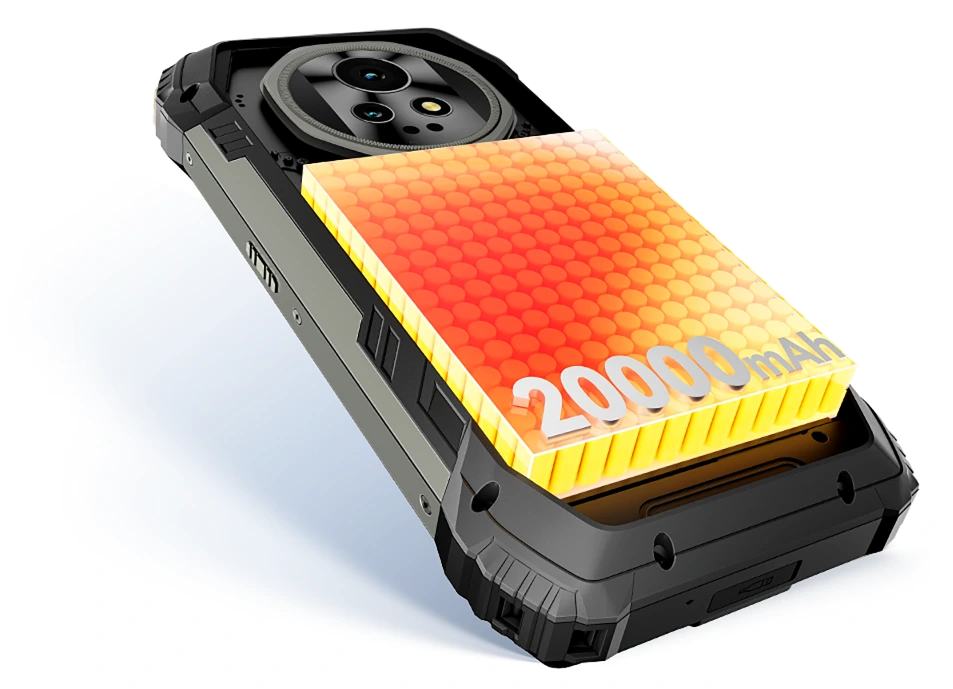
Rei da autonomia
Bateria gigante de célula dupla de 20 000 mAh
Equivale a quatro telemóveis de 5000 mAh num só — energia imparável, autonomia para todo o dia.
Gestão de energia com IA


1,6X
Maior vida útil26
Mais de 36 h
Utilização intensiva27
Mais de 23 h
Jogos
Mais de 24 h
Navegação na Internet
Mais de 166 h
Chamadas
Mais de 10 h
Iluminação contínua
75 dias
Em espera
O mais rápido da sua categoria
Carregamento ultrarrápido de 120 W
50% em 39 min. 100% em 117 min. Sempre pronto quando precisar.28
118% Mais rápido
Carregamento
Sem esperas. Pura energia.29
Carregamento inverso de 10 W
Partilhe energia a qualquer hora e em qualquer lugar.

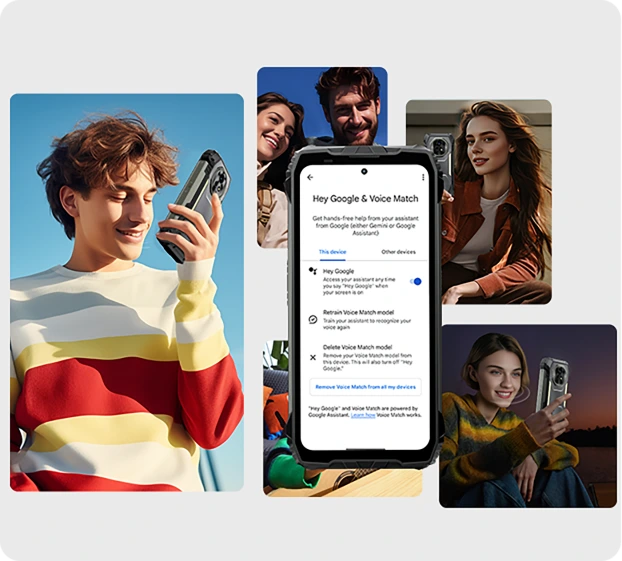
O único desenvolvido internamente no setor



Inteligência controlada por voz
Gemini AI 2.0
Mais inteligente. Mais rápido. Com controlo por voz. XPLORE 2 mantém-no no controlo — sem usar as mãos, onde quer que vá.
Ativação por impressão vocal & controlo mãos-livres
Desbloqueie e controle com a voz — em segurança e sem usar as mãos.
Controlo inteligente global
Uma voz, controlo total em todas as aplicações e definições.
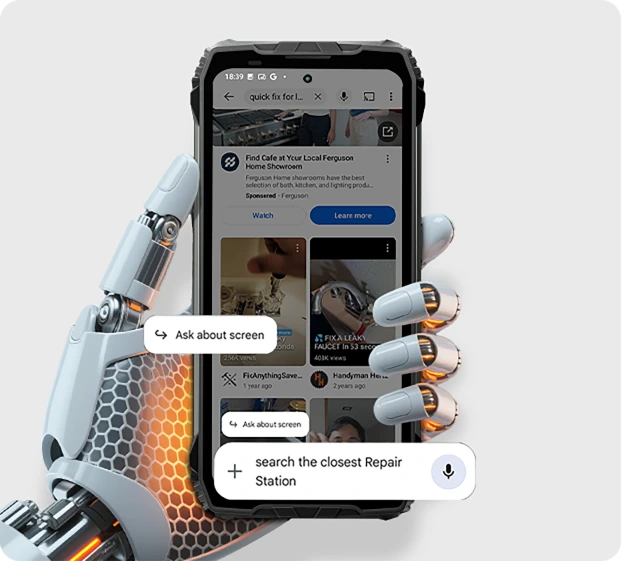
Assistência em ecrã inteiro
Ajuda instantânea no ecrã, onde quer que esteja.
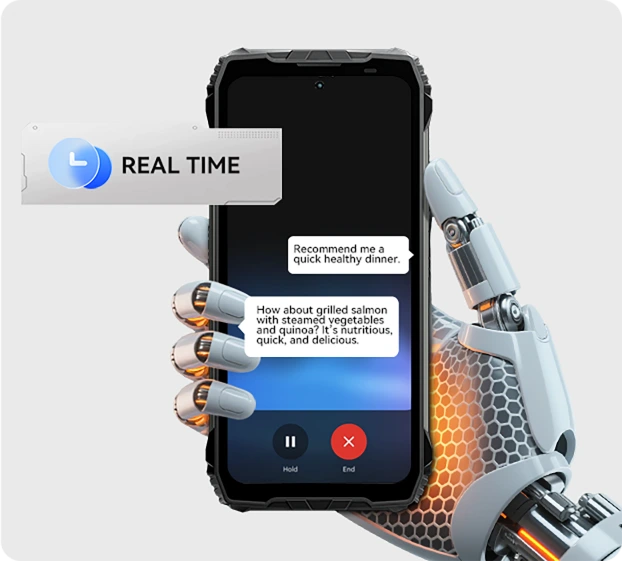
Interação em tempo real
Converse naturalmente, onde quer que as suas tarefas o levem.
O único conjunto de ferramentas de IA desenvolvido pela própria empresa no setor
Hi Doki | ImageX | VidGen | Soundle
Quatro aplicações, criações sem fim — escreva, edite, filme e componha sem limites.30
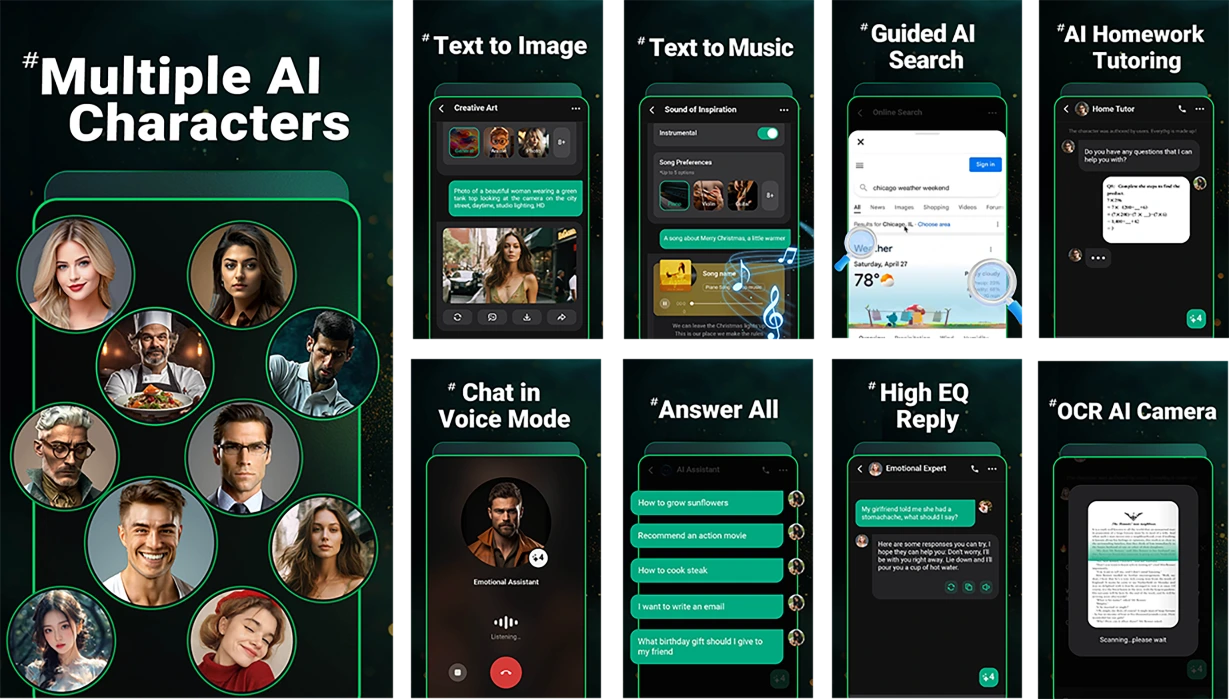
O único desenvolvido internamente no setor
Hi Doki
Pesquisa com IA, análise de documentos e escrita inteligente. Da pesquisa à criação, dê vida às suas ideias com um só toque.
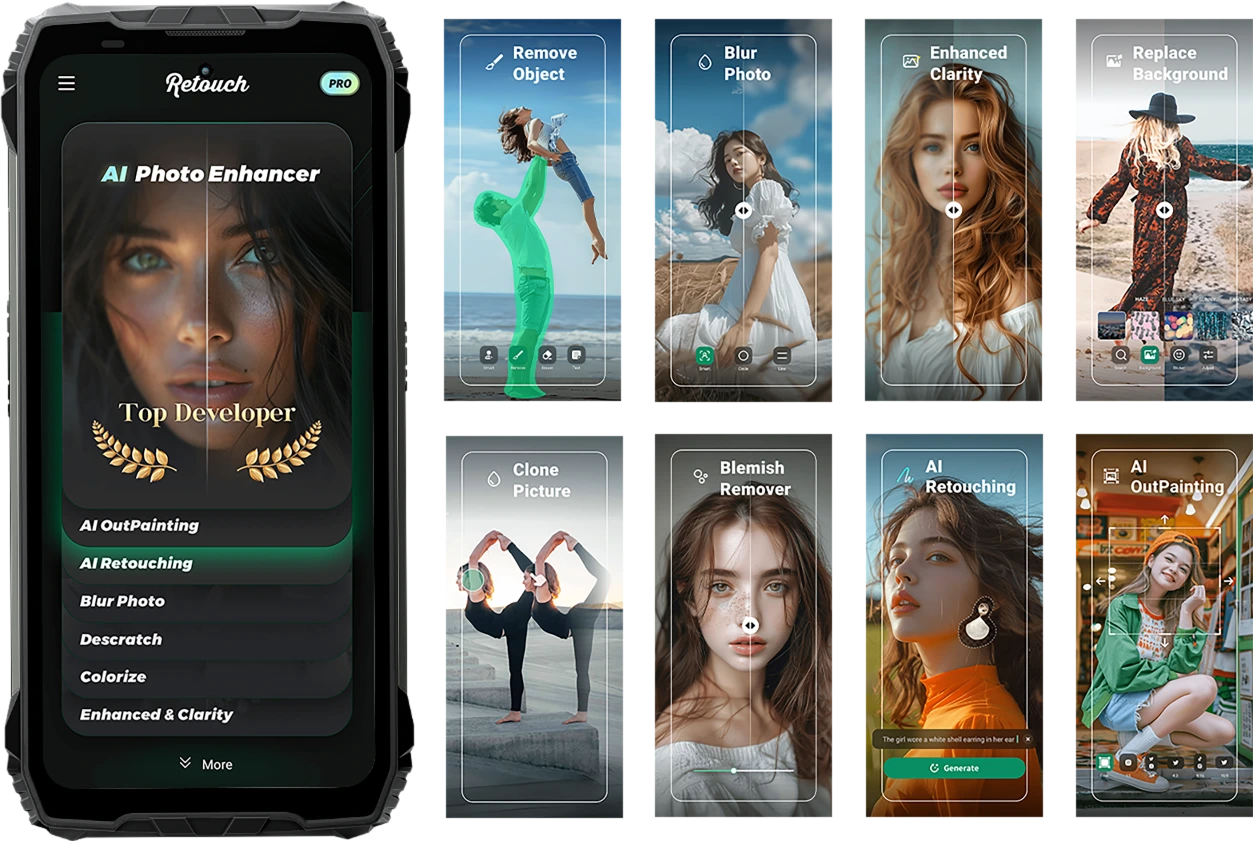
O único desenvolvido internamente no setor
ImageX
Com 18 ferramentas de edição com IA, transforme fotografias comuns em imagens deslumbrantes — melhoradas, estilizadas e prontas a partilhar.
O único desenvolvido internamente no setor
VidGen
De texto a vídeo, de imagens a histórias — a IA transforma as suas ideias em vlogs, vídeos curtos e histórias cativantes, sem esforço.

O único desenvolvido internamente no setor
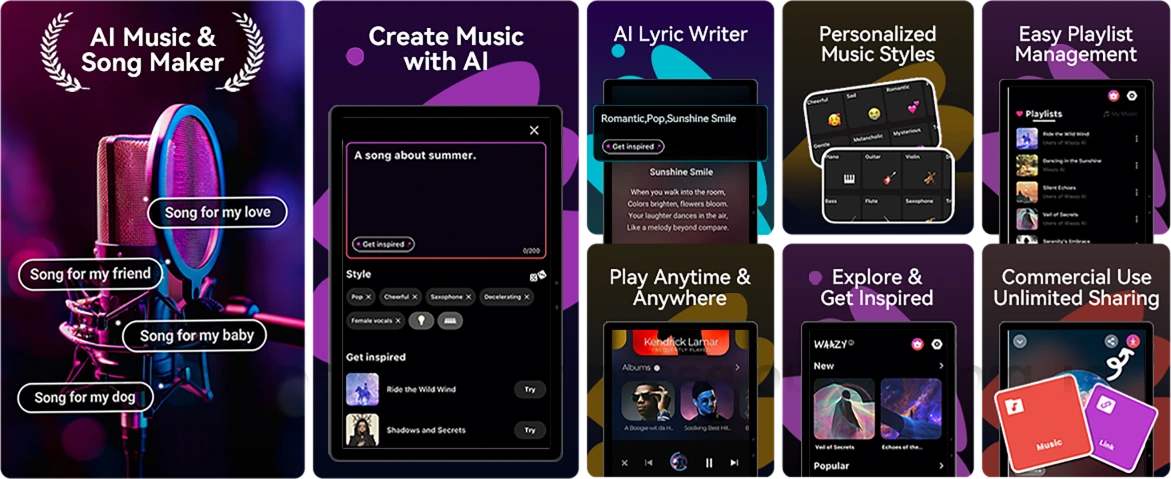
Soundle
Indique o seu estado de espírito e deixe a IA compor. De melodias românticas a batidas cheias de energia, a música é feita à sua medida.
O único desenvolvido internamente no setor
DokeOS 4.2 totalmente novo, baseado em Android 15
Mais inteligente. Mais rápido. Mais seguro. Mais à sua medida.
O XPLORE 2 redefine o desempenho com velocidade, eficiência, privacidade e personalização sem limites.31
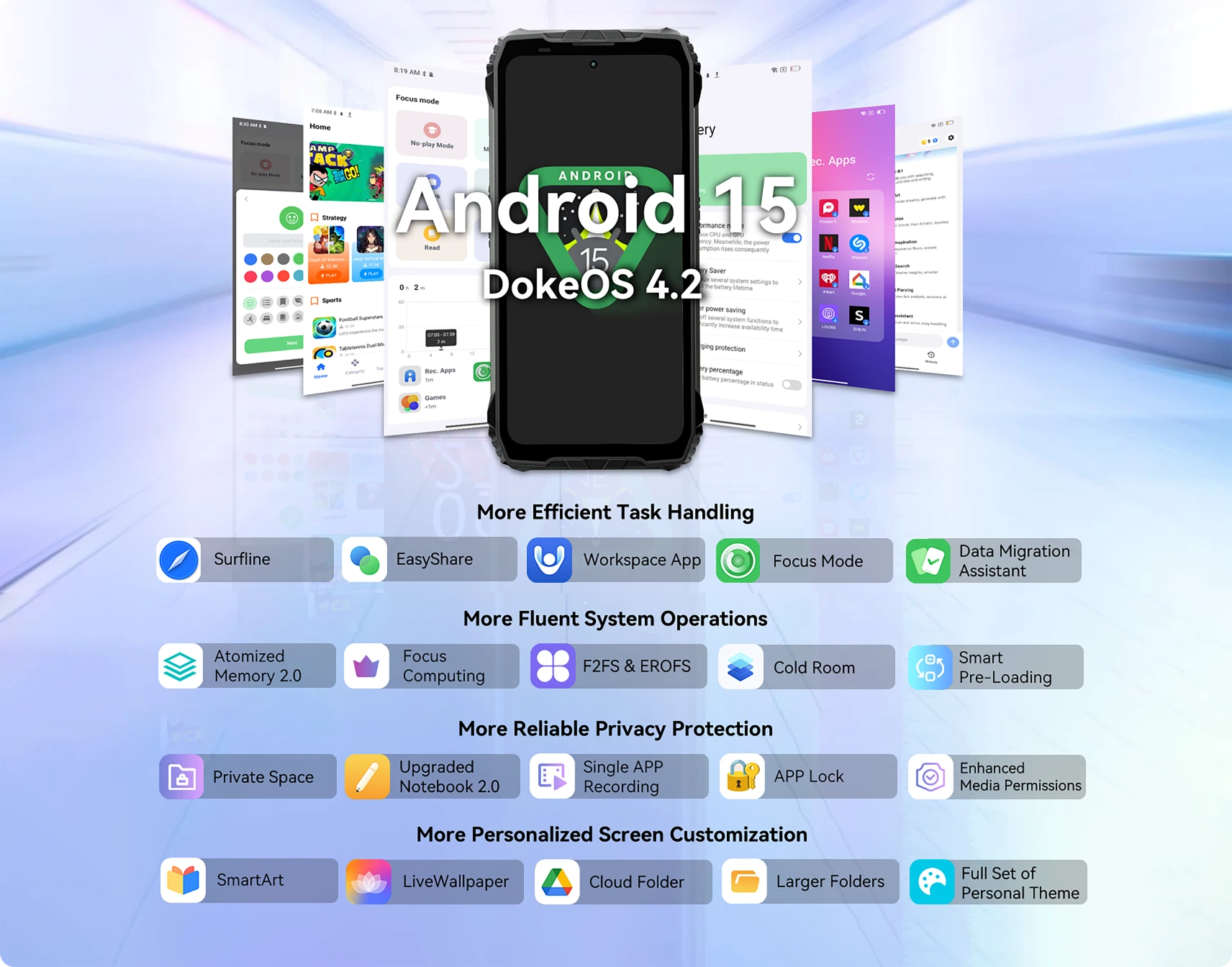
Melhorias inteligentes para todos os cenários

Sistema de quatro satélites
Mantenha-se no caminho certo com posicionamento de alta precisão — precisão fiável de 1 metro em qualquer ambiente.32
A mais recente tecnologia sem fios BT 5.4
Transfira ficheiros 50% mais depressa, desfrute de ligações mais fortes e emparelhe facilmente todos os seus dispositivos.34
Giroscópio de alta precisão
Navegue com precisão. Meça com exatidão através de RA. Desfrute de movimentos mais fluidos em cada jogada.
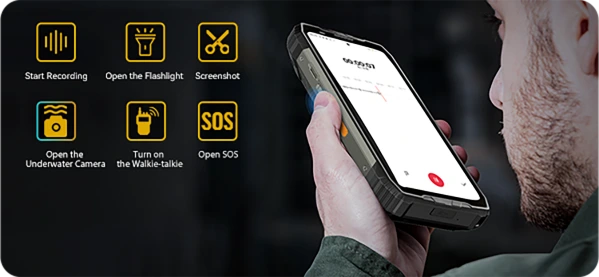
Botão de atalho personalizável
O essencial à distância de um toque.
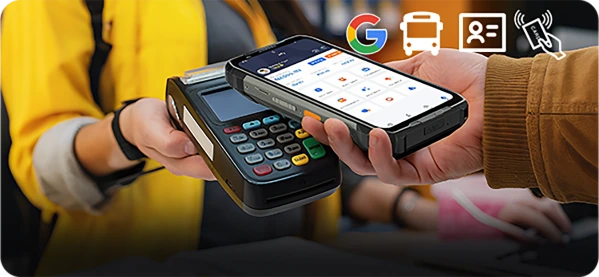
NFC para todos os cenários
Dos pagamentos aos cartões de acesso, tudo com um toque.35
O único compromisso pós-venda do setor
Ajuda mais rápida. Atualizações mais prolongadas. Total tranquilidade.36
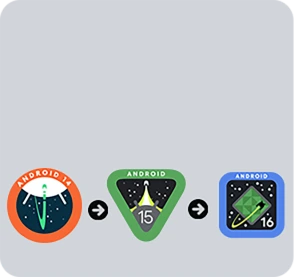
3 anos de atualizações do sistema operativo Android
Apoio prolongado e sempre atualizado

Apoio do centro de atendimento
Assistência direta por linha telefónica quando precisar

Serviço online 24/7
Ajuda imediata, de dia ou de noite

Centros de reparação de confiança
Serviço offline fiável em que pode confiar
Especificações do Blackview XPLORE 2
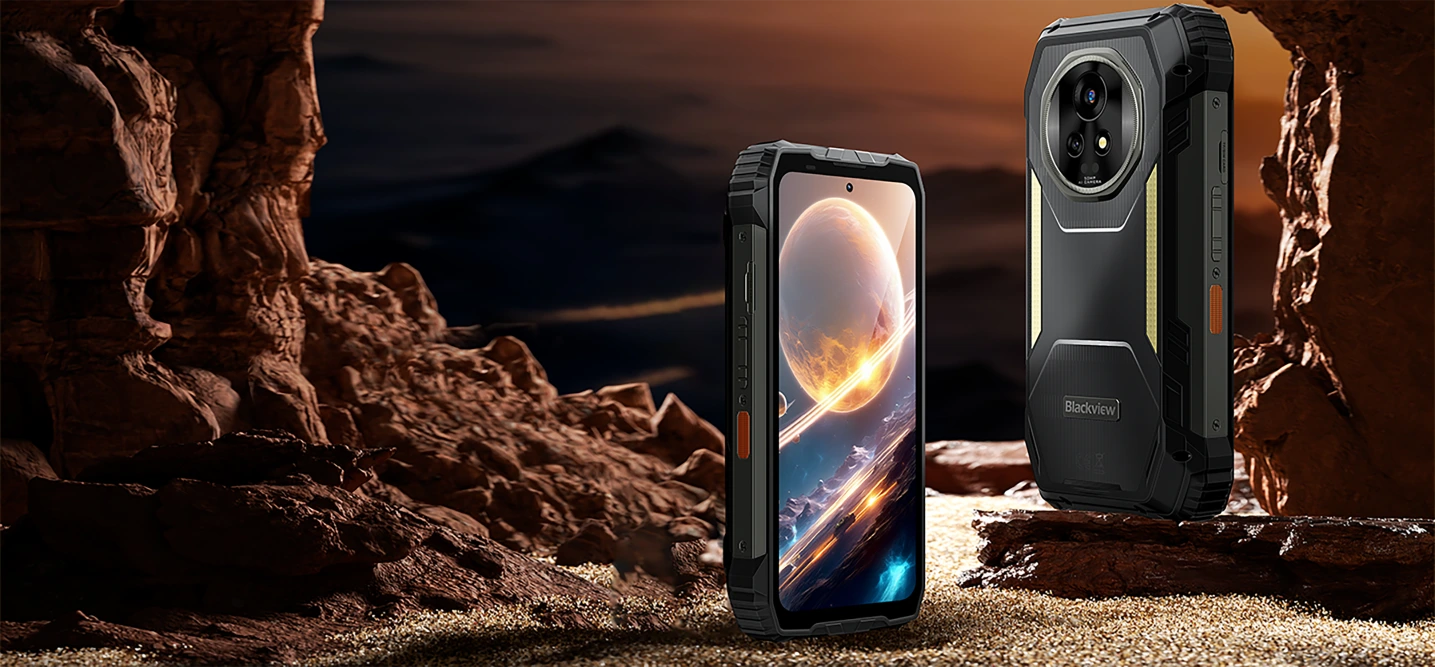
| Modelo | XPLORE 2 |
| Cor | Preto |
| Dimensões | 186 * 87,8 * 29 mm |
| Peso | 670 g |
| Sistema operativo | DokeOS 4.2 baseado em Android 15 |
| Ecrã | Ecrã AMOLED de 6,73 polegadas e 3,2K, resolução de 1440 * 3200, Corning® Gorilla® Glass 5, taxa de atualização de 120 Hz |
| CPU | MediaTek Dimensity 8300 5G de oito núcleos, 4 nm, até 3,35 GHz |
| RAM e ROM | 12 GB de RAM e 256 GB de ROM, LPDDR5X+UFS4.0 16 GB de RAM e 1 TB de ROM, LPDDR5X+UFS4.0 |
| Expansão TF | Expansão TF até 2 TB |
| Bateria | 20 000 mAh; carregamento ultrarrápido de 120 W |
| Câmara frontal | 50MP |
| Câmara traseira | Câmara principal de 50 MP + visão noturna de 20 MP |
| Coluna | Coluna Dual Smart-K BOX |
| Classificação de resistência | IP68 & IP69K & MIL-STD-810H |
| Navegação | GPS L1+L5/GLONASS/BeiDou/Galileo |
| Ranhura para cartão | Dual: 2*SIM/1*SIM +1*cartão TF |
| NFC | Suporte |
| Dual 5G VoLTE | Suporte |
| Wi-Fi&Bluetooth | Wi-Fi 6E; BT 5.4 |
| Conectividade de rede | Banda 2G: B2/B3/B5/B8 Banda 3G: WCDMA: B1/B2/B4/B5/B6/B8/B19 (RXD) CDMA: BC0 Banda 4G: TDD:B34/B38/B39/B40/B41 FDD:B1/2/3/4/5/7/8/12/13/17/18/19/20/25/26/28A/28B/30/66 Banda 5G: N1/3/5/7/8/20/28/38/40/41/77/78/79 |
1. Dados do Laboratório da Blackview. Como dispositivo eletrónico de precisão, o telemóvel pode sofrer danos em caso de queda. Evite deixar cair ou chocar o dispositivo. O desempenho real pode variar consoante o ambiente de utilização, o ângulo da queda e o material da superfície. Consulte a experiência real.
2. Dados do Laboratório da Blackview. Como dispositivo eletrónico de precisão, o telemóvel pode sofrer danos sob pressão intensa. Evite apertar ou chocar o dispositivo.
3.Dados provenientes do Laboratório Corning, numa comparação entre o Gorilla® Glass 5 e o vidro comum de cal-soda. Em condições controladas, o Gorilla® Glass 5 demonstra um desempenho superior.
4.O XPLORE 2 resiste a salpicos, água e pó em condições normais de utilização e obteve as classificações IP69K e IP68 em condições laboratoriais controladas. A proteção não é permanente e os resultados reais podem variar devido ao envelhecimento do dispositivo, aos hábitos de utilização e a fatores ambientais. Não carregue o telemóvel enquanto estiver molhado.
5.Utiliza vibrações de ondas sonoras para remover o pó e a água da coluna, ajudando a manter chamadas nítidas e um desempenho de áudio normal. Os resultados reais da limpeza podem variar consoante a quantidade de pó ou água acumulada e o ambiente de utilização. Consulte a experiência real.
6.A experiência tátil pode variar devido à chuva, aos cenários de utilização e aos hábitos de utilização de cada pessoa. Consulte a experiência real.
7. Dados provenientes do Laboratório da Blackview. Os três níveis de brilho são: Muito brilhante 467 lm, Brilhante 368 lm e Pouco brilhante 236 lm.
8. A função de comando remoto por infravermelhos é, em teoria, compatível com a maioria dos dispositivos controlados por infravermelhos, mas a compatibilidade real pode variar consoante o modelo específico e o ambiente. O desempenho pode ser diferente na utilização real.
9.A comparação de desempenho com colunas duplas convencionais de 1 W baseia-se nos resultados de testes laboratoriais simulados, avaliados de acordo com as características técnicas do produto. Os resultados reais podem variar devido ao ambiente de utilização, ao modelo do dispositivo ou à configuração técnica.
10.Em comparação com duas colunas de 1 W, o nível sonoro aumenta aproximadamente 5 dB. O desempenho de áudio pode variar consoante os cenários de utilização, a qualidade da fonte de áudio e o ruído ambiente. Consulte a experiência real.
11.Em comparação com duas colunas de 1 W, a melhoria da audição humana é de aproximadamente 50%. O desempenho de áudio específico depende da experiência real.
12.O brilho máximo pode atingir 2600 nits, com um brilho de ativação global de 1300 nits, eficaz apenas em cenários específicos. O brilho manual normal é de 500 nits. A experiência real depende das condições de utilização.
13.O ecrã com ampla gama de cores DCI-P3 requer fontes de imagem e vídeo compatíveis para obter o melhor efeito.
14.O ecrã suporta uma taxa de atualização dinâmica de 120 Hz. As taxas de atualização podem variar ligeiramente consoante as diferentes interfaces das aplicações e os cenários de jogo. Consulte a experiência real.
15.Os dados são provenientes de testes realizados no laboratório da Blackview, em condições controladas. O desempenho real pode variar devido a fatores como a iluminação, a complexidade da cena ou as configurações do dispositivo.
16. Dados provenientes de testes teóricos do Laboratório Blackview, em comparação com o Blackview XPLORE 1. O desempenho real pode ser afetado pela otimização do sistema, pela carga das aplicações e pelo ambiente de rede. Consulte a experiência real.
17. Dados provenientes de testes teóricos do Laboratório Blackview, em comparação com o Blackview XPLORE 1. O desempenho real pode variar devido à otimização do sistema, à carga das aplicações e ao ambiente de rede. Consulte a experiência real.
18. Dados provenientes de testes teóricos do Laboratório Blackview, em comparação com o Blackview XPLORE 1. O desempenho global pode variar devido à otimização do sistema, à carga das aplicações e ao ambiente de rede. Consulte a experiência real.
19. Dados obtidos pelo Laboratório Blackview em condições de teste padronizadas, em comparação com o Blackview XPLORE 1. O desempenho específico pode variar consoante as condições reais de utilização.
20. Dados obtidos pelo Laboratório Blackview em condições de teste padronizadas, em comparação com o Blackview XPLORE 1. O desempenho específico pode variar consoante as condições reais de utilização.
21. Os dados baseiam-se em testes realizados no Laboratório Blackview em condições controladas. O desempenho real pode variar devido a fatores como o tipo de aplicação, as definições do sistema, os processos em segundo plano, etc.
22. Os dados provêm do Laboratório Blackview, com uma comparação feita com o Blackview XPLORE 1.
23. Os dados provêm de testes teóricos do Laboratório Blackview, com comparações feitas com o Blackview XPLORE 1. As velocidades reais podem variar consoante as condições reais de utilização.
24. Dados fornecidos pelo Laboratório Blackview, em comparação com o Wi-Fi 5. A experiência real pode variar devido a fatores ambientais e do dispositivo.
25. As velocidades de rede mencionadas representam valores máximos teóricos. As velocidades reais podem variar consoante as condições da rede, o suporte da operadora, a configuração do dispositivo e outros fatores. O desempenho depende das condições reais de utilização.
26. Suporta até 800 ciclos completos de carregamento. O desempenho real pode variar consoante os padrões de utilização, os fatores ambientais, a manutenção do dispositivo, etc.
27.Todos os tempos de utilização baseiam-se em testes realizados em modelos do Laboratório da Blackview. O desempenho real pode variar consoante os cenários de utilização, a carga das aplicações, as condições de rede e os hábitos individuais.
28.A velocidade de carregamento pode variar consoante o carregador, o cabo de carregamento, a tensão e a temperatura ambiente. Consulte as condições reais de utilização.
29.Dados fornecidos pelo Laboratório da Blackview, em comparação com o Blackview XPLORE 1.
30.O Doke AI inclui um período de teste gratuito de 30 dias. A eficácia das funcionalidades de IA pode variar consoante os cenários de utilização, o conteúdo introduzido e os hábitos individuais. Consulte a experiência real.
31.As funções serão continuamente melhoradas através de atualizações OTA. Consulte a experiência real.
32.Dados fornecidos pelo Laboratório da Blackview. A precisão da localização pode variar devido a obstáculos ambientais, interferências e efeitos de propagação multipercurso. Consulte a experiência real.
33.Dados fornecidos pelo Laboratório da Blackview, em comparação com o Blackview XPLORE 1.
34.Os efeitos específicos de utilização podem variar consoante o tipo de cartão, o método de encriptação e a compatibilidade do dispositivo. Os cartões de acesso encriptados poderão não ser compatíveis, e as funções de pagamento poderão exigir palavras-passe ou verificação. Consulte a experiência real.
35.O conteúdo específico do serviço pode variar consoante as políticas regionais e as capacidades do centro de reparação. Consulte as condições reais.
*Podem existir diferenças de píxeis entre os diferentes modos de fotografia e vídeo. Consulte as condições reais.
*As imagens do produto e o conteúdo do ecrã nas páginas acima destinam-se apenas a fins ilustrativos. Os efeitos reais do produto (incluindo, entre outros, o aspeto, a cor e o tamanho) e o conteúdo apresentado no ecrã (incluindo, entre outros, fundos, interface e ilustrações) podem diferir ligeiramente. Consulte o produto real.
*Os dados nas páginas acima são valores teóricos fornecidos pelo Laboratório da Blackview, obtidos em condições de teste específicas (consulte as descrições específicas de cada elemento). A utilização real pode variar ligeiramente devido a diferenças entre produtos, versões de software, condições de utilização e fatores ambientais. Consulte as condições reais de utilização.
*Devido às alterações em tempo real dos lotes de produtos e a fatores relacionados com o fornecimento da produção, a Blackview poderá ajustar e rever as descrições textuais e os efeitos das imagens nas páginas acima, de modo a corresponderem o mais fielmente possível ao desempenho, às especificações, aos índices e aos componentes reais do produto.
*Nos casos em que tais modificações e ajustes sejam necessários, não será emitida nenhuma notificação especial.
| Modelo | XPLORE 2 |
| Cor | Preto |
| Dimensão | 186 * 87,8 * 29mm |
| Peso | 670g |
| SO | DokeOS 4.2 baseado no Android 15 |
| Exibir | Ecrã AMOLED 3.2K de 6,73 polegadas, Resolução 1440 * 3200, Corning® Gorilla® Glass 5, Taxa de Atualização 120Hz |
| CPU | MediaTek Dimensity 8300 Octa-core 5G, 4nm, até 3.35GHz |
| RAM & ROM | 12GB RAM & 256GB ROM, LPDDR5X+UFS4.0 16GB RAM & 1TB ROM, LPDDR5X+UFS4.0 |
| Expansão TF | Expansão TF até 2TB |
| Bateria | 20.000mAh; Carregamento Hiper Rápido 120W |
| Câmara Frontal | 50MP |
| Câmara Traseira | Câmara Principal 50MP + Visão Noturna 20MP |
| Coluna sonora | Coluna Dual Smart-K BOX |
| Classificação Rugged | IP68 & IP69K & MIL-STD-810H |
| Navegação | L1+L5 GPS/GLONASS/BeiDou/Galileo |
| Slot para Cartão | Dual: 2*SIM/1*SIM +1*Cartão TF |
| NFC | Suporte |
| Dual 5G VoLTE | Suporte |
| Wi-Fi&Bluetooth | Wi-Fi6E; BT 5.4 |
| Conectividade de Rede | Banda 2G: B2/B3/B5/B8 Banda 3G: WCDMA: B1/B2/B4/B5/B6/B8/B19 (RXD) CDMA: BC0 Banda 4G: TDD: B34/B38/B39/B40/B41 FDD: B1/2/3/4/5/7/8/12/13/17/18/19/20/25/26/28A/28B/30/66 Banda 5G: N1/3/5/7/8/20/28/38/40/41/77/78/79 |
• Pacote UE: Adaptador de energia não incluído
• Pacote fora da UE: Adaptador de energia incluído

How can I check whether the Blackview XPLORE 2 is compatible with my mobile carrier?
The Blackview XPLORE 2 supports 2G, 3G, 4G LTE, and 5G networks. Before purchasing, please check that the network bands supported by the XPLORE 2 match those used by your mobile network operator. First, identify which networks you use, then check the supported network bands in the specifications section of the product details page.
Alternatively, you can contact your mobile network operator to enquire whether this handset supports voice calls, text messages, and mobile data services via a SIM card. This will help you determine whether it is compatible. Please note that the availability of 4G or 5G services also depends on your operator’s network coverage, your mobile plan, and the operator’s support for this handset.
Does the Blackview XPLORE 2 support eSIM, and how do I activate it?
Yes. The Blackview XPLORE 2 series supports eSIM, allowing you to activate a mobile plan online without inserting a physical SIM card. To use this feature, you will need to register for the eSIM service with a mobile network operator or service provider that supports the XPLORE 2.
Before registering, please check whether this service is available in your region and whether it includes all the features you require. Some eSIM plans offer mobile data only, whilst others also include voice calls and text messaging. Ask your service provider for instructions on how to activate the service.
How long does the Blackview XPLORE 2’s 20,000mAh battery last with everyday use?
In laboratory testing, the Blackview XPLORE 2’s 20,000mAh battery delivered more than 36 hours of heavy use, making it well suited to long workdays and outdoor activities. Actual battery life varies depending on how much time you spend on calls, navigation, browsing, and entertainment.
Keeping navigation running on screen throughout the day uses more power than occasionally checking directions or replying to messages. Gaming and high screen brightness also drain the battery faster. Before a longer trip, try using the phone as you normally would for a day to get a better idea of how long a charge will last for you. This can help you decide whether to bring a power bank.
Should I choose the Blackview XPLORE 2 with 12GB RAM and 256GB storage or 16GB RAM and 1TB storage?
The 12GB/256GB version is suitable for everyday use, photography, navigation, and gaming. If you frequently use large apps or prefer to store more large games, videos, and work files, we recommend the 16GB/1TB version.
You can base your decision on your storage habits. If you regularly back up your photos and clear out junk files, 256GB should be sufficient. Conversely, if you prefer to keep everything—such as downloaded films and offline maps—1TB would be more suitable, as you won’t need to free up space as frequently.
How does the Blackview XPLORE 2 perform in demanding games like Genshin Impact?
Yes, you can play demanding games such as Genshin Impact on the Blackview XPLORE 2. Its Dimensity 8300 processor and LPDDR5X RAM enable it to handle these games and deliver smooth gameplay with appropriate graphics settings. It is recommended to start with medium graphics settings, which offer a better balance of image quality and responsiveness.
Higher graphics settings and extended play sessions may result in occasional drops in frame rate, particularly in complex scenes or when the device is warm. Should this occur, reducing the graphics quality can help maintain smoother gameplay. However, a consistent frame rate or the complete absence of stuttering cannot be guaranteed.
Is the Blackview XPLORE 2’s camera suitable for quick snapshots and moving subjects?
Yes. The XPLORE 2’s 50-megapixel main camera is ideal for everyday snapshots, such as moments in family life or work scenes. The optical image stabilisation feature helps reduce camera shake, whilst the motion tracking function ensures moving objects remain sharply in focus at all times.
When photographing children, pets, or other moving subjects, it is advisable to shoot in well-lit conditions and ensure the subject remains within the frame at all times. In low light, ask the subject to pause briefly; This will yield better results than adjusting the camera settings. The image stabilisation feature effectively minimises hand shake, but cannot eliminate blurring caused by fast-moving subjects.
How do I turn on the Blackview XPLORE 2’s camping light, and what lighting modes are available?
The XPLORE 2’s camping light offers three modes: steady, flashing, and SOS. Steady mode is suitable for lighting while pitching a tent, searching for equipment, or during a power cut; flashing mode can attract the attention of people nearby; SOS mode lets you send a distress signal with the light.
When using the light, select the appropriate mode for the situation; switch it off when not in use to conserve battery power. Please note that SOS mode is merely a visible light signal; it does not automatically transmit your location or contact emergency services.
What can I use the Blackview XPLORE 2’s night vision camera for?
The 20-megapixel infrared night vision camera helps you observe and photograph your surroundings in the dark. When there is insufficient ambient light, you can use it to check around your tent, inspect unlit storage spaces, or capture details of your equipment.
The images produced by the night vision function are in black and white, not colour photographs. Its operating principle also differs from thermal imaging: you can see the outline of objects in the dark, but you cannot use it to measure temperature or identify hot or cold areas.
Can I replace the Blackview XPLORE 2’s battery myself?
If your XPLORE 2’s battery life isn’t as long as it used to be and you don’t want to buy a new phone, you can replace the battery. We recommend contacting Blackview’s after-sales team first to help determine whether the issue requires a battery replacement or a repair. If you find it more convenient or quicker to visit a local repair shop, be sure to ask the technician whether they are familiar with repairing rugged smartphones to ensure the phone functions correctly after repair.
Alternatively, if you are a qualified repair technician or have the relevant experience and tools, you may purchase a suitable battery and replace it yourself. Before replacing the battery, please ensure it is compatible and that you can reassemble and reseal the phone correctly. Please note that opening the phone will affect its water resistance, and any damage caused during unauthorised repairs will not be covered by the Blackview warranty.
What are the differences between the Blackview XPLORE 2 Standard, Satellite, and Projector versions?
The Blackview XPLORE 2 Standard is primarily designed for everyday tasks. The Satellite Edition adds messaging capabilities in supported areas without mobile network coverage, whilst the Projector Edition allows you to watch films at your campsite or share presentations on a wall or screen. The table below outlines their main differences.
| Feature | XPLORE 2 Standard | XPLORE 2 Satellite | XPLORE 2 Projector |
|---|---|---|---|
| eSIM support | Yes | Yes | Yes |
| Satellite messaging | No | Yes—voice, text, and location messages* | No |
| Built-in projector | No | No | 100 lumens; 854 × 480 resolution; up to 100″ |
| Processor | MediaTek Dimensity 8300 | MediaTek Dimensity 8300 | MediaTek Dimensity 8300 |
| RAM / Storage | 12GB / 256GB or 16GB / 1TB | 12GB / 256GB or 16GB / 1TB | 12GB / 256GB or 16GB / 1TB |
| Battery / Charging | 20,000mAh / Up to 120W wired | 20,000mAh / Up to 120W wired | 20,000mAh / Up to 120W wired |
| Weight / Dimensions | 670g / 186 × 87.8 × 29mm | 675g / 186 × 87.8 × 29mm | 710g / 186 × 87.8 × 29mm |
| Best suited for | Everyday work and outdoor activities | Remote work and exploration beyond mobile coverage | Movies, camping entertainment, and presentations |
What software updates are available for the Blackview XPLORE 2, and how do I install them?
The XPLORE 2 comes pre-installed with DokeOS 4.2, based on Android 15, and offers three years of Android operating system update support. This refers to the support period, not a guaranteed number of major Android version upgrades.
When your phone notifies you that an update is available, connect to Wi-Fi and follow the on-screen instructions to install it. Before starting the update, we recommend backing up important files and ensuring the battery is sufficiently charged. If the installation fails, please send the error message and the current software version to Blackview Customer Service so that we can assist you with the next steps.
What warranty and after-sales services are available for the Blackview XPLORE 2 purchased from the official shop?
If you have purchased the XPLORE 2 from the official Blackview store, you are entitled to a 12-month repair warranty covering eligible faults. Should your mobile phone fail to function properly, please provide your order number and a brief description of the issue to our official customer service team. Attaching photographs or videos will help us understand the problem and provide more useful troubleshooting advice.
If repairs are required, please contact us before posting the phone so that we can confirm the relevant arrangements. For approved warranty repairs, you will be responsible for the cost of returning the phone, whilst Blackview will cover the cost of returning the repaired device. Damage caused by improper use is not covered by the free repair service; Please check with our team in advance if any repair costs are incurred.
Can I use the Blackview XPLORE 2 Projector to watch movies at home or while camping?
Yes. The XPLORE 2 projector allows you to turn any suitable wall or portable screen into a cinema. It supports a maximum screen size of 100 inches, with a brightness of 100 lumens and a resolution of 854 × 480.
For a family film night, we recommend a dimly lit room or watching after dark, using a smooth, light-coloured surface. If the image appears too dark, you can reduce the image size or dim the surrounding lights. Before going camping, download films onto your mobile phone in advance to avoid issues with unstable network signals at your campsite.
How do I turn on the projector on the Blackview XPLORE 2 Projector and adjust the image for a clear picture?
Once the projection function is enabled, point the lens at a flat surface and turn the physical focus knob until the text and edges appear clear and sharp. When the phone is projecting at an upward or downward angle, the automatic vertical keystone correction feature helps to correct the image.
Place the phone on a stable coffee table or desk, facing the centre of the viewing area. Move the phone closer to produce a smaller image, or further away to produce a larger one, then refocus. If the image remains blurry, try dimming the surrounding lights first, then increase the projection size.
Where are satellite services available for the Blackview XPLORE 2 Satellite, and do they require a subscription?
The Blackview XPLORE 2 Satellite service covers satellite messaging in 36 countries across regions including Australia and New Zealand. If you are unsure whether the service is available in your area before purchasing, please contact the Blackview customer service team and let us know where you plan to use it, so that we can help you check whether that location is supported.
Satellite messaging is a paid service separate from standard mobile plans. Before travelling to areas without mobile coverage, please check the available plans, text message limits, and activation requirements, and complete the setup in advance.
Jump to another section