



Blackview FORT 1 Ecrã Inteligente AI 6,56 polegadas 90Hz Unisoc Tiger T615 Octa-core 10000mAh 4G AI Telemóvel Robusto

Esgotado
Destaques
Destaques
✔Ecrã Inteligente AI IPS HD+ de 6,56 polegadas 90Hz
✔Processador Octa-core Unisoc T615
✔Monstro de Bateria de 10000mAh com 48 Dias de Tranquilidade
✔Certificado IP68&IP69K& MIL-STD-810H
Informações
Informações
O Blackview FORT 1 é um telemóvel robusto 4G concebido para utilizadores que precisam de longa duração da bateria, durabilidade prática e usabilidade diária fluida. O seu ecrã HD+ de 6,56 polegadas a 90Hz, processador Unisoc Tiger T615 e bateria de 10.000mAh tornam-no útil para locais de trabalho, viagens e rotinas ao ar livre. Com carregamento rápido de 18W, câmaras traseiras de 16MP + 2MP, NFC, dual 4G VoLTE, navegação quádrupla, altifalante Smart-K e DokeOS 4.2 baseado no Android 15, oferece desempenho fiável num body resistente e prático.
Sobre a Marca
Sobre a Marca
Na Blackview, acreditamos que a tecnologia de excelência deve ir além das especificações impressionantes. Deve encaixar-se na vida real, resolver problemas reais e manter-se fiável quando mais importa.
A Blackview começou com telemóveis robustos concebidos para ambientes exigentes. Hoje, oferecemos um ecossistema mais amplo de dispositivos inteligentes, incluindo smartphones, tablets, portáteis, smartwatches, produtos de áudio e muito mais.
Em todas as categorias, o nosso foco mantém-se o mesmo: qualidade duradoura, inovação prática e preços acessíveis. Projetamos produtos que transmitem confiança desde o primeiro dia.
Compreendemos o que os clientes valorizam mais: desempenho fluido, fiabilidade duradoura, funcionalidades úteis e tecnologia que facilita o dia a dia sem custos desnecessários.
Por isso, a Blackview dedica verdadeira atenção aos testes de produto, à experiência do utilizador e às funcionalidades que trazem valor significativo ao trabalho, viagens, criação, exploração ao ar livre e ligação diária.
A Blackview é feita para pessoas que querem tecnologia em que possam confiar: dispositivos inteligentes e capazes, concebidos para acompanhar a vida moderna.
Fiável por design. Prático por natureza. Feito para a vida real.
Envio e Devoluções
Envio e Devoluções
• Envio: As encomendas são processadas dentro de 1 a 2 dias úteis. A entrega standard demora entre 3 a 7 dias úteis, dependendo da sua localização.
• Devoluções: Pode devolver ou trocar produtos no prazo de 30 dias após receber a sua encomenda. Os artigos devem estar em condições originais e acompanhados do comprovativo de compra.
Se o seu artigo estiver defeituoso ou danificado devido a problemas de fabrico, teremos todo o gosto em substituí-lo sem custos adicionais.

 FORT 1
Pensa Mais Rápido.
Dura Mais. Mantém-te Mais Seguro.
IA Mais Inteligente. Maratona 10000mAh
Bateria. Resistência MIL-STD de topo.

Design Robusto
A Tua Voz, A Tua Chave
Inspirado na arquitetura duradoura dos fortes, o FORT 1 foi concebido para resistir a condições extremas. A sua estrutura robusta reflete a resiliência de nível militar.

Orifício para Cordão
permite prender, pendurar ou segurar onde quer que vás.

Impressão Digital
Suporte de Desbloqueio
fornece um atalho para desbloquear, ativar e comandar o teu dispositivo.
Visualização Impressionante Nº 1 em Ecrã Inteligente AI 90Hz de 6,56″
Monstro da Bateria de 10000mAh com 48 dias de Tranquilidade Nº 2
Sem Complicações. Mãos Livres. Alimentado por Doke AI Nº 3
Desempenho Suave com Unisoc T615 Octa-core Nº 4 Processador & Até 18GB RAM & 256GB ROM & 2TB TF Armazenamento
Corpo Resistente Certificado IP68&IP69K& MIL-STD-810H Nº 5
Impulsionado por IA. Cada Momento Mantido Memorável Nº 6
Último DokeOS 4.2 Baseado no Android 15 Nº 7
Visualização Impressionante Nº 1 em 6,56"
Ecrã Inteligente AI 90Hz
Ecrã IPS HD+ de 6,56 polegadas
Vê Mais. Desliza Fácil
O FORT 1 apresenta um ecrã HD+ de 6,56 polegadas que cumpre o seu propósito — claro, responsivo e fácil de ler, quer estejas em interiores ou ao ar livre. Construído para ser resistente e com tamanho ideal para uso real, equilibra visibilidade com portabilidade.
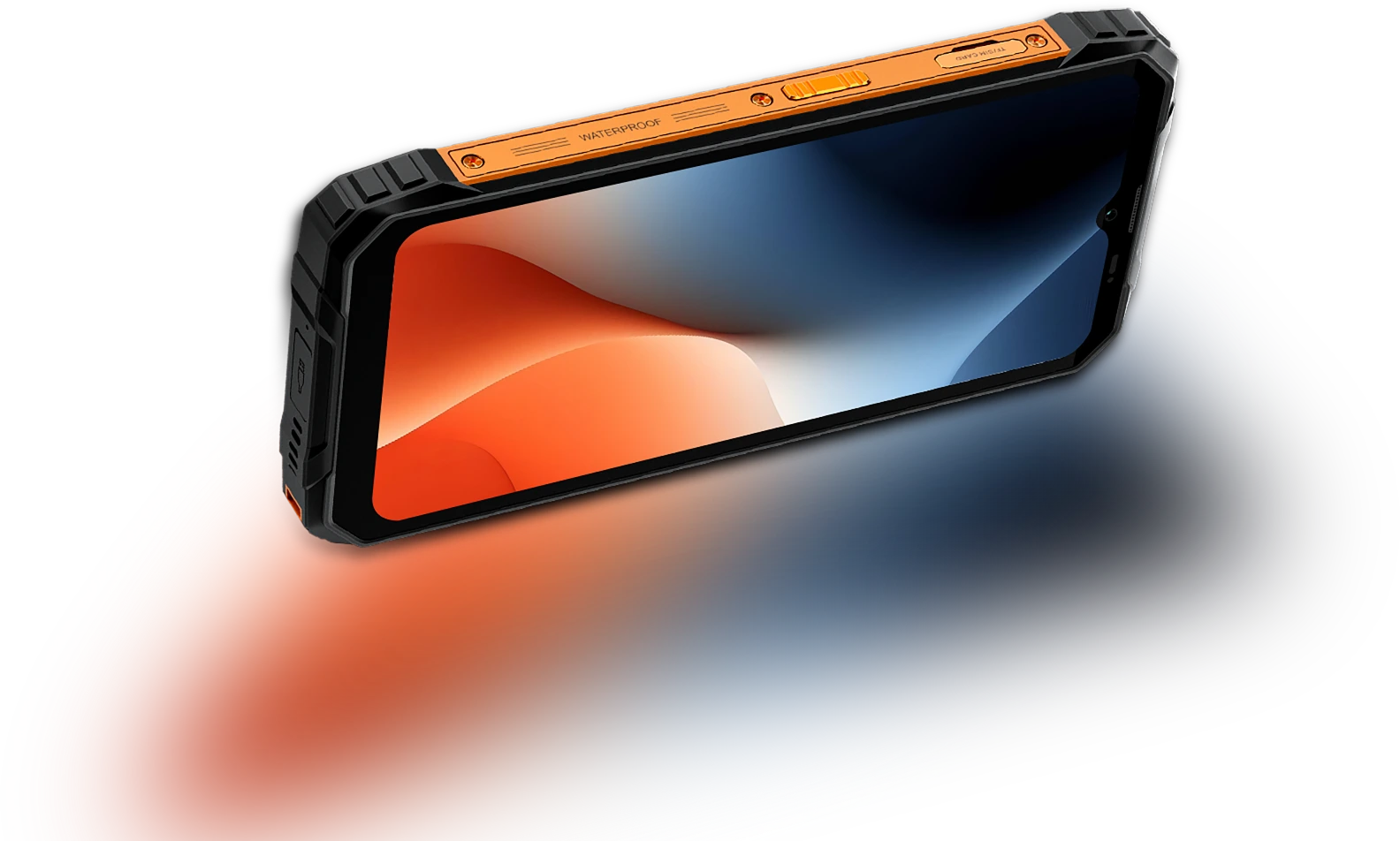
Amostragem de Toque Taxa
180Hz
Ecrã-corpo Proporção
83%
Mais Fino & Leve
INCELL IPS
PPI
269
Resolução
720*1612 pixels
Brilho
450nits
Proporção
20:9
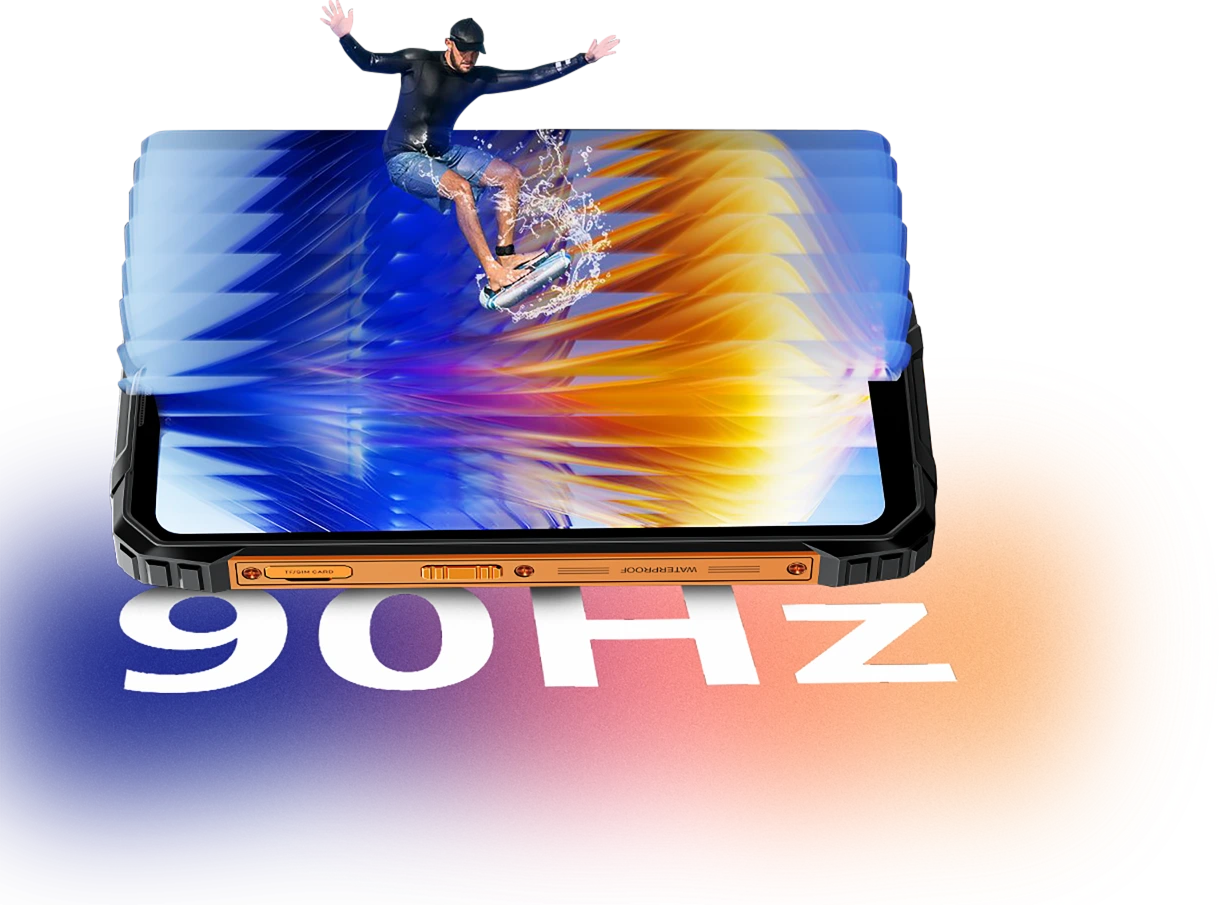
AI inteligente adaptativa 90Hz
Taxa de Atualização
Cada Deslize. Cada
Quadro. Apenas
Suavidade
Quer estejas a percorrer mensagens, a consultar mapas ou a rever atualizações de trabalho, a taxa de atualização inteligente AI-adaptativa de 90Hz do FORT 1 mantém tudo suave quando precisas, e muda para uma taxa de atualização mais baixa quando não precisas.
60Hz
mantém as coisas mais eficientes para ler, enviar mensagens ou em espera.

90Hz
ativa-se para um scroll mais suave, deslizes mais fluidos e animações.


O Conforto Ocular Importa
Mais Suave para os Olhos,
Dia ou Noite
Quer estejas a trabalhar longas horas, a ler ao ar livre ou a relaxar à noite, o Blackview FORT 1 foi concebido para reduzir a tensão ocular. Com modos inteligentes de ecrã que se adaptam ao ambiente, mantém-te confortável e focado, independentemente da hora ou tarefa.
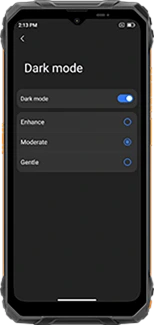
Modo Escuro em Múltiplas Camadas
(Intensificar/Moderado/Suave)
apresenta uma interface mais escura e confortável
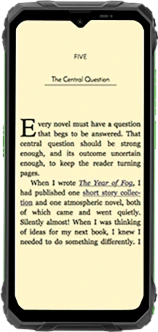
Modo de Leitura
reduz o brilho e filtra a luz forte para uma sensação semelhante ao papel
Luz Noturna
reduz a luz azul para ajudar a aliviar a fadiga ocular em ambientes com pouca luz
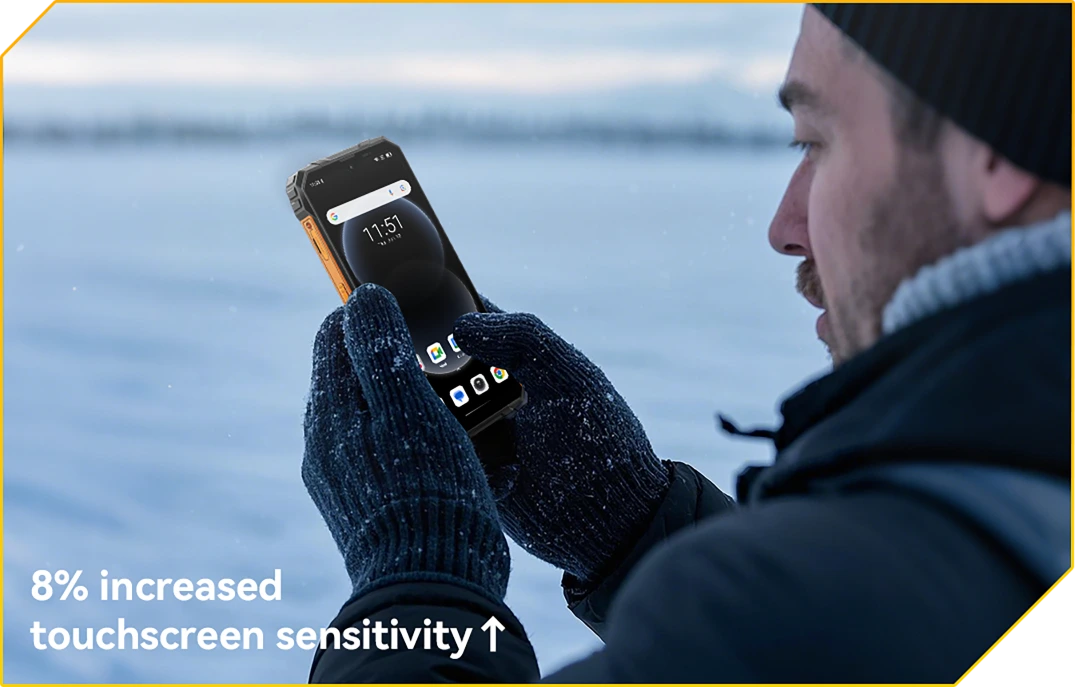
Modo Luva 2.0
Pronto para Toque. Mesmo com Luvas
Toque, deslize e percorra sem tirar as luvas.
Monstro da Bateria de 10000mAh Nº 2
com 48 dias de Tranquilidade
Bateria Gigante de 10000mAh
Energia que Dura. Dia Após Dia
Com uma enorme bateria de 10000mAh, o FORT 1 foi feito para durar muito mais do que os outros. Quer esteja num turno de vários dias, fora da rede ou no campo, pode trabalhar, navegar e comunicar sem se preocupar com a próxima carga.

12h
Jogo
43h
Chamada
45h
Música
21h
Web
21h
Em Espera
Adaptativo com IA
Proteção de Carregamento
garante carregamento mais seguro e um
bateria duradoura.
+1 Ano de Vida Útil↑


Poupança de Energia AI
Algoritmo
ajusta automaticamente a atividade em segundo plano, brilho e desempenho para prolongar a vida da bateria.
Mais de 500 Ciclos de Bateria
com 80% de Bateria
Vida Mantida
significa 2~3 usos sem preocupações.


Suporte a Carregamento Reverso OTG 5W
Energia para Partilhar,
Onde Quer Que Esteja
Precisa de carregar outro dispositivo em movimento? Com Carregamento Reverso OTG 5W, o FORT 1 funciona também como uma power bank portátil, permitindo que carregue os seus auriculares, lanterna, ou até o telefone de um colega, sem necessidade de tomada. É energia de reserva no seu bolso.
Dispositivos com Carregamento Reverso Ativado

N.º 3 Sem Complicações. Sem Usar as Mãos.
Potenciado por Doke AI.
O Doke AI no FORT 1 traz inteligência de próxima geração para o seu dia a dia — agora integrado com os principais modelos AI do mundo, incluindo DeepSeek-R1, ChatGPT-4o mini e Gemini AI 2.0 Flash Thinking Experimental. Quer esteja no local, em movimento ou fora do caminho habitual, este assistente AI robusto mantém tudo simples, inteligente e fluido.
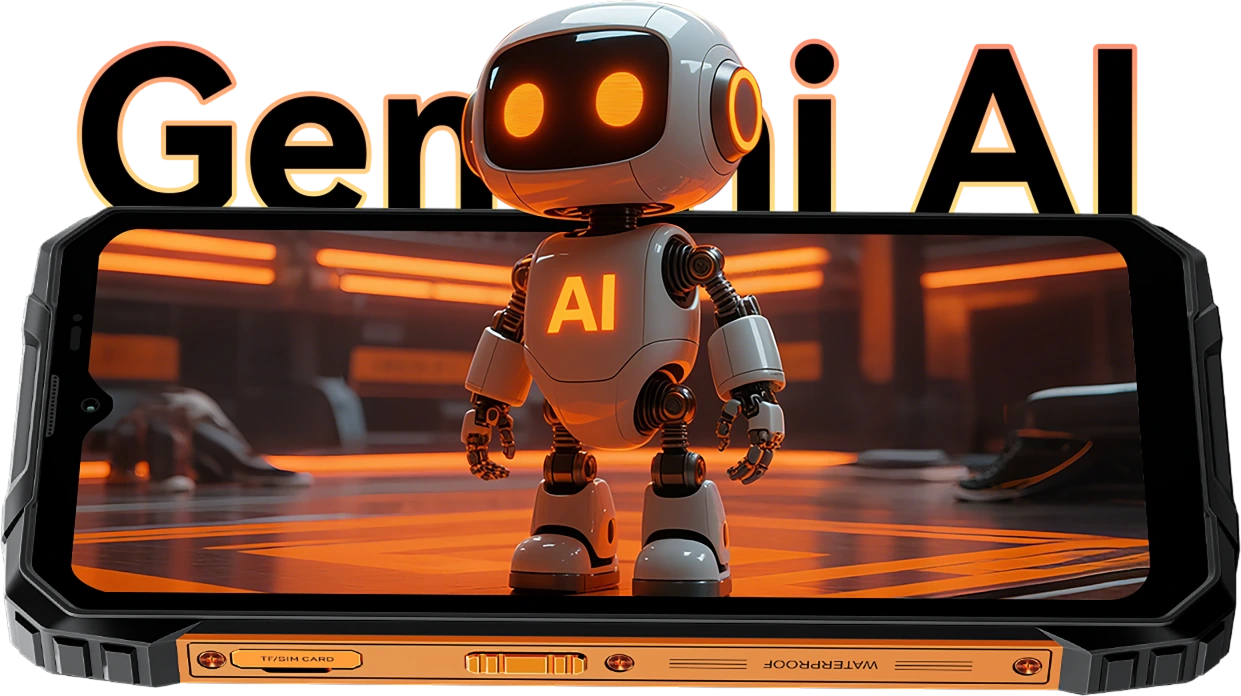
Despertar por Voz &
Reconhecimento de Impressão Vocal
A Sua Voz.
O Seu Acesso.
Basta dizer a palavra — mesmo com luvas ou mãos ocupadas. O FORT 1 acorda instantaneamente e com segurança com a sua voz única.

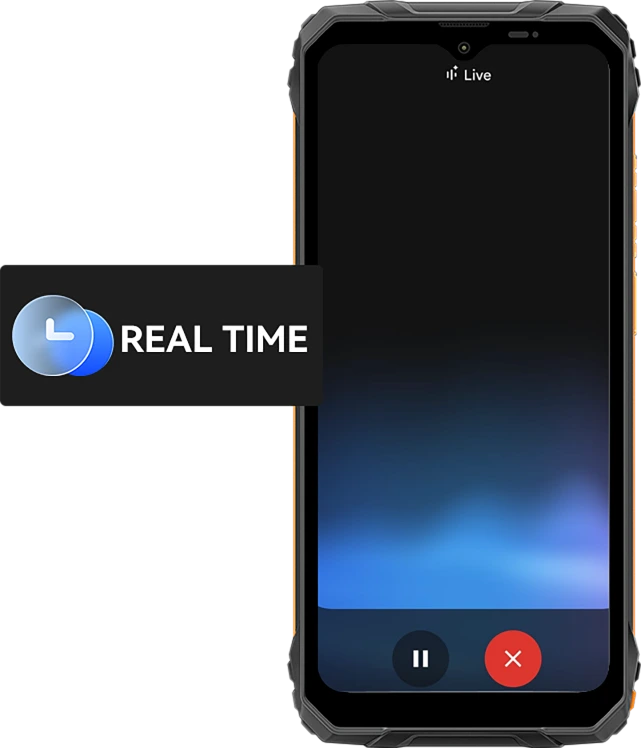
Interação de Voz em Tempo Real
Pergunte Rápido. Obtenha Respostas
Mais Rápido.
Desde atualizações rápidas a conselhos em tempo real, fale com o seu telefone e receba respostas instantâneas com 10 estilos de voz expressivos como Nova, Orbit ou Vega — úteis e naturais.
10 Opções de Voz para escolher:
Assistência Consciente do Ecrã
Ajuda, Direto no
O Seu Ecrã.
Vê um ficheiro, mapa ou imagem com que precisa de ajuda? Basta pedir. Sem mudar de app. Sem distrações.

Controlo Inteligente Global
Uma Voz. Controlo Total.
Ajuste definições, inicie apps e gere ferramentas, tudo sem usar as mãos. Ideal para multitarefas ou quando usa luvas no trabalho.


Gmail

Google Calendar

Google Keep

Google Tasks

Google Drive

Google Docs


Mensagens

Telefone

Google Maps

Google Flights

Google Hotels

YouTube

YouTube Music
O Companheiro Criativo Mais Inteligente
Olá Doki App AI Assistente de Chat Inteligente
O Seu Parceiro de IA para Cada Tarefa e Ideia
Quer esteja a planear num local de construção ou a receber ajuda nas tarefas diárias, o Hi Doki está sempre pronto.

App ImageX
Ferramentas Fotográficas Poderosas com IA para Aventuras Reais
Mesmo nos ambientes mais difíceis, as suas fotos merecem um polimento de nível profissional. Com 18 funcionalidades de edição com IA, O ImageX no FORT 1 transforma fotos de campo, capturas ao ar livre e momentos do dia a dia em visuais dignos de partilha, rápida e facilmente.
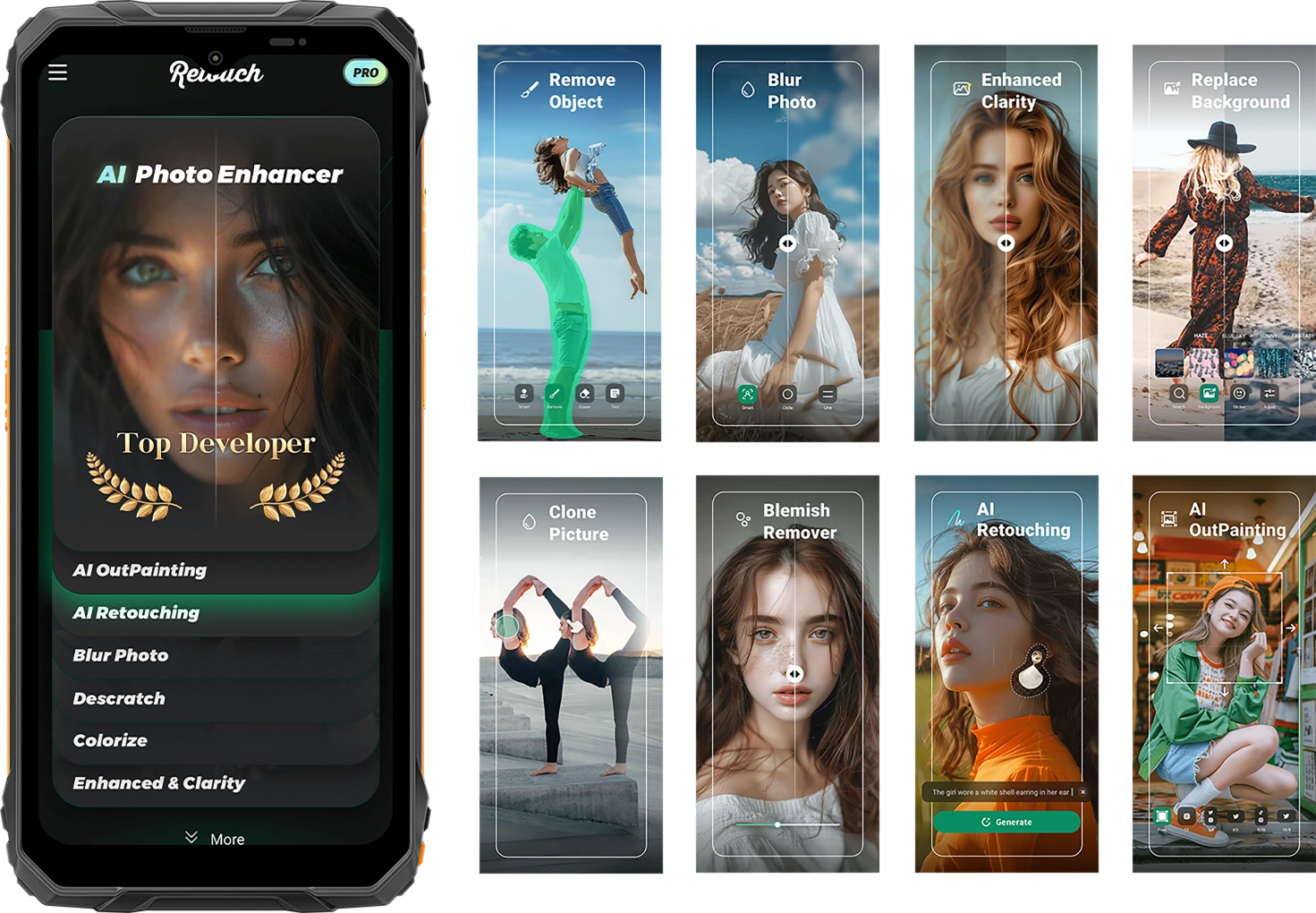
Capture a vida na sua forma mais crua. Partilhe-a refinada.
Remoção de Objetos com IA
Apague objetos indesejados, estranhos ou equipamentos em segundos. Mantenha o foco onde importa.

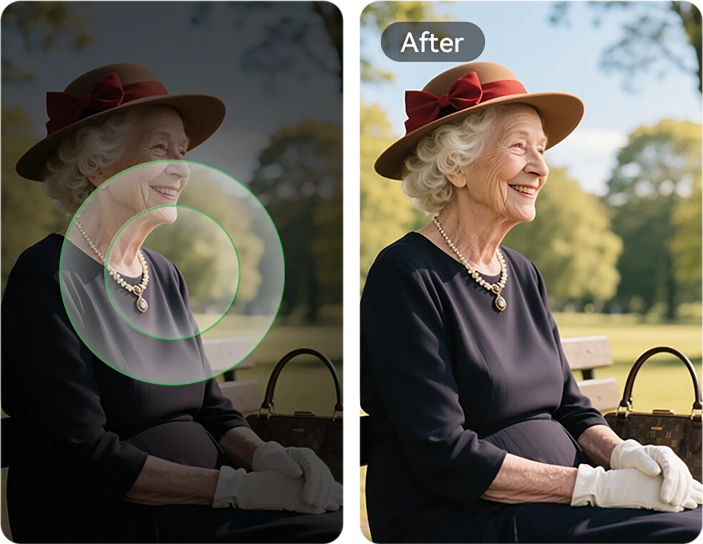
Adaptativo com IA
Proteção de Carregamento
Um toque faz tudo. Ajustes inteligentes para iluminação, cor e equilíbrio — sem necessidade de habilidades de edição.


Foto com IA
Retoque
Suavize automaticamente a pele, corrija a iluminação e realce retratos para um aspeto limpo e natural.
Ampliação de Imagem com IA
Expanda as bordas da sua imagem para mostrar mais paisagem, mais contexto — mais história.

Desfoque Fotográfico com IA
Desfoque fundos desarrumados ou distrativos para que o seu sujeito se destaque nítido e claro.
Substituição de Fundo com IA
De trilhos de montanha a locais de trabalho — mude qualquer fundo instantaneamente para combinar com o seu humor ou mensagem.

Removedor de Imperfeições
Detecte e refine facilmente manchas, pequenas imperfeições ou defeitos na pele ou superfícies da foto, deixando a imagem impecável e pura.

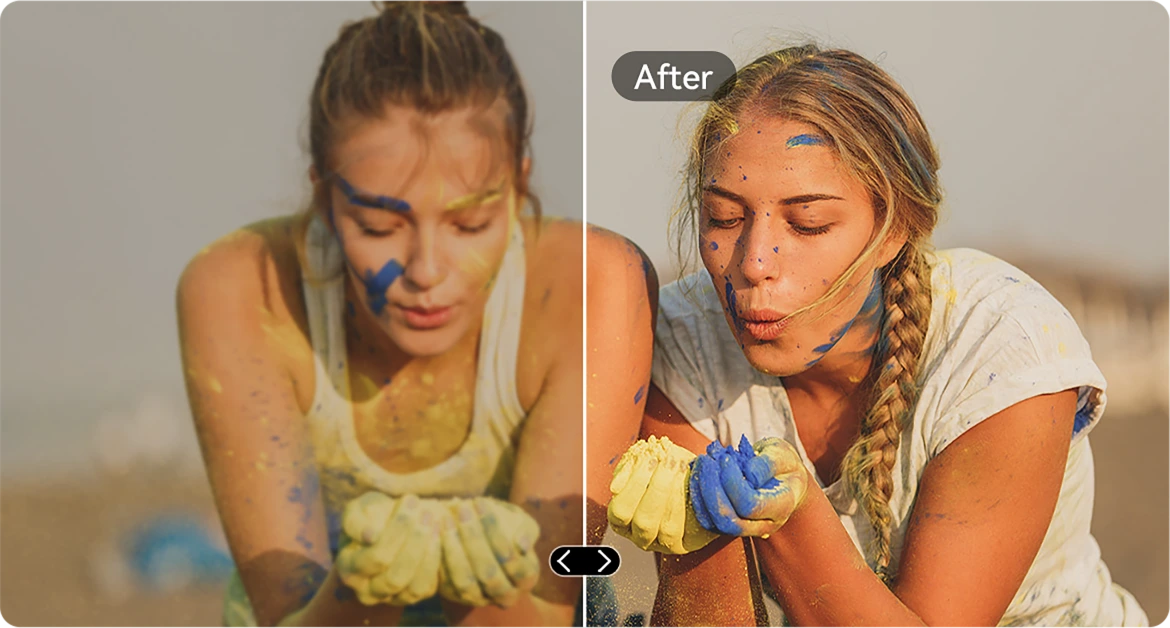
Melhoria de Claridade com IA
Aguce imagens desfocadas ou com pouca luz para que cada detalhe sobressaia — mesmo em condições de movimento rápido.
Colagem de Imagens com IA
Copie elementos entre fotos. Coloque ferramentas, etiquetas ou pessoas exatamente onde quiser.

Remoção de Riscos com IA
Restaure imagens riscadas, danificadas ou envelhecidas para qualidade quase original com um único toque.
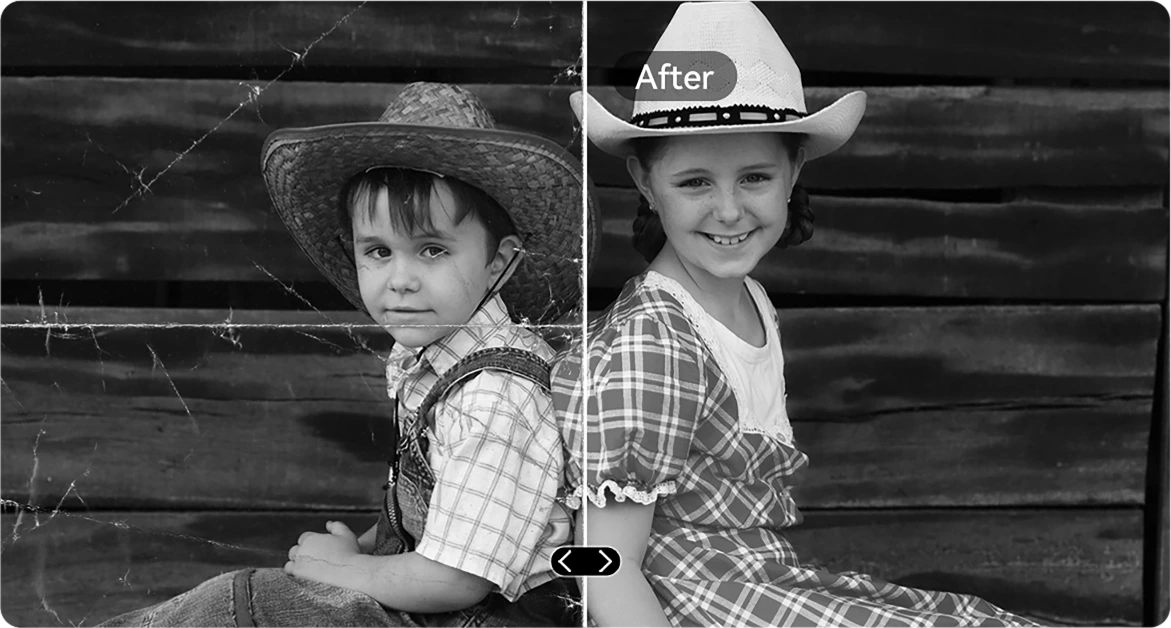
Colorização a Preto e Branco com IA
Dê nova vida a fotos a preto e branco restaurando com precisão as cores em cada detalhe. Veja pessoas, paisagens e até um raio de sol ganharem vida, como se o tempo tivesse recuado.
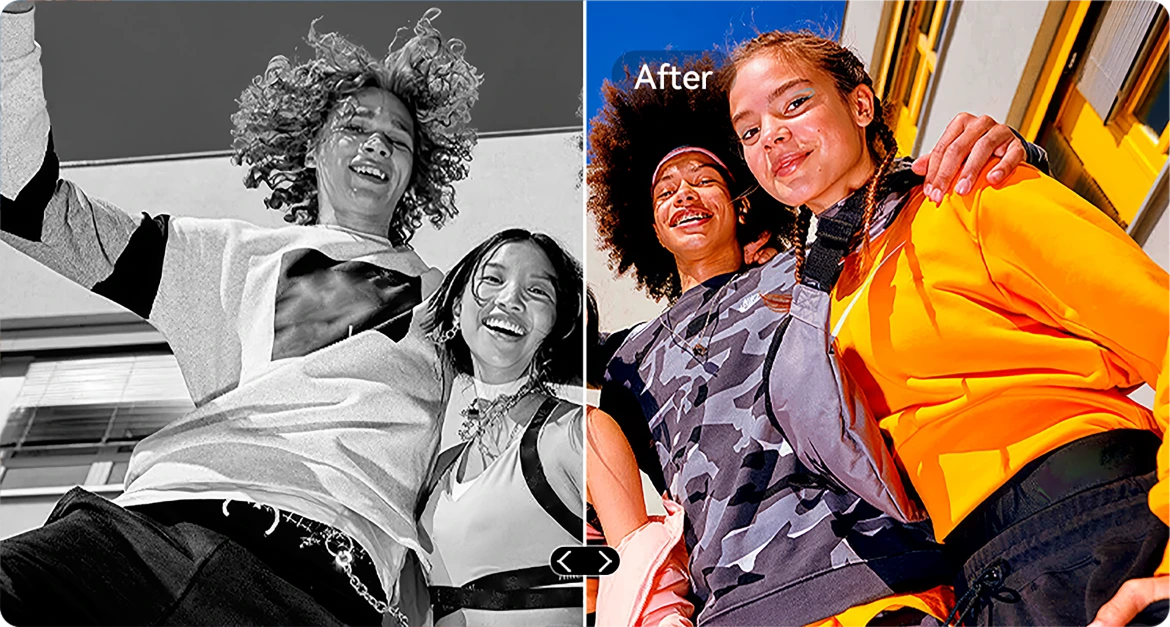

Retificação Fotográfica com IA
Corrija automaticamente fotos inclinadas ou fora de ângulo para imagens limpas, direitas e com aspeto profissional.
Clonagem Fotográfica com IA
Duplique objetos para equilíbrio visual, narrativa ou apenas diversão criativa.
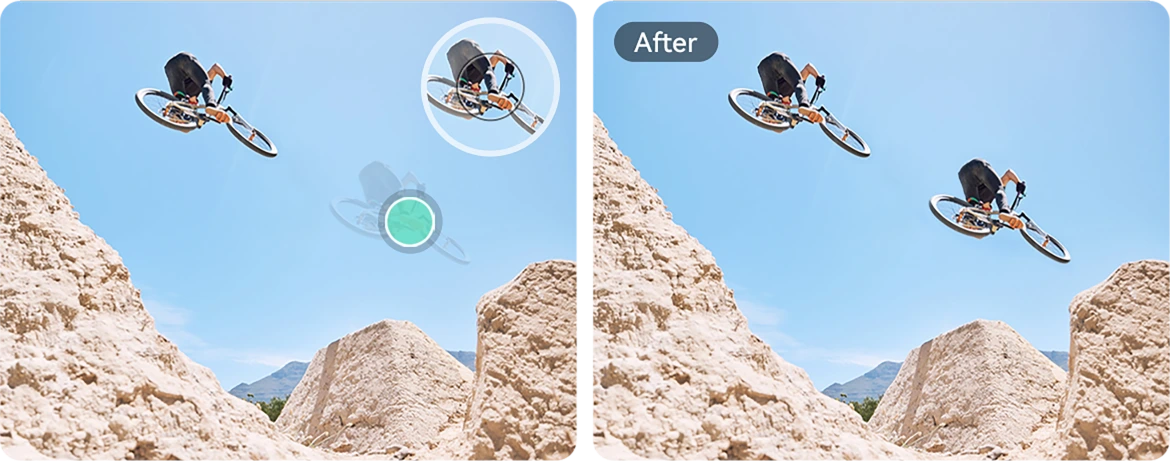
Animação Fotográfica com IA
Adicione movimento subtil a retratos — faça rostos mexer, piscar ou sorrir para um toque dinâmico.

Efeito Espiral com IA
Aplique sobreposições espirais marcantes que transformam fotos comuns em arte que prende o olhar.
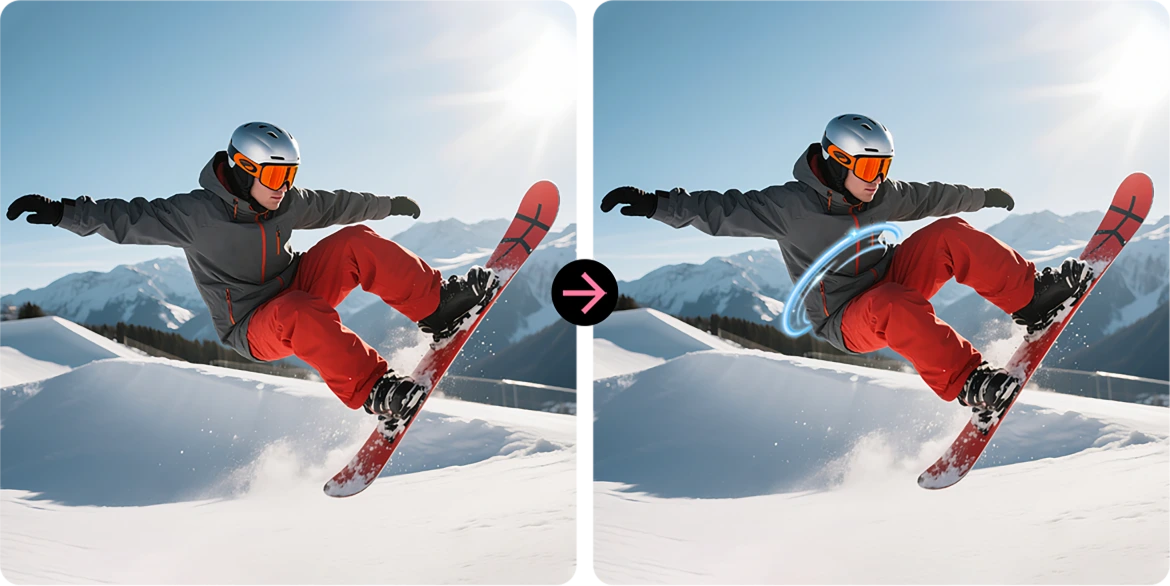
Substituir Céu
Melhore céus cinzentos com pores do sol épicos, nuvens de sonho ou clima dramático com um único toque.
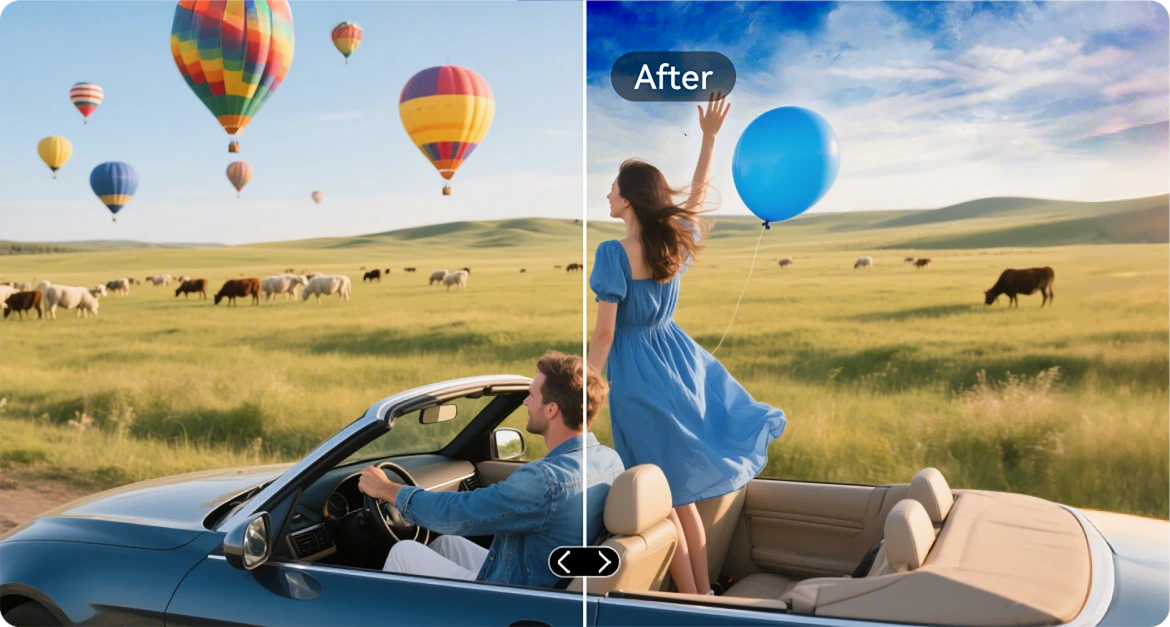
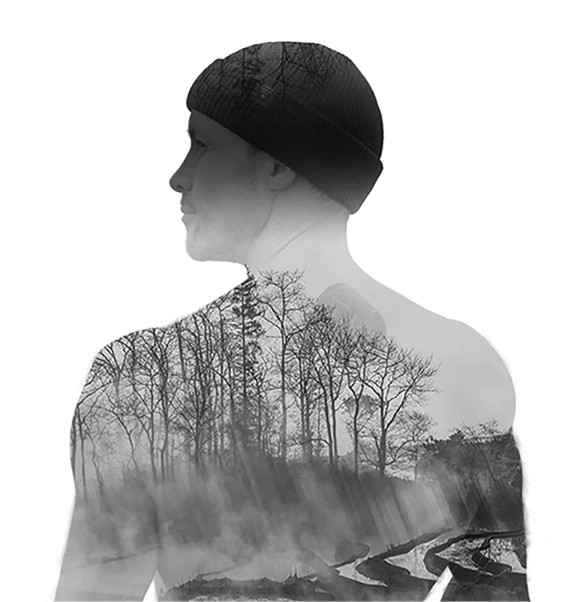
Dupla Exposição com IA
Combine duas imagens numa só — perfeito para ambientes cinematográficos ou narrativas ousadas.
Contraste Radical de Cor com IA
Transforme cores desbotadas em brilho vívido, ideal para iluminação exterior ou condições adversas.

App VidGen
Editor de Vídeo Inteligente com IA
Dê Vida às Suas Histórias ao Ar Livre
Quer esteja a escalar, construir, acampar ou capturar o dia a dia, O VidGen transforma os seus momentos brutos em vídeos dinâmicos e prontos a partilhar em apenas alguns toques.

Transforme Texto em Vídeo
Descreva a cena ou ideia, e deixe a IA criar uma história visual vívida — desde resumos de ação a guias passo a passo.

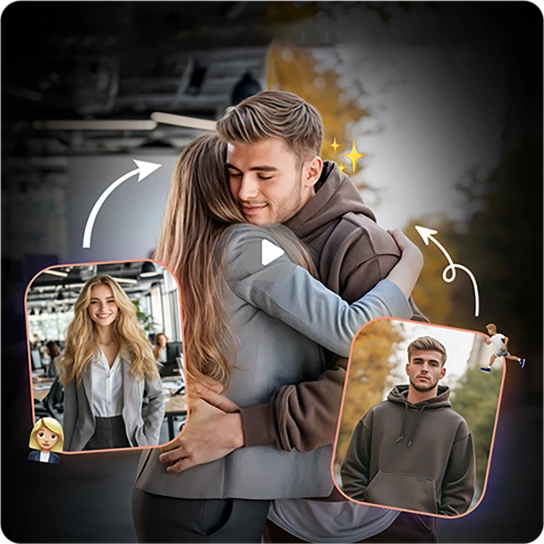
Transforme Fotos em Vídeo
Tem muitas fotos? Veja-as ganhar vida enquanto a IA as une em memórias cinematográficas suaves.
App Soundle
Compositor de Música AI Inteligente
Faça Música. Em Qualquer Lugar. A Qualquer Hora.
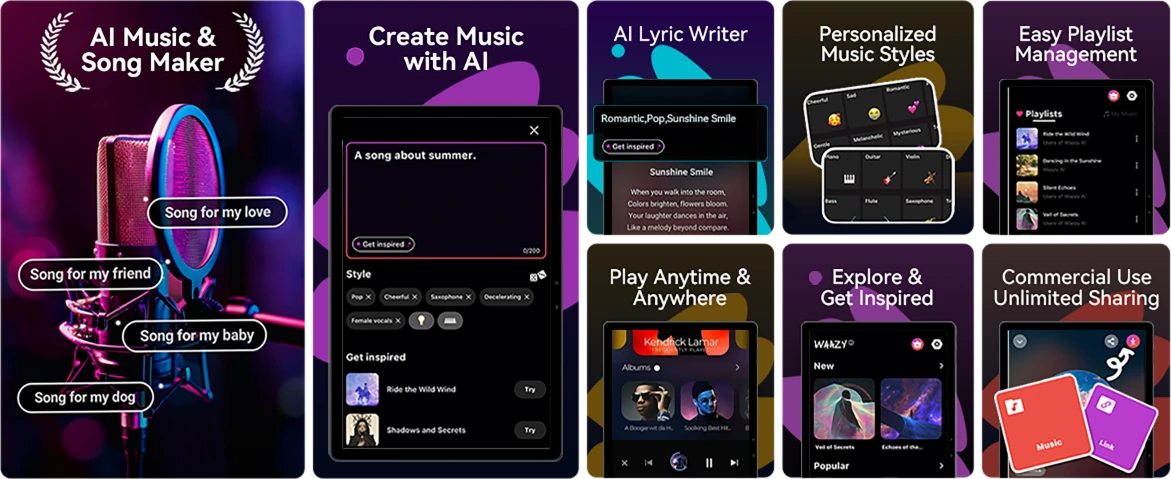
Sem instrumentos? Sem estúdio? Sem problema. Com o Soundle, o seu telemóvel robusto torna-se um laboratório musical, perfeito para transformar momentos em bandas sonoras em movimento.
N.º 4 Realize Tarefas com Facilidade com Unisoc Processador Octa-core T615 & Até 18GB RAM & 256GB ROM & Armazenamento TF de 2TB
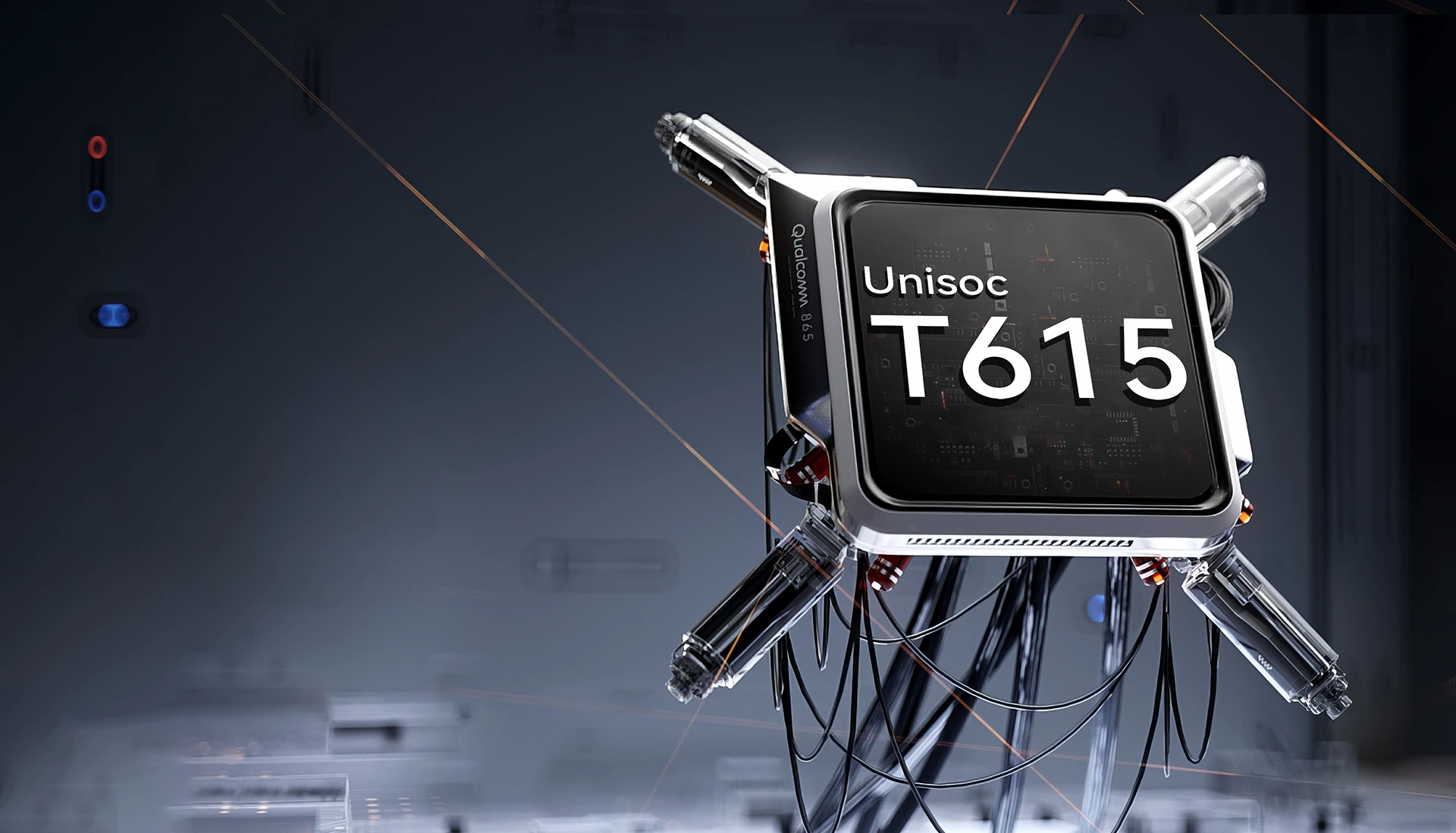
Unisoc T615 Octa-core
Processador
Potência para Manter Para Cima
Suave, fiável e eficiente. Quer esteja a alternar entre apps de trabalho, a navegar fora da rede ou a ver conteúdos em movimento. O Unisoc T615 oferece o desempenho que precisa sem atrasos.
Processo EUV de 12nm
otimizado para menor consumo de energia
2 x Cortex-A75 @1.8GHz + 6 x
Cortex-A55@1.6GHz
núcleos potentes para desempenho mais fluido
GPU Arm Mali-G57 @850MHz
gráficos suaves & visuais nítidos
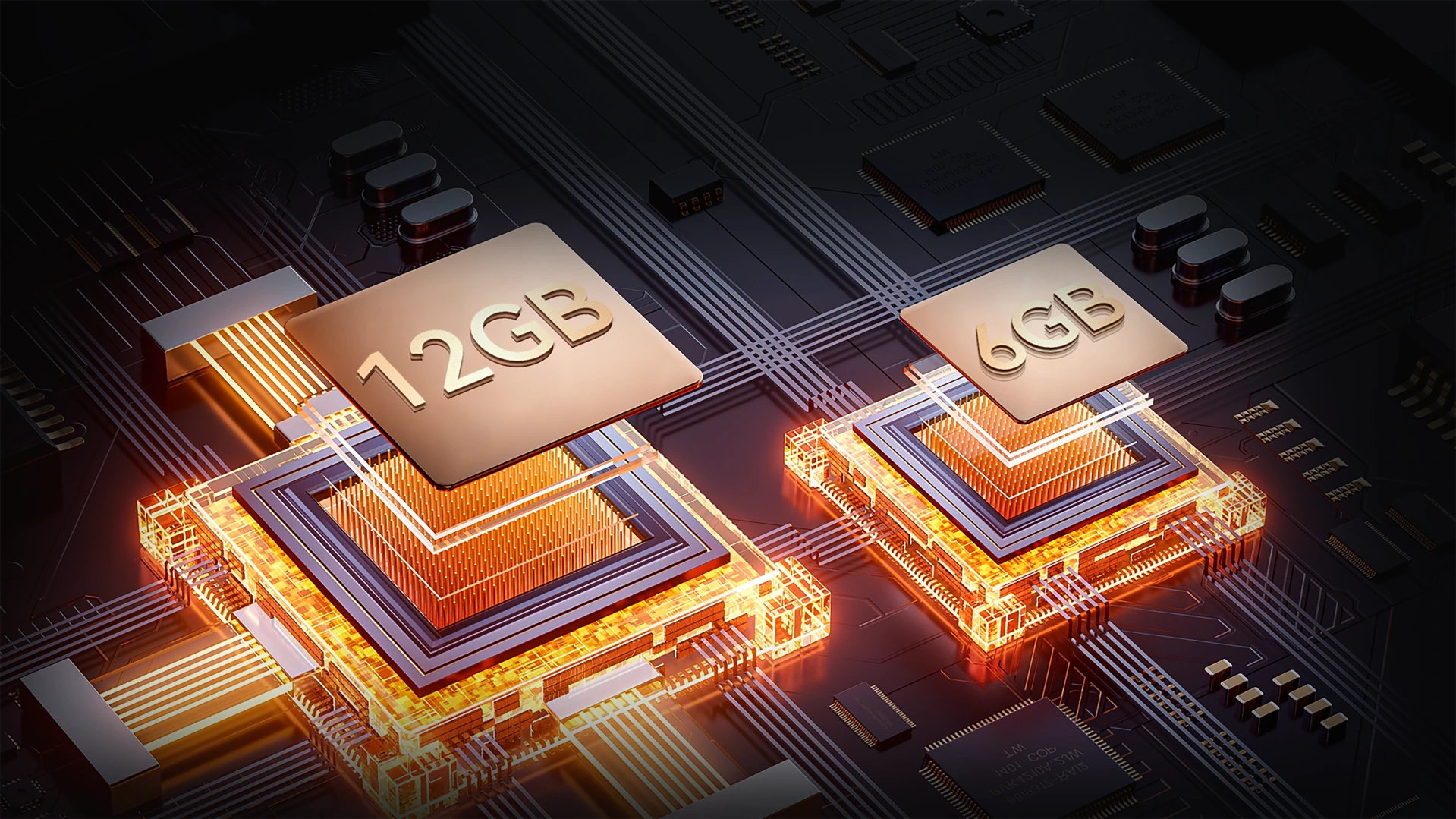
Até 18GB RAM (6GB + Expansão de 12GB)
Mais Memória. Missões Mais Suaves.
Multitarefa sem esforço. Com até 18GB de RAM, o FORT 1 lida com tudo, desde ferramentas de trabalho a apps de entretenimento — carregamento mais rápido, transições suaves, sem lentidões.
Até 18GB RAM=
6GB RAM + Expansão de 12GB
20% Velocidade de Resposta Mais Rápida↑
Memória Atomizada 2.0
9% Mais RAM Disponível↑
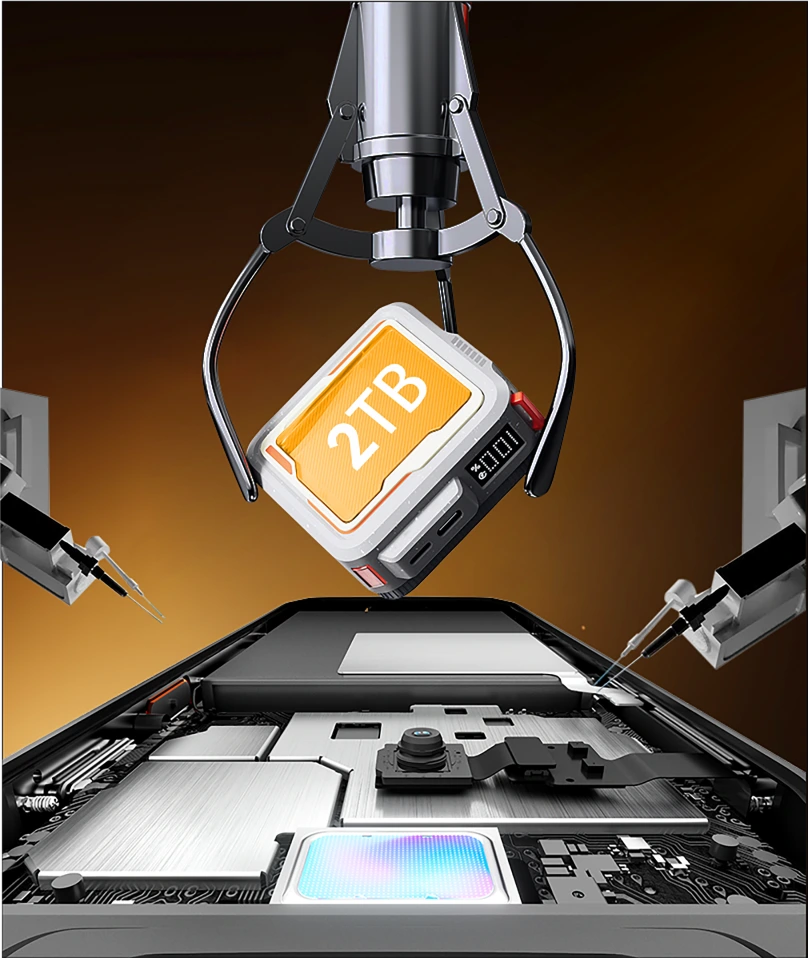
256GB ROM + Expansão TF de 2TB
Armazenamento que Acompanha a Distância
Nunca mais fique sem espaço no trabalho ou fora da rede. Com 256GB integrados e suporte para cartões TF até 2TB, O FORT 1 armazena tudo — mapas, fotos, vídeos e ficheiros essenciais para a missão — ao seu alcance.

≈900K
+ Faixas de Música

≈59,4K
+ Vídeos Curtos

≈498,6K
+ Fotos
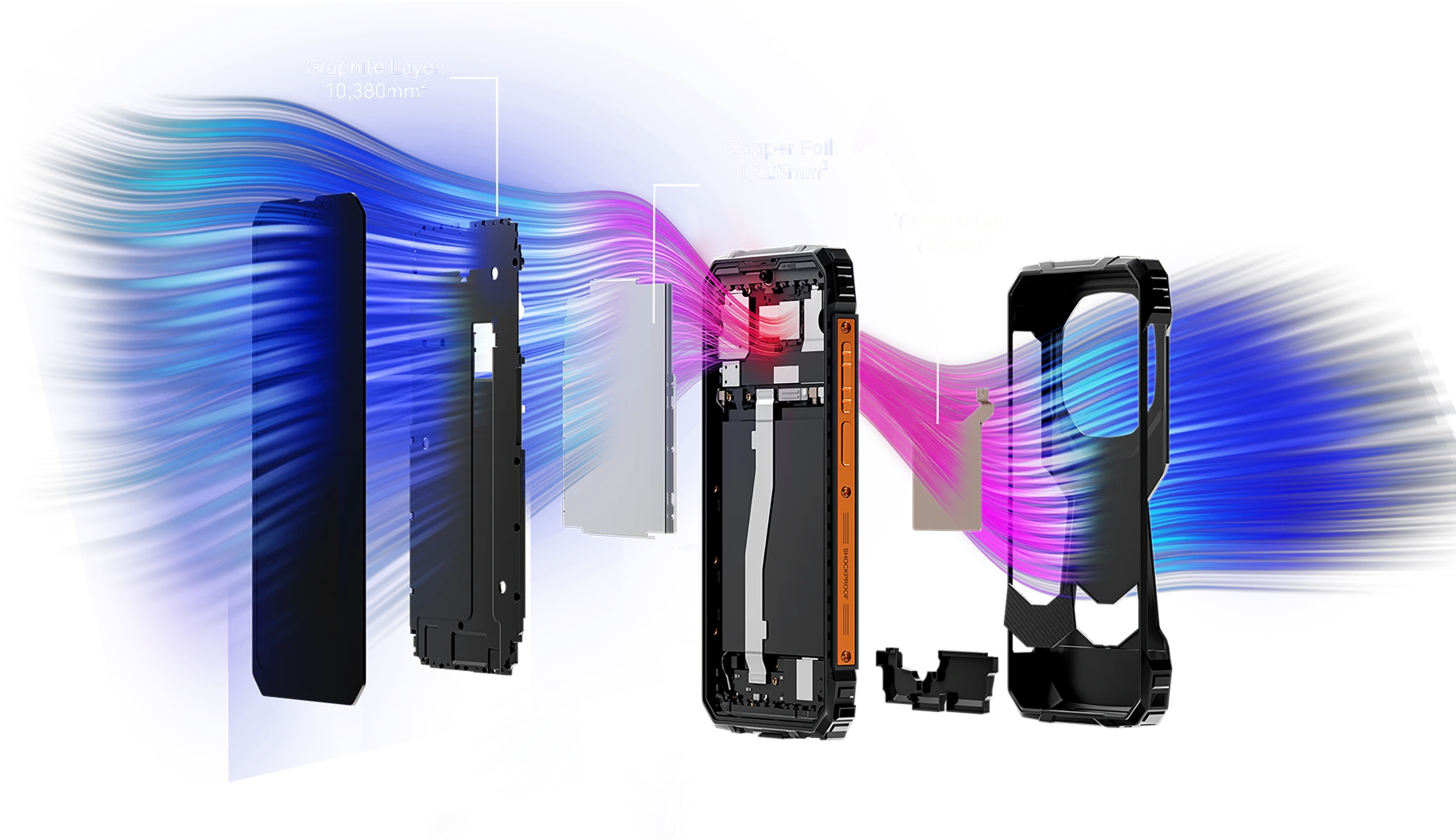
Mais de 120,72mm² de Área de Arrefecimento
Desempenho Fresco, Jogo Imparável
Equipado com um poderoso sistema de arrefecimento integrado que cobre 12.072mm², o FORT 1 garante uma dissipação eficiente do calor para um desempenho máximo sustentado — mesmo durante longas sessões de jogo. Diga adeus ao sobreaquecimento e desfrute de jogabilidade ininterrupta.
N.º 5 Certificado IP68&IP69K& MIL-STD-810H
Corpo Robusto
Cada Borda é Reforçada. Cada Detalhe, Pronto para a Missão.
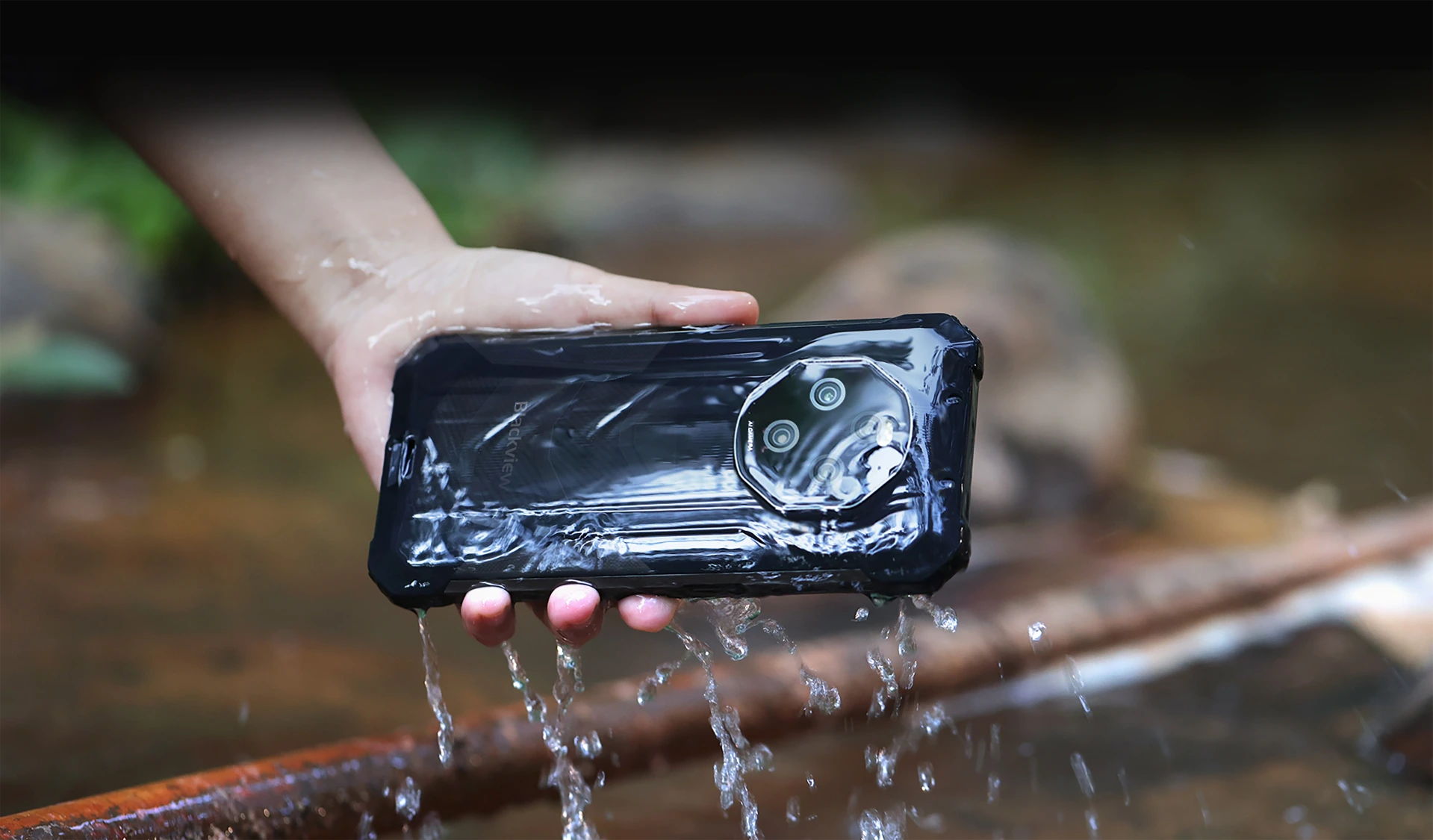
À prova de Água e Pó com Certificação IP68 & IP69K
Construído para Durar. Projetado para Desempenhar
O FORT 1 é o seu companheiro robusto definitivo, concebido para resistir às condições mais difíceis com certificação IP68 & IP69K. Quer esteja submerso em água, enterrado em pó, Ou exposto a ambientes extremos, o FORT 1 continua a funcionar — inabalável e sem compromissos.
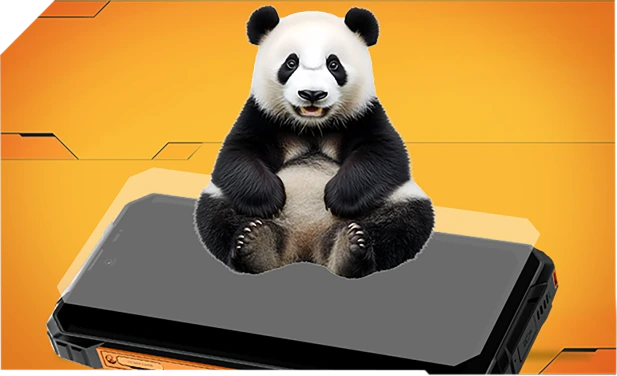
Reforçado com Vidro Panda e selado de ponta a ponta para resistência superior à água — sobrevive até a quedas em pias ou máquinas de lavar.
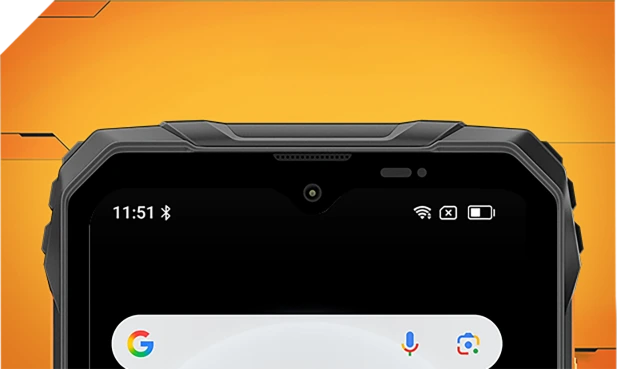
Impermeável por dentro e por fora com filtros de malha refinados — mantém-se nítido e claro independentemente do salpico ou tempestade.
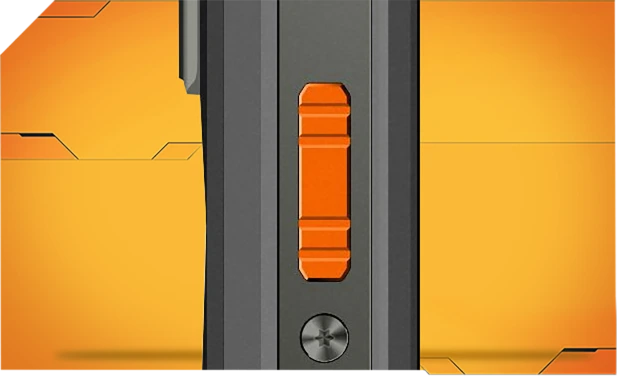
Feito de alumínio resistente à corrosão e selado com anéis impermeáveis para controlo fiável na chuva, lama ou pó.

Vidro Asahi hermeticamente selado mantém as lentes claras e secas, mesmo debaixo de água.
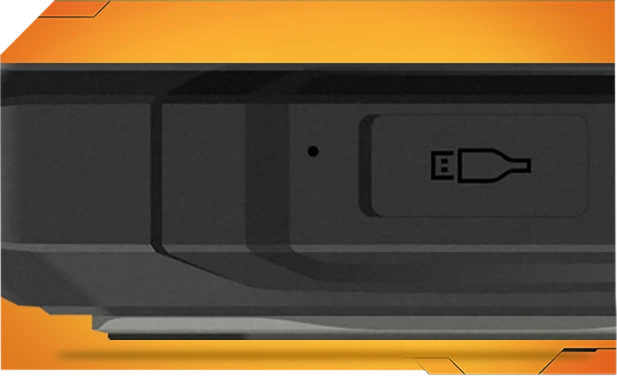
As tampas TPU das portas bloqueiam 99% da água e do pó — testadas mais de 10.000 vezes para uso exterior sem preocupações.
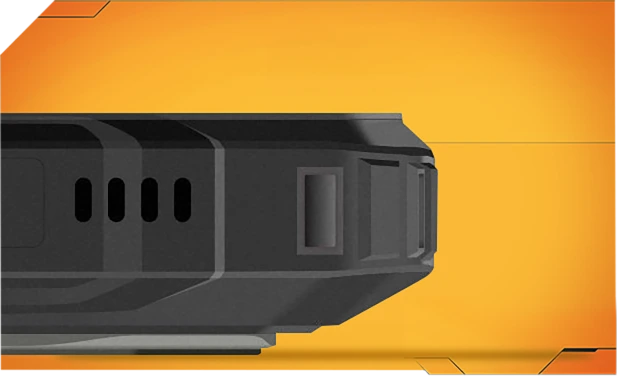
Um toque elimina água e pó do altifalante usando tecnologia de ondas sonoras inteligentes — mantendo o áudio nítido a qualquer hora, em qualquer lugar.
Mais Resistente MIL-STD-810H
Certificado Resistente. Pronto para Tudo.
Testado para cumprir a rigorosa norma MIL-STD-810H, o FORT 1 foi feito para sobreviver a condições extremas — calor, frio, humidade, quedas, pó e vibrações. Esteja num canteiro de obras, numa trilha de montanha ou na chuva, continua a funcionar quando outros desistem.

Reforçado para as Quedas Mais Rígidas
Construído resistente de dentro para fora, o FORT 1 resiste a quedas, choques e manuseio rude — sem o aspeto volumoso.
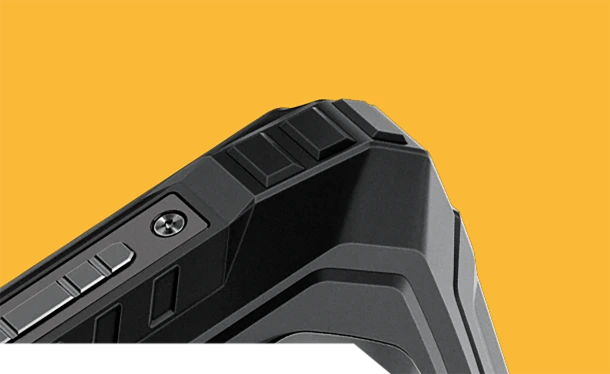
Cantoneiras Anti-Colisão
Bordas especialmente reforçadas absorvem choques onde mais importa.
Capa Traseira Durável
Casca de alta resistência + borracha macia = resistência séria a quedas.


Grau de Aviação Estrutura Metálica
Liga de alumínio resistente, fixada com parafusos — sólida e estável.
Resistência na Vida Real, Onde Quer Que Vás
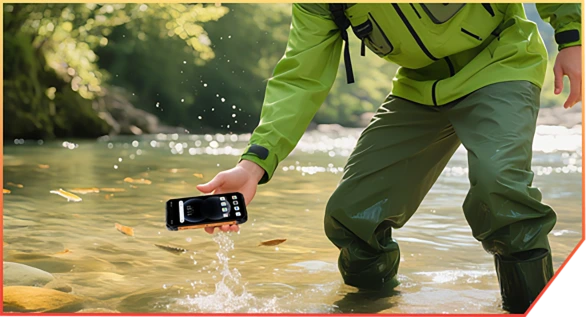
Escorregou para um riacho durante uma caminhada no desfiladeiro

Caído durante uma entrega no armazém

Bateu em pedras numa trilha de montanha
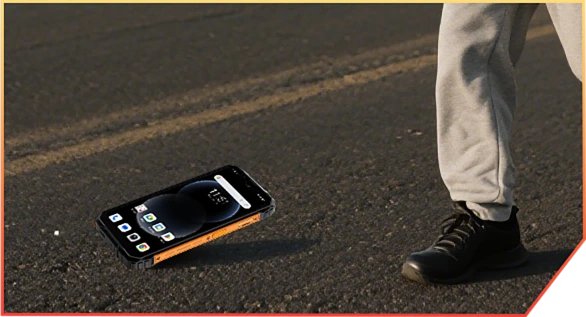
Caído do camião no local de trabalho
N.º 6 Potenciado por AI. Cada
Momento Preservado Memorável
AI Mágica. Cada Foto, Pronta para Aventura.
Sem filtros. Sem repetições. Apenas edição inteligente e resistente que funciona onde quer que estejas — lama, pó ou montanhas.
 Borracha Mágica
Elimina multidões, confusão ou caos com um toque. Mantém só o que importa.
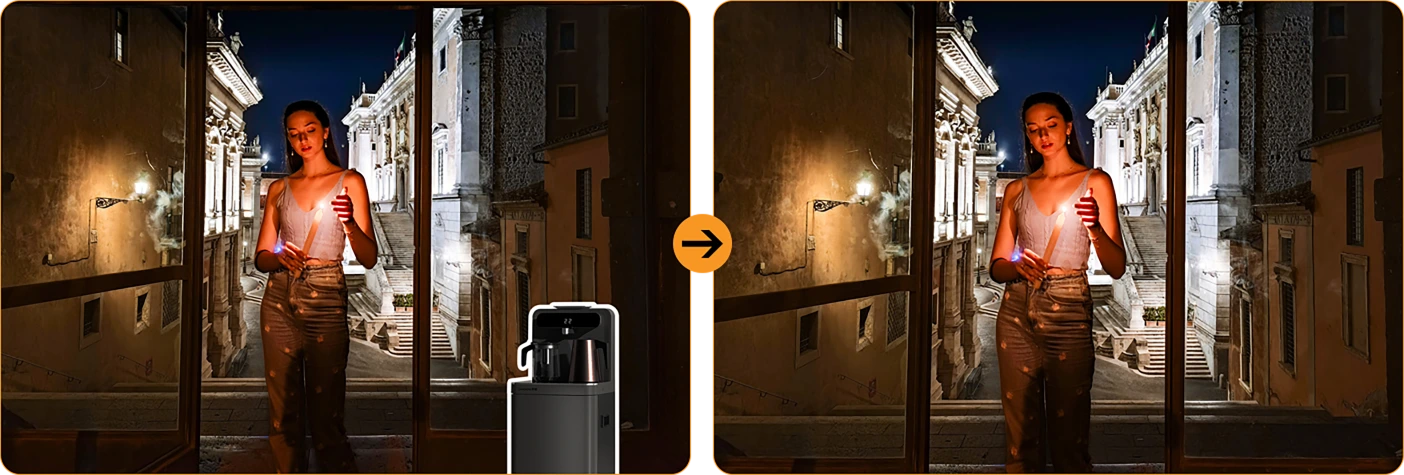
 Substituição do Céu com Um Toque
Foto de chuva? Céus cinzentos? Troca-os por sol, estrelas ou drama tempestuoso.



Desfocar Retrato
Faz a tua equipa sobressair — desfoca o fundo,
não o momento.
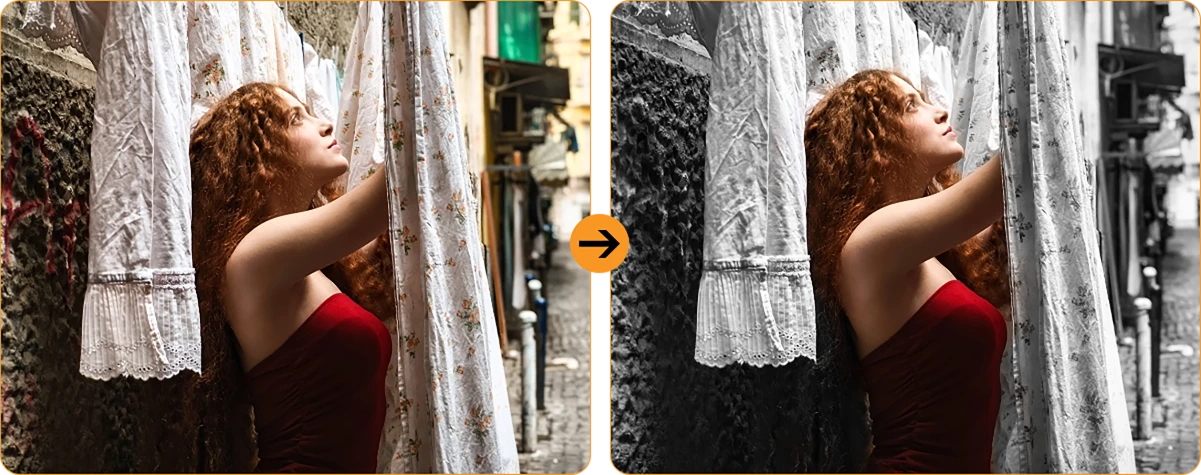
 Foco de Cor
Silencia a confusão, destaca o teu estilo. O ousado destaca-se melhor.
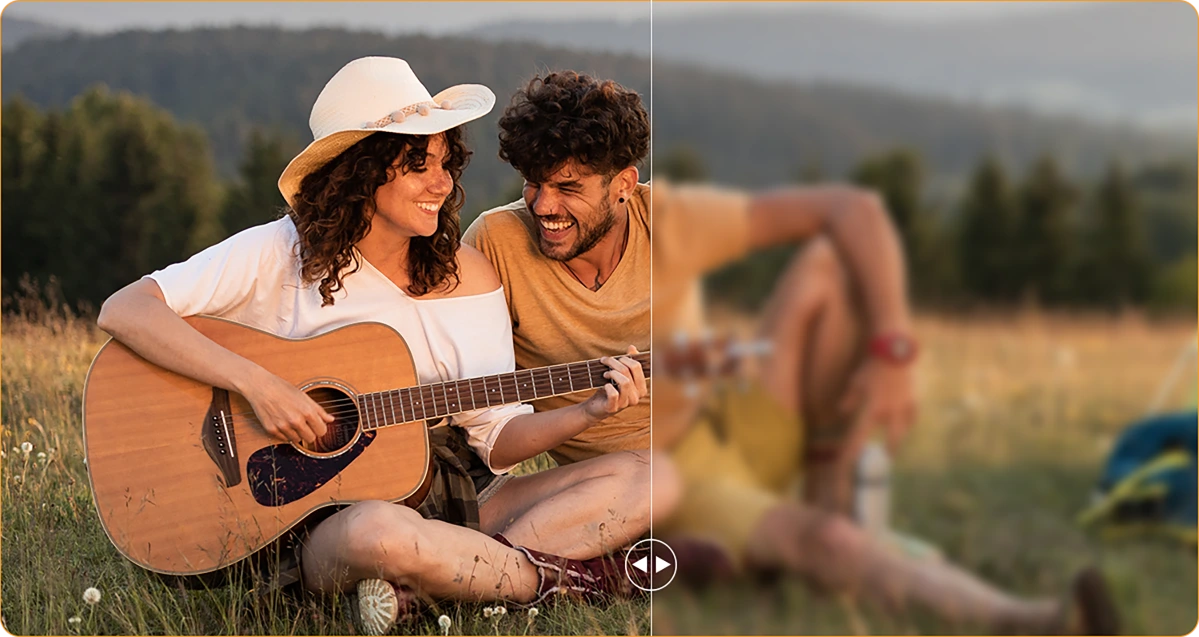
 Desfocar Foto
Mãos trémulas? Lente empoeirada? A AI corrige como se nada tivesse acontecido.
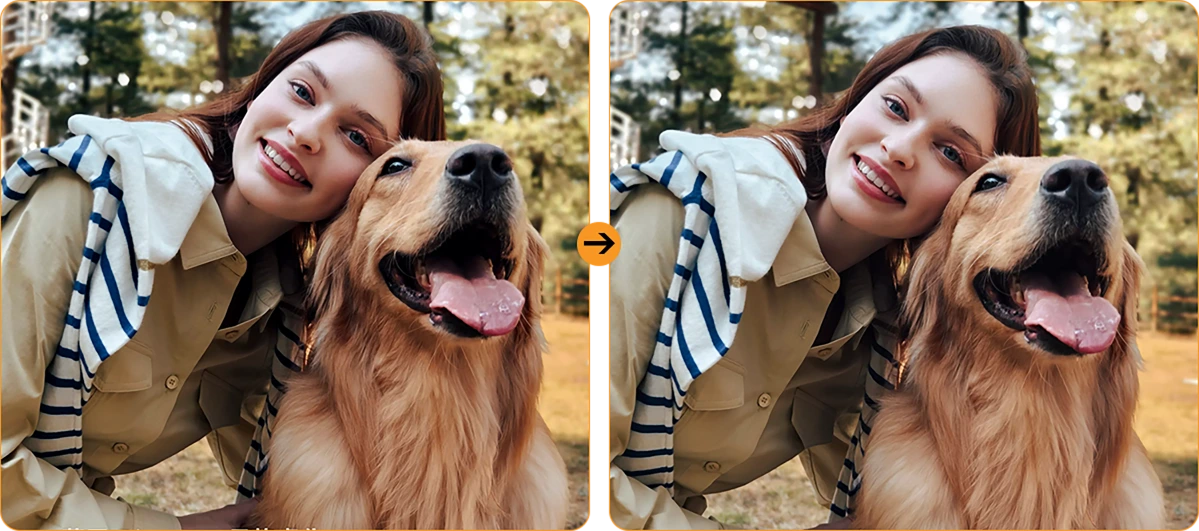
Luz de Retrato
Pouca luz, sem problema. Mantém-se iluminado — mesmo ao anoitecer ou sob o brilho da fogueira.
Câmara Principal AI de 16MP
Fotos Claras. Momentos Reais.
Desde detalhes no local de trabalho até aventuras de fim de semana, a câmara principal AI de 16MP captura tudo — nítido, vívido e pronto para partilhar. Sem complicações, apenas ótimos resultados sempre que clica.

Câmara Principal AI de 16MP
Fotos Claras. Momentos Reais.
Desde detalhes no local de trabalho até aventuras de fim de semana, a câmara principal AI de 16MP captura tudo — nítido, vívido e pronto para partilhar. Sem complicações, apenas ótimos resultados sempre que clica.


Luz de Preenchimento Frontal
Ilumina Quando
A Natureza Não
Esqueça selfies escuras e granuladas. Com a Luz de Preenchimento Facial incorporada, o seu rosto mantém-se brilhante e claro—mesmo com pouca luz, contraluz ou sem luz.
HDR
Equilibrado & Fiel à Vida
Alto Alcance Dinâmico (HDR) captura todos os detalhes—realçando contraste, cor e luz para que as suas fotos se destaquem, mesmo em iluminação difícil.
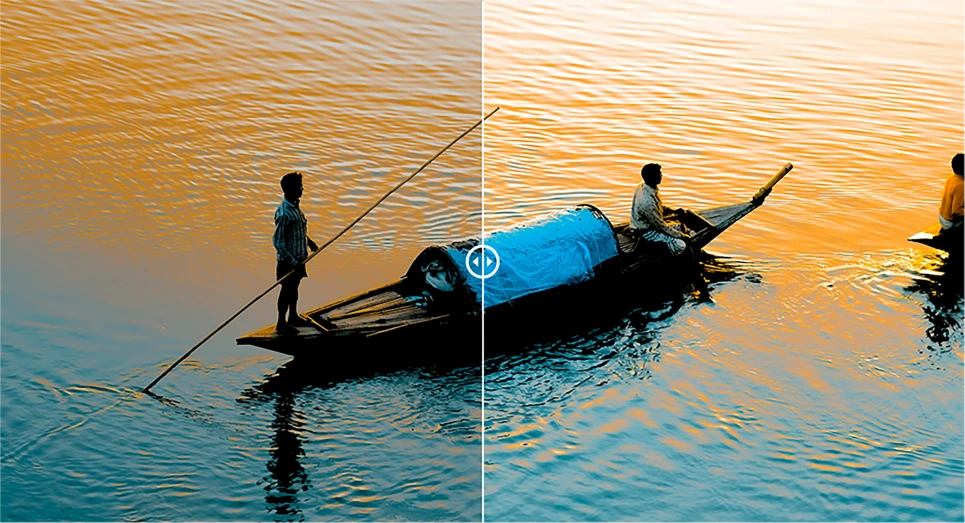
Retrato
Profundidade que Atrai Atenção
Traga o seu sujeito para foco nítido com desfoque de fundo que adiciona profundidade e drama—potenciado por AI para aquele aspeto profissional perfeito.

Beleza
Pare Fresco, Sinta-se Natural
Pele suave, tom mais claro e um toque de magia AI—perfeito para selfies rápidas que continuam a parecer naturais.

Noite
Noites Claras, Detalhes Nítidos
Capture a noite sem ruído. A exposição automaticamente melhorada revela cenas nítidas e vívidas, mesmo com pouca luz.

No.7 Último DokeOS 4.2
Baseado no Android 15
| Modelo | FORT 1 |
| Cor | Preto, Laranja, Verde |
| Dimensão | 176.15 * 80.1 * 17.5mm |
| Peso | 390g |
| SO | DokeOS 4.2 Baseado no Android 15 |
| Ecrã | Ecrã 6,56 polegadas HD+ IPS, Resolução 720 * 1612 Taxa de Atualização 90Hz, 83% Relação Ecrã para body |
| CPU | Octa-core Unisoc Tiger T615 |
| RAM & ROM | 6GB RAM & 256GB ROM, Expansão até 12GB 4GB RAM & 128GB ROM, Expansão até 8GB LPDDR4X + eMMC 5.1 |
| Expansão TF | Expansão até 2TB |
| Bateria | Bateria 10000mAh; Carregamento Rápido 18W |
| Câmara Frontal | 8MP |
| Câmara Traseira | Câmara Traseira 16MP Principal + 2MP Profundidade |
| Coluna | 1PC Smart - K Caixa de Som |
| Navegação | GPS+GLONASS+Galileo+Beidou |
| Slot para Cartão | Três; 2*nano SIM + 1*Cartão TF |
| NFC | Suporte |
| Dual 4G VoLTE | Suporte |
| Wi-Fi & Bluetooth | IEEE802.11 a/b/g/n/ac; BT 5.2 |
| Conectividade de Rede | Banda 2G: B2/B3/B5/B8 Banda 3G: B1/B2/B4/B5/B8 Banda 4G: FDD:B1/B2/B3/B4/B5/B7/B8/B12 B13/B17/B19/B20/B26/B28A/B28B/B66 TDD:B40/B41 |
| Modelo | FORT 1 |
| Cor | Preto, Laranja, Verde |
| Dimensão | 176.15 * 80.1 * 17.5mm |
| Peso | 390g |
| SO | DokeOS 4.2 Baseado no Android 15 |
| Ecrã | Ecrã HD+ IPS de 6,56 polegadas, Resolução 720 * 1612 Taxa de Atualização 90Hz, Relação Ecrã-body 83% |
| CPU | Octa-core Unisoc Tiger T615 |
| RAM & ROM | 6GB RAM & 256GB ROM, Expansão até 12GB 4GB RAM & 128GB ROM, Expansão até 8GB LPDDR4X + eMMC 5.1 |
| Expansão TF | Expansão até 2TB |
| Bateria | 10000mAh; Carregamento Rápido 18W |
| Câmara Frontal | 8MP |
| Câmara Traseira | Câmara Principal 16MP + 2MP Profundidade |
| Coluna | 1PC Smart - K Box Speaker |
| Navegação | GPS+GLONASS+Galileo+Beidou |
| Ranhura para Cartão | Três; 2*nano SIM + 1*Cartão TF |
| NFC | Suporte |
| Dual 4G VoLTE | Suporte |
| Wi-Fi & Bluetooth | IEEE802.11 a/b/g/n/ac; BT 5.2 |
| Rede Conectividade | Banda 2G: B2/B3/B5/B8 Banda 3G: B1/B2/B4/B5/B8 Banda 4G: FDD:B1/B2/B3/B4/B5/B7/B8/B12 B13/B17/B19/B20/B26/B28A/B28B/B66 TDD:B40/B41 |
• Pacote UE: Adaptador de energia não incluído
• Pacote fora da UE: Adaptador de energia incluído

Who is the Blackview FORT 1 rugged phone designed for?
The Blackview FORT 1 suits construction workers, maintenance technicians, farmers, delivery personnel, and outdoor enthusiasts who enjoy camping or hiking. It is also an excellent choice for those who frequently work in dusty or rainy environments and require a device for communication, navigation, and daily tasks.
With its high-capacity battery and rugged, durable build, it helps users stay connected, access work-related information, take photos, and use navigation tools in their everyday lives.
How does the Blackview FORT 1 perform when switching between everyday apps?
The Blackview FORT 1 is capable of handling everyday tasks, such as sending and receiving messages, managing emails, using navigation, and browsing the web—for instance, checking an email, switching to reply, and then returning to your browser. However, it may respond more slowly when running demanding applications, such as large-scale games.
If you notice a significant slowdown when switching between apps, first check whether there are any background tasks—such as downloads, software updates, or resource-intensive applications—running. You may want to wait for these tasks to finish or try restarting your phone.
Does the Blackview FORT 1 have a 10,000mAh battery?
Yes. The Blackview FORT 1 is equipped with a large-capacity 10,000mAh battery. This provides an ample power reserve for tasks such as making calls, sending and receiving messages, navigation, and entertainment—ideal for situations where you are away from charging facilities for long periods or unable to charge while working.
Actual battery life depends on how the device is used. Activities such as continuous navigation, gaming, using high screen brightness, or operating in areas with weak mobile signal will consume more power. Before embarking on a long trip, it is recommended to fully charge the phone and consider whether you need to bring a power bank, depending on the duration of your journey.
What charging speed does the Blackview FORT 1 support?
The Blackview FORT 1 supports wired charging at up to 18W (requires a compatible charger and cable). Even if a charger with a higher power rating is used, the charging speed will not exceed 18W.
Charging speed will gradually slow down as the battery nears full capacity. Using the phone while it is charging, or charging it in a high-temperature environment, may extend the time required for a full charge. Furthermore, given the device's large 10,000mAh battery, a full charge will take some time; please ensure you allow sufficient time if you intend to fully charge the phone before heading out.
Can I use the Blackview FORT 1 to charge other devices?
Yes. The Blackview FORT 1 supports 5W OTG reverse charging, so you can power compatible devices via a wired connection. This is useful for topping up other phones or small accessories when a power outlet isn't available.
Simply connect the devices using an appropriate OTG adapter and charging cable, then verify that charging has begun. With an output power of 5W, this feature is best suited for emergency charging. Please note that this will consume the FORT 1’s own battery, so ensure you retain enough power for your own essential needs, such as making calls or using navigation.
Is it normal for Blackview FORT 1 to get warm while charging?
It is normal for the device to generate some heat during charging, as the process itself produces thermal energy. Using the phone—such as watching videos, using navigation, or running other applications—while it is charging will cause it to heat up further.
We recommend using a compatible charger and cable, and charging the device in a cool environment. If the phone becomes excessively hot or displays a temperature warning while charging, please disconnect it from the power source and allow it to cool down before further use.
Does the Blackview FORT 1 come with a power adapter?
Included accessories depend on the regional version purchased. The EU version does not include a power adapter, while non-EU versions do. Please check your order details to confirm the specific version and plug type you selected.
If your version does not include an adapter, you can use an existing compatible charger or purchase one separately. To ensure the phone charges at its maximum speed, it is recommended to use a charger and cable that support 18W charging.
What can the Blackview FORT 1’s AI assistant help me with?
The AI assistant on the Blackview FORT 1 can help answer questions, explain information, and assist with daily tasks through text or voice interaction. It can also launch applications, adjust system settings, and provide support based on the content currently displayed on the screen.
To get more accurate results, be clear and specific about your needs—for example, you can ask it to explain complex topics in simpler, more accessible terms, or to help you organize your thoughts. Always verify key information before relying on its answers or taking action based on its suggestions.
What does the Blackview FORT 1’s adaptive 90Hz refresh rate do?
The adaptive refresh rate feature automatically toggles between 60Hz and 90Hz based on your current activity. At 90Hz, scrolling and animations appear much smoother; in scenarios where high fluidity isn't required, the refresh rate drops to help reduce screen power consumption.
This difference is most noticeable when browsing the web, checking messages, or navigating through app menus—it enhances the smoothness of on-screen motion. Please note that not all games can run at 90 frames per second (FPS); gaming performance depends on the specific application and the phone's hardware capabilities.
Can I use the Blackview FORT 1’s touchscreen while wearing gloves?
Yes. The Blackview FORT 1 supports "Glove Mode 2.0," allowing you to operate the touchscreen even while wearing gloves. This is highly practical for outdoor work—for instance, when you need to quickly answer calls, check messages, or look up navigation routes.
You can enable "Glove Mode" in the phone's settings and test it using the gloves you typically wear. Touch responsiveness may vary depending on the material and thickness of the gloves; Thicker gloves or those with heavy insulation might affect the precision of your interactions.
What protection does the Blackview FORT 1 offer for outdoor work?
The Blackview FORT 1 features IP68 and IP69K ingress protection ratings and complies with the MIL-STD-810H testing standard, providing effective resistance against dust, moisture, and impacts encountered during outdoor work.
When using the device, ensure that the SIM card tray and all protective covers are securely closed. If the device sustains a severe impact, check for any visible damage. If the phone gets wet, ensure the charging port is completely dry before attempting to charge it. Additionally, please note that protective seals may wear down over time; therefore, even with a rugged device like this, careful handling during daily use is still recommended.
Is the Blackview FORT 1’s camera suitable for photographing documents and equipment?
Yes, it is. The Blackview FORT 1 features a 16MP main camera, which is well-suited for everyday tasks such as documenting paperwork, equipment, labels, or work progress—delivering the best results in well-lit environments. When capturing content that includes text or fine details, ensure your composition is clear and the focus is sharp.
When photographing documents, keep the phone parallel to the page to avoid shadows or reflections. When photographing equipment, it is recommended to first take an overall shot, followed by close-up shots of specific details you need to record.
How can I manage unwanted notifications on the Blackview FORT 1?
First, identify which application (app) is sending the notifications. You can then long-press the notification to access control options, or navigate to the notification management page for that specific app within "Settings." From there, you can disable certain categories of notifications while keeping important alerts enabled.
For promotional messages, check the recommendation or marketing settings within the app itself. If you cannot locate the notification controls, or if unwanted alerts continue to appear, please contact our customer support team—be sure to include a screenshot, the name of the app, and the software version.
What should I do if the Blackview FORT 1’s speaker sounds distorted or cuts out?
First, try playing different audio clips in various applications to determine whether the issue affects all sound or is limited to a specific app. Also, check to see if the audio is being routed to a connected Bluetooth device instead of the phone’s built-in speaker.
Additionally, try setting the volume to a moderate level, ensure that the speaker openings are not obstructed, and restart your phone. If the issue—such as sound distortion or interruptions—persists across multiple applications, you may want to have the device inspected by a professional.
Jump to another section