



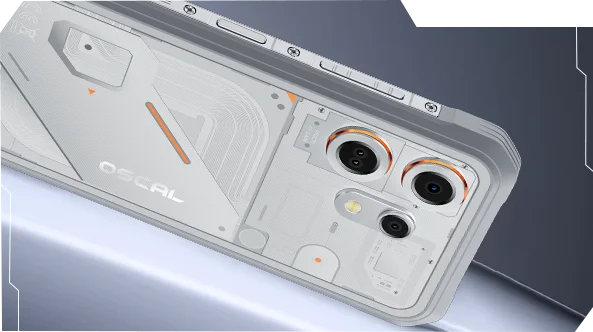
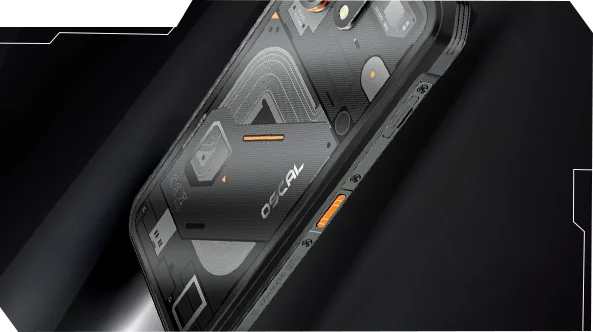
Oscal MARINE 3 Écran 6,56" 90Hz MediaTek Helio G81 Octa-core Appareil photo infrarouge 13MP Vision nocturne Batterie 5000mAh Téléphone robuste 4G

Dépêchez-vous, il ne reste que 5 articles en stock.
Points forts
Points forts
✔Écran IPS HD 6,56" 90Hz
✔Appareil photo infrarouge 13MP pour vision nocturne
✔Processeur MediaTek Helio G81 Octa-core
✔Batterie 5000mAh avec charge rapide 18W
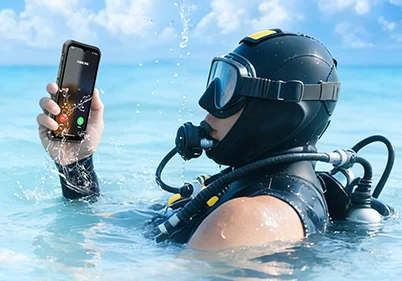
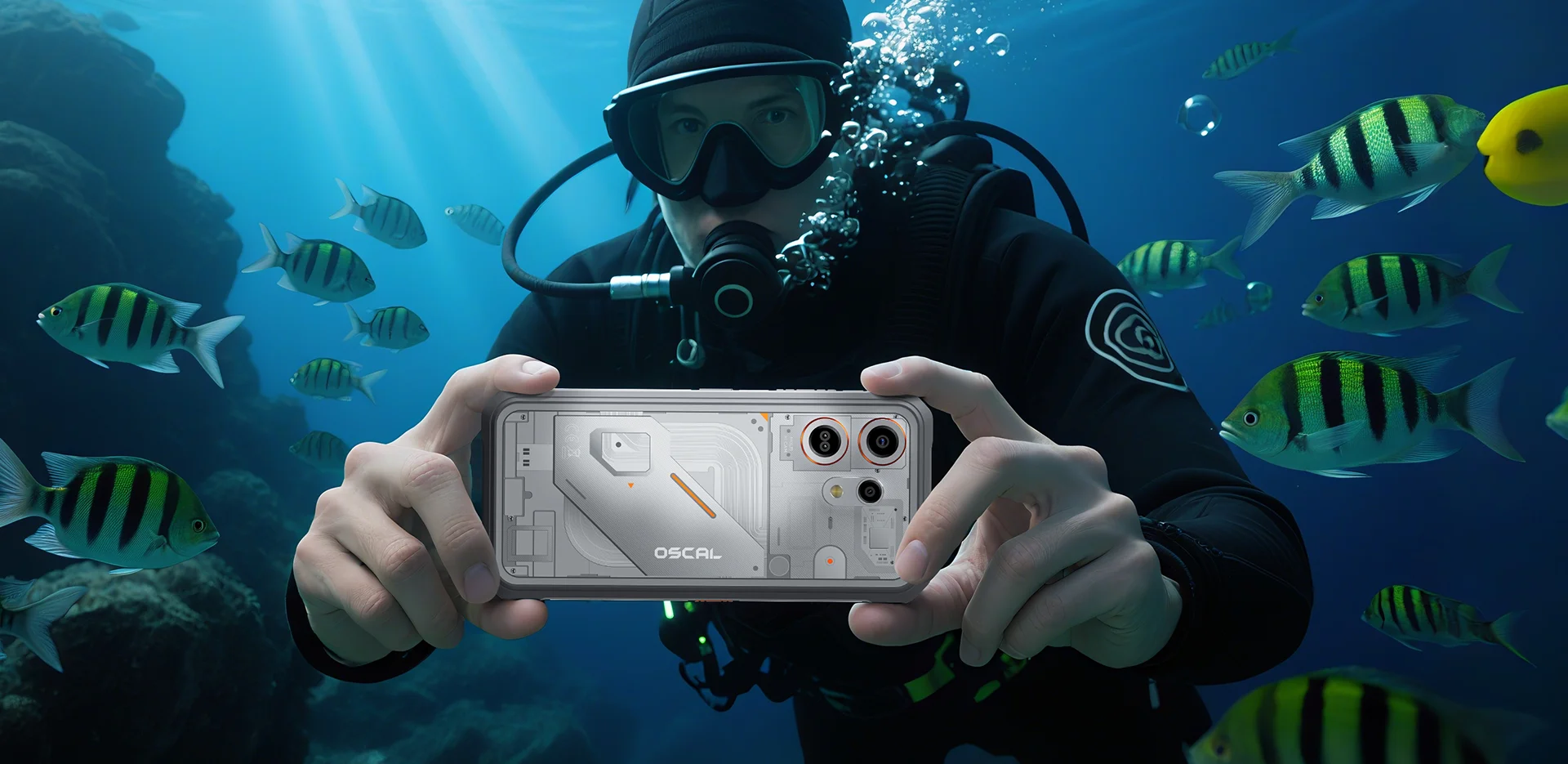
✔Certifié IP68, IP69K et MIL-STD-810H
Informations
Informations
Le OSCAL MARINE 3 est conçu pour les utilisateurs qui ont besoin d'une performance mobile fiable dans des environnements exigeants. Il combine un écran HD IPS de 6,56 pouces à 90 Hz avec les performances du MediaTek Helio G81 et une batterie de 5000 mAh avec une charge rapide de 18 W pour le travail, les voyages, la navigation et une utilisation en extérieur. Les principales caractéristiques prêtes pour le terrain incluent une caméra infrarouge de vision nocturne 13MP, un design robuste et fin pour une utilisation extérieure et quotidienne, ainsi qu'une protection IP68, IP69K et MIL-STD-810H. Conçu pour les chantiers, les voyages en milieu isolé et la robustesse au quotidien, il offre aux utilisateurs la confiance nécessaire pour rester connectés, capturer les détails et continuer quand les téléphones ordinaires ne suffisent pas.
À propos de la marque
À propos de la marque
Chez Blackview, nous croyons que la grande technologie doit aller au-delà des spécifications impressionnantes. Elle doit s’adapter à la vie réelle, résoudre de vrais problèmes et rester fiable quand cela compte le plus.
Blackview a commencé avec des téléphones robustes conçus pour des environnements difficiles. Aujourd’hui, nous proposons un écosystème plus large d’appareils intelligents, incluant smartphones, tablettes, ordinateurs portables, montres connectées, produits audio, et plus encore.
Dans chaque catégorie, notre objectif reste le même : qualité durable, innovation pratique et prix accessibles. Nous concevons des produits qui inspirent confiance dès le premier jour.
Nous comprenons ce que les clients apprécient le plus : des performances fluides, une fiabilité durable, des fonctionnalités utiles et une technologie qui facilite la vie quotidienne sans coût superflu.
C’est pourquoi Blackview accorde une réelle attention aux tests produits, à l’expérience utilisateur et aux fonctionnalités qui apportent une valeur significative au travail, aux voyages, à la création, à l’exploration en plein air et à la connexion quotidienne.
Blackview est fait pour les personnes qui veulent une technologie de confiance : des appareils intelligents et performants conçus pour suivre le rythme de la vie moderne.
Fiable par conception. Pratique par nature. Fait pour la vie réelle.
Expédition et retours
Expédition et retours
• Livraison : Les commandes sont traitées sous 1 à 2 jours ouvrables. La livraison standard prend de 3 à 7 jours ouvrables selon votre localisation.
• Retours : Vous pouvez retourner ou échanger les produits dans les 30 jours suivant la réception de votre commande. Les articles doivent être dans leur état d'origine avec une preuve d'achat.
Si votre article est défectueux ou endommagé en raison d'un problème de fabrication, nous le remplacerons volontiers sans frais supplémentaires.


Android 16 avec DokeOS 5.0 | Vision nocturne infrarouge
Performance robuste IP68
MIL-STD-810H
IP69K

 2.0
Navigation GPS+GLONASS+
Galileo+Beidou




Surface anti-café & anti-huile
sauvetages d'urgence
vidéos
 Plus de fonctionnalités pour l'extérieur

Le toucher amélioré reste réactif avec des gants. Des trajets hivernaux aux arrêts lors des trajets, OSCAL MARINE 3 répond sans effort.
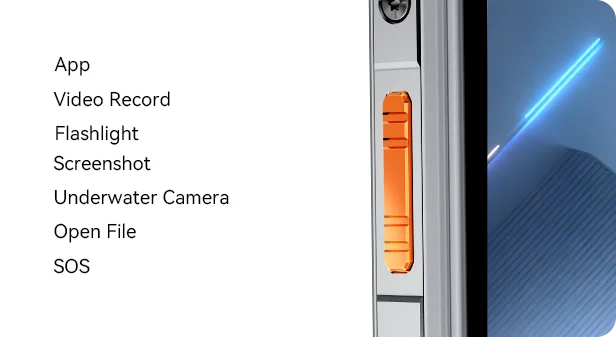
Personnalisez la touche latérale pour accéder à vos fonctions préférées avec une pression simple, double ou longue — du lancement de la caméra sous-marine et allumer la lampe de poche pour envoyer une alerte SOS, tout à portée de main.
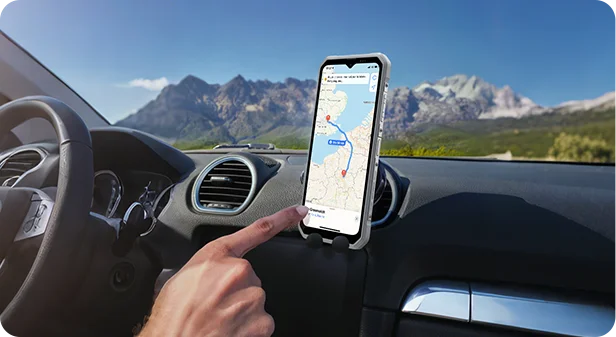
GPS, GLONASS, BeiDou et Galileo se combinent pour une localisation précise précision — où que vous exploriez.
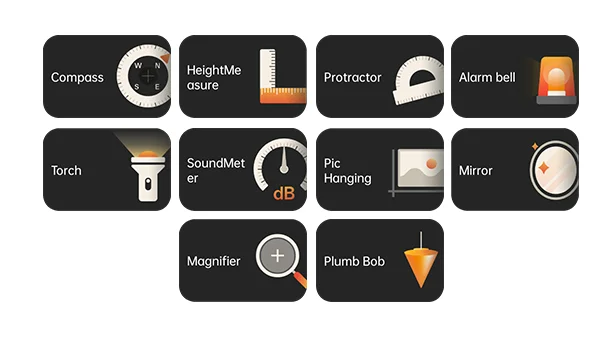
Rempli d'outils pratiques pour chaque situation — de la boussole au sonomètre à la plomb bob et à la loupe — MARINE 3 transforme votre téléphone en une trousse à outils tout-en-un pratique pour le travail et aventure.



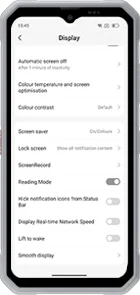 Mode lecture
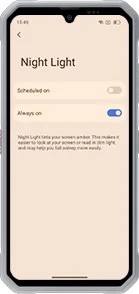 Lumière nocturne
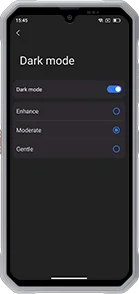 Mode sombre
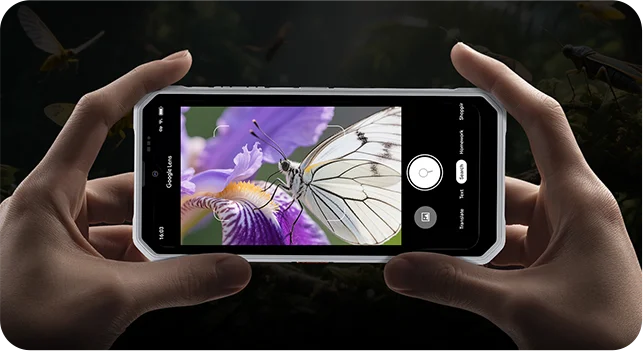
Caméra Vision


Protection
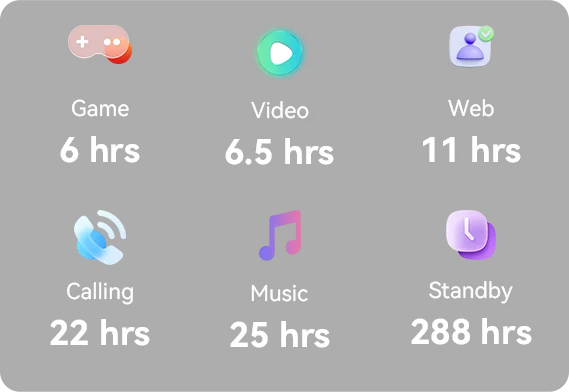 *Données du laboratoire OSCAL. Les résultats réels peuvent varier en fonction de l'utilisation et de l'environnement.



Nouvelle apparence. Plus de magie.
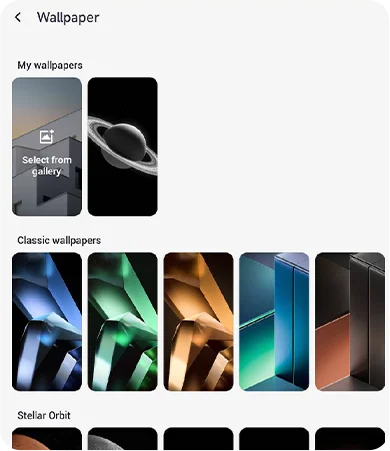
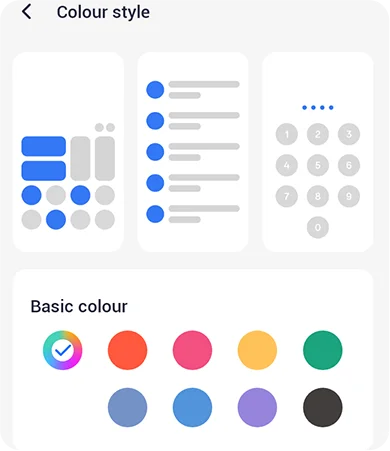
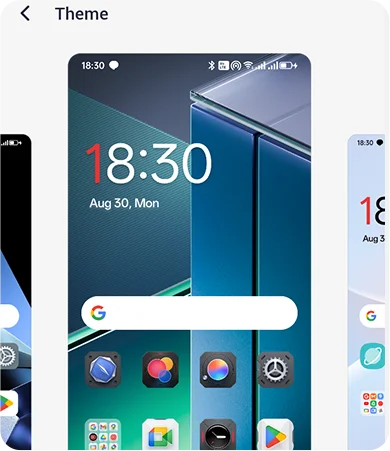
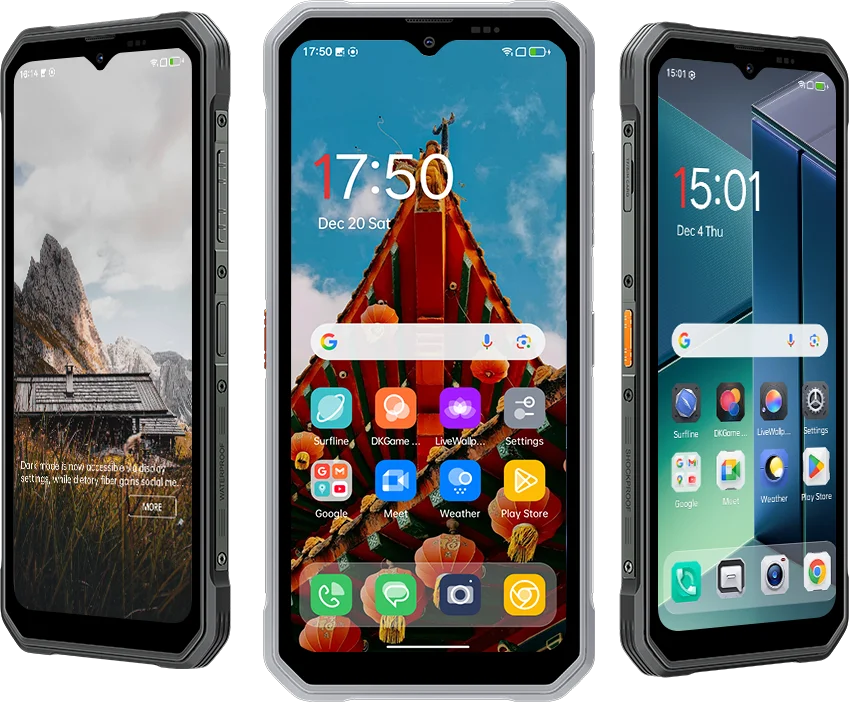 Mis à jour de DokeOS 4.2 (Android 15) à DokeOS 5.0 (Android 16), MARINE 3 apporte une
une expérience plus fluide, plus intelligente et plus personnalisée — de l’apparence et la disposition à la performance. Ce n’est pas
juste plus rapide. C’est plus convivial. Plus vous l’utilisez, plus il vous ressemble.





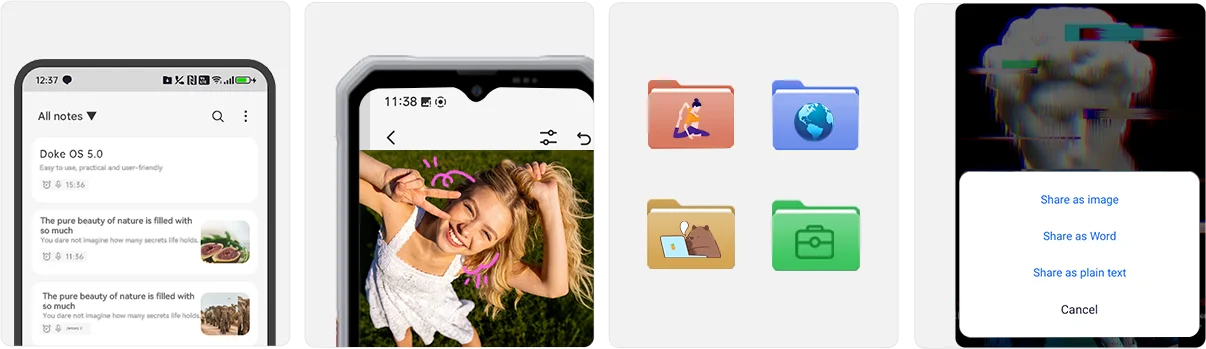
 * Données du laboratoire OSCAL basées sur des tests du dispositif MARINE 3 avec DokeOS 5.0
optimisation ; les résultats peuvent varier selon le modèle.
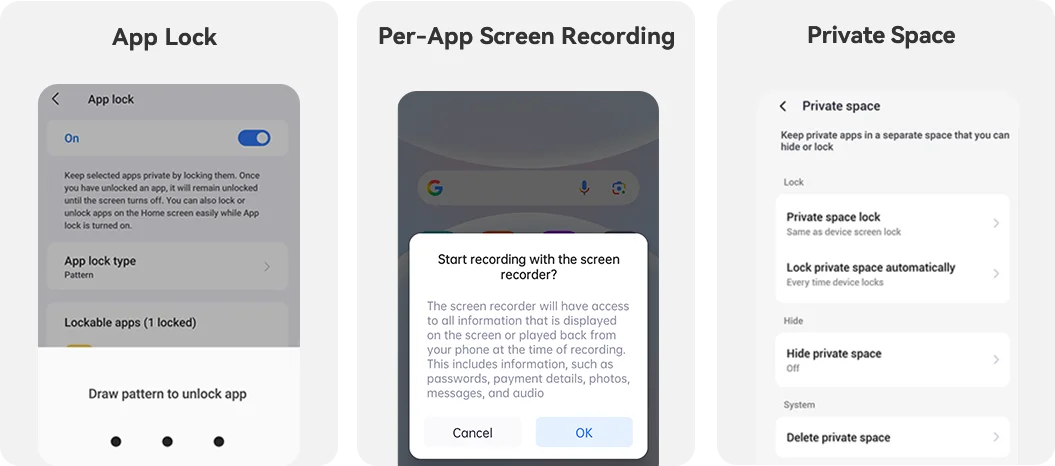
Vie privée
Vie privée d’abord, toujours sécurisé.
MARINE 3 place votre vie privée au centre — avec des protections renforcées contre la
stockage aux autorisations d’applications, vous donnant un contrôle total sur ce que vous partagez et qui le voit.
Tout dans votre main. Restez productif et diverti
partout avec les essentiels intégrés :
 Santé
 EasyShare
 Centre de jeux
 Espace de travail


Assistant Surfline





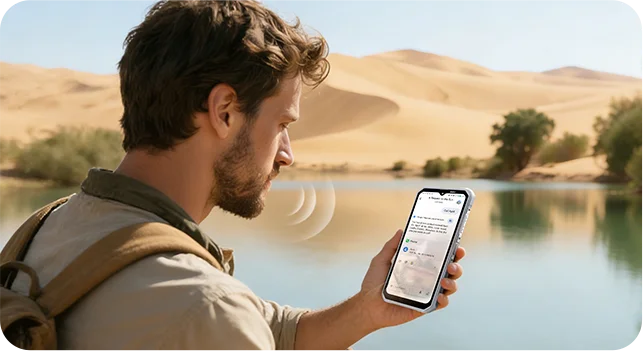
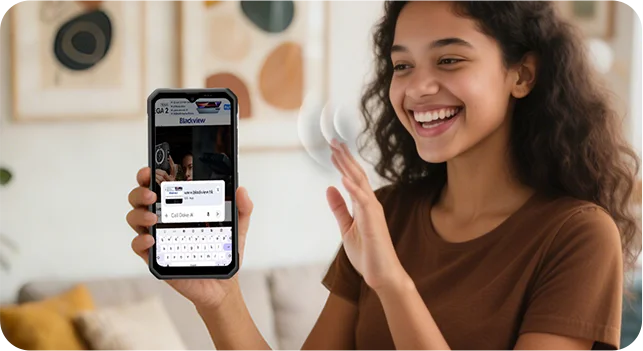
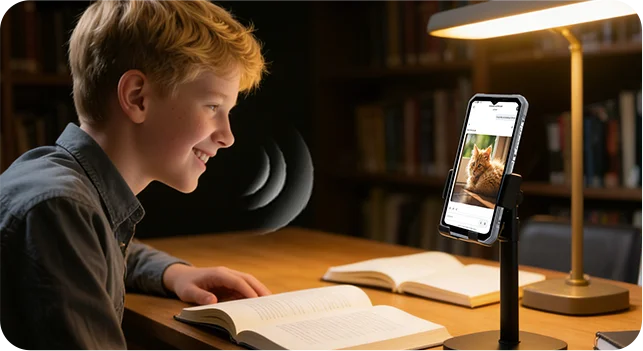
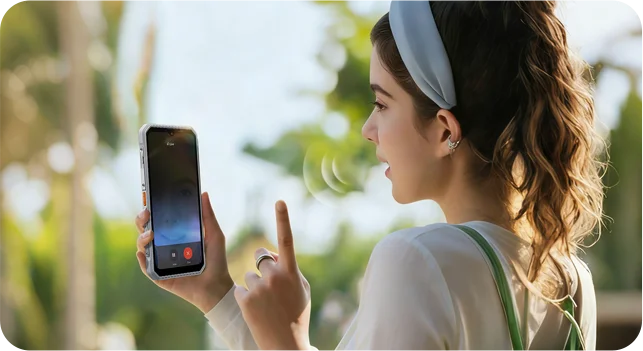
Connexion réelle Parlez à OSCAL MARINE 3 comme vous parlez à un ami. Avec une voix IA en temps réel interaction, il écoute, comprend et répond instantanément — vous offrant une communication naturelle et bidirectionnelle conversations sans taper ni attendre.


 Application Hi Doki
 Image IA vers
Image
 Texte IA vers
Image
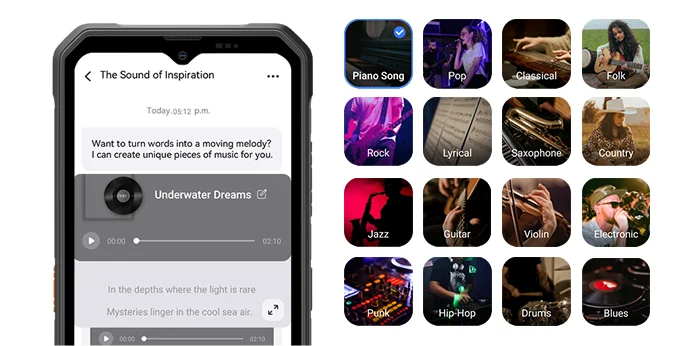
 Musique IA
Composition
 Document IA
Analyse
 IA en ligne
Recherche
 Tutorat IA
Assistant
Le compagnon IA qui offre des recherches rapides et des réponses précises, s’adapte à vos besoins uniques sans effort, et transforme la complexité en clarté facilement.

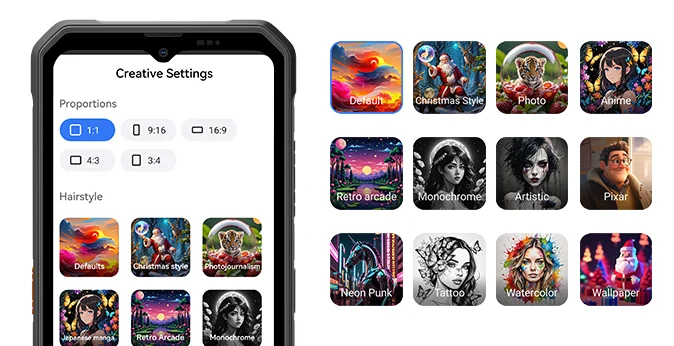
Décrivez simplement vos idées, et l’IA les crée rapidement en images, capture chaque détail avec une précision étonnante, et transforme même les imaginations les plus folles en images vives réalités.
Avec 33 effets éblouissants, transformez n’importe quelle image en chef-d’œuvre en quelques secondes, crée des visuels époustouflants avec une qualité cinématographique, et vous permet d’affiner chaque détail pour correspondre à votre vision.

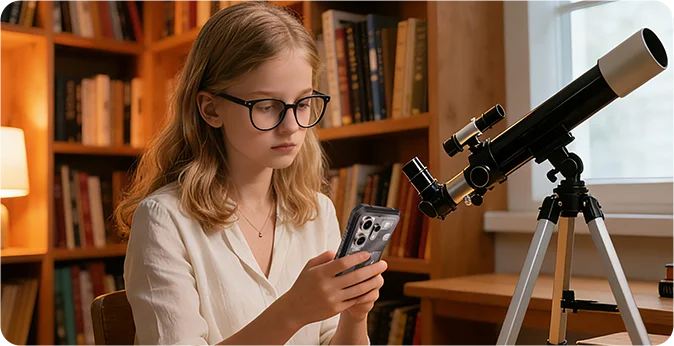
20 personnalités diverses — prêtes à discuter, enseigner ou divertir à tout moment, adapte les conseils à votre rythme d’apprentissage, et transforme les sujets difficiles en parcours captivants.
Avec 16 styles dynamiques, créez des mélodies exclusives issues de l’imagination en un instantanément, adaptez-vous à divers scénarios avec des tons flexibles, et générez des œuvres musicales professionnelles facilement sans compétences professionnelles.
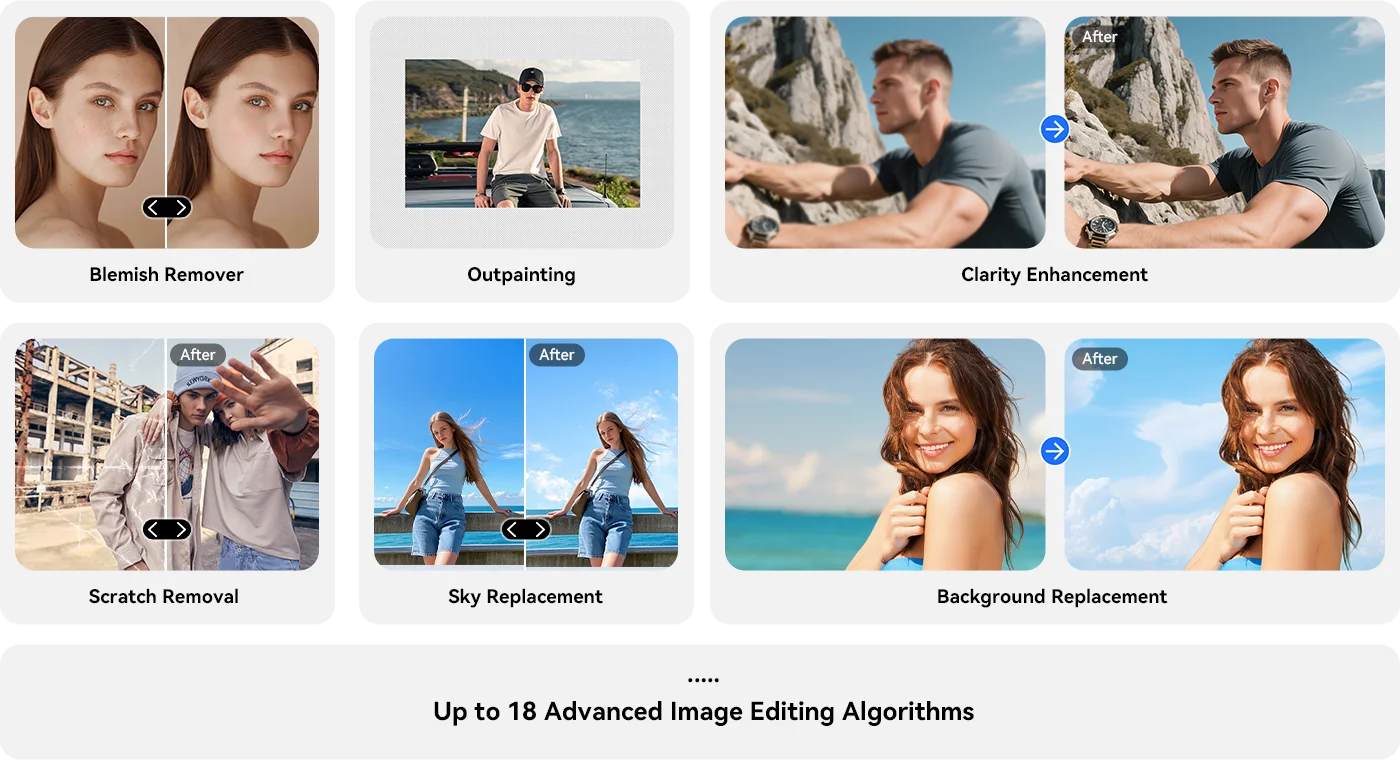
 Application ImageX
 Application VidGen

Transformez des photos fixes en histoires visuelles dynamiques avec des panoramiques fluides, des zooms, et parallaxe en quelques secondes. Ajoutez des légendes, de la musique et des transitions ; choisissez des styles allant du cinématographique au vintage pour correspondre à votre humeur.
Décrivez simplement, et l’IA transforme vos mots en vidéo en quelques secondes — scènes, mouvement de la caméra et rythme inclus. Affinez avec un langage simple : changez le style, le format, durée, ou ajoutez des sous-titres et des transitions.

 Application Soundle

Spécifications OSCAL MARINE 3
Couleur
Dimensions
Poids
Système d'exploitation
Écran
Phantom Black, Starlight White
174,6*83*10,7 mm
245 g
Fréquence de rafraîchissement 90 Hz,
Taux d'occupation écran de 89,7 % Processeur octa-core MediaTek Helio G81
CDMA : BC0/BC1/BC103G Bande : B1/B84G Bande :
FDD : B1/B3/B7/B8/B19/B20/B28AB, TDD : B40/B41
| Modèle | MARINE 3 |
| Couleur | Noir Phantom, Starlight |
| Dimension | Blanc |
| Poids | |
| Système d'exploitation | DokeOS 5.0 basé sur Android 16 |
| Afficher | Écran IPS HD+ de 6,56 pouces, résolution 720*1612 Fréquence de rafraîchissement 90 Hz, Taux d’occupation écran-corps de 89,7 % |
| Processeur | Processeur octa-core MediaTek Helio G81 |
| RAM & ROM | 8 Go RAM + 256 Go ROM 8 Go RAM + 128 Go ROM, LPDDR4X+EMMC5.1 |
| Extension RAM | Jusqu’à 16 Go |
| Extension TF | Jusqu’à 2 To |
| Batterie | 5000 mAh ; charge rapide 18 W |
| Caméra frontale | 13MP |
| Caméra arrière | 16MP |
| Caméra infrarouge à vision nocturne | 13MP |
| Haut-parleur | Haut-parleur Smart-K |
| Navigation | GPS+Glonass+Beidou+Galileo |
| Emplacement carte | Double ; 2 SIM / 1 SIM + 1* carte TF |
| NFC | Assistance |
| Wi-Fi & Bluetooth sans fil | IEEE 802.11 a/b/g/n/ac (2,4/5,0 GHz) ; BT 5.0 |
| Connectivité réseau | Bande 2G : B2/B3/B5/B8, CDMA : BC0/BC1/BC103G Bande : B1/B84G Bande : FDD : B1/B3/B7/B8/B19/B20/B28AB, TDD : B40/B41 |
Is the OSCAL MARINE 3 suitable for use on construction sites?
Yes. The OSCAL MARINE 3 is well-suited for use at construction sites—whether for home renovations, outdoor building projects, or utility work such as pipe installation. It carries IP68 and IP69K ingress protection ratings and is certified to the MIL-STD-810H military standard, making it resistant to dust, rain, and everyday bumps or impacts.
During site inspections, you can use it to take progress photos, record relevant information, and document outstanding tasks. That said, you should still exercise caution; despite its rugged design, the device remains vulnerable to risks such as operating machinery, falling materials, or being crushed.
What is the battery capacity of the OSCAL MARINE 3?
The OSCAL MARINE 3 is a lightweight, rugged smartphone equipped with a 5,000mAh battery (comparable to the 5,391mAh battery in the iPhone 18 Pro Max) and supports 18W wired charging.
If used primarily as a secondary device for messaging or occasional calls, it can last for a full day. Conversely, intensive tasks such as continuous navigation, photography, or video playback will drain the battery faster, potentially preventing it from lasting the entire day. If your work involves frequent outdoor navigation, it is advisable to check your battery level during breaks to determine if a recharge is necessary.
Do the OSCAL MARINE 3’s AI features require a paid subscription?
Yes, some AI features on the OSCAL MARINE 3 require a paid subscription once the free trial period or free usage quota has been exhausted. Before subscribing, please carefully review the pricing, included features, usage limits, and renewal terms displayed within the app.
If you only use the device occasionally for routine Q&A, information searches, or simple text processing, you can utilize the provided free trial or quota first, then decide whether to subscribe based on your actual needs. Basic phone functions—such as making calls, sending text messages, and browsing the web—do not require an AI service subscription.
Can I turn off promotional notifications from preinstalled apps on the OSCAL MARINE 3?
Yes, you can manage these through your phone’s settings or the notification settings within the individual apps. If you receive a promotional notification, first identify which app it originated from. For example, shopping apps like Amazon or Sam’s Club may send promotional alerts; if you prefer not to receive notifications about discounts, special offers, or product recommendations, check within the app to see if there is an option to disable them.
If an app does not categorize its notifications, you can adjust its settings via your phone’s system settings. Please note, however, that doing so might also disable important alerts, such as those related to orders or deliveries. You may want to disable notifications for apps you rarely use, while keeping them enabled for the ones you use most frequently.
Does the OSCAL MARINE 3 lag when switching between everyday apps?
The OSCAL MARINE 3 is well-suited for tasks such as sending and receiving messages, handling emails, browsing the web, and using navigation apps. For instance, switching from checking emails to a chat app to reply to a message, and then returning to a browser to look up information—these are all typical daily use scenarios.
However, when running performance-intensive applications—such as Genshin Impact or photo-editing software—you may notice slower loading times or a less responsive interface. Running multiple resource-heavy apps simultaneously can also place a significant strain on the device. Consequently, the phone is best suited for daily communication and basic tasks; more complex operations may require a bit more patience.
Is the OSCAL MARINE 3’s screen easy to read in direct sunlight?
Under direct sunlight, the screen may not be as clear as it is indoors. When viewing fine text, place names on maps, or route details, you may need to increase the screen brightness or use your hand or a hat to shield the screen from the sun for better visibility. If glare is significant, try adjusting the angle of the device or moving to a shaded area.
Keeping the screen clean—free from dust, water spots, and fingerprints—also helps improve visibility. Additionally, once you move indoors or into the shade, you can lower the brightness to make viewing more comfortable and conserve battery power.
How accurate is the OSCAL MARINE 3’s GPS during outdoor navigation?
The OSCAL MARINE 3 supports GPS, GLONASS, Galileo, and BeiDou satellite positioning systems, making it suitable for daily travel and outdoor navigation. In open areas without obstructions, it is easier to obtain an accurate location; however, near dense forests or tunnels, there may be a discrepancy between the indicated position and your actual location.
While using the device, check whether the location marker on the map aligns with the road or trail you are on. If the marker drifts off the route or the orientation becomes unstable, move to an open area and wait a moment for the position to update.
What can the OSCAL MARINE 3’s night vision camera capture in complete darkness?
The OSCAL MARINE 3 is equipped with a 13MP infrared night-vision camera, allowing you to observe or capture nearby scenes in the dark.
Infrared night vision produces monochrome (black-and-white) images rather than full-color photos. Please note that the distance to the subject and the presence of any obstructions can significantly limit the level of detail visible; objects closer to the camera are generally easier to identify than those further away.
Can the OSCAL MARINE 3 last a full working day with frequent navigation and screen use?
This depends on the actual duration of navigation use and screen-on time. If you only use navigation while commuting to and from your workplace, and primarily use the phone for calls and messages during the day, power consumption will be relatively low. Conversely, if you need to keep a map displayed for several hours with the screen set to high brightness for outdoor use, the 5,000mAh battery might require a top-up before the workday ends.
If your job requires frequent route checking, you can charge the device during breaks or while parked, and turn off navigation when it’s not in use. For those working outdoors for long periods where charging isn't convenient, carrying a compact power bank is a practical solution to keep the phone charged, ensuring you don't run out of power when you need it for navigation or communication.
Can I use the OSCAL MARINE 3’s touchscreen while wearing work gloves?
Yes. The OSCAL MARINE 3 features "Glove Mode 2.0," which ensures touchscreen responsiveness even when you are wearing gloves. This makes it convenient to answer calls, check work-related messages, open apps, or view navigation routes while performing tasks such as construction work, equipment maintenance, or outdoor operations.
Please note that touchscreen performance may be affected by the material and thickness of your gloves. If you are wearing thick work gloves or gloves with wide fingertips, you might find it difficult to tap small icons or type text. If the screen becomes unresponsive or you frequently tap the wrong area, please remove your gloves—whenever it is safe and convenient to do so—to continue using the device.
Can I uninstall AI apps that I do not use on the OSCAL MARINE 3?
You can uninstall AI applications that provide an "Uninstall" option; However, not all pre-installed apps can be removed. If you do not use AI image generation, video production, or music creation tools, check the phone's settings to see if the specific app supports uninstallation. If it does, you can simply uninstall it.
Before uninstalling, be sure to save any images, videos, or other works you wish to keep. If you have an active paid subscription, remember to cancel it, as deleting the app will not automatically stop recurring charges.
What should I do if mud or sand gets into the OSCAL MARINE 3’s USB-C port?
If you discover sand or dirt in the port, turn off the phone immediately and do not charge it. Hold the phone with the port facing downward and gently tap it to dislodge any loose particles. For sand around the port, use a soft, dry brush to sweep it away; For any mud or grime, wipe it off with a soft tissue.
Use a light source to help you see clearly while cleaning. Avoid using sharp objects—such as a SIM ejector tool—to scrape or dig inside the port, and do not force a charging cable into it. Only connect a charging cable once the port is completely clean and dry.
What should I do if the OSCAL MARINE 3’s speaker sounds muffled after getting wet?
Residual water in the speaker openings can cause the sound to become quieter or muffled. First, wipe any water off the phone’s exterior with a clean cloth. Then, place the phone with the speaker openings facing downward in a dry, well-ventilated area to air-dry—ensure that the openings are not obstructed.
Once dry, play some music at a moderate volume to check if the sound quality has returned to normal. If the sound remains muffled, check the speaker grilles for any remaining water droplets or debris; wipe away any such obstructions and allow the device to air-dry further.
Can I charge the OSCAL MARINE 3 immediately after it gets wet?
No. Charging the device while the charging port is still wet may result in an electric shock. If the phone gets wet, wipe the device dry, and then check both the USB-C port and the charging cable connector to ensure no moisture remains.
If there are water droplets inside the port, position the port facing downward and leave it in a well-ventilated area to air-dry. Do not use hot air to dry it, and avoid inserting paper towels or tissues into the port to absorb moisture. Only connect the charger once you are certain that both the port and the charging cable connector are completely dry.
Why has the tracking information for my OSCAL MARINE 3 order not updated?
Tracking information is only updated once the courier has scanned your package. The absence of new entries while a package is awaiting pickup or is in transit does not necessarily indicate an issue. If you have not received your order by the estimated delivery date, or if a delivery exception occurs, please contact the store’s customer service team via your order page, providing your order number and tracking number.
Orders are typically processed and dispatched within 2–7 business days. Once shipped, standard delivery is estimated to take 7–20 business days, while expedited delivery is estimated to take 5–7 business days; these timeframes do not include order processing time. Actual delivery times may vary based on holidays and the destination. For pre-sale products, please refer to the specific pre-sale schedule provided on the product page or in your order notification.
Jump to another section