



Blackview FORT 200 Mince & Charge sans fil Écran 6,78 pouces MediaTek Helio G100 Octa-core Batterie 5000mAh Appareil photo Vision nocturne 108MP+13MP Téléphone robuste 4G

En rupture de stock
Points forts
Points forts
✔Écran de 6,78 pouces, 268 g & 11,5 mm d’épaisseur
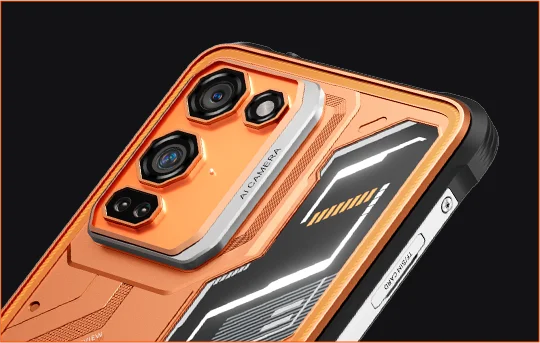
✔Appareil photo Samsung® HM6 108MP + caméra Vision Nocturne 13MP
✔Processeur MediaTek Helio G100 octa-core
✔Batterie 5000mAh & charge rapide 33W + charge sans fil 15W
✔Certifications IP68, IP69K & MIL-STD-810H
Informations
Informations
Le Blackview FORT 200 est un téléphone robuste 4G fin conçu pour les utilisateurs qui souhaitent une meilleure qualité d’image, une visualisation plus fluide et une durabilité adaptée à l’extérieur sans avoir à transporter un appareil encombrant. Son écran de 6,78 pouces 2,4K à 120 Hz reste net grâce à une luminosité de 700 nits, tandis que le MediaTek Helio G100 assure la réactivité des tâches quotidiennes, de la navigation et du travail sur le terrain. Un appareil photo arrière Samsung de 108 MP, une caméra de vision nocturne de 13 MP, une batterie de 5000 mAh, une charge rapide de 33 W et une charge sans fil de 15 W le rendent pratique pour le travail et l’aventure. Avec une protection IP68 & IP69K et MIL-STD-810H, il est prêt pour les environnements difficiles.
À propos de la marque
À propos de la marque
Chez Blackview, nous croyons que la grande technologie doit aller au-delà des spécifications impressionnantes. Elle doit s’adapter à la vie réelle, résoudre de vrais problèmes et rester fiable quand cela compte le plus.
Blackview a commencé avec des téléphones robustes conçus pour des environnements difficiles. Aujourd’hui, nous proposons un écosystème plus large d’appareils intelligents, incluant smartphones, tablettes, ordinateurs portables, montres connectées, produits audio, et plus encore.
Dans chaque catégorie, notre objectif reste le même : qualité durable, innovation pratique et prix accessibles. Nous concevons des produits qui inspirent confiance dès le premier jour.
Nous comprenons ce que les clients apprécient le plus : des performances fluides, une fiabilité durable, des fonctionnalités utiles et une technologie qui facilite la vie quotidienne sans coût superflu.
C’est pourquoi Blackview accorde une réelle attention aux tests produits, à l’expérience utilisateur et aux fonctionnalités qui apportent une valeur significative au travail, aux voyages, à la création, à l’exploration en plein air et à la connexion quotidienne.
Blackview est fait pour les personnes qui veulent une technologie de confiance : des appareils intelligents et performants conçus pour suivre le rythme de la vie moderne.
Fiable par conception. Pratique par nature. Fait pour la vie réelle.
Expédition et retours
Expédition et retours
• Livraison : Les commandes sont traitées sous 1 à 2 jours ouvrables. La livraison standard prend de 3 à 7 jours ouvrables selon votre localisation.
• Retours : Vous pouvez retourner ou échanger les produits dans les 30 jours suivant la réception de votre commande. Les articles doivent être dans leur état d'origine avec une preuve d'achat.
Si votre article est défectueux ou endommagé en raison d'un problème de fabrication, nous le remplacerons volontiers sans frais supplémentaires.


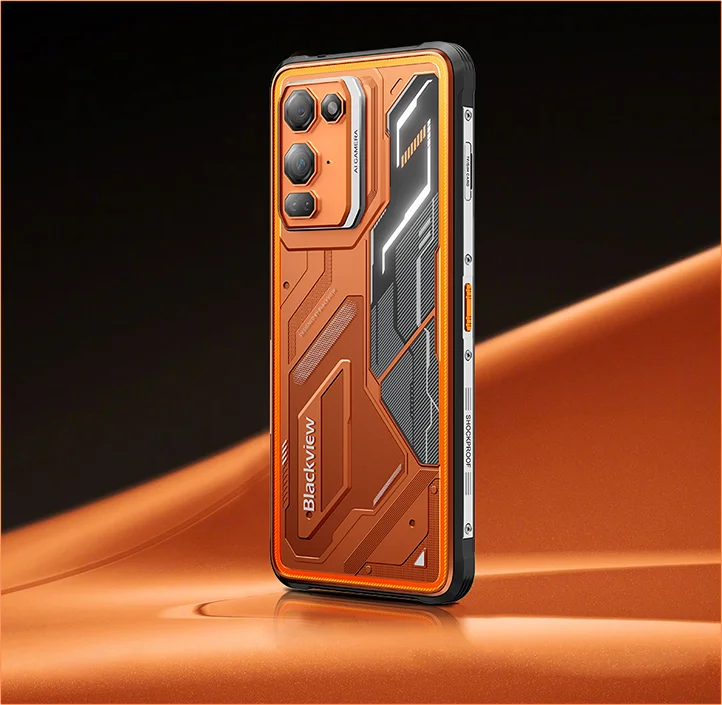
Flagship d'imagerie robuste Fin en main. Net en vision. Prêt pour l'inconnu.
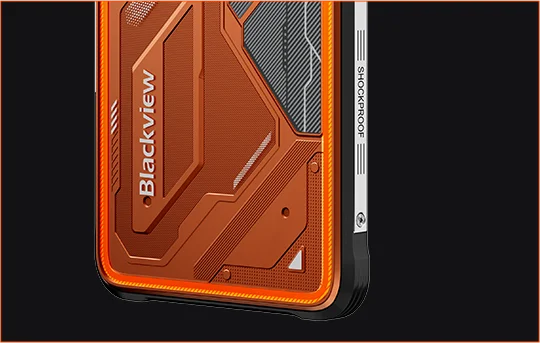
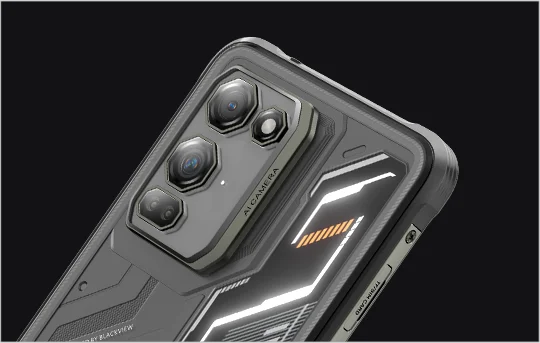
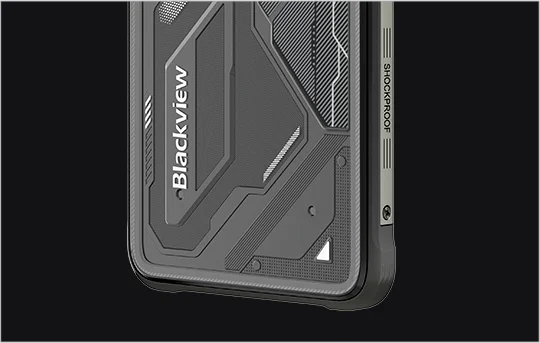
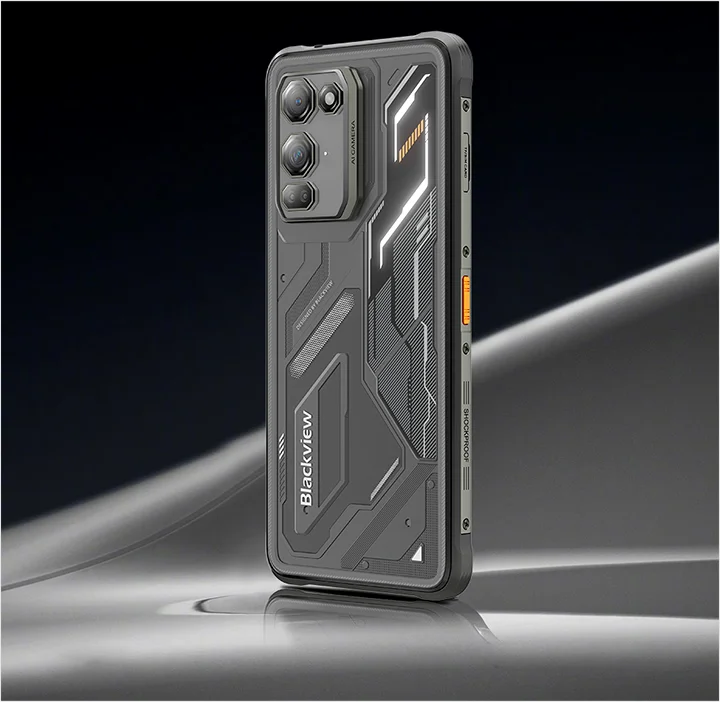
 Fin. Lumineux. Incroyablement clair Voyez-le clairement. Voyez-le partout
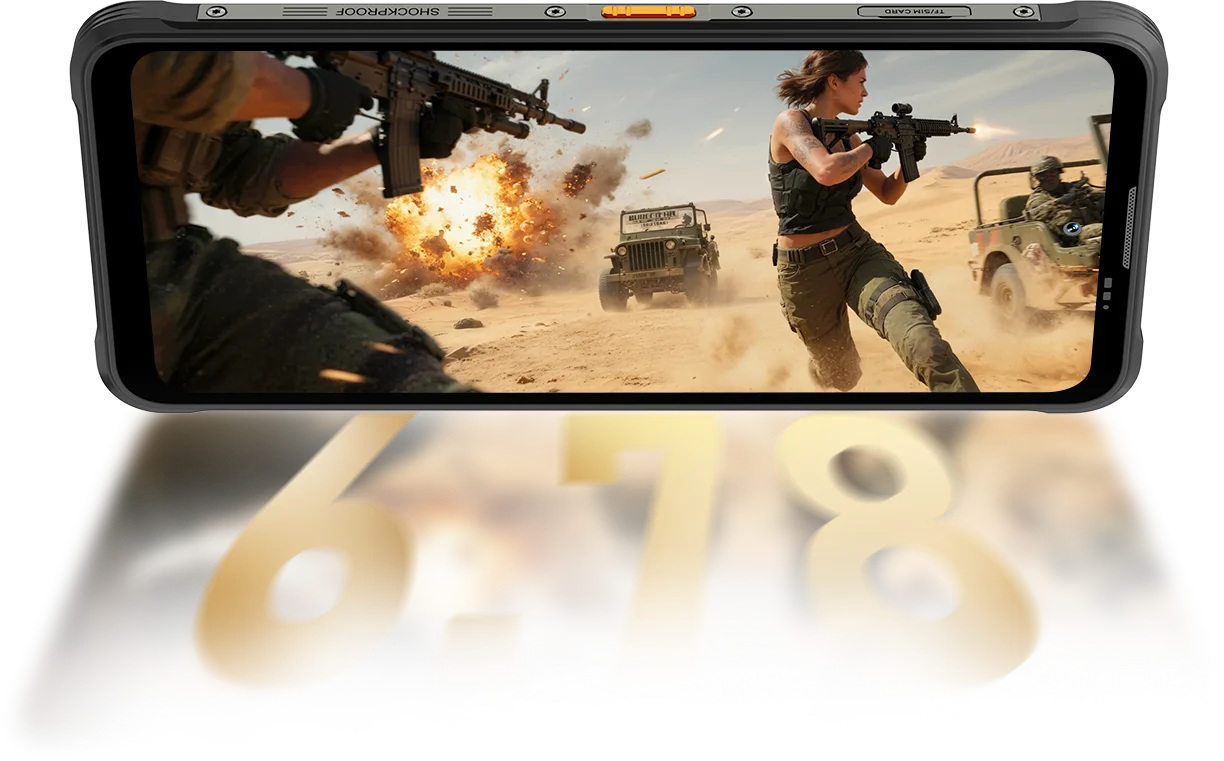
Résolution
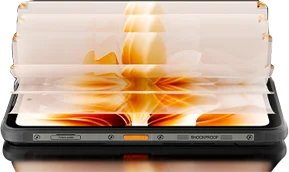
IPS Full View
Luminosité maximale
PPP
Taux de rafraîchissement intelligent AI
Ratio écran/corps
Fréquence d'échantillonnage tactile
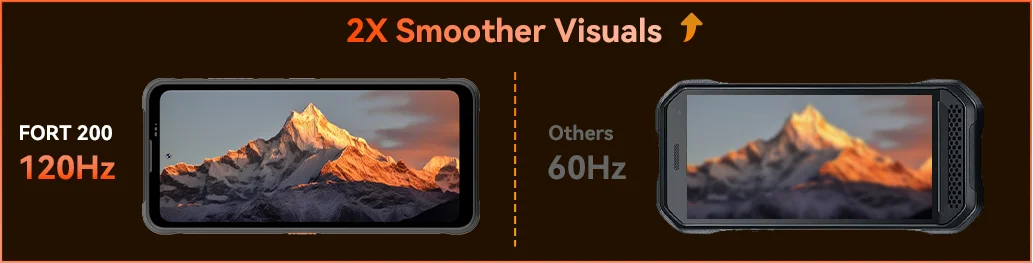
Le FORT 200 monte jusqu'à 700 nits pour rester lumineux et lisible quand les autres écrans s'estompent.

 Autres
 500 nits
Ressentez la fluidité avec le taux de rafraîchissement intelligent AI 120Hz du Blackview FORT 200 — économisant de l'énergie lors du défilement, augmentant la fluidité pendant les jeux, et gardant chaque mouvement ultra-réactif où que vous soyez.
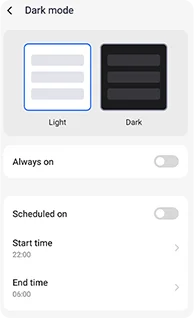
Thèmes sombres réglables conçus pour réduire la fatigue et prolonger la durée de vie de la batterie.
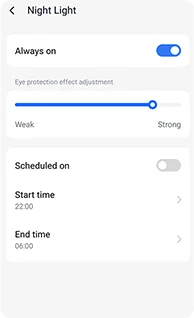
Tons ambrés doux avec intensité réglable pour aider vos yeux à se détendre confortablement la nuit.
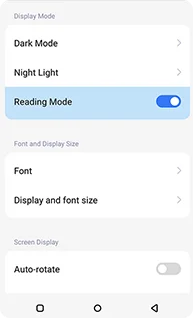
Un effet propre, semblable à celui d'un Kindle, qui reste confortable pour une lecture prolongée.
 Voir plus. Capturer plus net. Mener la classe Capturez tout — Plus net le jour, visible la nuit Construit avec la puissance d'imagerie la plus claire de l'industrie.
Pixels 4-en-1 de 1,28μm
Capteur 1/2,76"
Objectif 5P
Grand capteur 1/1,67"
Nonapixel Plus 1,92μm
Ouverture f/1.9
Objectif 6P
Des nuits plus lumineuses.
Moins de bruit. Plus de détails.
Images plus nettes.
Optique plus propre.
Plage dynamique plus large.
Couleurs plus vraies.
Exposition plus intelligente.
Meilleur contraste.
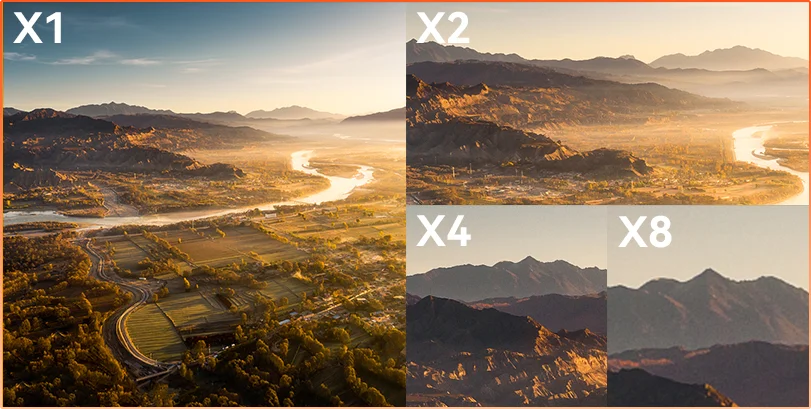
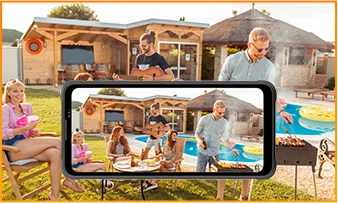
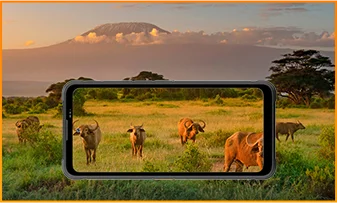
La distance cache Que vous observiez, inspectiez ou documentiez, le zoom 8× apporte les détails lointains en clarté nette et utilisable.
 ISOCELL 2.0
 Technologie Tetrapixel 4-en-1
 Double Super PD
Restez vigilant dans n'importe quel environnement avec la caméra de vision nocturne 13MP du FORT 200 — offrant une visibilité claire quand la lumière s'éteint et que les conditions deviennent difficiles.
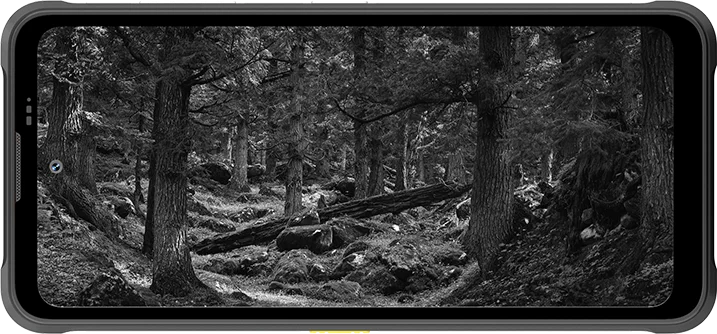
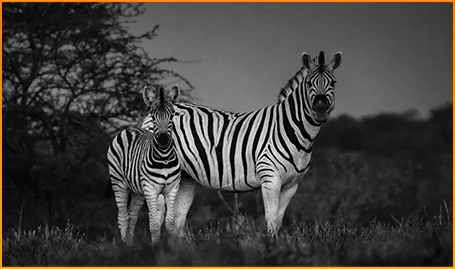
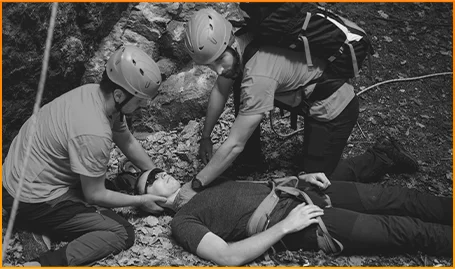
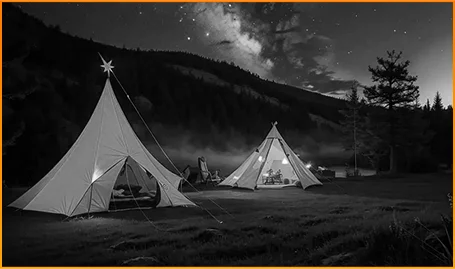
Repérez clairement les animaux — même quand l'obscurité cache leurs mouvements.
Localisez rapidement personnes et objets quand chaque seconde compte.
Restez vigilant sur ce qui bouge autour de votre campement après la tombée de la nuit.
Saisissez l'instant avant qu'il ne disparaisse avec la photo en mouvement du FORT 200 — capturant le mouvement, le son et l'énergie d'une fraction de seconde que les photos fixes manquent habituellement.
Prenez des photos avec intention grâce à la vidéo 2K plus nette du FORT 200, et ajustez vos réglages avec le mode Pro lorsque le mode Auto ne suit pas les conditions d'éclairage difficiles ou les mouvements rapides.
 Photos IA
Pluie / Sable et poussière / Vibration / Choc / Accélération / Haute température / Basse température / Humidité / Altitude
Résistant aux chutes
Incassable
Fonctionnement à températures extrêmes
Étanchéité tous angles
Prêt pour tous les défis.
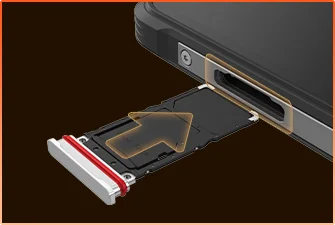 Étanchéité du tiroir SIM
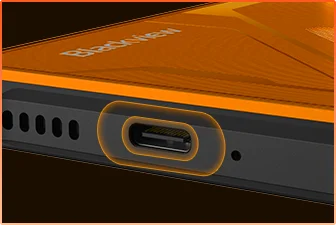 Protection étanche du port USB
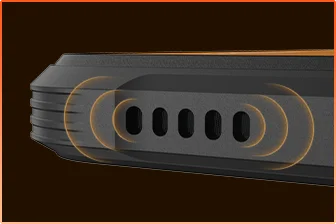 Conception étanche de la grille du haut-parleur
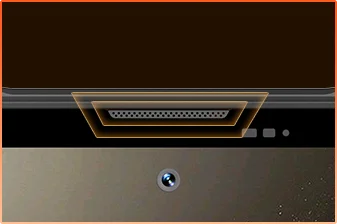 Protection étanche du port micro
Vous êtes prêt.
Appareil photo
Haut-parleur BOX
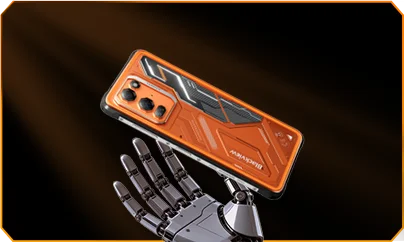
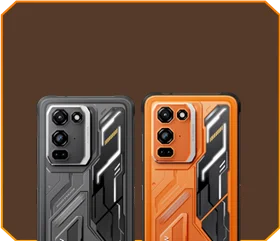





 Noir Phantom
Luminosité


Résistance aux chutes de 1,5 m
-20°C à +55°C extrême
Température de fonctionnement
 Fonction touche latérale
 Trousse à outils
utile

À distance
Contrôle
 Sous l’eau
Appareil photo
 2W Smart-K
Haut-parleur BOX
Normes IP69K
MediaTek Helio G100
12 Go RAM + 36 Go extension
Extension carte


≈303K+ photos
≈5,1K+ courtes vidéos
avec charge rapide 33W
Grand capteur 1/1,67"
Objectif cristallin 6P
Smart-ISO Pro
Zoom 8X
Technologie Tetrapixel 4-en-1
Double Super PD
avec tout nouveau mode Pro

AI OutPainting
Flou AI sur photo

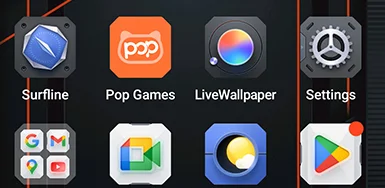


 Système
Gestionnaire
2.0
 Appareil photo
2.0
 Global
Réseau
Prêt
 Intelligent
NFC
Accès
 Plus de puissance. Plus de vitesse. Plus d’accomplissements. Pas de latence. Pas de limites. Juste de la puissance

Fonctionnement simultané
Technologie extensible de nouvelle génération
Chargement d’applications plus rapide
 ≈796K+ chansons
 ≈303K+ photos
 ≈5,1K+ courtes vidéos

 Sans fil 15W
Chargement
 Partage d’énergie inversé 5W
 Algorithme
d’économie de batterie
 Mode
d’économie d’énergie super
 Protection
de charge
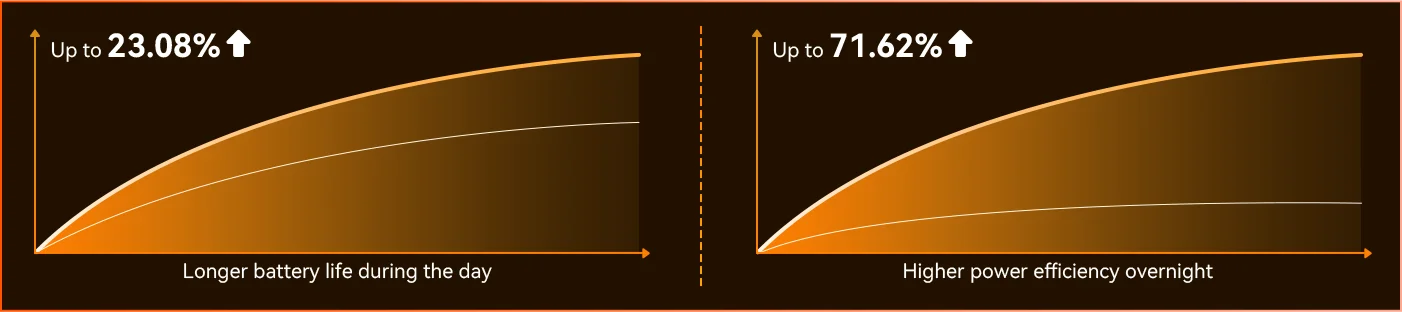
Chaque jour *Données du laboratoire Blackview. Les résultats réels peuvent varier selon l’utilisation et l’environnement.
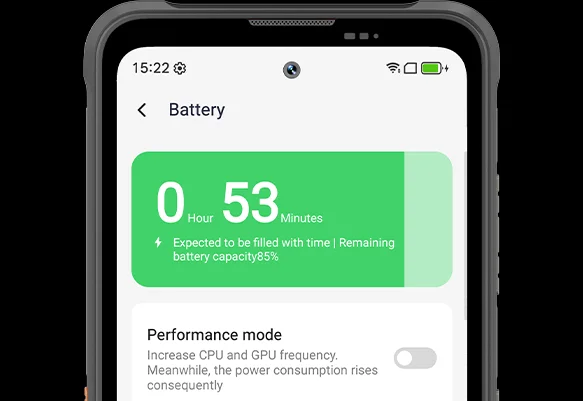
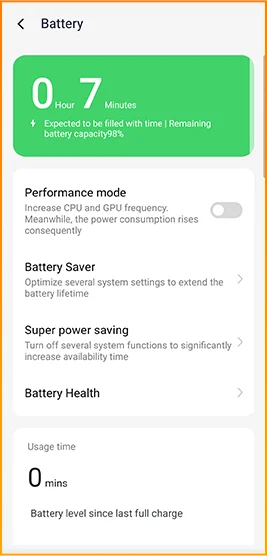
Remarquez la différence lorsque le FORT 200 s’adapte à votre journée — le tout nouveau mode d’économie d’énergie profonde identifie les temps d’inactivité même en plein jour et réduit la consommation sans que vous ayez à lever le petit doigt.
 Plus intelligent, plus fluide, conçu pour mieux vous connaître. Tout nouveau DokeOS 5.0 (Android 16)
 Mise à niveau de la commodité Mise à niveau de la personnalisation Mise à niveau de la confidentialité & sécurité Mise à niveau de l’intelligence IA
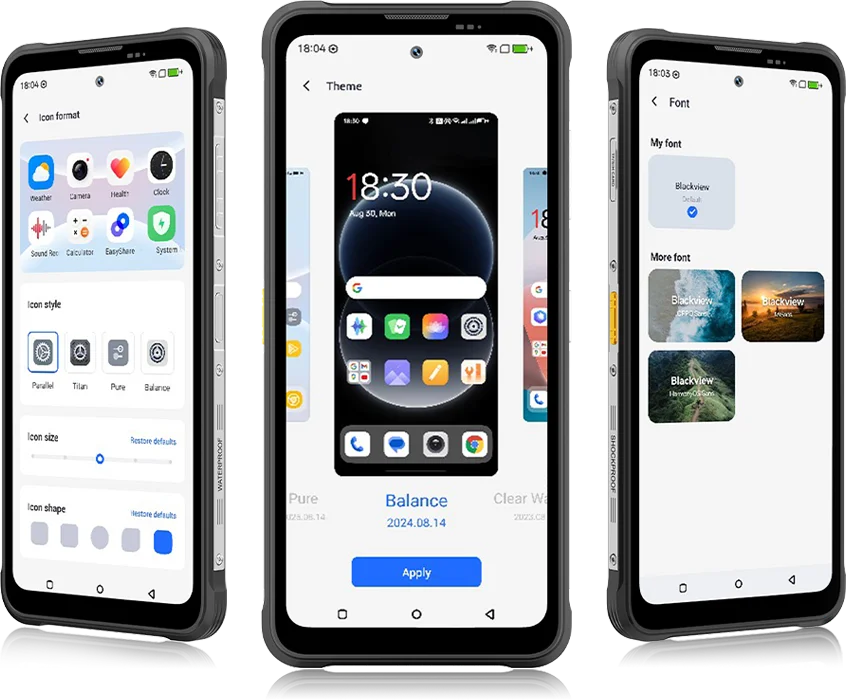 De DokeOS 4.2 à 5.0, tout a évolué — la vitesse que vous ressentez, la fluidité que vous voyez, l’intelligence qui anticipe votre prochain geste. C’est plus fluide, plus intelligent et plus personnel que jamais, transformant les moments quotidiens en expériences sans effort.
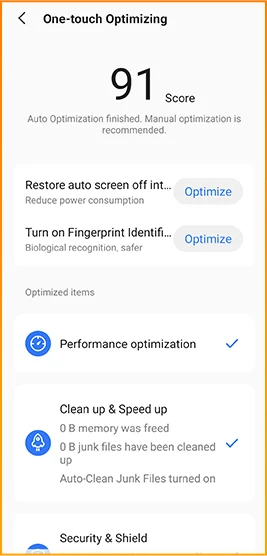
pour les tâches quotidiennes


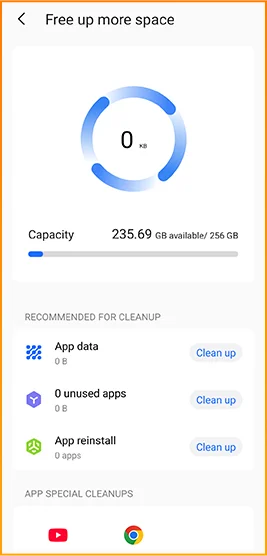
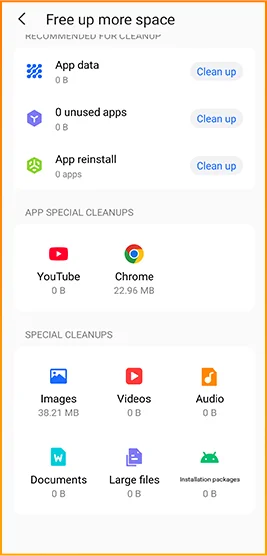
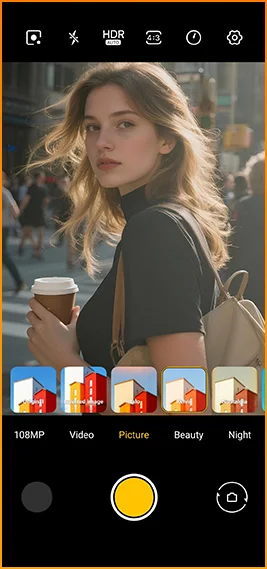
Looks cinématographiques en une touche.
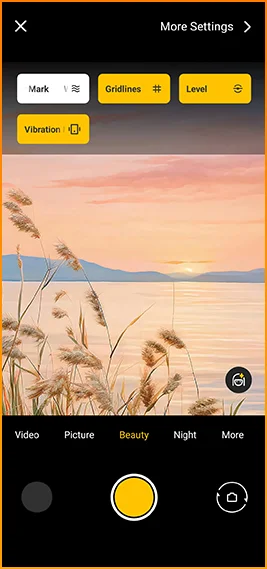
Grilles, filigranes, niveau,
et les retours haptiques à portée de main instantanément.
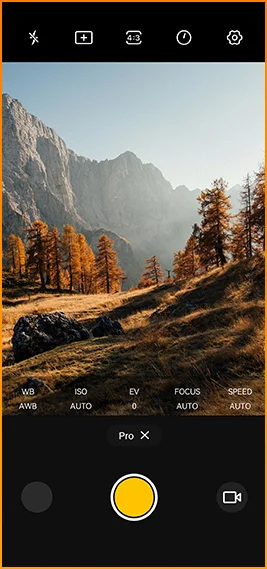
Ajuster la couleur
température et mesure
avec un contrôle de niveau professionnel.



Conçu pour une connectivité fiable dans
dans le monde entier.
Déverrouillez les portes, payez instantanément et connectez-vous plus rapidement
d’un simple tapotement.
Spécifications Blackview FORT 200
Taux de rafraîchissement intelligent 120Hz, ratio écran/corps de 86%
13MP (Vision nocturne)
Bande 3G : WCDMA : B1/2/4/5/8
Bande 4G : FDD : B1/2/3/4/5/7/8/12/13/17/18/19/20/26/28A/28B/66
TDD : B38/40/41
| Design | |
| Produit | Blackview FORT 200 |
| Couleur | Blaze Orange, Phantom Black |
| Dimensions | 178,4 × 83 × 11,5 mm |
| Poids | 268 g |
| Système d'exploitation | DokeOS 5.0 basé sur Android 16 |
| Afficher | |
| Écran principal | Écran IPS 6,78 pouces |
| Résolution | 1080 × 2460 |
| Fréquence de rafraîchissement | 120 Hz |
| Fréquence d’échantillonnage tactile | 180 Hz |
| Luminosité | Luminosité maximale 700 nits |
| PPI | 396 |
| Ratio écran/corps | 86% |
| Verre | Panda Glass |
| Performance | |
| Processeur | MediaTek Helio G100 |
| Fréquence CPU | 2 × Cortex-A76 2,2 GHz + 6 × Cortex-A55 2,0 GHz |
| GPU | Graphiques Mali-G57 3D |
| RAM & ROM | 12 Go RAM + 256 Go ROM |
| Type de mémoire | LPDDR4X + UFS 2.2 |
| Extension RAM | Extension RAM jusqu’à 36 Go |
| Extension TF | Jusqu’à 2 To |
| Caméra | |
| Caméra frontale | Samsung® ISOCELL JN1 50MP |
| Caméra arrière | Caméra principale 108MP Samsung® ISOCELL HM6 + caméra vision nocturne 13MP |
| Capteur caméra arrière | Samsung® ISOCELL HM6 + OV08B10 |
| Enregistrement vidéo | Enregistrement vidéo 2K avec mode Pro |
| Fonctionnalités caméra | Photo en mouvement, Photos IA, zoom 8×, mode Pro, Google Lens intelligent |
| Batterie & charge | |
| Batterie | 5000 mAh |
| Chargement | Charge rapide 33W, charge sans fil 15W |
| Charge inversée | Partage d’alimentation inversé 5W |
| Audio | |
| Haut-parleur | Haut-parleur Smart-K BOX 2W |
| Durabilité | |
| Indice de robustesse | IP68 & IP69K & MIL-STD-810H |
| Résistance à l'eau | Résistant à une immersion profonde de 2 m / 30 min |
| Résistance aux chutes | Résistant aux chutes jusqu’à 6 m |
| Résistance à l’eau chaude | Résistance à l’eau chaude à 80°C |
| Protection contre jets de pression | 10 000 kPa |
| Température de fonctionnement | -20°C à +55°C |
| Connectivité | |
| Réseau | Prise en charge double SIM 4G |
| Wi-Fi | IEEE 802.11 a/b/g/n/ac, 2,4 GHz / 5 GHz |
| Bluetooth | BT 5.2 |
| NFC | Assistance |
| Emplacement carte | Double : 2 × SIM / 1 × SIM + 1 × carte TF |
| USB | Type-C |
| Bandes réseau | |
| 2G | B2 / B3 / B5 / B8 |
| 3G | WCDMA : B1 / B2 / B4 / B5 / B8 |
| 4G | FDD : B1 / B2 / B3 / B4 / B5 / B7 / B8 / B12 / B13 / B17 / B18 / B19 / B20 / B26 / B28A / B28B / B66 ; TDD : B38 / B40 / B41 |
| 5G | Non |
| Navigation | |
| Positionnement | GPS / GLONASS / Galileo / BeiDou / QZSS |
| Capteurs | |
| Capteurs | Capteur G, capteur P, capteur L, gyroscope, boussole, capteur magnétique, capteur d’empreintes digitales, capteur RGB |
| Fonctionnalités supplémentaires | |
| Fonctionnalités extérieures | Fonction touche latérale, télécommande infrarouge, ToolBag, caméra sous-marine |
| Fonctionnalités IA | Doke AI 2.0, Chat IA, Photos IA, Vidéo IA, Musique IA, application ImageX |
| Autres fonctionnalités | Charge sans fil, NFC, FM, OTG, déverrouillage par empreinte digitale, mode lecture, veilleuse, mode sombre |
What are the differences between the Blackview FORT 200 and the Blackview FORT 2?
Compared with the Blackview FORT 2, the FORT 200 features a larger, higher-resolution display, more RAM, and a higher-resolution camera, along with faster wired charging and wireless charging support. The FORT 2 is slimmer and lighter, weighing 245.3g compared with the FORT 200’s 268g.
For everyday use, the FORT 200’s larger screen makes reading documents, viewing maps, and browsing photos easier. Its camera and charging features also suit users who prioritize photography and charging convenience. Both are 4G rugged smartphones, with key differences in their displays, hardware, cameras, and dimensions.
| Feature | Blackview FORT 200 | Blackview FORT 2 |
|---|---|---|
| Processor | MediaTek Helio G100 | MediaTek Helio G81 |
| Display | 6.78-inch, 1080 × 2460 | 6.56-inch, 720 × 1612 |
| Refresh rate | 120Hz | 90Hz |
| Physical RAM | 12GB | 8GB |
| Internal storage | 256GB | 128GB / 256GB |
| Main camera | 108MP | 16MP |
| Front camera | 50MP | 13MP |
| Wired charging | Up to 33W | Up to 18W |
| Weight | 268g | 245.3g |
| Thickness | 11.5mm | 10.7mm |
Who is the Blackview FORT 200 rugged phone designed for?
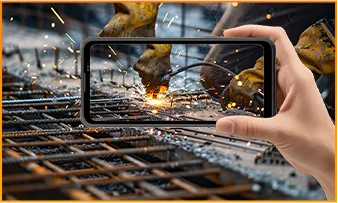
The Blackview FORT 200 is ideal for maintenance technicians, construction workers, delivery personnel (food/courier), farmers, and outdoor enthusiasts who enjoy hiking or camping. It is also well-suited for users who frequently find themselves in environments prone to dust, rain, or accidental impacts—situations where they still need to make calls, use navigation, run work-related applications, or take photos.
Its rugged design ensures reliability even in demanding work environments or during outdoor activities. The large screen provides ample space for viewing maps, reading documents, and looking at photos, while the high-resolution main camera captures detailed imagery. It is designed to support both professional tasks and everyday use.
What charging methods does the Blackview FORT 200 support?
The Blackview FORT 200 supports wired charging at up to 33W and wireless charging at 15W. Wired charging is ideal for topping up your phone’s battery before heading out or while at your workstation, while wireless charging allows you to power up simply by placing the device on a charging pad on your desk or nightstand.
For wired charging, ensure you use a compatible charger and cable. For wireless charging, place the phone accurately on a compatible charging pad and confirm that charging has begun. If you are using a thick protective case or any metal accessories, it is recommended to remove them for optimal charging performance.
What can I use the Blackview FORT 200’s 108MP main camera for?
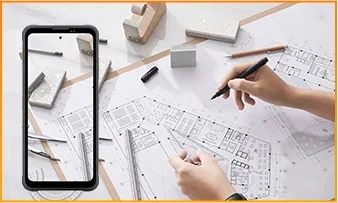
The 108MP main camera on the Blackview FORT 200 can be used to capture landscapes, equipment, documents, and various everyday scenes. It preserves a high level of detail, making it easy to zoom in or crop specific areas—such as isolating a sign within a scene or focusing on a particular detail in a portrait.
When documenting work-related tasks, you can take a wide-angle shot to show the surrounding environment, followed by close-up shots of labels, connections, or damaged areas. When photographing documents, keep the phone parallel to the page to ensure the entire content is captured within the frame.
What can I see with the Blackview FORT 200’s night vision camera?
The Blackview FORT 200’s night-vision camera helps you see people, animals, and objects nearby in the dark. Utilizing infrared illumination technology, it is well-suited for viewing the area around a campsite or observing dimly lit spaces.
For a clear view, keep the phone steady and point it directly toward the area you wish to observe. Identifying targets may be difficult if they are far away or obscured by obstacles. The night-vision feature only reveals the appearance of scenes in the dark; it cannot measure temperature or see through walls, and therefore cannot serve as a substitute for a thermal imager.
What does the Motion Photo feature do on the Blackview FORT 200?
The "Motion Photo" feature records both motion and sound while capturing a still image, allowing you to preserve more of your special moments. Beyond freezing a specific expression, it captures subtle movements—such as a smile, a pet turning its head, or leaves swaying in the breeze.
Please keep your phone steady while shooting. If you need to record for a longer duration, it is recommended to use the standard video recording mode. When sharing a "Motion Photo," please note that the recipient's device must support the playback of motion and sound; some devices may only display or transmit the image as a static photo.
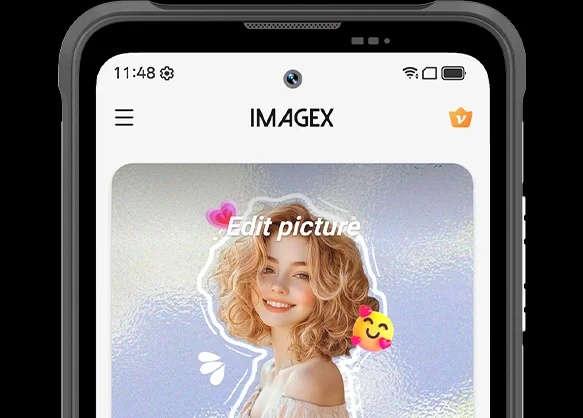
What photo-editing features does the ImageX app offer on the Blackview FORT 200?
ImageX provides a variety of AI-powered tools, including features to remove unwanted objects, expand image edges (outpainting), and apply blur effects. These tools allow you to refine your photos after they have been taken—for example, by cleaning up cluttered backgrounds or creating more space around the main subject.
The "Object Removal" feature can enhance vacation photos; "Image Expansion" (outpainting) can fill in backgrounds where the original composition was too tight; and the "Blur" tool can make specific areas less prominent. After applying these edits, be sure to carefully review the results—paying close attention to faces, text, and the edges of objects—as AI editing may sometimes require multiple attempts to achieve the desired outcome.
Can I expand the Blackview FORT 200’s storage?
Yes. The Blackview FORT 200 supports microSD cards with a capacity of up to 2TB, providing extra space for photos, videos, music, documents, and more. Please note that the microSD card slot is shared with the second SIM card slot; You must choose between a "dual SIM" configuration or a "single SIM + one microSD card" configuration.
If your phone’s internal storage becomes full due to a large number of work-related photos, downloaded videos, or other files, you can move these items to the microSD card to free up internal space. It is recommended to keep applications and certain app data on the phone’s built-in storage; the microSD card is intended primarily for file storage and cannot replace the device's internal memory.
What mobile networks does the Blackview FORT 200 support?
The Blackview FORT 200 is a 4G rugged smartphone that supports 4G LTE, 3G, and 2G networks. When used with a compatible SIM card and mobile plan, the device allows for making calls, sending and receiving text messages, and using mobile data (including web browsing, navigation, instant messaging, and video calls).
Before purchasing, please compare the network frequency bands listed in the product specifications with those used by your mobile carrier. You may also wish to consult your carrier to confirm that their network supports the device for calls and mobile data services. Network availability depends on local coverage and your chosen mobile plan.
What devices can I control with the Blackview FORT 200’s infrared remote?
The Blackview FORT 200 can control compatible TVs, air conditioners, and set-top boxes via infrared, allowing you to change channels, adjust volume, or set temperatures, depending on the device.
Open the remote control app, select the appliance type, and follow the prompts to test and match a configuration. Point the phone’s infrared transmitter at the appliance without obstructions. Compatibility depends on the configurations available in the app. Devices that support only Bluetooth or Wi-Fi cannot be controlled via infrared.
Does the Blackview FORT 200 support NFC payments?
Yes, it does. You can make NFC payments by using a compatible payment app and linking an eligible bank card. Once set up, you can make payments without needing to take your physical card out of your wallet.
Before use, please enable the NFC function, add your bank card to the payment app, and complete the verification steps required by your bank. Ensure you have a screen lock set up and have selected your preferred payment app for contactless payments. When paying, simply unlock or verify your phone as prompted and hold it near the payment terminal. Actual availability depends on the payment service provider, your bank, and your country or region.
What protection does the Blackview FORT 200 offer for outdoor use?
The Blackview FORT 200 features IP68 and IP69K ratings and meets MIL-STD-810H testing standards. It is resistant to dust, water immersion, and impact, making it suitable for outdoor work and activities involving exposure to rain, dirt, or accidental knocks.
To maintain its protective capabilities, ensure the SIM card tray is properly installed and check the phone for damage after any severe impact. If the phone gets wet, ensure both the device and the charging port are dry before charging. Please note that water and impact resistance have limits and may diminish over time due to wear or damage; Therefore, exercise caution during high-intensity activities.
What everyday tasks can the Blackview FORT 200’s AI assistant help with?
The Blackview FORT 200's AI chat assistant can answer questions, explain complex concepts, and help you understand document content. It can interpret reading materials in plain language and summarize key points from lengthy information.
For the best results, clearly describe your specific needs. You can also ask follow-up questions regarding any unclear points. Before using the answers for work or sharing them with others, it is recommended to verify the original information, including important names, data, and instructions.
Can I connect a USB flash drive to the Blackview FORT 200?
Yes. The Blackview FORT 200 supports USB OTG functionality, allowing you to connect compatible USB flash drives to access and transfer files. Flash drives with a USB-C connector can be plugged in directly, while standard USB-A flash drives require a suitable USB-C OTG adapter.
Once connected, open the file manager and select the USB storage device to browse its contents. You can copy work documents to your phone or move photos and videos to the flash drive without needing a computer or cloud service. Wait for all transfers to complete before disconnecting; if the system offers an "Eject" option, use it to prevent incomplete transfers or file corruption.
How can I use Google Lens on the Blackview FORT 200?
You can use Google Lens on the FORT 200 to search for objects, find similar products, and process text within images. Open the Google app, tap the Lens icon, and then point your camera at the target you wish to search for, or select a photo already saved on your phone.
Google Lens can identify unfamiliar plants, search for products you have photographed, or extract text from printed documents. Ensure the subject is in focus; If the frame contains multiple objects, you may need to select the specific area of interest. Note that an internet connection is generally required to access online information.
What features make reading more comfortable on the Blackview FORT 200?
The Blackview FORT 200 offers Reading Mode, Night Light Mode, and Dark Mode. Reading Mode adjusts the display to suit reading needs; Night Light Mode adds warm tones; and Dark Mode applies a dark background to menus and applications.
Choose a mode that suits your reading content and surroundings, and adjust the text size to reduce frequent zooming. At night, lower the brightness or enable “Night Light” for warmer colors. During the day, increase the brightness as needed to keep text clear without making the screen too bright.
Jump to another section