



Blackview FORT 1 6.56-дюймовий 90Гц Смарт AI Дисплей Unisoc Tiger T615 Восьмиядерний 10000mAh 4G AI Захищений Телефон

Немає в наявності
Основні моменти
Основні моменти
✔6,56-дюймовий HD+ IPS 90 Гц Смарт AI Дисплей
✔Процесор Unisoc T615 з восьмиядерним ядром
✔Монстр акумулятора 10000 мАг з 48 днями спокою
✔Сертифікати IP68&IP69K& MIL-STD-810H
Інформація
Інформація
Blackview FORT 1 — це міцний 4G телефон, створений для користувачів, яким потрібна тривала робота батареї, практична довговічність і плавна щоденна експлуатація. Його 6,56-дюймовий HD+ дисплей з частотою оновлення 90 Гц, процесор Unisoc Tiger T615 та батарея ємністю 10 000 мА·год роблять його корисним для робочих майданчиків, подорожей і активного відпочинку на природі. Завдяки швидкій зарядці 18 Вт, основним камерам 16 Мп + 2 Мп, NFC, подвійній 4G VoLTE, чотириканальній навігації, динаміку Smart-K і DokeOS 4.2 на базі Android 15 він забезпечує надійну продуктивність у міцному та практичному body.
Про бренд
Про бренд
У Blackview ми віримо, що чудова технологія має виходити за межі вражаючих характеристик. Вона повинна відповідати реальному життю, вирішувати реальні проблеми та залишатися надійною, коли це найважливіше.
Blackview починався з міцних телефонів, створених для складних умов. Сьогодні ми пропонуємо ширшу екосистему розумних пристроїв, включаючи смартфони, планшети, ноутбуки, смарт-годинники, аудіопродукти та інше.
У кожній категорії наш фокус залишається незмінним: міцна якість, практичні інновації та доступні ціни. Ми розробляємо продукти, які відчуваються надійними з першого дня.
Ми розуміємо, що клієнти цінують найбільше: плавну роботу, довготривалу надійність, корисні функції та технології, які полегшують повсякденне життя без зайвих витрат.
Саме тому Blackview приділяє справжню увагу тестуванню продуктів, користувацькому досвіду та функціям, які приносять значущу користь у роботі, подорожах, творчості, активному відпочинку та щоденному спілкуванні.
Blackview створений для людей, які хочуть технології, яким можна довіряти: розумні, потужні пристрої, створені, щоб відповідати сучасному життю.
Надійність за задумом. Практичність за природою. Створено для реального життя.
Доставка та повернення
Доставка та повернення
• Доставка: Замовлення обробляються протягом 1–2 робочих днів. Стандартна доставка займає 3–7 робочих днів залежно від вашого місцезнаходження.
• Повернення: Ви можете повернути або обміняти товари протягом 30 днів після отримання замовлення. Товари мають бути в оригінальному стані з підтвердженням покупки.
Якщо ваш товар має дефект або пошкоджений через виробничі проблеми, ми з радістю замінимо його без додаткових витрат.

 FORT 1
Думайте швидше.
Працює довше. Залишайтеся в безпеці.
Розумніший AI. Марафон 10000mAh
Батарея. Високий рівень міцності MIL-STD.

Міцний дизайн
Ваш голос — ваш ключ
Натхненний міцністю фортець, FORT 1 створений витримувати екстремальні умови. Його міцна конструкція відповідає військовим стандартам.

Отвір для шнурка
дозволяє прикріпити, повісити або закріпити його де завгодно.

Відбиток пальця
Підтримка розблокування
забезпечує швидкий доступ для розблокування, активації та керування пристроєм.
No.1 Вражаючий перегляд на 6,56″ 90Гц розумному AI дисплеї
No.2 Монстр батареї 10000mAh з 48 днями спокою
No.3 Без клопоту. Hands-Free. Підтримка Doke AI
No.4 Легко виконувати завдання з Unisoc T615 Octa-core Процесор & до 18 ГБ ОЗП & 256 ГБ ПЗП & 2 ТБ TF Пам’ять
No.5 Сертифікований міцний корпус IP68&IP69K& MIL-STD-810H
No.6 AI-потужний. Кожен момент залишається пам’ятним
No.7 Останній DokeOS 4.2 на базі Android 15
No.1 Вражаючий перегляд на 6,56"
90Гц розумний AI дисплей
6,56-дюймовий HD+ IPS дисплей
Більше бачити. Легко прокручувати
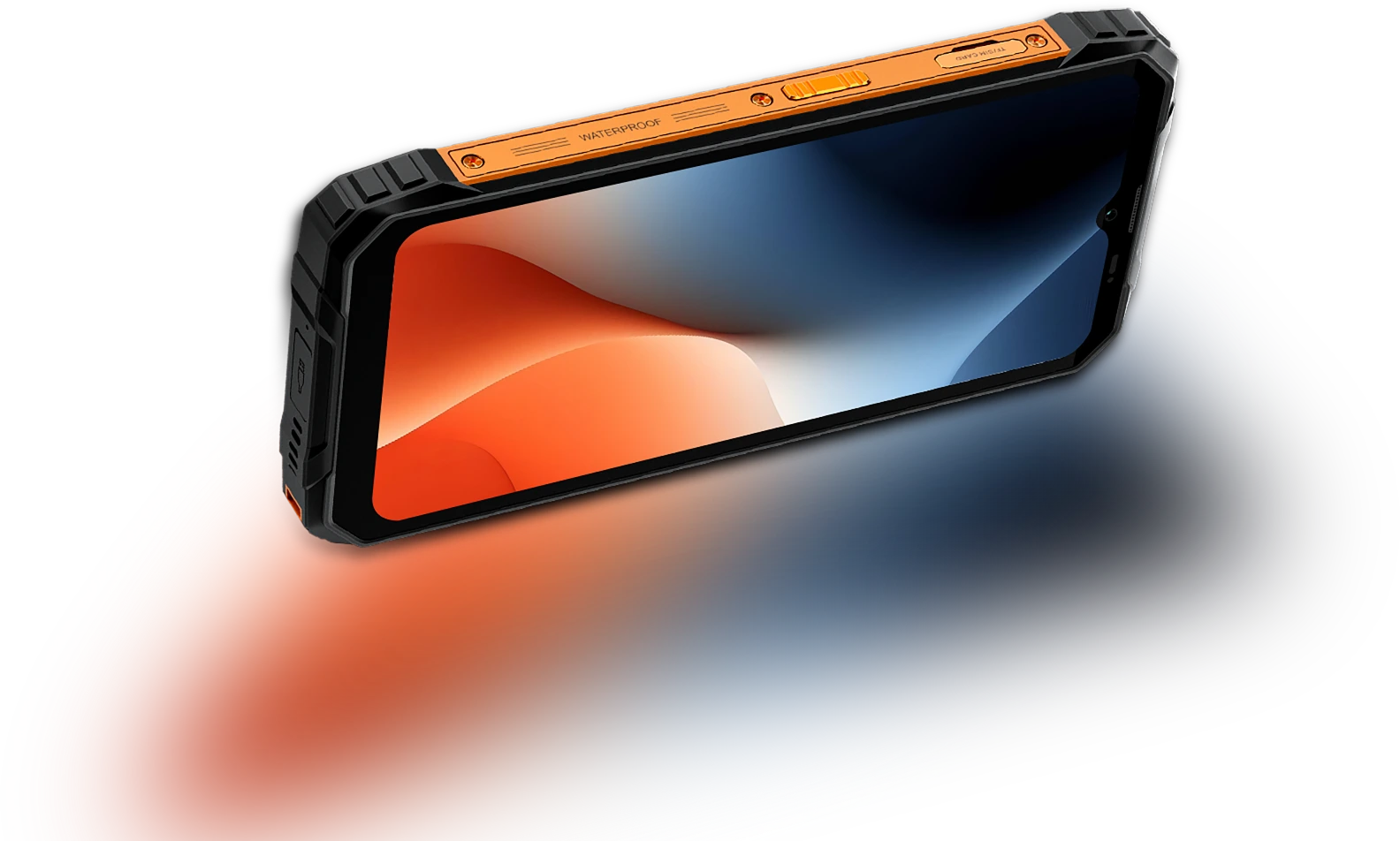
FORT 1 оснащений 6,56-дюймовим HD+ дисплеєм, який виконує свою роботу — чіткий, чутливий і легкий для читання як у приміщенні, так і на відкритому повітрі. Міцний і зручний для реального використання, він поєднує видимість з портативністю.
Частота вибірки дотику Частота
180Гц
Екран до корпусу Співвідношення
83%
Тонший і легший
INCELL IPS
PPI
269
Роздільна здатність
720*1612 пікселів
Яскравість
450 ніт
Співвідношення сторін
20:9
Розумна AI-адаптивна 90Гц
Частота оновлення
Кожен свайп. Кожен
Кадр. Лише
Плавність
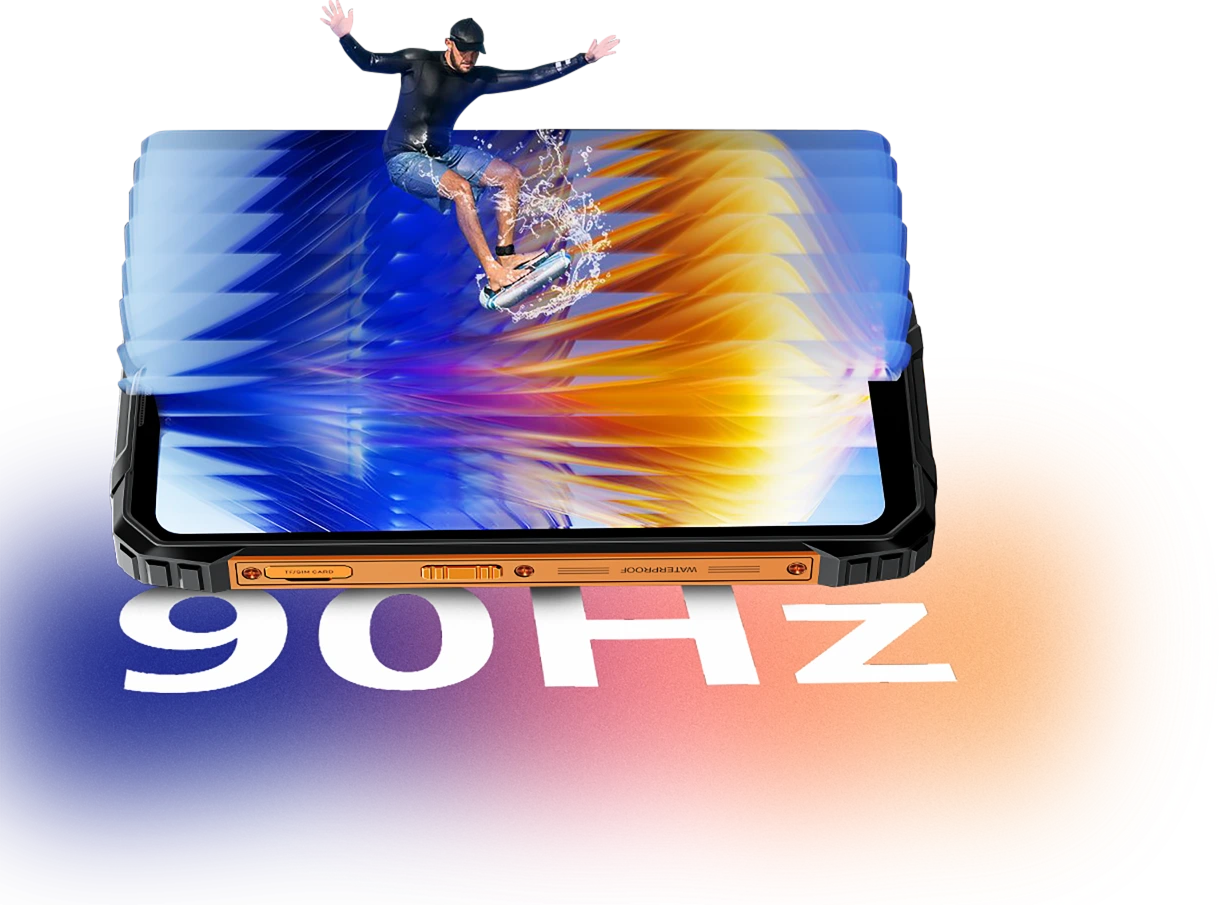
Чи переглядаєте ви повідомлення, перевіряєте карти або оновлення роботи, Smart AI-Adaptive 90Hz FORT 1 забезпечує плавність, коли це потрібно, і переходить на нижчу частоту оновлення, коли ви не активні.
60Гц
зберігає ефективність для читання, текстових повідомлень або в режимі очікування.

90Гц
активується для плавнішої прокрутки, більш плавних свайпів і анімацій.


Комфорт для очей має значення
Легше для очей,
День чи ніч
Чи працюєте ви довгі години, читаєте на вулиці або розслабляєтеся вночі, Blackview FORT 1 створений, щоб зменшити напругу очей. Завдяки розумним режимам екрану, які адаптуються до вашого оточення, ви залишаєтеся комфортними і зосередженими, незалежно від часу чи завдання.
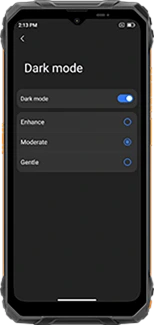
Багатошаровий темний режим
(Покращений/Помірний/Делікатний)
створює темніший, більш комфортний інтерфейс
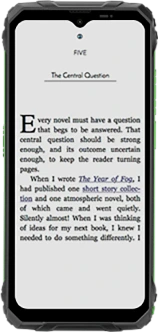
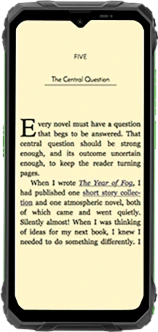
Режим читання
знижує яскравість і фільтрує різке світло для відчуття, як на папері
Нічне світло
зменшує синє світло, щоб полегшити втому очей у темряві
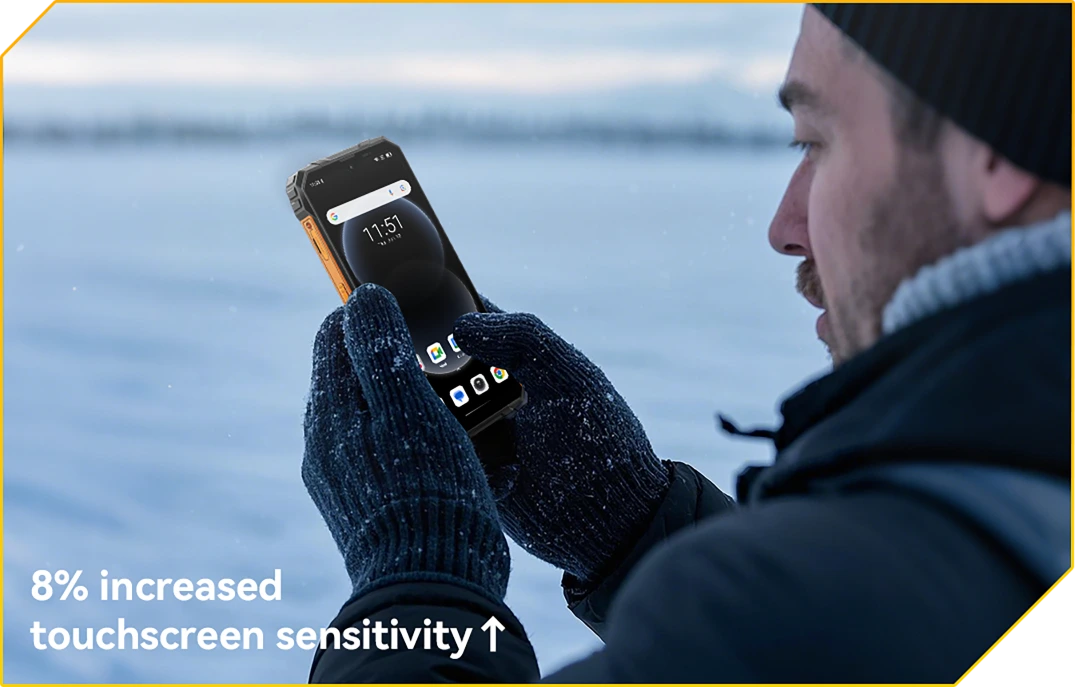
Режим рукавичок 2.0
Готовий до дотику. Навіть у рукавичках
Торкніться, проведіть пальцем і прокручуйте, не знімаючи рукавичок.
Монстр батареї No.2 10000mAh
з 48 днями спокою
Величезна батарея 10000mAh
Енергія тримається. День за днем
З величезною батареєю 10000mAh FORT 1 створений, щоб працювати довше за інших. Чи ви на багатоденна зміна, поза мережею або глибоко в полі, ви можете працювати, орієнтуватися та спілкуватися, не турбуючись про наступне заряджання.

12 год
Гра
43 год
Дзвінок
45 год
Музика
21 год
Веб
21 год
Режим очікування
Адаптивний ШІ
Захист під час заряджання
забезпечує безпечніше заряджання та
довговічна батарея.
+1 рік довшого терміну служби↑


Енергозбереження AI
Алгоритм
автоматично регулює фонову активність, яскравість і продуктивність для подовження часу роботи батареї.
Понад 500 циклів заряджання
з 80% батареї
Життя збережено
означає 2~3 безтурботних використання.


Підтримка 5W OTG зворотного заряджання
Енергія для спільного використання,
Де б ви не були
Потрібно зарядити інший пристрій у дорозі? Завдяки 5W OTG зворотному заряджанню FORT 1 подвоюється як портативний павербанк, дозволяючи підзаряджати ваші навушники, ліхтарик або навіть телефон товариша — без розетки. Це резервна енергія у вашій кишені.
Пристрої з підтримкою зворотного заряджання

№3 Без клопоту. Без рук.
Працює на Doke AI.
Doke AI на FORT 1 приносить інтелект нового рівня у ваше щоденне життя — тепер інтегрований з провідними світовими AI-моделями, включно з DeepSeek-R1, ChatGPT-4o mini та Gemini AI 2.0 Flash Thinking Experimental. Чи ви на місці, у дорозі чи в глушині, цей міцний AI-асистент робить все просто, розумно і безперебійно.
Активація голосом &
Розпізнавання голосового відбитка
Ваш голос.
Ваш доступ.
Просто скажіть слово — навіть у рукавичках або коли руки зайняті. FORT 1 миттєво і безпечно активується вашим унікальним голосом.

Голосова взаємодія в реальному часі
Запитуйте швидко. Отримуйте відповіді
Швидше.
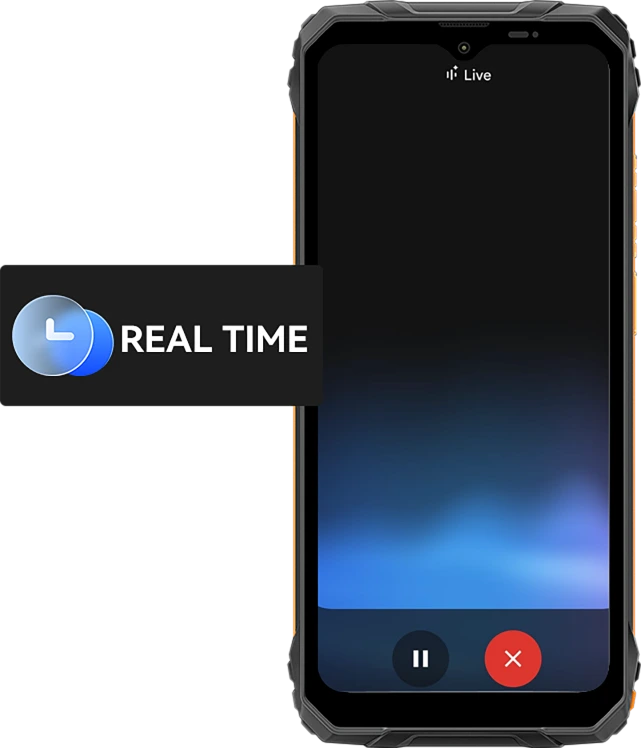
Від швидких оновлень до порад у реальному часі — говоріть зі своїм телефоном і отримуйте миттєві відповіді з 10 виразними голосами, як Nova, Orbit чи Vega — корисно і природно.
10 голосових варіантів на вибір:
Асистент, що враховує екран
Допомога просто
Ваш дисплей.
Побачили файл, карту чи зображення, з якими потрібна допомога? Просто запитайте. Без перемикання додатків. Без відволікань.

Глобальне розумне керування
Один голос. Повний контроль.
Налаштовуйте параметри, запускайте додатки та керуйте інструментами без рук. Ідеально під час багатозадачності або коли на роботі в рукавичках.


Gmail

Google Calendar

Google Keep

Google Tasks

Google Drive

Google Docs


Повідомлення

Телефон

Google Maps

Google Flights

Google Hotels

YouTube

YouTube Music
Найрозумніший креативний помічник
Привіт, Doki App — розумний чат-асистент AI
Ваш ШІ-помічник для будь-яких завдань і ідей
Чи то ви плануєте на будівельному майданчику, чи отримуєте допомогу з повсякденними завданнями — Hi Doki завжди готовий.

Додаток ImageX
Потужні інструменти фото ШІ для реальних пригод
Навіть у найскладніших умовах ваші фото заслуговують професійного вигляду. З 18 функціями редагування на базі ШІ, ImageX на FORT 1 перетворює польові знімки, фото на відкритому повітрі та щоденні моменти на варті уваги візуальні матеріали швидко і без зайвих зусиль.
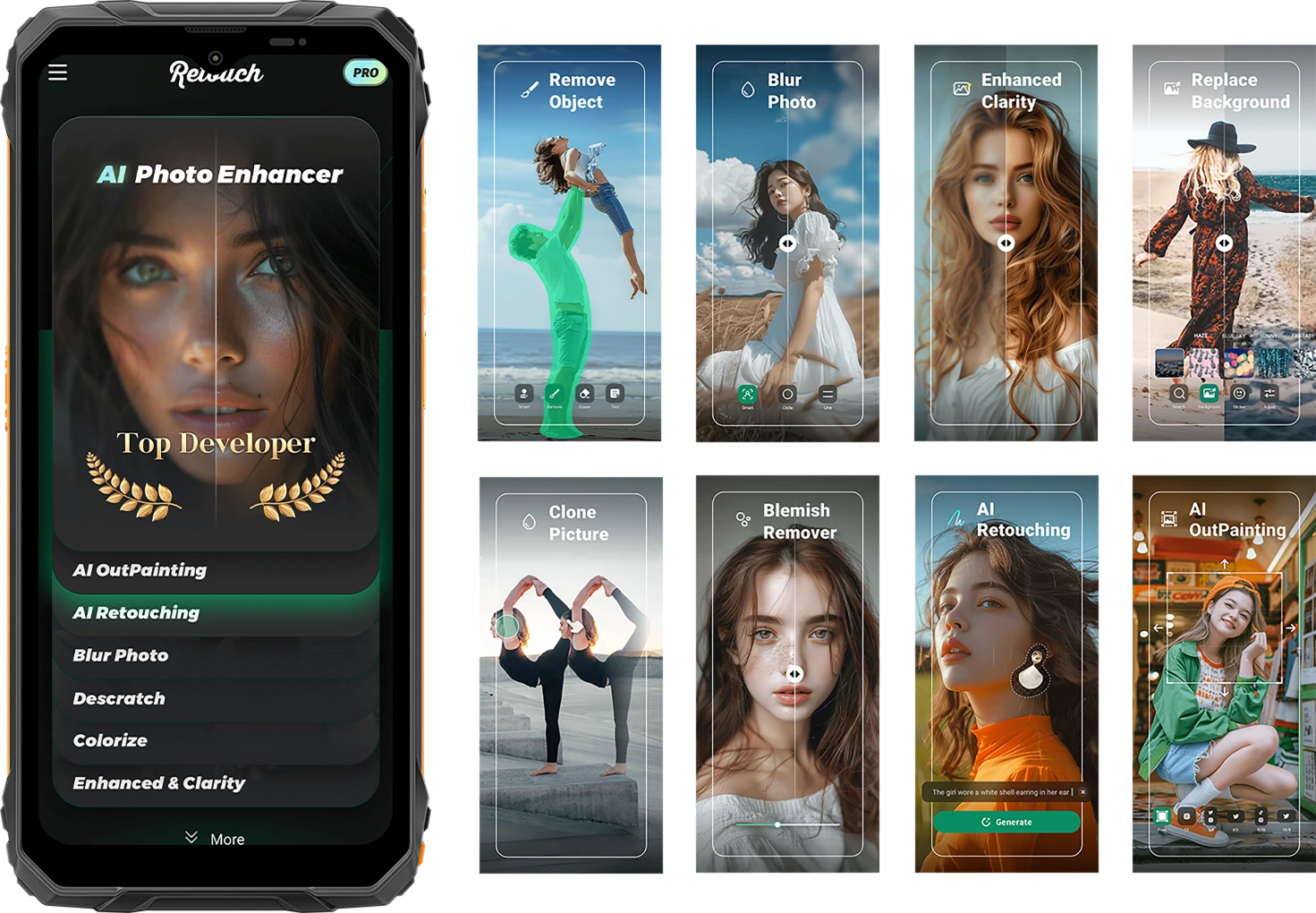
Фіксуйте життя в його природності. Діліться ним у вдосконаленому вигляді.
Видалення об’єктів ШІ
Видаляйте небажані об’єкти, сторонніх або зайвий інвентар за секунди. Зберігайте фокус там, де це важливо.

Адаптивний ШІ
Захист під час заряджання
Один дотик — і все готово. Розумні налаштування освітлення, кольору та балансу — без потреби в навичках редагування.


Фото ШІ
Ретушування
Автоматично згладжуйте шкіру, коригуйте освітлення та покращуйте портрети для чистого, природного вигляду.
Розширення зображення ШІ
Розширюйте краї зображення, щоб показати більше пейзажу, більше контексту — більше історії.

Розмиття фото ШІ
Розмивайте хаотичні або відволікаючі фони, щоб ваш об’єкт був чітким і виразним.
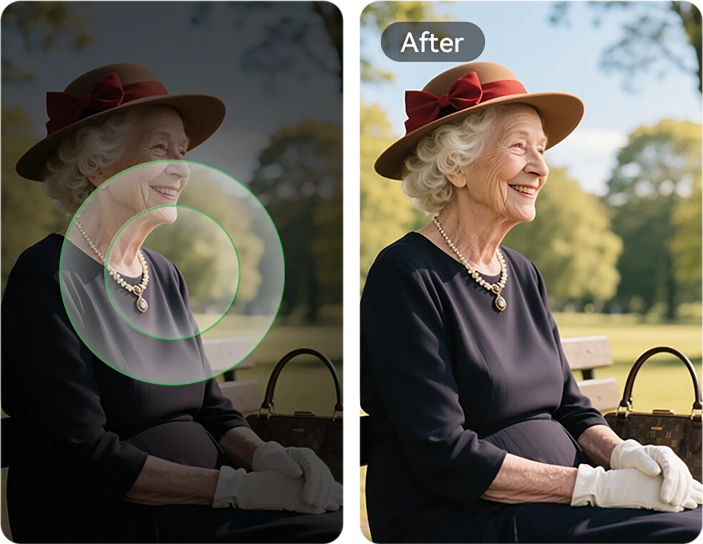
Заміна фону ШІ
Від гірських стежок до будівельних майданчиків — миттєво змінюйте будь-який фон відповідно до настрою чи повідомлення.

Видалення недоліків
Легко виявляйте та усувайте недоліки, дрібні плями або дефекти на шкірі чи поверхні фото, залишаючи зображення бездоганним.

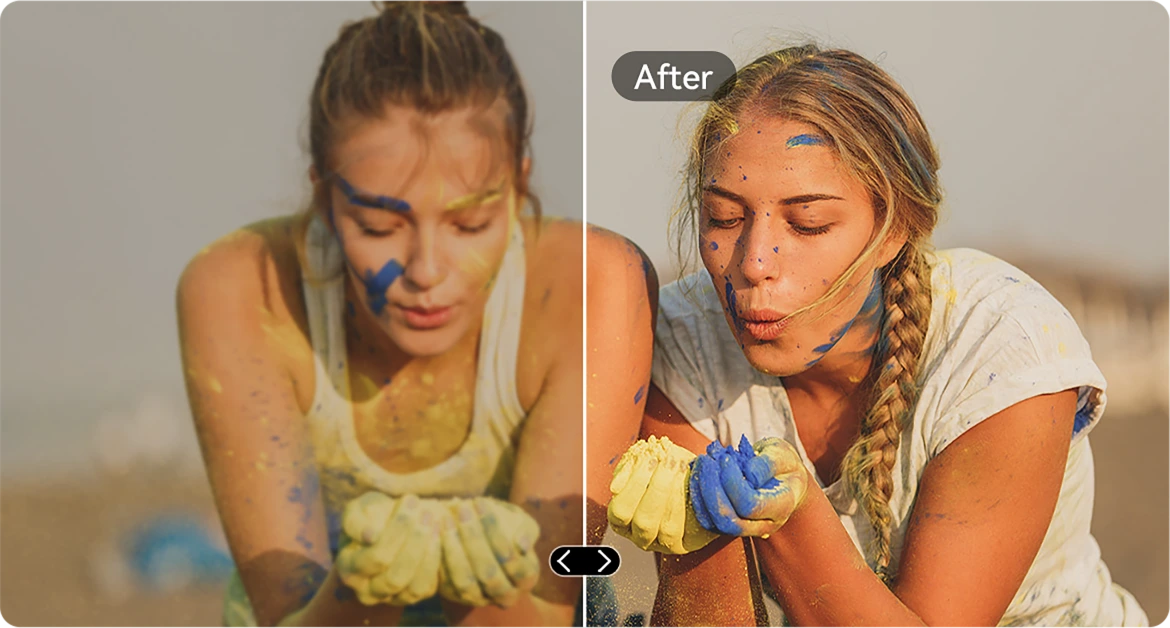
Покращення чіткості ШІ
Різкість розмитих або темних знімків, щоб кожна деталь була чіткою — навіть у швидкому русі.
Вставка зображень ШІ
Копіюйте елементи між фото. Розміщуйте інструменти, теги або людей саме там, де хочете.

Видалення подряпин ШІ
Відновлюйте подряпини, пошкодження або старі зображення до майже оригінальної якості одним дотиком.
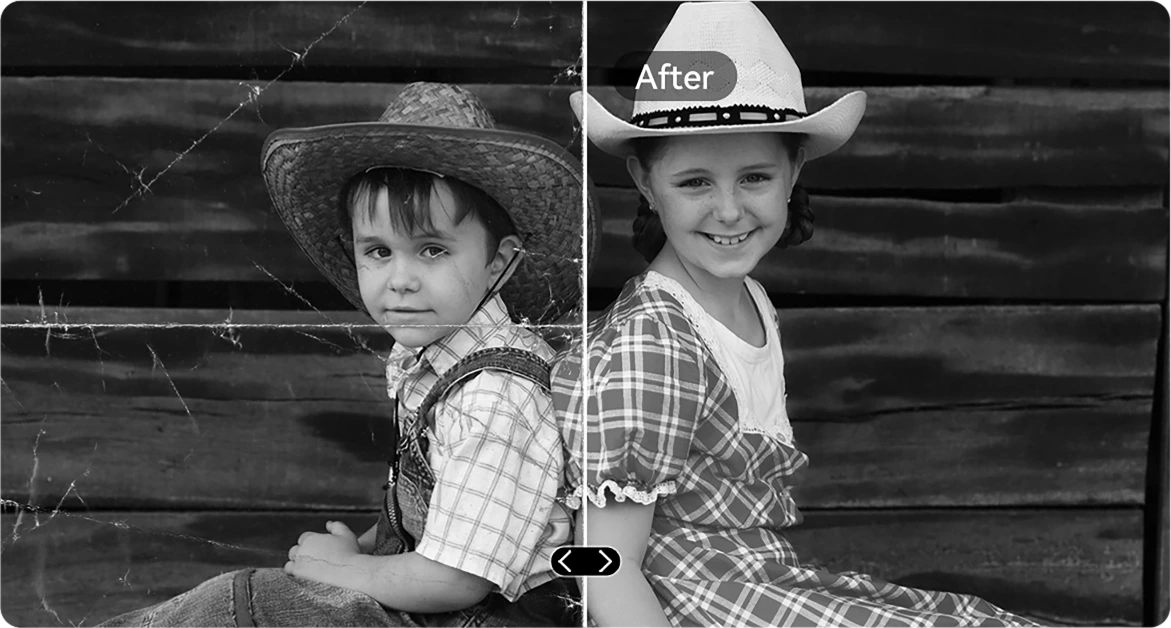
Кольоризація ч/б фото ШІ
Вдихніть нове життя у чорно-білі фото, точно відновлюючи кольори в кожній деталі. Спостерігайте, як оживають люди, пейзажі і навіть промінь сонця, ніби час повернувся назад.
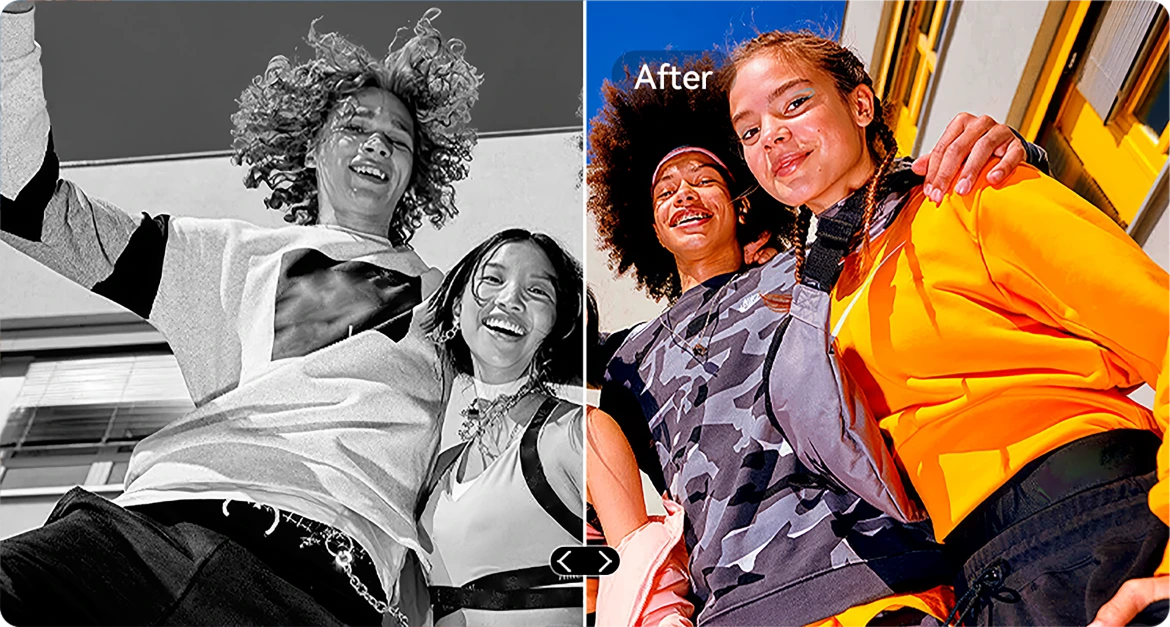

Виправлення фото ШІ
Автоматично виправляйте нахилені або перекошені знімки для чистих, рівних, професійних фото.
Клонування фото ШІ
Дублюйте об’єкти для візуального балансу, оповідання або просто творчої забави.
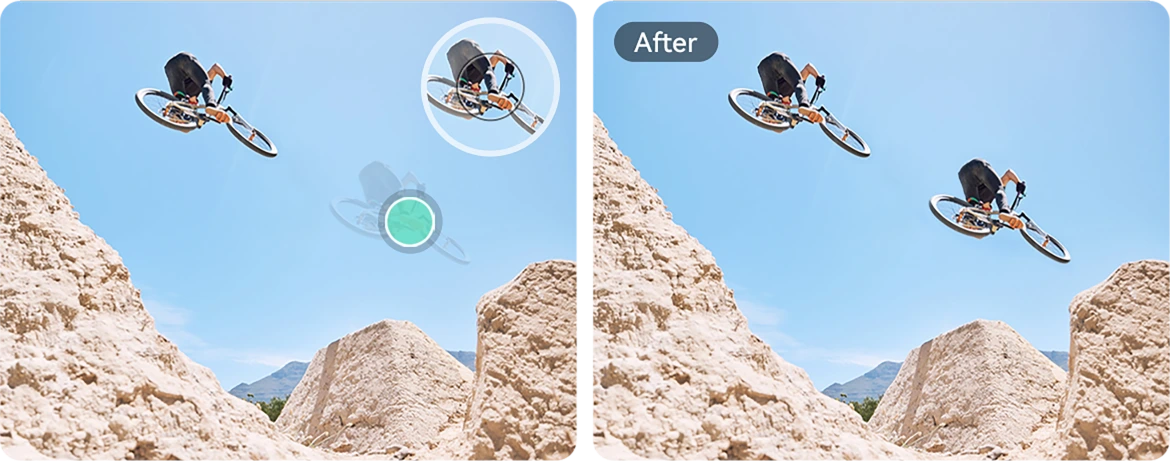
Анімація фото ШІ
Додавайте легкий рух до портретів — змушуйте обличчя рухатися, моргати або посміхатися для динамічності.

Спіральний ефект ШІ
Застосовуйте вражаючі спіральні накладки, які перетворюють звичайні кадри на мистецтво, що привертає увагу.
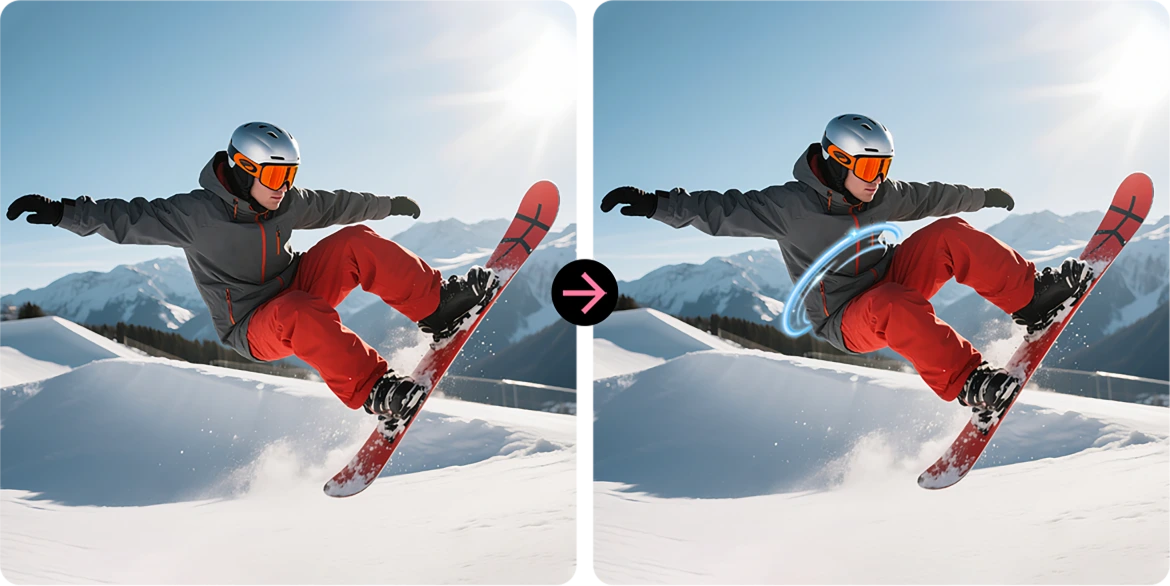
Заміна неба
Оновлюйте похмуре небо епічними заходами сонця, мрійливими хмарами або драматичною погодою одним дотиком.
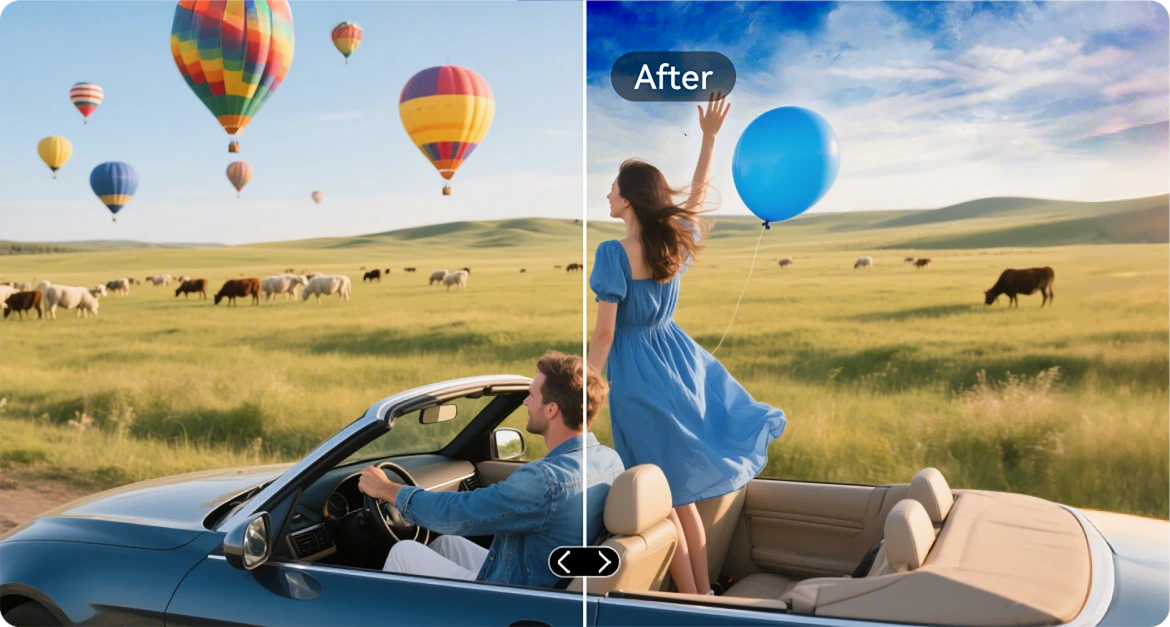
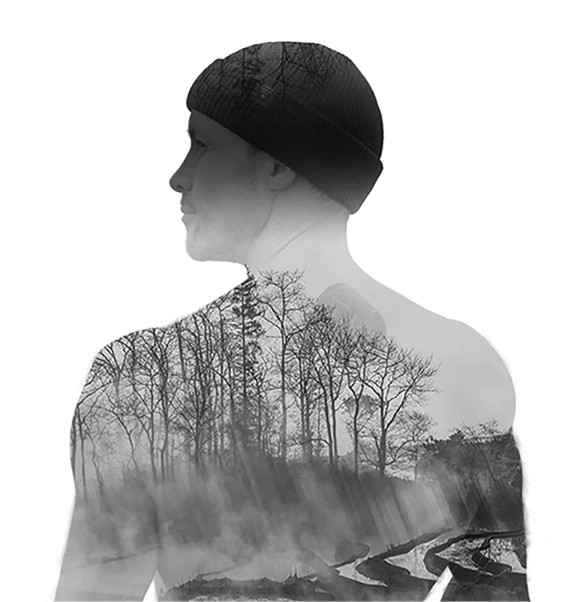
Подвійна експозиція ШІ
Об’єднуйте два зображення в одне — ідеально для кінематографічної атмосфери або сміливого оповідання.
Радикальний кольоровий контраст ШІ
Перетворюйте тьмяні кольори на яскраве сяйво — ідеально для зовнішнього освітлення або складних умов.

Додаток VidGen
Розумний відеоредактор на базі ШІ
Оживіть свої історії на природі
Чи ви піднімаєтеся в гори, будуєте, кемпінгуєте чи фіксуєте повсякденне життя, VidGen перетворює ваші сирі моменти на динамічні, готові до поширення відео всього за кілька дотиків.

Перетворюйте текст на відео
Опишіть сцену або ідею, і AI створить яскраву візуальну історію — від оглядів дій до покрокових інструкцій.

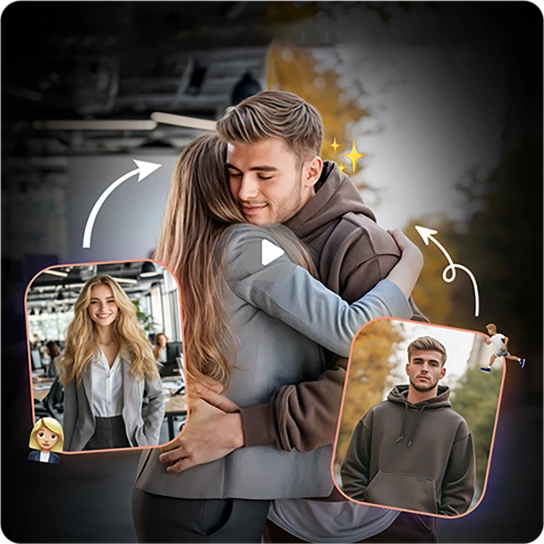
Перетворюйте фото на відео
Є багато фото? Дивіться, як вони оживають, коли AI зшиває їх у плавні кінематографічні спогади.
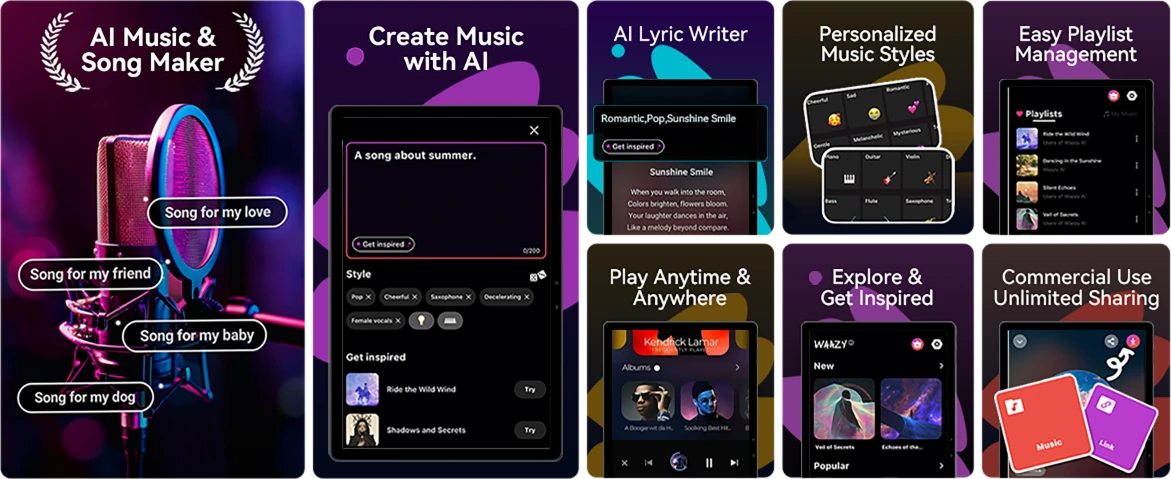
Додаток Soundle
Розумний AI-композитор музики
Створюйте музику. Де завгодно. Коли завгодно.
Немає інструментів? Немає студії? Не проблема. З Soundle, ваш міцний телефон стає музичною лабораторією, ідеальною для створення саундтреків на ходу.
№4 Легко справляйтеся з завданнями з Unisoc Процесор T615 Octa-core & до 18 ГБ RAM & 256 ГБ ROM & 2 ТБ TF пам’яті
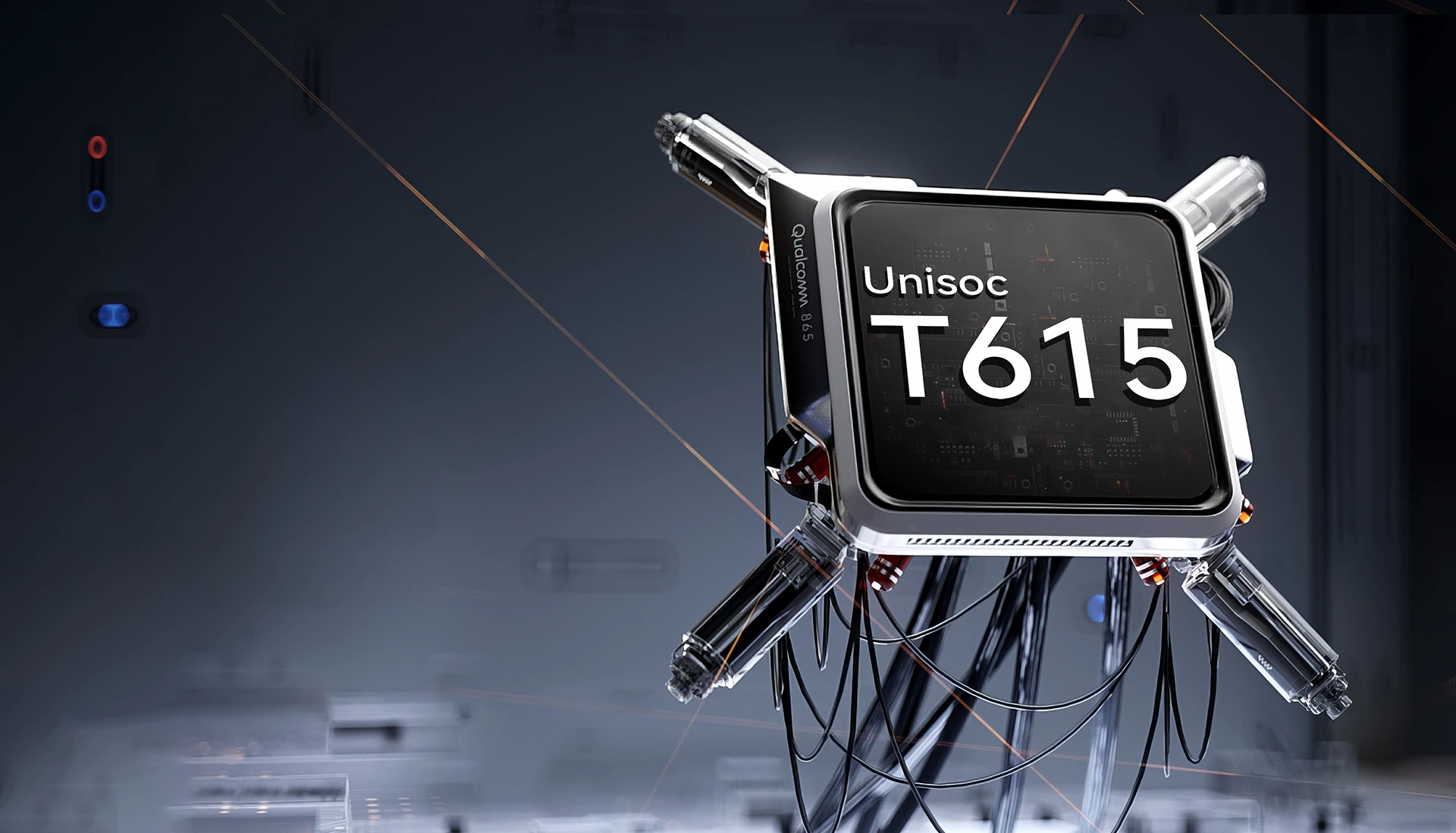
Unisoc T615 Octa-core
Процесор
Потужність для підтримки Вгору
Плавний, надійний і ефективний. Чи то перемикання між робочими додатками, навігація поза мережею, чи перегляд контенту в дорозі. Unisoc T615 дає вам необхідну продуктивність без затримок.
12 нм EUV технологія
оптимізовано для зниженого енергоспоживання
2 x Cortex-A75 @1,8 ГГц + 6 x
Cortex-A55@1.6GHz
потужні ядра для більш плавної роботи
Графічний процесор Arm Mali-G57 @850 МГц
плавна графіка та чітке зображення
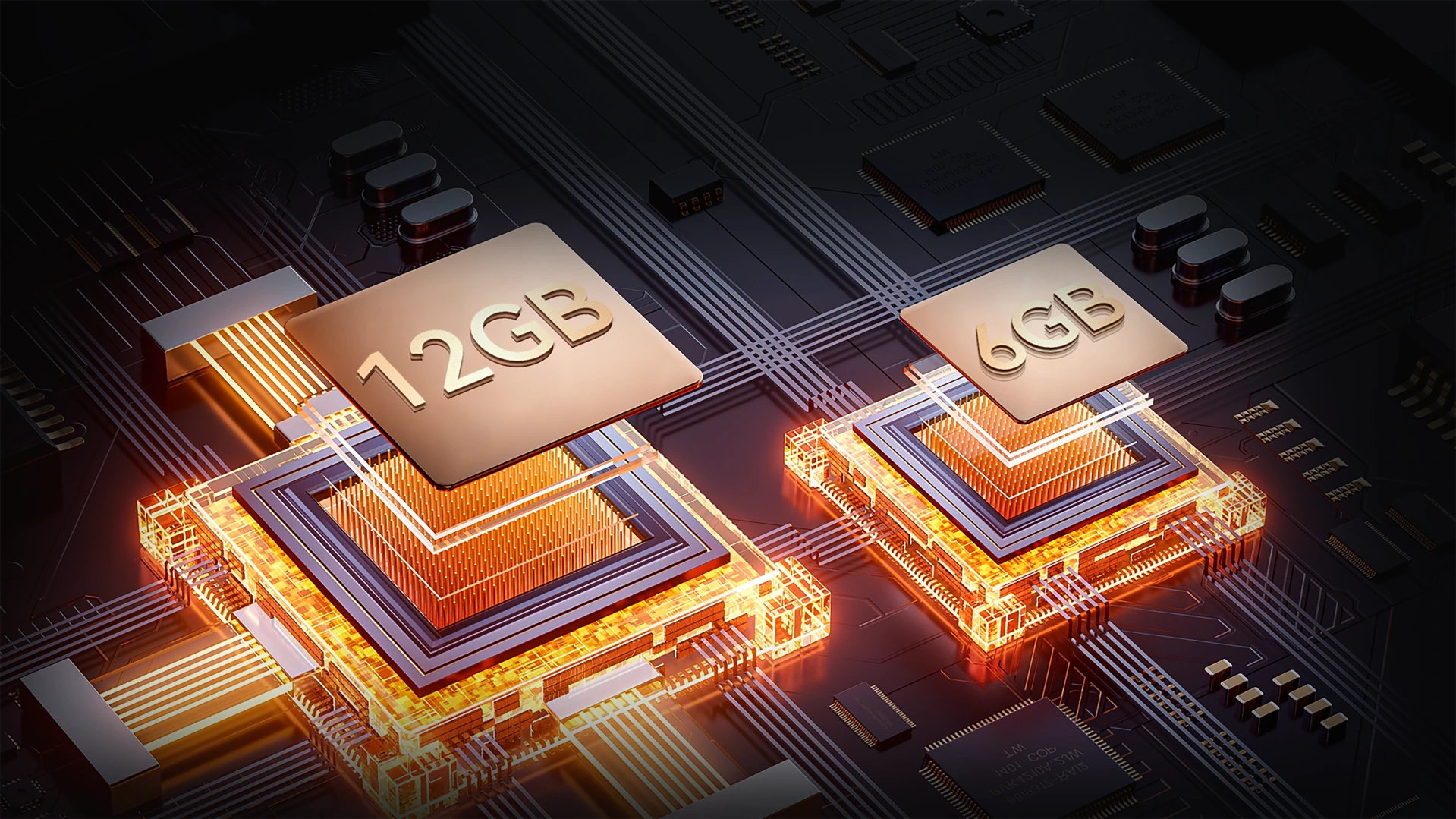
До 18 ГБ RAM (6 ГБ + 12 ГБ розширення)
Більше пам’яті. Плавніші місії.
Багатозадачність без зусиль. З до 18 ГБ оперативної пам’яті FORT 1 справляється з усім — від інструментів для роботи до розважальних додатків — швидше завантаження, плавніше перемикання, без уповільнень.
До 18 ГБ RAM=
6 ГБ RAM + 12 ГБ розширення
20% Швидша реакція↑
Atomized Memory 2.0
9% Більше оперативної пам’яті↑
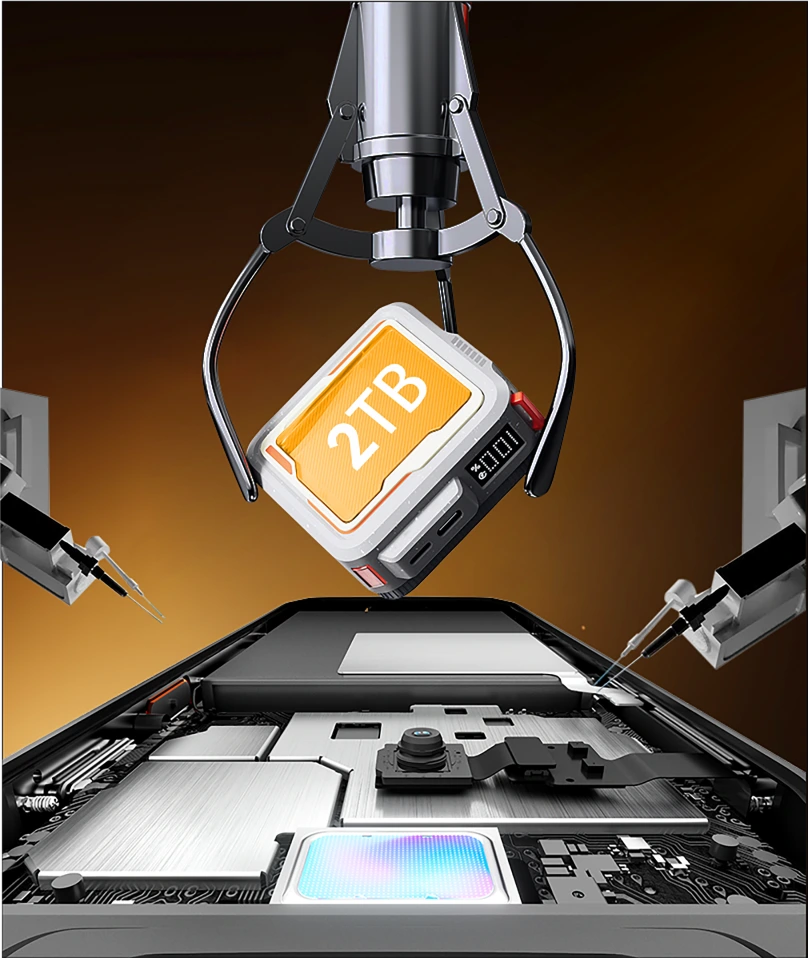
256 ГБ ROM + 2 ТБ TF розширення
Пам’ять, що витримує будь-які випробування
Більше не потрібно турбуватися про брак місця на роботі чи поза мережею. З 256 ГБ вбудованої пам’яті та підтримкою карт TF до 2 ТБ, FORT 1 зберігає все — карти, фото, відео та важливі файли — прямо під рукою.

≈900 тис.
+ Треки пісень

≈59,4 тис.
+ Короткі відео

≈498,6 тис.
+ Фото
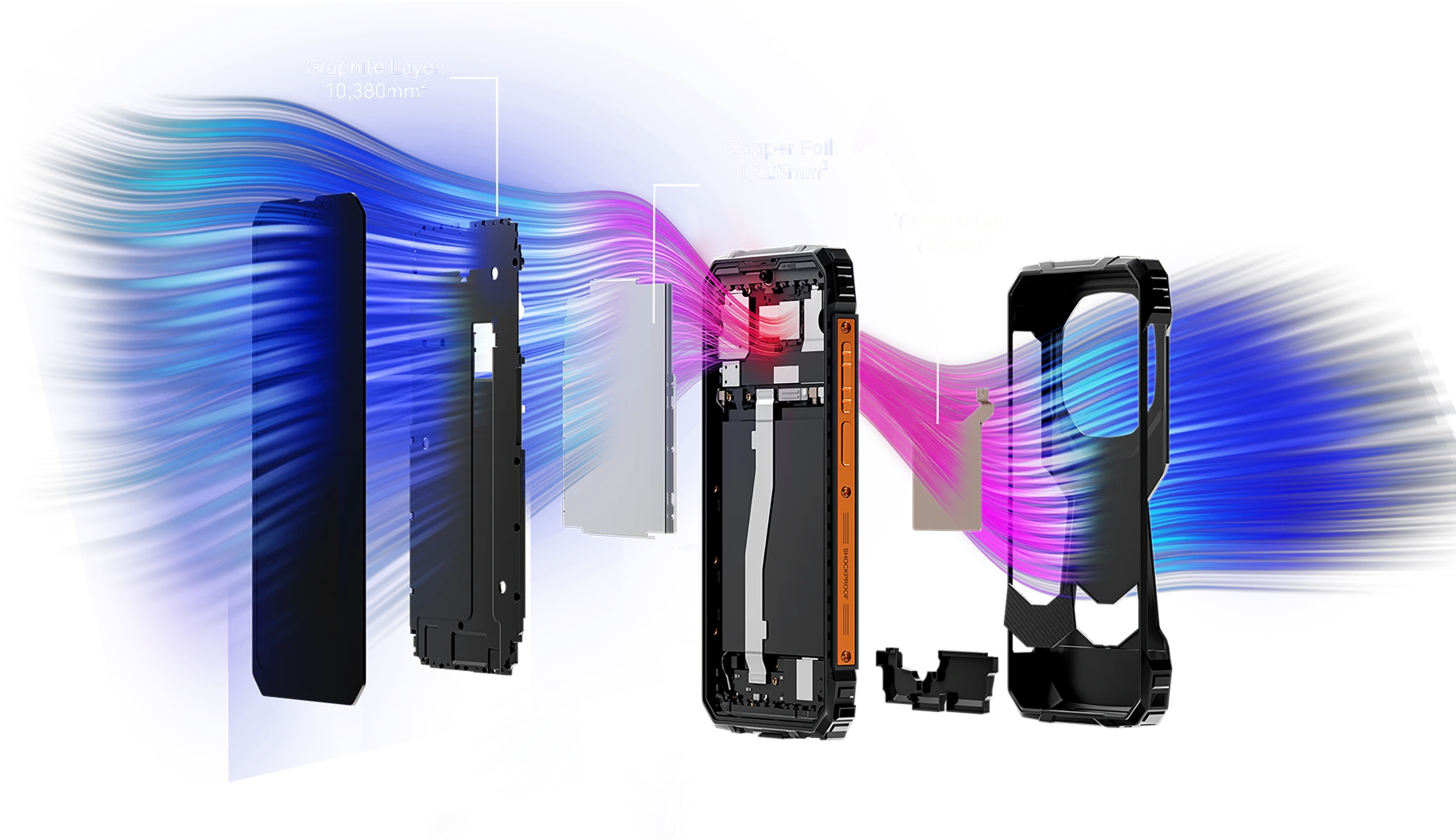
Площа охолодження понад 12 072 мм²
Прохолодна продуктивність, безперервний ігровий процес
Оснащений потужною інтегрованою системою охолодження площею 12 072 мм², FORT 1 забезпечує ефективне відведення тепла для стабільної максимальної продуктивності — навіть під час довгі ігрові сесії. Забудьте про перегрів і насолоджуйтеся безперервною грою.
№5 Сертифікований за IP68, IP69K та MIL-STD-810H
Міцний корпус
Кожен край підсилений. Кожна деталь готова до місії.
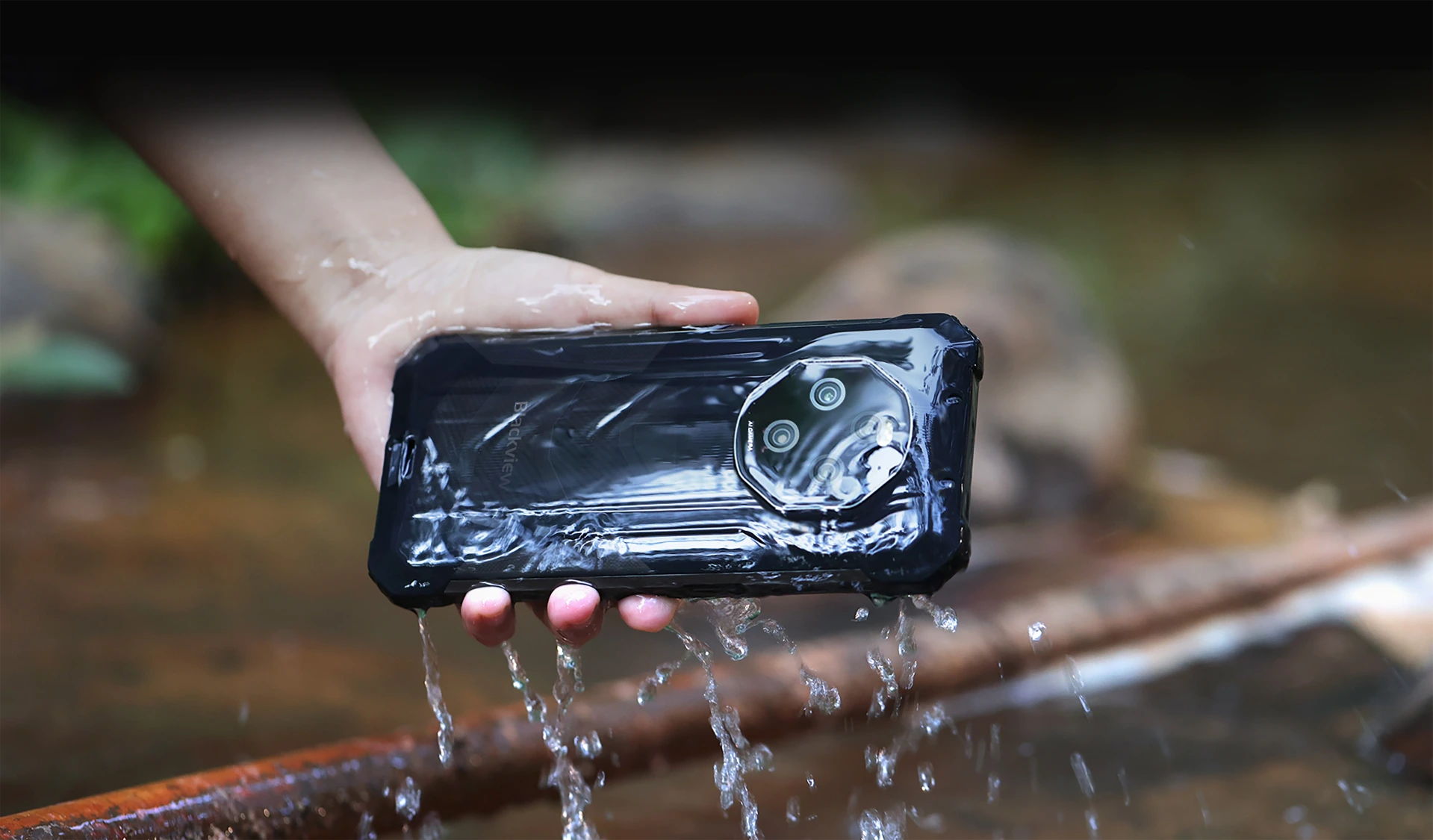
Водонепроникний і пилонепроникний із сертифікацією IP68 та IP69K
Створений для витривалості. Розроблений для ефективності
FORT 1 — ваш надійний міцний супутник, створений для витримки найжорсткіших умов з сертифікацією IP68 та IP69K. Чи то занурення у воду, чи то поховання в пил, Навіть у найекстремальніших умовах FORT 1 продовжує працювати — незламний і без компромісів.
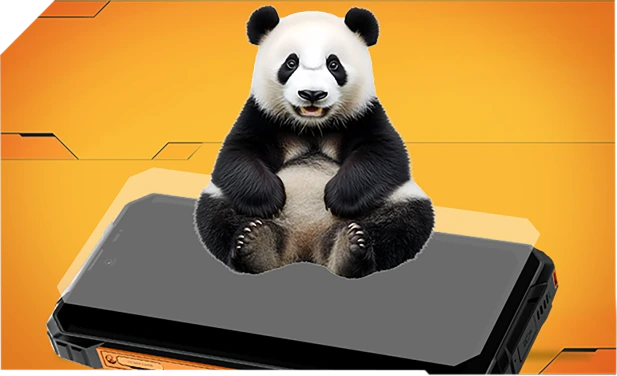
Посилений склом Panda і ущільнений по краях для кращого захисту від води — витримує навіть падіння у раковини чи пральні машини.
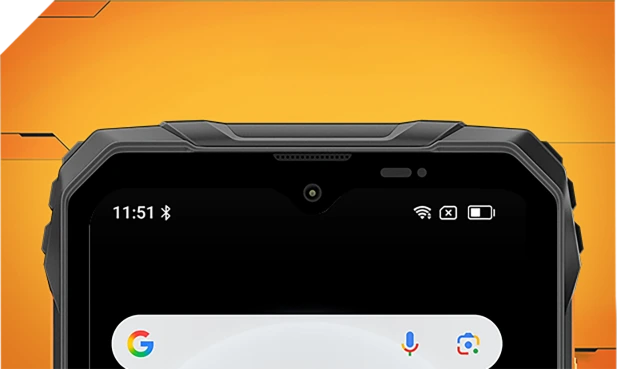
Водонепроникний зсередини і зовні з тонкими сітчастими фільтрами — залишається чітким і чистим незалежно від бризок чи бурі.
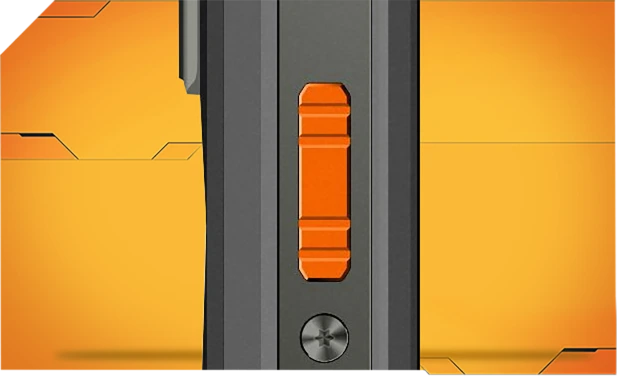
Виготовлений з корозійностійкого алюмінію і ущільнений водонепроникними кільцями для надійного контролю під дощем, у багні чи пилюці.

Щільно запечатане скло Asahi тримає лінзи чистими і сухими навіть під водою.
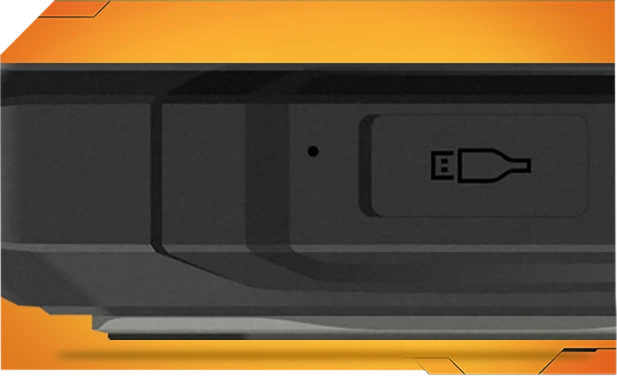
TPU-заглушки портів захищають від 99% води і пилу — протестовані понад 10 000 разів для безтурботного використання на вулиці.
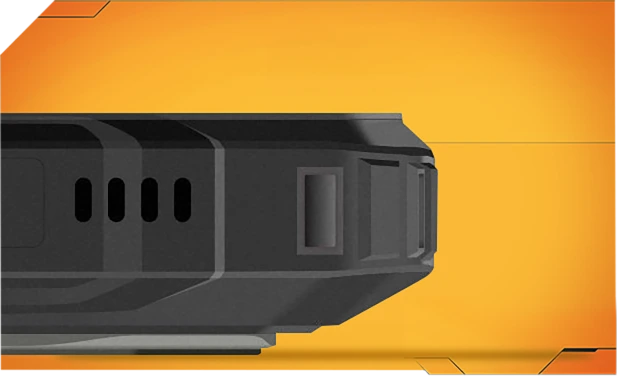
Одне натискання видаляє воду і пил з динаміка за допомогою розумної звукової технології — забезпечуючи чистий звук будь-де і будь-коли.
Найміцніший MIL-STD-810H
Сертифікована міцність. Готовий до будь-чого.
Пройшов випробування за суворим стандартом MIL-STD-810H, FORT 1 створений для виживання в екстремальних умовах — тепло, холод, вологість, падіння, пил і вібрації. Чи ви на будівництві, у горах чи під дощем, він працює, коли інші здаються.

Посилений для найжорсткіших падінь
Збудований міцним зсередини, FORT 1 витримує падіння, удари та грубе поводження — без громіздкого вигляду.
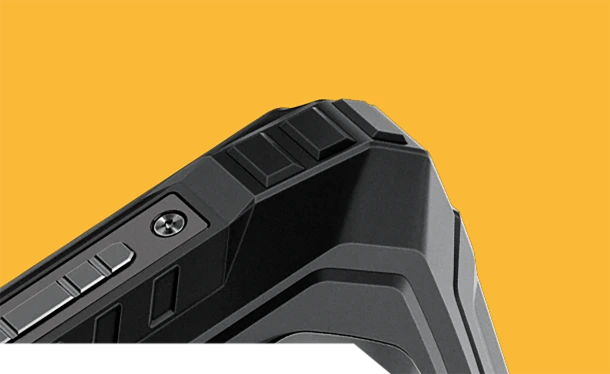
Антиударні кути
Спеціально посилені краї поглинають удари там, де це найважливіше.
Міцна задня кришка
Високоміцний корпус + м’яка гума = серйозний захист від падінь.


Авіаційного класу Металевий каркас
Міцний алюмінієвий сплав, закріплений гвинтами — надійний і стійкий.
Справжня витривалість у реальному житті, куди б ви не пішли
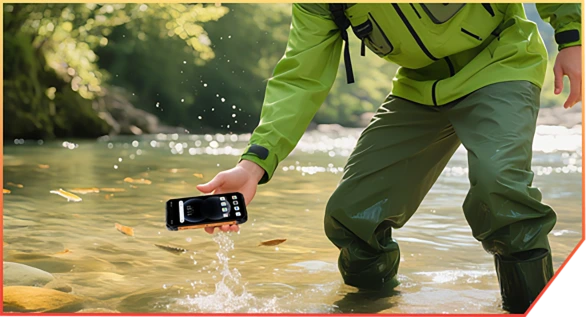
Прослизнув у струмок під час каньйонінгу

Впав під час доставки на склад

Відскочив від каменів на гірській стежці
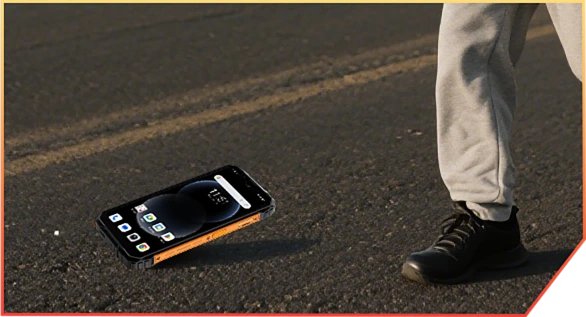
Випав з вантажівки на будівельному майданчику
№6 з AI. Кожен
Момент збережено, пам’ятний
AI-магiя. Кожен кадр — готовий до пригод.
Жодних фільтрів. Жодних повторних зйомок. Лише розумне, міцне редагування, яке працює де б ви не були — у багні, пилюці чи горах.
 Чарівний ластик
Очистіть кадр від натовпу, безладу чи хаосу одним дотиком. Залиште лише важливе.
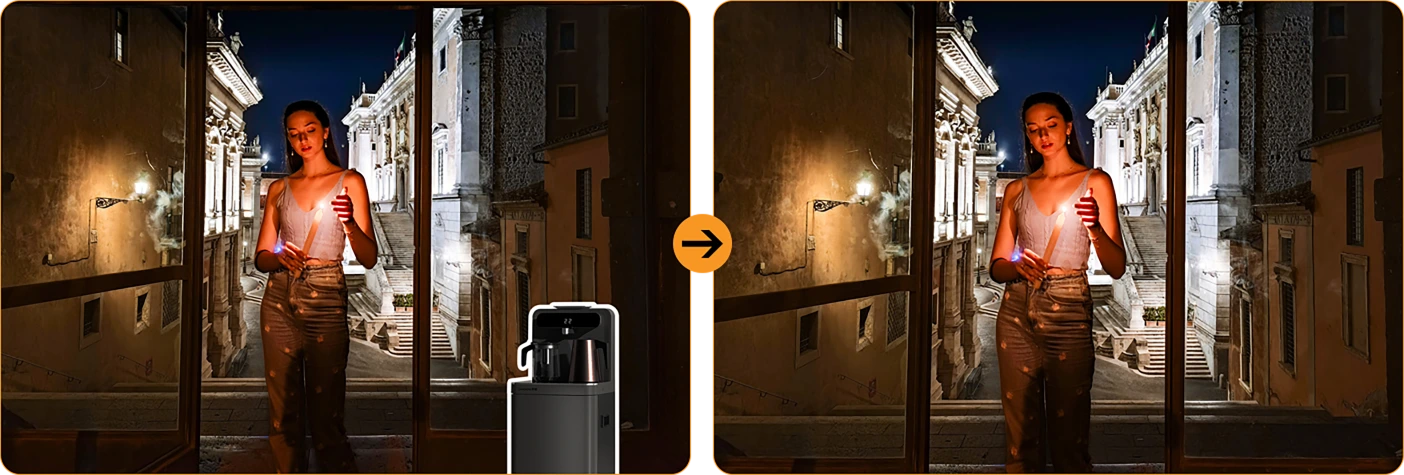
 Заміна неба одним дотиком
Дощовий знімок? Похмуре небо? Замініть їх на сонце, зірки або драматичну бурю.



Розмиття портрету
Зробіть вашу команду яскравою — розмийте фон,
не момент.
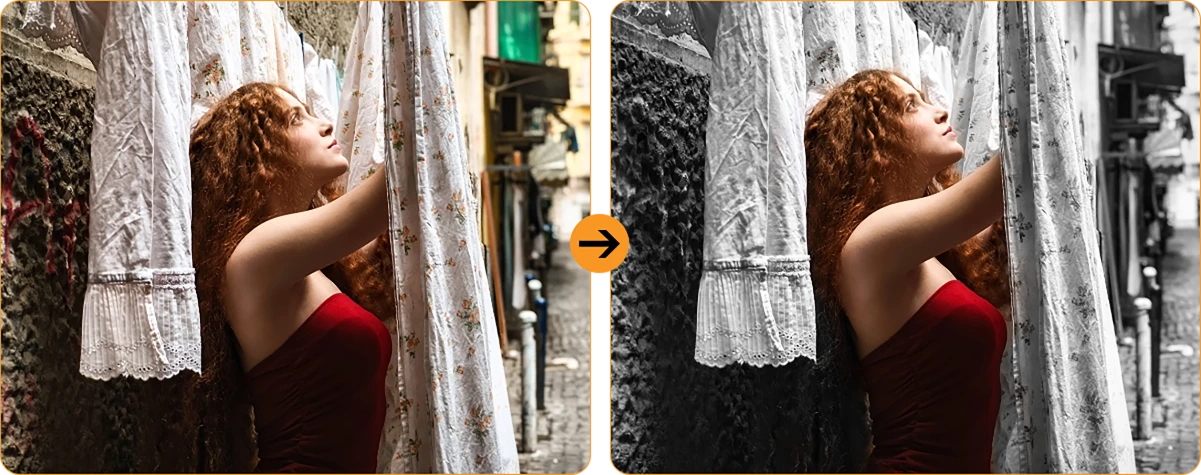
 Фокус на кольорі
Приглушіть шум, підкресліть свій настрій. Яскраве виділяється краще.
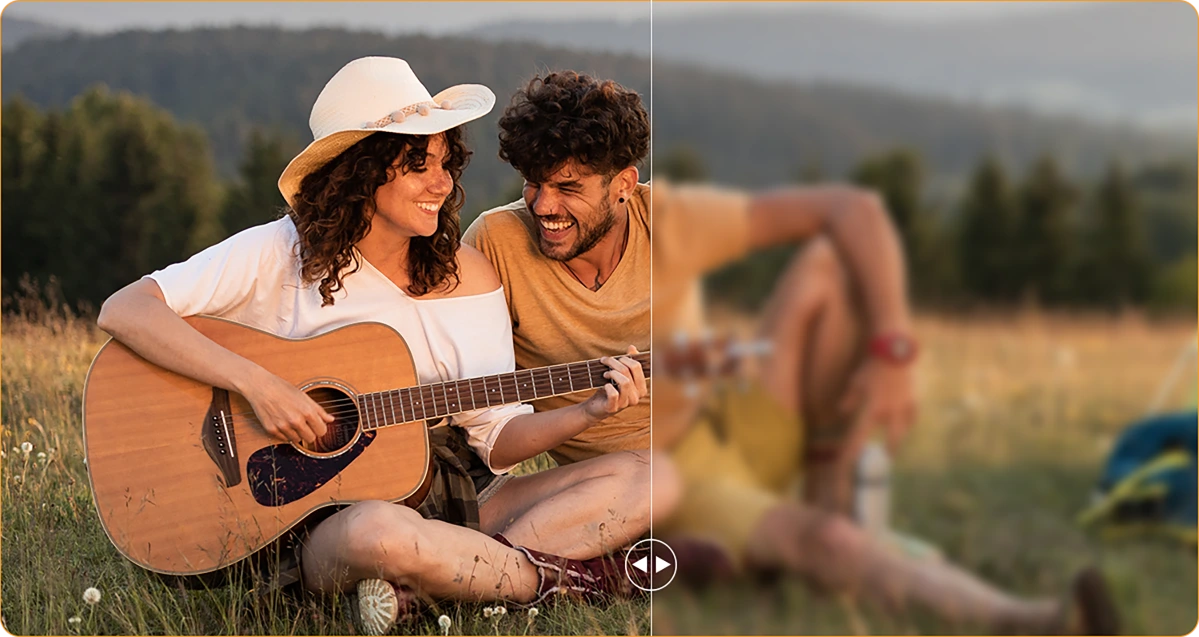
 Розмиття фото
Тремтячі руки? Запилений об’єктив? AI робить знімок чітким, ніби нічого й не було.
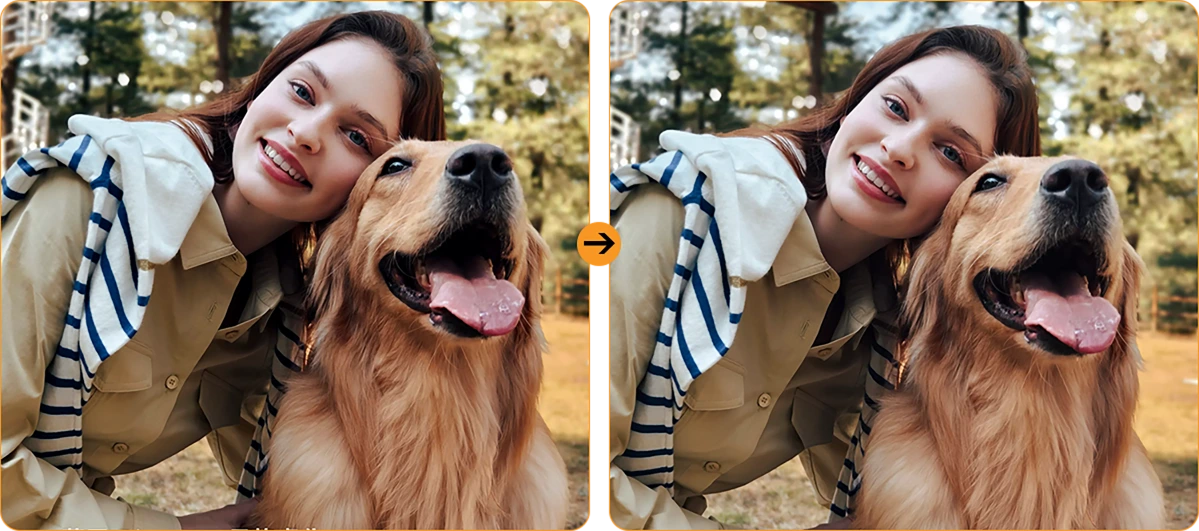
Світло для портретів
Низьке освітлення — не проблема. Ви залишаєтеся освітленими навіть на заході сонця або під світлом багаття.
Основна камера 16MP з AI
Чіткі знімки. Справжні моменти.
Від деталей на будівельному майданчику до вихідних пригод, основна камера 16MP з AI захоплює все — чітко, яскраво і готово до спільного використання. Без зайвих турбот, просто чудові результати щоразу, коли ви натискаєте.

Основна камера 16MP з AI
Чіткі знімки. Справжні моменти.
Від деталей на будівельному майданчику до вихідних пригод, основна камера 16MP з AI захоплює все — чітко, яскраво і готово до спільного використання. Без зайвих турбот, просто чудові результати щоразу, коли ви натискаєте.


Світло для обличчя
світиться, коли
Природа не
Забудьте про темні, зернисті селфі. Завдяки вбудованому підсвічуванню обличчя ваше обличчя залишається яскравим і чітким — навіть при слабкому світлі, контровому світлі або повній темряві.
HDR
Збалансовано та природно
Високий динамічний діапазон (HDR) захоплює кожну деталь — покращуючи контраст, колір і світло, щоб ваші фото виглядали яскраво навіть у складному освітленні.
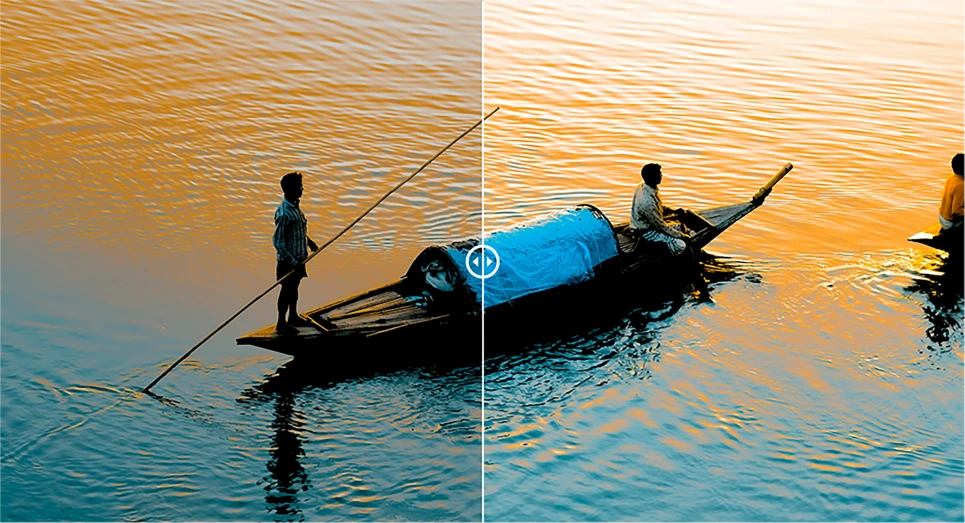
Портрет
Глибина, що привертає увагу
Зосередьте увагу на об'єкті з розмиттям фону, що додає глибини та драми — завдяки AI для ідеального професійного вигляду.

Краса
Виглядай свіжо, відчувай природно
Гладка шкіра, яскравіший тон і трохи магії AI — ідеально для швидких селфі, які виглядають природно.

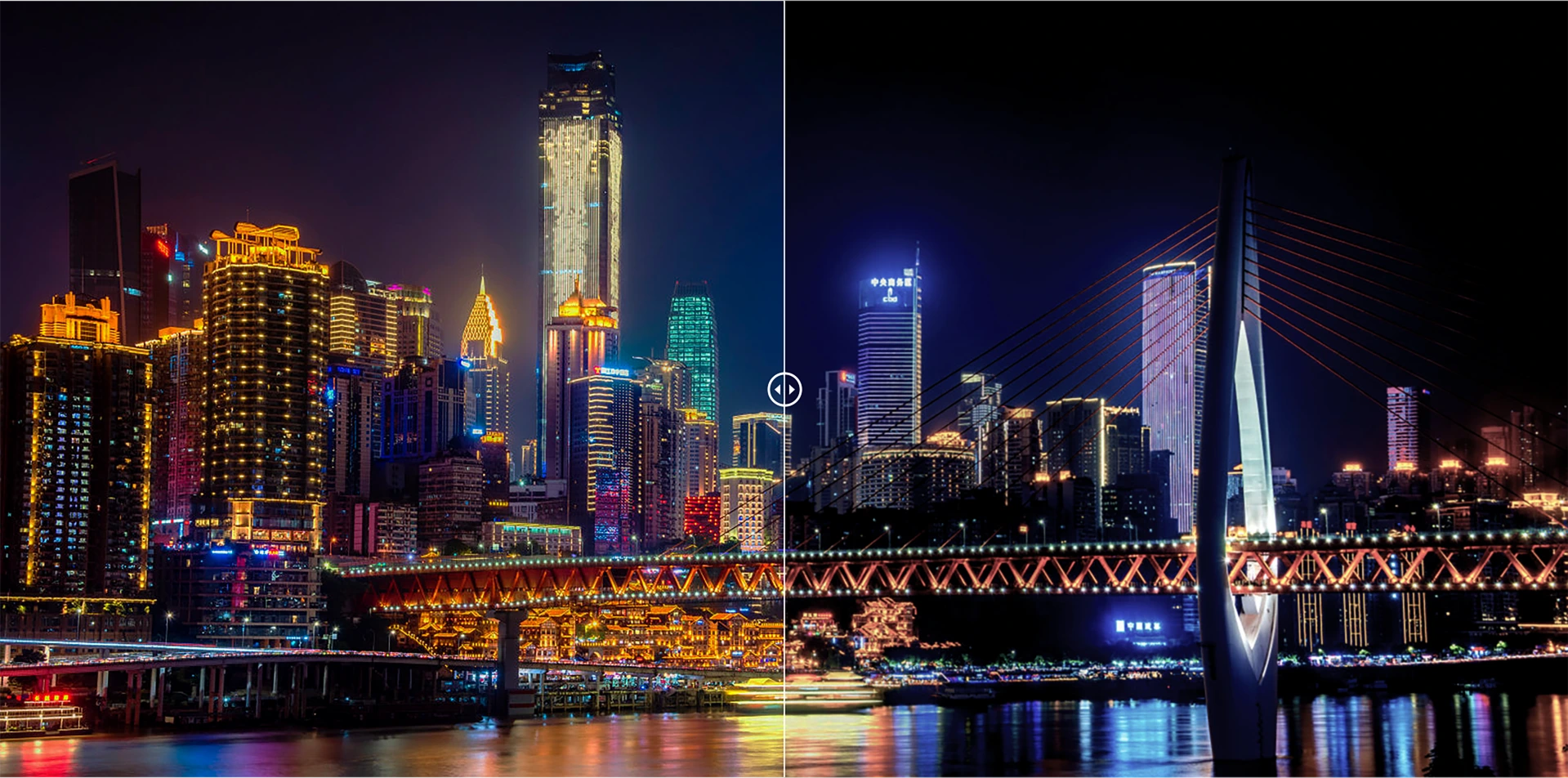
Ніч
Яскраві ночі, чіткі деталі
Знімайте ніч без шуму. Автоматичне покращення експозиції робить сцени чіткими та яскравими, навіть при слабкому освітленні.
Останній DokeOS 4.2 версія 7
На базі Android 15
| Модель | FORT 1 |
| Колір | Чорний, помаранчевий, зелений |
| Розміри | 176.15 * 80.1 * 17.5mm |
| Вага | 390г |
| ОС | DokeOS 4.2 на базі Android 15 |
| Дисплей | 6.56-дюймовий HD+ IPS, роздільна здатність 720 * 1612 Частота оновлення 90Гц, співвідношення екрану до body 83% |
| ЦПУ | Восьмиядерний Unisoc Tiger T615 |
| ОЗП & ПЗП | 6ГБ ОЗП & 256ГБ ПЗП, розширення до 12ГБ 4ГБ ОЗП & 128ГБ ПЗП, розширення до 8ГБ LPDDR4X + eMMC 5.1 |
| Розширення TF | Підтримка розширення до 2ТБ |
| Акумулятор | 10000мАг; швидка зарядка 18W |
| Фронтальна камера | 8MP |
| Задня камера | 16МП основна + 2МП глибина |
| Динамік | 1 шт. Smart - K Box динамік |
| Навігація | GPS+GLONASS+Galileo+Beidou |
| Слот для карт | Три; 2*nano SIM + 1*TF карта |
| NFC | Підтримка |
| Подвійний 4G VoLTE | Підтримка |
| Wi-Fi & Bluetooth | IEEE802.11 a/b/g/n/ac; BT 5.2 |
| Підключення до мережі | 2G діапазон: B2/B3/B5/B8 3G діапазон: B1/B2/B4/B5/B8 4G діапазон: FDD:B1/B2/B3/B4/B5/B7/B8/B12 B13/B17/B19/B20/B26/B28A/B28B/B66 TDD:B40/B41 |
| Модель | FORT 1 |
| Колір | Чорний, Помаранчевий, Зелений |
| Розміри | 176.15 * 80.1 * 17.5mm |
| Вага | 390г |
| ОС | DokeOS 4.2 на базі Android 15 |
| Дисплей | 6.56-дюймовий HD+ IPS, роздільна здатність 720 * 1612 Частота оновлення 90Гц, співвідношення екрану до body 83% |
| ЦПУ | Восьмиядерний Unisoc Tiger T615 |
| ОЗП & ПЗП | 6ГБ ОЗП & 256ГБ ПЗП, до 12ГБ розширення 4ГБ ОЗП & 128ГБ ПЗП, до 8ГБ розширення LPDDR4X + eMMC 5.1 |
| TF розширення | До 2ТБ розширення |
| Акумулятор | 10000мАг; швидка зарядка 18W |
| Фронтальна камера | 8MP |
| Задня камера | 16МП основна + 2МП глибина |
| Динамік | 1 шт. Smart - K Box динамік |
| Навігація | GPS+GLONASS+Galileo+Beidou |
| Слот для карт | Три; 2*nano SIM + 1*TF карта |
| NFC | Підтримка |
| Подвійний 4G VoLTE | Підтримка |
| Wi-Fi & Bluetooth | IEEE802.11 a/b/g/n/ac; BT 5.2 |
| Мережа Підключення | 2G діапазон: B2/B3/B5/B8 3G діапазон: B1/B2/B4/B5/B8 4G діапазон: FDD:B1/B2/B3/B4/B5/B7/B8/B12 B13/B17/B19/B20/B26/B28A/B28B/B66 TDD:B40/B41 |
• Пакет для ЄС: Адаптер живлення не входить у комплект
• Пакет для країн, що не входять до ЄС: Адаптер живлення входить у комплект

Who is the Blackview FORT 1 rugged phone designed for?
The Blackview FORT 1 suits construction workers, maintenance technicians, farmers, delivery personnel, and outdoor enthusiasts who enjoy camping or hiking. It is also an excellent choice for those who frequently work in dusty or rainy environments and require a device for communication, navigation, and daily tasks.
With its high-capacity battery and rugged, durable build, it helps users stay connected, access work-related information, take photos, and use navigation tools in their everyday lives.
How does the Blackview FORT 1 perform when switching between everyday apps?
The Blackview FORT 1 is capable of handling everyday tasks, such as sending and receiving messages, managing emails, using navigation, and browsing the web—for instance, checking an email, switching to reply, and then returning to your browser. However, it may respond more slowly when running demanding applications, such as large-scale games.
If you notice a significant slowdown when switching between apps, first check whether there are any background tasks—such as downloads, software updates, or resource-intensive applications—running. You may want to wait for these tasks to finish or try restarting your phone.
Does the Blackview FORT 1 have a 10,000mAh battery?
Yes. The Blackview FORT 1 is equipped with a large-capacity 10,000mAh battery. This provides an ample power reserve for tasks such as making calls, sending and receiving messages, navigation, and entertainment—ideal for situations where you are away from charging facilities for long periods or unable to charge while working.
Actual battery life depends on how the device is used. Activities such as continuous navigation, gaming, using high screen brightness, or operating in areas with weak mobile signal will consume more power. Before embarking on a long trip, it is recommended to fully charge the phone and consider whether you need to bring a power bank, depending on the duration of your journey.
What charging speed does the Blackview FORT 1 support?
The Blackview FORT 1 supports wired charging at up to 18W (requires a compatible charger and cable). Even if a charger with a higher power rating is used, the charging speed will not exceed 18W.
Charging speed will gradually slow down as the battery nears full capacity. Using the phone while it is charging, or charging it in a high-temperature environment, may extend the time required for a full charge. Furthermore, given the device's large 10,000mAh battery, a full charge will take some time; please ensure you allow sufficient time if you intend to fully charge the phone before heading out.
Can I use the Blackview FORT 1 to charge other devices?
Yes. The Blackview FORT 1 supports 5W OTG reverse charging, so you can power compatible devices via a wired connection. This is useful for topping up other phones or small accessories when a power outlet isn't available.
Simply connect the devices using an appropriate OTG adapter and charging cable, then verify that charging has begun. With an output power of 5W, this feature is best suited for emergency charging. Please note that this will consume the FORT 1’s own battery, so ensure you retain enough power for your own essential needs, such as making calls or using navigation.
Is it normal for Blackview FORT 1 to get warm while charging?
It is normal for the device to generate some heat during charging, as the process itself produces thermal energy. Using the phone—such as watching videos, using navigation, or running other applications—while it is charging will cause it to heat up further.
We recommend using a compatible charger and cable, and charging the device in a cool environment. If the phone becomes excessively hot or displays a temperature warning while charging, please disconnect it from the power source and allow it to cool down before further use.
Does the Blackview FORT 1 come with a power adapter?
Included accessories depend on the regional version purchased. The EU version does not include a power adapter, while non-EU versions do. Please check your order details to confirm the specific version and plug type you selected.
If your version does not include an adapter, you can use an existing compatible charger or purchase one separately. To ensure the phone charges at its maximum speed, it is recommended to use a charger and cable that support 18W charging.
What can the Blackview FORT 1’s AI assistant help me with?
The AI assistant on the Blackview FORT 1 can help answer questions, explain information, and assist with daily tasks through text or voice interaction. It can also launch applications, adjust system settings, and provide support based on the content currently displayed on the screen.
To get more accurate results, be clear and specific about your needs—for example, you can ask it to explain complex topics in simpler, more accessible terms, or to help you organize your thoughts. Always verify key information before relying on its answers or taking action based on its suggestions.
What does the Blackview FORT 1’s adaptive 90Hz refresh rate do?
The adaptive refresh rate feature automatically toggles between 60Hz and 90Hz based on your current activity. At 90Hz, scrolling and animations appear much smoother; in scenarios where high fluidity isn't required, the refresh rate drops to help reduce screen power consumption.
This difference is most noticeable when browsing the web, checking messages, or navigating through app menus—it enhances the smoothness of on-screen motion. Please note that not all games can run at 90 frames per second (FPS); gaming performance depends on the specific application and the phone's hardware capabilities.
Can I use the Blackview FORT 1’s touchscreen while wearing gloves?
Yes. The Blackview FORT 1 supports "Glove Mode 2.0," allowing you to operate the touchscreen even while wearing gloves. This is highly practical for outdoor work—for instance, when you need to quickly answer calls, check messages, or look up navigation routes.
You can enable "Glove Mode" in the phone's settings and test it using the gloves you typically wear. Touch responsiveness may vary depending on the material and thickness of the gloves; Thicker gloves or those with heavy insulation might affect the precision of your interactions.
What protection does the Blackview FORT 1 offer for outdoor work?
The Blackview FORT 1 features IP68 and IP69K ingress protection ratings and complies with the MIL-STD-810H testing standard, providing effective resistance against dust, moisture, and impacts encountered during outdoor work.
When using the device, ensure that the SIM card tray and all protective covers are securely closed. If the device sustains a severe impact, check for any visible damage. If the phone gets wet, ensure the charging port is completely dry before attempting to charge it. Additionally, please note that protective seals may wear down over time; therefore, even with a rugged device like this, careful handling during daily use is still recommended.
Is the Blackview FORT 1’s camera suitable for photographing documents and equipment?
Yes, it is. The Blackview FORT 1 features a 16MP main camera, which is well-suited for everyday tasks such as documenting paperwork, equipment, labels, or work progress—delivering the best results in well-lit environments. When capturing content that includes text or fine details, ensure your composition is clear and the focus is sharp.
When photographing documents, keep the phone parallel to the page to avoid shadows or reflections. When photographing equipment, it is recommended to first take an overall shot, followed by close-up shots of specific details you need to record.
How can I manage unwanted notifications on the Blackview FORT 1?
First, identify which application (app) is sending the notifications. You can then long-press the notification to access control options, or navigate to the notification management page for that specific app within "Settings." From there, you can disable certain categories of notifications while keeping important alerts enabled.
For promotional messages, check the recommendation or marketing settings within the app itself. If you cannot locate the notification controls, or if unwanted alerts continue to appear, please contact our customer support team—be sure to include a screenshot, the name of the app, and the software version.
What should I do if the Blackview FORT 1’s speaker sounds distorted or cuts out?
First, try playing different audio clips in various applications to determine whether the issue affects all sound or is limited to a specific app. Also, check to see if the audio is being routed to a connected Bluetooth device instead of the phone’s built-in speaker.
Additionally, try setting the volume to a moderate level, ensure that the speaker openings are not obstructed, and restart your phone. If the issue—such as sound distortion or interruptions—persists across multiple applications, you may want to have the device inspected by a professional.
Jump to another section