



Blackview FORT 1 6.56-tums 90Hz smart AI-skärm Unisoc Tiger T615 Octa-core 10000mAh 4G AI robust telefon

Slut i lager
Höjdpunkter
Höjdpunkter
✔6,56-tums HD+ IPS 90Hz Smart AI-skärm
✔Unisoc T615 Octa-core-processor
✔10000mAh Batterimonster med 48 dagars sinnesro
✔IP68&IP69K& MIL-STD-810H Certifierad
Informationer
Informationer
Blackview FORT 1 är en robust 4G-telefon designad för användare som behöver lång batteritid, praktisk hållbarhet och smidig vardagsanvändning. Dess 6,56-tums 90Hz HD+-skärm, Unisoc Tiger T615-processor och 10 000 mAh-batteri gör den användbar på arbetsplatser, vid resor och i utomhusrutiner. Med 18W snabbladdning, 16MP + 2MP bakre kameror, NFC, dubbla 4G VoLTE, fyrdubbel navigering, en Smart-K-högtalare och Android 15-baserade DokeOS 4.2 erbjuder den pålitlig prestanda i en tuff och praktisk body.
Om varumärket
Om varumärket
På Blackview tror vi att fantastisk teknik ska gå bortom imponerande specifikationer. Den ska passa verkliga livet, lösa verkliga problem och vara pålitlig när det verkligen gäller.
Blackview började med robusta telefoner byggda för tuffa miljöer. Idag erbjuder vi ett bredare ekosystem av smarta enheter, inklusive smartphones, surfplattor, bärbara datorer, smartklockor, ljudprodukter och mer.
I varje kategori är vårt fokus detsamma: hållbar kvalitet, praktisk innovation och tillgängliga priser. Vi designar produkter som känns pålitliga från dag ett.
Vi förstår vad kunder värdesätter mest: smidig prestanda, långvarig pålitlighet, användbara funktioner och teknik som gör vardagen enklare utan onödiga kostnader.
Därför lägger Blackview verklig omsorg på produkttestning, användarupplevelse och funktioner som tillför verkligt värde till arbete, resor, skapande, utomhusäventyr och daglig kontakt.
Blackview är gjort för människor som vill ha teknik de kan lita på: smarta, kapabla enheter byggda för att hänga med i det moderna livet.
Påliteliga från början. Praktiska av naturen. Gjorda för verkliga livet.
Frakt och returer
Frakt och returer
• Frakt: Beställningar behandlas inom 1–2 arbetsdagar. Standardleverans tar 3–7 arbetsdagar beroende på din plats.
• Returer: Du kan returnera eller byta produkter inom 30 dagar efter att du mottagit din beställning. Artiklar måste vara i originalskick med inköpsbevis.
Om din vara är defekt eller skadad på grund av tillverkningsfel byter vi gärna ut den utan extra kostnad.

 FORT 1
Tänk snabbare.
Håller längre. Håller dig säkrare.
Smartare AI. Marathon 10000mAh
Batteri. Toppklassig MIL-STD-tålighet.

Robust design
Din röst, din nyckel
Inspirerad av de beständiga fästningarnas arkitektur är FORT 1 konstruerad för att klara extrema förhållanden. Dess robusta konstruktion speglar militärklassad tålighet.

Snöre
låter dig fästa, hänga eller säkra den var du än går.

Fingeravtryck
Låsstöd
ger en genväg för att låsa upp, väcka och styra din enhet.
Nr 1 Fantastisk visning på 6,56″ 90Hz Smart AI-skärm
Nr 2 10000mAh Batterimonster med 48 dagars sinnesro
Nr 3 Problemfri. Handsfree. Drivs av Doke AI
Nr 4 Klarar uppgifter lätt med Unisoc T615 Octa-core Processor & upp till 18GB RAM & 256GB ROM & 2TB TF Lagring
Nr 5 IP68&IP69K& MIL-STD-810H certifierad robust kropp
Nr 6 AI-driven. Varje ögonblick bevaras minnesvärt
Nr 7 Senaste DokeOS 4.2 baserad på Android 15
Nr 1 Fantastisk visning på 6,56"
90Hz Smart AI-skärm
6,56-tums HD+ IPS-skärm
Se mer. Scrolla enkelt
FORT 1 har en 6,56-tums HD+ skärm som gör jobbet – klar, responsiv och lättläst oavsett om du är inomhus eller under öppen himmel. Byggd för att vara tålig och rätt storlek för verklig användning, den balanserar synlighet med portabilitet.
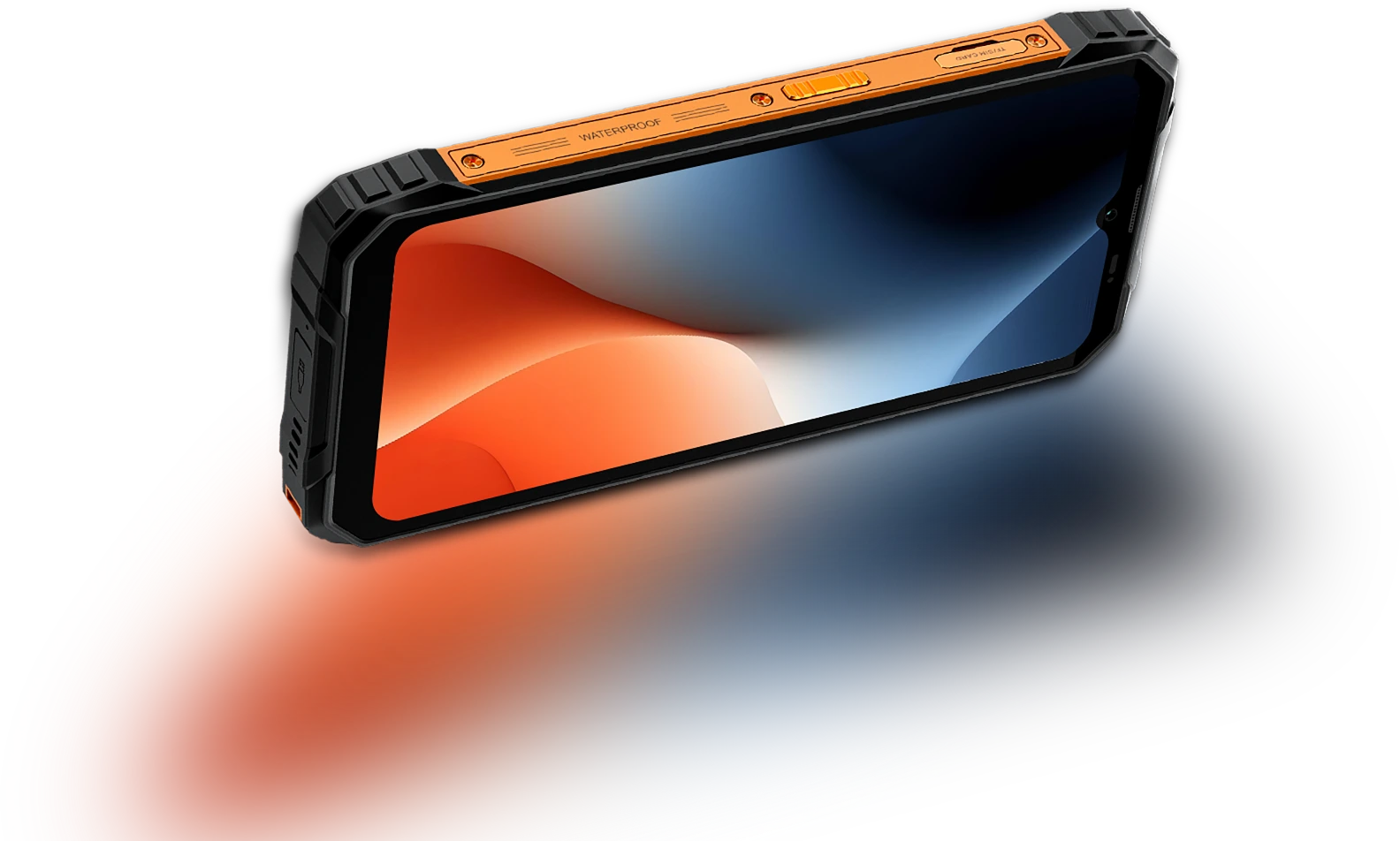
Touch Sampling Frekvens
180Hz
Skärm-till-kropp Förhållande
83%
Tunnare & lättare
INCELL IPS
PPI
269
Upplösning
720*1612 pixlar
Ljusstyrka
450nits
Bildförhållande
20:9
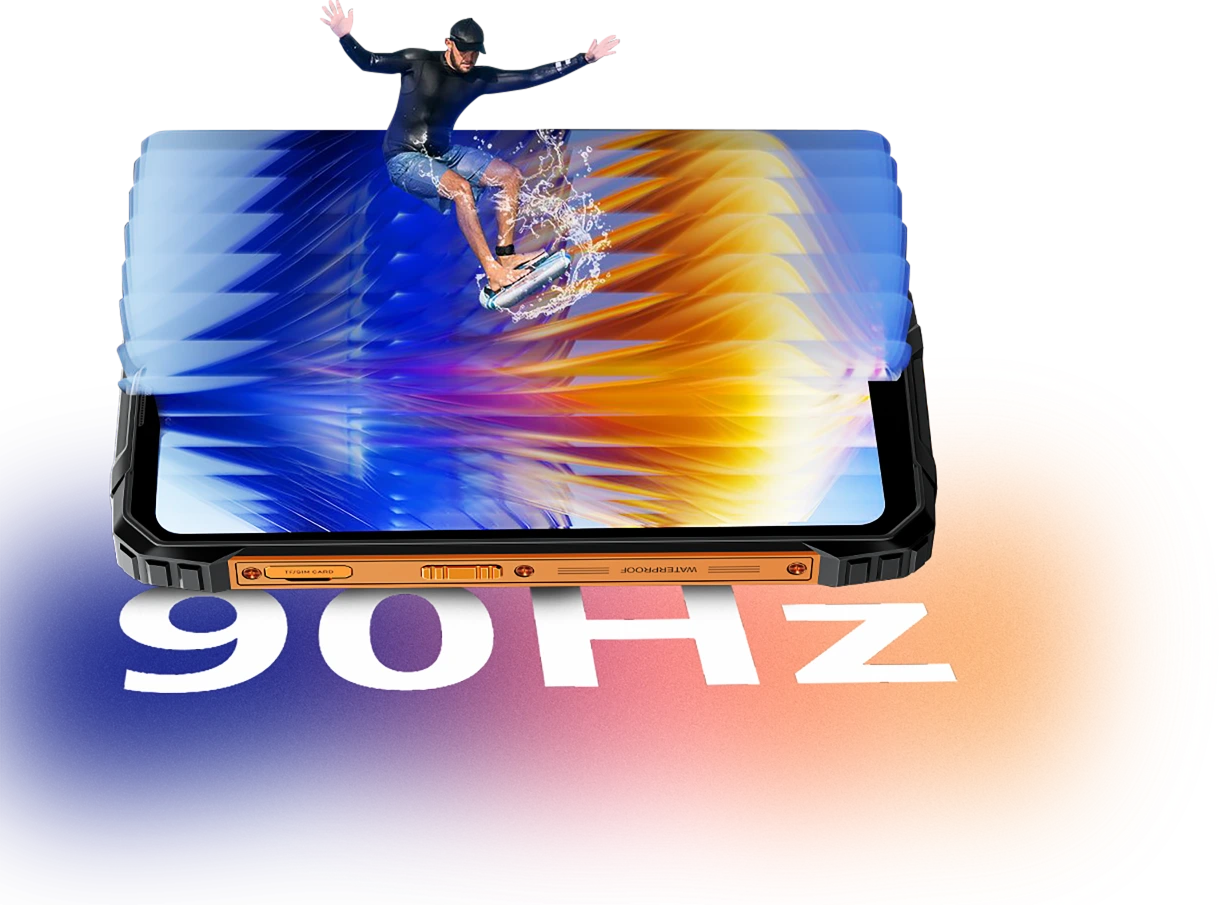
Smart AI-adaptiv 90Hz
Uppdateringsfrekvens
Varje svep. Varje
Bildruta. Endast
Flyt
Oavsett om du scrollar genom meddelanden, kollar kartor eller granskar jobbuppdateringar, håller FORT 1:s smarta AI-adaptiva 90Hz uppdateringsfrekvens allt smidigt när du behöver det, och växlar till lägre uppdateringsfrekvens när du inte gör det.
60Hz
håller saker mer effektiva för läsning, sms eller standby.

90Hz
aktiveras för smidigare scrollning, mer flytande svepningar och animationer.


Ögonkomfort är viktigt
Skonsammare för ögonen,
Dag eller natt
Oavsett om du jobbar långa timmar, läser utomhus eller varvar ner på kvällen, är Blackview FORT 1 byggd för att minska ögonansträngning. Med smarta skärmlägen som anpassar sig efter din omgivning, du håller dig bekväm och fokuserad, oavsett tid eller uppgift.
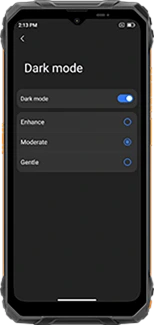
Flerlagers mörkt läge
(Förstärkt/Moderat/Mjuk)
ger ett mörkare, mer behagligt gränssnitt
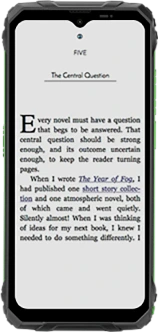
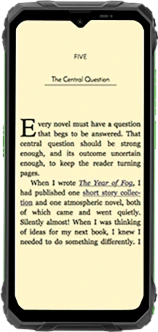
Läsläge
dämpar ljusstyrkan och filtrerar hårt ljus för en papperliknande känsla
Nattljus
minskar blått ljus för att lindra ögontrötthet i svagt ljus
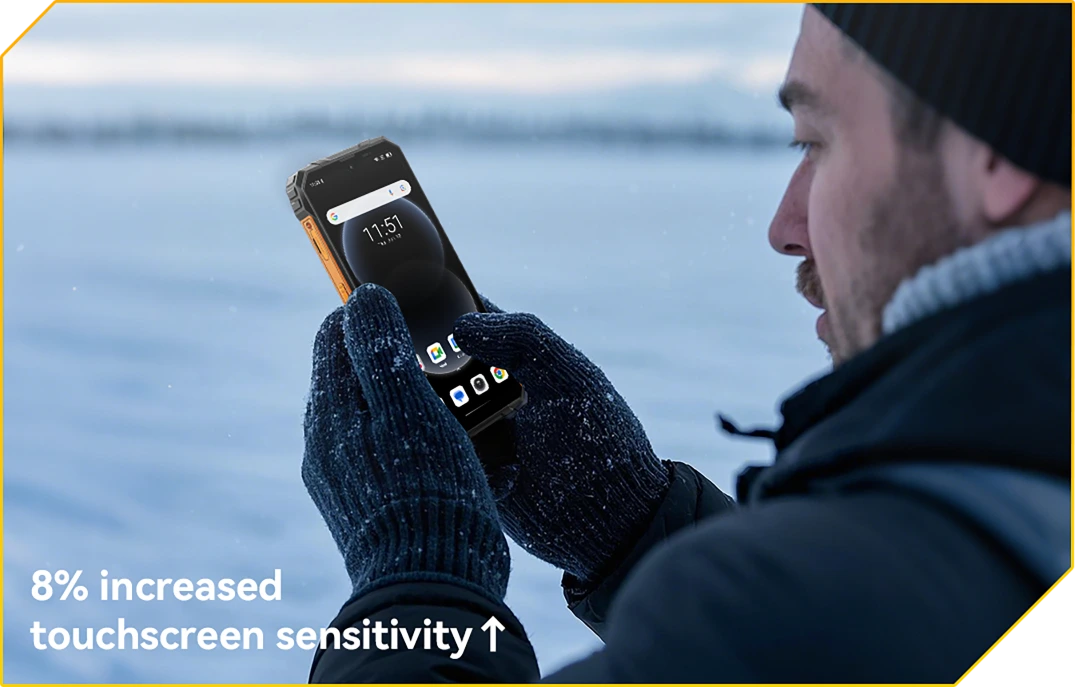
Handsksläge 2.0
Touch Ready. Även med handskar på
Tryck, svep och scrolla utan att ta av dig handskarna.
Nr 2 10000mAh Batterimonster
med 48 dagars sinnesro
10000mAh gigantiskt batteri
Kraften räcker. Dag ut och dag in
Med ett enormt 10000mAh-batteri är FORT 1 byggd för att hålla länge efter att andra ger upp. Oavsett om du är på en flera dagars skift, off the grid eller djupt ute i fält, du kan arbeta, navigera och kommunicera utan att oroa dig för nästa laddning.

12 timmar
Spel
43 timmar
Samtal
45 timmar
Musik
21 timmar
Webb
21 timmar
Standby
AI-adaptive
Charging Protection
säkerställer säkrare laddning och en
långvarigt batteri.
+1 år längre livslängd↑


AI strömsparläge
Algoritm
justerar automatiskt bakgrundsaktivitet, ljusstyrka och prestanda för förlängd batteritid.
Över 500 battericykler
med 80 % batteri
Batteritid bevarad
betyder 2~3 bekymmersfria användningar.


5W OTG omvänd laddningsstöd
Kraft att dela,
Var du än är
Behöver du ladda en annan enhet på språng? Med 5W OTG omvänd laddning fungerar FORT 1 som en portabel powerbank, så att du kan ladda dina hörlurar, ficklampa eller till och med en lagkamrats telefon, inget uttag behövs. Det är reservkraft i bakfickan.
Enheter med omvänd laddning

Nr 3 Bekymmersfritt. Handsfree.
Drivs av Doke AI.
Doke AI på FORT 1 ger nästa nivå av intelligens till din vardag – nu integrerad med världens ledande AI-modeller, inklusive DeepSeek-R1, ChatGPT-4o mini och Gemini AI 2.0 Flash Thinking Experimental. Oavsett om du är på plats, på språng eller ute i vildmarken, denna robusta AI-assistent håller det enkelt, smart och sömlöst.
Röstuppvakning &
Röstavtrycksigenkänning
Din röst.
Din åtkomst.
Säg bara ordet – även med handskar på eller händerna fulla. FORT 1 vaknar omedelbart och säkert med din unika röst.

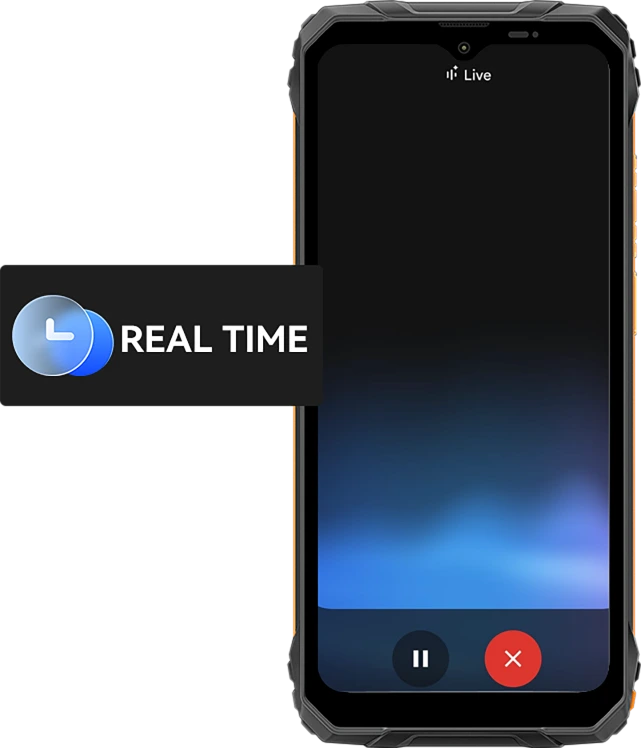
Röstinteraktion i realtid
Fråga snabbt. Få svar.
Snabbare.
Från snabba uppdateringar till realtidsråd, prata med din telefon och få omedelbara svar med 10 uttrycksfulla röststilar som Nova, Orbit eller Vega – användbara och mänskliga.
10 röstalternativ att välja mellan:
Skärmmedveten assistans
Hjälp, direkt på
Din skärm.
Ser du en fil, karta eller bild du behöver hjälp med? Fråga bara. Ingen appväxling. Inga distraktioner.

Global smart kontroll
En röst. Total kontroll.
Justera inställningar, starta appar och hantera verktyg, helt handsfree. Perfekt när du multitaskar eller har handskar på jobbet.


Gmail

Google Kalender

Google Keep

Google Tasks

Google Drive

Google Docs


Meddelanden

Telefon

Google Maps

Google Flights

Google Hotels

YouTube

YouTube Music
Den smartaste kreativa sidekicken
Hej Doki App AI Smart Chat Assistant
Din AI-kompis för varje uppgift och idé
Oavsett om du brainstormar på en byggarbetsplats eller får hjälp med dagliga uppgifter, är Hi Doki alltid redo.

ImageX App
Kraftfulla AI-fotoredskap för verkliga äventyr
Även i de tuffaste miljöerna förtjänar dina foton proffsig finish. Med 18 AI-redigeringsfunktioner, ImageX på FORT 1 förvandlar fältbilder, utomhusbilder och vardagsögonblick till delningsvärda visuella upplevelser, snabbt och enkelt.
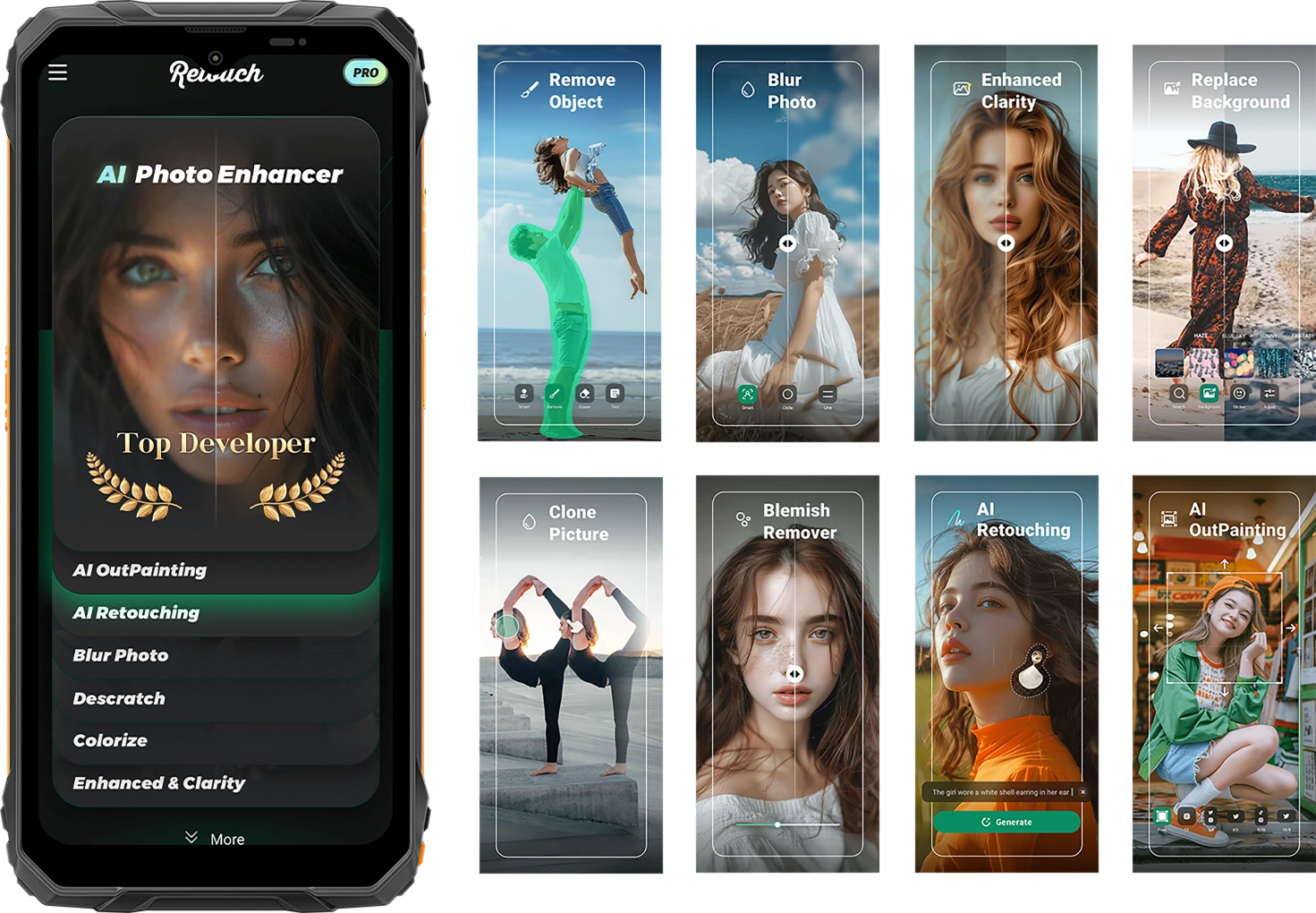
Fånga livet rått. Dela det förfinat.
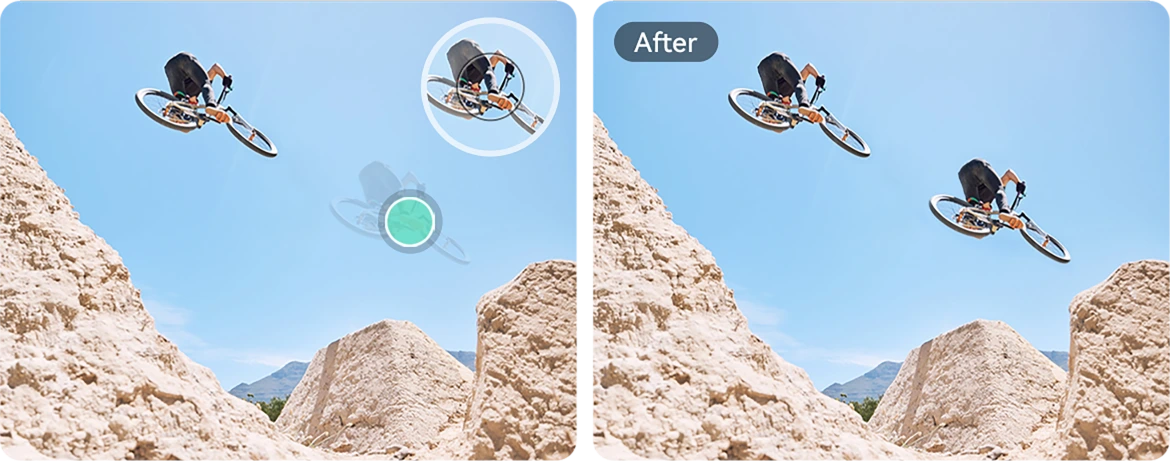
AI Object Removal
Radera oönskade objekt, främlingar eller utrustningsstök på sekunder. Håll fokus där det betyder mest.

AI-adaptive
Charging Protection
Ett tryck gör allt. Smarta justeringar för ljus, färg och balans — inga redigeringskunskaper krävs.


AI Photo
Retouching
Automatiskt jämna ut hud, fixa belysning och förbättra porträtt för ett rent, naturligt utseende.
AI OutPainting
Utöka kanterna på din bild för att visa mer landskap, mer kontext — mer berättelse.

AI Photo Blur
Bilda suddiga eller störande bakgrunder så att ditt motiv framträder skarpt och tydligt.
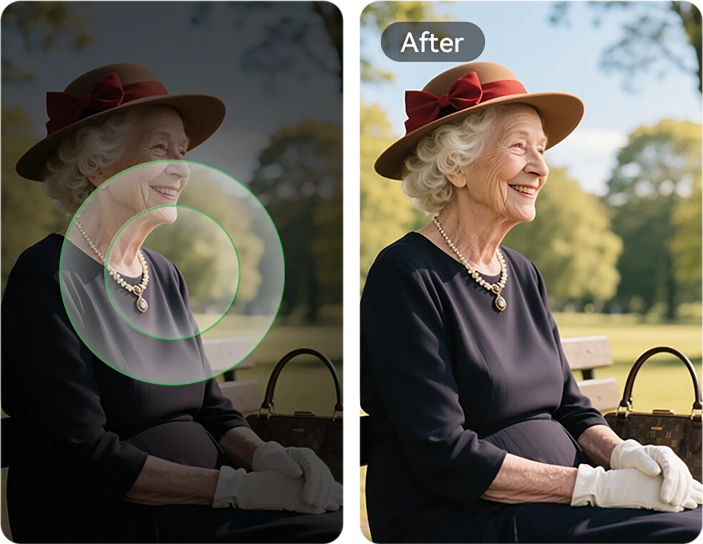
AI Background Replace
Från bergsstigar till arbetsplatser — byt bakgrund direkt för att matcha ditt humör eller budskap.

Blemish Remover
Upptäck och förbättra enkelt hudfel, små fläckar eller imperfektioner på hud eller fotoytor, så att din bild blir felfri och ren.

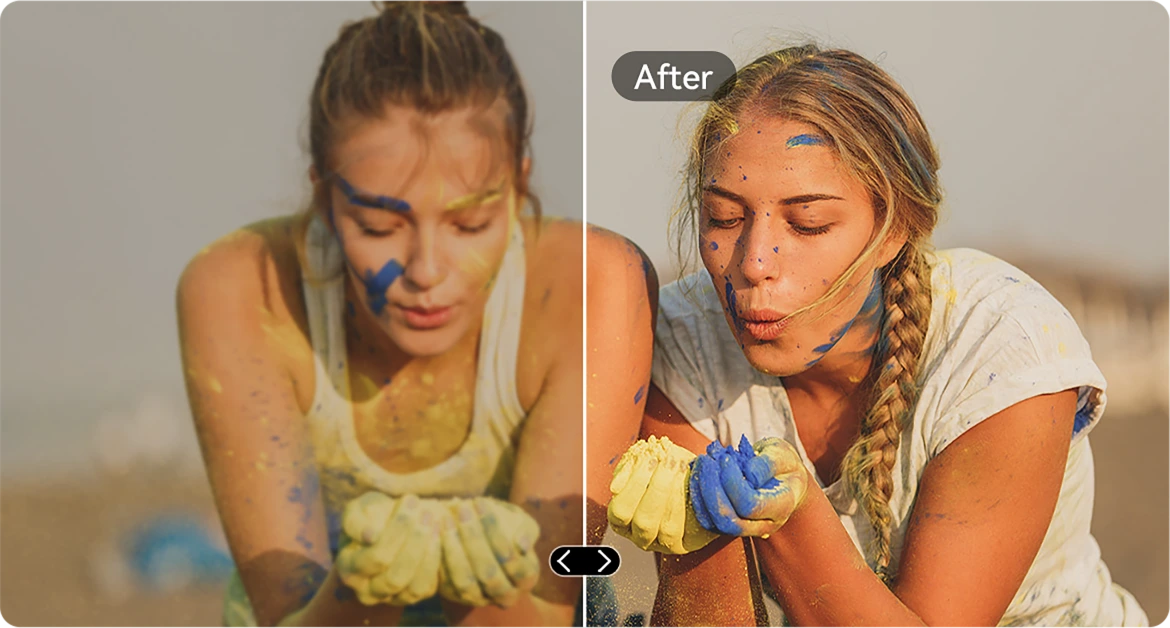
AI Clarity Enhancement
Skärp suddiga eller mörka bilder så att varje detalj framträder — även i snabbrörliga situationer.
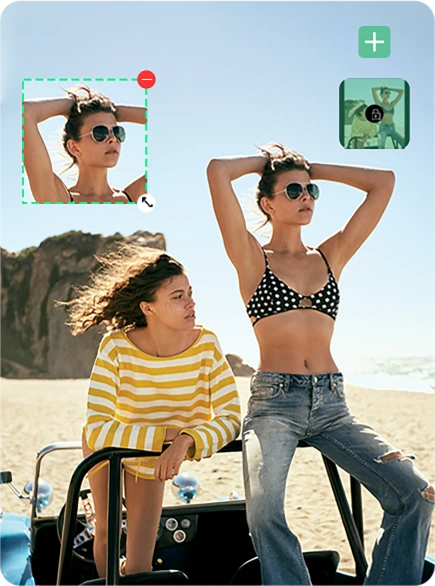
AI Picture Paste
Kopiera element mellan foton. Placera verktyg, taggar eller personer exakt där du vill ha dem.
AI Scratch Removal
Återställ repade, skadade eller åldrade bilder till nästan originalkvalitet med ett enda tryck.
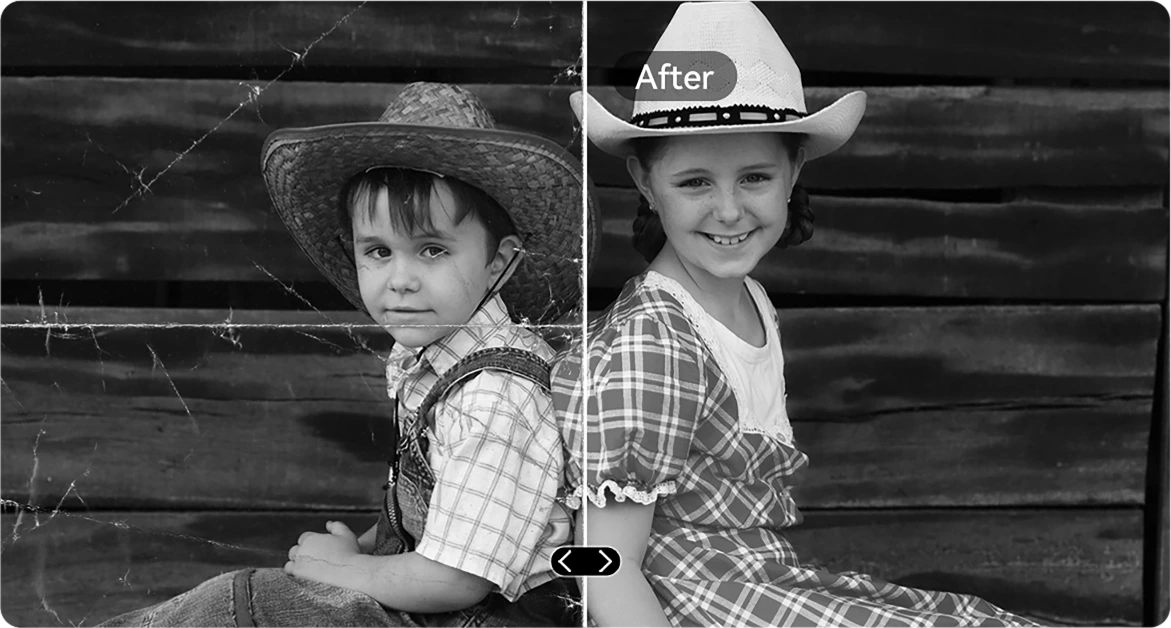
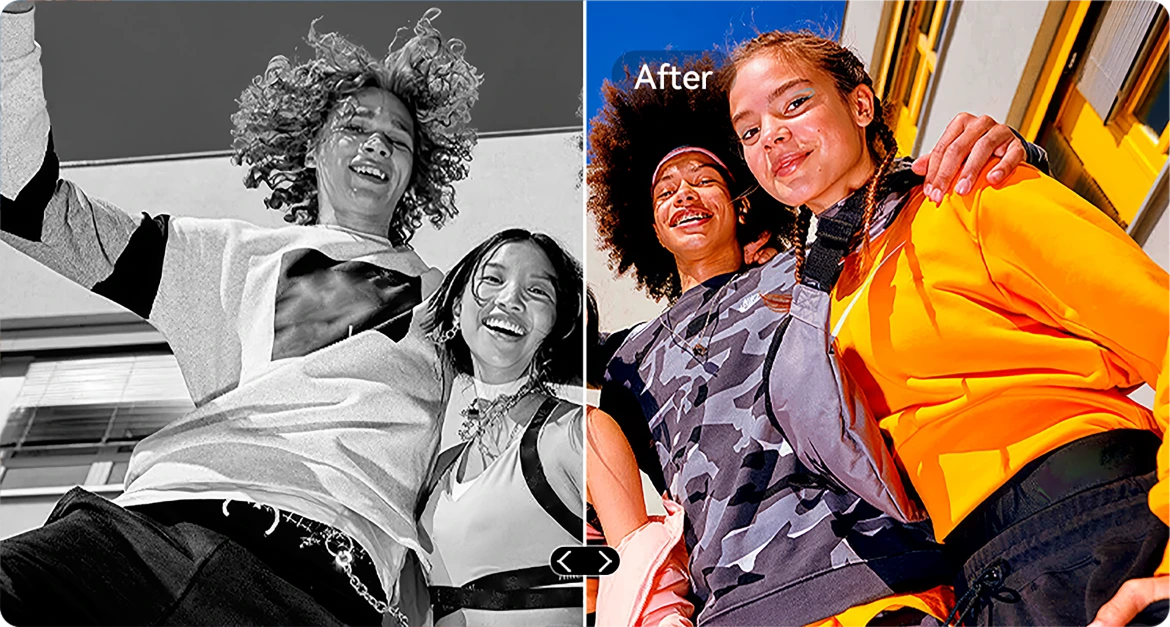
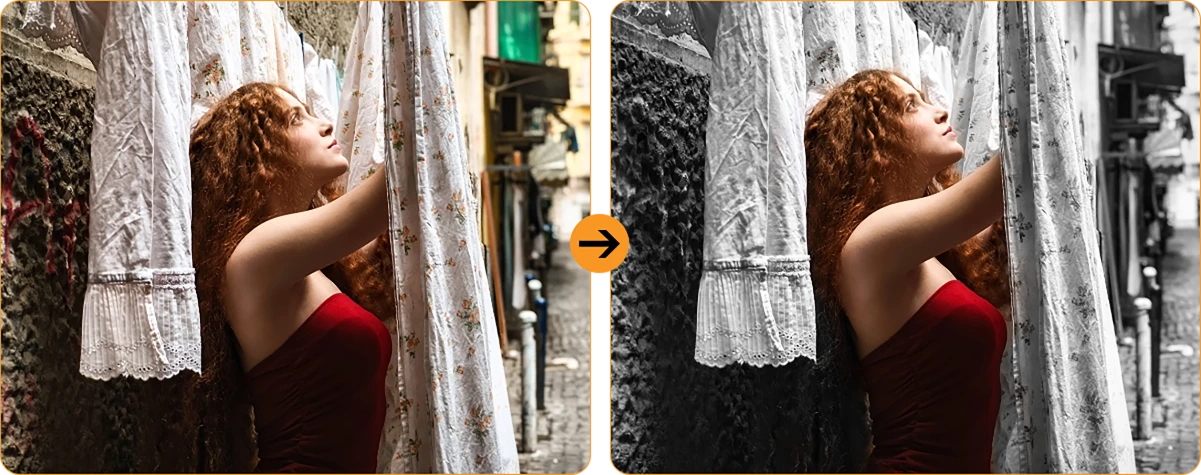
AI B&W Colorization
Ge nytt liv åt svartvita foton genom att noggrant återställa färger i varje detalj. Se hur människor, landskap och till och med en solstråle vaknar till liv, som om tiden spolas tillbaka.

AI Photo Rectification
Automatisk korrigering av lutande eller sneda bilder för rena, raka och professionella foton.
AI Photo Cloning
Duplicera objekt för visuell balans, berättande eller bara kreativt nöje.
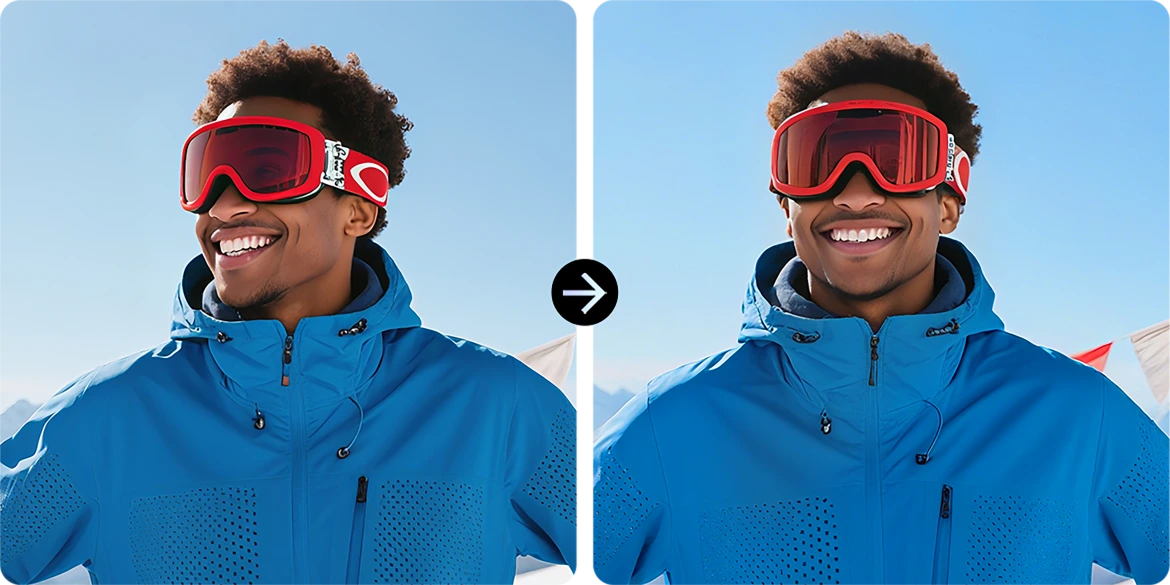
AI Photo Animation
Lägg till subtil rörelse i porträtt — få ansikten att röra sig, blinka eller le för en dynamisk känsla.
AI Spiral Effect
Applicera slående spiralöverlägg som förvandlar vanliga bilder till konst som fångar blicken.
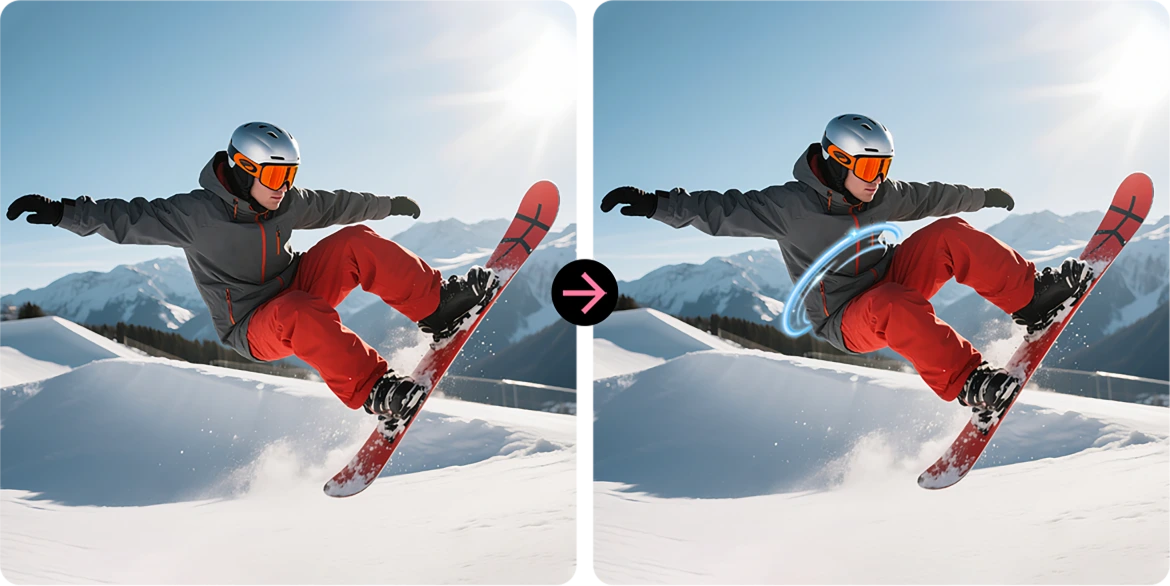
Replace Sky
Uppgradera tråkiga himlar med episka solnedgångar, drömlika moln eller dramatiskt väder med ett enda tryck.
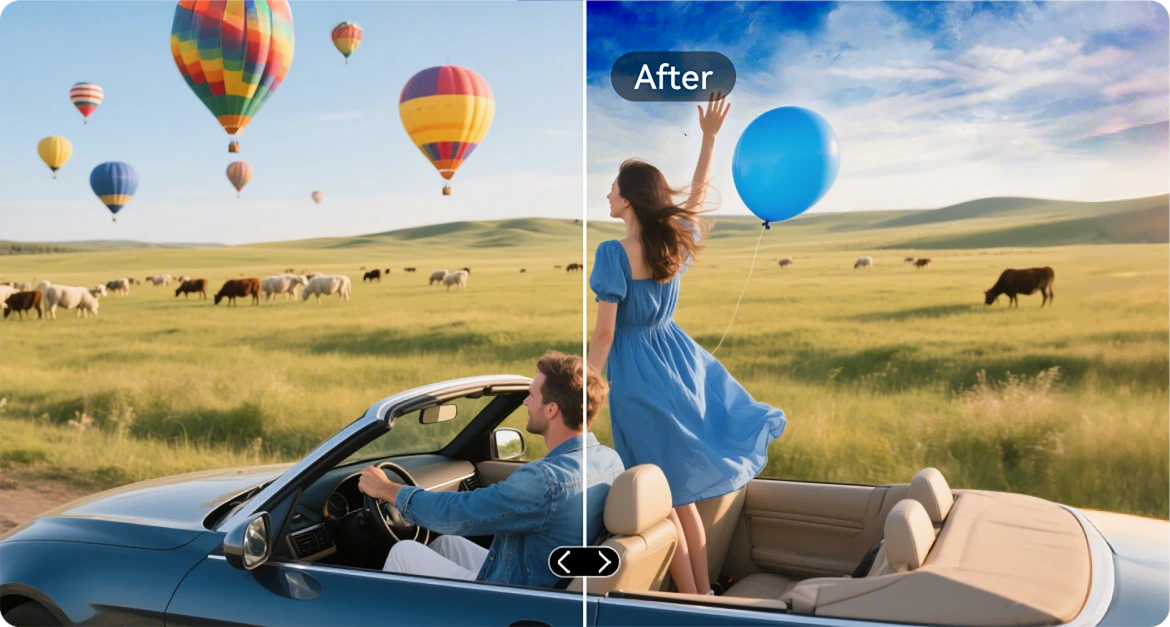
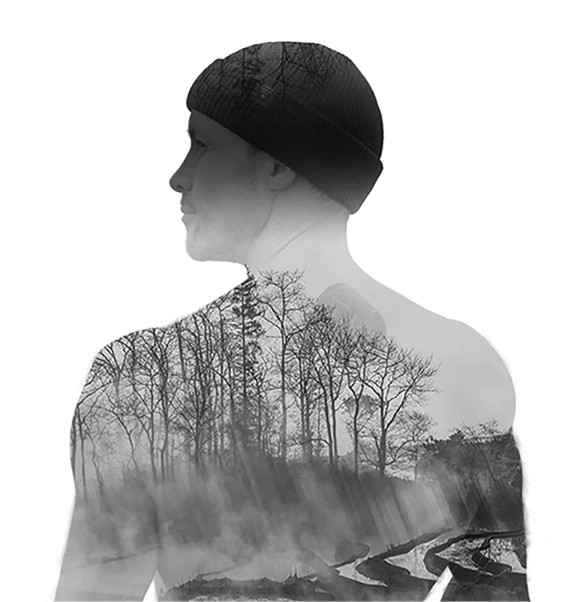
AI Double Exposure
Slå ihop två bilder till en — perfekt för filmiska vibbar eller djärv berättande.
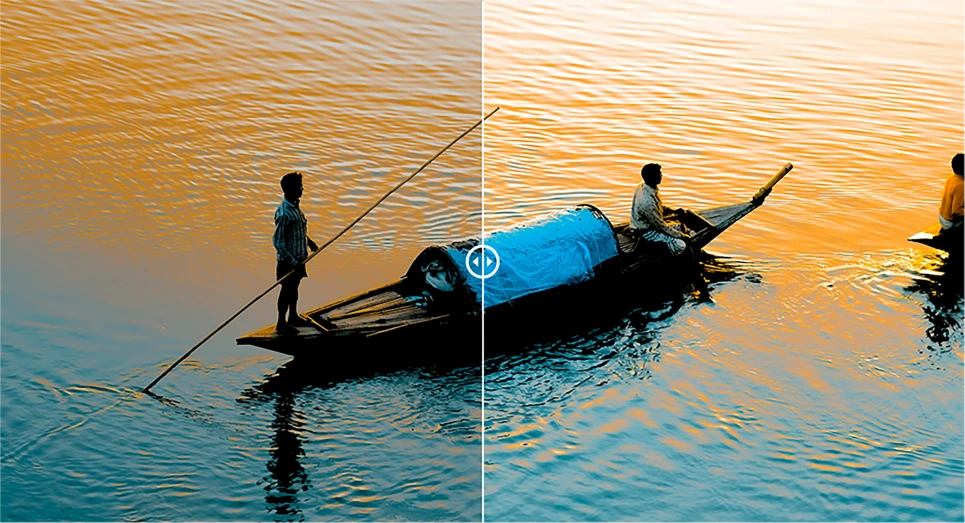
AI Radical Color Contrast
Förvandla urblekta färger till livfull briljans, perfekt för utomhusbelysning eller tuffa förhållanden.

VidGen App
Smart AI Video Editor
Ge liv åt dina utomhushistorier
Oavsett om du klättrar, bygger, campar eller fångar vardagen, VidGen förvandlar dina råa ögonblick till dynamiska, färdiga att dela-videor med bara några tryck.

Förvandla text till video
Beskriv scenen eller idén, och låt AI bygga en levande visuell berättelse – från actionåterblickar till instruktionsguider.

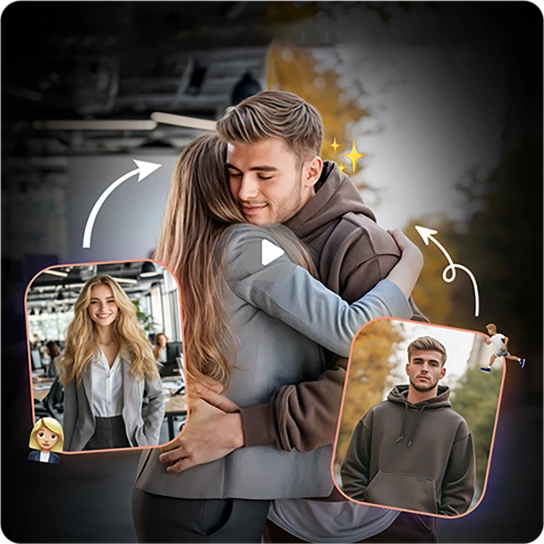
Förvandla foton till video
Har du en massa stillbilder? Se dem komma till liv när AI syr ihop dem till smidiga, filmiska minnen.
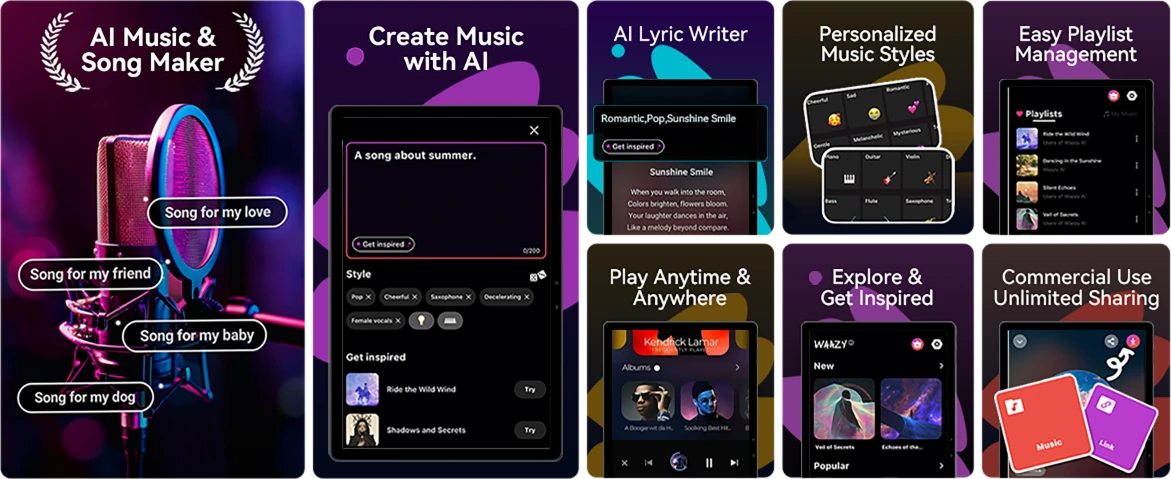
Soundle-app
Smart AI-musikkompositör
Skapa musik. Var som helst. När som helst.
Inga instrument? Inget studio? Inga problem. Med Soundle, din robusta telefon blir ett musiklaboratorium, perfekt för att förvandla ögonblick till soundtracks på språng.
Nr 4 Hantera uppgifter smidigt med Unisoc T615 Octa-core-processor & upp till 18GB RAM & 256GB ROM & 2TB TF-lagring
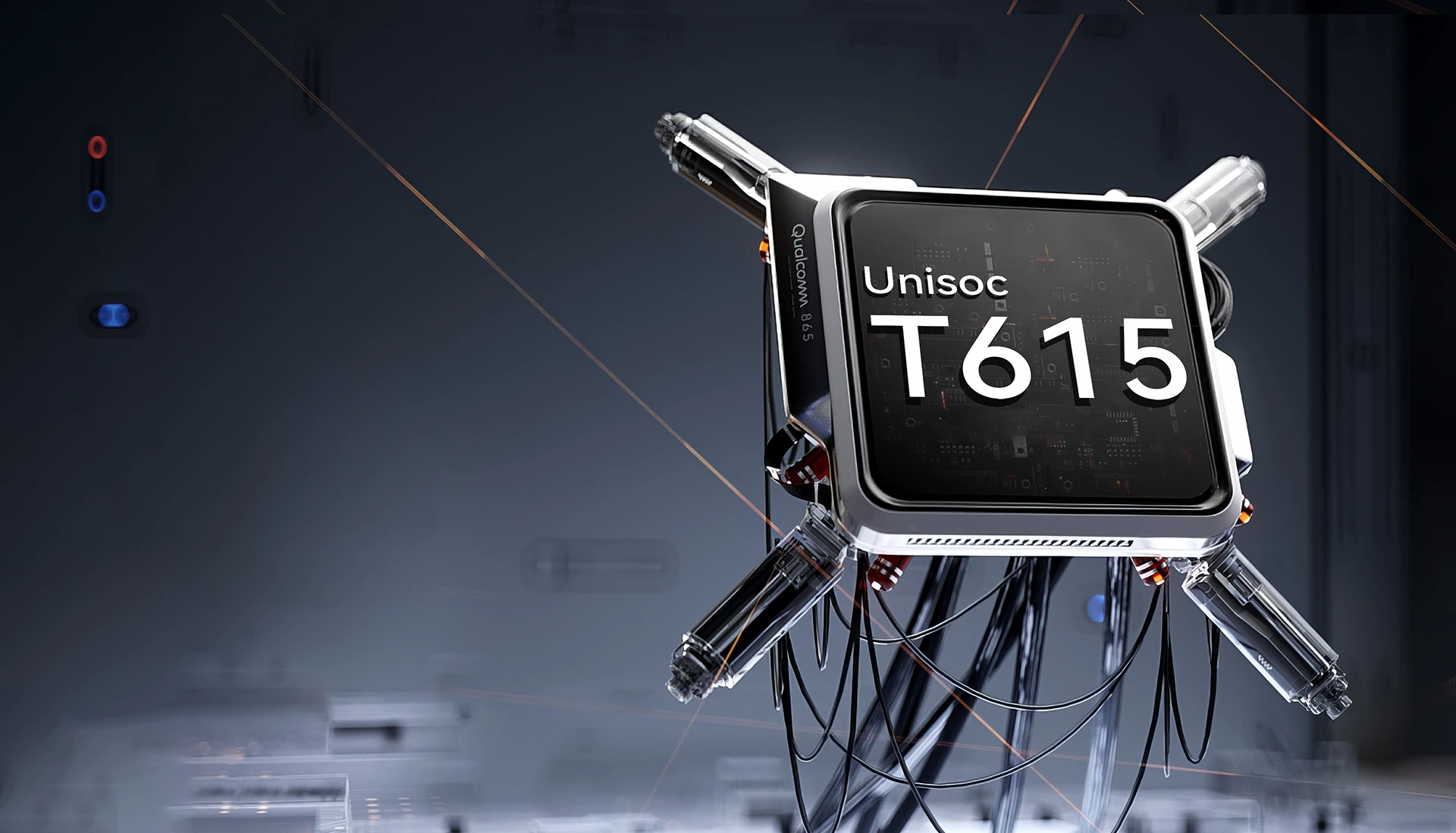
Unisoc T615 Octa-core
Processor
Drivs för att hålla Upp
Smidig, pålitlig och effektiv. Oavsett om du växlar mellan arbetsappar, navigerar utanför nätet eller tittar på innehåll på språng. Unisoc T615 ger dig den prestanda du behöver utan fördröjning.
12nm EUV-process
optimerad för lägre energiförbrukning
2 x Cortex-A75@1,8GHz + 6 x
Cortex-A55@1.6GHz
kraftfulla kärnor för mer sömlös prestanda
Arm Mali-G57 GPU@850MHz
smidig grafik & klara bilder
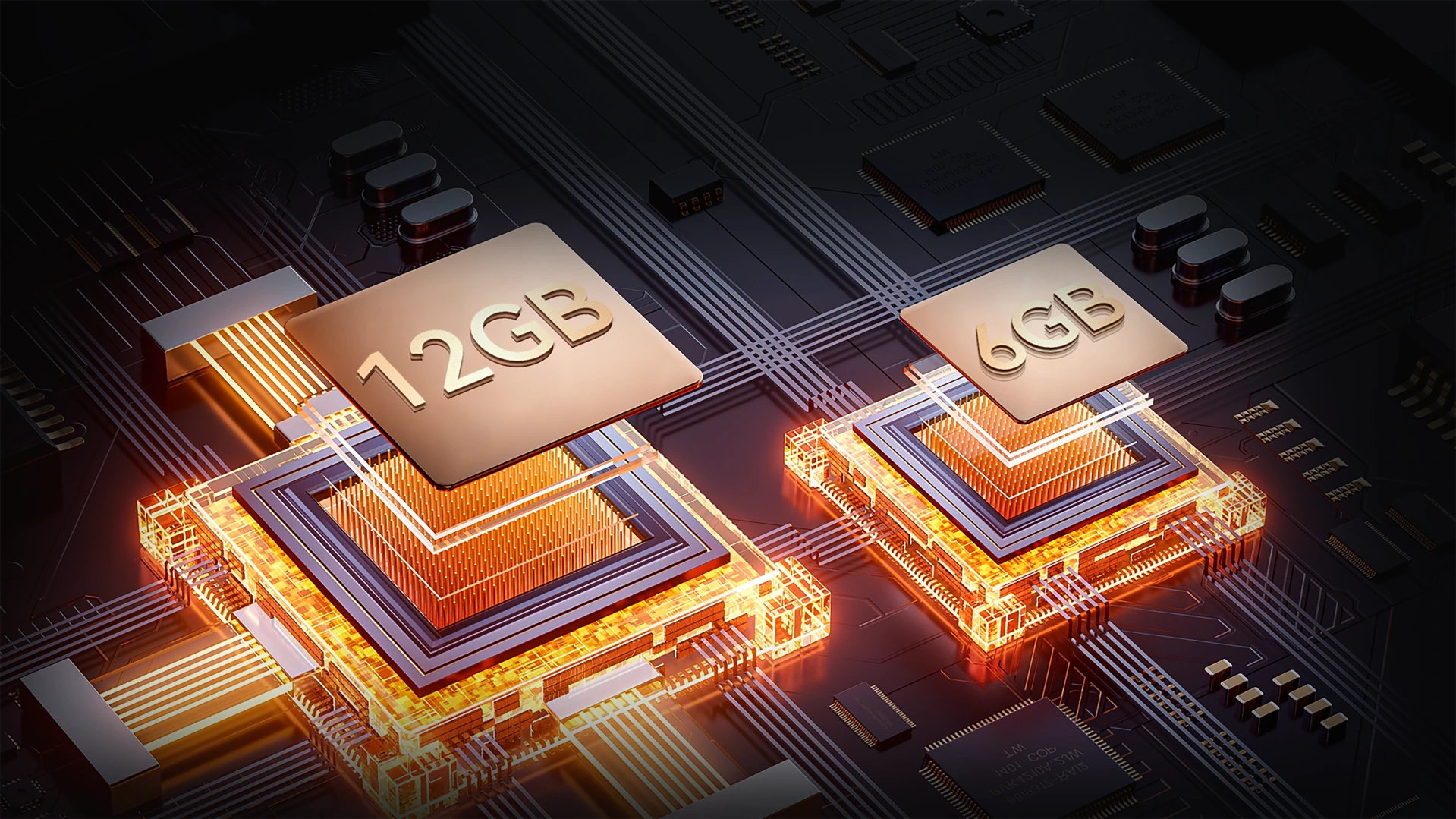
Upp till 18GB RAM (6GB + 12GB expansion)
Mer minne. Smidigare uppdrag.
Multitaska utan problem. Med upp till 18GB RAM hanterar FORT 1 allt från arbetsverktyg till underhållningsappar – snabbare laddning, smidigare växling, inga fördröjningar.
Upp till 18GB RAM=
6GB RAM + 12GB expansion
20% Snabbare svarstid↑
Atomized Memory 2.0
9% Mer RAM tillgängligt↑
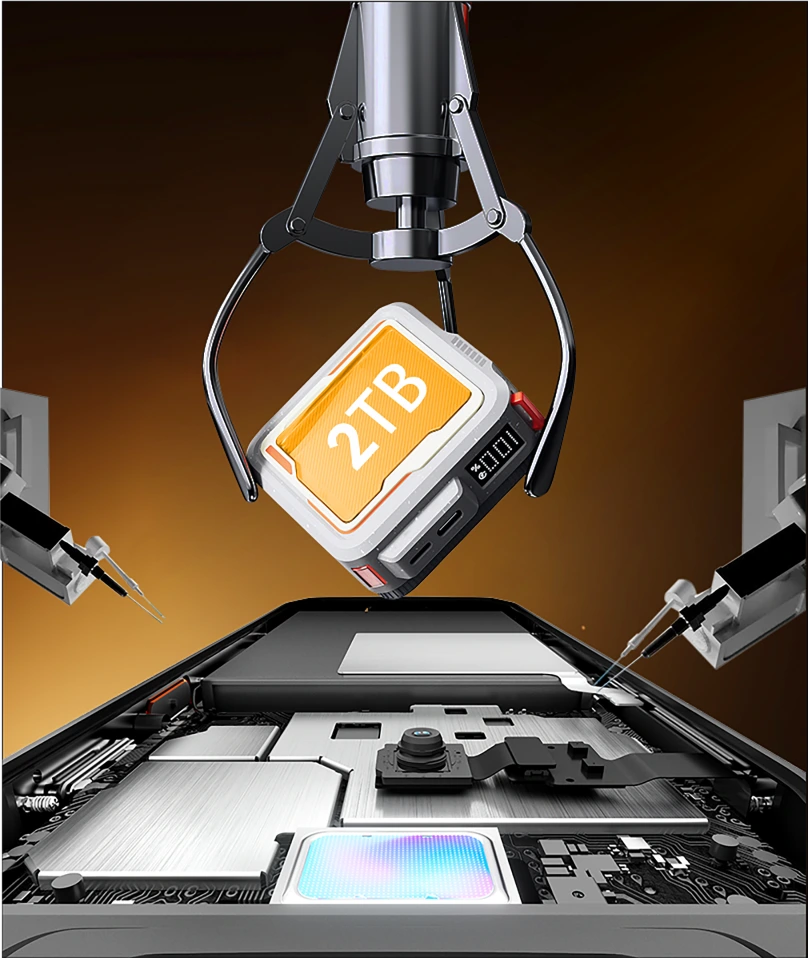
256GB ROM + 2TB TF-expansion
Lagring som räcker långt
Slipp slut på utrymme på jobbet eller utanför nätet. Med 256GB inbyggt och stöd för upp till 2TB TF-kort, FORT 1 lagrar allt – kartor, foton, videor och viktiga uppdragsfiler – direkt vid dina fingertoppar.

≈900K
+ Spår Låtar

≈59,4K
+ Kortfilmer

≈498,6K
+ Foton
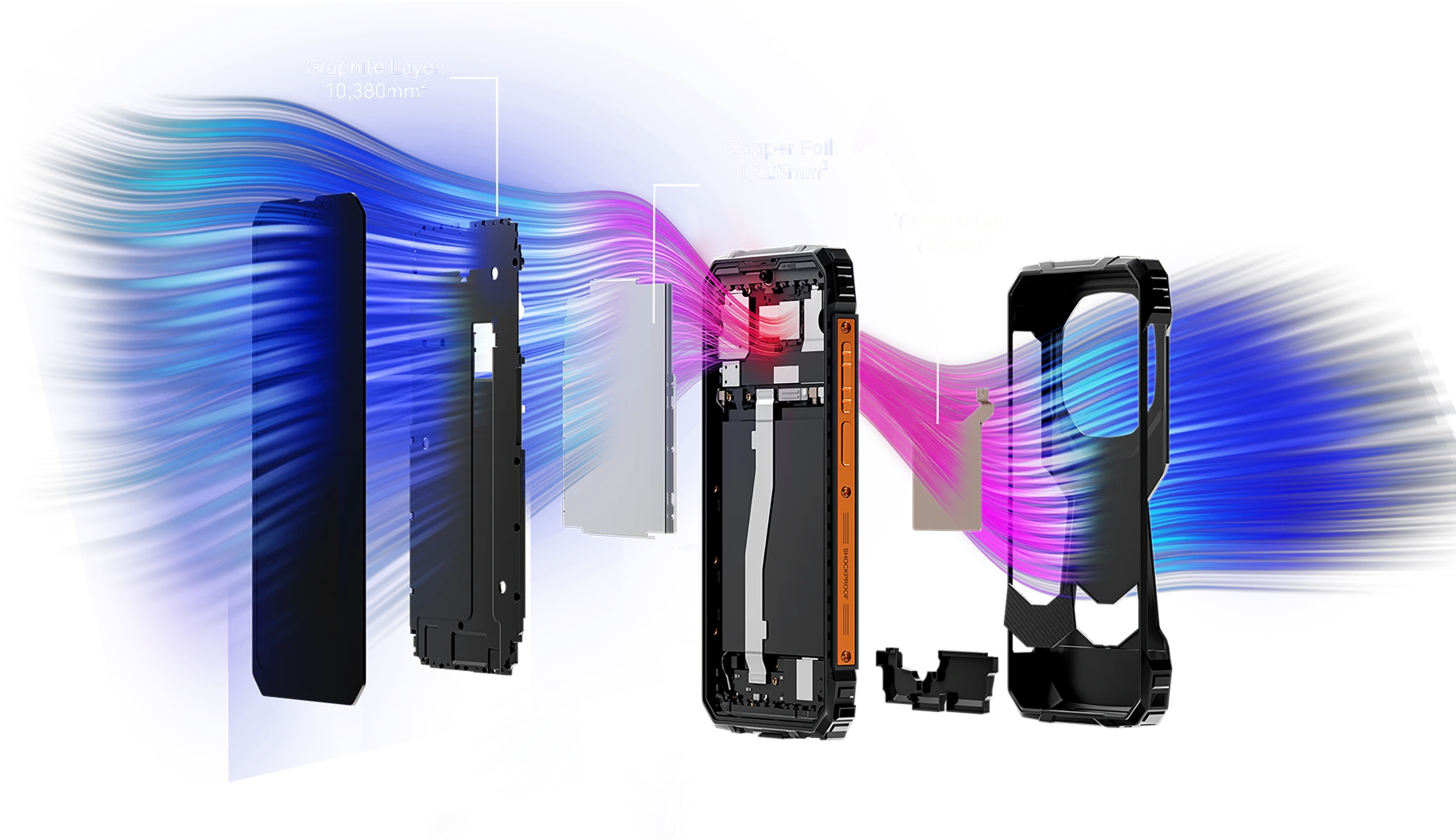
Över 12 072 mm² kylarea
Kylig prestanda, oavbrutet spelande
Utrustad med ett kraftfullt integrerat kylsystem som täcker 12 072 mm², säkerställer FORT 1 effektiv värmeavledning för uthållig topprestation – även under långa spelsessioner. Säg adjö till överhettning och njut av oavbrutet spelande.
Nr 5 IP68&IP69K& MIL-STD-810H-certifierad
Robust kropp
Varje kant är förstärkt. Varje detalj är redo för uppdrag.
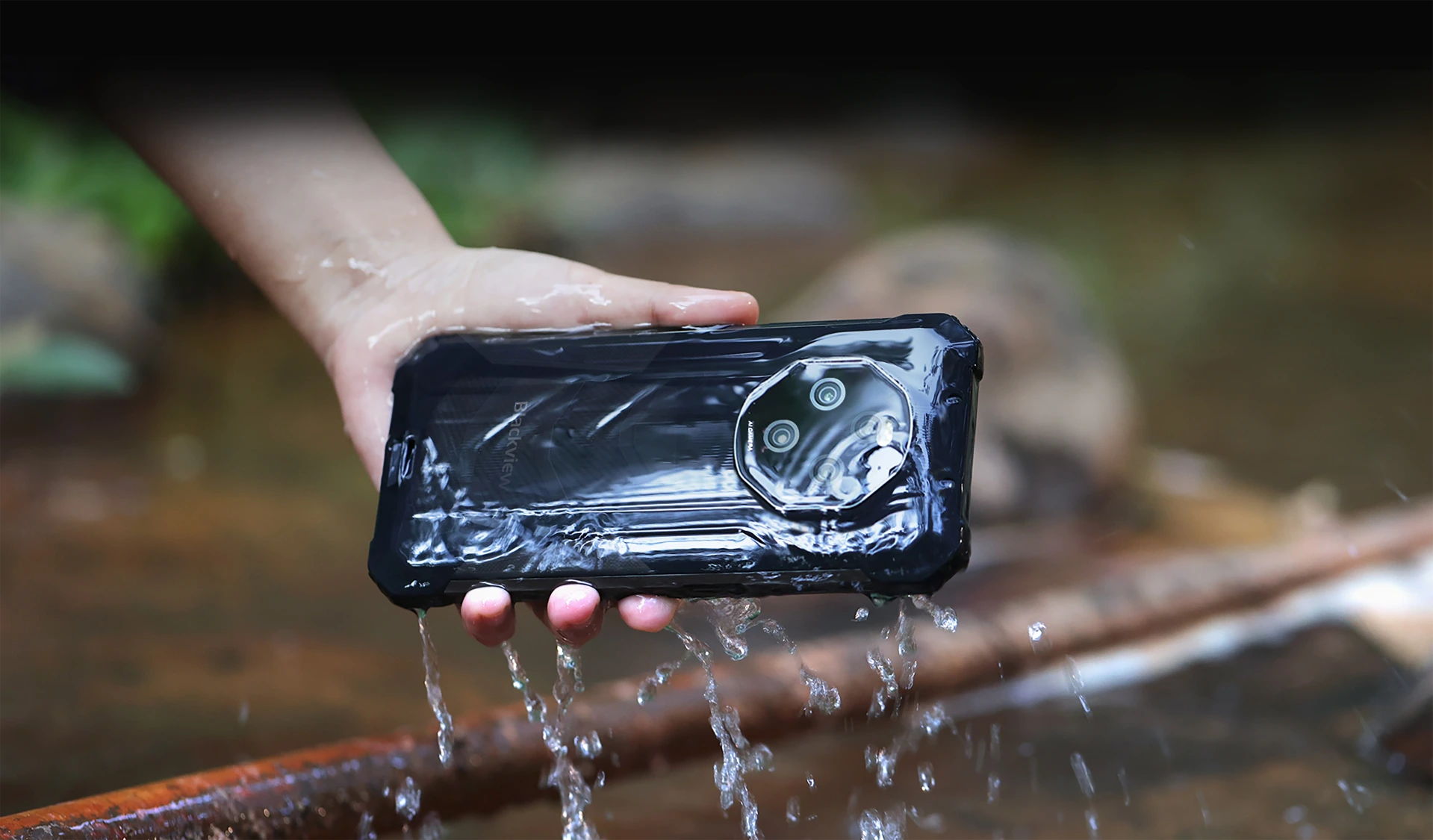
Vatten- och dammtät med IP68 & IP69K-certifiering
Byggd för att hålla. Konstruerad för att prestera
FORT 1 är din ultimata robusta följeslagare, designad för att klara de tuffaste förhållandena med IP68 & IP69K-certifiering. Oavsett om den är nedsänkt i vatten eller begravd i damm, Oavsett om den utsätts för extrema miljöer fortsätter FORT 1 – orubblig och kompromisslös.
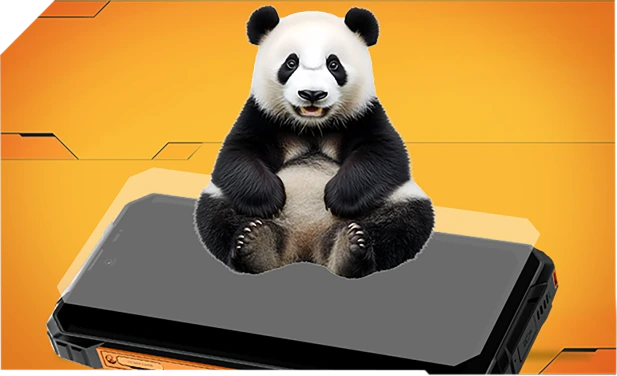
Förstärkt med Panda-glas och tätad kant till kant för överlägsen vattenresistens – överlever till och med fall i diskhoar eller tvättmaskiner.
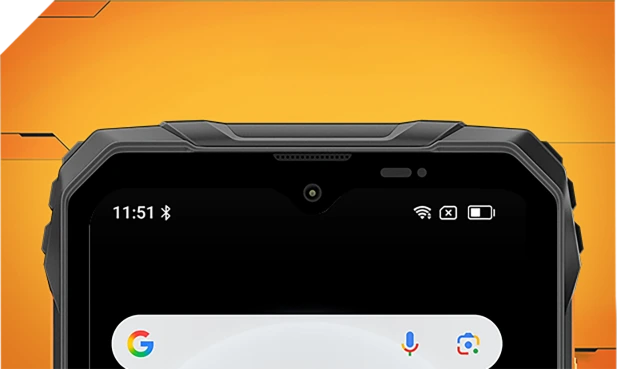
Vattentät in- och utvändigt med förfinade nätfilter – håll dig klar och tydlig oavsett stänk eller storm.
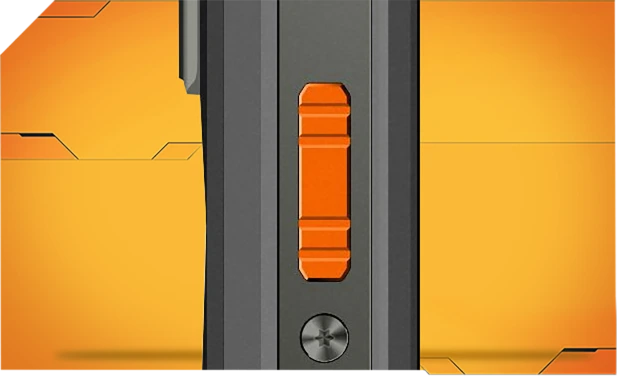
Tillverkad av korrosionsbeständigt aluminium och tätad med vattentäta ringar för pålitlig kontroll i regn, lera eller damm.

Tätslutande Asahi-glas håller linserna klara och torra, även under vatten.
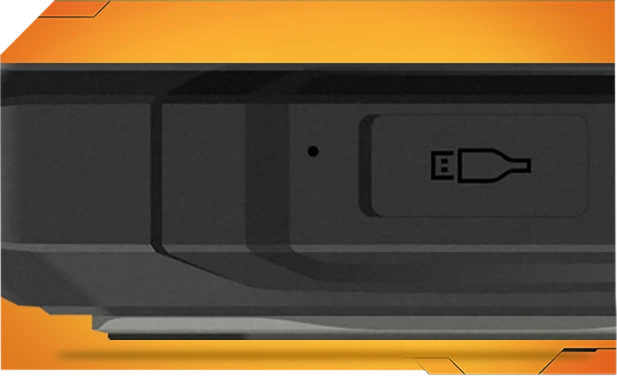
TPU-portskydd håller ute 99 % av vatten och damm – testade över 10 000 gånger för bekymmersfri utomhusanvändning.
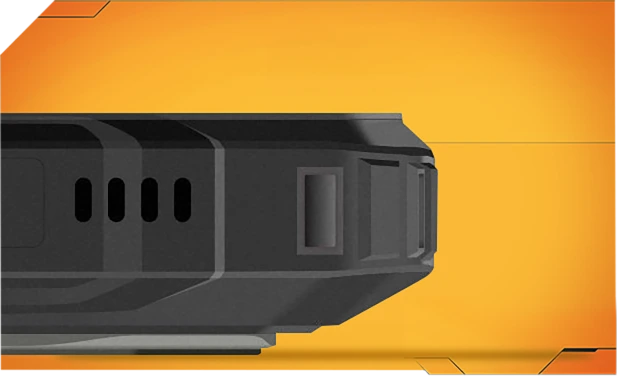
Ett tryck blåser bort vatten och damm från din högtalare med smart ljudvågsteknik – håller ljudet klart när som helst, var som helst.
Tuffaste MIL-STD-810H
Certifierat robust. Redo för allt.
Testad för att uppfylla den stränga MIL-STD-810H-standarden, FORT 1 är byggd för att överleva extrema förhållanden – värme, kyla, fukt, fall, damm och vibrationer. Oavsett om du är på en byggarbetsplats, en bergsstig eller ute i regnet, fortsätter den när andra ger upp.

Förstärkt för de tuffaste fallen
Byggd tuff från insidan och ut, FORT 1 avfärdar fall, stötar och tuff hantering – utan klumpigt utseende.
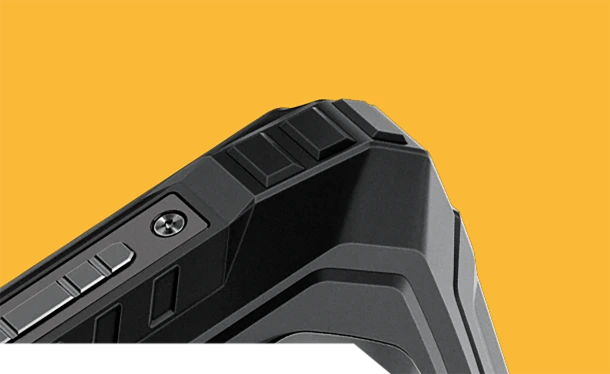
Stötsäkra hörn
Speciellt förstärkta kanter absorberar stötar där det behövs mest.
Hållbart bakstycke
Höghållfast skal + mjuk gummi = seriöst fallmotstånd.


Flygkvalitet Metallram
Tuff aluminiumlegering, säkrad med skruvar – solid och stabil.
Verklig livskraft, vart du än går
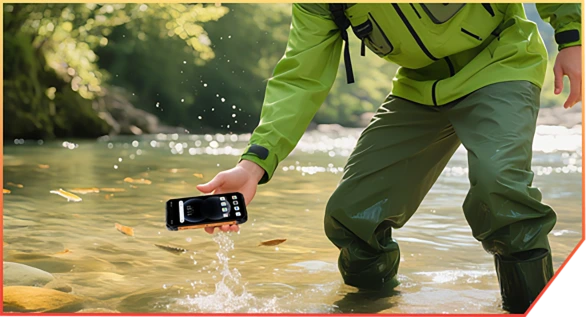
Glidit ner i en bäck under kanjonvandring

Tappat under en lagerleverans

Studsat mot stenar på en bergsstig
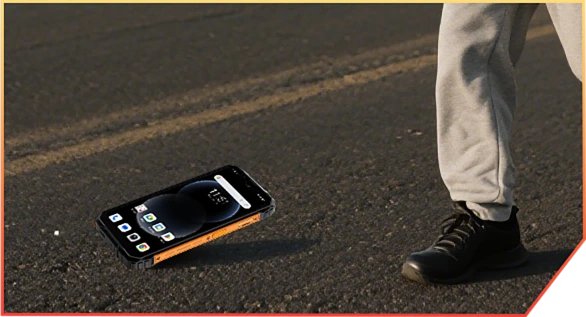
Ramlat av lastbilen på arbetsplatsen
Nr 6 AI-driven. Varje
Ögonblick bevarat minnesvärt
AI-magik. Varje bild, äventyrsredo.
Inga filter. Inga omtagningar. Bara smart, robust redigering som fungerar var du än är – lera, damm eller berg.
 Magisk sudd
Rensa bort folkmassor, oreda eller kaos med ett tryck. Behåll bara det som betyder något.
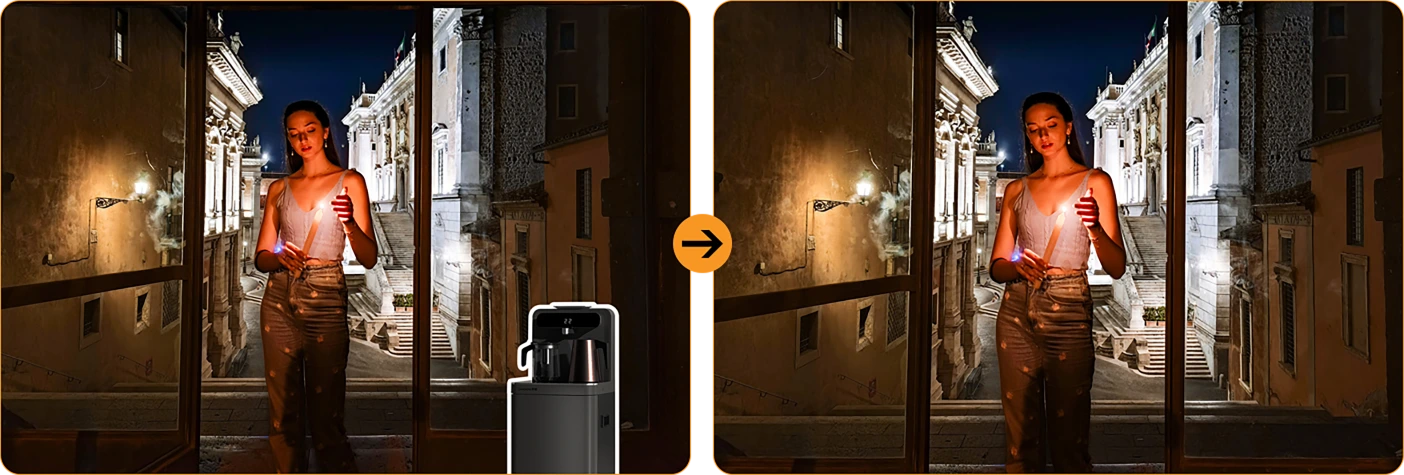
 Ett-trycks himmelbyte
Regnigt foto? Trista himlar? Byt ut dem mot solsken, stjärnor eller stormigt drama.

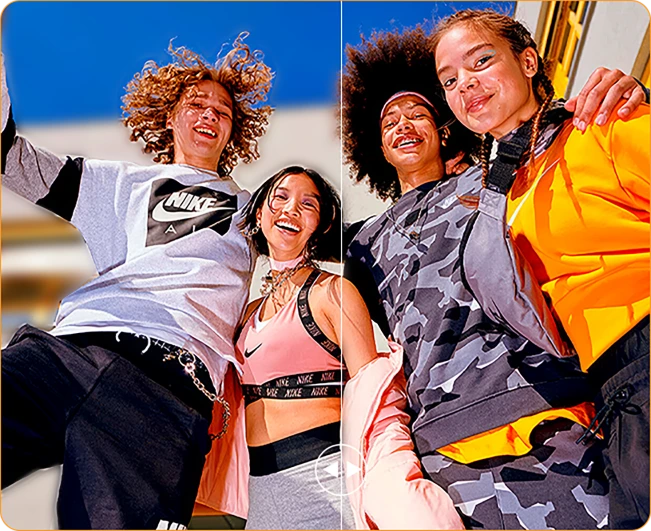

Porträttoskärpa
Få din grupp att poppa – sudda bakgrunden,
inte ögonblicket.
 Fokus på färg
Tysta ner röran, framhäv din stil. Det djärva syns bättre.
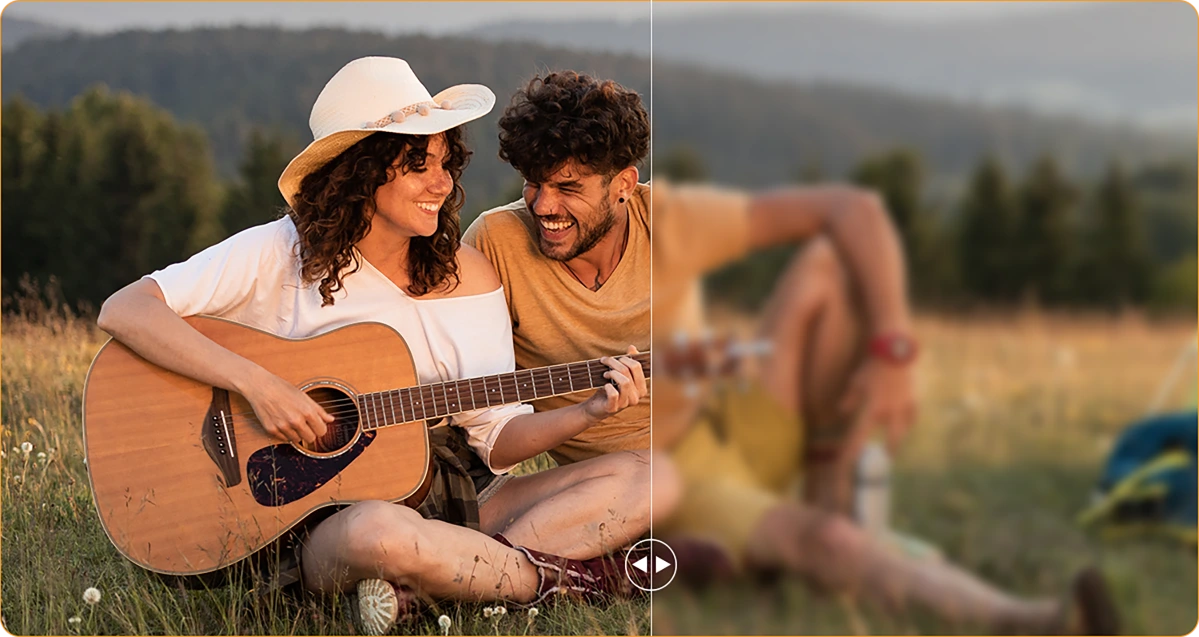
 Fotooskarphet
Skakiga händer? Dammig lins? AI skärper det som om det aldrig hänt.
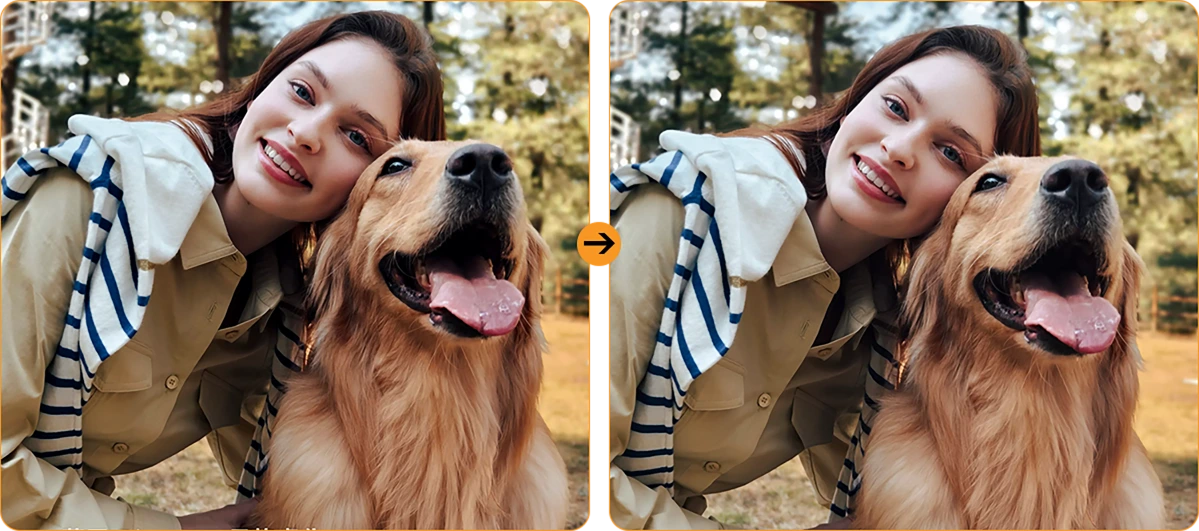
Porträttljus
Svagt ljus, inget problem. Du lyser upp – även i skymning eller vid lägereldens sken.
16MP AI-huvudkamera
Klart foto. Äkta ögonblick.
Från arbetsplatsdetaljer till helgäventyr, fångar 16MP AI-huvudkameran allt – skarpt, levande och redo att delas. Inga krusiduller, bara fantastiska resultat varje gång du klickar.

16MP AI-huvudkamera
Klart foto. Äkta ögonblick.
Från arbetsplatsdetaljer till helgäventyr, fångar 16MP AI-huvudkameran allt – skarpt, levande och redo att delas. Inga krusiduller, bara fantastiska resultat varje gång du klickar.


Ansiktsfyllnadsljus
Lys upp när
Naturen tänds inte
Glöm mörka, korniga selfies. Med inbyggd Face Fill Light förblir ditt ansikte ljust och klart – även i svagt ljus, motljus eller helt mörkt.
HDR
Balanserad & verklighetstrogen
Hög dynamisk räckvidd (HDR) fångar varje detalj – förbättrar kontrast, färg och ljus så dina foton poppar, även i svåra ljusförhållanden.
Porträtt
Djup som drar till sig uppmärksamhet
Fokusera skarpt på motivet med bakgrundsoskärpa som tillför djup och dramatik – drivs av AI för den perfekta proffslooken.

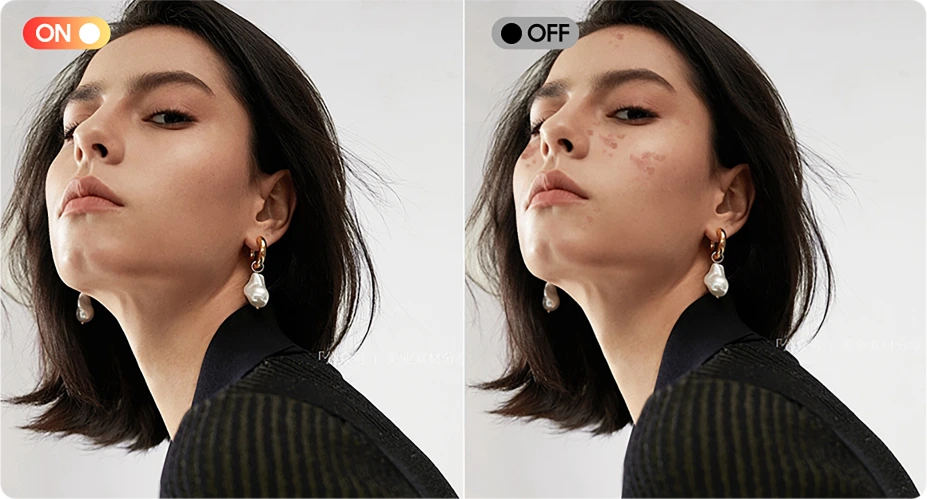
Skönhet
Se fräsch ut, känn dig naturlig
Slät hud, ljusare ton och en touch av AI-magi – perfekt för snabba selfies som ändå känns äkta.
Natt
Ljusa nätter, klara detaljer
Fånga natten utan brus. Automatisk förbättrad exponering framhäver skarpa, levande scener, även i svagt ljus.

Nr 7 senaste DokeOS 4.2
Baserat på Android 15
| Modell | FORT 1 |
| Färg | Svart, Orange, Grön |
| Dimension | 176.15 * 80.1 * 17.5mm |
| Vikt | 390g |
| Operativsystem | DokeOS 4.2 baserat på Android 15 |
| Skärm | 6,56-tums HD+ IPS, 720 * 1612 upplösning 90Hz uppdateringsfrekvens, 83% skärm-till-body-förhållande |
| CPU | Octa-core Unisoc Tiger T615 |
| RAM & ROM | 6GB RAM & 256GB ROM, upp till 12GB expansion 4GB RAM & 128GB ROM, upp till 8GB expansion LPDDR4X + eMMC 5.1 |
| TF-expansion | Upp till 2TB expansion |
| Batteri | 10000mAh; 18W snabbladdning |
| Främre kamera | 8MP |
| Bakre kamera | 16MP huvud + 2MP djup |
| Högtalare | 1 st Smart-K Box-högtalare |
| Navigering | GPS+GLONASS+Galileo+Beidou |
| Kortplats | Tre; 2*nano SIM + 1*TF-kort |
| NFC | Stöd |
| Dubbel 4G VoLTE | Stöd |
| Wi-Fi & Bluetooth | IEEE802.11 a/b/g/n/ac; BT 5.2 |
| Nätverksanslutning | 2G-band: B2/B3/B5/B8 3G-band: B1/B2/B4/B5/B8 4G-band: FDD:B1/B2/B3/B4/B5/B7/B8/B12 B13/B17/B19/B20/B26/B28A/B28B/B66 TDD:B40/B41 |
| Modell | FORT 1 |
| Färg | Svart, Orange, Grön |
| Dimension | 176.15 * 80.1 * 17.5mm |
| Vikt | 390g |
| Operativsystem | DokeOS 4.2 baserat på Android 15 |
| Skärm | 6,56-tums HD+ IPS, 720 * 1612 upplösning 90Hz uppdateringsfrekvens, 83% skärm-till-body-förhållande |
| CPU | Octa-core Unisoc Tiger T615 |
| RAM & ROM | 6GB RAM & 256GB ROM, upp till 12GB expansion 4GB RAM & 128GB ROM, upp till 8GB expansion LPDDR4X + eMMC 5.1 |
| TF-expansion | Upp till 2TB expansion |
| Batteri | 10000mAh; 18W snabbladdning |
| Främre kamera | 8MP |
| Bakre kamera | 16MP huvud + 2MP djup |
| Högtalare | 1 st Smart-K Box-högtalare |
| Navigering | GPS+GLONASS+Galileo+Beidou |
| Kortplats | Tre; 2*nano SIM + 1*TF-kort |
| NFC | Stöd |
| Dubbel 4G VoLTE | Stöd |
| Wi-Fi & Bluetooth | IEEE802.11 a/b/g/n/ac; BT 5.2 |
| Nätverk Anslutning | 2G-band: B2/B3/B5/B8 3G-band: B1/B2/B4/B5/B8 4G-band: FDD:B1/B2/B3/B4/B5/B7/B8/B12 B13/B17/B19/B20/B26/B28A/B28B/B66 TDD:B40/B41 |
• EU-paket: Strömadapter ingår ej
• Icke-EU-paket: Strömadapter ingår

Who is the Blackview FORT 1 rugged phone designed for?
The Blackview FORT 1 suits construction workers, maintenance technicians, farmers, delivery personnel, and outdoor enthusiasts who enjoy camping or hiking. It is also an excellent choice for those who frequently work in dusty or rainy environments and require a device for communication, navigation, and daily tasks.
With its high-capacity battery and rugged, durable build, it helps users stay connected, access work-related information, take photos, and use navigation tools in their everyday lives.
How does the Blackview FORT 1 perform when switching between everyday apps?
The Blackview FORT 1 is capable of handling everyday tasks, such as sending and receiving messages, managing emails, using navigation, and browsing the web—for instance, checking an email, switching to reply, and then returning to your browser. However, it may respond more slowly when running demanding applications, such as large-scale games.
If you notice a significant slowdown when switching between apps, first check whether there are any background tasks—such as downloads, software updates, or resource-intensive applications—running. You may want to wait for these tasks to finish or try restarting your phone.
Does the Blackview FORT 1 have a 10,000mAh battery?
Yes. The Blackview FORT 1 is equipped with a large-capacity 10,000mAh battery. This provides an ample power reserve for tasks such as making calls, sending and receiving messages, navigation, and entertainment—ideal for situations where you are away from charging facilities for long periods or unable to charge while working.
Actual battery life depends on how the device is used. Activities such as continuous navigation, gaming, using high screen brightness, or operating in areas with weak mobile signal will consume more power. Before embarking on a long trip, it is recommended to fully charge the phone and consider whether you need to bring a power bank, depending on the duration of your journey.
What charging speed does the Blackview FORT 1 support?
The Blackview FORT 1 supports wired charging at up to 18W (requires a compatible charger and cable). Even if a charger with a higher power rating is used, the charging speed will not exceed 18W.
Charging speed will gradually slow down as the battery nears full capacity. Using the phone while it is charging, or charging it in a high-temperature environment, may extend the time required for a full charge. Furthermore, given the device's large 10,000mAh battery, a full charge will take some time; please ensure you allow sufficient time if you intend to fully charge the phone before heading out.
Can I use the Blackview FORT 1 to charge other devices?
Yes. The Blackview FORT 1 supports 5W OTG reverse charging, so you can power compatible devices via a wired connection. This is useful for topping up other phones or small accessories when a power outlet isn't available.
Simply connect the devices using an appropriate OTG adapter and charging cable, then verify that charging has begun. With an output power of 5W, this feature is best suited for emergency charging. Please note that this will consume the FORT 1’s own battery, so ensure you retain enough power for your own essential needs, such as making calls or using navigation.
Is it normal for Blackview FORT 1 to get warm while charging?
It is normal for the device to generate some heat during charging, as the process itself produces thermal energy. Using the phone—such as watching videos, using navigation, or running other applications—while it is charging will cause it to heat up further.
We recommend using a compatible charger and cable, and charging the device in a cool environment. If the phone becomes excessively hot or displays a temperature warning while charging, please disconnect it from the power source and allow it to cool down before further use.
Does the Blackview FORT 1 come with a power adapter?
Included accessories depend on the regional version purchased. The EU version does not include a power adapter, while non-EU versions do. Please check your order details to confirm the specific version and plug type you selected.
If your version does not include an adapter, you can use an existing compatible charger or purchase one separately. To ensure the phone charges at its maximum speed, it is recommended to use a charger and cable that support 18W charging.
What can the Blackview FORT 1’s AI assistant help me with?
The AI assistant on the Blackview FORT 1 can help answer questions, explain information, and assist with daily tasks through text or voice interaction. It can also launch applications, adjust system settings, and provide support based on the content currently displayed on the screen.
To get more accurate results, be clear and specific about your needs—for example, you can ask it to explain complex topics in simpler, more accessible terms, or to help you organize your thoughts. Always verify key information before relying on its answers or taking action based on its suggestions.
What does the Blackview FORT 1’s adaptive 90Hz refresh rate do?
The adaptive refresh rate feature automatically toggles between 60Hz and 90Hz based on your current activity. At 90Hz, scrolling and animations appear much smoother; in scenarios where high fluidity isn't required, the refresh rate drops to help reduce screen power consumption.
This difference is most noticeable when browsing the web, checking messages, or navigating through app menus—it enhances the smoothness of on-screen motion. Please note that not all games can run at 90 frames per second (FPS); gaming performance depends on the specific application and the phone's hardware capabilities.
Can I use the Blackview FORT 1’s touchscreen while wearing gloves?
Yes. The Blackview FORT 1 supports "Glove Mode 2.0," allowing you to operate the touchscreen even while wearing gloves. This is highly practical for outdoor work—for instance, when you need to quickly answer calls, check messages, or look up navigation routes.
You can enable "Glove Mode" in the phone's settings and test it using the gloves you typically wear. Touch responsiveness may vary depending on the material and thickness of the gloves; Thicker gloves or those with heavy insulation might affect the precision of your interactions.
What protection does the Blackview FORT 1 offer for outdoor work?
The Blackview FORT 1 features IP68 and IP69K ingress protection ratings and complies with the MIL-STD-810H testing standard, providing effective resistance against dust, moisture, and impacts encountered during outdoor work.
When using the device, ensure that the SIM card tray and all protective covers are securely closed. If the device sustains a severe impact, check for any visible damage. If the phone gets wet, ensure the charging port is completely dry before attempting to charge it. Additionally, please note that protective seals may wear down over time; therefore, even with a rugged device like this, careful handling during daily use is still recommended.
Is the Blackview FORT 1’s camera suitable for photographing documents and equipment?
Yes, it is. The Blackview FORT 1 features a 16MP main camera, which is well-suited for everyday tasks such as documenting paperwork, equipment, labels, or work progress—delivering the best results in well-lit environments. When capturing content that includes text or fine details, ensure your composition is clear and the focus is sharp.
When photographing documents, keep the phone parallel to the page to avoid shadows or reflections. When photographing equipment, it is recommended to first take an overall shot, followed by close-up shots of specific details you need to record.
How can I manage unwanted notifications on the Blackview FORT 1?
First, identify which application (app) is sending the notifications. You can then long-press the notification to access control options, or navigate to the notification management page for that specific app within "Settings." From there, you can disable certain categories of notifications while keeping important alerts enabled.
For promotional messages, check the recommendation or marketing settings within the app itself. If you cannot locate the notification controls, or if unwanted alerts continue to appear, please contact our customer support team—be sure to include a screenshot, the name of the app, and the software version.
What should I do if the Blackview FORT 1’s speaker sounds distorted or cuts out?
First, try playing different audio clips in various applications to determine whether the issue affects all sound or is limited to a specific app. Also, check to see if the audio is being routed to a connected Bluetooth device instead of the phone’s built-in speaker.
Additionally, try setting the volume to a moderate level, ensure that the speaker openings are not obstructed, and restart your phone. If the issue—such as sound distortion or interruptions—persists across multiple applications, you may want to have the device inspected by a professional.
Jump to another section