



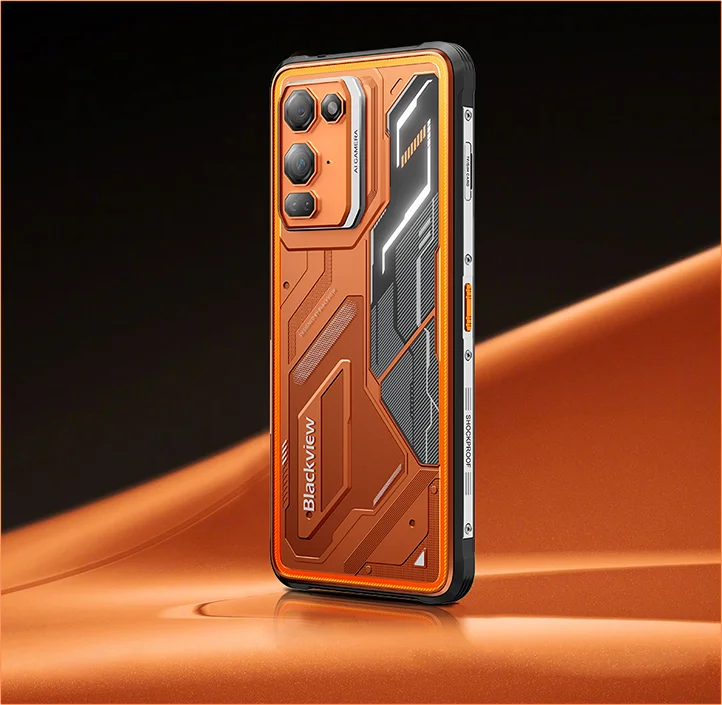
Blackview FORT 200 Тонкий телефон 4G с беспроводной зарядкой, 6.78-дюймовым экраном, восьмиядерным процессором MediaTek Helio G100, аккумулятором 5000 мА·ч, камерами 108 Мп и 13 Мп и камерой ночного видения. Прочный корпус

Нет в наличии
Основные особенности
Основные особенности
✔6,78-дюймовый экран, 268 г и толщина 11,5 мм
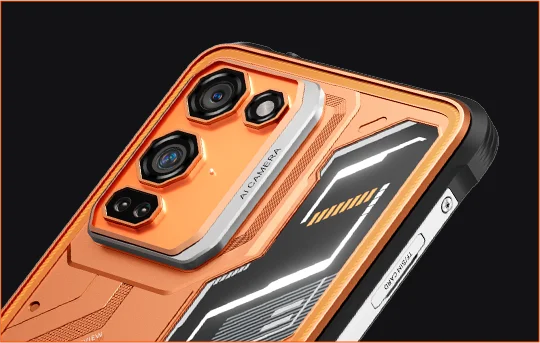
✔108 МП камера Samsung® HM6 + 13 МП ночное видение
✔ Восьмиядерный процессор MediaTek Helio G100
✔5000 мАч и быстрая зарядка 33 Вт + беспроводная зарядка 15 Вт
✔Сертификаты IP68, IP69K и MIL-STD-810H
Информация
Информация
Blackview FORT 200 — это тонкий защищённый 4G-смартфон для пользователей, которым нужна улучшенная съёмка, плавное отображение и прочность для работы на улице без громоздкого устройства. Его 6,78-дюймовый экран с частотой обновления 120 Гц и разрешением 2,4K остаётся чётким при яркости 700 нит, а процессор MediaTek Helio G100 обеспечивает быструю работу с повседневными задачами, навигацией и полевыми работами. Основная камера Samsung на 108 МП, ночная камера на 13 МП, аккумулятор ёмкостью 5000 мАч, быстрая зарядка 33 Вт и беспроводная зарядка 15 Вт делают его удобным для работы и приключений. Благодаря защите IP68 и IP69K, а также стандарту MIL-STD-810H, он готов к суровым условиям.
О бренде
О бренде
В Blackview мы верим, что хорошая технология должна быть чем-то большим, чем впечатляющие характеристики. Она должна вписываться в реальную жизнь, решать реальные проблемы и оставаться надёжной в самые важные моменты.
Blackview начала с защищённых телефонов для сложных условий. Сегодня мы предлагаем более широкую экосистему умных устройств, включая смартфоны, планшеты, ноутбуки, смарт-часы, аудиопродукцию и многое другое.
Во всех категориях мы остаёмся верны своим принципам: прочное качество, практичные инновации и доступные цены. Мы создаём продукты, на которые можно положиться с первого дня.
Мы понимаем, что больше всего ценят покупатели: плавную работу, долговечность и надёжность, полезные функции и технологии, которые упрощают повседневную жизнь без лишних затрат.
Поэтому Blackview уделяет особое внимание тестированию продукции, удобству использования и функциям, которые приносят реальную пользу в работе, путешествиях, творчестве, отдыхе на природе и повседневном общении.
Blackview создаёт технику для тех, кому нужна надёжная технология: умные и функциональные устройства, которые успевают за современным ритмом жизни.
Надёжность заложена в конструкции. Практичность — в самой сути. Создано для реальной жизни.
Доставка и возврат товаров
Доставка и возврат товаров
• Доставка: Обработка заказа обычно занимает около 2-7 рабочих дней, за исключением товаров по предзаказу. Срок доставки рассчитывается только в рабочих днях, без учета праздников и нерабочих дней. Срок доставки зависит от способа доставки.
• Возврат: Вы можете запросить возврат в течение 14 дней с момента доставки, если телефон не использовался, не поврежден и укомплектован всеми оригинальными аксессуарами. Неисправности, связанные с товаром и выявленные в течение месяца, после проверки могут служить основанием для замены, возврата средств или бесплатного ремонта. Повреждения, вызванные неправильным использованием, падениями, попаданием воды, разборкой или несанкционированными модификациями, не покрываются гарантией.


Тонкий в руке. Чёткий взгляд. Готов к неизвестному.
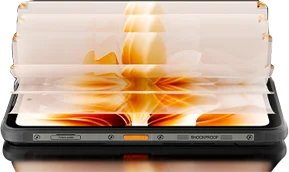
 Тонкий. Яркий. Невероятно чёткий Чёткое изображение где угодно
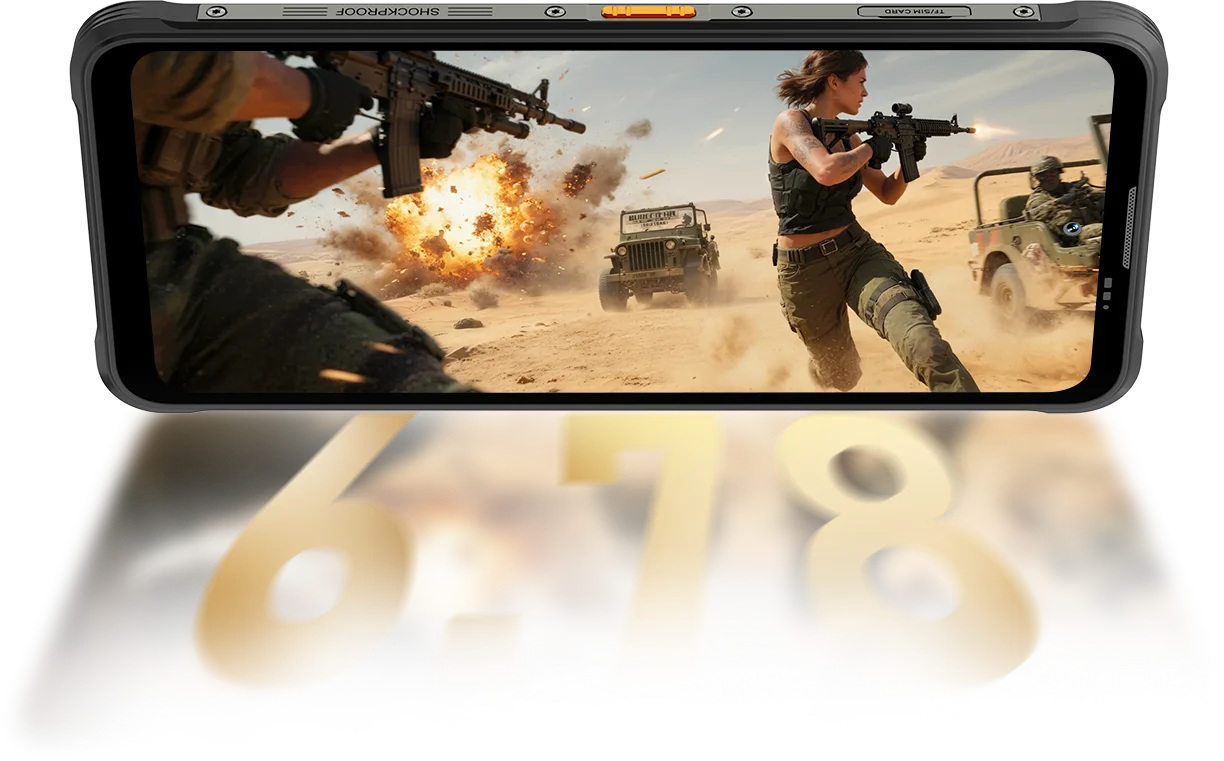
Разрешение
IPS с широкими углами обзора
Пиковая яркость
Пикселей на дюйм
Интеллектуальная адаптивная частота обновления
Соотношение экрана к корпусу
Частота опроса сенсора
FORT 200 обеспечивает яркость до 700 нит, сохраняя изображение чётким и читаемым, даже когда экраны с меньшей яркостью тускнеют.

 Другие
 500 нит
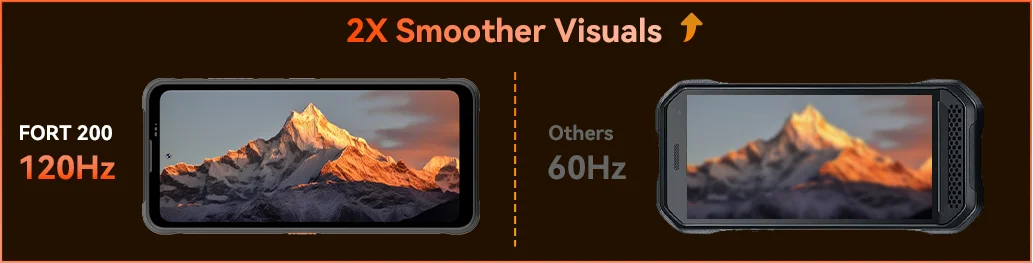
Оцените плавность работы Blackview FORT 200 с интеллектуальной адаптивной частотой обновления 120 Гц: экономьте заряд при прокрутке, наслаждайтесь плавностью в играх и отзывчивым управлением в любой ситуации.
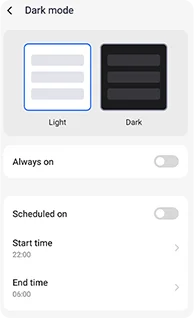
Настраиваемые тёмные темы снижают нагрузку на глаза и продлевают время работы от аккумулятора.
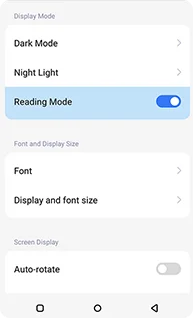
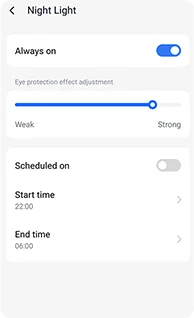
Мягкие янтарные оттенки с регулируемой интенсивностью помогут глазам расслабиться ночью.
Чистое изображение, напоминающее экран Kindle, обеспечивает комфорт при длительном чтении.
 Видьте больше. Снимайте чётче. Будьте лучшими в классе Запечатлейте всё — чётче днём, видно ночью Создан с использованием самых чётких технологий съёмки в отрасли.
Объединение четырёх пикселей 1,28 мкм
Сенсор 1/2.76"
Линза 5P
Большой сенсор 1/1.67"
Nonapixel Plus 1,92 мкм
Диафрагма f/1.9
Линза 6P
Ярче ночные снимки.
Меньше шумов. Больше деталей.
Более чёткие изображения.
Чистая оптика.
Шире динамический диапазон.
Естественнее цвета.
Более точная экспозиция.
Лучше контраст.
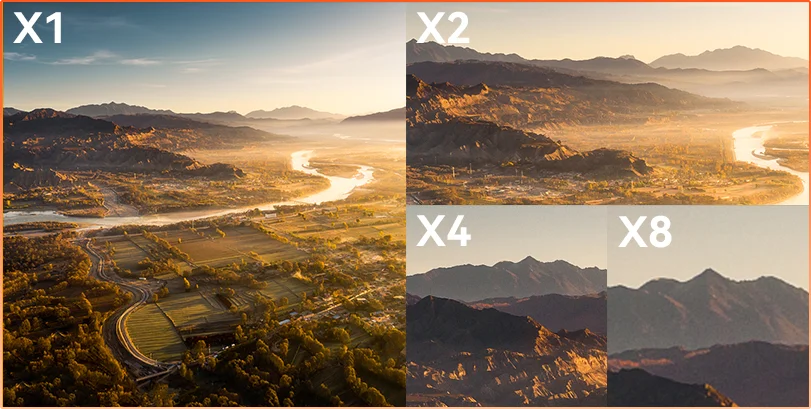
что скрывает расстояние Наблюдайте, осматривайте или документируйте — 8-кратное увеличение позволяет чётко разглядеть удалённые объекты и зафиксировать их с высокой детализацией.
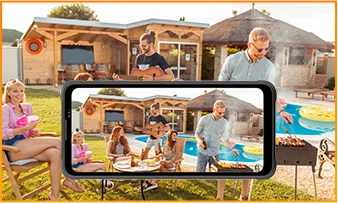
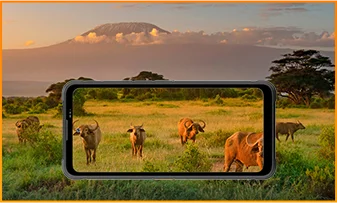
 ISOCELL 2.0
 Технология объединения четырёх пикселей Tetrapixel
 Двойная технология Super PD
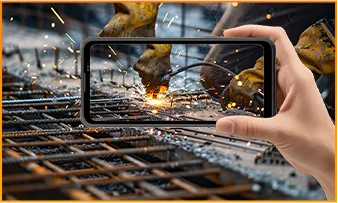
Оставайтесь внимательны в любой обстановке с камерой ночного видения 13 Мп в FORT 200 — она обеспечивает чёткое изображение в темноте и сложных условиях.
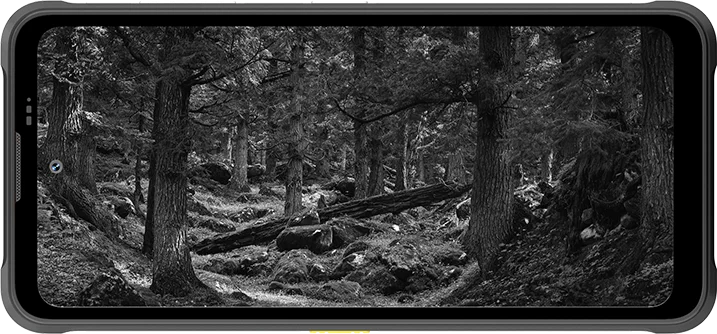
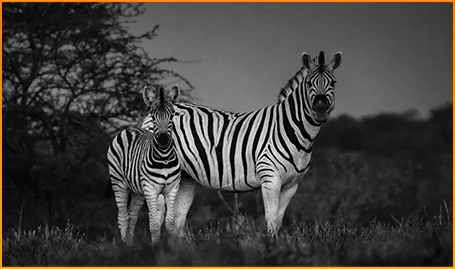
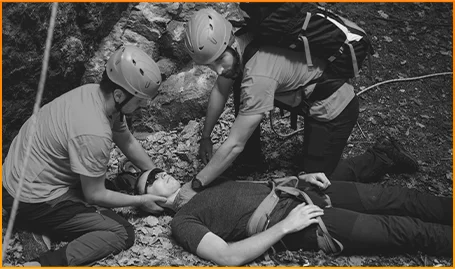
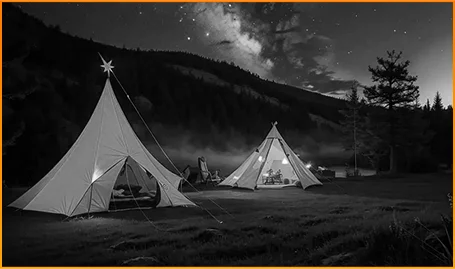
Чётко различайте животных, даже когда в темноте не видно их движения.
Быстро находите людей и предметы, когда на счету каждая секунда.
Следите за тем, что происходит вокруг лагеря после наступления темноты.
Успейте запечатлеть момент, пока он не исчез, с режимом «Фото с движением» на FORT 200 — он сохраняет движение, звук и мимолётную энергию, которые обычно не попадают на статичные снимки.
Снимайте осознанно: FORT 200 записывает более чёткое видео в формате 2K, а профессиональный режим позволяет точно настроить параметры, когда автоматический режим не справляется со сложным освещением или быстрым движением.
 Фото с помощью ИИ
Дождь / Песок и пыль / Вибрация / Удары / Ускорение / Высокая температура / Низкая температура / Влажность / Высота над уровнем моря
Защита от падений
Выдерживает падение насмерть
Работа при экстремальных температурах
Водонепроницаемость со всех сторон
Готов к любым испытаниям.
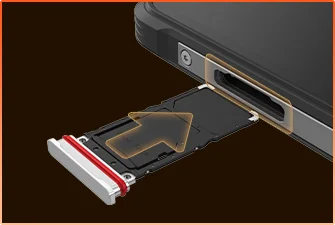 Влагозащитное уплотнение лотка для SIM-карты
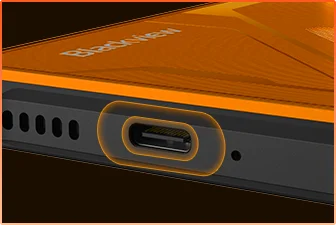 Влагозащита USB-порта
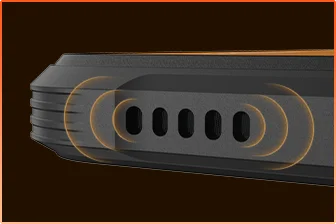 Влагозащита решётки динамика
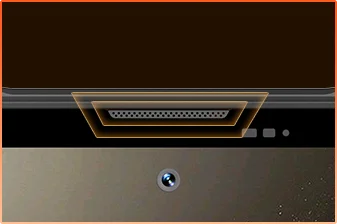 Влагозащита порта микрофона
Готовы?
Камера
Динамик BOX
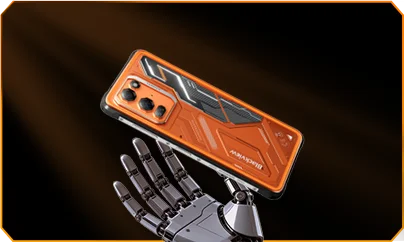
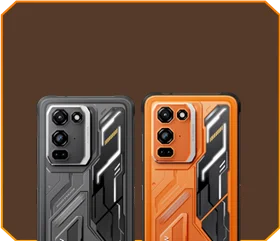





 Фантомный чёрный
Яркость


Выдерживает падение с высоты 1,5 м
Работает при экстремальных
температурах от -20°C до +55°C
 Функция боковой кнопки
 Полезный
набор инструментов

пульт
управления
 Под водой
Камера
 Умный звук 2 Вт
Динамик BOX
Защита IP69K
MediaTek Helio G100
12 ГБ ОЗУ + 36 ГБ расширения
Расширение памяти с помощью карты


≈303 тыс.+ фотографий
≈5,1 тыс.+ коротких видео
с быстрой зарядкой 33 Вт
Большой сенсор 1/1,67″
Кристально чистая линза 6P
Smart-ISO Pro
8-кратный зум
Технология Tetrapixel 4-в-1
Двойная система Super PD
в совершенно новом профессиональном режиме

Расширение изображения с помощью ИИ
Размытие фото с помощью ИИ

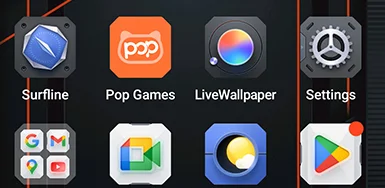


 Система
Менеджер
2.0
 Камера
2.0
 Глобальный
Сеть
Готов
 Умный
NFC
Доступ
 Больше мощности. Больше скорости. Больше дел. Без задержек. Без ограничений. Только мощность

Работают одновременно
Технология расширения нового поколения
Быстрая загрузка приложений
 ≈796 тыс.+ песен
 ≈303 тыс.+ фото
 ≈5,1 тыс.+ коротких видео

 Беспроводная зарядка 15 Вт
Зарядка
 Обратная зарядка
мощностью 5 Вт
 Алгоритм экономии
заряда аккумулятора
 Режим сверхэкономии
энергии
 Защита
при зарядке
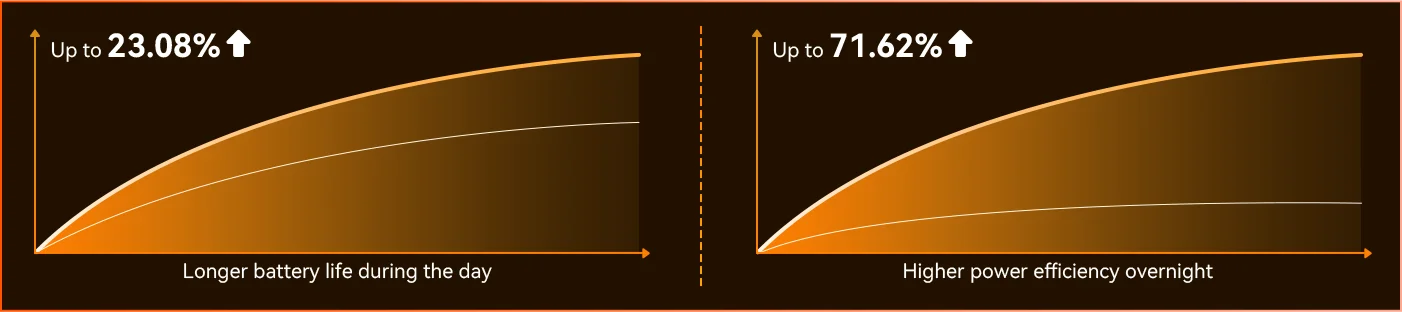
каждый день *Данные лаборатории Blackview. Фактические результаты могут различаться в зависимости от использования и условий окружающей среды.
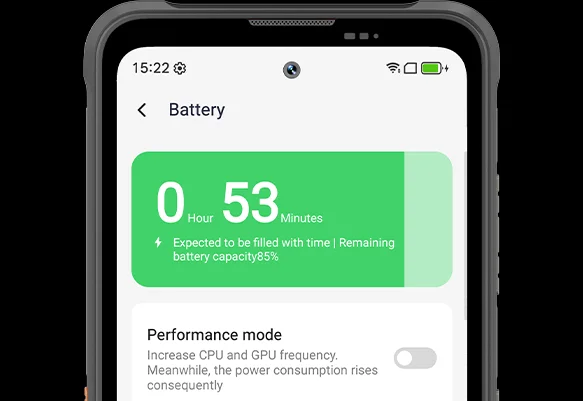
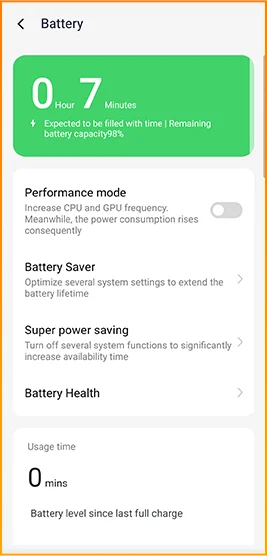
Оцените разницу: FORT 200 подстраивается под ваш распорядок дня — совершенно новый режим глубокого энергосбережения определяет периоды бездействия даже при дневном свете и снижает расход энергии без каких-либо усилий с вашей стороны.
 Умнее, плавнее и лучше понимает вас. Совершенно новая DokeOS 5.0 (Android 16)
 Больше удобства Больше персонализации Повышенная конфиденциальность и безопасность & Улучшенный искусственный интеллект
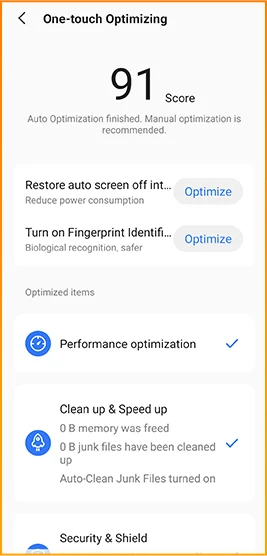
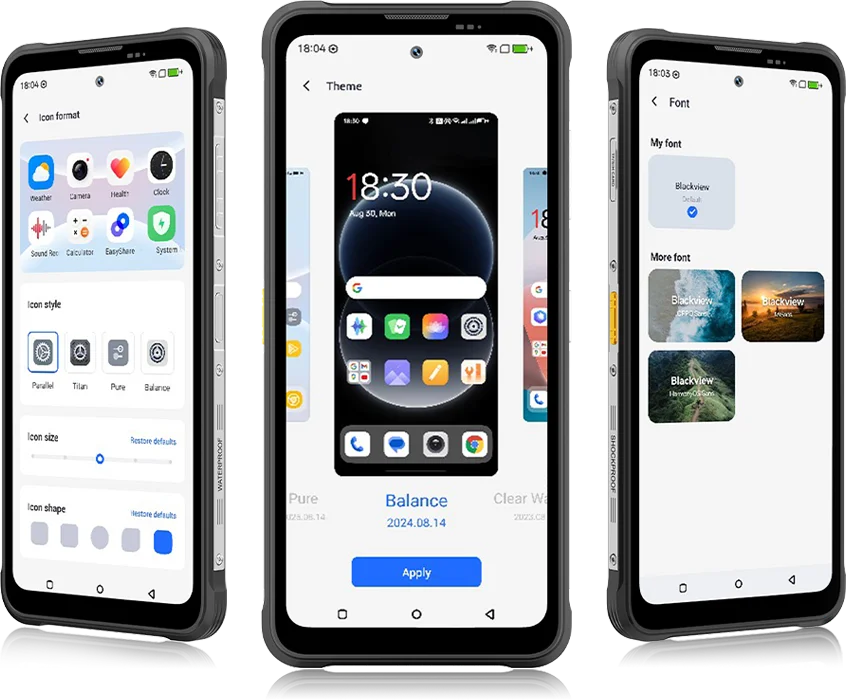 От DokeOS 4.2 до 5.0 — всё стало лучше: скорость, которую вы ощущаете, плавность, которую вы видите, и интеллект, предугадывающий ваши действия. Система стала плавнее, умнее и персональнее, чем когда-либо, превращая повседневные моменты в лёгкий и комфортный опыт.
для повседневных задач


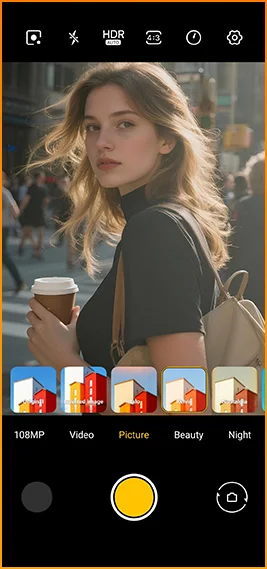
Кинематографичный стиль одним нажатием.
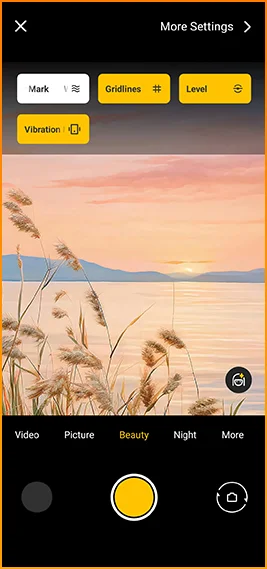
Сетка, водяные знаки, уровень
и тактильный отклик всегда под рукой.
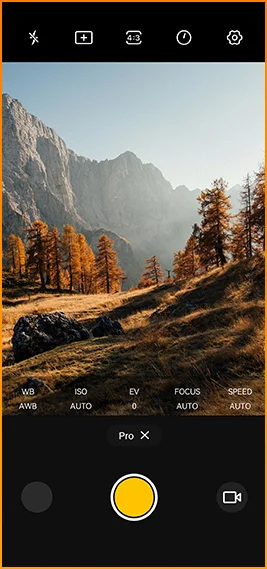
Точная настройка цветовой
температуры и экспозамера
с профессиональным управлением.


Создан для надежного подключения в разных
регионах мира.
Открывайте двери, мгновенно оплачивайте покупки и быстрее подключайтесь
одним касанием.
Blackview FORT 200 Характеристики
Интеллектуальная частота обновления 120 Гц, соотношение экрана к корпусу 86%
13 Мп (ночное видение)
Диапазон 3G: WCDMA:B1/2/4/5/8
Диапазон 4G: FDD:B1/2/3/4/5/7/8/12/13/17/18/19/20/26/28A/28B/66
TDD:B38/40/41
| Дизайн | |
| Продукт | Blackview FORT 200 |
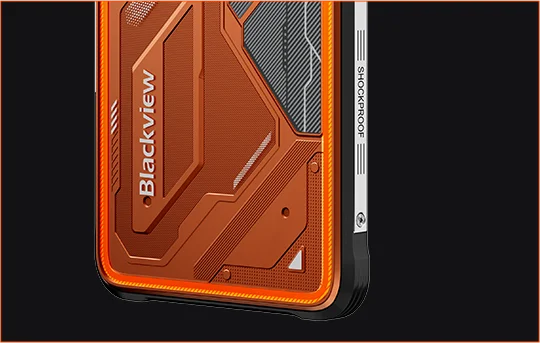
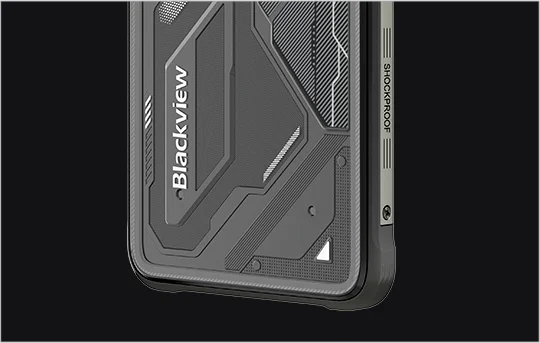
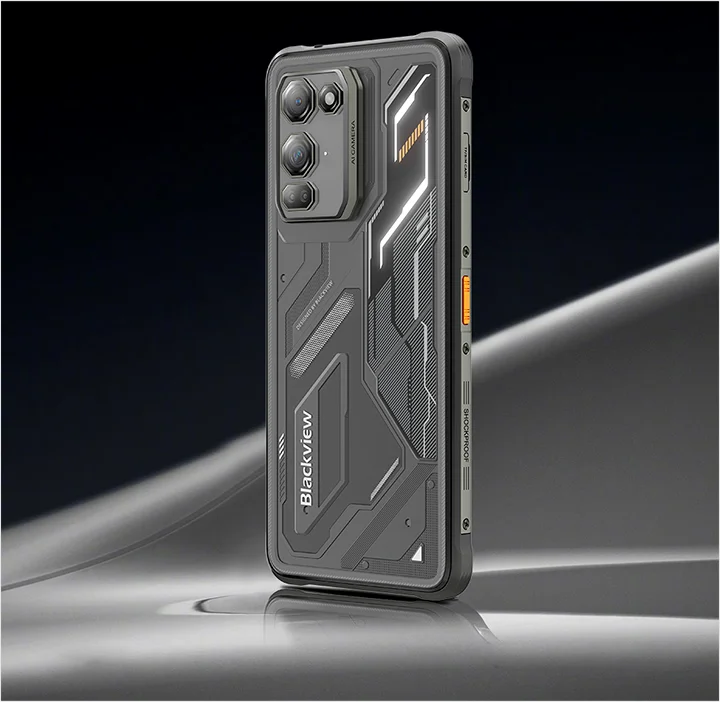
| Цвет | Blaze Orange, Phantom Black |
| Размеры | 178,4 × 83 × 11,5 мм |
| Вес | 268 g |
| ОС | DokeOS 5.0 на базе Android 16 |
| Дисплей | |
| Основной дисплей | 6,78-дюймовый IPS-дисплей |
| Разрешение | 1080 × 2460 |
| Частота обновления | 120 Гц |
| Частота опроса сенсора | 180 Гц |
| Яркость | Пиковая яркость 700 нит |
| PPI | 396 |
| Соотношение экрана к корпусу | 86% |
| Стекло | Стекло Panda Glass |
| Производительность | |
| ЦПУ | MediaTek Helio G100 |
| Тактовая частота CPU | 2 × Cortex-A76 2.2 ГГц + 6 × Cortex-A55 2.0 ГГц |
| GPU | Графика Mali-G57 3D |
| Оперативная и встроенная память | 12 ГБ RAM + 256 ГБ ROM |
| Тип памяти | LPDDR4X + UFS 2.2 |
| Расширение RAM | Расширение оперативной памяти до 36 ГБ |
| Расширение TF | До 2 ТБ |
| Камера | |
| Фронтальная камера | Фронтальная камера 50 МП Samsung® ISOCELL JN1 |
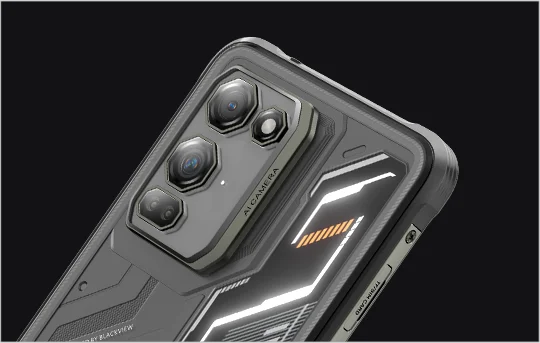
| Основная камера | Основная камера 108 МП Samsung® ISOCELL HM6 + камера ночного видения 13 МП |
| Датчик основной камеры | Samsung® ISOCELL HM6 + OV08B10 |
| Запись видео | Запись видео 2K с профессиональным режимом |
| Функции камеры | Motion Photo, AI Photos, 8× зум, профессиональный режим, Smart Google Lens |
| Аккумулятор и зарядка | |
| Аккумулятор | 5000 мАч |
| Зарядка | Быстрая зарядка 33 Вт, беспроводная зарядка 15 Вт |
| Обратная зарядка | Обратная передача питания 5 Вт |
| Аудио | |
| Динамик | Динамик Smart-K BOX 2 Вт |
| Прочность | |
| Класс защиты | IP68 & IP69K & MIL-STD-810H |
| Водонепроницаемость | Водонепроницаемость при погружении на 2 м / 30 мин |
| Защита от падений | Устойчивость к падениям до 6 м |
| Устойчивость к горячей воде | Устойчивость к горячей воде 80°C |
| Защита от давления струи | 10 000 кПа |
| Рабочая температура | -20°C до +55°C |
| Подключение | |
| Сеть | Поддержка Dual 4G SIM |
| Wi-Fi | IEEE 802.11 a/b/g/n/ac, 2.4 ГГц / 5 ГГц |
| Bluetooth | BT 5.2 |
| NFC | Поддержка |
| Слот для карт | Двойной: 2 × SIM / 1 × SIM + 1 × TF-карта |
| USB | Тип-C |
| Диапазоны сети | |
| 2G | B2 / B3 / B5 / B8 |
| 3G | WCDMA: B1 / B2 / B4 / B5 / B8 |
| 4G | FDD: B1 / B2 / B3 / B4 / B5 / B7 / B8 / B12 / B13 / B17 / B18 / B19 / B20 / B26 / B28A / B28B / B66; TDD: B38 / B40 / B41 |
| 5G | Нет |
| Навигация | |
| Позиционирование | GPS / GLONASS / Galileo / BeiDou / QZSS |
| Датчики | |
| Датчики | G-датчик, P-датчик, L-датчик, гироскоп, компас, магнитный датчик, датчик отпечатков пальцев, RGB-датчик |
| Дополнительные функции | |
| Особенности для улицы | Функция боковой кнопки, инфракрасное дистанционное управление, ToolBag, подводная камера |
| Функции ИИ | Doke AI 2.0, AI Chat, AI Photos, AI Video, AI Music, приложение ImageX |
| Другие функции | Беспроводная зарядка, NFC, FM, OTG, разблокировка по отпечатку пальца, режим чтения, ночник, тёмный режим |
What are the differences between the Blackview FORT 200 and the Blackview FORT 2?
Compared with the Blackview FORT 2, the FORT 200 features a larger, higher-resolution display, more RAM, and a higher-resolution camera, along with faster wired charging and wireless charging support. The FORT 2 is slimmer and lighter, weighing 245.3g compared with the FORT 200’s 268g.
For everyday use, the FORT 200’s larger screen makes reading documents, viewing maps, and browsing photos easier. Its camera and charging features also suit users who prioritize photography and charging convenience. Both are 4G rugged smartphones, with key differences in their displays, hardware, cameras, and dimensions.
| Feature | Blackview FORT 200 | Blackview FORT 2 |
|---|---|---|
| Processor | MediaTek Helio G100 | MediaTek Helio G81 |
| Display | 6.78-inch, 1080 × 2460 | 6.56-inch, 720 × 1612 |
| Refresh rate | 120Hz | 90Hz |
| Physical RAM | 12GB | 8GB |
| Internal storage | 256GB | 128GB / 256GB |
| Main camera | 108MP | 16MP |
| Front camera | 50MP | 13MP |
| Wired charging | Up to 33W | Up to 18W |
| Weight | 268g | 245.3g |
| Thickness | 11.5mm | 10.7mm |
Who is the Blackview FORT 200 rugged phone designed for?
The Blackview FORT 200 is ideal for maintenance technicians, construction workers, delivery personnel (food/courier), farmers, and outdoor enthusiasts who enjoy hiking or camping. It is also well-suited for users who frequently find themselves in environments prone to dust, rain, or accidental impacts—situations where they still need to make calls, use navigation, run work-related applications, or take photos.
Its rugged design ensures reliability even in demanding work environments or during outdoor activities. The large screen provides ample space for viewing maps, reading documents, and looking at photos, while the high-resolution main camera captures detailed imagery. It is designed to support both professional tasks and everyday use.
What charging methods does the Blackview FORT 200 support?
The Blackview FORT 200 supports wired charging at up to 33W and wireless charging at 15W. Wired charging is ideal for topping up your phone’s battery before heading out or while at your workstation, while wireless charging allows you to power up simply by placing the device on a charging pad on your desk or nightstand.
For wired charging, ensure you use a compatible charger and cable. For wireless charging, place the phone accurately on a compatible charging pad and confirm that charging has begun. If you are using a thick protective case or any metal accessories, it is recommended to remove them for optimal charging performance.
What can I use the Blackview FORT 200’s 108MP main camera for?
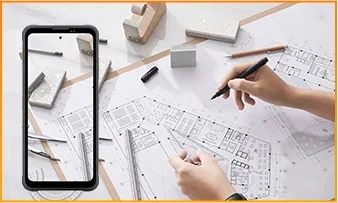
The 108MP main camera on the Blackview FORT 200 can be used to capture landscapes, equipment, documents, and various everyday scenes. It preserves a high level of detail, making it easy to zoom in or crop specific areas—such as isolating a sign within a scene or focusing on a particular detail in a portrait.
When documenting work-related tasks, you can take a wide-angle shot to show the surrounding environment, followed by close-up shots of labels, connections, or damaged areas. When photographing documents, keep the phone parallel to the page to ensure the entire content is captured within the frame.
What can I see with the Blackview FORT 200’s night vision camera?
The Blackview FORT 200’s night-vision camera helps you see people, animals, and objects nearby in the dark. Utilizing infrared illumination technology, it is well-suited for viewing the area around a campsite or observing dimly lit spaces.
For a clear view, keep the phone steady and point it directly toward the area you wish to observe. Identifying targets may be difficult if they are far away or obscured by obstacles. The night-vision feature only reveals the appearance of scenes in the dark; it cannot measure temperature or see through walls, and therefore cannot serve as a substitute for a thermal imager.
What does the Motion Photo feature do on the Blackview FORT 200?
The "Motion Photo" feature records both motion and sound while capturing a still image, allowing you to preserve more of your special moments. Beyond freezing a specific expression, it captures subtle movements—such as a smile, a pet turning its head, or leaves swaying in the breeze.
Please keep your phone steady while shooting. If you need to record for a longer duration, it is recommended to use the standard video recording mode. When sharing a "Motion Photo," please note that the recipient's device must support the playback of motion and sound; some devices may only display or transmit the image as a static photo.
What photo-editing features does the ImageX app offer on the Blackview FORT 200?
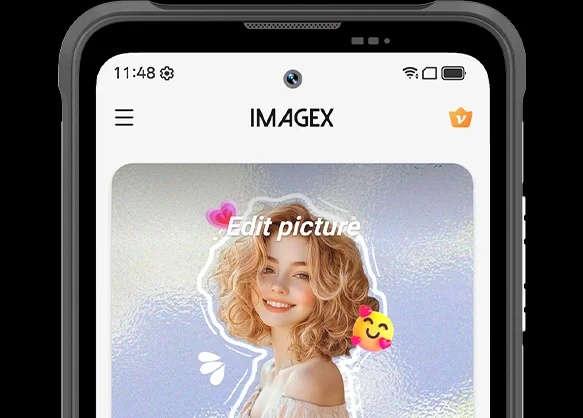
ImageX provides a variety of AI-powered tools, including features to remove unwanted objects, expand image edges (outpainting), and apply blur effects. These tools allow you to refine your photos after they have been taken—for example, by cleaning up cluttered backgrounds or creating more space around the main subject.
The "Object Removal" feature can enhance vacation photos; "Image Expansion" (outpainting) can fill in backgrounds where the original composition was too tight; and the "Blur" tool can make specific areas less prominent. After applying these edits, be sure to carefully review the results—paying close attention to faces, text, and the edges of objects—as AI editing may sometimes require multiple attempts to achieve the desired outcome.
Can I expand the Blackview FORT 200’s storage?
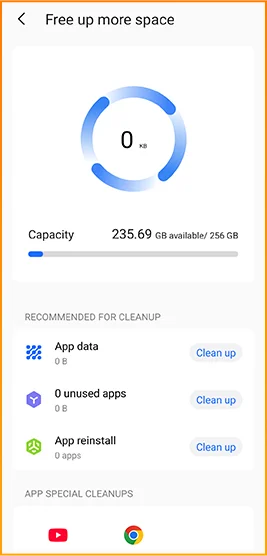
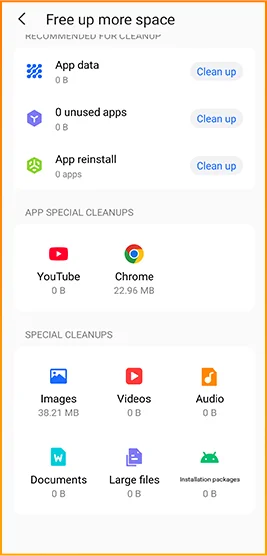
Yes. The Blackview FORT 200 supports microSD cards with a capacity of up to 2TB, providing extra space for photos, videos, music, documents, and more. Please note that the microSD card slot is shared with the second SIM card slot; You must choose between a "dual SIM" configuration or a "single SIM + one microSD card" configuration.
If your phone’s internal storage becomes full due to a large number of work-related photos, downloaded videos, or other files, you can move these items to the microSD card to free up internal space. It is recommended to keep applications and certain app data on the phone’s built-in storage; the microSD card is intended primarily for file storage and cannot replace the device's internal memory.
What mobile networks does the Blackview FORT 200 support?
The Blackview FORT 200 is a 4G rugged smartphone that supports 4G LTE, 3G, and 2G networks. When used with a compatible SIM card and mobile plan, the device allows for making calls, sending and receiving text messages, and using mobile data (including web browsing, navigation, instant messaging, and video calls).
Before purchasing, please compare the network frequency bands listed in the product specifications with those used by your mobile carrier. You may also wish to consult your carrier to confirm that their network supports the device for calls and mobile data services. Network availability depends on local coverage and your chosen mobile plan.
What devices can I control with the Blackview FORT 200’s infrared remote?
The Blackview FORT 200 can control compatible TVs, air conditioners, and set-top boxes via infrared, allowing you to change channels, adjust volume, or set temperatures, depending on the device.
Open the remote control app, select the appliance type, and follow the prompts to test and match a configuration. Point the phone’s infrared transmitter at the appliance without obstructions. Compatibility depends on the configurations available in the app. Devices that support only Bluetooth or Wi-Fi cannot be controlled via infrared.
Does the Blackview FORT 200 support NFC payments?
Yes, it does. You can make NFC payments by using a compatible payment app and linking an eligible bank card. Once set up, you can make payments without needing to take your physical card out of your wallet.
Before use, please enable the NFC function, add your bank card to the payment app, and complete the verification steps required by your bank. Ensure you have a screen lock set up and have selected your preferred payment app for contactless payments. When paying, simply unlock or verify your phone as prompted and hold it near the payment terminal. Actual availability depends on the payment service provider, your bank, and your country or region.
What protection does the Blackview FORT 200 offer for outdoor use?
The Blackview FORT 200 features IP68 and IP69K ratings and meets MIL-STD-810H testing standards. It is resistant to dust, water immersion, and impact, making it suitable for outdoor work and activities involving exposure to rain, dirt, or accidental knocks.
To maintain its protective capabilities, ensure the SIM card tray is properly installed and check the phone for damage after any severe impact. If the phone gets wet, ensure both the device and the charging port are dry before charging. Please note that water and impact resistance have limits and may diminish over time due to wear or damage; Therefore, exercise caution during high-intensity activities.
What everyday tasks can the Blackview FORT 200’s AI assistant help with?
The Blackview FORT 200's AI chat assistant can answer questions, explain complex concepts, and help you understand document content. It can interpret reading materials in plain language and summarize key points from lengthy information.
For the best results, clearly describe your specific needs. You can also ask follow-up questions regarding any unclear points. Before using the answers for work or sharing them with others, it is recommended to verify the original information, including important names, data, and instructions.
Can I connect a USB flash drive to the Blackview FORT 200?
Yes. The Blackview FORT 200 supports USB OTG functionality, allowing you to connect compatible USB flash drives to access and transfer files. Flash drives with a USB-C connector can be plugged in directly, while standard USB-A flash drives require a suitable USB-C OTG adapter.
Once connected, open the file manager and select the USB storage device to browse its contents. You can copy work documents to your phone or move photos and videos to the flash drive without needing a computer or cloud service. Wait for all transfers to complete before disconnecting; if the system offers an "Eject" option, use it to prevent incomplete transfers or file corruption.
How can I use Google Lens on the Blackview FORT 200?
You can use Google Lens on the FORT 200 to search for objects, find similar products, and process text within images. Open the Google app, tap the Lens icon, and then point your camera at the target you wish to search for, or select a photo already saved on your phone.
Google Lens can identify unfamiliar plants, search for products you have photographed, or extract text from printed documents. Ensure the subject is in focus; If the frame contains multiple objects, you may need to select the specific area of interest. Note that an internet connection is generally required to access online information.
What features make reading more comfortable on the Blackview FORT 200?
The Blackview FORT 200 offers Reading Mode, Night Light Mode, and Dark Mode. Reading Mode adjusts the display to suit reading needs; Night Light Mode adds warm tones; and Dark Mode applies a dark background to menus and applications.
Choose a mode that suits your reading content and surroundings, and adjust the text size to reduce frequent zooming. At night, lower the brightness or enable “Night Light” for warmer colors. During the day, increase the brightness as needed to keep text clear without making the screen too bright.
Jump to another section