



Blackview FORT 200 Ohut ja langaton lataus 6,78 tuuman MediaTek Helio G100 Okta-ydin 5000mAh 108MP+13MP yökuvauskamera Kestävä 4G-matkapuhelin

Loppuunmyyty
Kohokohdat
Kohokohdat
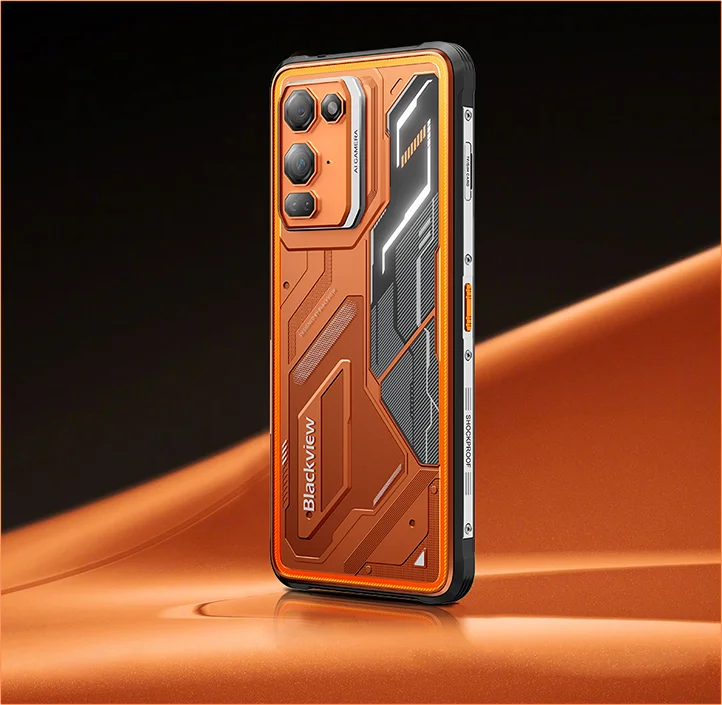
✔6,78 tuuman 268 g & 11,5 mm ohut
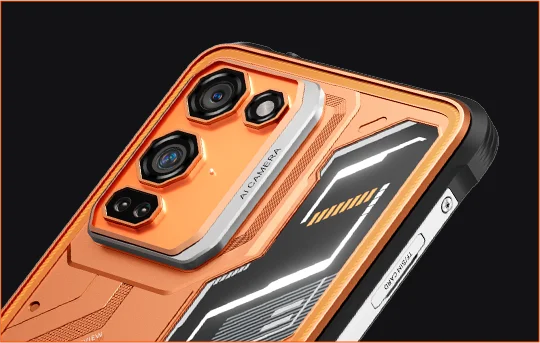
✔108 MP Samsung® HM6 + 13 MP yökuvauskamera
✔ Kahdeksanytiminen MediaTek Helio G100 -prosessori
✔5000 mAh & 33 W pikalataus + 15 W langaton lataus
✔IP68 & IP69K & MIL-STD-810H -sertifioitu
Tiedot
Tiedot
Blackview FORT 200 on ohut ja kestävä 4G-puhelin käyttäjille, jotka haluavat parempaa kuvausta, sulavampaa katselua ja ulkokäyttöön sopivaa kestävyyttä ilman tilaa vievää laitetta. Sen 6,78 tuuman 120 Hz 2,4K-näyttö pysyy kirkkaana 700 nitin kirkkaudella, ja MediaTek Helio G100 takaa sujuvan päivittäisen käytön, navigoinnin ja kenttätyön. 108 MP Samsungin takakamera, 13 MP yökuvauskamera, 5000 mAh akku, 33 W pikalataus ja 15 W langaton lataus tekevät siitä käytännöllisen työhön ja seikkailuihin. IP68- ja IP69K-sertifioinnit sekä MIL-STD-810H-suojaus varmistavat, että se kestää vaativat olosuhteet.
Tietoa merkistä
Tietoa merkistä
Blackview uskoo, että erinomainen teknologia ei saa rajoittua pelkkiin vaikuttaviin teknisiin ominaisuuksiin. Sen tulee sopia oikeaan elämään, ratkaista todellisia ongelmia ja pysyä luotettavana silloin, kun sillä on eniten merkitystä.
Blackview sai alkunsa kestävistä puhelimista, jotka on suunniteltu vaativiin ympäristöihin. Nykyään tarjoamme laajemman ekosysteemin älylaitteita, mukaan lukien älypuhelimet, tabletit, kannettavat tietokoneet, älykellot, äänituotteet ja paljon muuta.
Jokaisessa kategoriassa painopisteemme pysyy samana: kestävä laatu, käytännöllinen innovaatio ja saavutettavat hinnat. Suunnittelemme tuotteita, jotka tuntuvat luotettavilta alusta alkaen.
Ymmärrämme, mitä asiakkaat arvostavat eniten: sujuvaa suorituskykyä, pitkäkestoista luotettavuutta, hyödyllisiä ominaisuuksia ja teknologiaa, joka helpottaa arkea ilman turhia kustannuksia.
Siksi Blackview panostaa aidosti tuotetestaukseen, käyttäjäkokemukseen ja ominaisuuksiin, jotka tuovat merkityksellistä arvoa työhön, matkustamiseen, luomiseen, ulkoiluun ja päivittäiseen yhteydenpitoon.
Blackview on tehty ihmisille, jotka haluavat teknologiaa, johon voi luottaa: älykkäitä, kykeneviä laitteita, jotka pysyvät mukana nykyaikaisessa elämässä.
Luotettava suunnittelultaan. Käytännöllinen olemukseltaan. Tehty oikeaan elämään.
Toimitus ja palautukset
Toimitus ja palautukset
• Toimitus: Tilaukset käsitellään 1–2 arkipäivän kuluessa. Tavallinen toimitus kestää 3–7 arkipäivää sijainnistasi riippuen.
• Palautukset: Voit palauttaa tai vaihtaa tuotteita 30 päivän kuluessa tilauksesi vastaanottamisesta. Tuotteiden tulee olla alkuperäisessä kunnossa ja mukana on oltava ostotodistus.
Jos tuotteesi on viallinen tai vahingoittunut valmistusvirheen vuoksi, vaihdamme sen mielellämme ilman lisäkustannuksia.


Kestävä kuvantamisen lippulaiva Ohut kädessä. Terävä näössä. Valmis tuntemattomaan.
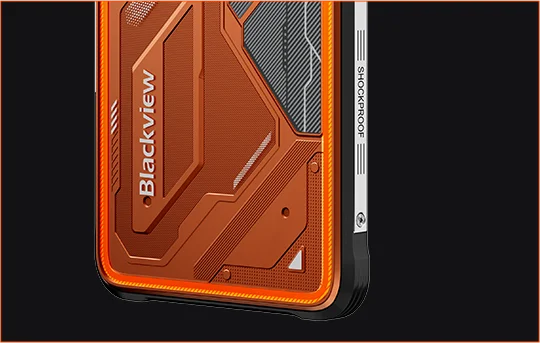
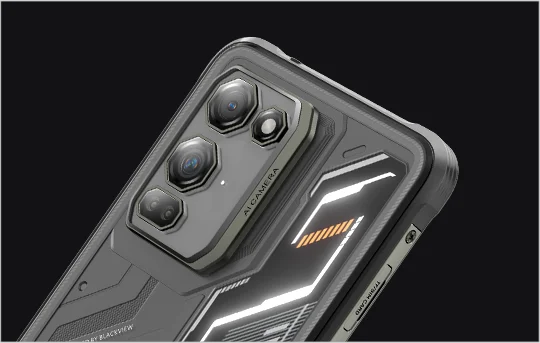
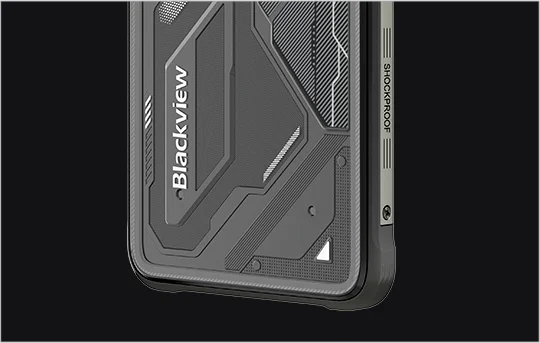
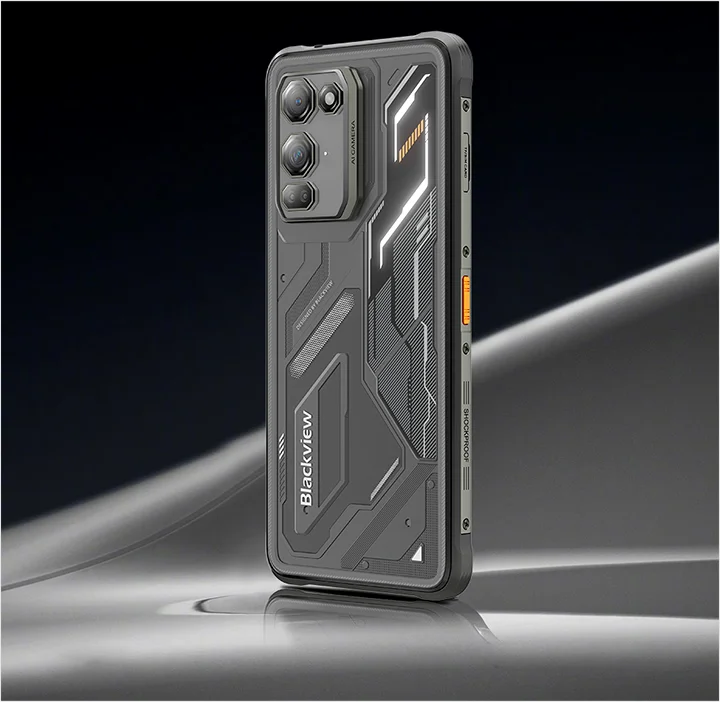
 Ohut. Kirkas. Uskoakseni selkeä Näe se selvästi. Näe se missä tahansa
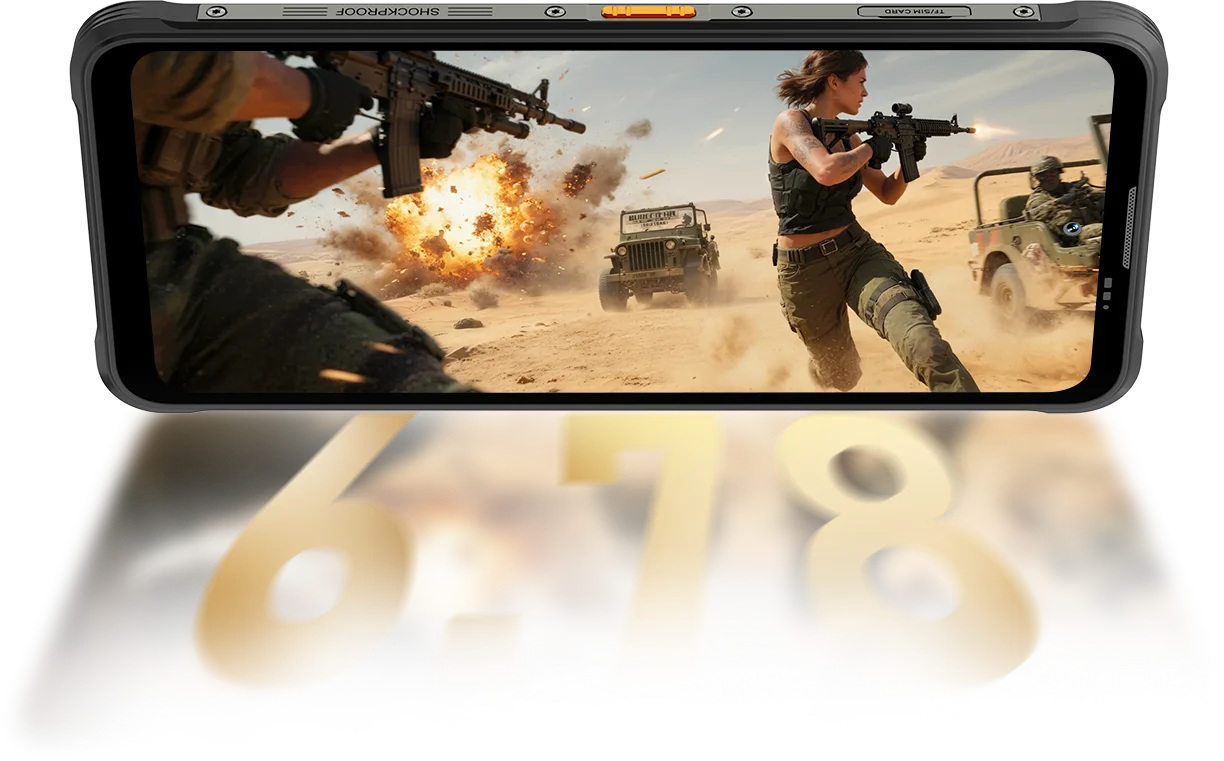
Resoluutio
IPS Täysnäkymä
Huippukirkkaus
PPI
AI älykäs virkistystaajuus
Näytön ja rungon suhde
Kosketuksen näytteenottotaajuus
FORT 200 nostaa kirkkauden jopa 700 nitiin pysyäkseen kirkkaana ja luettavana, kun heikommat näytöt himmenevät.

 Muut
 500 nitiä
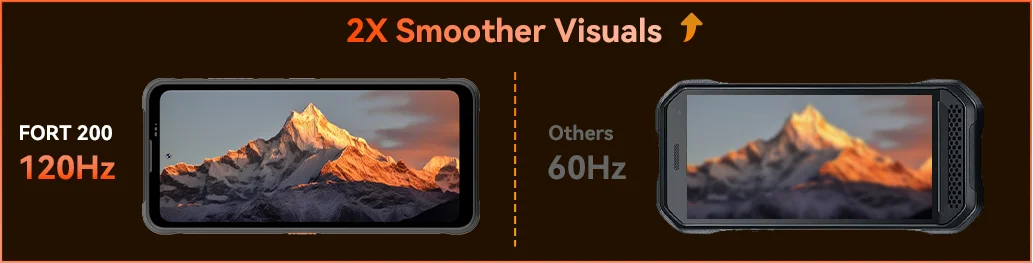
Tunne sujuvuus, kun Blackview FORT 200:n 120Hz AI älykäs virkistystaajuus käynnistyy — säästää virtaa selaillessa, lisää sulavuutta pelatessa ja pitää jokaisen liikkeen erittäin reagoivana missä tahansa.
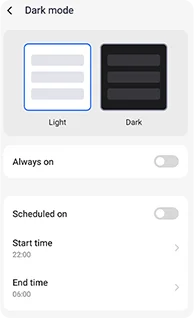
Säädettävät tummat teemat, jotka vähentävät rasitusta ja pidentävät akun kestoa.
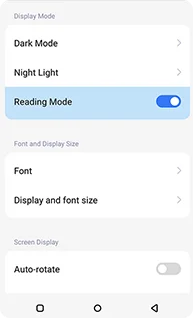
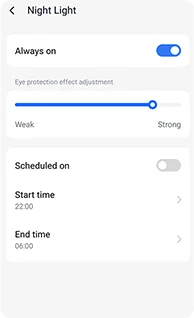
Pehmeät meripihkan sävyt säädettävällä voimakkuudella, jotka auttavat silmiä rentoutumaan mukavasti yöllä.
Puhdas, kirjan kaltainen vaikutelma, joka pysyy mukavana pitkään lukiessa.
 Näe enemmän. Tallenna tarkemmin. Johda luokkaa Tallenna kaikki — terävämpi päivällä, näkyvä yöllä Rakennettu alan kirkkaimmalla kuvantamisteholla.
1.28μm 4-in-1 Pikselit
1/2.76" Kenno
5P Linssi
1/1,67" Suuri Kenno
1.92μm Nonapikseli Plus
f/1.9 Aukko
6P Linssi
Kirkkaammat yöt.
Vähemmän kohinaa. Enemmän yksityiskohtia.
Terävämmät kuvat.
Puhdistetut optiikat.
Laajempi dynaaminen alue.
Todellisemmat värit.
Älykkäämpi valotus.
Parempi kontrasti.
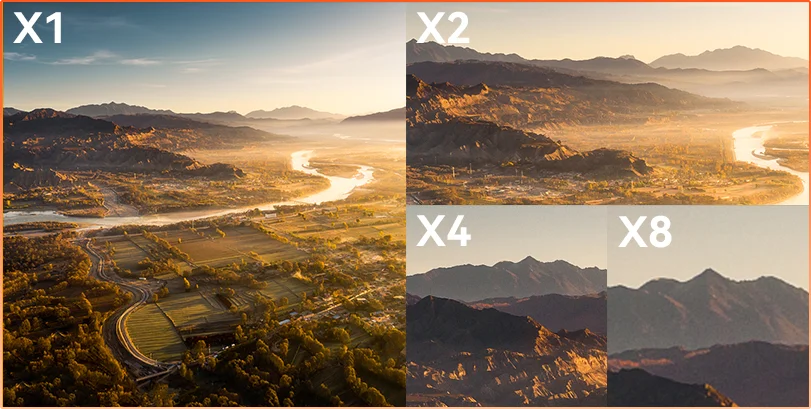
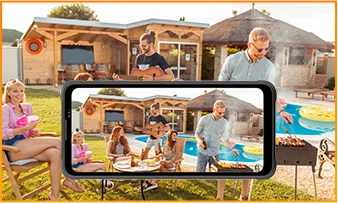
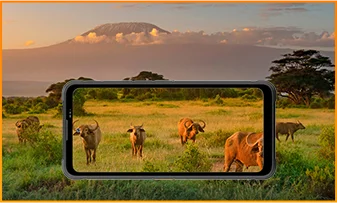
Etäisyys piilottaa Olitpa tarkkailemassa, tarkastamassa tai dokumentoimassa, 8× zoom tuo kaukaiset yksityiskohdat terävään, käyttökelpoiseen selkeyteen.
 ISOCELL 2.0
 Tetrapikseli 4-in-1 Tekniikka
 Kaksois Super PD
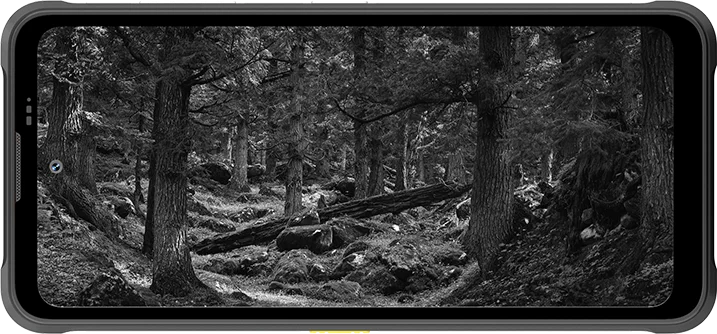
Pysy tietoisena missä tahansa ympäristössä FORT 200:n 13MP-yönäkökameralla — tarjoaa selkeän näkyvyyden, kun valot sammuvat ja olosuhteet vaikeutuvat.
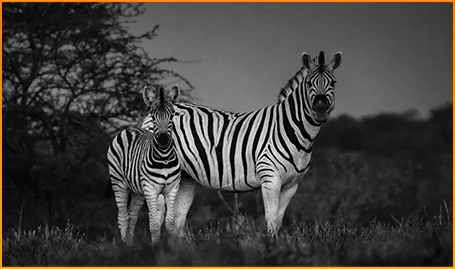
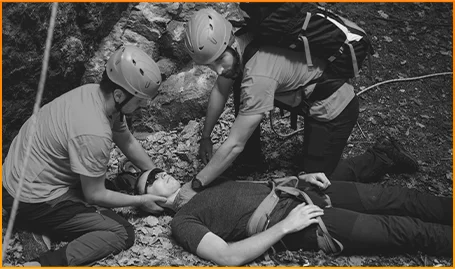
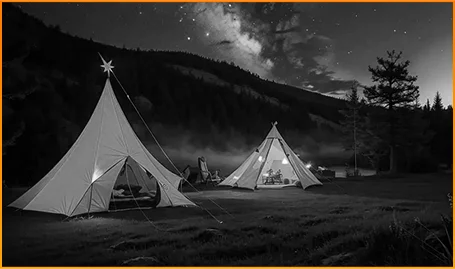
Havaitse eläimet selvästi — vaikka pimeys piilottaisi niiden liikkeet.
Löydä ihmiset ja esineet nopeasti, kun jokainen sekunti on tärkeä.
Pysy tietoisena siitä, mitä leiripaikkasi ympärillä liikkuu pimeän jälkeen.
Tallenna hetki ennen kuin se katoaa FORT 200:n Liikevalokuvalla — tallentaa liikkeen, äänen ja sekunnin murto-osan energian, jonka tavalliset valokuvat yleensä missaavat.
Kuvaa tarkoituksella FORT 200:n terävämmällä 2K-videolla ja säädä asetuksia Pro-tilassa, kun Automaattitila ei pysy mukana haastavassa valaistuksessa tai nopeissa tilanteissa.
 AI-valokuvat
Sade / Hiekka ja pöly / Tärinä / Isku / Kiihtyvyys / Korkea lämpötila / Matala lämpötila / Kosteus / Korkeus
Iskunkestävä
Kuoleman kestävä
Äärilämpötiloissa toimiva
Vedenpitävyys kaikista kulmista
Valmiina jokaiseen haasteeseen.
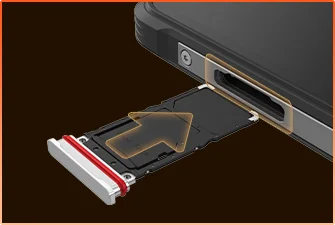 SIM-korttilokeron Vesitiivis Tiivistys
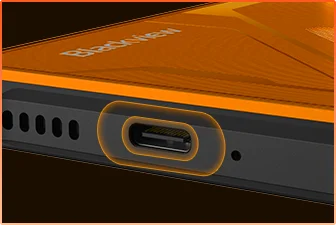 USB-portin Vesitiivis Suojaus
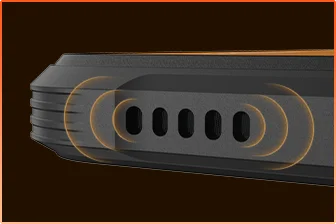 Kaiuttimen Ritilän Vesitiivis Rakenne
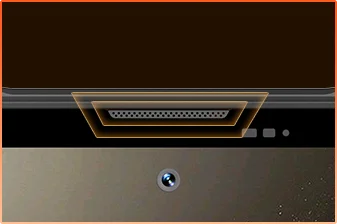 Mikrofonin Portin Vesitiivis Suojaus
Olet Valmis.
Kamera
BOX Kaiutin
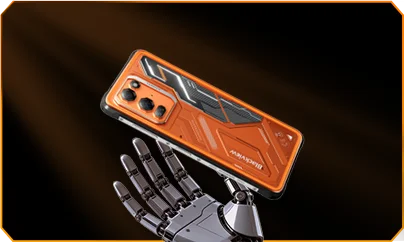
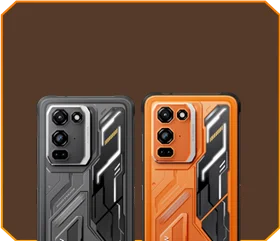





 Phantom Musta
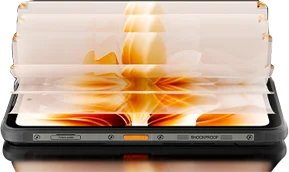
Kirkkaus


1,5 m Kuolemanvarma
-20°C - +55°C Äärimmäinen
Käyttölämpötila
 Sivupainike
Toiminto
 Kätevä
Työkalupakki

Kaukosäädin
Ohjaus
 Vedessä
Kamera
 2W Älykäs-K
BOX Kaiutin
IP69K Luokitukset
MediaTek Helio G100
12 Gt RAM+36 Gt Laajennus
Kortin Laajennus


≈303K+ Valokuvia
≈5,1K+ Lyhyitä Videoita
33 W Pikalatauksella
1/1,67" Suuri Kenno
6P Kristallinkirkas Linssi
Smart-ISO Pro
8X Zoom
Tetrapikseli 4-in-1 Tekniikka
Kaksois Super PD
Täysin Uudella Pro-tilalla

AI Ulkopainttaus
AI Sumea Valokuva

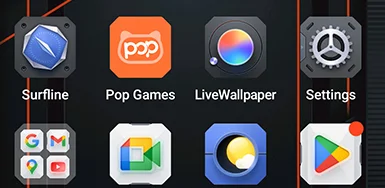


 Järjestelmä
Hallinta
2.0
 Kamera
2.0
 Maailmanlaajuinen
Verkko
Valmis
 Älykäs
NFC
Yhteys
 Enemmän Tehoa. Enemmän Nopeutta. Enemmän Saavutuksia. Ei Viivettä. Ei Rajoja. Vain Tehoa

Suorita Samanaikaisesti
Seuraavan Sukupolven Laajennettava Tekniikka
Nopeampi Sovellusten Käynnistys
 ≈796K+ Kappaletta
 ≈303K+ Valokuvia
 ≈5,1K+ Lyhyitä Videoita

 15W langaton
Lataus
 5W käänteinen
virranjako
 Akun säästö-
algoritmi
 Supervirransäästö-
tila
 Lataussuojus
Joka päivä *Tiedot Blackview Labilta. Todelliset tulokset voivat vaihdella käytön ja ympäristön mukaan.
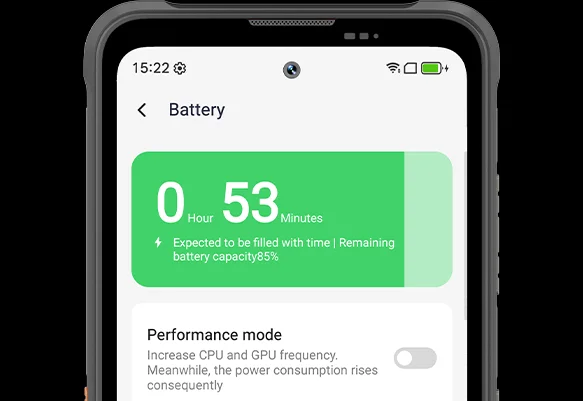
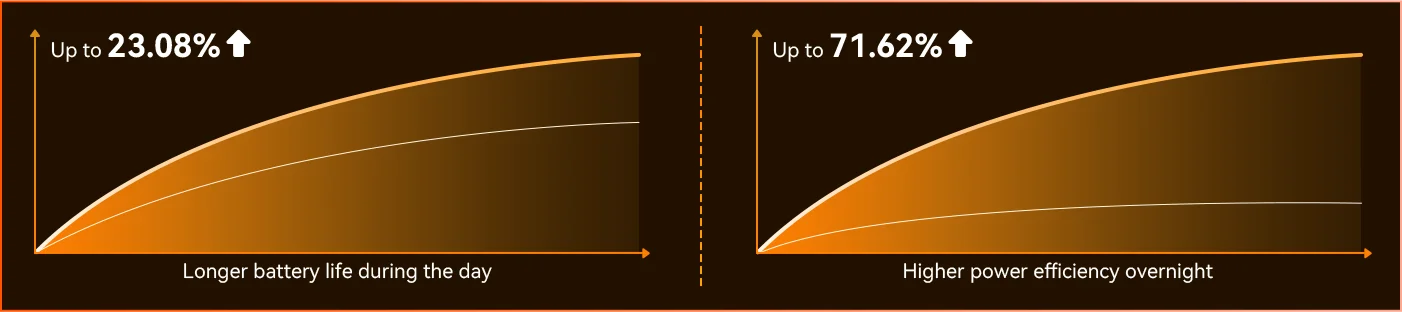
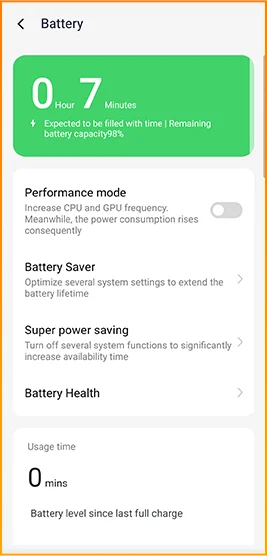
Huomaa ero, kun FORT 200 mukautuu päivääsi — täysin uusi syvä virransäästötila tunnistaa käyttämättömyyden jopa päivänvalossa ja vähentää virrankulutusta ilman, että sinun tarvitsee tehdä mitään.
 Älykkäämpi, sulavampi, suunniteltu tuntemaan sinut paremmin. Täysin uusi DokeOS 5.0 (Android 16)
 Mukavuuspäivitys Personointipäivitys Yksityisyys- ja turvallisuuspäivitys AI-älykkyyspäivitys
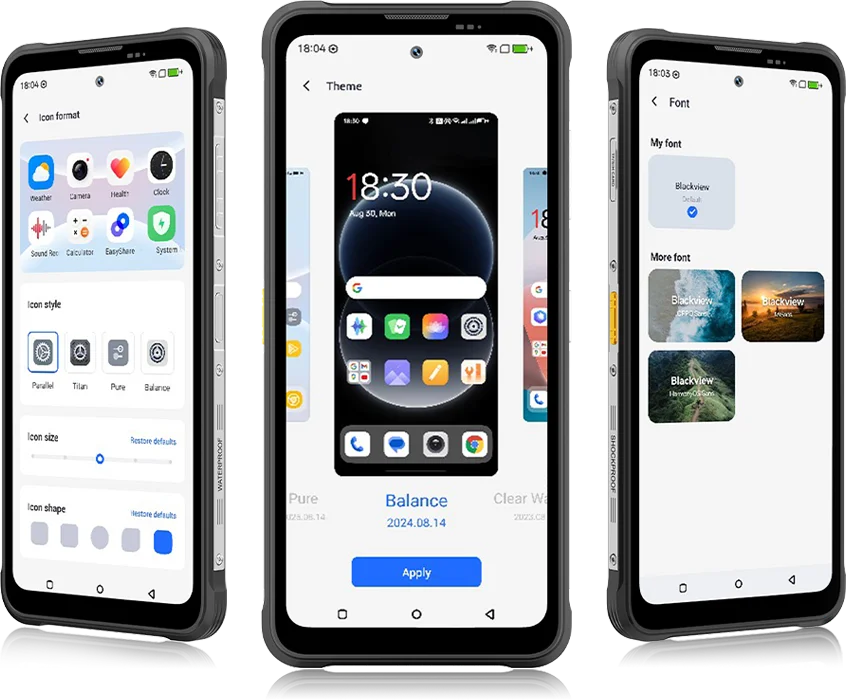 DokeOS 4.2:sta 5.0:aan kaikki on kehittynyt — nopeus, jonka tunnet, sujuvuus, jonka näet, älykkyys, joka ennakoi seuraavan liikkeesi. Se on sulavampi, älykkäämpi ja henkilökohtaisempi kuin koskaan, muuttaen arjen hetkistä vaivattomia kokemuksia.
arkipäivän tehtäviin


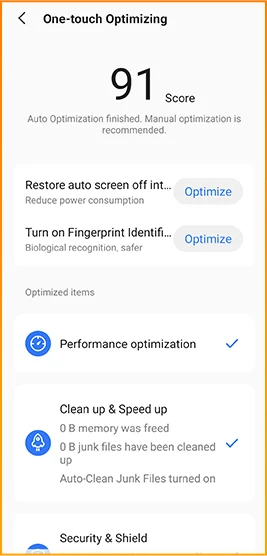
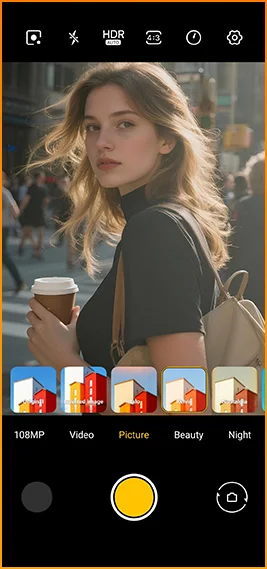
Elokuvamaiset ilmeet yhdellä napautuksella.
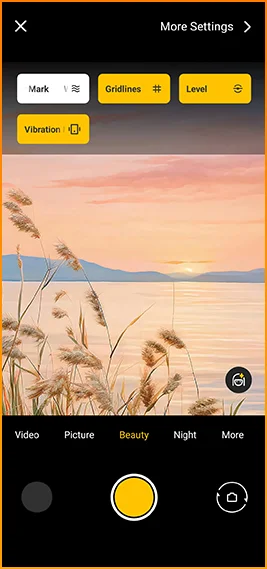
Ruudukot, vesileimat, vaaka,
ja haptiset palautteet heti käden ulottuvilla.
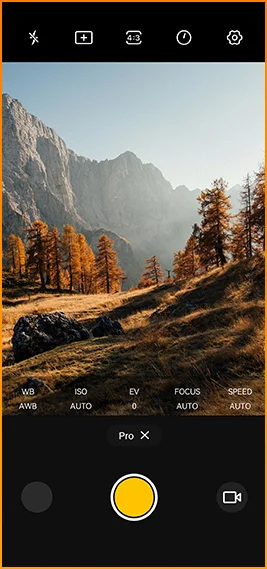
Säädä väriä tarkasti
lämpötila ja mittaus
ammattilaistasoisella hallinnalla.


Suunniteltu luotettavaan yhteyteen
alueilla ympäri maailmaa.
Avaa ovet, maksa välittömästi ja yhdistä nopeammin
yhdellä napautuksella.
Blackview FORT 200 -tekniset tiedot
120Hz älykäs virkistystaajuus, 86 % näyttö-runkosuhde
13MP (yönäkö)
3G-taajuusalue: WCDMA:B1/2/4/5/8
4G-taajuusalue: FDD:B1/2/3/4/5/7/8/12/13/17/18/19/20/26/28A/28B/66
TDD:B38/40/41
| Suunnittelu | |
| Tuote | Blackview FORT 200 |
| Väri | Blaze Orange, Phantom Black |
| Mitat | 178,4 × 83 × 11,5 mm |
| Paino | 268 g |
| Käyttöjärjestelmä | DokeOS 5.0, perustuu Android 16:een |
| Näytä | |
| Päädisplay | 6,78 tuuman IPS-näyttö |
| Resoluutio | 1080 × 2460 |
| Päivitysnopeus | 120 Hz |
| Kosketuksen näytteenottotaajuus | 180 Hz |
| Kirkkaus | 700 nitin huippukirkkaus |
| PPI | 396 |
| Näytön ja rungon suhde | 86% |
| Lasi | Panda Glass |
| Suorituskyky | |
| CPU | MediaTek Helio G100 |
| CPU-kellotaajuus | 2 × Cortex-A76 2,2 GHz + 6 × Cortex-A55 2,0 GHz |
| GPU | Mali-G57 3D-grafiikka |
| RAM ja ROM | 12GB RAM + 256GB ROM |
| Muistityyppi | LPDDR4X + UFS 2.2 |
| RAM-laajennus | Jopa 36GB laajennus |
| TF-laajennus | Jopa 2TB |
| Kamera | |
| Etukamera | 50MP Samsung® ISOCELL JN1 |
| Takakamera | 108MP Samsung® ISOCELL HM6 pääkamera + 13MP yökuvauskamera |
| Takakameran anturi | Samsung® ISOCELL HM6 + OV08B10 |
| Videotallennus | 2K-videotallennus Pro-tilassa |
| Kameran ominaisuudet | Motion Photo, AI Photos, 8× zoom, Pro-tila, Smart Google Lens |
| Akku ja lataus | |
| Paristo | 5000 mAh |
| Lataus | 33W pikalataus, 15W langaton lataus |
| Käänteinen lataus | 5W käänteinen virranjako |
| Ääni | |
| Kaiutin | 2W Smart-K BOX -kaiutin |
| Kestävyys | |
| Kestävyysluokitus | IP68 & IP69K & MIL-STD-810H |
| Vedenkestävyys | 2 m / 30 min syvä upotuskestävyys |
| Pudotuskestävyys | Jopa 6 metrin pudotuskestävyys |
| Kuuman veden kestävyys | 80 °C kuuman veden kestävyys |
| Paineensietokyky | 10 000 kPa |
| Käyttölämpötila | -20 °C – +55 °C |
| Yhteydet | |
| Verkko | Kaksois 4G SIM -tuki |
| Wi-Fi | IEEE 802.11 a/b/g/n/ac, 2,4 GHz / 5 GHz |
| Bluetooth | BT 5.2 |
| NFC | Tuki |
| Korttipaikka | Kaksois: 2 × SIM / 1 × SIM + 1 × TF-kortti |
| USB | Type-C |
| Verkkotaajuudet | |
| 2G | B2 / B3 / B5 / B8 |
| 3G | WCDMA: B1 / B2 / B4 / B5 / B8 |
| 4G | FDD: B1 / B2 / B3 / B4 / B5 / B7 / B8 / B12 / B13 / B17 / B18 / B19 / B20 / B26 / B28A / B28B / B66; TDD: B38 / B40 / B41 |
| 5G | Ei |
| Navigointi | |
| Paikannus | GPS / GLONASS / Galileo / BeiDou / QZSS |
| Anturit | |
| Anturit | G-anturi, P-anturi, L-anturi, gyroskooppi, kompassi, magneettinen anturi, sormenjälkitunnistin, RGB-anturi |
| Lisäominaisuudet | |
| Ulkoilmaominaisuudet | Sivupainikkeen toiminto, infrapuna-kaukosäädin, ToolBag, vedenalainen kamera |
| AI-ominaisuudet | Doke AI 2.0, AI Chat, AI Photos, AI Video, AI Music, ImageX-sovellus |
| Muut ominaisuudet | Langaton lataus, NFC, FM, OTG, sormenjälkilukitus, lukutila, yövalo, tumma tila |
What are the differences between the Blackview FORT 200 and the Blackview FORT 2?
Compared with the Blackview FORT 2, the FORT 200 features a larger, higher-resolution display, more RAM, and a higher-resolution camera, along with faster wired charging and wireless charging support. The FORT 2 is slimmer and lighter, weighing 245.3g compared with the FORT 200’s 268g.
For everyday use, the FORT 200’s larger screen makes reading documents, viewing maps, and browsing photos easier. Its camera and charging features also suit users who prioritize photography and charging convenience. Both are 4G rugged smartphones, with key differences in their displays, hardware, cameras, and dimensions.
| Feature | Blackview FORT 200 | Blackview FORT 2 |
|---|---|---|
| Processor | MediaTek Helio G100 | MediaTek Helio G81 |
| Display | 6.78-inch, 1080 × 2460 | 6.56-inch, 720 × 1612 |
| Refresh rate | 120Hz | 90Hz |
| Physical RAM | 12GB | 8GB |
| Internal storage | 256GB | 128GB / 256GB |
| Main camera | 108MP | 16MP |
| Front camera | 50MP | 13MP |
| Wired charging | Up to 33W | Up to 18W |
| Weight | 268g | 245.3g |
| Thickness | 11.5mm | 10.7mm |
Who is the Blackview FORT 200 rugged phone designed for?
The Blackview FORT 200 is ideal for maintenance technicians, construction workers, delivery personnel (food/courier), farmers, and outdoor enthusiasts who enjoy hiking or camping. It is also well-suited for users who frequently find themselves in environments prone to dust, rain, or accidental impacts—situations where they still need to make calls, use navigation, run work-related applications, or take photos.
Its rugged design ensures reliability even in demanding work environments or during outdoor activities. The large screen provides ample space for viewing maps, reading documents, and looking at photos, while the high-resolution main camera captures detailed imagery. It is designed to support both professional tasks and everyday use.
What charging methods does the Blackview FORT 200 support?
The Blackview FORT 200 supports wired charging at up to 33W and wireless charging at 15W. Wired charging is ideal for topping up your phone’s battery before heading out or while at your workstation, while wireless charging allows you to power up simply by placing the device on a charging pad on your desk or nightstand.
For wired charging, ensure you use a compatible charger and cable. For wireless charging, place the phone accurately on a compatible charging pad and confirm that charging has begun. If you are using a thick protective case or any metal accessories, it is recommended to remove them for optimal charging performance.
What can I use the Blackview FORT 200’s 108MP main camera for?
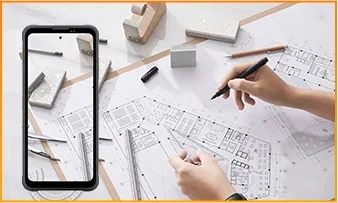
The 108MP main camera on the Blackview FORT 200 can be used to capture landscapes, equipment, documents, and various everyday scenes. It preserves a high level of detail, making it easy to zoom in or crop specific areas—such as isolating a sign within a scene or focusing on a particular detail in a portrait.
When documenting work-related tasks, you can take a wide-angle shot to show the surrounding environment, followed by close-up shots of labels, connections, or damaged areas. When photographing documents, keep the phone parallel to the page to ensure the entire content is captured within the frame.
What can I see with the Blackview FORT 200’s night vision camera?
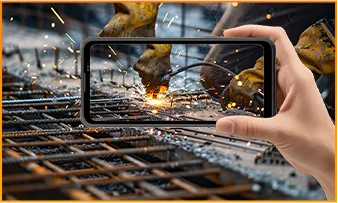
The Blackview FORT 200’s night-vision camera helps you see people, animals, and objects nearby in the dark. Utilizing infrared illumination technology, it is well-suited for viewing the area around a campsite or observing dimly lit spaces.
For a clear view, keep the phone steady and point it directly toward the area you wish to observe. Identifying targets may be difficult if they are far away or obscured by obstacles. The night-vision feature only reveals the appearance of scenes in the dark; it cannot measure temperature or see through walls, and therefore cannot serve as a substitute for a thermal imager.
What does the Motion Photo feature do on the Blackview FORT 200?
The "Motion Photo" feature records both motion and sound while capturing a still image, allowing you to preserve more of your special moments. Beyond freezing a specific expression, it captures subtle movements—such as a smile, a pet turning its head, or leaves swaying in the breeze.
Please keep your phone steady while shooting. If you need to record for a longer duration, it is recommended to use the standard video recording mode. When sharing a "Motion Photo," please note that the recipient's device must support the playback of motion and sound; some devices may only display or transmit the image as a static photo.
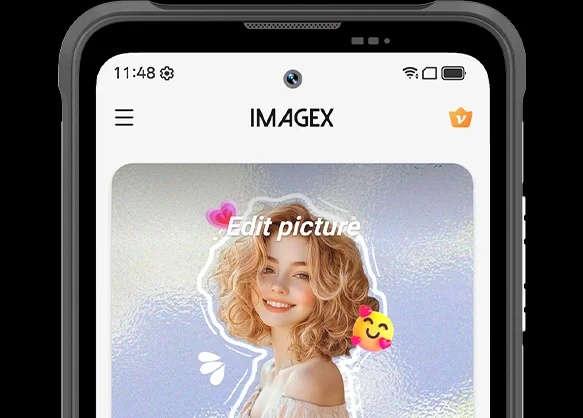
What photo-editing features does the ImageX app offer on the Blackview FORT 200?
ImageX provides a variety of AI-powered tools, including features to remove unwanted objects, expand image edges (outpainting), and apply blur effects. These tools allow you to refine your photos after they have been taken—for example, by cleaning up cluttered backgrounds or creating more space around the main subject.
The "Object Removal" feature can enhance vacation photos; "Image Expansion" (outpainting) can fill in backgrounds where the original composition was too tight; and the "Blur" tool can make specific areas less prominent. After applying these edits, be sure to carefully review the results—paying close attention to faces, text, and the edges of objects—as AI editing may sometimes require multiple attempts to achieve the desired outcome.
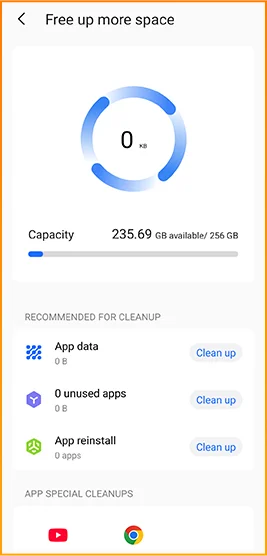
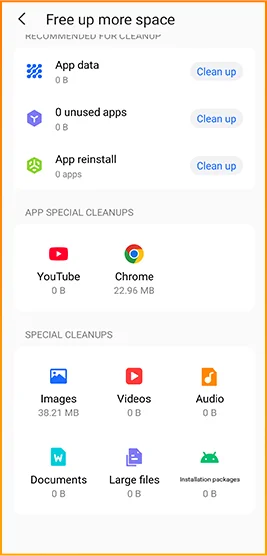
Can I expand the Blackview FORT 200’s storage?
Yes. The Blackview FORT 200 supports microSD cards with a capacity of up to 2TB, providing extra space for photos, videos, music, documents, and more. Please note that the microSD card slot is shared with the second SIM card slot; You must choose between a "dual SIM" configuration or a "single SIM + one microSD card" configuration.
If your phone’s internal storage becomes full due to a large number of work-related photos, downloaded videos, or other files, you can move these items to the microSD card to free up internal space. It is recommended to keep applications and certain app data on the phone’s built-in storage; the microSD card is intended primarily for file storage and cannot replace the device's internal memory.
What mobile networks does the Blackview FORT 200 support?
The Blackview FORT 200 is a 4G rugged smartphone that supports 4G LTE, 3G, and 2G networks. When used with a compatible SIM card and mobile plan, the device allows for making calls, sending and receiving text messages, and using mobile data (including web browsing, navigation, instant messaging, and video calls).
Before purchasing, please compare the network frequency bands listed in the product specifications with those used by your mobile carrier. You may also wish to consult your carrier to confirm that their network supports the device for calls and mobile data services. Network availability depends on local coverage and your chosen mobile plan.
What devices can I control with the Blackview FORT 200’s infrared remote?
The Blackview FORT 200 can control compatible TVs, air conditioners, and set-top boxes via infrared, allowing you to change channels, adjust volume, or set temperatures, depending on the device.
Open the remote control app, select the appliance type, and follow the prompts to test and match a configuration. Point the phone’s infrared transmitter at the appliance without obstructions. Compatibility depends on the configurations available in the app. Devices that support only Bluetooth or Wi-Fi cannot be controlled via infrared.
Does the Blackview FORT 200 support NFC payments?
Yes, it does. You can make NFC payments by using a compatible payment app and linking an eligible bank card. Once set up, you can make payments without needing to take your physical card out of your wallet.
Before use, please enable the NFC function, add your bank card to the payment app, and complete the verification steps required by your bank. Ensure you have a screen lock set up and have selected your preferred payment app for contactless payments. When paying, simply unlock or verify your phone as prompted and hold it near the payment terminal. Actual availability depends on the payment service provider, your bank, and your country or region.
What protection does the Blackview FORT 200 offer for outdoor use?
The Blackview FORT 200 features IP68 and IP69K ratings and meets MIL-STD-810H testing standards. It is resistant to dust, water immersion, and impact, making it suitable for outdoor work and activities involving exposure to rain, dirt, or accidental knocks.
To maintain its protective capabilities, ensure the SIM card tray is properly installed and check the phone for damage after any severe impact. If the phone gets wet, ensure both the device and the charging port are dry before charging. Please note that water and impact resistance have limits and may diminish over time due to wear or damage; Therefore, exercise caution during high-intensity activities.
What everyday tasks can the Blackview FORT 200’s AI assistant help with?
The Blackview FORT 200's AI chat assistant can answer questions, explain complex concepts, and help you understand document content. It can interpret reading materials in plain language and summarize key points from lengthy information.
For the best results, clearly describe your specific needs. You can also ask follow-up questions regarding any unclear points. Before using the answers for work or sharing them with others, it is recommended to verify the original information, including important names, data, and instructions.
Can I connect a USB flash drive to the Blackview FORT 200?
Yes. The Blackview FORT 200 supports USB OTG functionality, allowing you to connect compatible USB flash drives to access and transfer files. Flash drives with a USB-C connector can be plugged in directly, while standard USB-A flash drives require a suitable USB-C OTG adapter.
Once connected, open the file manager and select the USB storage device to browse its contents. You can copy work documents to your phone or move photos and videos to the flash drive without needing a computer or cloud service. Wait for all transfers to complete before disconnecting; if the system offers an "Eject" option, use it to prevent incomplete transfers or file corruption.
How can I use Google Lens on the Blackview FORT 200?
You can use Google Lens on the FORT 200 to search for objects, find similar products, and process text within images. Open the Google app, tap the Lens icon, and then point your camera at the target you wish to search for, or select a photo already saved on your phone.
Google Lens can identify unfamiliar plants, search for products you have photographed, or extract text from printed documents. Ensure the subject is in focus; If the frame contains multiple objects, you may need to select the specific area of interest. Note that an internet connection is generally required to access online information.
What features make reading more comfortable on the Blackview FORT 200?
The Blackview FORT 200 offers Reading Mode, Night Light Mode, and Dark Mode. Reading Mode adjusts the display to suit reading needs; Night Light Mode adds warm tones; and Dark Mode applies a dark background to menus and applications.
Choose a mode that suits your reading content and surroundings, and adjust the text size to reduce frequent zooming. At night, lower the brightness or enable “Night Light” for warmer colors. During the day, increase the brightness as needed to keep text clear without making the screen too bright.
Jump to another section