



Blackview FORT 200 tenký a bezdrátové nabíjení 6,78palcový MediaTek Helio G100 osmijádrový 5000mAh 108MP+13MP noční vidění fotoaparát odolný 4G mobilní telefon

Vyprodáno
Hlavní body
Hlavní body
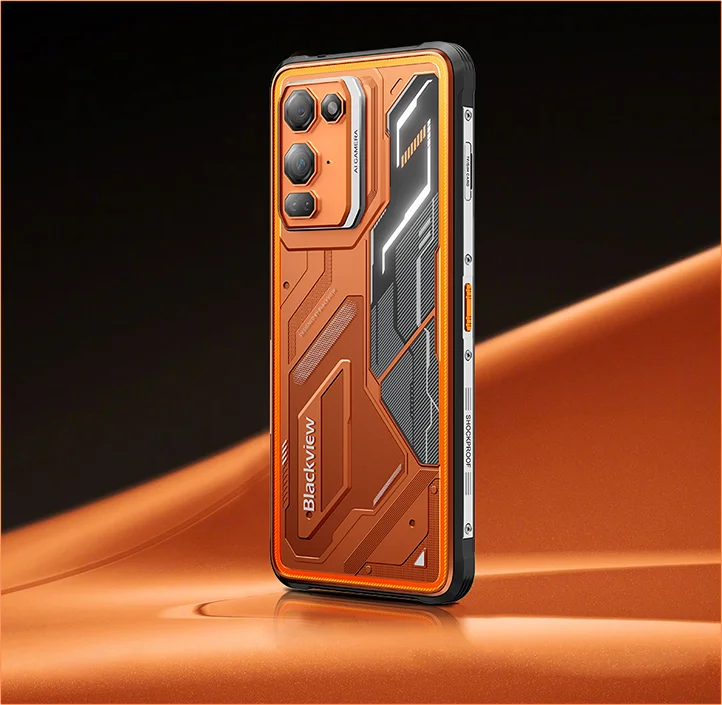
✔6,78palcový, 268g a 11,5mm tenký
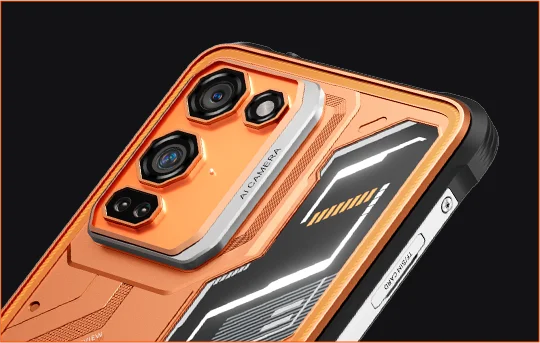
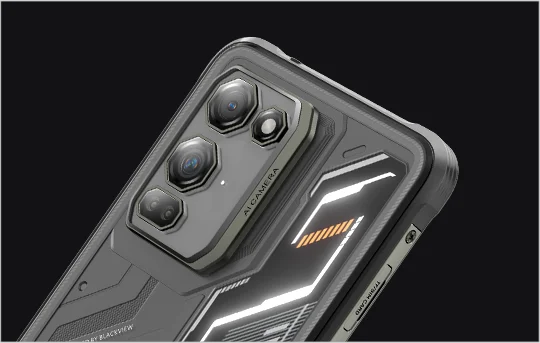
✔108MP Samsung® HM6 + 13MP noční vidění kamera
✔ Osmijádrový procesor MediaTek Helio G100
✔5000mAh a 33W rychlé nabíjení + 15W bezdrátové nabíjení
✔Certifikace IP68, IP69K a MIL-STD-810H
Informace
Informace
Blackview FORT 200 je štíhlý odolný 4G telefon určený pro uživatele, kteří chtějí lepší obraz, plynulejší zobrazení a odolnost pro venkovní použití, aniž by museli nosit objemné zařízení. Jeho 6,78palcový 120Hz 2,4K displej zůstává jasný díky jasu 700 nitů, zatímco MediaTek Helio G100 zajišťuje plynulý chod každodenních úkolů, navigace a práce v terénu. Zadní 108MP Samsung fotoaparát, 13MP noční vidění, baterie 5000mAh, rychlé nabíjení 33W a bezdrátové nabíjení 15W činí telefon praktickým pro práci i dobrodružství. S ochranou IP68 & IP69K a standardem MIL-STD-810H je připraven na náročné prostředí.
O značce
O značce
Ve společnosti Blackview věříme, že skvělá technologie by měla jít nad rámec působivých specifikací. Měla by zapadat do reálného života, řešit skutečné problémy a být spolehlivá, když je to nejdůležitější.
Blackview začal s odolnými telefony určenými pro náročné prostředí. Dnes nabízíme širší ekosystém chytrých zařízení, včetně smartphonů, tabletů, notebooků, chytrých hodinek, audio produktů a dalších.
Ve všech kategoriích zůstává náš cíl stejný: odolná kvalita, praktické inovace a dostupné ceny. Navrhujeme produkty, které jsou spolehlivé od prvního dne.
Chápeme, co zákazníci nejvíce oceňují: plynulý výkon, dlouhodobou spolehlivost, užitečné funkce a technologii, která usnadňuje každodenní život bez zbytečných nákladů.
Proto Blackview věnuje skutečnou pozornost testování produktů, uživatelskému zážitku a funkcím, které přinášejí smysluplnou hodnotu pro práci, cestování, tvorbu, venkovní objevování a každodenní spojení.
Blackview je vytvořen pro lidi, kteří chtějí technologii, na kterou se mohou spolehnout: chytrá, schopná zařízení postavená tak, aby držela krok s moderním životem.
Spolehlivé designem. Praktické svou podstatou. Vytvořené pro skutečný život.
Doprava a vrácení zboží
Doprava a vrácení zboží
• Doprava: Objednávky jsou zpracovávány do 1–2 pracovních dnů. Standardní doručení trvá 3–7 pracovních dnů v závislosti na vaší lokalitě.
• Reklamace: Produkty můžete vrátit nebo vyměnit do 30 dnů od obdržení objednávky. Položky musí být v původním stavu a s dokladem o koupi.
Pokud je váš výrobek vadný nebo poškozený z výrobních důvodů, rádi jej zdarma vyměníme.


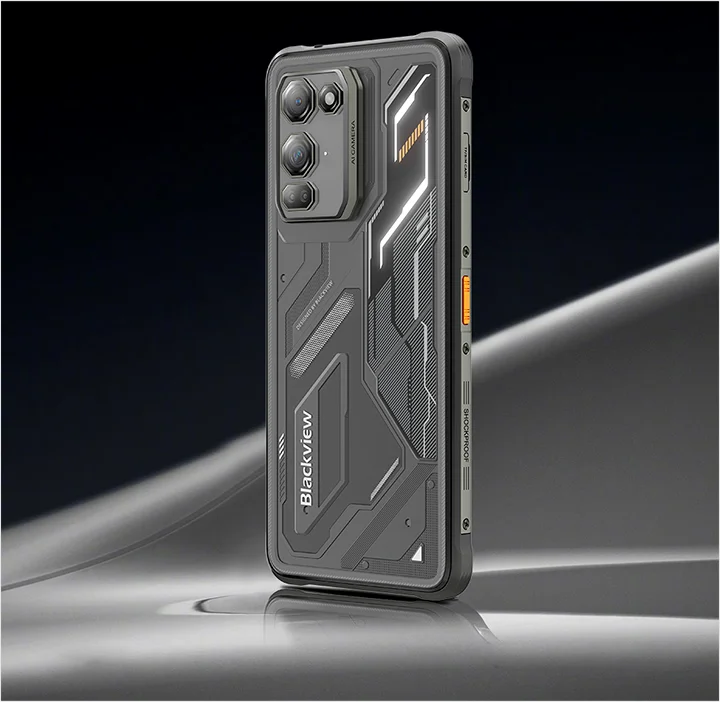
Odolná vlajková loď zobrazování Tenčí v ruce. Ostrý ve vidění. Připravený na neznámé.
 Tenčí. Jasnější. Neuvěřitelně čistý Vidět jasně. Vidět kdekoli
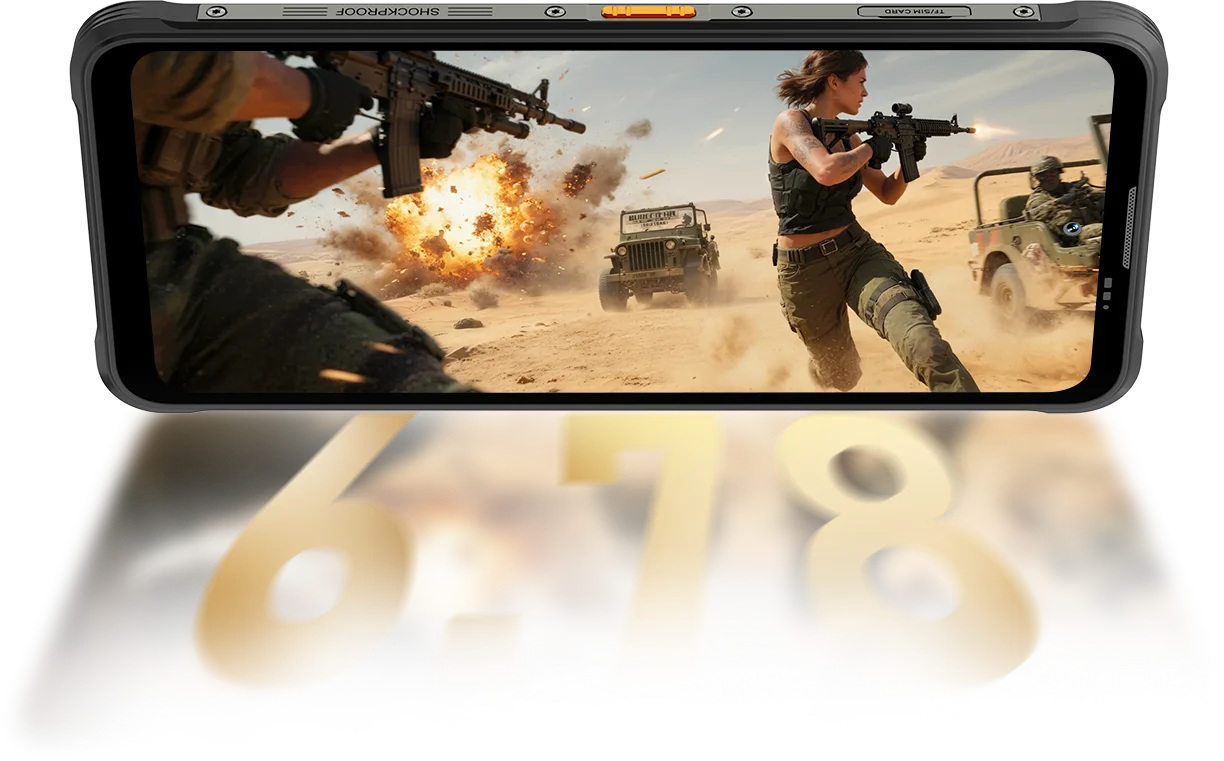
Rozlišení
IPS Full View
Maximální jas
PPI
AI Smart obnovovací frekvence
Poměr obrazovky k tělu
Frekvence vzorkování dotyku
FORT 200 dosahuje až 700 nitů, aby zůstal jasný a čitelný, když jiné displeje blednou.

 Ostatní
 500 nitů
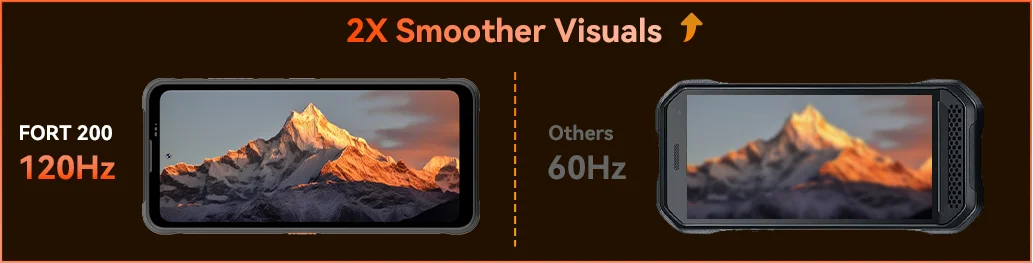
Pocítíte plynulost díky 120Hz AI Smart obnovovací frekvenci Blackview FORT 200 — šetří energii při posouvání, zvyšuje plynulost při hraní a udržuje každý pohyb ultra-reaktivní, kamkoli jdete.
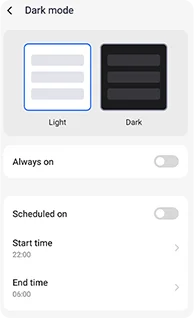
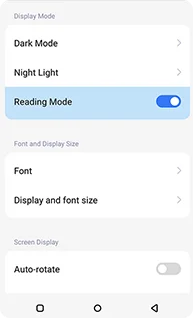
Nastavitelné tmavé motivy navržené pro snížení únavy očí a delší výdrž baterie.
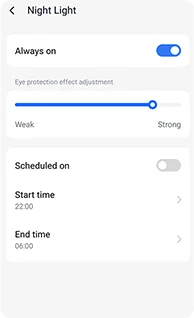
Měkké jantarové tóny s nastavitelnou intenzitou, které pomáhají vašim očím pohodlně relaxovat v noci.
Čistý efekt podobný čtečce, který zůstává pohodlný pro dlouhé čtení.
 Vidět víc. Zachytit jasněji. Vést třídu Zachyťte vše — ostřejší přes den, viditelné v noci Vytvořeno s nejjasnější zobrazovací silou v oboru.
1,28μm 4v1 pixely
1/2,76" senzor
5P objektiv
Velký snímač 1/1,67"
1,92μm Nonapixel Plus
f/1.9 clona
6P objektiv
Jasnější noci.
Méně šumu. Více detailů.
Ostřejší snímky.
Čistší optika.
Širší dynamický rozsah.
Věrnější barvy.
Chytřejší expozice.
Lepší kontrast.
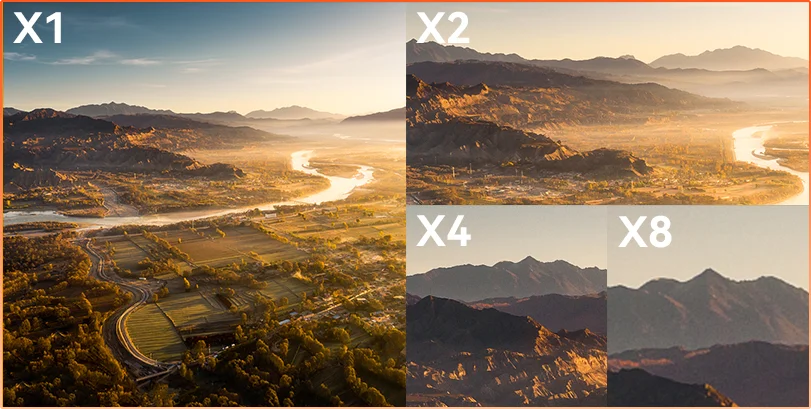
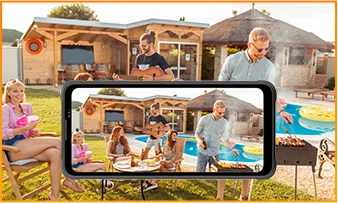
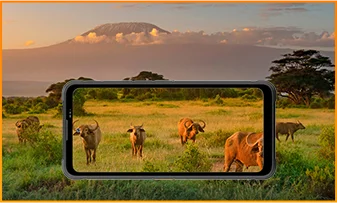
Vzdálenost skrývá Ať už pozorujete, kontrolujete nebo dokumentujete, 8× zoom přináší vzdálené detaily do ostré, použitelné podoby.
 ISOCELL 2.0
 Tetrapixelová 4v1 technologie
 Dvojité Super PD
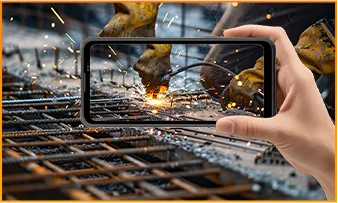
Buďte bdělí v jakémkoli prostředí s noční kamerou FORT 200 s rozlišením 13 MP — poskytuje jasný obraz, když zhasnou světla a podmínky jsou náročné.
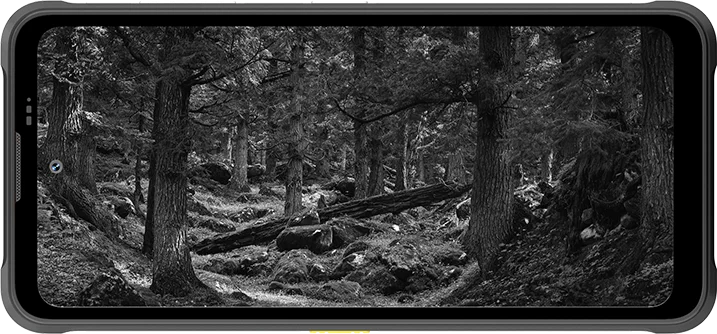
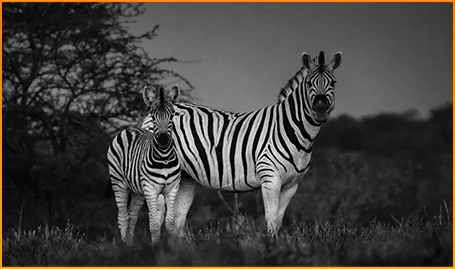
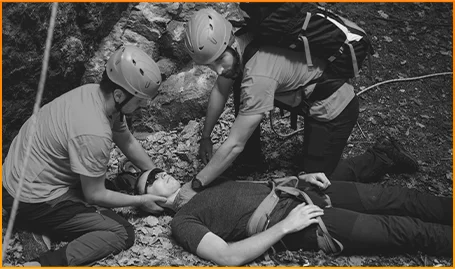
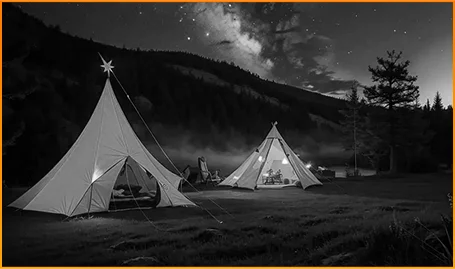
Jasně rozpoznávejte zvířata — i když tma skrývá jejich pohyb.
Rychle najděte lidi a objekty, když každá sekunda hraje roli.
Buďte si vědomi, co se pohybuje kolem vašeho tábořiště po setmění.
Zachyťte okamžik dřív, než zmizí, s Motion Photo FORT 200 — zachycuje pohyb, zvuk a okamžitou energii, kterou běžné fotografie obvykle přehlédnou.
Fotografujte s cílem pomocí ostřejšího 2K videa FORT 200 a dolaďte nastavení v Pro režimu, když automatický režim nezvládá náročné osvětlení nebo rychlé momenty.
 AI fotografie
Déšť / Písek a prach / Vibrace / Náraz / Zrychlení / Vysoká teplota / Nízká teplota / Vlhkost / Nadmořská výška
Odolný proti pádu
Odolný proti rozbití
Provoz v extrémních teplotách
Vodotěsnost ze všech úhlů
Připraven na každou výzvu.
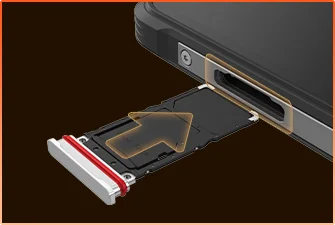 Vodotěsné těsnění SIM zásuvky
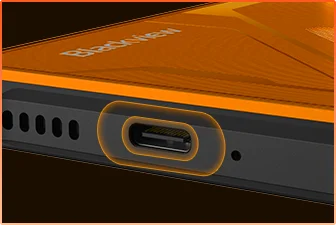 Vodotěsná ochrana USB portu
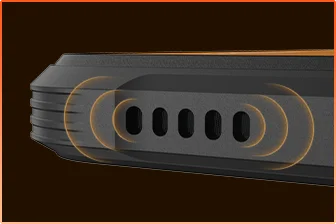 Vodotěsný design mřížky reproduktoru
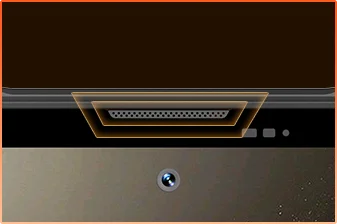 Vodotěsné stínění mikrofonního portu
Jste připraveni.
Fotoaparát
BOX reproduktor
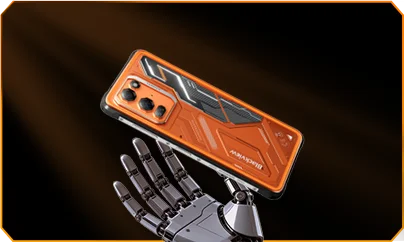
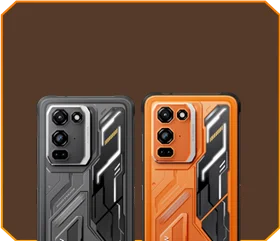





 Phantom Black
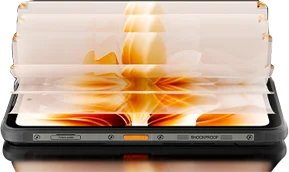
Jas


Pád z 1,5 m bez poškození
-20°C až +55°C extrémní
Provozní teploty
 Boční tlačítko
Funkce
 Užitečný
nástrojový balíček

Dálkové
Ovládání
 Pod vodou
Fotoaparát
 2W Smart-K
BOX reproduktor
Hodnocení IP69K
MediaTek Helio G100
12GB RAM+36GB rozšíření
Rozšíření karty


≈303 tis.+ fotografií
≈5,1 tis.+ krátkých videí
s 33W rychlým nabíjením
Velký snímač 1/1,67"
6P křišťálově čistý objektiv
Smart-ISO Pro
8× zoom
Tetrapixelová 4v1 technologie
Dvojité Super PD
s úplně novým profesionálním režimem

AI rozšíření obrazu
AI rozmazání fotografie



 Systém
Správce
2.0
 Fotoaparát
2.0
 Globální
Síť
Připravený
 Chytrý
NFC
Přístup
 Více energie. Více rychlosti. Více hotovo. Žádné zpoždění. Žádná omezení. Jen síla

Spuštění současně
Technologie rozšiřitelnosti nové generace
Rychlejší načítání aplikací
 ≈796 tis.+ písní
 ≈303 tis.+ fotografií
 ≈5,1 tis.+ krátkých videí

 15W bezdrátové
Nabíjení
 5W zpětné
sdílení energie
 Algoritmus
šetření baterie
 Režim
super úspory energie
 Ochrana
při nabíjení
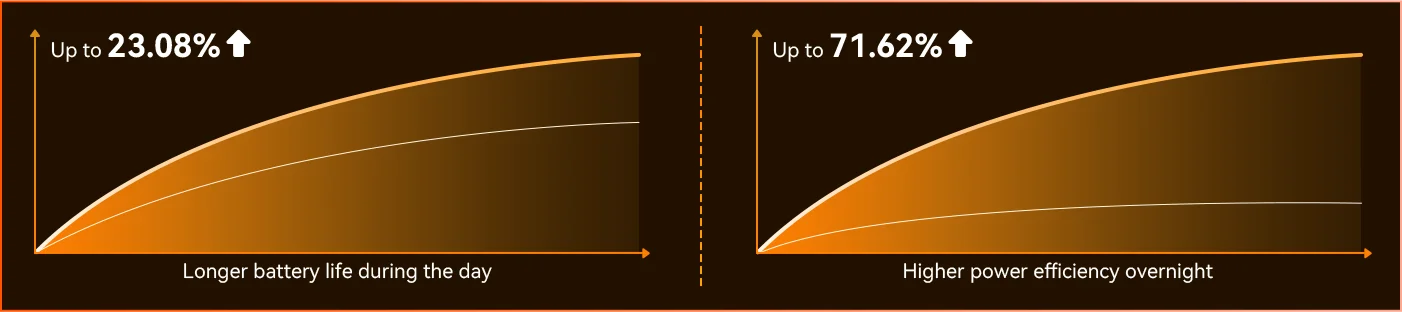
Každý den *Data z laboratoře Blackview. Skutečné výsledky se mohou lišit v závislosti na používání a prostředí.
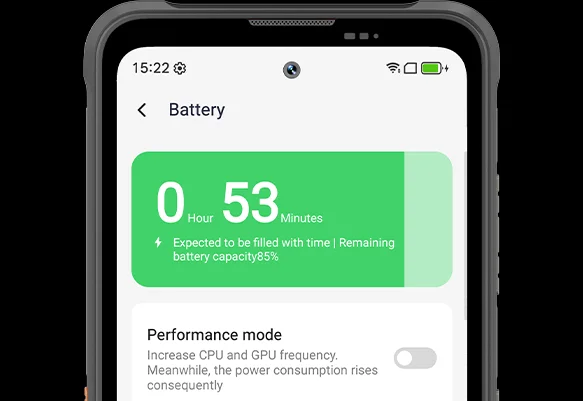
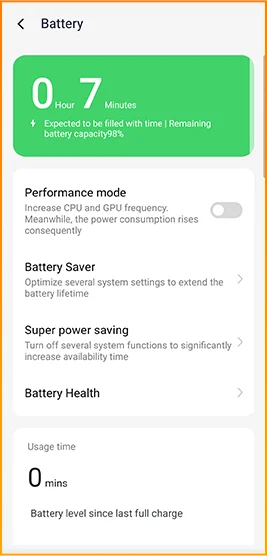
Všimněte si rozdílu, jak se FORT 200 přizpůsobuje vašemu dni — zcela nový režim hlubokého úsporného režimu rozpoznává nečinnost i za denního světla a snižuje spotřebu energie, aniž byste museli cokoliv dělat.
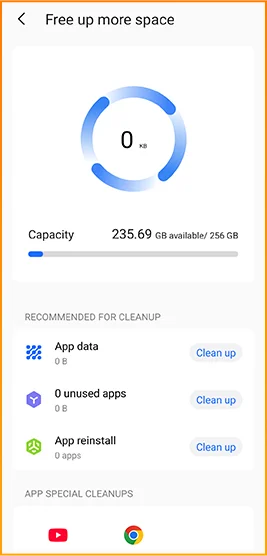
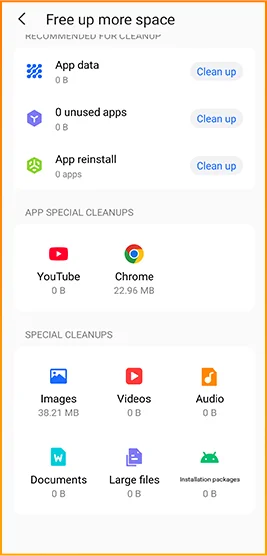
 Chytřejší, plynulejší, navržený tak, aby vás lépe poznal. Zcela nový DokeOS 5.0 (Android 16)
 Vylepšení pohodlí Vylepšení personalizace Vylepšení soukromí a bezpečnosti Vylepšení AI inteligence
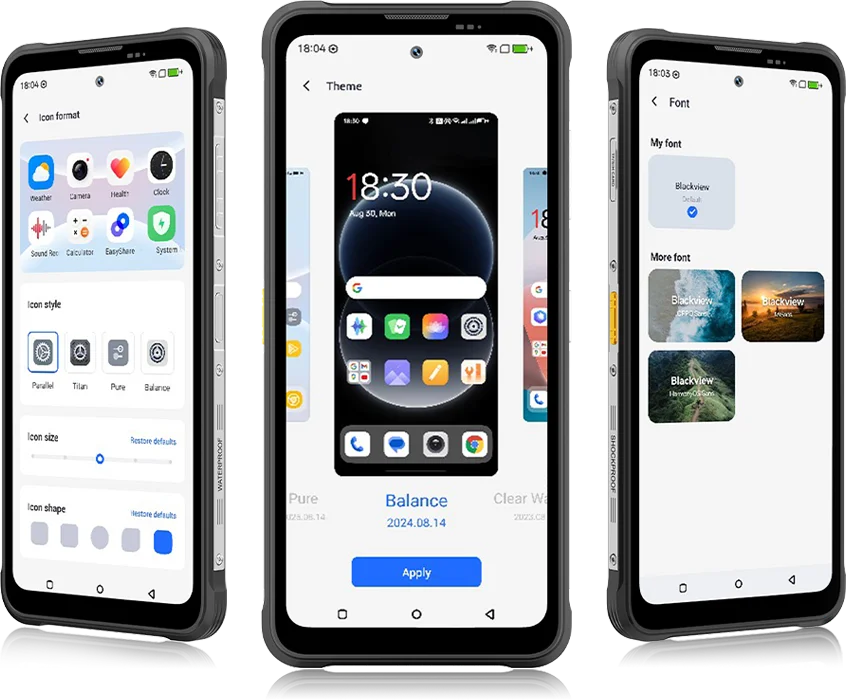 Od DokeOS 4.2 po 5.0 se vše vyvinulo — rychlost, kterou cítíte, plynulost, kterou vidíte, inteligence, která předvídá váš další krok. Je hladší, chytřejší a osobnější než kdy dřív, proměňuje každodenní okamžiky v bezproblémové zážitky.
pro každodenní úkoly


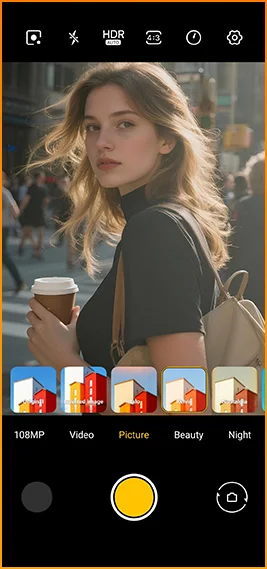
Kinematografické vzhledy na jedno klepnutí.
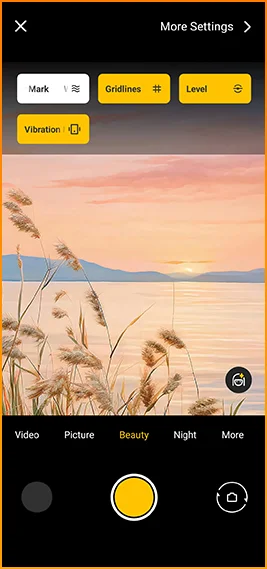
Mřížky, vodoznaky, vodováha,
a haptická odezva ihned po ruce.
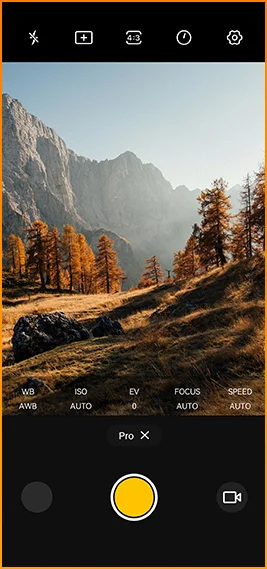
Jemné doladění barev
teplota a měření
s profesionální úrovní ovládání.


Navrženo pro spolehlivé připojení v rámci
regiony po celém světě.
Odemkněte dveře, plaťte okamžitě a připojujte se rychleji
jediným klepnutím.
Specifikace Blackview FORT 200
120Hz chytrá obnovovací frekvence, 86% poměr obrazovky k tělu
13MP (noční vidění)
3G pásmo: WCDMA:B1/2/4/5/8
4G pásmo: FDD:B1/2/3/4/5/7/8/12/13/17/18/19/20/26/28A/28B/66
TDD:B38/40/41
| Design | |
| Produkt | Blackview FORT 200 |
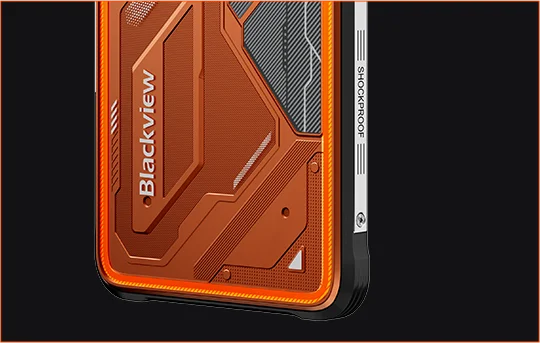
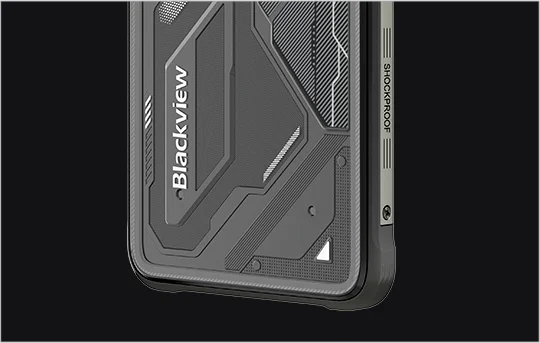
| Barva | Blaze Orange, Phantom Black |
| Rozměry | 178,4 × 83 × 11,5 mm |
| Hmotnost | 268 g |
| Operační systém | DokeOS 5.0 založený na Androidu 16 |
| Zobrazit | |
| Hlavní displej | 6,78palcový IPS displej |
| Rozlišení | 1080 × 2460 |
| Obnovovací frekvence | 120 Hz |
| Frekvence snímání dotyku | 180Hz |
| Jas | Maximální jas 700 nitů |
| PPI | 396 |
| Poměr obrazovky k tělu | 86% |
| Sklo | Panda Glass |
| Výkon | |
| CPU | MediaTek Helio G100 |
| Frekvence CPU | 2 × Cortex-A76 2,2GHz + 6 × Cortex-A55 2,0GHz |
| GPU | Mali-G57 3D grafika |
| RAM a ROM | 12GB RAM + 256GB ROM |
| Typ paměti | LPDDR4X + UFS 2.2 |
| Rozšíření RAM | Rozšíření RAM až o 36GB |
| Rozšíření TF | Až 2TB |
| Fotoaparát | |
| Přední fotoaparát | 50MP Samsung® ISOCELL JN1 |
| Zadní fotoaparát | 108MP hlavní fotoaparát Samsung® ISOCELL HM6 + 13MP noční vidění |
| Snímač zadního fotoaparátu | Samsung® ISOCELL HM6 + OV08B10 |
| Nahrávání videa | Nahrávání videa ve 2K s Pro režimem |
| Funkce fotoaparátu | Motion Photo, AI Fotky, 8× zoom, Pro režim, Smart Google Lens |
| Baterie a nabíjení | |
| Baterie | 5000mAh |
| Nabíjení | 33W rychlé nabíjení, 15W bezdrátové nabíjení |
| Oboustranné nabíjení | 5W zpětné sdílení energie |
| Zvuk | |
| Reproduktor | Reproduktor 2W Smart-K BOX |
| Trvanlivost | |
| Odolnost | IP68 & IP69K & MIL-STD-810H |
| Odolnost proti vodě | Odolnost proti ponoření do hloubky 2 m / 30 min |
| Odolnost proti pádu | Odolnost proti pádu až do 6 m |
| Odolnost proti horké vodě | Odolnost proti horké vodě 80°C |
| Ochrana proti tlakovému proudu | 10 000 kPa |
| Provozní teplota | -20°C až +55°C |
| Připojení | |
| Síť | Podpora duální 4G SIM |
| Wi-Fi | IEEE 802.11 a/b/g/n/ac, 2,4GHz / 5GHz |
| Bluetooth | BT 5.2 |
| NFC | Podpora |
| Slot na karty | Duální: 2 × SIM / 1 × SIM + 1 × TF karta |
| USB | Typ-C |
| Síťové pásma | |
| 2G | B2 / B3 / B5 / B8 |
| 3G | WCDMA: B1 / B2 / B4 / B5 / B8 |
| 4G | FDD: B1 / B2 / B3 / B4 / B5 / B7 / B8 / B12 / B13 / B17 / B18 / B19 / B20 / B26 / B28A / B28B / B66; TDD: B38 / B40 / B41 |
| 5G | Ne |
| Navigace | |
| Polohování | GPS / GLONASS / Galileo / BeiDou / QZSS |
| Senzory | |
| Senzory | G-senzor, P-senzor, L-senzor, gyroskop, kompas, magnetický senzor, snímač otisků prstů, RGB senzor |
| Další vlastnosti | |
| Venkovní funkce | Funkce bočního tlačítka, infračervené dálkové ovládání, ToolBag, podvodní kamera |
| Funkce AI | Doke AI 2.0, AI Chat, AI Fotky, AI Video, AI Hudba, aplikace ImageX |
| Další funkce | Bezdrátové nabíjení, NFC, FM, OTG, odemykání otiskem prstu, režim čtení, noční světlo, tmavý režim |
What are the differences between the Blackview FORT 200 and the Blackview FORT 2?
Compared with the Blackview FORT 2, the FORT 200 features a larger, higher-resolution display, more RAM, and a higher-resolution camera, along with faster wired charging and wireless charging support. The FORT 2 is slimmer and lighter, weighing 245.3g compared with the FORT 200’s 268g.
For everyday use, the FORT 200’s larger screen makes reading documents, viewing maps, and browsing photos easier. Its camera and charging features also suit users who prioritize photography and charging convenience. Both are 4G rugged smartphones, with key differences in their displays, hardware, cameras, and dimensions.
| Feature | Blackview FORT 200 | Blackview FORT 2 |
|---|---|---|
| Processor | MediaTek Helio G100 | MediaTek Helio G81 |
| Display | 6.78-inch, 1080 × 2460 | 6.56-inch, 720 × 1612 |
| Refresh rate | 120Hz | 90Hz |
| Physical RAM | 12GB | 8GB |
| Internal storage | 256GB | 128GB / 256GB |
| Main camera | 108MP | 16MP |
| Front camera | 50MP | 13MP |
| Wired charging | Up to 33W | Up to 18W |
| Weight | 268g | 245.3g |
| Thickness | 11.5mm | 10.7mm |
Who is the Blackview FORT 200 rugged phone designed for?
The Blackview FORT 200 is ideal for maintenance technicians, construction workers, delivery personnel (food/courier), farmers, and outdoor enthusiasts who enjoy hiking or camping. It is also well-suited for users who frequently find themselves in environments prone to dust, rain, or accidental impacts—situations where they still need to make calls, use navigation, run work-related applications, or take photos.
Its rugged design ensures reliability even in demanding work environments or during outdoor activities. The large screen provides ample space for viewing maps, reading documents, and looking at photos, while the high-resolution main camera captures detailed imagery. It is designed to support both professional tasks and everyday use.
What charging methods does the Blackview FORT 200 support?
The Blackview FORT 200 supports wired charging at up to 33W and wireless charging at 15W. Wired charging is ideal for topping up your phone’s battery before heading out or while at your workstation, while wireless charging allows you to power up simply by placing the device on a charging pad on your desk or nightstand.
For wired charging, ensure you use a compatible charger and cable. For wireless charging, place the phone accurately on a compatible charging pad and confirm that charging has begun. If you are using a thick protective case or any metal accessories, it is recommended to remove them for optimal charging performance.
What can I use the Blackview FORT 200’s 108MP main camera for?
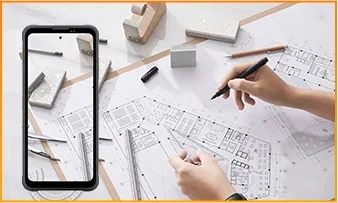
The 108MP main camera on the Blackview FORT 200 can be used to capture landscapes, equipment, documents, and various everyday scenes. It preserves a high level of detail, making it easy to zoom in or crop specific areas—such as isolating a sign within a scene or focusing on a particular detail in a portrait.
When documenting work-related tasks, you can take a wide-angle shot to show the surrounding environment, followed by close-up shots of labels, connections, or damaged areas. When photographing documents, keep the phone parallel to the page to ensure the entire content is captured within the frame.
What can I see with the Blackview FORT 200’s night vision camera?
The Blackview FORT 200’s night-vision camera helps you see people, animals, and objects nearby in the dark. Utilizing infrared illumination technology, it is well-suited for viewing the area around a campsite or observing dimly lit spaces.
For a clear view, keep the phone steady and point it directly toward the area you wish to observe. Identifying targets may be difficult if they are far away or obscured by obstacles. The night-vision feature only reveals the appearance of scenes in the dark; it cannot measure temperature or see through walls, and therefore cannot serve as a substitute for a thermal imager.
What does the Motion Photo feature do on the Blackview FORT 200?
The "Motion Photo" feature records both motion and sound while capturing a still image, allowing you to preserve more of your special moments. Beyond freezing a specific expression, it captures subtle movements—such as a smile, a pet turning its head, or leaves swaying in the breeze.
Please keep your phone steady while shooting. If you need to record for a longer duration, it is recommended to use the standard video recording mode. When sharing a "Motion Photo," please note that the recipient's device must support the playback of motion and sound; some devices may only display or transmit the image as a static photo.
What photo-editing features does the ImageX app offer on the Blackview FORT 200?
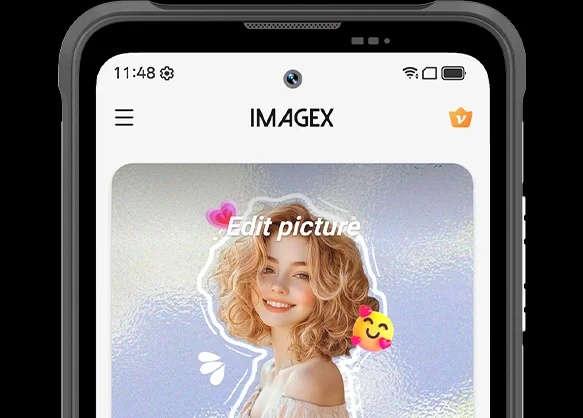
ImageX provides a variety of AI-powered tools, including features to remove unwanted objects, expand image edges (outpainting), and apply blur effects. These tools allow you to refine your photos after they have been taken—for example, by cleaning up cluttered backgrounds or creating more space around the main subject.
The "Object Removal" feature can enhance vacation photos; "Image Expansion" (outpainting) can fill in backgrounds where the original composition was too tight; and the "Blur" tool can make specific areas less prominent. After applying these edits, be sure to carefully review the results—paying close attention to faces, text, and the edges of objects—as AI editing may sometimes require multiple attempts to achieve the desired outcome.
Can I expand the Blackview FORT 200’s storage?
Yes. The Blackview FORT 200 supports microSD cards with a capacity of up to 2TB, providing extra space for photos, videos, music, documents, and more. Please note that the microSD card slot is shared with the second SIM card slot; You must choose between a "dual SIM" configuration or a "single SIM + one microSD card" configuration.
If your phone’s internal storage becomes full due to a large number of work-related photos, downloaded videos, or other files, you can move these items to the microSD card to free up internal space. It is recommended to keep applications and certain app data on the phone’s built-in storage; the microSD card is intended primarily for file storage and cannot replace the device's internal memory.
What mobile networks does the Blackview FORT 200 support?
The Blackview FORT 200 is a 4G rugged smartphone that supports 4G LTE, 3G, and 2G networks. When used with a compatible SIM card and mobile plan, the device allows for making calls, sending and receiving text messages, and using mobile data (including web browsing, navigation, instant messaging, and video calls).
Before purchasing, please compare the network frequency bands listed in the product specifications with those used by your mobile carrier. You may also wish to consult your carrier to confirm that their network supports the device for calls and mobile data services. Network availability depends on local coverage and your chosen mobile plan.
What devices can I control with the Blackview FORT 200’s infrared remote?
The Blackview FORT 200 can control compatible TVs, air conditioners, and set-top boxes via infrared, allowing you to change channels, adjust volume, or set temperatures, depending on the device.
Open the remote control app, select the appliance type, and follow the prompts to test and match a configuration. Point the phone’s infrared transmitter at the appliance without obstructions. Compatibility depends on the configurations available in the app. Devices that support only Bluetooth or Wi-Fi cannot be controlled via infrared.
Does the Blackview FORT 200 support NFC payments?
Yes, it does. You can make NFC payments by using a compatible payment app and linking an eligible bank card. Once set up, you can make payments without needing to take your physical card out of your wallet.
Before use, please enable the NFC function, add your bank card to the payment app, and complete the verification steps required by your bank. Ensure you have a screen lock set up and have selected your preferred payment app for contactless payments. When paying, simply unlock or verify your phone as prompted and hold it near the payment terminal. Actual availability depends on the payment service provider, your bank, and your country or region.
What protection does the Blackview FORT 200 offer for outdoor use?
The Blackview FORT 200 features IP68 and IP69K ratings and meets MIL-STD-810H testing standards. It is resistant to dust, water immersion, and impact, making it suitable for outdoor work and activities involving exposure to rain, dirt, or accidental knocks.
To maintain its protective capabilities, ensure the SIM card tray is properly installed and check the phone for damage after any severe impact. If the phone gets wet, ensure both the device and the charging port are dry before charging. Please note that water and impact resistance have limits and may diminish over time due to wear or damage; Therefore, exercise caution during high-intensity activities.
What everyday tasks can the Blackview FORT 200’s AI assistant help with?
The Blackview FORT 200's AI chat assistant can answer questions, explain complex concepts, and help you understand document content. It can interpret reading materials in plain language and summarize key points from lengthy information.
For the best results, clearly describe your specific needs. You can also ask follow-up questions regarding any unclear points. Before using the answers for work or sharing them with others, it is recommended to verify the original information, including important names, data, and instructions.
Can I connect a USB flash drive to the Blackview FORT 200?
Yes. The Blackview FORT 200 supports USB OTG functionality, allowing you to connect compatible USB flash drives to access and transfer files. Flash drives with a USB-C connector can be plugged in directly, while standard USB-A flash drives require a suitable USB-C OTG adapter.
Once connected, open the file manager and select the USB storage device to browse its contents. You can copy work documents to your phone or move photos and videos to the flash drive without needing a computer or cloud service. Wait for all transfers to complete before disconnecting; if the system offers an "Eject" option, use it to prevent incomplete transfers or file corruption.
How can I use Google Lens on the Blackview FORT 200?
You can use Google Lens on the FORT 200 to search for objects, find similar products, and process text within images. Open the Google app, tap the Lens icon, and then point your camera at the target you wish to search for, or select a photo already saved on your phone.
Google Lens can identify unfamiliar plants, search for products you have photographed, or extract text from printed documents. Ensure the subject is in focus; If the frame contains multiple objects, you may need to select the specific area of interest. Note that an internet connection is generally required to access online information.
What features make reading more comfortable on the Blackview FORT 200?
The Blackview FORT 200 offers Reading Mode, Night Light Mode, and Dark Mode. Reading Mode adjusts the display to suit reading needs; Night Light Mode adds warm tones; and Dark Mode applies a dark background to menus and applications.
Choose a mode that suits your reading content and surroundings, and adjust the text size to reduce frequent zooming. At night, lower the brightness or enable “Night Light” for warmer colors. During the day, increase the brightness as needed to keep text clear without making the screen too bright.
Jump to another section