


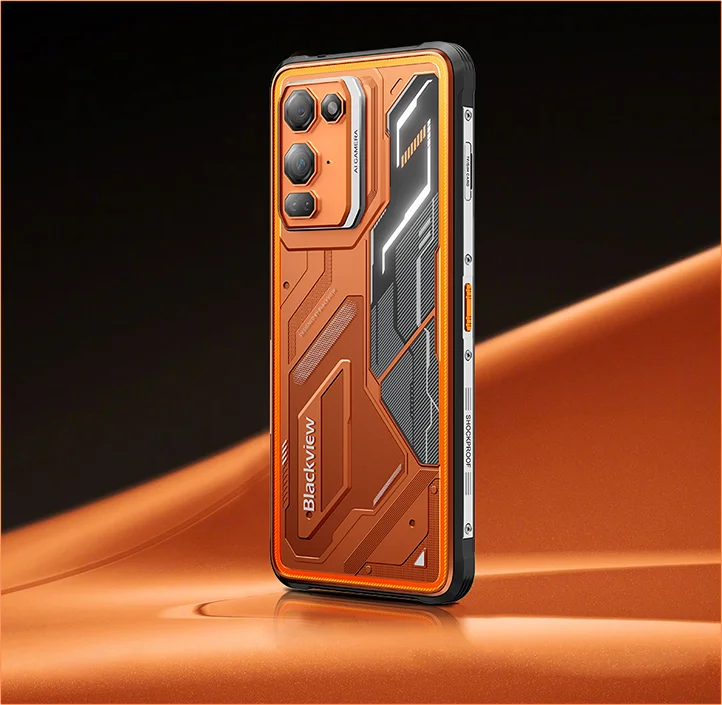
Blackview FORT 200 輕薄支援無線充電 6.78 吋 MediaTek Helio G100 八核心 5000mAh 108MP+13MP 夜視相機三防 4G 手機

缺貨
亮點
亮點
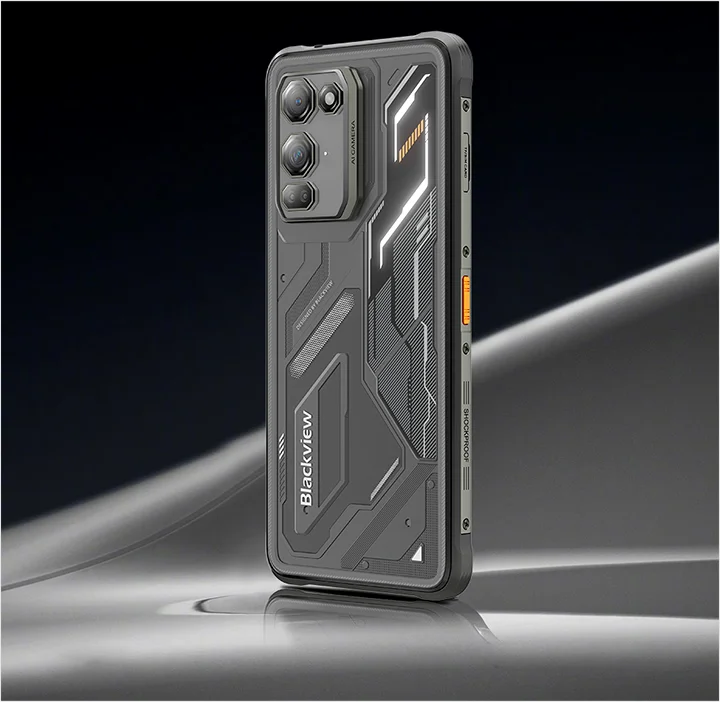
✔6.78 吋 268g & 11.5mm 薄型
✔108MP Samsung® HM6 + 13MP 夜視鏡頭
✔ 八核心 MediaTek Helio G100 處理器
✔5000mAh & 33W 快充 + 15W 無線充電
✔IP68 & IP69K & MIL-STD-810H 認證
資訊
資訊
Blackview FORT 200 是一款纖薄耐用的 4G 手機,專為追求更強影像、更流暢觀看體驗及戶外耐用性的用戶設計,且不需攜帶笨重裝置。其 6.78 吋 120Hz 2.4K 螢幕具備 700 尼特亮度,畫面清晰;搭載 MediaTek Helio G100 處理器,確保日常任務、導航及現場工作反應靈敏。配備 108MP Samsung 後置相機、13MP 夜視相機、5000mAh 電池、33W 快充及 15W 無線充電,實用於工作與冒險。具備 IP68、IP69K 及 MIL-STD-810H 防護,適合嚴苛環境使用。
關於品牌
關於品牌
在 Blackview,我們相信優秀的科技不應只靠令人驚豔的規格取勝,更應融入真實生活、解決實際問題,並在最重要的時刻保持可靠。
Blackview 從為嚴苛環境打造的堅固型手機起家。如今,我們提供更完整的智慧裝置生態系,包括智慧型手機、平板電腦、筆記型電腦、智慧手錶、音訊產品等。
在每個產品類別中,我們始終秉持相同理念:耐用的品質、務實的創新,以及人人都能負擔的價格。我們設計的產品從第一天起就讓人安心可靠。
我們了解顧客最重視什麼:流暢的效能、持久的可靠性、實用的功能,以及能讓日常生活更輕鬆又不需額外花費的科技。
因此,Blackview 專注於產品測試、使用者體驗,以及能為工作、旅行、創作、戶外探索和日常聯繫帶來實質價值的功能。
Blackview 為重視可靠科技的人而打造:智慧、實用的裝置,跟得上現代生活的步調。
可靠,源自精心設計。務實,出於本性。為真實生活而打造。
配送與退貨
配送與退貨
• 出貨:訂單處理時間通常約需 2-7 個工作日,預售商品除外。配送期間僅計算工作日,不包括假日或非工作日。配送時間取決於配送方式。
• 退貨:若手機未使用、未受損,且包含所有原廠配件,您可於送達後 14 天內申請退貨。產品相關故障若發生於一個月內,經檢查後可能符合更換、退款或免費維修的資格;因誤用、摔落、進水、拆解或未經授權改裝所造成的損壞則不在保固範圍內。


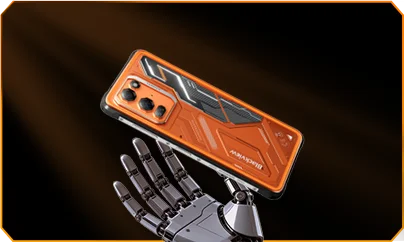
三防影像旗艦 輕握在手,視野銳利。無懼未知挑戰。
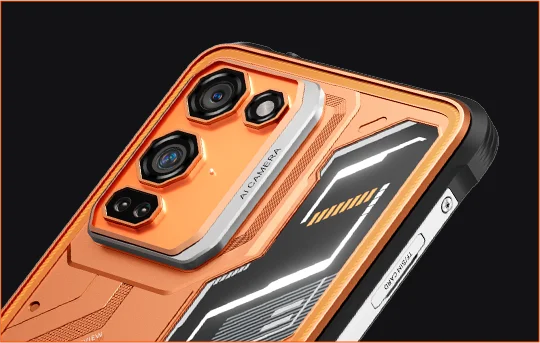
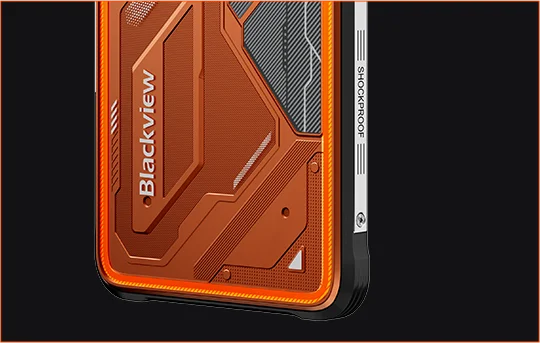
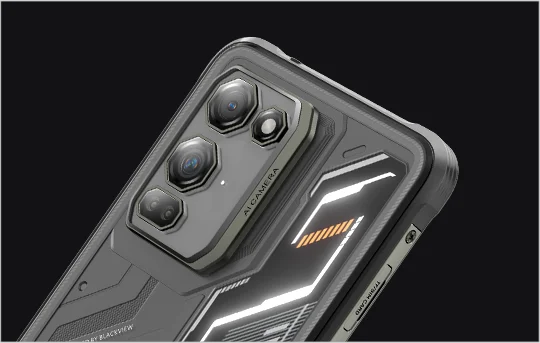
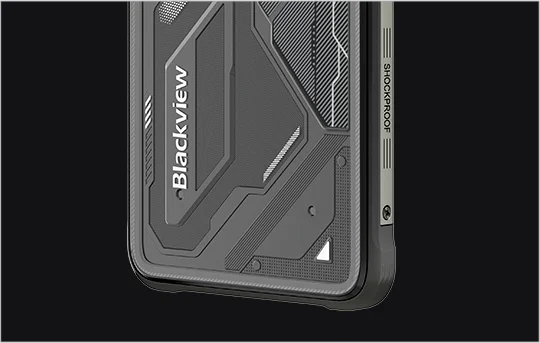
 輕薄、明亮,清晰得令人難以置信 看得清楚,走到哪都看得清楚
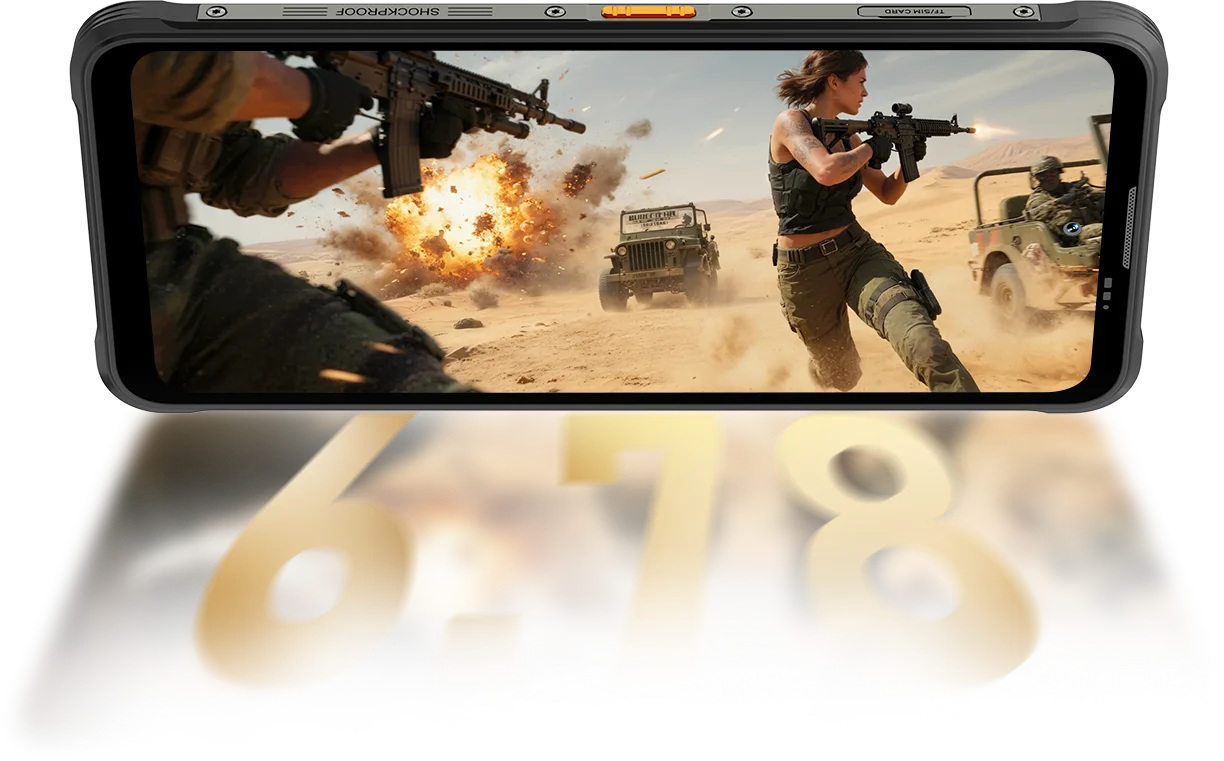
解析度
IPS 全視角
峰值亮度
像素密度
AI 智慧更新率
螢幕佔比
觸控取樣率
FORT 200 最高亮度達 700 尼特,即使其他螢幕已變得黯淡,依然明亮易讀。

 其他
 500 尼特
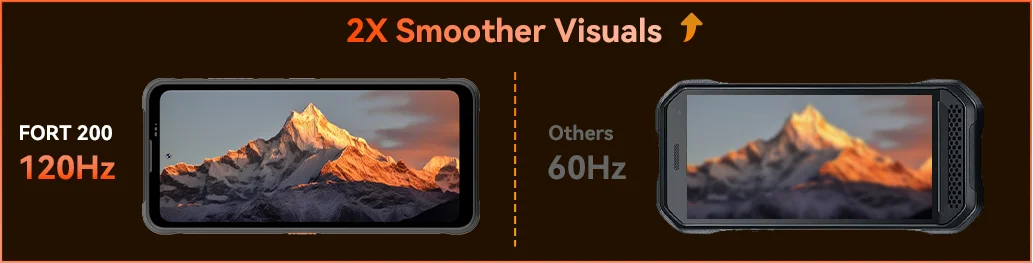
感受 Blackview FORT 200 120Hz AI 智慧更新率帶來的流暢體驗——滑動時節省電力,遊戲時提升流暢度,無論身在何處,每個操作都能即時回應。
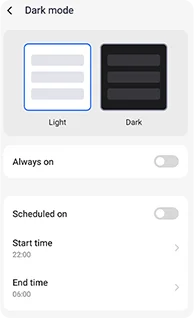
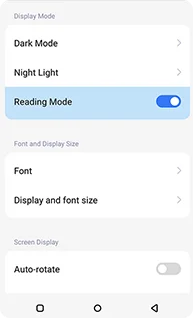
可調整的深色主題,有助減輕眼睛負擔並延長電池續航力。
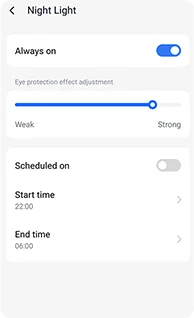
柔和的琥珀色調搭配可調亮度,讓雙眼在夜晚舒適放鬆。
帶來乾淨、類似 Kindle 的閱讀效果,長時間閱讀依然舒適。
 看得更多,拍得更清晰,領先同級 一切盡收眼底——白天更銳利,夜間依然清晰可見 搭載業界最清晰的影像實力。
1.28μm 4 合 1 像素
1/2.76" 感光元件
5P 鏡頭
1/1.67" 大型感光元件
1.92μm Nonapixel Plus
f/1.9 光圈
6P 鏡頭
夜間更明亮。
雜訊更少,細節更多。
影像更銳利。
光學表現更純淨。
動態範圍更廣。
色彩更真實。
曝光更智慧。
對比更出色。
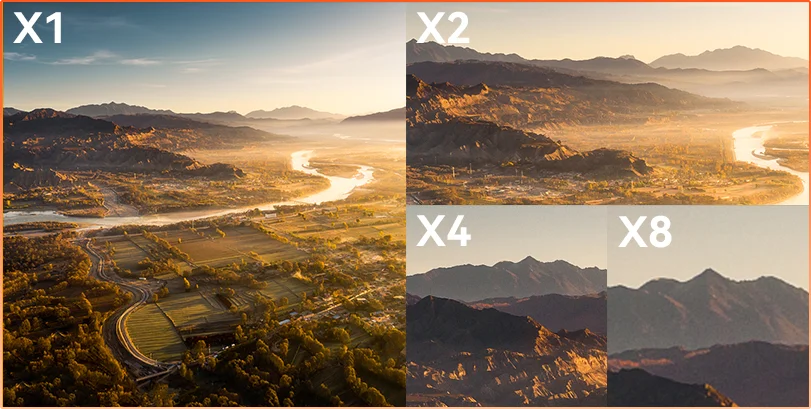
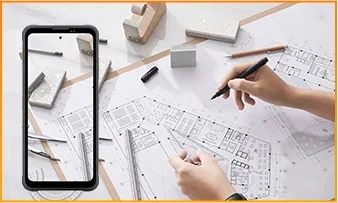
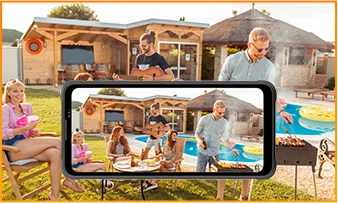
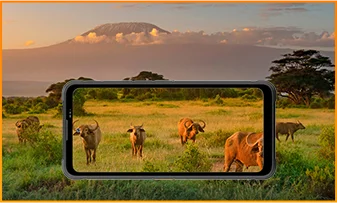
清晰呈現 無論是觀察、檢視或記錄,8× 變焦都能將遠處細節清晰呈現,實用又銳利。
 ISOCELL 2.0
 Tetrapixel 4 合 1 技術
 雙重 Super PD
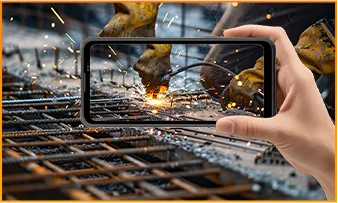
無論身處何種環境,都能保持警覺。FORT 200 配備 13MP 夜視相機,即使燈光熄滅、環境變得嚴峻,依然清晰可見。
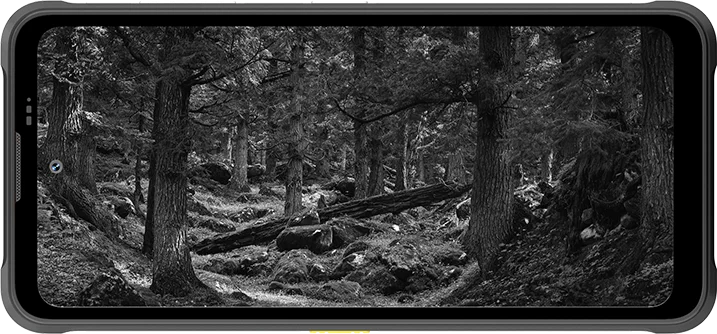
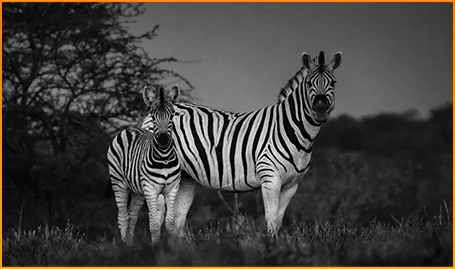
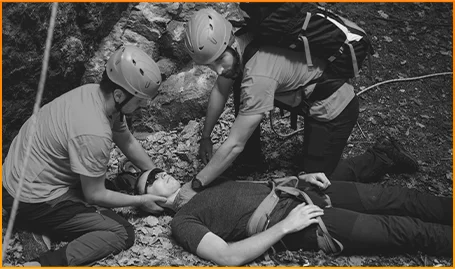
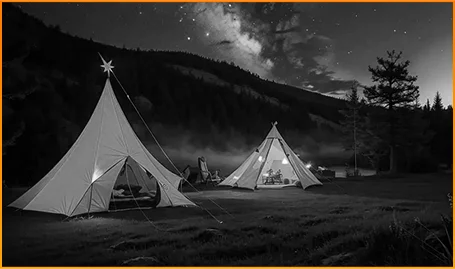
清楚看見動物蹤影,即使黑暗掩蓋牠們的動態。
分秒必爭時,迅速找到人員和物品。
天黑後,留意營地周遭的動靜。
用 FORT 200 的動態相片留住稍縱即逝的瞬間——捕捉動作、聲音和那一剎那的活力,呈現一般靜態照片難以記錄的精彩。
使用 FORT 200 拍攝更清晰的 2K 影片,當自動模式無法應付複雜光線或快速移動的瞬間時,可透過專業模式微調設定,精準掌控拍攝效果。
 AI 相片
雨水 / 沙塵 / 震動 / 衝擊 / 加速度 / 高溫 / 低溫 / 濕度 / 海拔
防摔
摔不壞
極端溫度下仍可運作
全方位防水
迎接每一項挑戰。
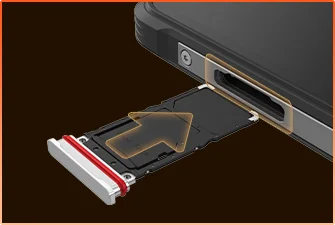 SIM 卡槽防水密封
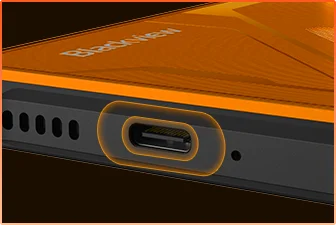 USB 連接埠防水保護
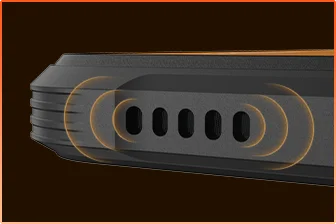 揚聲器格柵阻水設計
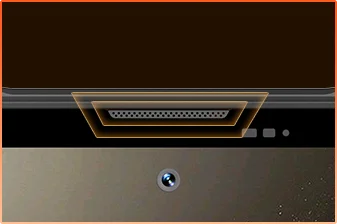 麥克風連接埠防水遮蔽
你準備好了嗎。
相機
外放喇叭
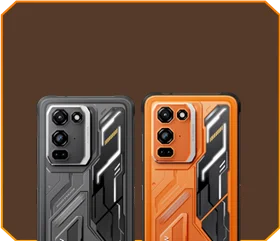





 幻影黑
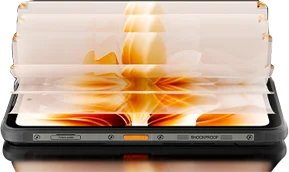
亮度


1.5m 極限防摔
-20°C 至 +55°C 極端
溫度下運作
 側鍵
功能
 實用
工具箱

遙控
 水下
相機
 2W Smart-K
外放喇叭
IP69K 等級
MediaTek Helio G100
12GB RAM+36GB 擴充容量
記憶卡擴充


約可儲存 303K+ 張照片
約可儲存 5.1K+ 部短影片
支援 33W 快速充電
1/1.67" 大型感光元件
6P 晶透鏡頭
Smart-ISO Pro
8X 變焦
Tetrapixel 四合一技術
Double Super PD
搭配全新 Pro 模式

AI 擴展畫面
AI 照片模糊

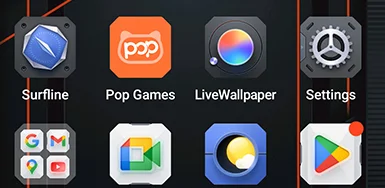


 系統
管理工具
2.0
 相機
2.0
 全球
網路
就緒
 智慧
NFC
存取
 更強效能,更快速度,完成更多。 不延遲,不設限,只有強大效能

同時執行
新一代擴充技術
App 載入更快
 約 796K+ 首歌曲
 約 303K+ 張照片
 約 5.1K+ 部短片

 15W 無線
充電
 5W 反向
電力分享
 省電
演算法
 超級省電
模式
 充電
保護
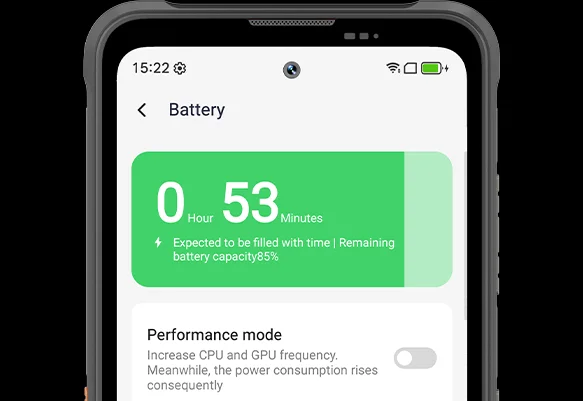
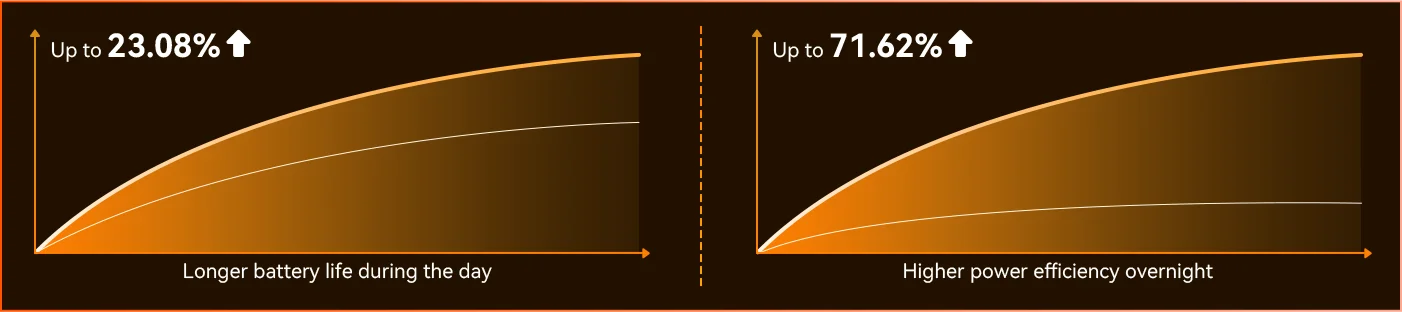
持久續航 *資料來自Blackview實驗室。實際結果可能因使用方式和環境而異。
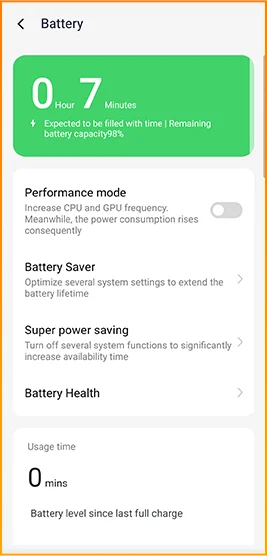
感受FORT 200配合你的日常作息所帶來的不同—全新深度省電模式,即使白天也能偵測閒置時間,無需動手便可降低耗電量。
 更聰明、更流暢,為了更了解你而設計。 全新 DokeOS 5.0 (Android 16)
 便利性升級 個人化升級 隱私與安全性升級 AI 智慧升級
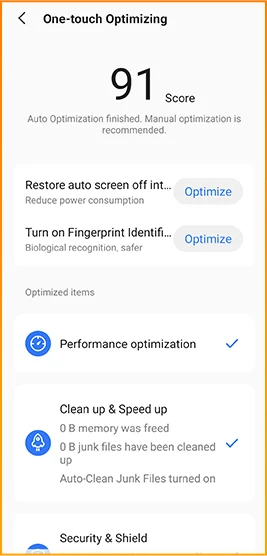
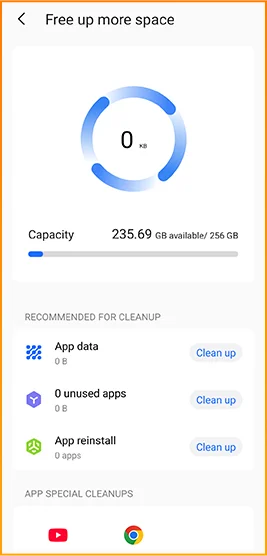
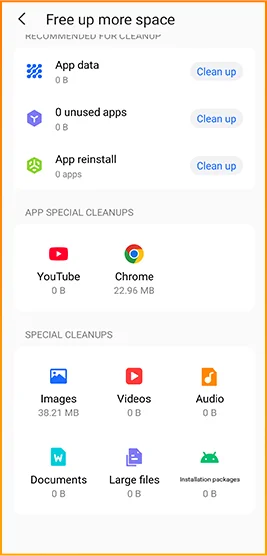
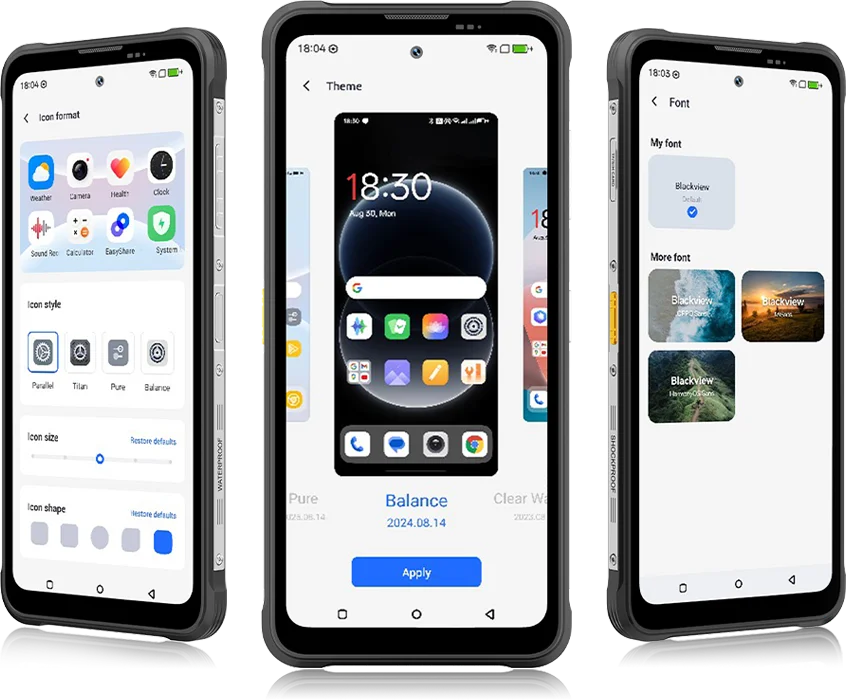 從 DokeOS 4.2 升級至 5.0,一切全面進化 — 你感受到的速度、看得見的流暢,以及預先洞察下一步的智慧。體驗前所未有的流暢、聰明與個人化,讓日常時刻輕鬆自在。
適合日常工作


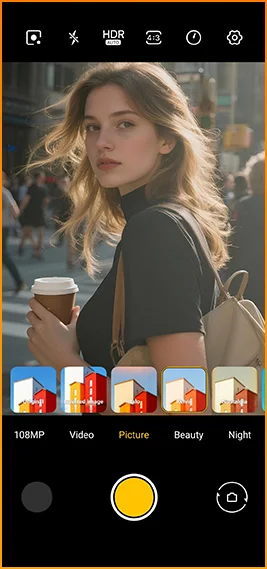
一鍵呈現電影感。
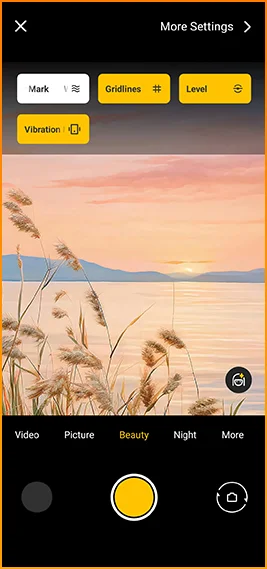
格線、浮水印、水平儀
和觸覺回饋,隨手可用。
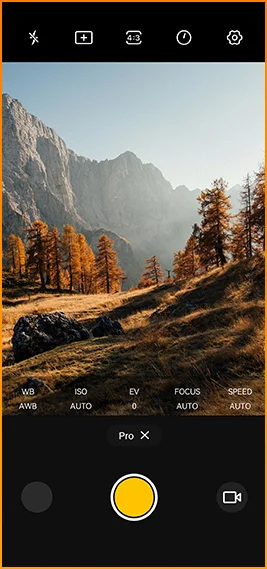
以專業級控制,
微調色溫與測光。



專為全球各地提供穩定連線而設計。
輕觸即可解鎖門鎖、即時付款,並快速連線。
Blackview FORT 200 規格
120Hz 智慧更新率,螢幕佔比 86%
13MP(夜視)
3G 頻段:WCDMA:B1/2/4/5/8
4G 頻段:FDD:B1/2/3/4/5/7/8/12/13/17/18/19/20/26/28A/28B/66
TDD:B38/40/41
| 設計 | |
| 產品 | Blackview FORT 200 |
| 顏色 | Blaze Orange、Phantom Black |
| 尺寸 | 178.4 × 83 × 11.5 毫米 |
| 重量 | 268 g |
| 作業系統 | 基於 Android 16 的 DokeOS 5.0 |
| 顯示 | |
| 主螢幕 | 6.78 吋 IPS 螢幕 |
| 解析度 | 1080 × 2460 |
| 更新率 | 120赫茲 |
| 觸控取樣率 | 180Hz |
| 亮度 | 700 尼特峰值亮度 |
| PPI | 396 |
| 螢幕佔比 | 86% |
| 玻璃 | Panda 玻璃 |
| 效能 | |
| CPU | 聯發科 Helio G100 |
| CPU 時脈 | 2 × Cortex-A76 2.2GHz + 6 × Cortex-A55 2.0GHz |
| GPU | Mali-G57 3D 圖形處理器 |
| RAM 與 ROM | 12GB RAM + 256GB ROM |
| 記憶體類型 | LPDDR4X + UFS 2.2 |
| RAM 擴充 | 最高支援 36GB 擴充 |
| TF 擴充 | 最高支援 2TB |
| 相機 | |
| 前置相機 | 50MP Samsung® ISOCELL JN1 |
| 後置相機 | 108MP Samsung® ISOCELL HM6 主相機 + 13MP 夜視相機 |
| 後置相機感測器 | Samsung® ISOCELL HM6 + OV08B10 |
| 影片錄製 | 支援專業模式的 2K 影片錄製 |
| 相機功能 | 動態照片、AI 照片、8× 變焦、專業模式、智慧 Google 鏡頭 |
| 電池與充電 | |
| 電池 | 5000mAh |
| 充電 | 33W 快充,15W 無線充電 |
| 反向充電 | 5W 反向供電分享 |
| 音訊 | |
| 喇叭 | 2W Smart-K BOX 喇叭 |
| 耐用性 | |
| 堅固等級 | IP68 & IP69K & MIL-STD-810H |
| 防水性 | 2 米 / 30 分鐘深水浸泡防護 |
| 抗跌落 | 最高可承受 6 米跌落 |
| 熱水耐受性 | 80°C 熱水耐受 |
| 壓力噴射防護 | 10,000 kPa |
| 操作溫度 | -20°C 至 +55°C |
| 連接性 | |
| 網路 | 雙 4G SIM 支援 |
| Wi-Fi | IEEE 802.11 a/b/g/n/ac,2.4GHz / 5GHz |
| 藍牙 | 藍牙 5.2 |
| 近場通訊 | 支援 |
| 卡槽 | 雙卡:2 × SIM / 1 × SIM + 1 × TF 卡 |
| USB | Type-C |
| 網路頻段 | |
| 2G | B2 / B3 / B5 / B8 |
| 3G | WCDMA:B1 / B2 / B4 / B5 / B8 |
| 4G | FDD:B1 / B2 / B3 / B4 / B5 / B7 / B8 / B12 / B13 / B17 / B18 / B19 / B20 / B26 / B28A / B28B / B66;TDD:B38 / B40 / B41 |
| 5G | 否 |
| 導航 | |
| 定位 | GPS / GLONASS / Galileo / BeiDou / QZSS |
| 感測器 | |
| 感測器 | G 感測器、P 感測器、L 感測器、陀螺儀、指南針、磁力感測器、指紋感測器、RGB 感測器 |
| 額外功能 | |
| 戶外功能 | 側鍵功能、紅外線遙控、工具包、水下相機 |
| AI 功能 | Doke AI 2.0、AI 聊天、AI 照片、AI 影片、AI 音樂、ImageX 應用程式 |
| 其他功能 | 無線充電、NFC、FM、OTG、指紋解鎖、閱讀模式、夜燈、暗黑模式 |
What are the differences between the Blackview FORT 200 and the Blackview FORT 2?
Compared with the Blackview FORT 2, the FORT 200 features a larger, higher-resolution display, more RAM, and a higher-resolution camera, along with faster wired charging and wireless charging support. The FORT 2 is slimmer and lighter, weighing 245.3g compared with the FORT 200’s 268g.
For everyday use, the FORT 200’s larger screen makes reading documents, viewing maps, and browsing photos easier. Its camera and charging features also suit users who prioritize photography and charging convenience. Both are 4G rugged smartphones, with key differences in their displays, hardware, cameras, and dimensions.
| Feature | Blackview FORT 200 | Blackview FORT 2 |
|---|---|---|
| Processor | MediaTek Helio G100 | MediaTek Helio G81 |
| Display | 6.78-inch, 1080 × 2460 | 6.56-inch, 720 × 1612 |
| Refresh rate | 120Hz | 90Hz |
| Physical RAM | 12GB | 8GB |
| Internal storage | 256GB | 128GB / 256GB |
| Main camera | 108MP | 16MP |
| Front camera | 50MP | 13MP |
| Wired charging | Up to 33W | Up to 18W |
| Weight | 268g | 245.3g |
| Thickness | 11.5mm | 10.7mm |
Who is the Blackview FORT 200 rugged phone designed for?
The Blackview FORT 200 is ideal for maintenance technicians, construction workers, delivery personnel (food/courier), farmers, and outdoor enthusiasts who enjoy hiking or camping. It is also well-suited for users who frequently find themselves in environments prone to dust, rain, or accidental impacts—situations where they still need to make calls, use navigation, run work-related applications, or take photos.
Its rugged design ensures reliability even in demanding work environments or during outdoor activities. The large screen provides ample space for viewing maps, reading documents, and looking at photos, while the high-resolution main camera captures detailed imagery. It is designed to support both professional tasks and everyday use.
What charging methods does the Blackview FORT 200 support?
The Blackview FORT 200 supports wired charging at up to 33W and wireless charging at 15W. Wired charging is ideal for topping up your phone’s battery before heading out or while at your workstation, while wireless charging allows you to power up simply by placing the device on a charging pad on your desk or nightstand.
For wired charging, ensure you use a compatible charger and cable. For wireless charging, place the phone accurately on a compatible charging pad and confirm that charging has begun. If you are using a thick protective case or any metal accessories, it is recommended to remove them for optimal charging performance.
What can I use the Blackview FORT 200’s 108MP main camera for?
The 108MP main camera on the Blackview FORT 200 can be used to capture landscapes, equipment, documents, and various everyday scenes. It preserves a high level of detail, making it easy to zoom in or crop specific areas—such as isolating a sign within a scene or focusing on a particular detail in a portrait.
When documenting work-related tasks, you can take a wide-angle shot to show the surrounding environment, followed by close-up shots of labels, connections, or damaged areas. When photographing documents, keep the phone parallel to the page to ensure the entire content is captured within the frame.
What can I see with the Blackview FORT 200’s night vision camera?
The Blackview FORT 200’s night-vision camera helps you see people, animals, and objects nearby in the dark. Utilizing infrared illumination technology, it is well-suited for viewing the area around a campsite or observing dimly lit spaces.
For a clear view, keep the phone steady and point it directly toward the area you wish to observe. Identifying targets may be difficult if they are far away or obscured by obstacles. The night-vision feature only reveals the appearance of scenes in the dark; it cannot measure temperature or see through walls, and therefore cannot serve as a substitute for a thermal imager.
What does the Motion Photo feature do on the Blackview FORT 200?
The "Motion Photo" feature records both motion and sound while capturing a still image, allowing you to preserve more of your special moments. Beyond freezing a specific expression, it captures subtle movements—such as a smile, a pet turning its head, or leaves swaying in the breeze.
Please keep your phone steady while shooting. If you need to record for a longer duration, it is recommended to use the standard video recording mode. When sharing a "Motion Photo," please note that the recipient's device must support the playback of motion and sound; some devices may only display or transmit the image as a static photo.
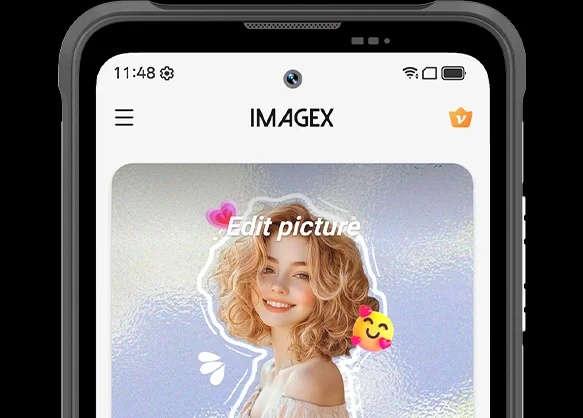
What photo-editing features does the ImageX app offer on the Blackview FORT 200?
ImageX provides a variety of AI-powered tools, including features to remove unwanted objects, expand image edges (outpainting), and apply blur effects. These tools allow you to refine your photos after they have been taken—for example, by cleaning up cluttered backgrounds or creating more space around the main subject.
The "Object Removal" feature can enhance vacation photos; "Image Expansion" (outpainting) can fill in backgrounds where the original composition was too tight; and the "Blur" tool can make specific areas less prominent. After applying these edits, be sure to carefully review the results—paying close attention to faces, text, and the edges of objects—as AI editing may sometimes require multiple attempts to achieve the desired outcome.
Can I expand the Blackview FORT 200’s storage?
Yes. The Blackview FORT 200 supports microSD cards with a capacity of up to 2TB, providing extra space for photos, videos, music, documents, and more. Please note that the microSD card slot is shared with the second SIM card slot; You must choose between a "dual SIM" configuration or a "single SIM + one microSD card" configuration.
If your phone’s internal storage becomes full due to a large number of work-related photos, downloaded videos, or other files, you can move these items to the microSD card to free up internal space. It is recommended to keep applications and certain app data on the phone’s built-in storage; the microSD card is intended primarily for file storage and cannot replace the device's internal memory.
What mobile networks does the Blackview FORT 200 support?
The Blackview FORT 200 is a 4G rugged smartphone that supports 4G LTE, 3G, and 2G networks. When used with a compatible SIM card and mobile plan, the device allows for making calls, sending and receiving text messages, and using mobile data (including web browsing, navigation, instant messaging, and video calls).
Before purchasing, please compare the network frequency bands listed in the product specifications with those used by your mobile carrier. You may also wish to consult your carrier to confirm that their network supports the device for calls and mobile data services. Network availability depends on local coverage and your chosen mobile plan.
What devices can I control with the Blackview FORT 200’s infrared remote?
The Blackview FORT 200 can control compatible TVs, air conditioners, and set-top boxes via infrared, allowing you to change channels, adjust volume, or set temperatures, depending on the device.
Open the remote control app, select the appliance type, and follow the prompts to test and match a configuration. Point the phone’s infrared transmitter at the appliance without obstructions. Compatibility depends on the configurations available in the app. Devices that support only Bluetooth or Wi-Fi cannot be controlled via infrared.
Does the Blackview FORT 200 support NFC payments?
Yes, it does. You can make NFC payments by using a compatible payment app and linking an eligible bank card. Once set up, you can make payments without needing to take your physical card out of your wallet.
Before use, please enable the NFC function, add your bank card to the payment app, and complete the verification steps required by your bank. Ensure you have a screen lock set up and have selected your preferred payment app for contactless payments. When paying, simply unlock or verify your phone as prompted and hold it near the payment terminal. Actual availability depends on the payment service provider, your bank, and your country or region.
What protection does the Blackview FORT 200 offer for outdoor use?
The Blackview FORT 200 features IP68 and IP69K ratings and meets MIL-STD-810H testing standards. It is resistant to dust, water immersion, and impact, making it suitable for outdoor work and activities involving exposure to rain, dirt, or accidental knocks.
To maintain its protective capabilities, ensure the SIM card tray is properly installed and check the phone for damage after any severe impact. If the phone gets wet, ensure both the device and the charging port are dry before charging. Please note that water and impact resistance have limits and may diminish over time due to wear or damage; Therefore, exercise caution during high-intensity activities.
What everyday tasks can the Blackview FORT 200’s AI assistant help with?
The Blackview FORT 200's AI chat assistant can answer questions, explain complex concepts, and help you understand document content. It can interpret reading materials in plain language and summarize key points from lengthy information.
For the best results, clearly describe your specific needs. You can also ask follow-up questions regarding any unclear points. Before using the answers for work or sharing them with others, it is recommended to verify the original information, including important names, data, and instructions.
Can I connect a USB flash drive to the Blackview FORT 200?
Yes. The Blackview FORT 200 supports USB OTG functionality, allowing you to connect compatible USB flash drives to access and transfer files. Flash drives with a USB-C connector can be plugged in directly, while standard USB-A flash drives require a suitable USB-C OTG adapter.
Once connected, open the file manager and select the USB storage device to browse its contents. You can copy work documents to your phone or move photos and videos to the flash drive without needing a computer or cloud service. Wait for all transfers to complete before disconnecting; if the system offers an "Eject" option, use it to prevent incomplete transfers or file corruption.
How can I use Google Lens on the Blackview FORT 200?
You can use Google Lens on the FORT 200 to search for objects, find similar products, and process text within images. Open the Google app, tap the Lens icon, and then point your camera at the target you wish to search for, or select a photo already saved on your phone.
Google Lens can identify unfamiliar plants, search for products you have photographed, or extract text from printed documents. Ensure the subject is in focus; If the frame contains multiple objects, you may need to select the specific area of interest. Note that an internet connection is generally required to access online information.
What features make reading more comfortable on the Blackview FORT 200?
The Blackview FORT 200 offers Reading Mode, Night Light Mode, and Dark Mode. Reading Mode adjusts the display to suit reading needs; Night Light Mode adds warm tones; and Dark Mode applies a dark background to menus and applications.
Choose a mode that suits your reading content and surroundings, and adjust the text size to reduce frequent zooming. At night, lower the brightness or enable “Night Light” for warmer colors. During the day, increase the brightness as needed to keep text clear without making the screen too bright.
Jump to another section