



Blackview FORT 1 6.56-calowy 90Hz inteligentny wyświetlacz AI Unisoc Tiger T615 ośmiordzeniowy 10000mAh 4G AI wytrzymały telefon

Brak w magazynie
Najważniejsze informacje
Najważniejsze informacje
✔6,56-calowy wyświetlacz HD+ IPS 90Hz Smart AI
✔Procesor Unisoc T615 Octa-core
✔Potwór baterii 10000mAh z 48 dniami spokoju
✔Certyfikaty IP68&IP69K& MIL-STD-810H
Informacje
Informacje
Blackview FORT 1 to wytrzymały telefon 4G zaprojektowany dla użytkowników, którzy potrzebują długiego czasu pracy na baterii, praktycznej trwałości i płynnej codziennej obsługi. Jego 6,56-calowy wyświetlacz HD+ o częstotliwości 90 Hz, procesor Unisoc Tiger T615 oraz bateria 10 000 mAh sprawiają, że jest przydatny na placach budowy, w podróży i podczas aktywności na świeżym powietrzu. Dzięki szybkiemu ładowaniu 18W, tylnym aparatom 16MP + 2MP, NFC, podwójnemu 4G VoLTE, czterokierunkowej nawigacji, głośnikowi Smart-K oraz systemowi DokeOS 4.2 opartemu na Androidzie 15, oferuje niezawodną wydajność w wytrzymałym i praktycznym body.
O marce
O marce
W Blackview wierzymy, że doskonała technologia powinna wykraczać poza imponujące specyfikacje. Powinna pasować do prawdziwego życia, rozwiązywać rzeczywiste problemy i być niezawodna wtedy, gdy jest to najważniejsze.
Blackview zaczęło od wytrzymałych telefonów stworzonych do trudnych warunków. Dziś oferujemy szerszy ekosystem inteligentnych urządzeń, w tym smartfony, tablety, laptopy, smartwatche, produkty audio i wiele więcej.
W każdej kategorii nasz cel pozostaje ten sam: trwała jakość, praktyczne innowacje i przystępne ceny. Projektujemy produkty, które od pierwszego dnia dają poczucie niezawodności.
Rozumiemy, co klienci cenią najbardziej: płynne działanie, długotrwałą niezawodność, przydatne funkcje oraz technologię, która ułatwia codzienne życie bez zbędnych kosztów.
Dlatego Blackview przykłada dużą wagę do testowania produktów, doświadczenia użytkownika oraz funkcji, które wnoszą realną wartość w pracy, podróży, twórczości, eksploracji na świeżym powietrzu i codziennym kontakcie.
Blackview jest stworzone dla osób, które chcą technologii, na której mogą polegać: inteligentnych, wydajnych urządzeń zaprojektowanych, by nadążać za nowoczesnym życiem.
Niezawodne z założenia. Praktyczne z natury. Stworzone do prawdziwego życia.
Wysyłka i zwroty
Wysyłka i zwroty
• Wysyłka: Zamówienia są realizowane w ciągu 1–2 dni roboczych. Standardowa dostawa trwa 3–7 dni roboczych, w zależności od lokalizacji.
• Zwroty: Możesz zwrócić lub wymienić produkty w ciągu 30 dni od otrzymania zamówienia. Przedmioty muszą być w oryginalnym stanie wraz z dowodem zakupu.
Jeśli Twój produkt jest wadliwy lub uszkodzony z powodu problemów produkcyjnych, chętnie wymienimy go bez dodatkowych kosztów.

 FORT 1
Myśl szybciej.
Dłużej działa. Bezpieczniej.
Mądrzejsze AI. Maraton 10000mAh
Bateria. Najwyższa wytrzymałość MIL-STD.

Wytrzymała konstrukcja
Twój głos, Twój klucz
Inspirując się trwałą architekturą fortów, FORT 1 został zaprojektowany, by wytrzymać ekstremalne warunki. Jego wytrzymała konstrukcja odzwierciedla wojskową odporność.

Otwór na smycz
pozwala przypiąć, zawiesić lub zabezpieczyć telefon gdziekolwiek jesteś.

Odcisk palca
Wsparcie odblokowania
zapewnia skrót do odblokowania, wybudzenia i sterowania urządzeniem.
Nr 1 Oszałamiający obraz na 6,56″ 90Hz inteligentny wyświetlacz AI
Nr 2 Potwór baterii 10000mAh z 48 dniami spokoju ducha
Nr 3 Bezproblemowy. Bez rąk. Zasilany przez Doke AI
Nr 4 Sprawnie wykonuj zadania z Unisoc T615 Octa-core Procesor & do 18GB RAM & 256GB ROM & 2TB TF Pamięć
Nr 5 Certyfikowana obudowa odporna IP68&IP69K& MIL-STD-810H
Nr 6 Zasilany AI. Każda chwila zapamiętana na zawsze
Nr 7 Najnowszy DokeOS 4.2 oparty na Android 15
Nr 1 Oszałamiający obraz na 6,56"
90Hz inteligentny wyświetlacz AI
6,56-calowy wyświetlacz HD+ IPS
Zobacz więcej. Łatwe przewijanie
FORT 1 ma 6,56-calowy wyświetlacz HD+, który spełnia swoje zadanie — jest wyraźny, responsywny i łatwy do czytania, niezależnie od tego, czy jesteś w pomieszczeniu, czy na otwartej przestrzeni. Solidna konstrukcja i odpowiedni rozmiar do codziennego użytku zapewniają równowagę między widocznością a przenośnością.
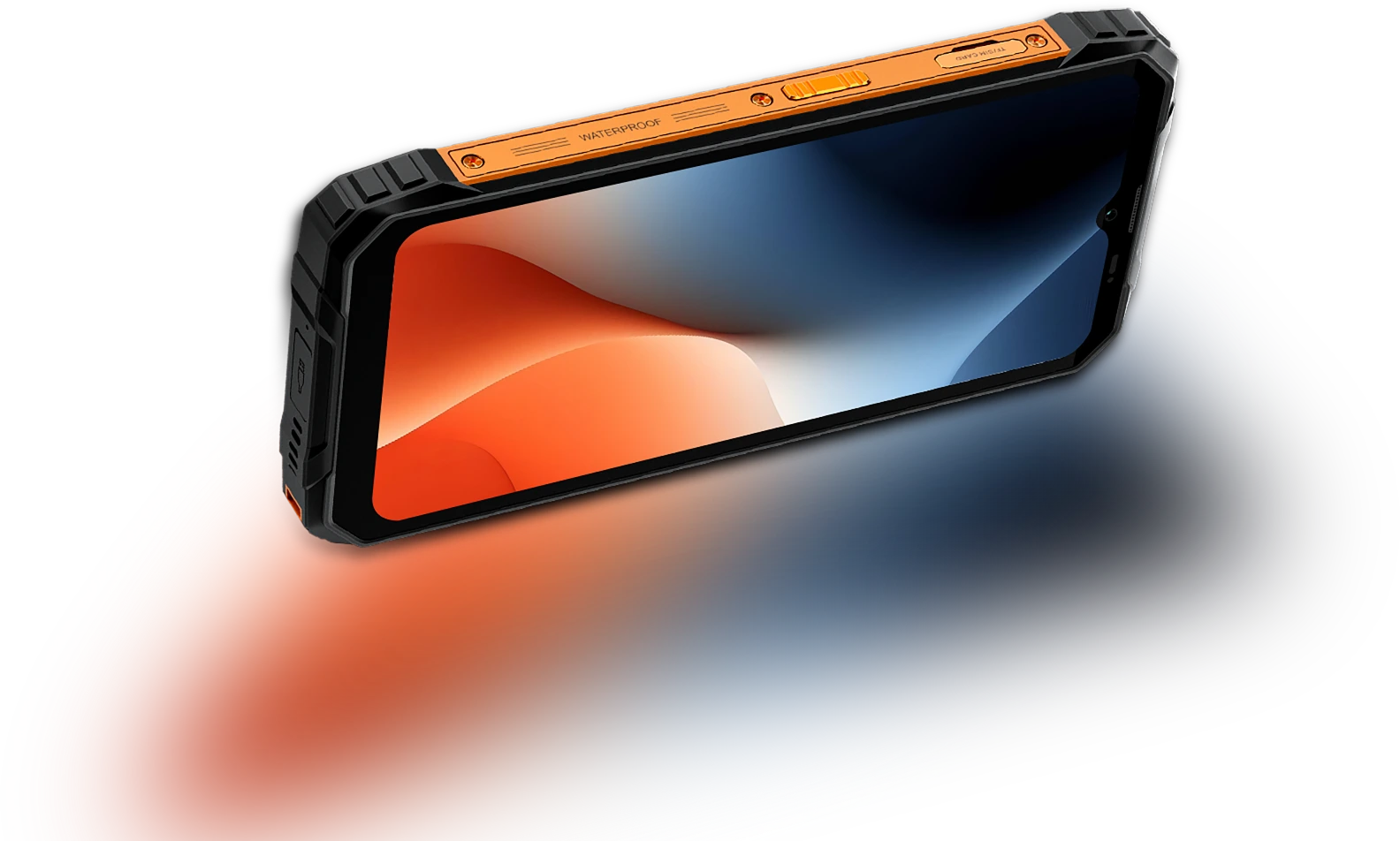
Próbkowanie dotyku Częstotliwość
180Hz
Stosunek ekranu do obudowy Proporcja
83%
Cieńszy i lżejszy
INCELL IPS
PPI
269
Rozdzielczość
720*1612 pikseli
Jasność
450 nitów
Proporcje ekranu
20:9
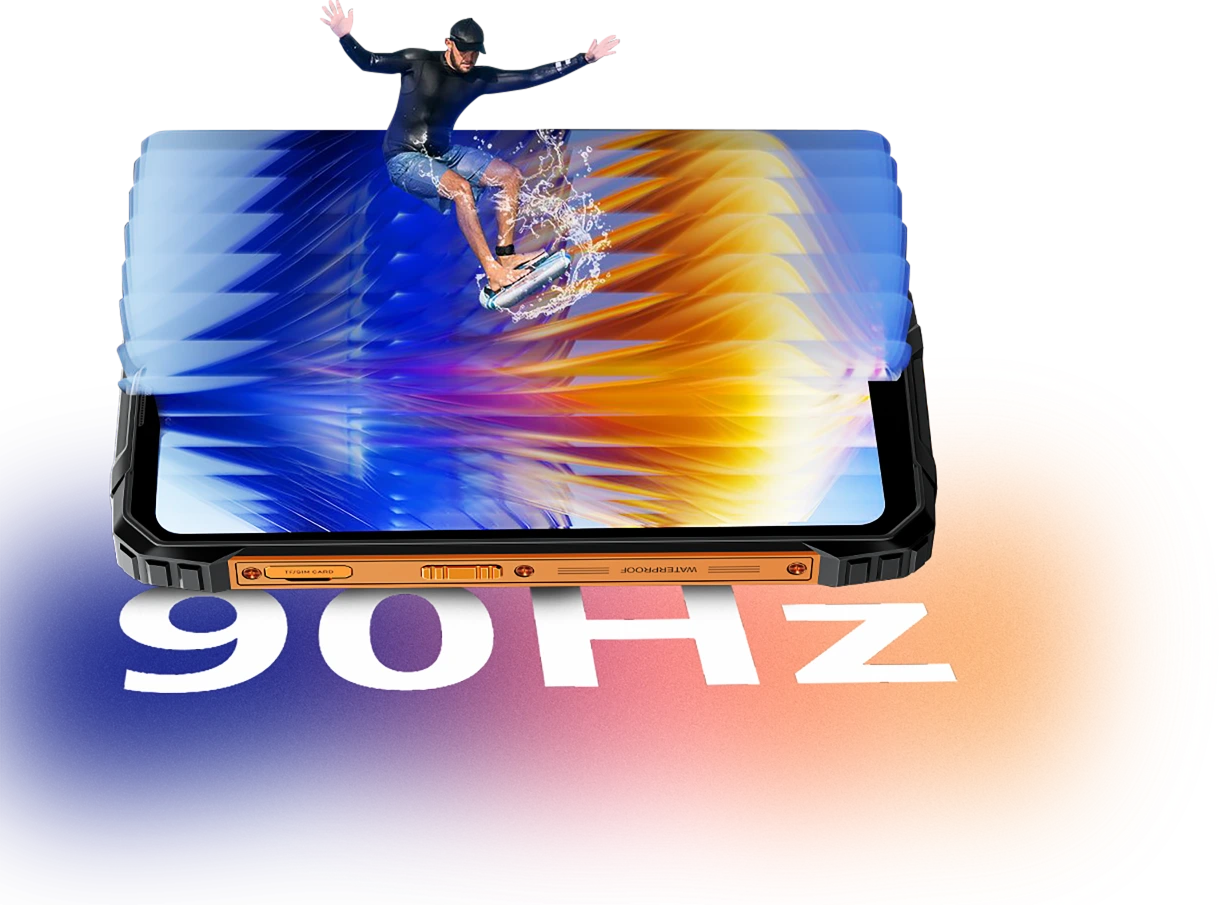
Inteligentne AI-adaptacyjne 90Hz
Odświeżanie
Każde przesunięcie. Każde
Klatka. Tylko
Płynność
Niezależnie od tego, czy przewijasz wiadomości, sprawdzasz mapy, czy przeglądasz aktualizacje pracy, inteligentna adaptacyjna częstotliwość odświeżania 90Hz w FORT 1 zapewnia płynność wtedy, gdy tego potrzebujesz, i przełącza się na niższą częstotliwość odświeżania, gdy nie korzystasz aktywnie.
60Hz
utrzymuje większą wydajność podczas czytania, pisania wiadomości lub w trybie czuwania.

90Hz
włącza się dla płynniejszego przewijania, bardziej płynnych przesunięć i animacji.


Komfort oczu ma znaczenie
Łagodniejszy dla oczu,
Dzień czy noc
Niezależnie od tego, czy pracujesz długo, czytasz na zewnątrz, czy relaksujesz się wieczorem, Blackview FORT 1 został zaprojektowany, by zmniejszyć zmęczenie oczu. Dzięki inteligentnym trybom ekranu dostosowującym się do otoczenia, pozostajesz wygodny i skupiony, bez względu na czas i zadanie.
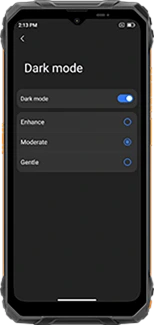
Wielowarstwowy tryb ciemny
(Wzmocniony/Umiarkowany/Delikatny)
tworzy ciemniejszy, bardziej komfortowy interfejs
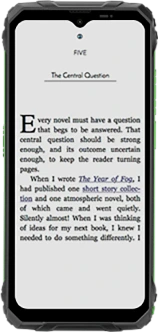
Tryb czytania
obniża jasność i filtruje ostre światło, dając efekt papieru
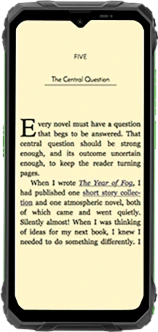
Światło nocne
redukuje niebieskie światło, aby zmniejszyć zmęczenie oczu przy słabym oświetleniu
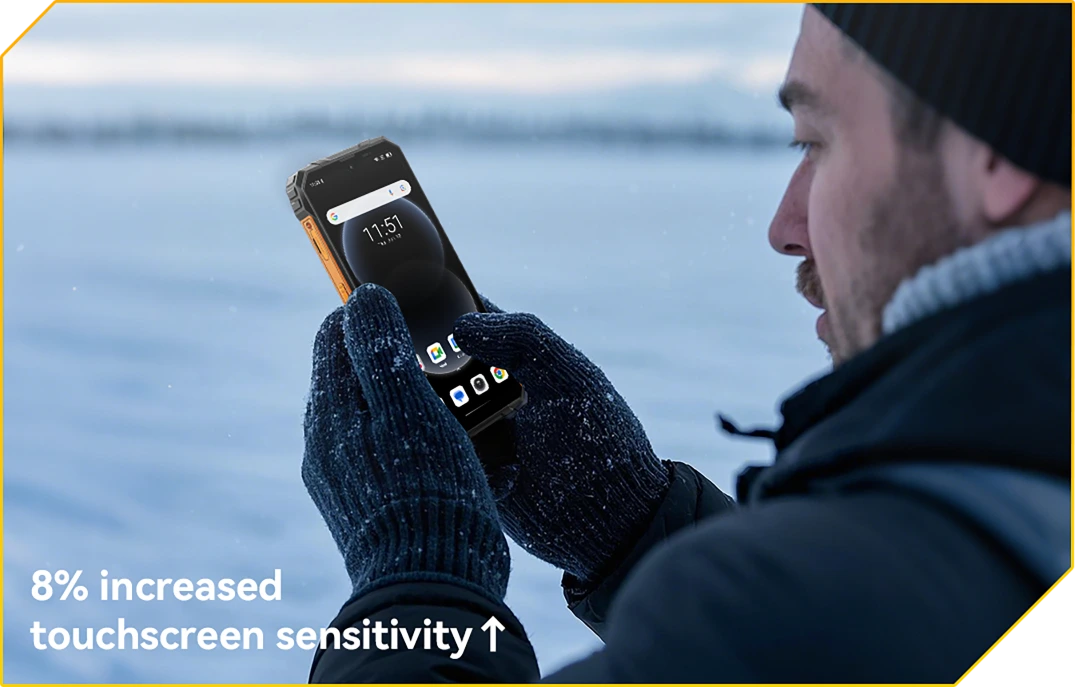
Tryb rękawiczek 2.0
Gotowy na dotyk. Nawet w rękawiczkach
Stukaj, przesuwaj i przewijaj bez zdejmowania rękawiczek.
Potwór baterii 10000mAh nr 2
z 48 dniami spokoju ducha
Ogromna bateria 10000mAh
Moc Trwa. Dzień po Dniu
Dzięki ogromnej baterii 10000mAh, FORT 1 jest stworzony, by działać długo po tym, jak inni się poddają. Niezależnie czy jesteś na w wielodniowej zmianie, poza zasięgiem lub głęboko w terenie, możesz pracować, nawigować i komunikować się bez obaw o kolejne ładowanie.

12 godz.
Gra
43 godz.
Rozmowa
45 godz.
Muzyka
21 godz.
Internet
21 godz.
Tryb czuwania
AI-adaptacyjne
Ochrona Ładowania
zapewnia bezpieczniejsze ładowanie i
długotrwała bateria.
+1 Rok Dłuższa Żywotność↑


Oszczędzanie Energii AI
Algorytm
automatycznie dostosowuje aktywność w tle, jasność i wydajność dla wydłużonej żywotności baterii.
Ponad 500 cykli ładowania
z 80% baterii
Żywotność Zachowana
oznacza 2~3 dni bez zmartwień.


Wsparcie 5W OTG Reverse Charging
Moc do Udostępniania,
Gdziekolwiek Jesteś
Potrzebujesz naładować inne urządzenie w drodze? Dzięki 5W OTG Reverse Charging, FORT 1 pełni funkcję przenośnego power banka, pozwalając na doładowanie słuchawek, latarka lub nawet telefon kolegi, bez potrzeby gniazdka. To zapasowa energia w Twojej kieszeni.
Urządzenia z funkcją ładowania zwrotnego

Nr 3 Bezproblemowo. Bez użycia rąk.
Zasilany przez Doke AI.
Doke AI na FORT 1 wnosi inteligencję na wyższy poziom do Twojej codziennej pracy — teraz zintegrowany z wiodącymi na świecie modelami AI, w tym DeepSeek-R1, ChatGPT-4o mini oraz Gemini AI 2.0 Flash Thinking Experimental. Niezależnie czy jesteś na miejscu, w ruchu czy poza utartym szlakiem, ten wytrzymały asystent AI utrzymuje wszystko proste, inteligentne i płynne.
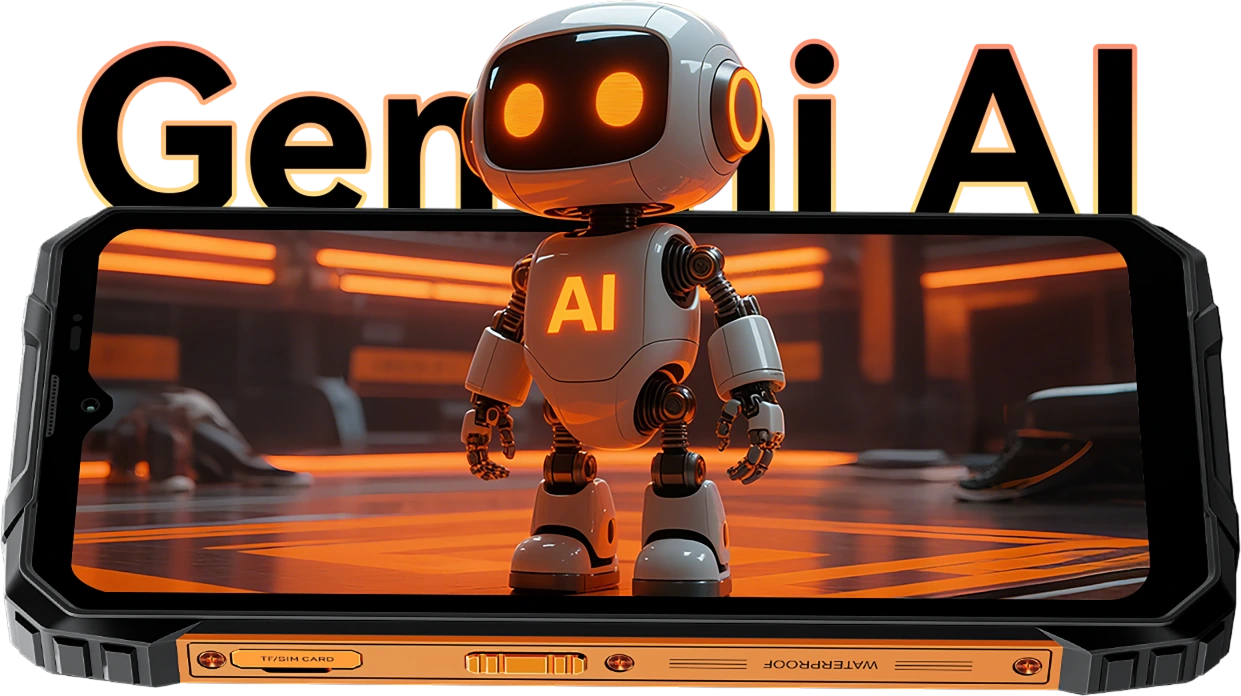
Aktywacja Głosem &
Rozpoznawanie Głosu
Twój Głos.
Twój Dostęp.
Wystarczy powiedzieć słowo — nawet w rękawiczkach lub z zajętymi rękami. FORT 1 budzi się natychmiast i bezpiecznie dzięki Twojemu unikalnemu głosowi.

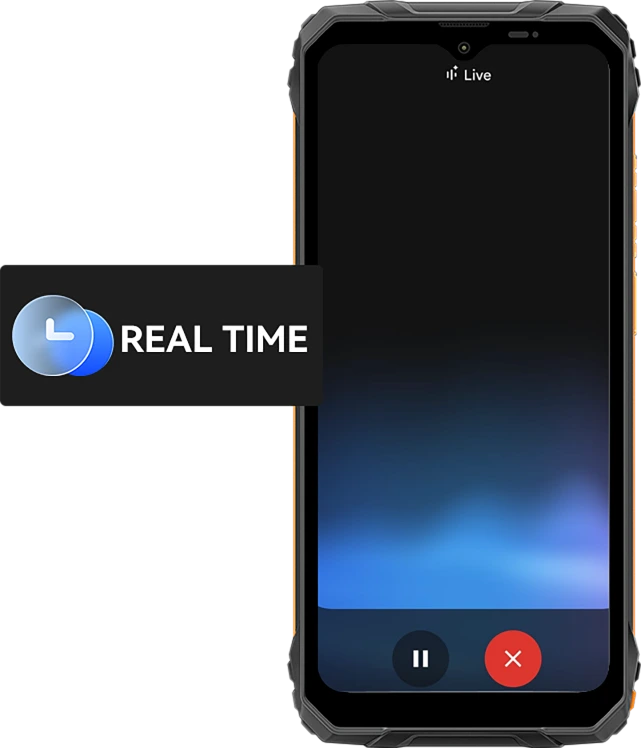
Interakcja Głosowa w Czasie Rzeczywistym
Pytaj Szybko. Otrzymuj Odpowiedzi
Szybciej.
Od szybkich aktualizacji po porady w czasie rzeczywistym, rozmawiaj z telefonem i otrzymuj natychmiastowe odpowiedzi w 10 ekspresyjnych stylach głosu, takich jak Nova, Orbit czy Vega — użyteczne i naturalne.
10 opcji głosowych do wyboru:
Asystent Świadomy Ekranu
Pomoc, Bezpośrednio na
Twój Ekran.
Widząc plik, mapę lub obraz, z którym potrzebujesz pomocy? Po prostu zapytaj. Bez przełączania aplikacji. Bez rozpraszania.

Globalna Inteligentna Kontrola
Jeden Głos. Pełna Kontrola.
Dostosuj ustawienia, uruchamiaj aplikacje i zarządzaj narzędziami, wszystko bez użycia rąk. Idealne podczas wielozadaniowości lub pracy w rękawiczkach.


Gmail

Google Calendar

Google Keep

Google Tasks

Google Drive

Google Docs


Wiadomości

Telefon

Google Maps

Google Flights

Google Hotels

YouTube

YouTube Music
Najmądrzejszy Kreatywny Asystent
Cześć Doki App AI Inteligentny Asystent Czatu
Twój AI Towarzysz do Każdego Zadania i Pomysłu
Niezależnie czy planujesz na placu budowy, czy potrzebujesz pomocy w codziennych zadaniach, Hi Doki jest zawsze gotowy.

Aplikacja ImageX
Potężne Narzędzia AI do Zdjęć na Prawdziwe Przygody
Nawet w najtrudniejszych warunkach Twoje zdjęcia zasługują na profesjonalne wykończenie. Z 18 funkcjami edycji AI, ImageX na FORT 1 zamienia zdjęcia z pola, ujęcia na zewnątrz i codzienne chwile w wizualizacje warte udostępniania, szybko i bezproblemowo.
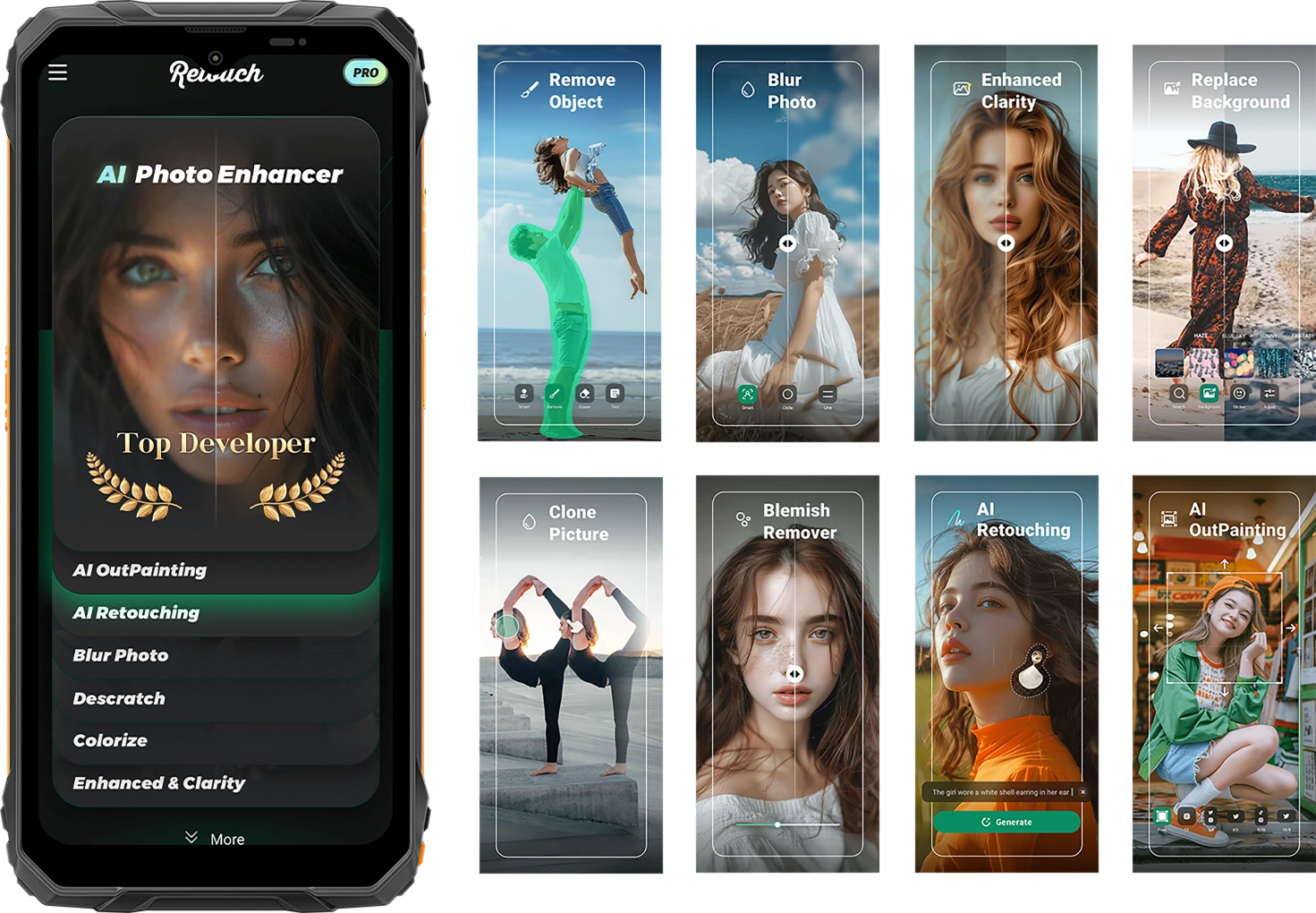
Uchwyć życie surowe. Udostępnij je dopracowane.
AI Usuwanie Obiektów
Usuń niechciane obiekty, obcych lub bałagan sprzętowy w kilka sekund. Skup się tam, gdzie to ważne.

AI-adaptacyjne
Ochrona Ładowania
Jedno dotknięcie i gotowe. Inteligentne korekty oświetlenia, koloru i balansu — bez potrzeby umiejętności edycji.


AI Zdjęcie
Retusz
Automatycznie wygładzaj skórę, poprawiaj oświetlenie i ulepszaj portrety dla czystego, naturalnego wyglądu.
AI OutPainting
Rozszerz krawędzie obrazu, aby pokazać więcej krajobrazu, więcej kontekstu — więcej historii.

AI Rozmycie Zdjęcia
Rozmyj nieuporządkowane lub rozpraszające tło, aby Twój obiekt był wyraźny i wyeksponowany.
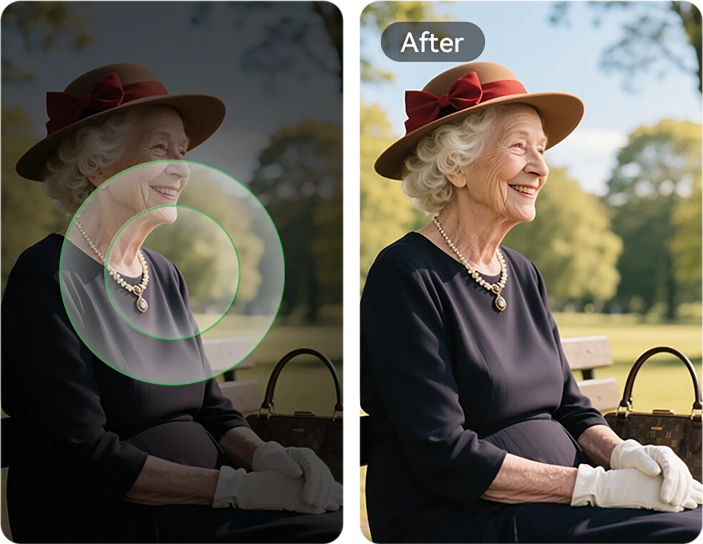
AI Zmiana Tła
Od górskich szlaków po place budowy — natychmiast zmieniaj tło, aby dopasować je do nastroju lub przekazu.

Usuwanie Niedoskonałości
Łatwo wykrywaj i poprawiaj niedoskonałości, drobne plamki lub defekty na skórze lub powierzchni zdjęcia, pozostawiając obraz nieskazitelny i czysty.

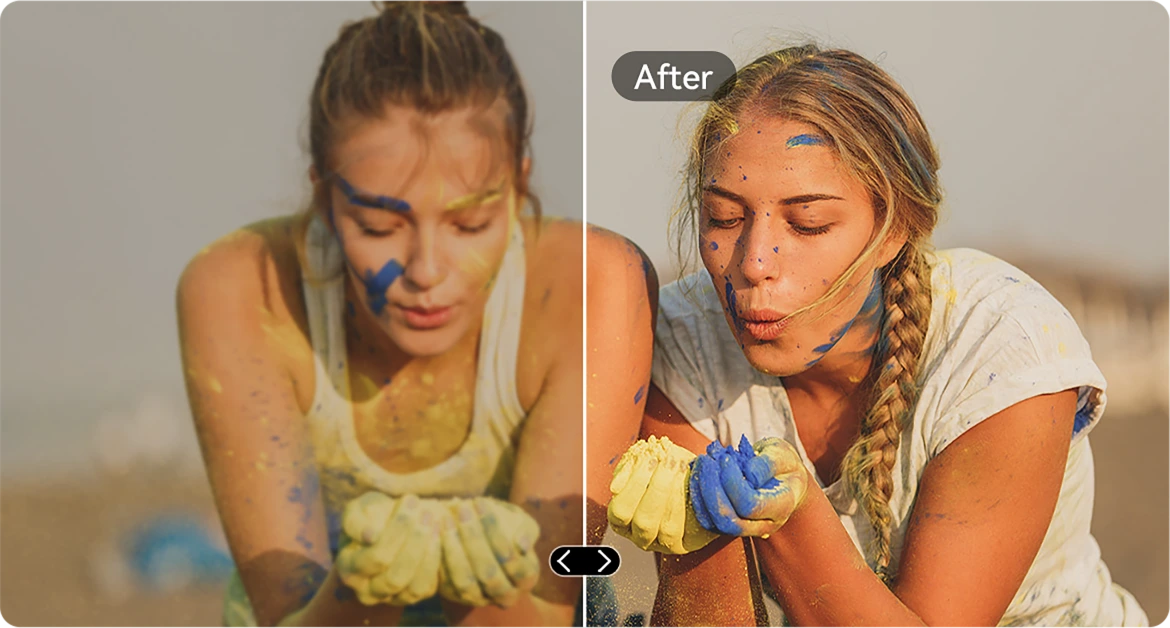
AI Wzmacnianie Ostrości
Wyostrz rozmyte lub słabo oświetlone zdjęcia, aby każdy detal był wyraźny — nawet w szybko zmieniających się warunkach.
AI Wklejanie Obrazów
Kopiuj elementy między zdjęciami. Umieszczaj narzędzia, tagi lub osoby dokładnie tam, gdzie chcesz.

AI Usuwanie Rys
Przywróć porysowane, uszkodzone lub stare obrazy do niemal oryginalnej jakości za jednym dotknięciem.
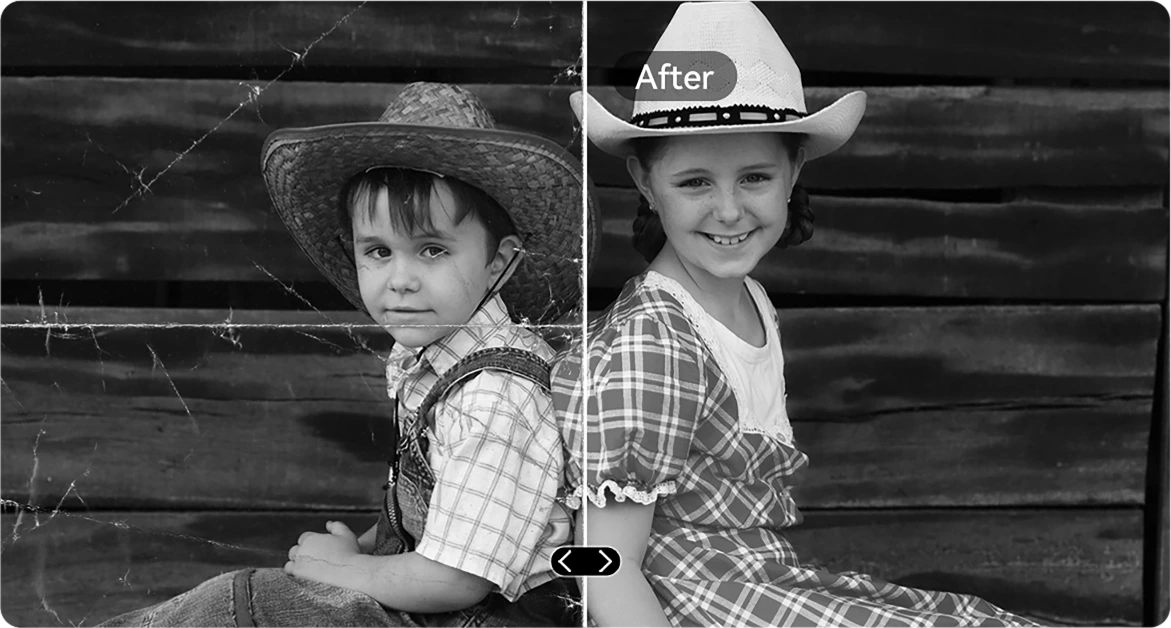
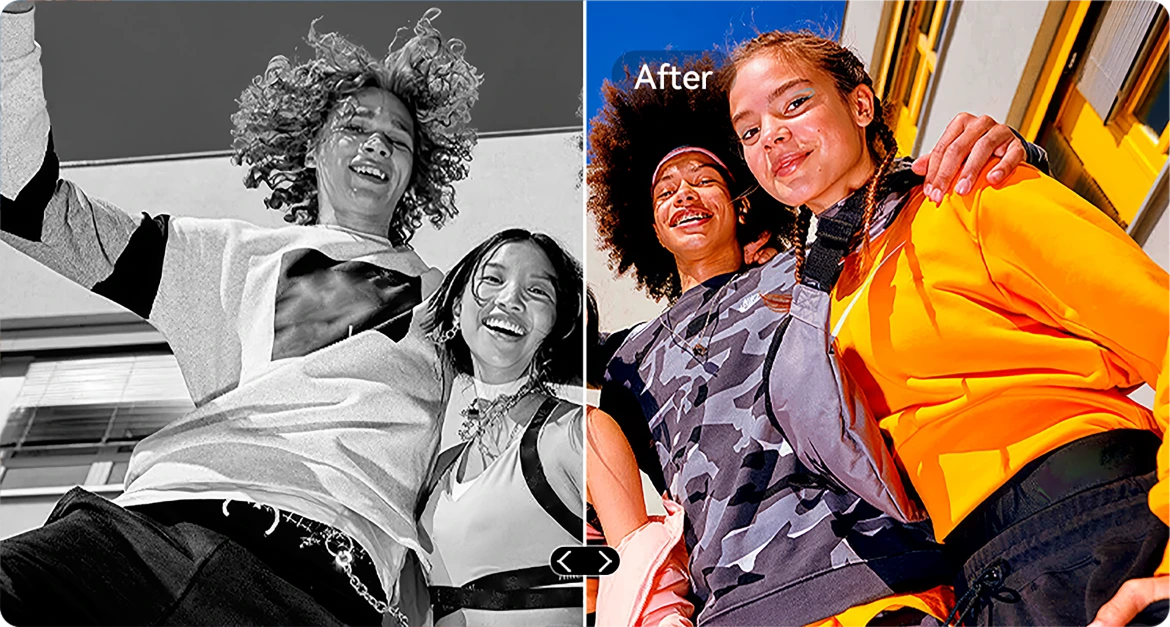
AI Koloryzacja B&W
Tchnij nowe życie w czarno-białe zdjęcia, dokładnie przywracając kolory w każdym detalu. Obserwuj, jak ludzie, krajobrazy, a nawet promień światła ożywają, jakby czas się cofnął.

AI Prostowanie Zdjęć
Automatycznie popraw przechylone lub krzywe zdjęcia, aby uzyskać czyste, proste i profesjonalne fotografie.
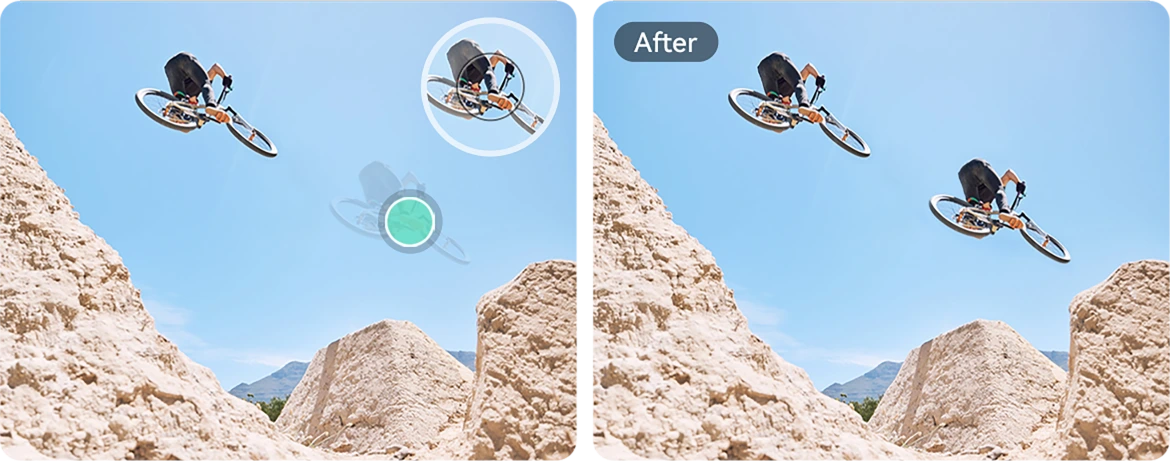
AI Klonowanie Zdjęć
Duplikuj obiekty dla wizualnej równowagi, opowiadania historii lub po prostu kreatywnej zabawy.
AI Animacja Zdjęć
Dodaj subtelny ruch do portretów — spraw, by twarze się poruszały, mrugały lub uśmiechały, nadając dynamiczny charakter.

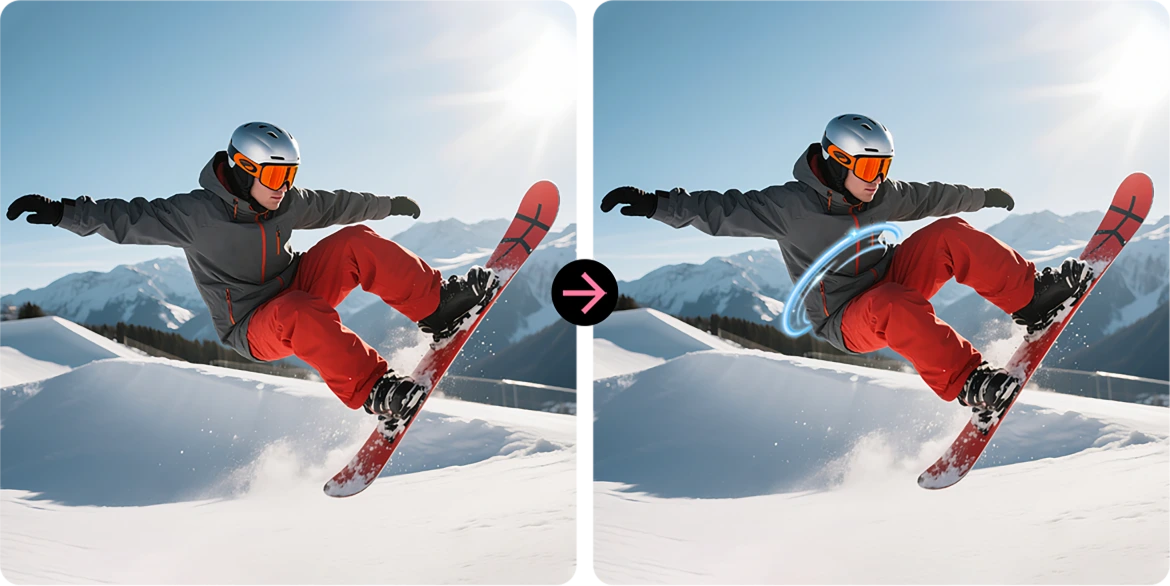
AI Efekt Spirali
Nałóż efektowne spiralne nakładki, które przemieniają zwykłe zdjęcia w przyciągającą wzrok sztukę.
Zamiana Nieba
Ulepsz nudne niebo epickimi zachodami słońca, marzycielskimi chmurami lub dramatyczną pogodą za jednym dotknięciem.
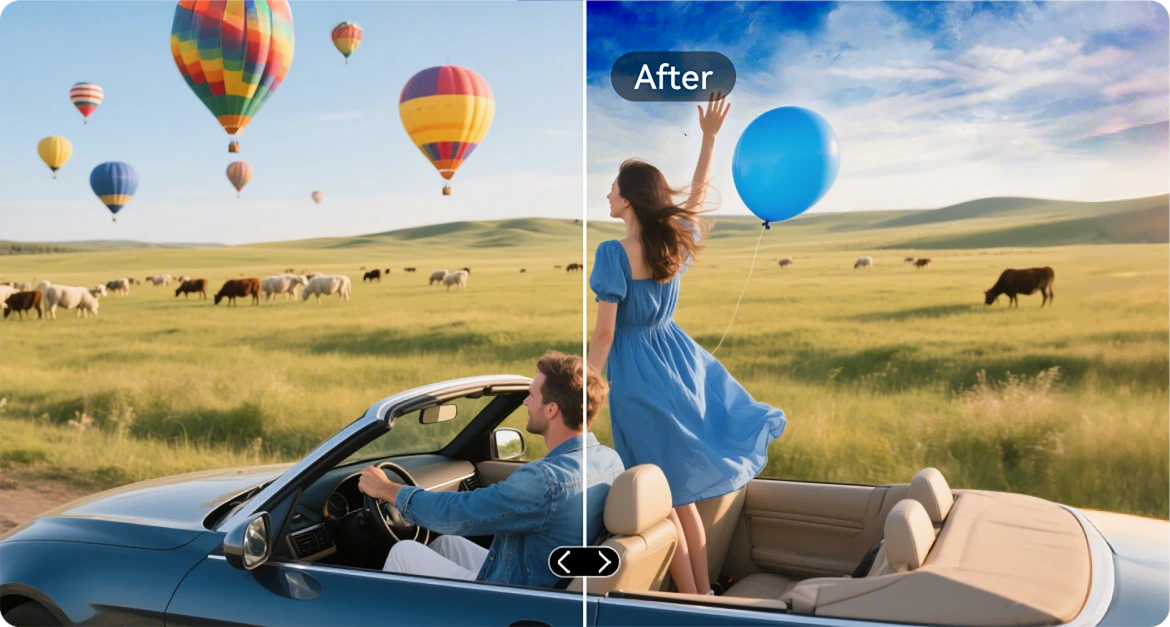
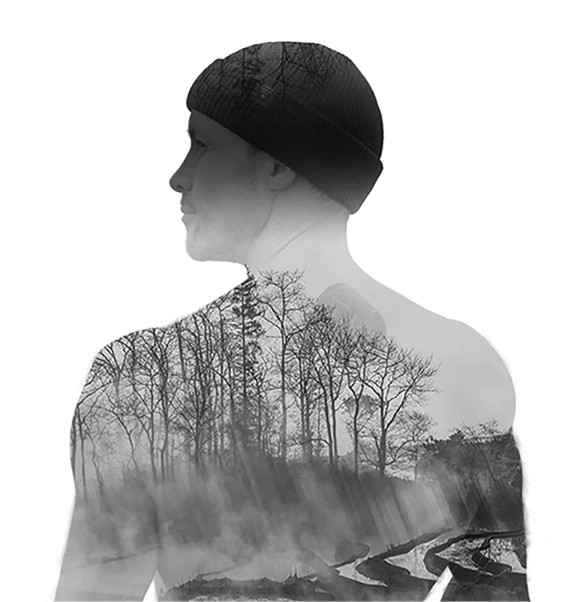
AI Podwójna Ekspozycja
Połącz dwa obrazy w jeden — idealne do kinowego klimatu lub odważnej opowieści.
AI Radykalny Kontrast Kolorów
Przekształć wyblakłe kolory w żywe, idealne do oświetlenia zewnętrznego lub trudnych warunków.

Aplikacja VidGen
Inteligentny Edytor Wideo AI
Ożyw swoje historie zewnętrzne
Niezależnie czy wspinasz się, budujesz, biwakujesz czy rejestrujesz codzienność, VidGen zamienia Twoje surowe chwile w dynamiczne, gotowe do udostępnienia filmy w kilku kliknięciach.

Zamień tekst na wideo
Opisz scenę lub pomysł, a AI stworzy żywą wizualną historię — od podsumowań akcji po poradniki.

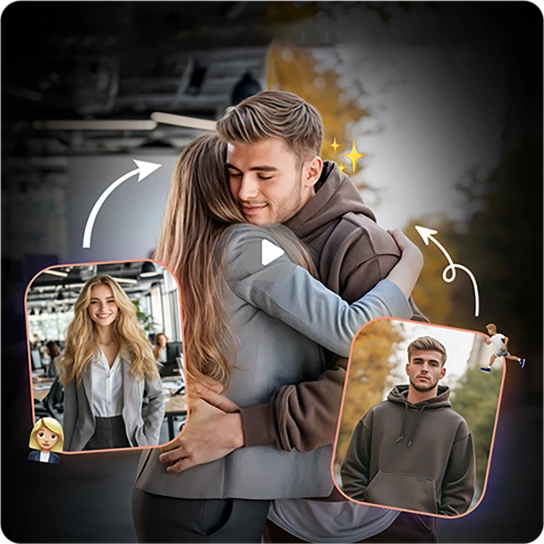
Zamień zdjęcia na wideo
Masz mnóstwo zdjęć? Zobacz, jak ożywają, gdy AI łączy je w płynne, kinowe wspomnienia.
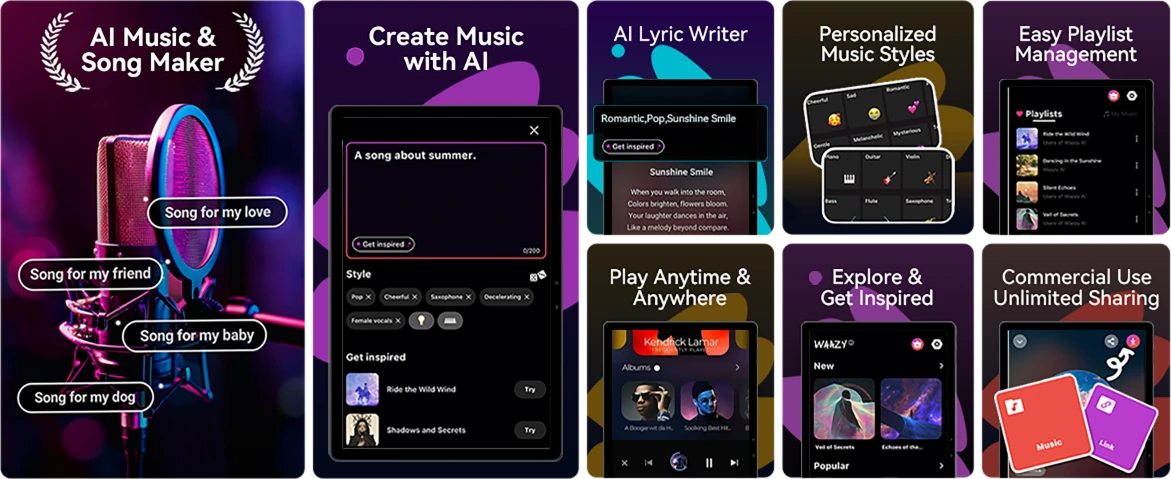
Aplikacja Soundle
Inteligentny kompozytor muzyczny AI
Twórz muzykę. Gdziekolwiek. Kiedykolwiek.
Brak instrumentów? Brak studia? Żaden problem. Z Soundle, Twój wytrzymały telefon staje się muzycznym laboratorium, idealnym do tworzenia ścieżek dźwiękowych w podróży.
Nr 4 Płynne zadania z Unisoc Procesor T615 ośmiordzeniowy i do 18 GB RAM, 256 GB ROM i 2 TB pamięci TF
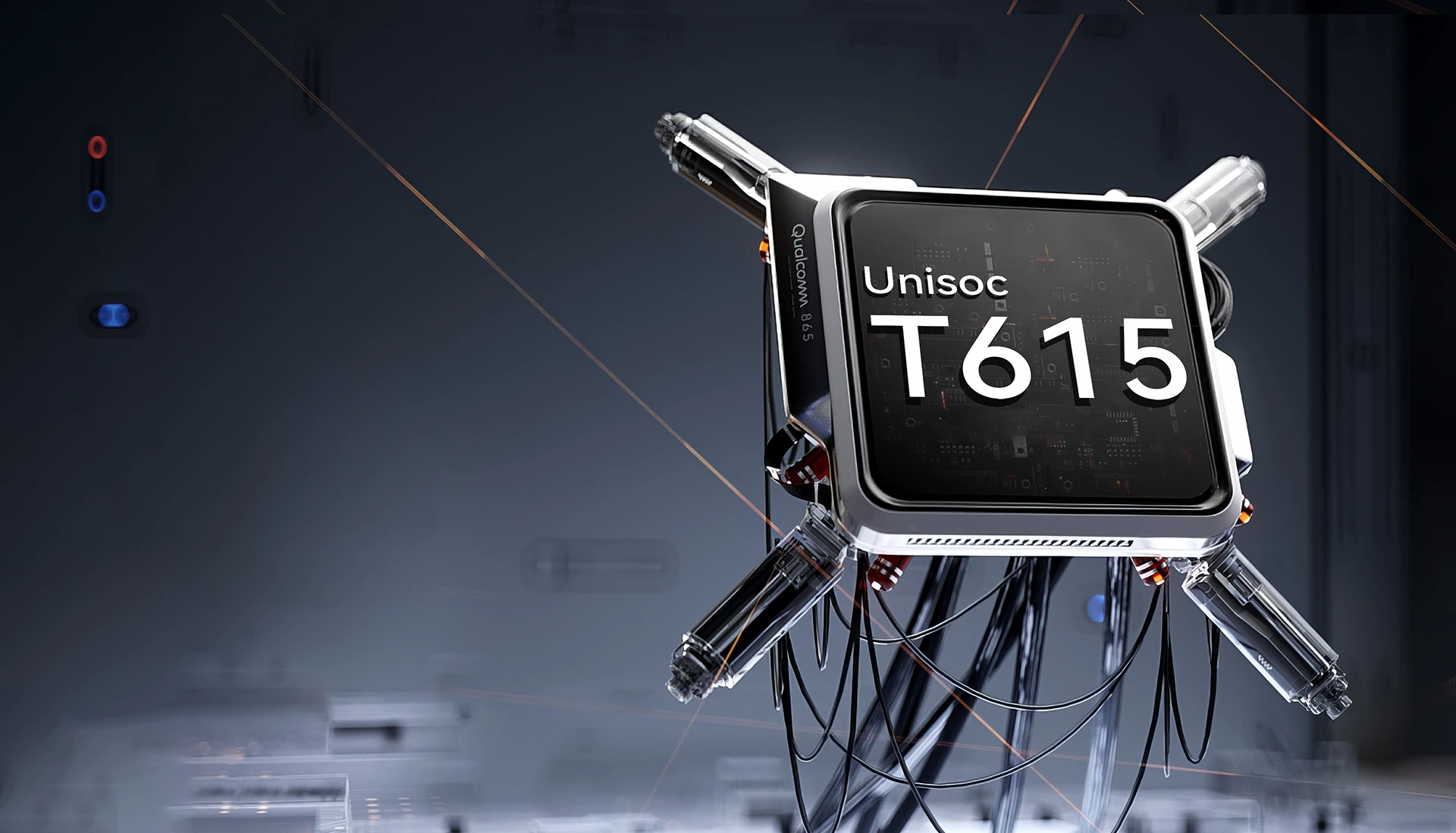
Unisoc T615 ośmiordzeniowy
Procesor
Zasilany, by działać Do góry
Płynny, niezawodny i efektywny. Niezależnie czy przełączasz się między aplikacjami do pracy, nawigujesz poza zasięgiem, czy oglądasz treści w podróży. Unisoc T615 zapewnia wydajność bez opóźnień.
Proces 12 nm EUV
optymalizacja pod kątem niższego zużycia energii
2 x Cortex-A75@1,8 GHz + 6 x
Cortex-A55@1.6GHz
mocne rdzenie dla bardziej płynnej wydajności
Arm Mali-G57 GPU@850MHz
płynna grafika i wyraźne obrazy
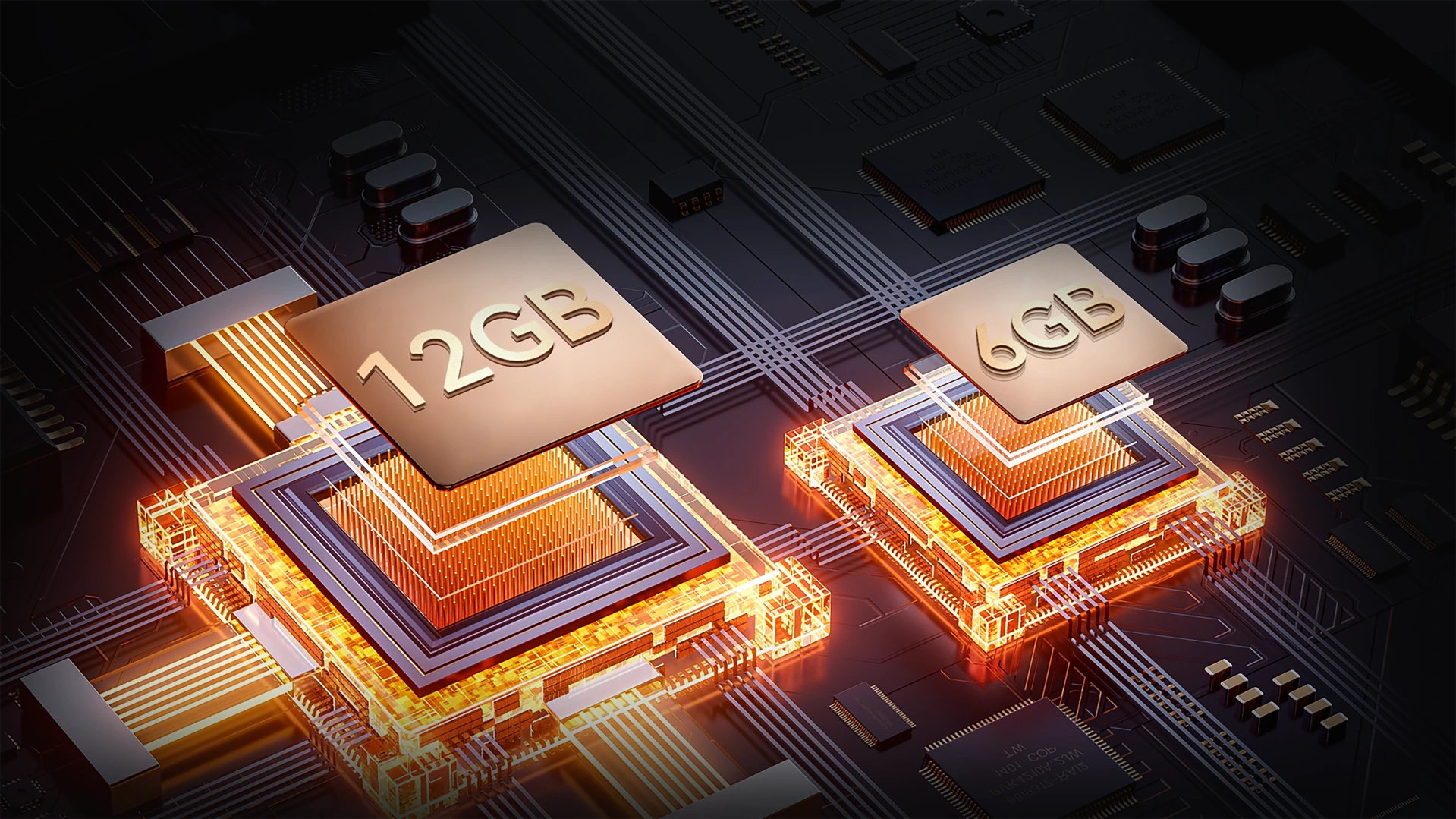
Do 18 GB RAM (6 GB + 12 GB rozszerzenia)
Więcej pamięci. Płynniejsze misje.
Wielozadaniowość bez wysiłku. Z nawet 18 GB RAM FORT 1 radzi sobie ze wszystkim — od narzędzi na budowie po aplikacje rozrywkowe — szybsze ładowanie, płynniejsze przełączanie, bez spowolnień.
Do 18 GB RAM=
6 GB RAM + 12 GB rozszerzenia
20% Szybsza reakcja↑
Atomized Memory 2.0
9% Więcej dostępnej pamięci RAM↑
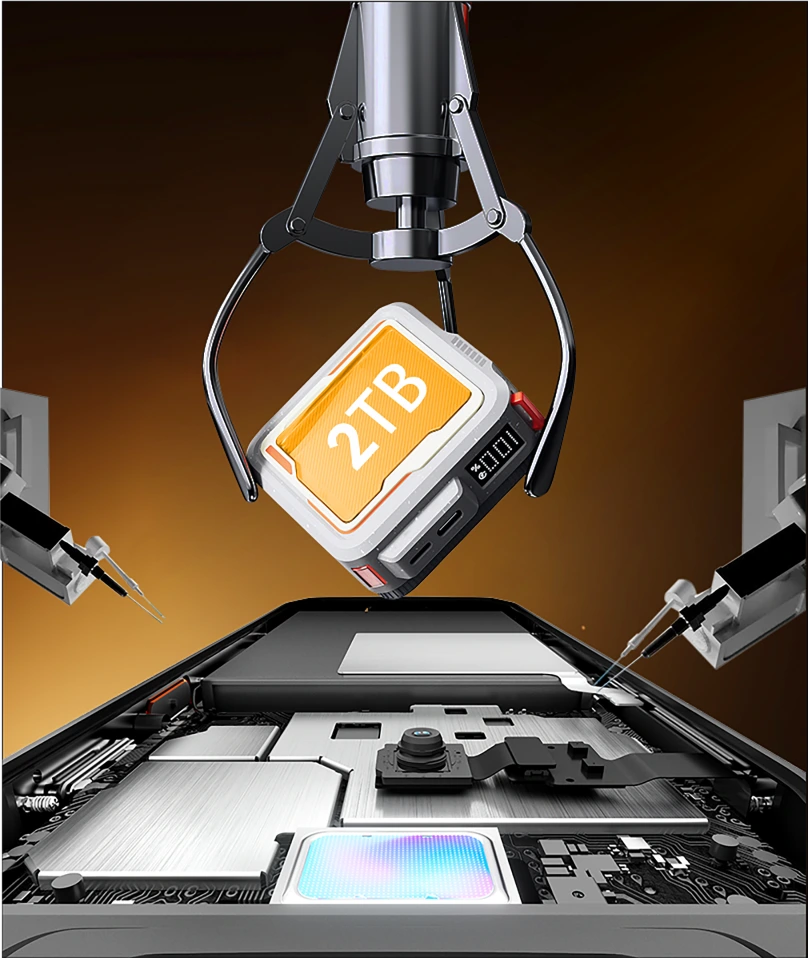
256 GB ROM + Rozszerzenie TF do 2 TB
Pamięć, która dotrzyma Ci kroku
Koniec z brakiem miejsca w pracy czy poza zasięgiem. Z 256 GB wbudowanej pamięci i obsługą kart TF do 2 TB, FORT 1 przechowuje wszystko — mapy, zdjęcia, filmy i pliki niezbędne do misji — zawsze pod ręką.

≈900 tys.
+ Utwory muzyczne

≈59,4 tys.
+ Krótkie filmy

≈498,6 tys.
+ Zdjęcia
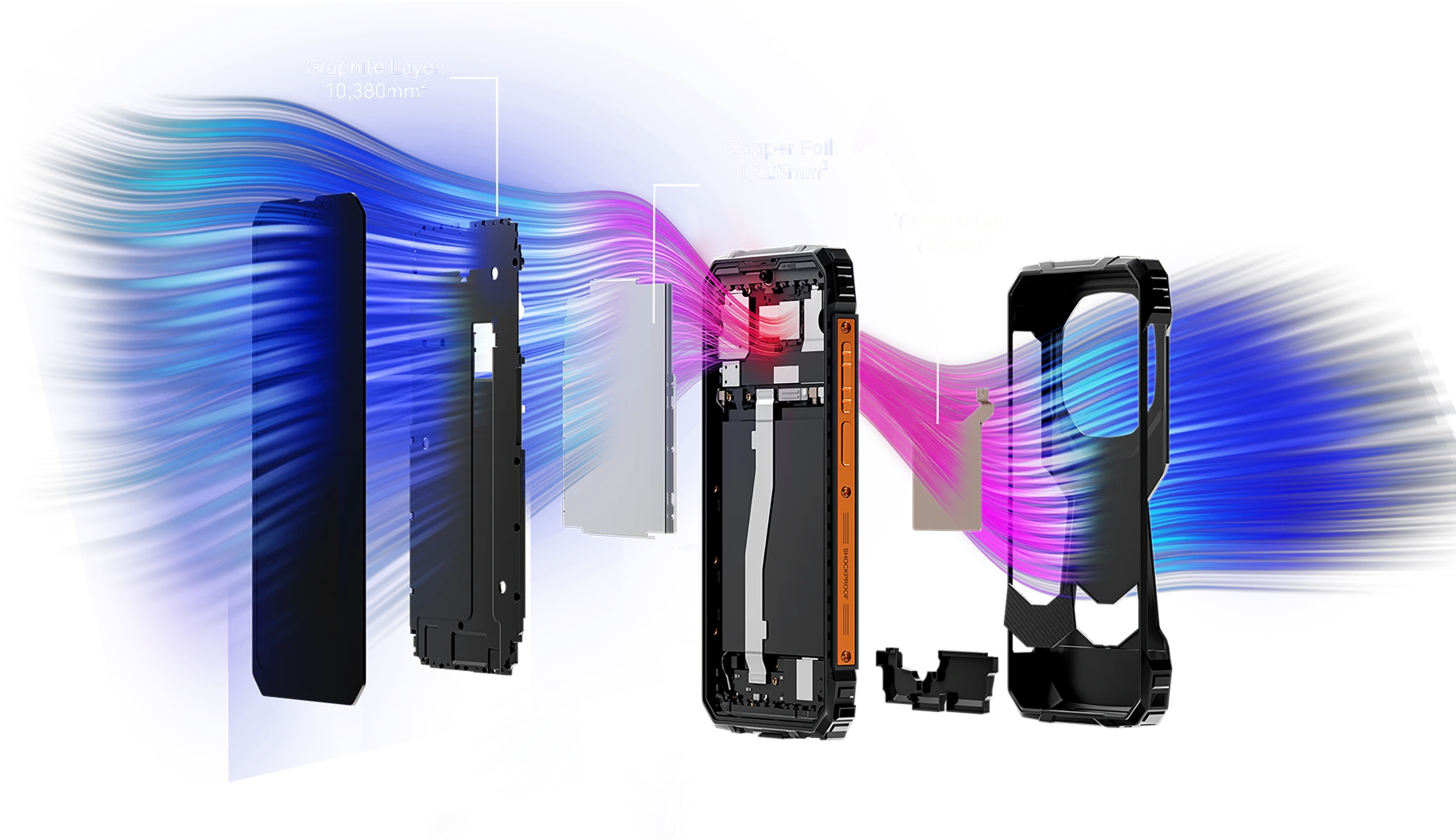
Ponad 12 072 mm² powierzchni chłodzącej
Chłodna wydajność, nieprzerwana gra
Wyposażony w potężny zintegrowany system chłodzenia o powierzchni 12 072 mm², FORT 1 zapewnia efektywne odprowadzanie ciepła dla utrzymania maksymalnej wydajności — nawet podczas długie sesje grania. Pożegnaj się z przegrzewaniem i ciesz się nieprzerwanym rozgrywaniem.
Nr 5 Certyfikaty IP68, IP69K i MIL-STD-810H
Wytrzymała obudowa
Każdy kąt jest wzmocniony. Każdy detal gotowy do misji.
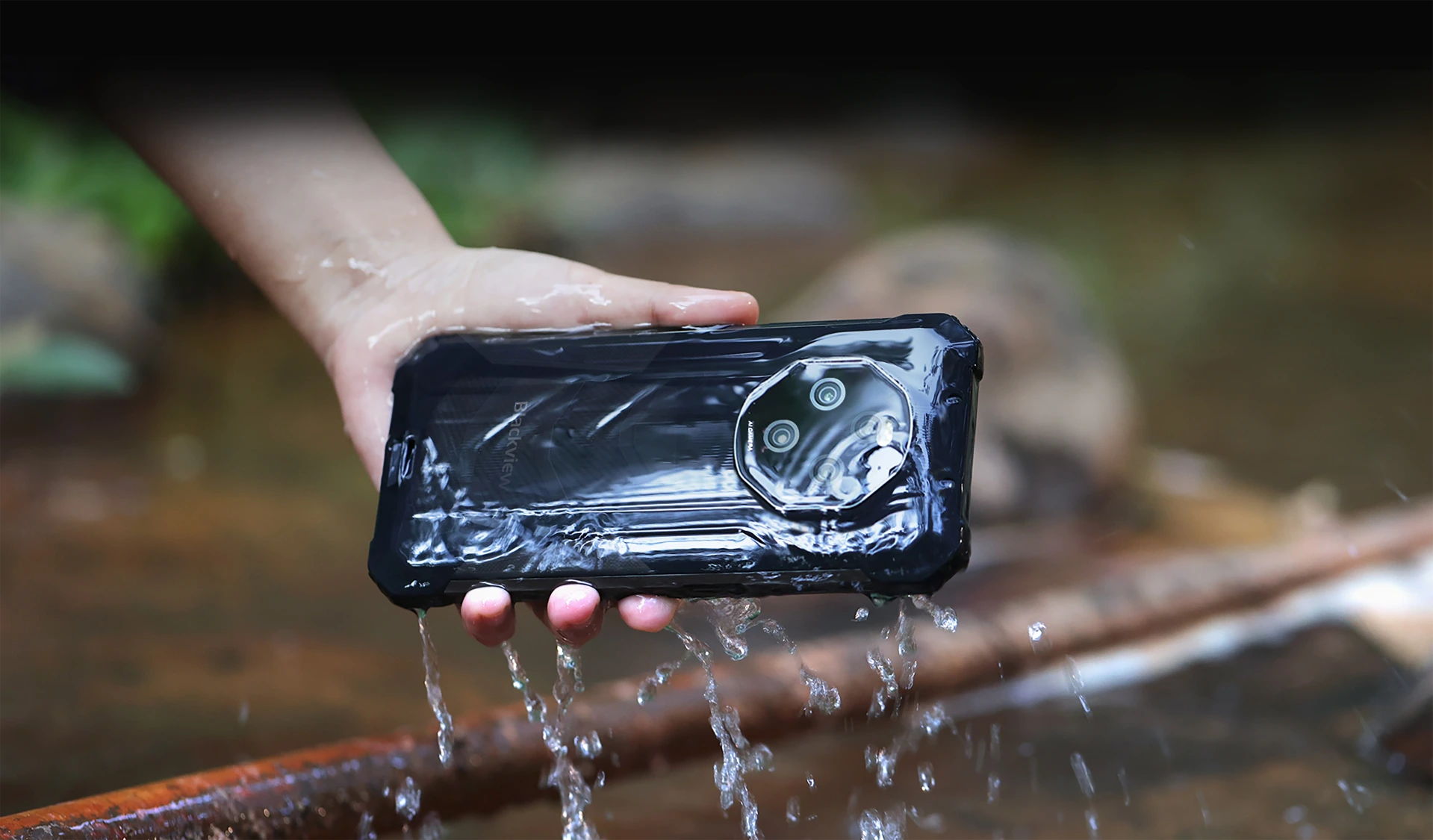
Wodoodporny i pyłoszczelny z certyfikatem IP68 i IP69K
Zaprojektowany, by przetrwać. Stworzony, by działać.
FORT 1 to Twój niezawodny towarzysz, zaprojektowany, by wytrzymać najtrudniejsze warunki dzięki certyfikatom IP68 i IP69K. Niezależnie od tego, czy jest zanurzony w wodzie, czy zakopany w kurzu, Nawet w ekstremalnych warunkach FORT 1 działa dalej — niezachwiany i bez kompromisów.
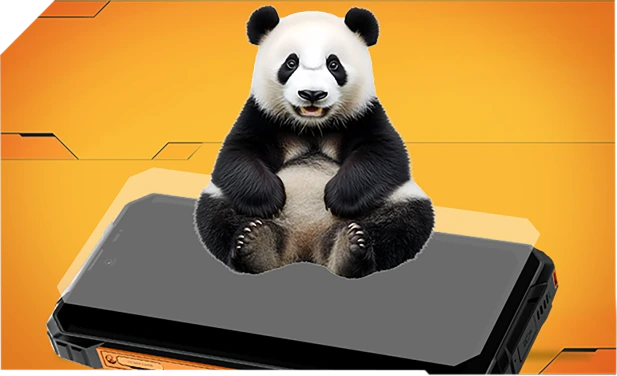
Wzmocniony szkłem Panda i uszczelniony na całej krawędzi dla doskonałej odporności na wodę — przetrwa nawet upadki do zlewu lub pralki.
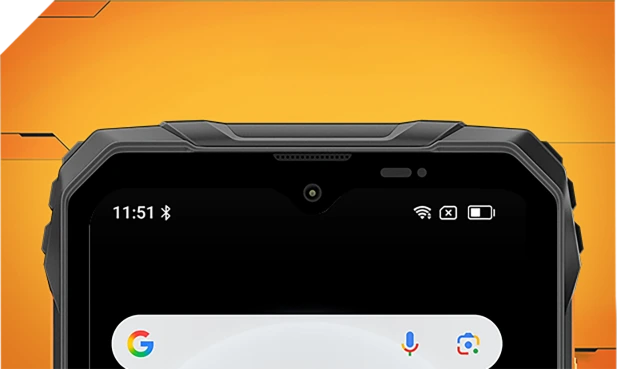
Wodoodporny wewnątrz i na zewnątrz z wyrafinowanymi filtrami siateczkowymi — pozostaje czysty i wyraźny bez względu na zachlapania czy burzę.
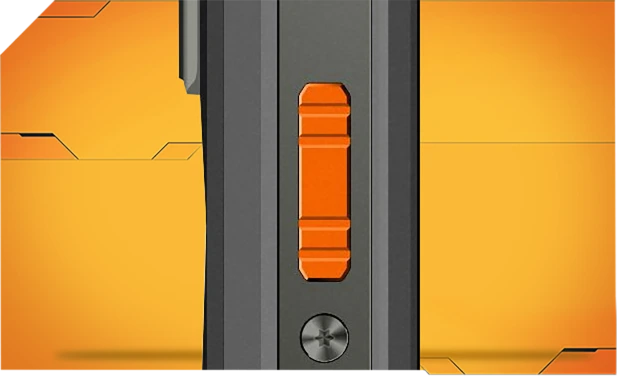
Wykonany z odpornego na korozję aluminium i uszczelniony wodoodpornymi pierścieniami dla niezawodnej kontroli w deszczu, błocie lub kurzu.

Szczelne szkło Asahi utrzymuje obiektywy czyste i suche, nawet pod wodą.
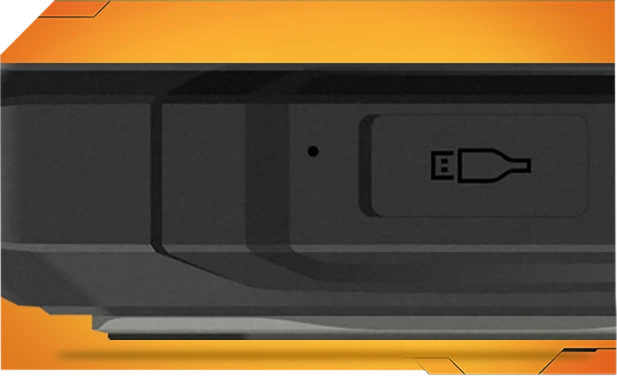
Osłony portów TPU blokują 99% wody i kurzu — testowane ponad 10 000 razy dla bezproblemowego użytkowania na zewnątrz.
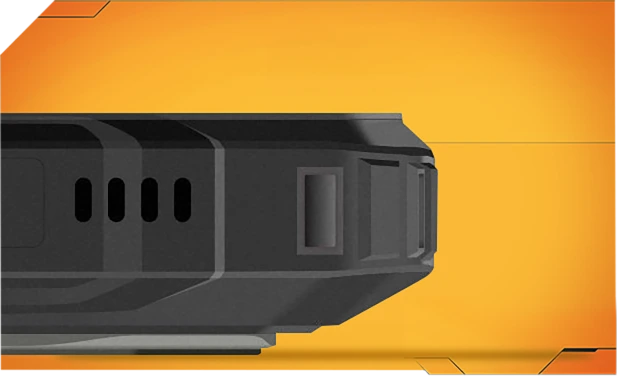
Jedno dotknięcie usuwa wodę i kurz z głośnika za pomocą inteligentnej technologii fal dźwiękowych — utrzymując czysty dźwięk zawsze i wszędzie.
Najtwardszy MIL-STD-810H
Certyfikowana wytrzymałość. Gotowy na wszystko.
Testowany zgodnie z rygorystyczną normą MIL-STD-810H, FORT 1 jest stworzony, by przetrwać ekstremalne warunki — ciepło, zimno, wilgotność, upadki, kurz i wibracje. Niezależnie czy jesteś na budowie, górskim szlaku czy w deszczu, działa, gdy inni się poddają.

Wzmocniony na najtrudniejsze upadki
Zbudowany solidnie od środka, FORT 1 znosi upadki, wstrząsy i szorstkie traktowanie — bez masywnego wyglądu.
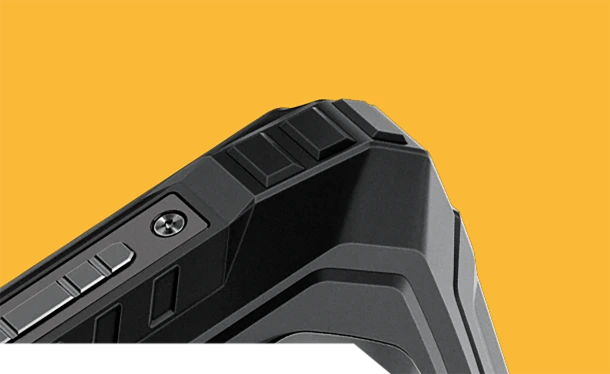
Narożniki antykolizyjne
Specjalnie wzmocnione krawędzie pochłaniają wstrząsy tam, gdzie to najważniejsze.
Trwała tylna pokrywa
Wytrzymała obudowa + miękka guma = poważna odporność na upadki.


Lotniczej klasy Metalowa rama
Wytrzymały stop aluminium, zabezpieczony śrubami — solidny i stabilny.
Prawdziwa wytrzymałość w życiu, gdziekolwiek jesteś
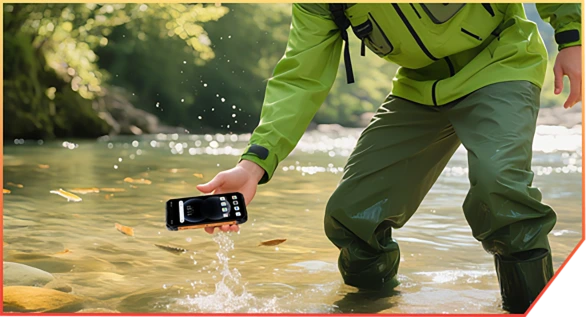
Wpadający do strumienia podczas wędrówki w kanionie

Upuszczany podczas dostawy w magazynie

Odbijany od skał na górskim szlaku
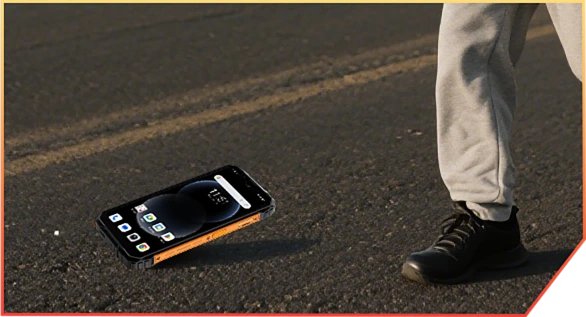
Zrzucany z ciężarówki na budowie
Nr 6 zasilany AI. Każde
Chwila zachowana, pamiętna
AI Magic. Każde zdjęcie gotowe na przygodę.
Bez filtrów. Bez powtórek. Tylko inteligentna, wytrzymała edycja, która działa gdziekolwiek jesteś — błoto, kurz czy góry.
 Magiczna gumka
Usuń tłumy, bałagan lub chaos jednym dotknięciem. Zachowaj tylko to, co ważne.
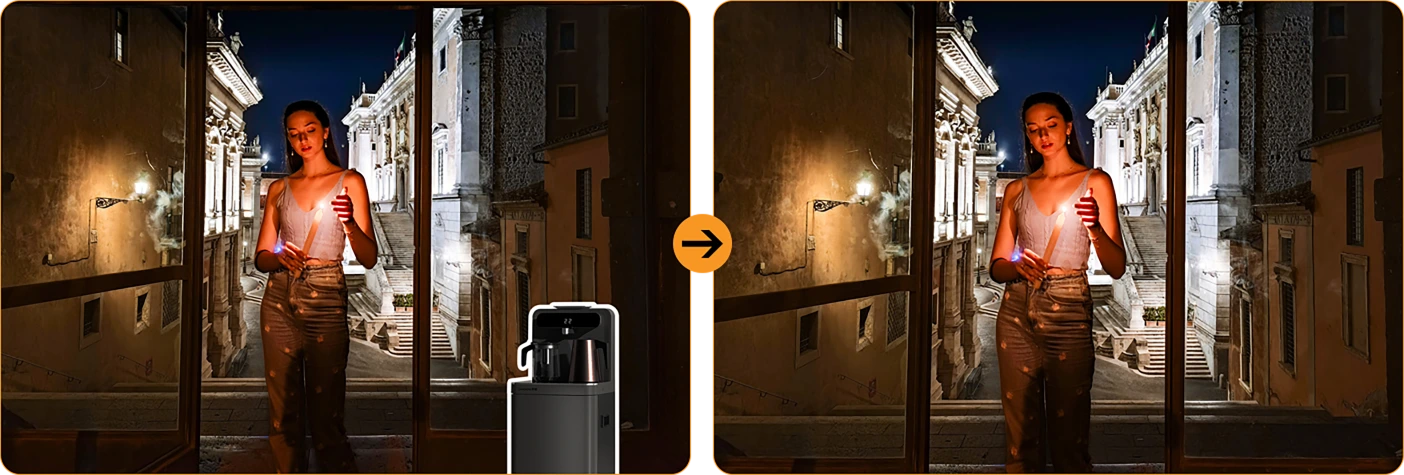
 Jedno dotknięcie — wymiana nieba
Deszczowe zdjęcie? Szare niebo? Zamień je na słońce, gwiazdy lub burzową atmosferę.



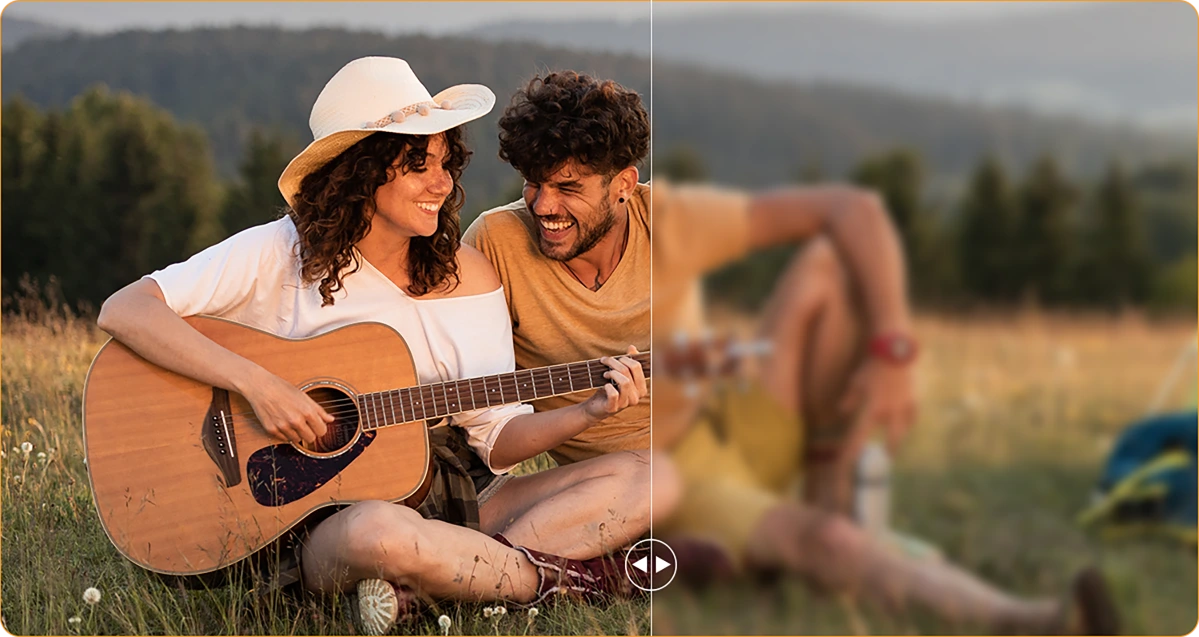
Rozmycie portretowe
Spraw, by twoja ekipa się wyróżniała — rozmyj tło,
nie chwila.
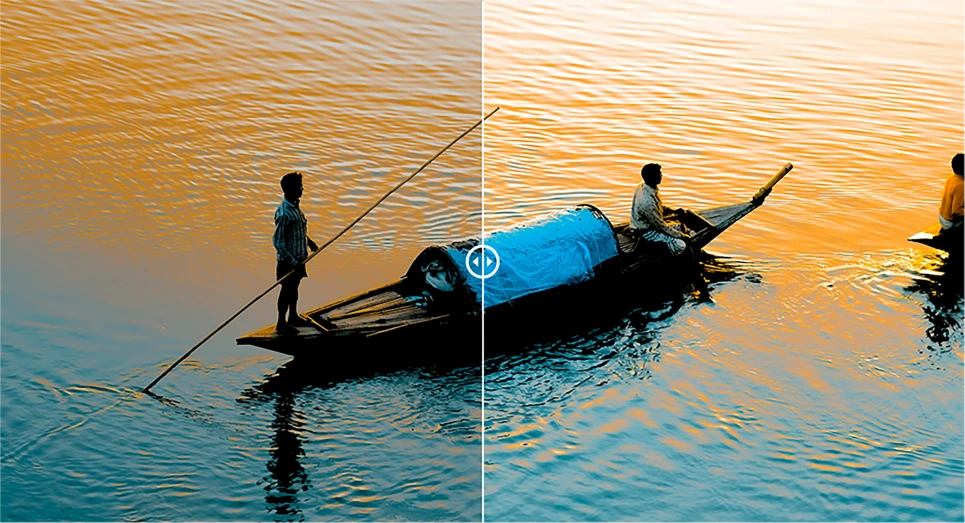
 Skupienie na kolorze
Wycisz bałagan, podkreśl swój klimat. Odważne wyróżnia się lepiej.

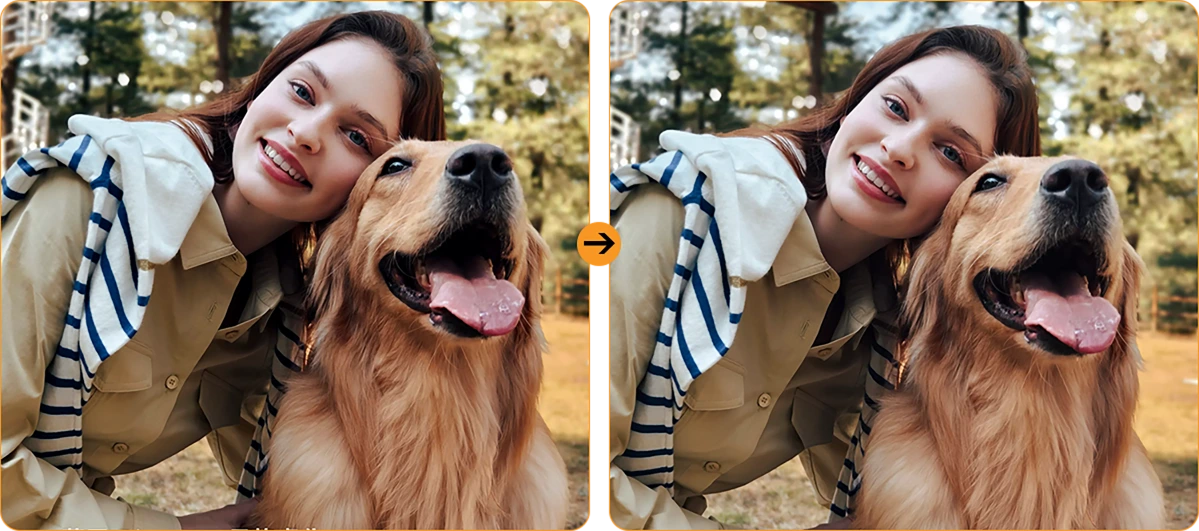
 Odstraszanie rozmycia zdjęć
Drżące ręce? Zakurzony obiektyw? AI wyostrza, jakby nic się nie stało.
Światło portretowe
Słabe światło? Żaden problem. Jesteś oświetlony — nawet o zmierzchu lub przy blasku ogniska.
Główny aparat AI 16MP
Wyraźne zdjęcia. Prawdziwe chwile.
Od szczegółów na budowie po weekendowe przygody, główny aparat AI 16MP uchwyci wszystko — ostro, żywo i gotowe do udostępnienia. Bez zbędnych komplikacji, po prostu świetne efekty za każdym razem, gdy klikniesz.

Główny aparat AI 16MP
Wyraźne zdjęcia. Prawdziwe chwile.
Od szczegółów na budowie po weekendowe przygody, główny aparat AI 16MP uchwyci wszystko — ostro, żywo i gotowe do udostępnienia. Bez zbędnych komplikacji, po prostu świetne efekty za każdym razem, gdy klikniesz.


Światło do wypełnienia twarzy
Nie świeci, gdy
Natura się nie zapala
Zapomnij o ciemnych, ziarnistych selfie. Dzięki wbudowanemu światłu doświetlającemu twarz, twoja twarz pozostaje jasna i wyraźna — nawet przy słabym świetle, podświetleniu lub całkowitym braku światła.
HDR
Zrównoważone i wierne rzeczywistości
Wysoki zakres dynamiczny (HDR) uchwyci każdy detal — poprawiając kontrast, kolor i światło, aby twoje zdjęcia wyróżniały się nawet w trudnym oświetleniu.
Portret
Głębia, która przyciąga uwagę
Skup swój obiekt w ostrym centrum uwagi z rozmyciem tła, które dodaje głębi i dramatyzmu — napędzane przez AI dla idealnego, profesjonalnego wyglądu.

Uroda
Wyglądaj świeżo, czuj się naturalnie
Gładka skóra, jaśniejszy ton i odrobina magii AI — idealne do szybkich selfie, które nadal wyglądają naturalnie.

Noc
Jasne noce, wyraźne detale
Uchwyć noc bez szumów. Automatycznie poprawiona ekspozycja wydobywa ostre, żywe sceny, nawet przy słabym oświetleniu.

Najnowszy DokeOS 4.2 wersja 7
Oparty na Android 15
| Model | FORT 1 |
| Kolor | Czarny, Pomarańczowy, Zielony |
| Wymiary | 176.15 * 80.1 * 17.5mm |
| Waga | 390g |
| System operacyjny | DokeOS 4.2 oparty na Android 15 |
| Wyświetlacz | 6,56-calowy HD+ IPS, rozdzielczość 720 * 1612 Częstotliwość odświeżania 90Hz, 83% stosunek ekranu do body |
| CPU | Ośmiordzeniowy Unisoc Tiger T615 |
| RAM i ROM | 6GB RAM i 256GB ROM, rozszerzenie do 12GB 4GB RAM i 128GB ROM, rozszerzenie do 8GB LPDDR4X + eMMC 5.1 |
| Rozszerzenie TF | Rozszerzenie do 2TB |
| Bateria | 10000mAh; szybkie ładowanie 18W |
| Aparat przedni | 8MP |
| Aparat tylny | 16MP główny + 2MP głębia |
| Głośnik | 1 szt. Smart - K Box Głośnik |
| Nawigacja | GPS+GLONASS+Galileo+Beidou |
| Gniazdo kart | Trzy; 2*nano SIM + 1*TF karta |
| NFC | Wsparcie |
| Podwójne 4G VoLTE | Wsparcie |
| Wi-Fi i Bluetooth | IEEE802.11 a/b/g/n/ac; BT 5.2 |
| Łączność sieciowa | Pasmo 2G: B2/B3/B5/B8 Pasmo 3G: B1/B2/B4/B5/B8 Pasmo 4G: FDD:B1/B2/B3/B4/B5/B7/B8/B12 B13/B17/B19/B20/B26/B28A/B28B/B66 TDD:B40/B41 |
| Model | FORT 1 |
| Kolor | Czarny, Pomarańczowy, Zielony |
| Wymiary | 176.15 * 80.1 * 17.5mm |
| Waga | 390g |
| System operacyjny | DokeOS 4.2 oparty na Android 15 |
| Wyświetlacz | 6,56-calowy HD+ IPS, rozdzielczość 720 * 1612 Częstotliwość odświeżania 90Hz, 83% stosunek ekranu do body |
| CPU | Ośmiordzeniowy Unisoc Tiger T615 |
| RAM & ROM | 6GB RAM & 256GB ROM, rozszerzenie do 12GB 4GB RAM & 128GB ROM, rozszerzenie do 8GB LPDDR4X + eMMC 5.1 |
| Rozszerzenie TF | Rozszerzenie do 2TB |
| Bateria | 10000mAh; szybkie ładowanie 18W |
| Aparat przedni | 8MP |
| Aparat tylny | 16MP główny + 2MP głębia |
| Głośnik | 1 szt. Smart - K Box Głośnik |
| Nawigacja | GPS+GLONASS+Galileo+Beidou |
| Gniazdo kart | Trzy; 2*nano SIM + 1*karta TF |
| NFC | Wsparcie |
| Podwójne 4G VoLTE | Wsparcie |
| Wi-Fi & Bluetooth | IEEE802.11 a/b/g/n/ac; BT 5.2 |
| Sieć Łączność | Pasmo 2G: B2/B3/B5/B8 Pasmo 3G: B1/B2/B4/B5/B8 Pasmo 4G: FDD:B1/B2/B3/B4/B5/B7/B8/B12 B13/B17/B19/B20/B26/B28A/B28B/B66 TDD:B40/B41 |
• Opakowanie UE: Zasilacz nie jest dołączony
• Opakowanie poza UE: Zasilacz jest dołączony

Who is the Blackview FORT 1 rugged phone designed for?
The Blackview FORT 1 suits construction workers, maintenance technicians, farmers, delivery personnel, and outdoor enthusiasts who enjoy camping or hiking. It is also an excellent choice for those who frequently work in dusty or rainy environments and require a device for communication, navigation, and daily tasks.
With its high-capacity battery and rugged, durable build, it helps users stay connected, access work-related information, take photos, and use navigation tools in their everyday lives.
How does the Blackview FORT 1 perform when switching between everyday apps?
The Blackview FORT 1 is capable of handling everyday tasks, such as sending and receiving messages, managing emails, using navigation, and browsing the web—for instance, checking an email, switching to reply, and then returning to your browser. However, it may respond more slowly when running demanding applications, such as large-scale games.
If you notice a significant slowdown when switching between apps, first check whether there are any background tasks—such as downloads, software updates, or resource-intensive applications—running. You may want to wait for these tasks to finish or try restarting your phone.
Does the Blackview FORT 1 have a 10,000mAh battery?
Yes. The Blackview FORT 1 is equipped with a large-capacity 10,000mAh battery. This provides an ample power reserve for tasks such as making calls, sending and receiving messages, navigation, and entertainment—ideal for situations where you are away from charging facilities for long periods or unable to charge while working.
Actual battery life depends on how the device is used. Activities such as continuous navigation, gaming, using high screen brightness, or operating in areas with weak mobile signal will consume more power. Before embarking on a long trip, it is recommended to fully charge the phone and consider whether you need to bring a power bank, depending on the duration of your journey.
What charging speed does the Blackview FORT 1 support?
The Blackview FORT 1 supports wired charging at up to 18W (requires a compatible charger and cable). Even if a charger with a higher power rating is used, the charging speed will not exceed 18W.
Charging speed will gradually slow down as the battery nears full capacity. Using the phone while it is charging, or charging it in a high-temperature environment, may extend the time required for a full charge. Furthermore, given the device's large 10,000mAh battery, a full charge will take some time; please ensure you allow sufficient time if you intend to fully charge the phone before heading out.
Can I use the Blackview FORT 1 to charge other devices?
Yes. The Blackview FORT 1 supports 5W OTG reverse charging, so you can power compatible devices via a wired connection. This is useful for topping up other phones or small accessories when a power outlet isn't available.
Simply connect the devices using an appropriate OTG adapter and charging cable, then verify that charging has begun. With an output power of 5W, this feature is best suited for emergency charging. Please note that this will consume the FORT 1’s own battery, so ensure you retain enough power for your own essential needs, such as making calls or using navigation.
Is it normal for Blackview FORT 1 to get warm while charging?
It is normal for the device to generate some heat during charging, as the process itself produces thermal energy. Using the phone—such as watching videos, using navigation, or running other applications—while it is charging will cause it to heat up further.
We recommend using a compatible charger and cable, and charging the device in a cool environment. If the phone becomes excessively hot or displays a temperature warning while charging, please disconnect it from the power source and allow it to cool down before further use.
Does the Blackview FORT 1 come with a power adapter?
Included accessories depend on the regional version purchased. The EU version does not include a power adapter, while non-EU versions do. Please check your order details to confirm the specific version and plug type you selected.
If your version does not include an adapter, you can use an existing compatible charger or purchase one separately. To ensure the phone charges at its maximum speed, it is recommended to use a charger and cable that support 18W charging.
What can the Blackview FORT 1’s AI assistant help me with?
The AI assistant on the Blackview FORT 1 can help answer questions, explain information, and assist with daily tasks through text or voice interaction. It can also launch applications, adjust system settings, and provide support based on the content currently displayed on the screen.
To get more accurate results, be clear and specific about your needs—for example, you can ask it to explain complex topics in simpler, more accessible terms, or to help you organize your thoughts. Always verify key information before relying on its answers or taking action based on its suggestions.
What does the Blackview FORT 1’s adaptive 90Hz refresh rate do?
The adaptive refresh rate feature automatically toggles between 60Hz and 90Hz based on your current activity. At 90Hz, scrolling and animations appear much smoother; in scenarios where high fluidity isn't required, the refresh rate drops to help reduce screen power consumption.
This difference is most noticeable when browsing the web, checking messages, or navigating through app menus—it enhances the smoothness of on-screen motion. Please note that not all games can run at 90 frames per second (FPS); gaming performance depends on the specific application and the phone's hardware capabilities.
Can I use the Blackview FORT 1’s touchscreen while wearing gloves?
Yes. The Blackview FORT 1 supports "Glove Mode 2.0," allowing you to operate the touchscreen even while wearing gloves. This is highly practical for outdoor work—for instance, when you need to quickly answer calls, check messages, or look up navigation routes.
You can enable "Glove Mode" in the phone's settings and test it using the gloves you typically wear. Touch responsiveness may vary depending on the material and thickness of the gloves; Thicker gloves or those with heavy insulation might affect the precision of your interactions.
What protection does the Blackview FORT 1 offer for outdoor work?
The Blackview FORT 1 features IP68 and IP69K ingress protection ratings and complies with the MIL-STD-810H testing standard, providing effective resistance against dust, moisture, and impacts encountered during outdoor work.
When using the device, ensure that the SIM card tray and all protective covers are securely closed. If the device sustains a severe impact, check for any visible damage. If the phone gets wet, ensure the charging port is completely dry before attempting to charge it. Additionally, please note that protective seals may wear down over time; therefore, even with a rugged device like this, careful handling during daily use is still recommended.
Is the Blackview FORT 1’s camera suitable for photographing documents and equipment?
Yes, it is. The Blackview FORT 1 features a 16MP main camera, which is well-suited for everyday tasks such as documenting paperwork, equipment, labels, or work progress—delivering the best results in well-lit environments. When capturing content that includes text or fine details, ensure your composition is clear and the focus is sharp.
When photographing documents, keep the phone parallel to the page to avoid shadows or reflections. When photographing equipment, it is recommended to first take an overall shot, followed by close-up shots of specific details you need to record.
How can I manage unwanted notifications on the Blackview FORT 1?
First, identify which application (app) is sending the notifications. You can then long-press the notification to access control options, or navigate to the notification management page for that specific app within "Settings." From there, you can disable certain categories of notifications while keeping important alerts enabled.
For promotional messages, check the recommendation or marketing settings within the app itself. If you cannot locate the notification controls, or if unwanted alerts continue to appear, please contact our customer support team—be sure to include a screenshot, the name of the app, and the software version.
What should I do if the Blackview FORT 1’s speaker sounds distorted or cuts out?
First, try playing different audio clips in various applications to determine whether the issue affects all sound or is limited to a specific app. Also, check to see if the audio is being routed to a connected Bluetooth device instead of the phone’s built-in speaker.
Additionally, try setting the volume to a moderate level, ensure that the speaker openings are not obstructed, and restart your phone. If the issue—such as sound distortion or interruptions—persists across multiple applications, you may want to have the device inspected by a professional.
Jump to another section