



Blackview FORT 200 슬림 & 무선 충전 6.78인치 MediaTek Helio G100 옥타코어 5000mAh 108MP+13MP 야간 투시 카메라 러기드 4G 휴대폰

재고 없음
하이라이트
하이라이트
✔6.78인치 268g & 11.5mm 슬림
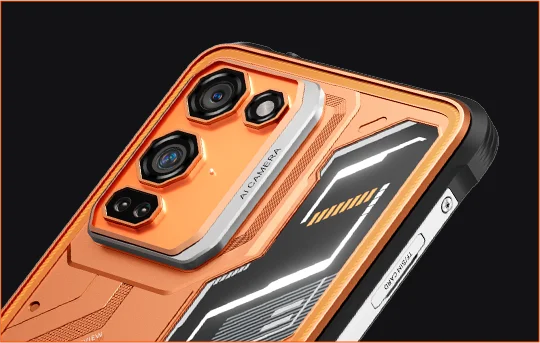
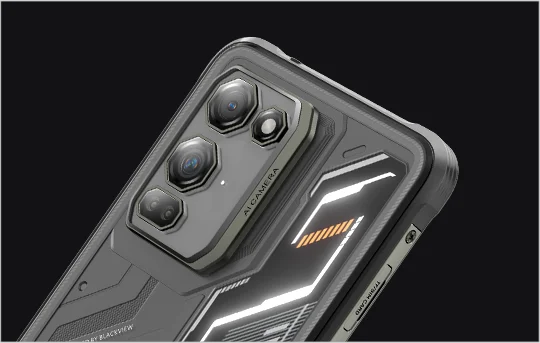
✔108MP 삼성® HM6 + 13MP 야간 투시 카메라
✔ 옥타코어 MediaTek Helio G100 프로세서
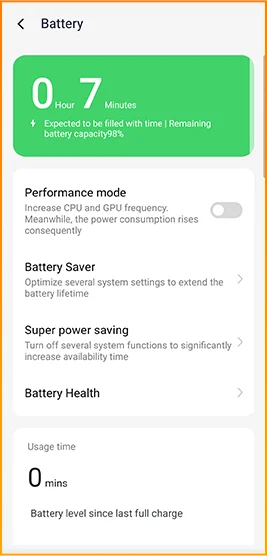
✔5000mAh & 33W 고속 충전+15W 무선 충전
✔IP68 & IP69K & MIL-STD-810H 인증
정보
정보
Blackview FORT 200은 두꺼운 기기를 들고 다니지 않고도 더 강력한 이미지 촬영, 부드러운 화면 감상, 야외 환경에 적합한 내구성을 원하는 사용자를 위해 설계된 슬림한 러기드 4G 휴대폰입니다. 6.78인치 120Hz 2.4K 디스플레이는 700니트 밝기로 선명함을 유지하며, MediaTek Helio G100은 일상 작업, 내비게이션, 현장 업무를 원활하게 처리합니다. 108MP 삼성 후면 카메라, 13MP 야간 투시 카메라, 5000mAh 배터리, 33W 고속 충전, 15W 무선 충전 기능으로 업무와 모험에 실용적입니다. IP68 & IP69K 및 MIL-STD-810H 보호 등급으로 혹독한 환경에서도 견딜 준비가 되어 있습니다.
브랜드 소개
브랜드 소개
Blackview는 훌륭한 기술이 단순한 사양을 넘어야 한다고 믿습니다. 실제 생활에 맞고, 실제 문제를 해결하며, 가장 중요한 순간에 신뢰할 수 있어야 합니다.
Blackview는 처음에 혹독한 환경을 위한 견고한 휴대폰으로 시작했습니다. 오늘날에는 스마트폰, 태블릿, 노트북, 스마트워치, 오디오 제품 등 더 넓은 스마트 기기 생태계를 제공합니다.
모든 카테고리에서 우리의 초점은 변함없습니다: 내구성 있는 품질, 실용적인 혁신, 그리고 합리적인 가격. 우리는 처음부터 믿음직스러운 제품을 설계합니다.
고객이 가장 중요하게 여기는 것은 무엇인지 이해합니다: 부드러운 성능, 오래가는 신뢰성, 유용한 기능, 그리고 불필요한 비용 없이 일상을 더 편리하게 만드는 기술입니다.
그래서 Blackview는 제품 테스트, 사용자 경험, 그리고 업무, 여행, 창작, 야외 탐험, 일상적인 연결에 의미 있는 가치를 제공하는 기능에 진정한 관심을 기울입니다.
Blackview는 신뢰할 수 있는 기술을 원하는 사람들을 위해 만들어졌습니다: 현대 생활을 따라갈 수 있는 스마트하고 유능한 기기입니다.
설계부터 신뢰할 수 있고, 본질적으로 실용적이며, 실제 생활을 위해 만들어졌습니다.
배송 및 반품
배송 및 반품
• 배송: 주문은 영업일 기준 1~2일 이내에 처리됩니다. 표준 배송은 위치에 따라 영업일 기준 3~7일이 소요됩니다.
• 반품: 주문을 받은 날로부터 30일 이내에 제품을 반품하거나 교환할 수 있습니다. 상품은 구매 증빙과 함께 원래 상태여야 합니다.
제품에 제조상의 결함이나 손상이 있을 경우 추가 비용 없이 기꺼이 교환해 드립니다.


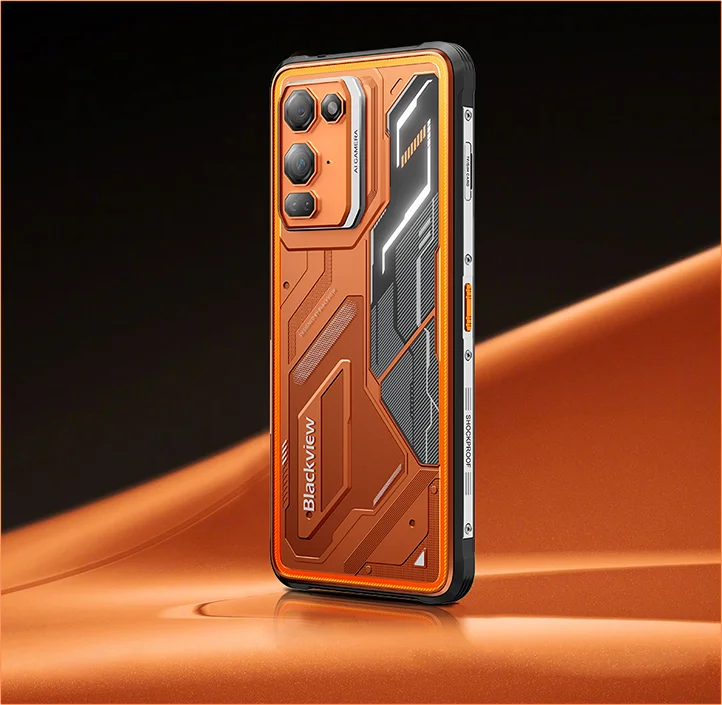
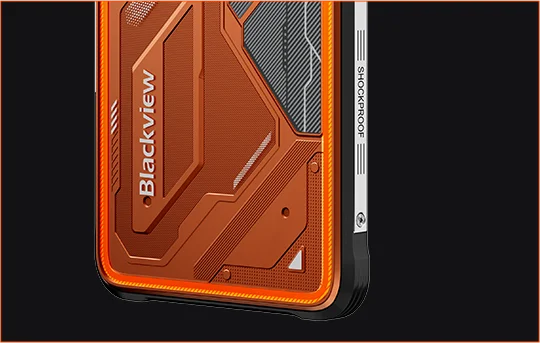
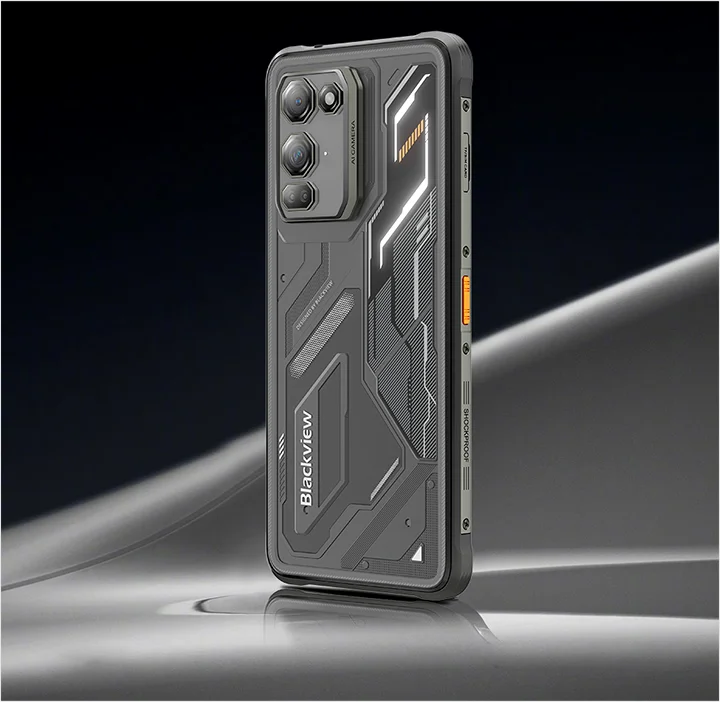
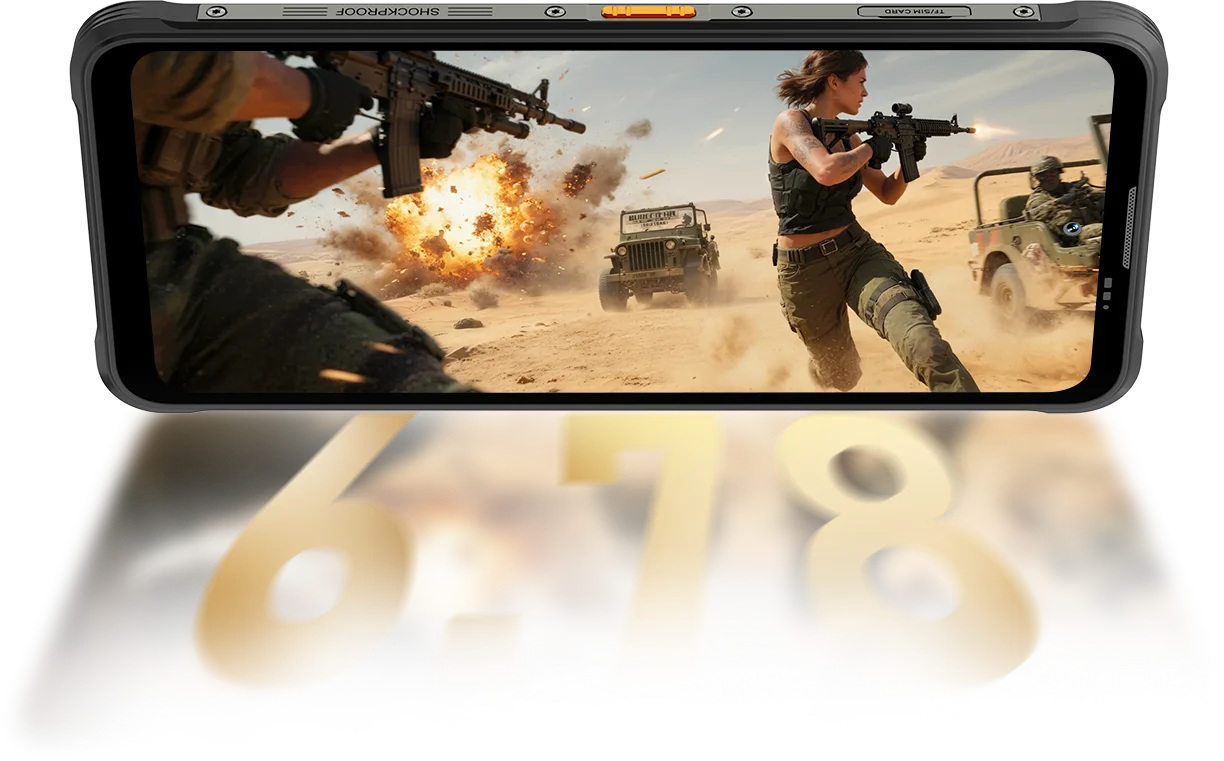
견고한 이미지 플래그십 손에 쥐기 편하고, 시야는 선명하며, 미지의 세계에 준비된 스마트폰.
 슬림. 밝음. 믿을 수 없을 만큼 선명함 어디서나 선명하게 보세요.
해상도
IPS 풀 뷰
최대 밝기
PPI
AI 스마트 리프레시율
화면 대 본체 비율
터치 샘플링 속도
FORT 200은 700 니트까지 밝기를 높여 다른 디스플레이가 흐려질 때도 밝고 읽기 쉽게 유지합니다.

 기타
 500 니트
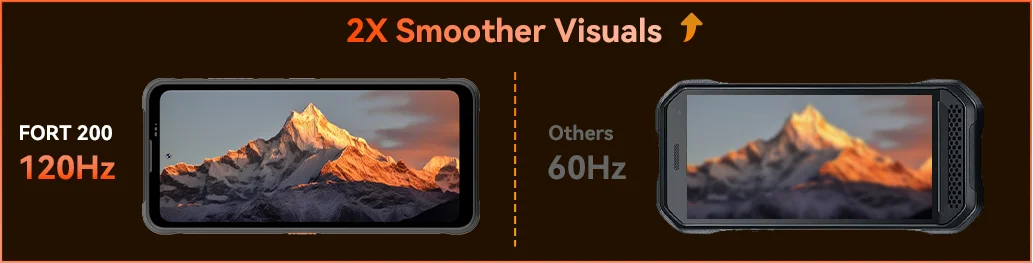
Blackview FORT 200의 120Hz AI 스마트 리프레시율로 부드러움을 느껴보세요 — 스크롤할 때 전력 절약, 게임할 때 부드러움 향상, 어디서나 모든 움직임에 초고속 반응을 제공합니다.
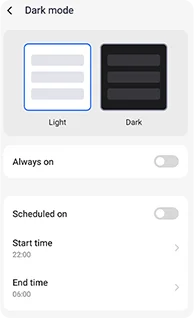
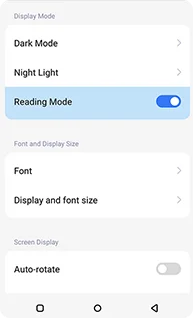
눈의 피로를 줄이고 배터리 수명을 늘리도록 설계된 조절 가능한 다크 테마.
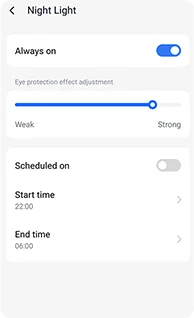
밤에 눈을 편안하게 해주는 조절 가능한 부드러운 호박색 톤.
오래 읽어도 편안한 깨끗하고 킨들 같은 효과.
 더 많이 보세요. 더 선명하게 담으세요. 최고가 되세요 모든 순간을 포착하세요 — 낮에는 더 선명하게, 밤에는 더 잘 보이게 업계 최고 수준의 선명한 이미지 성능으로 제작되었습니다.
1.28μm 4-in-1 픽셀
1/2.76" 센서
5P 렌즈
1/1.67" 대형 센서
1.92μm 노나픽셀 플러스
f/1.9 조리개
6P 렌즈
더 밝은 밤.
노이즈 감소. 더 많은 디테일.
더 선명한 이미지.
더 깨끗한 광학.
더 넓은 다이내믹 레인지.
더 진실한 색상.
더 똑똑한 노출.
더 나은 대비.
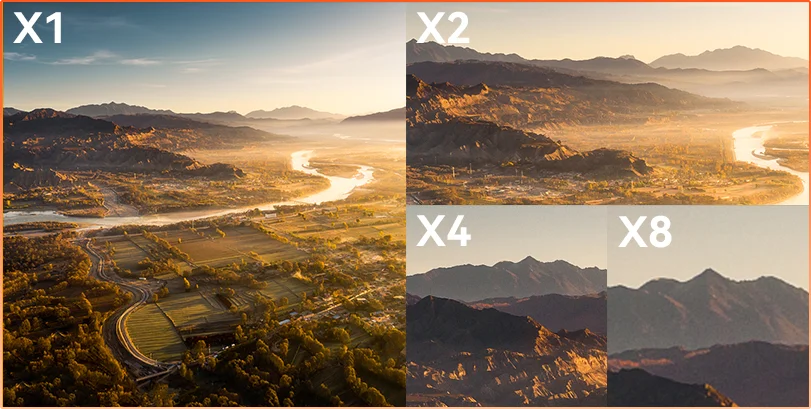
거리는 숨기지만 관찰, 점검, 기록 어느 상황이든 8배 줌으로 먼 거리의 세부 사항을 선명하고 실용적으로 볼 수 있습니다.
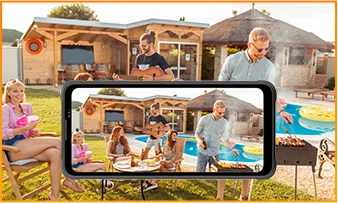
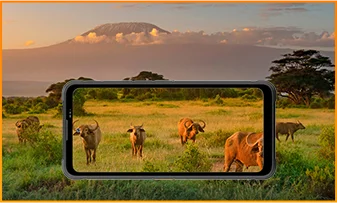
 ISOCELL 2.0
 테트라픽셀 4-in-1 기술
 더블 슈퍼 PD
FORT 200의 1300만 화소 야간 투시 카메라로 어떤 환경에서도 빛이 꺼지고 상황이 어려워져도 선명한 시야를 제공합니다.
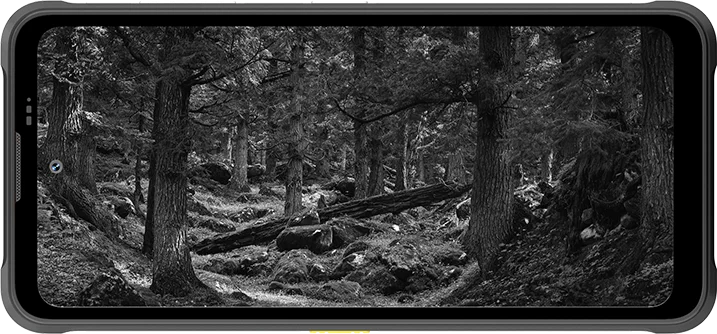
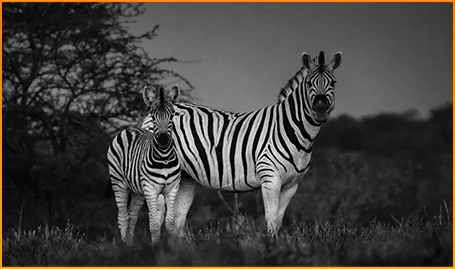
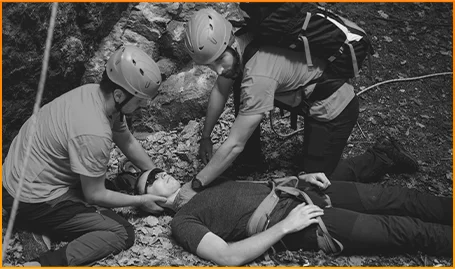
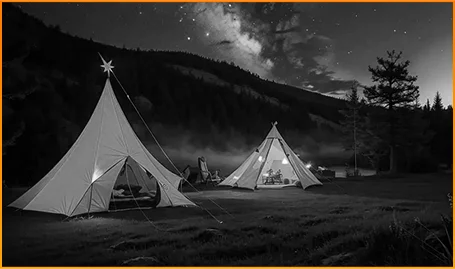
어둠 속에서도 동물의 움직임을 선명하게 포착하세요.
초 단위가 중요한 상황에서 사람과 물체를 빠르게 찾으세요.
어두워진 캠핑장 주변의 움직임을 항상 인지하세요.
FORT 200의 모션 포토로 순간이 사라지기 전에 포착하세요 — 움직임, 소리, 그리고 일반 사진이 놓치는 찰나의 에너지를 담아냅니다.
FORT 200의 선명한 2K 비디오로 목적 있는 촬영을 하고, 자동 모드가 어려운 조명이나 빠른 움직임을 따라가지 못할 때는 프로 모드로 설정을 세밀하게 조정하세요.
 AI 사진
비 / 모래와 먼지 / 진동 / 충격 / 가속 / 고온 / 저온 / 습도 / 고도
낙하 방지
충격 파괴 방지
극한 온도 작동
전 방향 방수
모든 도전에 준비된.
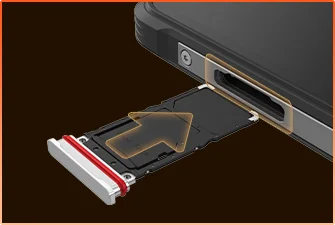 SIM 트레이 방수 밀봉
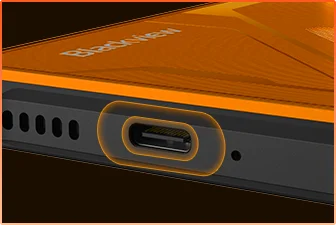 USB 포트 방수 보호
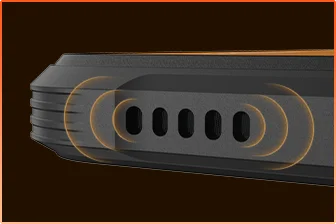 스피커 그릴 방수 설계
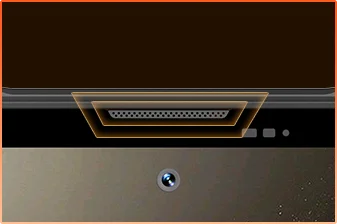 마이크 포트 방수 차단
준비 완료.
카메라
BOX 스피커
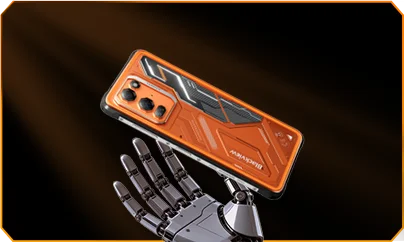
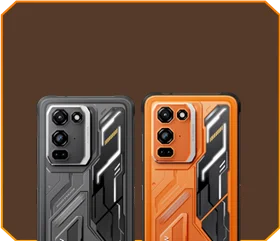





 팬텀 블랙
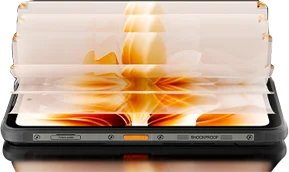
밝기


1.5m 낙하 방지
-20°C에서 +55°C 극한 환경
작동 온도
 사이드 키
기능
 유용한
툴백

원격
제어
 수중
카메라
 2W 스마트-K
BOX 스피커
IP69K 등급
MediaTek Helio G100
12GB RAM+36GB 확장
카드 확장


약 30.3만 장 이상의 사진
약 5.1천 개 이상의 짧은 동영상
33W 고속 충전 포함
1/1.67" 대형 센서
6P 크리스탈 클리어 렌즈
스마트-ISO 프로
8배 줌
테트라픽셀 4-in-1 기술
더블 슈퍼 PD
완전히 새로워진 프로 모드 포함

AI 아웃페인팅
AI 블러 사진

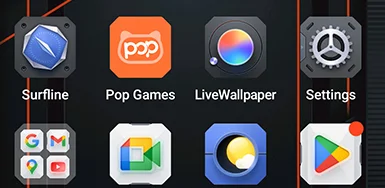


 시스템
관리자
2.0
 카메라
2.0
 글로벌
네트워크
준비 완료
 스마트
NFC
접속
 더 강력한 파워. 더 빠른 속도. 더 많은 완성. 지연 없음. 제한 없음. 오직 파워만.

동시 실행
차세대 확장 기술
더 빠른 앱 실행
 약 79.6만 곡 이상의 노래
 약 30.3만 장 이상의 사진
 약 5.1천 개 이상의 짧은 동영상

 15W 무선
충전
 5W 역방향
전력 공유
 배터리 절약
알고리즘
 슈퍼 전력
절약 모드
 충전
보호
매일 * 데이터는 Blackview Lab에서 제공. 실제 결과는 사용 환경에 따라 다를 수 있습니다.
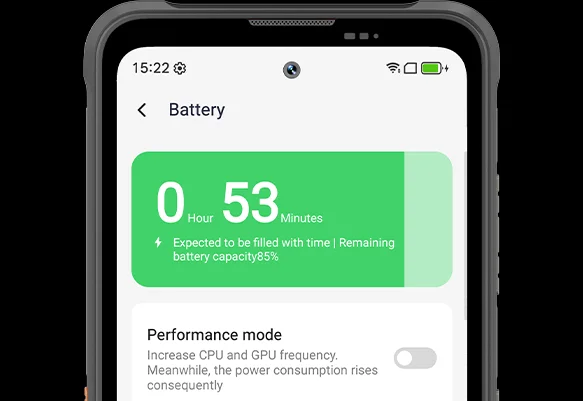
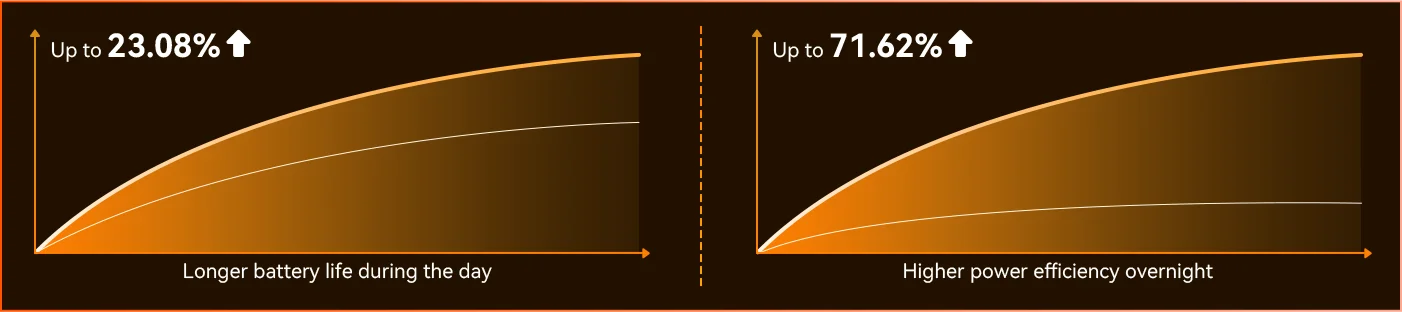
FORT 200이 당신의 하루에 적응하는 차이를 느껴보세요 — 완전히 새로워진 딥 절전 모드는 낮에도 유휴 시간을 감지해 당신이 신경 쓰지 않아도 전력 사용을 줄입니다.
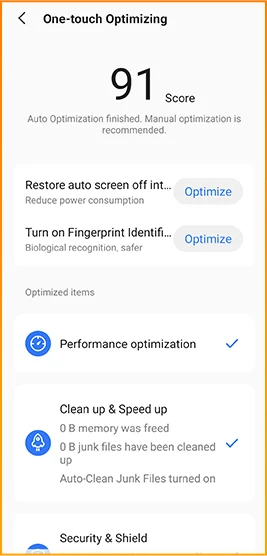
 더 똑똑하고 부드러우며, 당신을 더 잘 알도록 설계되었습니다. 완전히 새로워진 DokeOS 5.0 (Android 16)
 편의성 업그레이드 개인화 업그레이드 개인정보 보호 및 보안 업그레이드 AI 지능 업그레이드
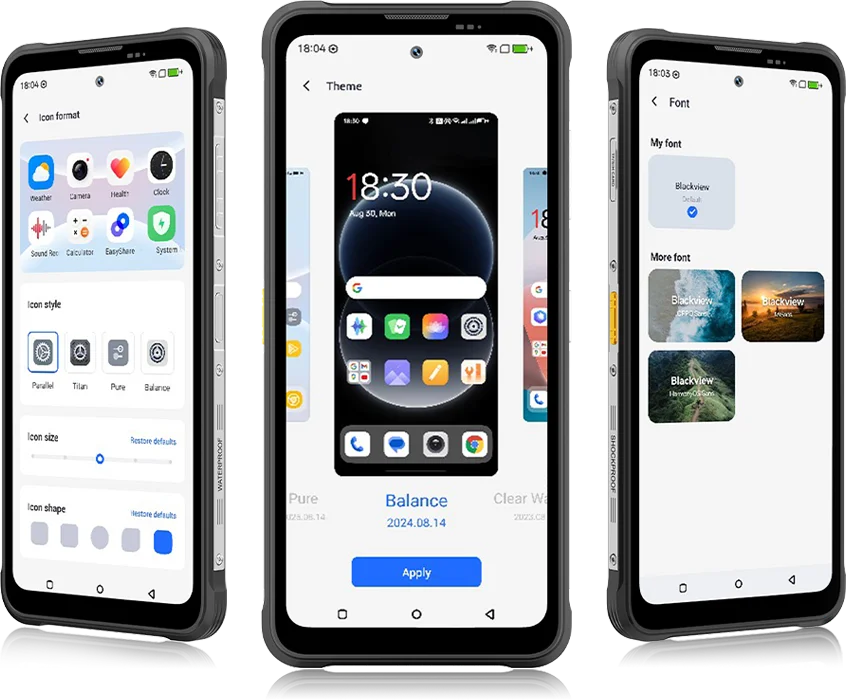 DokeOS 4.2에서 5.0으로 모든 것이 진화했습니다 — 느끼는 속도, 보는 부드러움, 다음 동작을 예측하는 지능까지. 이전보다 더 부드럽고, 더 스마트하며, 더 개인화되어 일상 순간을 손쉬운 경험으로 바꿉니다.
일상 작업을 위해


한 번의 탭으로 시네마틱 룩.
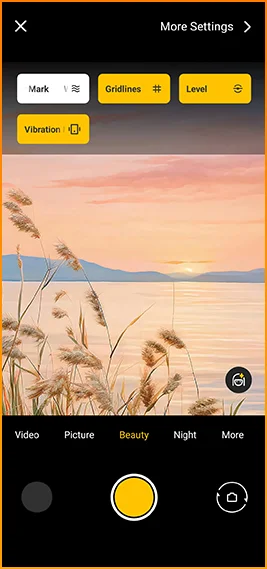
그리드, 워터마크, 수평계,
즉시 사용할 수 있는 햅틱 기능과 함께.
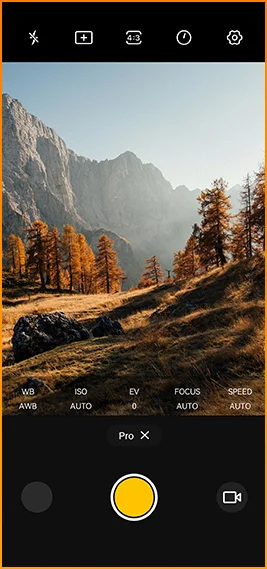
색상 미세 조정
온도 및 측정기
프로급 제어와 함께.


신뢰할 수 있는 연결을 위해 설계됨
전 세계 지역.
문을 열고, 즉시 결제하며, 더 빠르게 연결하세요
한 번의 탭으로.
Blackview FORT 200 사양
120Hz 스마트 주사율, 86% 화면 비율
13MP(야간 투시)
3G 밴드: WCDMA:B1/2/4/5/8
4G 밴드: FDD:B1/2/3/4/5/7/8/12/13/17/18/19/20/26/28A/28B/66
TDD:B38/40/41
관련 제품:
#야간 투시 휴대폰, #IP69 휴대폰, #열화상 카메라 휴대폰, #저렴한 방수 휴대폰, #슬림 러기드 휴대폰, #호주용 튼튼한 휴대폰, #프로젝터 내장 휴대폰, #등산용 최고의 휴대폰, #저렴한 러기드 휴대폰
| 디자인 | |
| 제품 | Blackview FORT 200 |
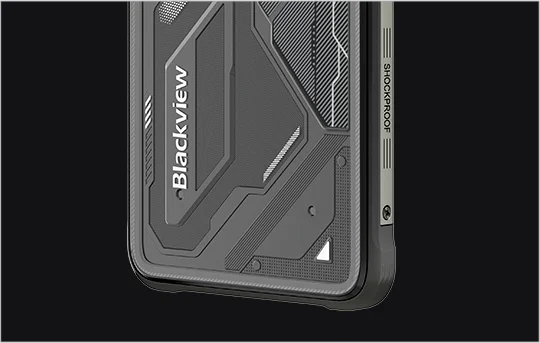
| 색상 | 블레이즈 오렌지, 팬텀 블랙 |
| 치수 | 178.4 × 83 × 11.5 mm |
| 무게 | 268 g |
| 운영체제 | Android 16 기반 DokeOS 5.0 |
| 디스플레이 | |
| 메인 디스플레이 | 6.78인치 IPS 디스플레이 |
| 해상도 | 1080 × 2460 |
| 주사율 | 120Hz |
| 터치 샘플링 속도 | 180Hz |
| 밝기 | 700 니트 최대 밝기 |
| PPI | 396 |
| 화면 대 본체 비율 | 86% |
| 글래스 | 판다 글래스 |
| 성능 | |
| CPU | 미디어텍 Helio G100 |
| CPU 클럭 | 2 × Cortex-A76 2.2GHz + 6 × Cortex-A55 2.0GHz |
| GPU | Mali-G57 3D 그래픽 |
| 램 및 롬 | 12GB RAM + 256GB ROM |
| 메모리 유형 | LPDDR4X + UFS 2.2 |
| 램 확장 | 최대 36GB 확장 |
| TF 확장 | 최대 2TB |
| 카메라 | |
| 전면 카메라 | 50MP Samsung® ISOCELL JN1 |
| 후면 카메라 | 108MP Samsung® ISOCELL HM6 메인 카메라 + 13MP 야간 투시 카메라 |
| 후면 카메라 센서 | Samsung® ISOCELL HM6 + OV08B10 |
| 비디오 녹화 | 프로 모드 2K 비디오 녹화 |
| 카메라 기능 | 모션 사진, AI 사진, 8배 줌, 프로 모드, 스마트 구글 렌즈 |
| 배터리 및 충전 | |
| 배터리 | 5000mAh |
| 충전 | 33W 고속 충전, 15W 무선 충전 |
| 역충전 | 5W 역방향 전력 공유 |
| 오디오 | |
| 스피커 | 2W 스마트-K BOX 스피커 |
| 내구성 | |
| 내구 등급 | IP68 & IP69K & MIL-STD-810H |
| 방수 | 2m / 30분 깊이 침수 방지 |
| 낙하 방지 | 최대 6m 낙하 방지 |
| 온수 저항 | 80°C 온수 저항 |
| 압력 분사 방어 | 10,000 kPa |
| 작동 온도 | -20°C ~ +55°C |
| 연결성 | |
| 네트워크 | 듀얼 4G SIM 지원 |
| 와이파이 | IEEE 802.11 a/b/g/n/ac, 2.4GHz / 5GHz |
| 블루투스 | BT 5.2 |
| NFC | 지원 |
| 카드 슬롯 | 듀얼: 2 × SIM / 1 × SIM + 1 × TF 카드 |
| USB | 타입-C |
| 네트워크 밴드 | |
| 2G | B2 / B3 / B5 / B8 |
| 3G | WCDMA: B1 / B2 / B4 / B5 / B8 |
| 4G | FDD: B1 / B2 / B3 / B4 / B5 / B7 / B8 / B12 / B13 / B17 / B18 / B19 / B20 / B26 / B28A / B28B / B66; TDD: B38 / B40 / B41 |
| 5G | 아니요 |
| 내비게이션 | |
| 위치 측정 | GPS / GLONASS / Galileo / BeiDou / QZSS |
| 센서 | |
| 센서 | G-센서, P-센서, L-센서, 자이로스코프, 나침반, 자기 센서, 지문 센서, RGB 센서 |
| 추가 기능 | |
| 야외 기능 | 측면 키 기능, 적외선 리모컨, ToolBag, 수중 카메라 |
| AI 기능 | Doke AI 2.0, AI 채팅, AI 사진, AI 비디오, AI 음악, ImageX 앱 |
| 기타 기능 | 무선 충전, NFC, FM, OTG, 지문 인식 잠금 해제, 읽기 모드, 야간 조명, 다크 모드 |
What are the differences between the Blackview FORT 200 and the Blackview FORT 2?
Compared with the Blackview FORT 2, the FORT 200 features a larger, higher-resolution display, more RAM, and a higher-resolution camera, along with faster wired charging and wireless charging support. The FORT 2 is slimmer and lighter, weighing 245.3g compared with the FORT 200’s 268g.
For everyday use, the FORT 200’s larger screen makes reading documents, viewing maps, and browsing photos easier. Its camera and charging features also suit users who prioritize photography and charging convenience. Both are 4G rugged smartphones, with key differences in their displays, hardware, cameras, and dimensions.
| Feature | Blackview FORT 200 | Blackview FORT 2 |
|---|---|---|
| Processor | MediaTek Helio G100 | MediaTek Helio G81 |
| Display | 6.78-inch, 1080 × 2460 | 6.56-inch, 720 × 1612 |
| Refresh rate | 120Hz | 90Hz |
| Physical RAM | 12GB | 8GB |
| Internal storage | 256GB | 128GB / 256GB |
| Main camera | 108MP | 16MP |
| Front camera | 50MP | 13MP |
| Wired charging | Up to 33W | Up to 18W |
| Weight | 268g | 245.3g |
| Thickness | 11.5mm | 10.7mm |
Who is the Blackview FORT 200 rugged phone designed for?
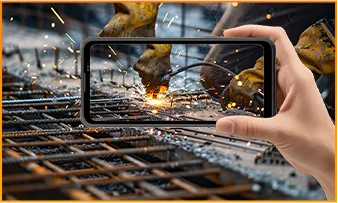
The Blackview FORT 200 is ideal for maintenance technicians, construction workers, delivery personnel (food/courier), farmers, and outdoor enthusiasts who enjoy hiking or camping. It is also well-suited for users who frequently find themselves in environments prone to dust, rain, or accidental impacts—situations where they still need to make calls, use navigation, run work-related applications, or take photos.
Its rugged design ensures reliability even in demanding work environments or during outdoor activities. The large screen provides ample space for viewing maps, reading documents, and looking at photos, while the high-resolution main camera captures detailed imagery. It is designed to support both professional tasks and everyday use.
What charging methods does the Blackview FORT 200 support?
The Blackview FORT 200 supports wired charging at up to 33W and wireless charging at 15W. Wired charging is ideal for topping up your phone’s battery before heading out or while at your workstation, while wireless charging allows you to power up simply by placing the device on a charging pad on your desk or nightstand.
For wired charging, ensure you use a compatible charger and cable. For wireless charging, place the phone accurately on a compatible charging pad and confirm that charging has begun. If you are using a thick protective case or any metal accessories, it is recommended to remove them for optimal charging performance.
What can I use the Blackview FORT 200’s 108MP main camera for?
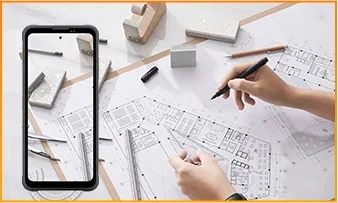
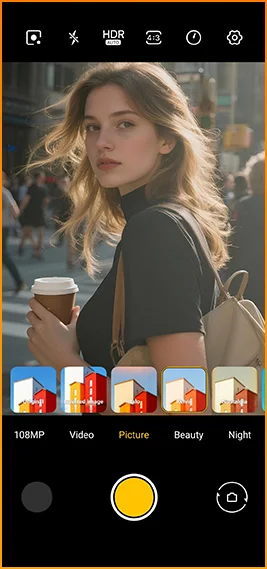
The 108MP main camera on the Blackview FORT 200 can be used to capture landscapes, equipment, documents, and various everyday scenes. It preserves a high level of detail, making it easy to zoom in or crop specific areas—such as isolating a sign within a scene or focusing on a particular detail in a portrait.
When documenting work-related tasks, you can take a wide-angle shot to show the surrounding environment, followed by close-up shots of labels, connections, or damaged areas. When photographing documents, keep the phone parallel to the page to ensure the entire content is captured within the frame.
What can I see with the Blackview FORT 200’s night vision camera?
The Blackview FORT 200’s night-vision camera helps you see people, animals, and objects nearby in the dark. Utilizing infrared illumination technology, it is well-suited for viewing the area around a campsite or observing dimly lit spaces.
For a clear view, keep the phone steady and point it directly toward the area you wish to observe. Identifying targets may be difficult if they are far away or obscured by obstacles. The night-vision feature only reveals the appearance of scenes in the dark; it cannot measure temperature or see through walls, and therefore cannot serve as a substitute for a thermal imager.
What does the Motion Photo feature do on the Blackview FORT 200?
The "Motion Photo" feature records both motion and sound while capturing a still image, allowing you to preserve more of your special moments. Beyond freezing a specific expression, it captures subtle movements—such as a smile, a pet turning its head, or leaves swaying in the breeze.
Please keep your phone steady while shooting. If you need to record for a longer duration, it is recommended to use the standard video recording mode. When sharing a "Motion Photo," please note that the recipient's device must support the playback of motion and sound; some devices may only display or transmit the image as a static photo.
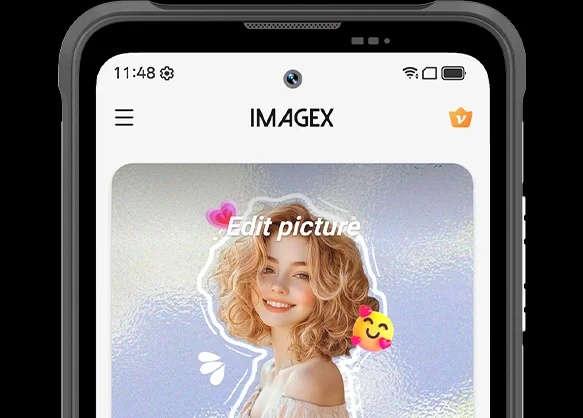
What photo-editing features does the ImageX app offer on the Blackview FORT 200?
ImageX provides a variety of AI-powered tools, including features to remove unwanted objects, expand image edges (outpainting), and apply blur effects. These tools allow you to refine your photos after they have been taken—for example, by cleaning up cluttered backgrounds or creating more space around the main subject.
The "Object Removal" feature can enhance vacation photos; "Image Expansion" (outpainting) can fill in backgrounds where the original composition was too tight; and the "Blur" tool can make specific areas less prominent. After applying these edits, be sure to carefully review the results—paying close attention to faces, text, and the edges of objects—as AI editing may sometimes require multiple attempts to achieve the desired outcome.
Can I expand the Blackview FORT 200’s storage?
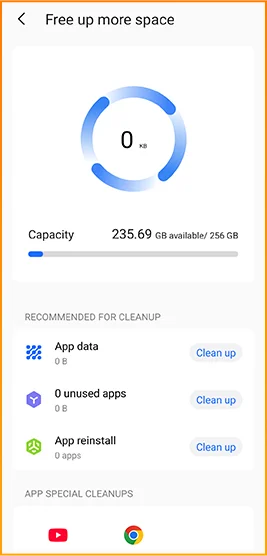
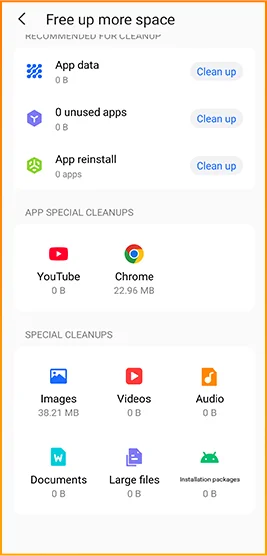
Yes. The Blackview FORT 200 supports microSD cards with a capacity of up to 2TB, providing extra space for photos, videos, music, documents, and more. Please note that the microSD card slot is shared with the second SIM card slot; You must choose between a "dual SIM" configuration or a "single SIM + one microSD card" configuration.
If your phone’s internal storage becomes full due to a large number of work-related photos, downloaded videos, or other files, you can move these items to the microSD card to free up internal space. It is recommended to keep applications and certain app data on the phone’s built-in storage; the microSD card is intended primarily for file storage and cannot replace the device's internal memory.
What mobile networks does the Blackview FORT 200 support?
The Blackview FORT 200 is a 4G rugged smartphone that supports 4G LTE, 3G, and 2G networks. When used with a compatible SIM card and mobile plan, the device allows for making calls, sending and receiving text messages, and using mobile data (including web browsing, navigation, instant messaging, and video calls).
Before purchasing, please compare the network frequency bands listed in the product specifications with those used by your mobile carrier. You may also wish to consult your carrier to confirm that their network supports the device for calls and mobile data services. Network availability depends on local coverage and your chosen mobile plan.
What devices can I control with the Blackview FORT 200’s infrared remote?
The Blackview FORT 200 can control compatible TVs, air conditioners, and set-top boxes via infrared, allowing you to change channels, adjust volume, or set temperatures, depending on the device.
Open the remote control app, select the appliance type, and follow the prompts to test and match a configuration. Point the phone’s infrared transmitter at the appliance without obstructions. Compatibility depends on the configurations available in the app. Devices that support only Bluetooth or Wi-Fi cannot be controlled via infrared.
Does the Blackview FORT 200 support NFC payments?
Yes, it does. You can make NFC payments by using a compatible payment app and linking an eligible bank card. Once set up, you can make payments without needing to take your physical card out of your wallet.
Before use, please enable the NFC function, add your bank card to the payment app, and complete the verification steps required by your bank. Ensure you have a screen lock set up and have selected your preferred payment app for contactless payments. When paying, simply unlock or verify your phone as prompted and hold it near the payment terminal. Actual availability depends on the payment service provider, your bank, and your country or region.
What protection does the Blackview FORT 200 offer for outdoor use?
The Blackview FORT 200 features IP68 and IP69K ratings and meets MIL-STD-810H testing standards. It is resistant to dust, water immersion, and impact, making it suitable for outdoor work and activities involving exposure to rain, dirt, or accidental knocks.
To maintain its protective capabilities, ensure the SIM card tray is properly installed and check the phone for damage after any severe impact. If the phone gets wet, ensure both the device and the charging port are dry before charging. Please note that water and impact resistance have limits and may diminish over time due to wear or damage; Therefore, exercise caution during high-intensity activities.
What everyday tasks can the Blackview FORT 200’s AI assistant help with?
The Blackview FORT 200's AI chat assistant can answer questions, explain complex concepts, and help you understand document content. It can interpret reading materials in plain language and summarize key points from lengthy information.
For the best results, clearly describe your specific needs. You can also ask follow-up questions regarding any unclear points. Before using the answers for work or sharing them with others, it is recommended to verify the original information, including important names, data, and instructions.
Can I connect a USB flash drive to the Blackview FORT 200?
Yes. The Blackview FORT 200 supports USB OTG functionality, allowing you to connect compatible USB flash drives to access and transfer files. Flash drives with a USB-C connector can be plugged in directly, while standard USB-A flash drives require a suitable USB-C OTG adapter.
Once connected, open the file manager and select the USB storage device to browse its contents. You can copy work documents to your phone or move photos and videos to the flash drive without needing a computer or cloud service. Wait for all transfers to complete before disconnecting; if the system offers an "Eject" option, use it to prevent incomplete transfers or file corruption.
How can I use Google Lens on the Blackview FORT 200?
You can use Google Lens on the FORT 200 to search for objects, find similar products, and process text within images. Open the Google app, tap the Lens icon, and then point your camera at the target you wish to search for, or select a photo already saved on your phone.
Google Lens can identify unfamiliar plants, search for products you have photographed, or extract text from printed documents. Ensure the subject is in focus; If the frame contains multiple objects, you may need to select the specific area of interest. Note that an internet connection is generally required to access online information.
What features make reading more comfortable on the Blackview FORT 200?
The Blackview FORT 200 offers Reading Mode, Night Light Mode, and Dark Mode. Reading Mode adjusts the display to suit reading needs; Night Light Mode adds warm tones; and Dark Mode applies a dark background to menus and applications.
Choose a mode that suits your reading content and surroundings, and adjust the text size to reduce frequent zooming. At night, lower the brightness or enable “Night Light” for warmer colors. During the day, increase the brightness as needed to keep text clear without making the screen too bright.
Jump to another section