



Blackview FORT 200 Sottile e Ricarica Wireless Smartphone Rugged 4G con Schermo da 6,78 pollici, MediaTek Helio G100 Octa-core, Batteria 5000mAh, Fotocamera 108MP+13MP con Visione Notturna

Esaurito
Punti salienti
Punti salienti
✔Schermo da 6,78 pollici, 268g e 11,5mm di spessore
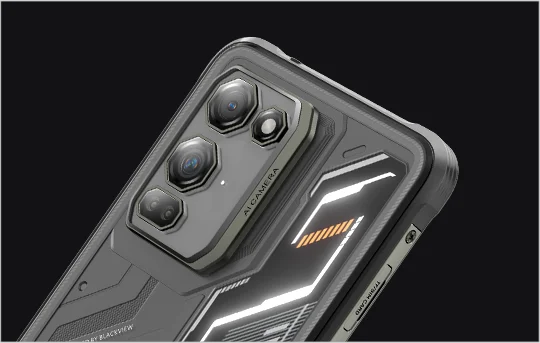
✔Fotocamera Samsung® HM6 da 108MP + Fotocamera Notturna da 13MP
✔Processore MediaTek Helio G100 octa-core
✔Batteria da 5000mAh con ricarica rapida da 33W + ricarica wireless da 15W
✔Certificazioni IP68, IP69K e MIL-STD-810H
Informazioni
Informazioni
Il Blackview FORT 200 è uno smartphone rugged 4G sottile progettato per utenti che desiderano una migliore qualità delle immagini, una visualizzazione più fluida e una durabilità adatta all'uso all'aperto senza dover portare un dispositivo ingombrante. Il suo display da 6,78 pollici 2.4K a 120Hz rimane nitido con una luminosità di 700 nit, mentre il MediaTek Helio G100 garantisce reattività nelle attività quotidiane, nella navigazione e nel lavoro sul campo. Una fotocamera posteriore Samsung da 108MP, una fotocamera per visione notturna da 13MP, una batteria da 5000mAh, la ricarica rapida da 33W e la ricarica wireless da 15W lo rendono pratico per lavoro e avventura. Con protezione IP68 & IP69K e MIL-STD-810H, è pronto per ambienti difficili.
Informazioni su Brand
Informazioni su Brand
Da Blackview, crediamo che la grande tecnologia debba andare oltre specifiche impressionanti. Deve adattarsi alla vita reale, risolvere problemi concreti e rimanere affidabile quando conta davvero.
Blackview è nata con telefoni rugged progettati per ambienti difficili. Oggi offriamo un ecosistema più ampio di dispositivi smart, tra cui smartphone, tablet, laptop, smartwatch, prodotti audio e altro ancora.
In ogni categoria, il nostro focus rimane lo stesso: qualità durevole, innovazione pratica e prezzi accessibili. Progettiamo prodotti che risultano affidabili fin dal primo giorno.
Comprendiamo cosa i clienti apprezzano di più: prestazioni fluide, affidabilità duratura, funzionalità utili e tecnologia che rende la vita quotidiana più semplice senza costi inutili.
Per questo Blackview dedica vera attenzione ai test di prodotto, all’esperienza utente e alle funzionalità che portano un valore significativo al lavoro, ai viaggi, alla creatività, all’esplorazione all’aperto e alla connessione quotidiana.
Blackview è pensata per chi desidera una tecnologia di cui potersi fidare: dispositivi smart e capaci, costruiti per stare al passo con la vita moderna.
Affidabile per progettazione. Pratico per natura. Fatto per la vita reale.
Spedizioni e Resi
Spedizioni e Resi
• Spedizione: Gli ordini vengono elaborati entro 1-2 giorni lavorativi. La consegna standard richiede da 3 a 7 giorni lavorativi a seconda della tua posizione.
• Resi: Puoi restituire o scambiare i prodotti entro 30 giorni dal ricevimento dell'ordine. Gli articoli devono essere nelle condizioni originali con prova d'acquisto.
Se il tuo articolo è difettoso o danneggiato a causa di problemi di fabbricazione, lo sostituiremo volentieri senza costi aggiuntivi.


Flagship di imaging robusto Sottile in mano. Nitido nella visione. Pronto per l'ignoto.
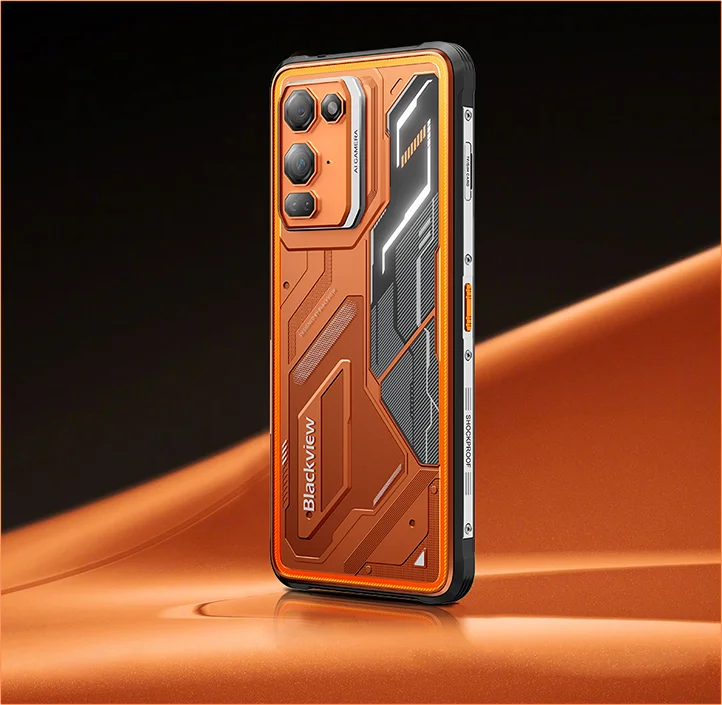
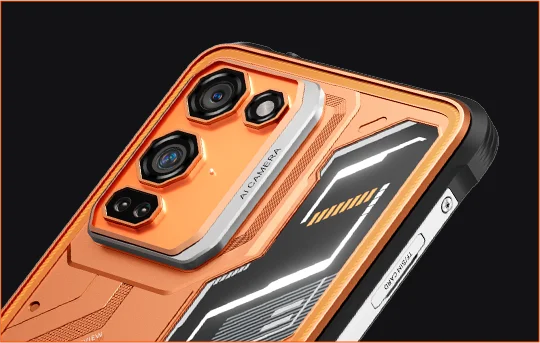
 Sottile. Luminoso. Incredibilmente nitido Vedi chiaramente. Vedi ovunque
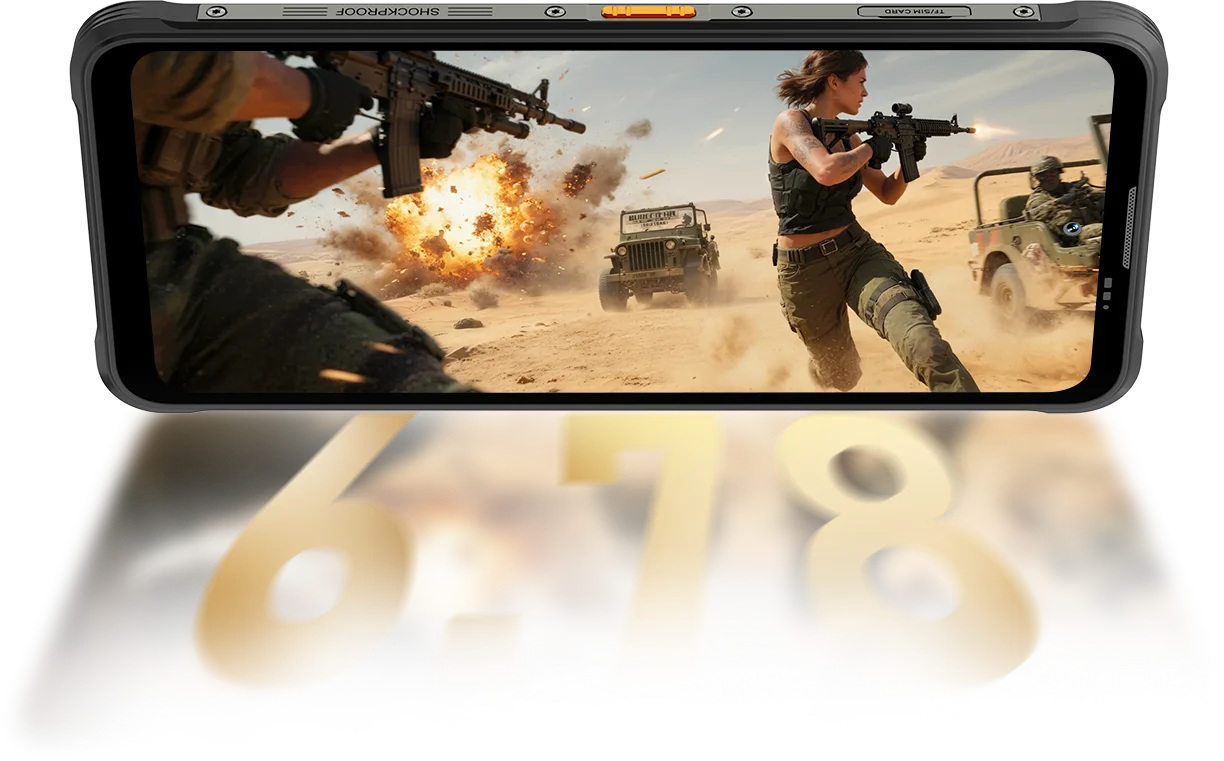
Risoluzione
IPS Full View
Luminosità massima
PPI
AI Smart Refresh Rate
Rapporto schermo-corpo
Frequenza di campionamento touch
Il FORT 200 raggiunge fino a 700 nits per rimanere luminoso e leggibile quando gli altri display si affievoliscono.

 Altri
 500 nits
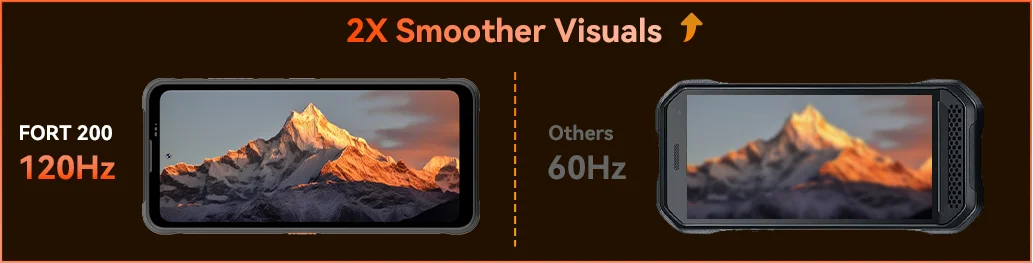
Senti la fluidità con il Blackview FORT 200 e il suo AI Smart Refresh Rate a 120Hz — risparmiando energia quando scorri, aumentando la fluidità durante il gioco e mantenendo ogni movimento ultra-reattivo ovunque tu sia.
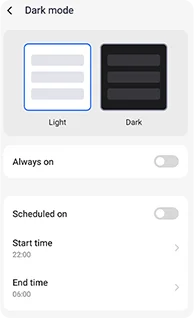
Temi scuri regolabili progettati per ridurre l'affaticamento e prolungare la durata della batteria.
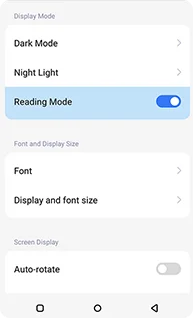
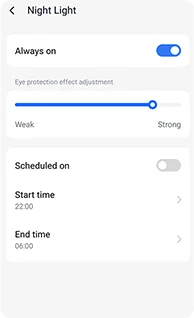
Toni ambrati morbidi con intensità regolabile per aiutare i tuoi occhi a rilassarsi comodamente di notte.
Un effetto pulito, simile a quello di un kindle, che rimane confortevole per lunghe letture.
 Vedi di più. Cattura più nitido. Guida la classe Cattura tutto — Più nitido di giorno, visibile di notte Costruito con la potenza di imaging più chiara del settore.
Pixel 4-in-1 da 1,28μm
Sensore 1/2,76"
Obiettivo 5P
Sensore Grande 1/1.67"
Nonapixel Plus 1,92μm
Apertura f/1.9
Obiettivo 6P
Notti più luminose.
Meno rumore. Più dettagli.
Immagini più nitide.
Ottiche più pulite.
Gamma dinamica più ampia.
Colori più veri.
Esposizione più intelligente.
Contrasto migliore.
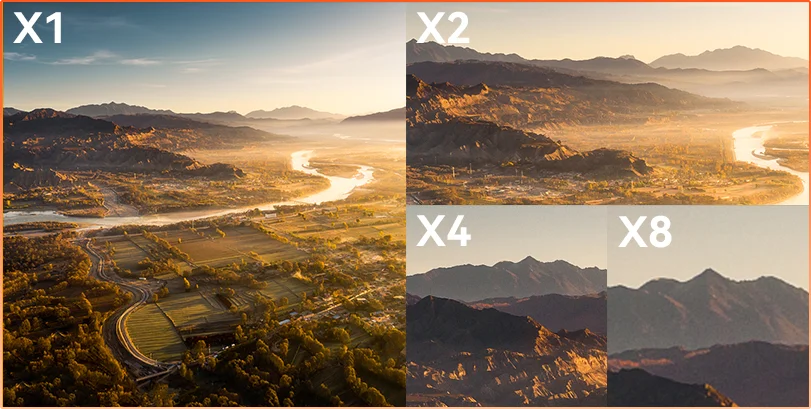
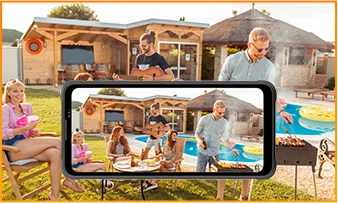
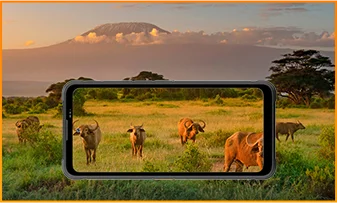
La distanza nasconde Che tu stia osservando, ispezionando o documentando, lo zoom 8× porta i dettagli lontani in una chiarezza nitida e utilizzabile.
 ISOCELL 2.0
 Tecnologia Tetrapixel 4-in-1
 Doppio Super PD
Rimani consapevole in ogni ambiente con la fotocamera Night Vision da 13MP di FORT 200 — che offre visibilità chiara quando le luci si spengono e le condizioni si fanno difficili.
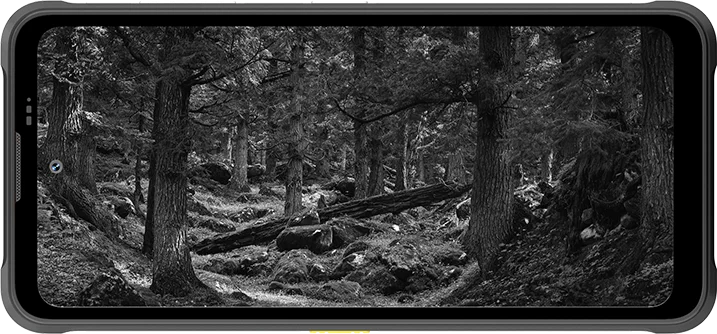
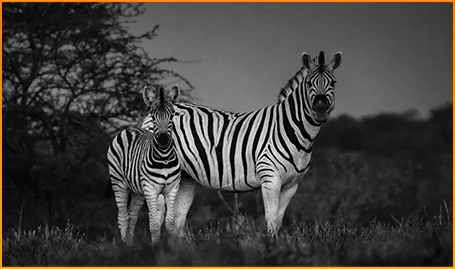
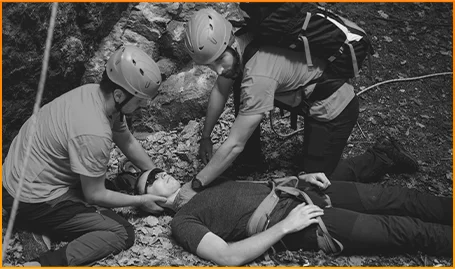
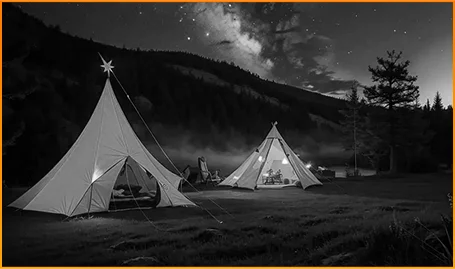
Individua chiaramente gli animali — anche quando l'oscurità nasconde i loro movimenti.
Individua persone e oggetti rapidamente quando ogni secondo conta.
Rimani consapevole di ciò che si muove intorno al tuo campeggio dopo il tramonto.
Cattura il momento prima che svanisca con Motion Photo di FORT 200 — catturando movimento, suono ed energia in un attimo che le foto statiche di solito perdono.
Scatta con intenzione usando il video 2K più nitido di FORT 200 e regola le impostazioni con la Modalità Pro quando la modalità Auto non riesce a gestire luci difficili o momenti veloci.
 Foto AI
Pioggia / Sabbia e polvere / Vibrazioni / Urti / Accelerazione / Alta temperatura / Bassa temperatura / Umidità / Altitudine
Resistente alle cadute
Indistruttibile
Funzionamento a temperature estreme
Impermeabilità a tutto tondo
Pronto per ogni sfida.
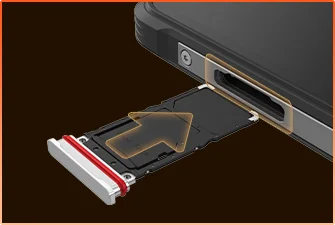 Sigillatura Impermeabile Vassoio SIM
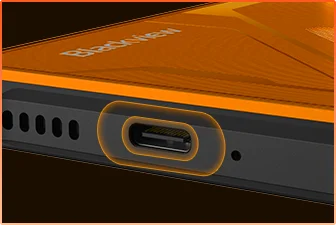 Protezione Impermeabile Porta USB
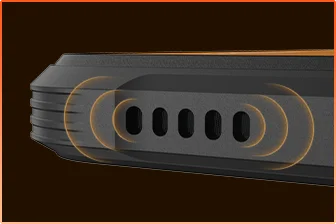 Design Antipolvere Griglia Altoparlante
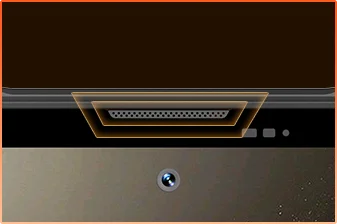 Protezione Impermeabile Porta Microfono
Sei Pronto.
Fotocamera
Altoparlante BOX
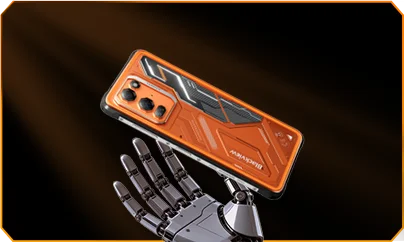
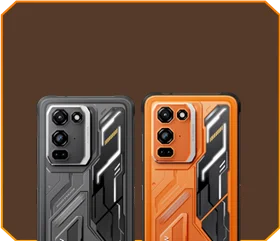





 Phantom Black
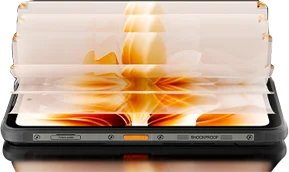
Luminosità


Resistente a Cadute da 1,5m
-20°C a +55°C Estreme
Temperature di Funzionamento
 Funzione Tasto Laterale
 Borsa Utile

Remoto
Controllo
 Sott’Acqua
Fotocamera
 2W Smart-K
Altoparlante BOX
Certificazioni IP69K
MediaTek Helio G100
12GB RAM+36GB Espansione
Espansione Scheda


≈303K+ Foto
≈5.1K+ Video Brevi
con Ricarica Rapida da 33W
Sensore Grande 1/1.67"
Obiettivo Cristallino 6P
Smart-ISO Pro
Zoom 8X
Tecnologia Tetrapixel 4-in-1
Doppio Super PD
con Nuova Modalità Pro

AI OutPainting
Foto con Sfocatura AI

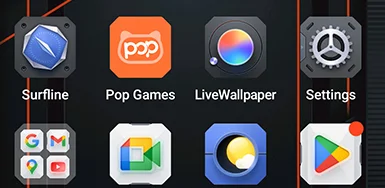


 Sistema
Gestore
2.0
 Fotocamera
2.0
 Globale
Rete
Pronto
 Intelligente
NFC
Accesso
 Più Potenza. Più Velocità. Più Fatto. Nessun Ritardo. Nessun Limite. Solo Potenza

Esecuzione Simultanea
Tecnologia Espandibile di Nuova Generazione
Avvio App Più Veloce
 ≈796K+ Canzoni
 ≈303K+ Foto
 ≈5.1K+ Video Brevi

 Ricarica Wireless 15W
Ricarica
 Condivisione di energia
inversa 5W
 Algoritmo
Risparmio Batteria
 Modalità
Super Risparmio Energetico
 Protezione
Ricarica
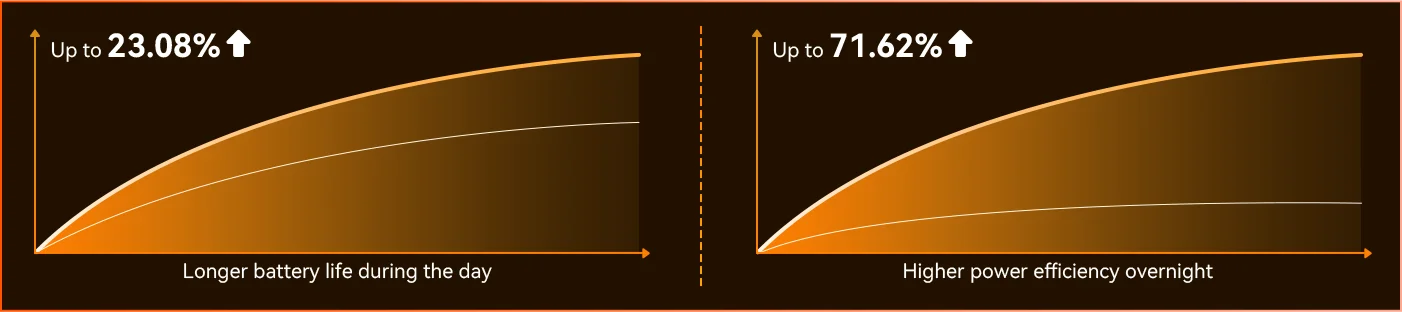
Ogni giorno *Dati da Blackview Lab. I risultati effettivi possono variare in base all’uso e all’ambiente.
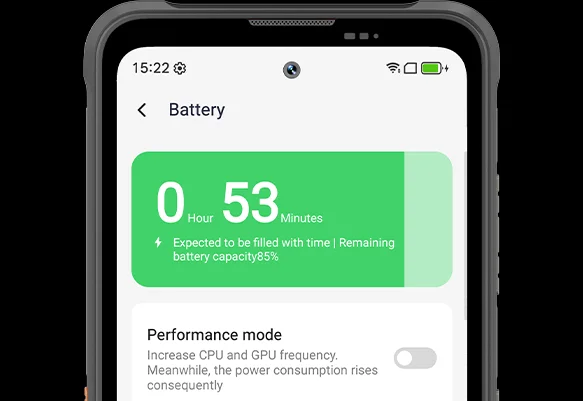
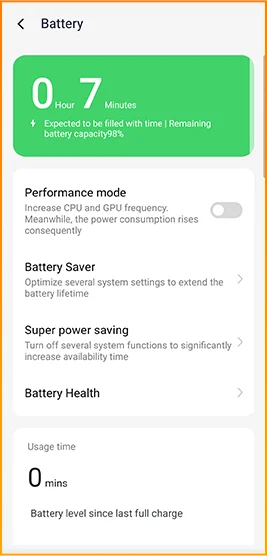
Nota la differenza mentre FORT 200 si adatta alla tua giornata — la nuovissima Modalità di Risparmio Energetico Profondo identifica i tempi di inattività anche alla luce del giorno e riduce il consumo energetico senza che tu debba muovere un dito.
 Più intelligente, più fluido, progettato per conoscerti meglio. Nuovissimo DokeOS 5.0 (Android 16)
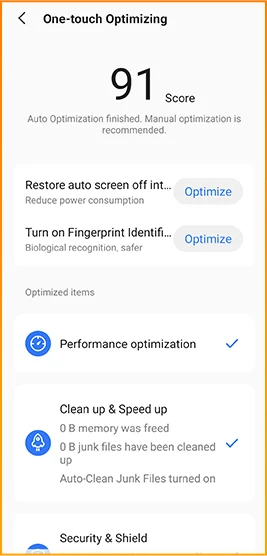
 Aggiornamento Convenienza Aggiornamento Personalizzazione Aggiornamento Privacy & Sicurezza Aggiornamento Intelligenza AI
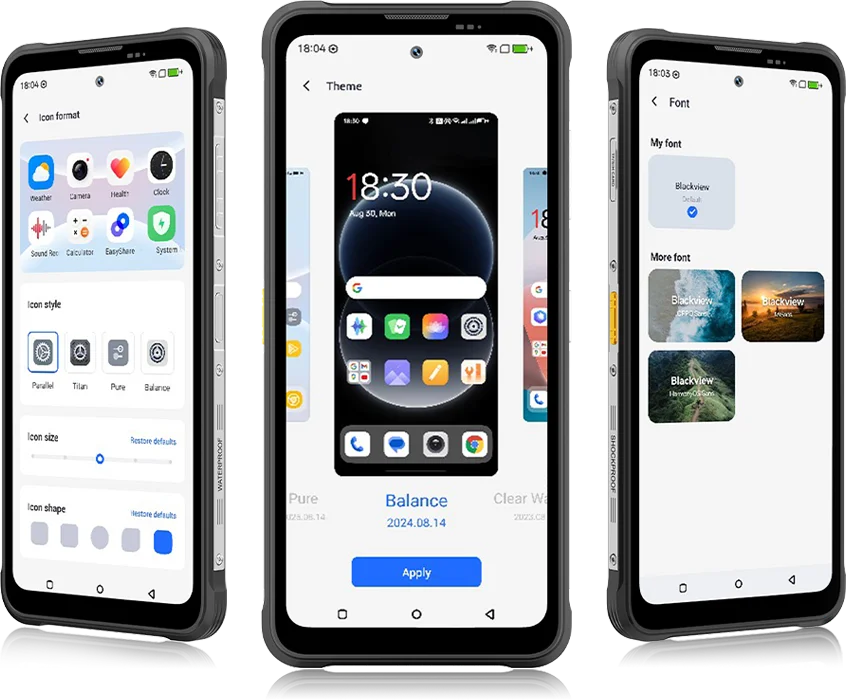 Da DokeOS 4.2 a 5.0, tutto è evoluto — la velocità che senti, la fluidità che vedi, l’intelligenza che anticipa la tua prossima mossa. È più fluido, più intelligente e più personale che mai, trasformando i momenti quotidiani in esperienze senza sforzo.
per le attività quotidiane


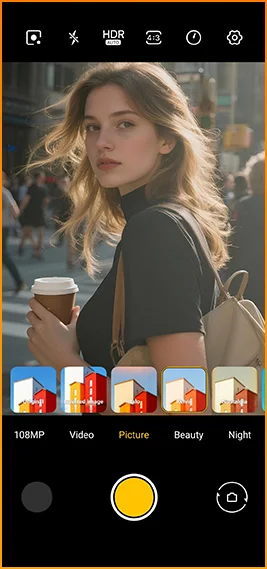
Aspetti cinematografici con un tocco.
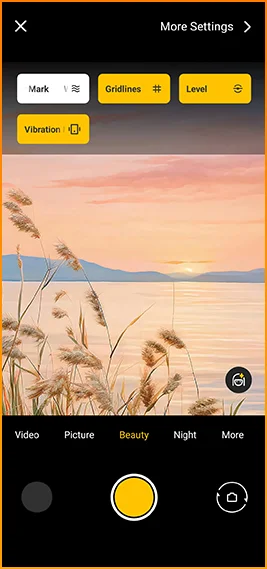
Griglie, filigrane, livella,
e feedback aptico subito a portata di mano.
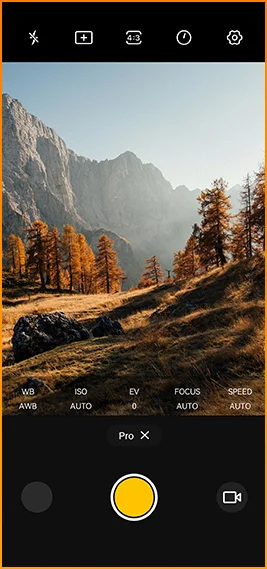
Regola fine del colore
temperatura e misurazione
con controllo di livello professionale.



Progettato per una connettività affidabile in
regioni in tutto il mondo.
Sblocca porte, paga istantaneamente e connettiti più velocemente
con un solo tocco.
Specifiche Blackview FORT 200
Frequenza di aggiornamento intelligente 120Hz, rapporto schermo-corpo 86%
13MP (Visione notturna)
Banda 3G: WCDMA:B1/2/4/5/8
Banda 4G: FDD:B1/2/3/4/5/7/8/12/13/17/18/19/20/26/28A/28B/66
TDD:B38/40/41
| Design | |
| Prodotto | Blackview FORT 200 |
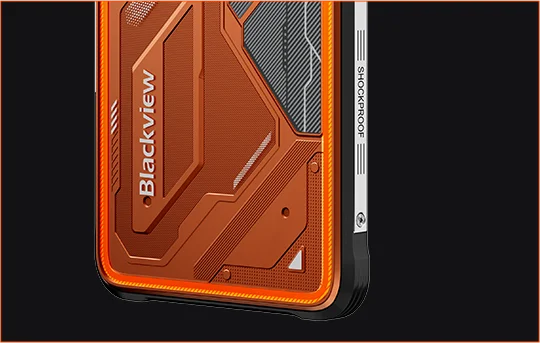
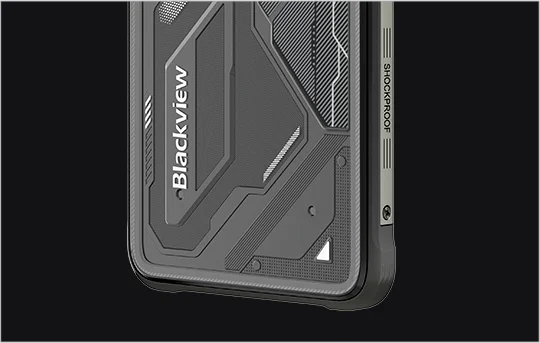
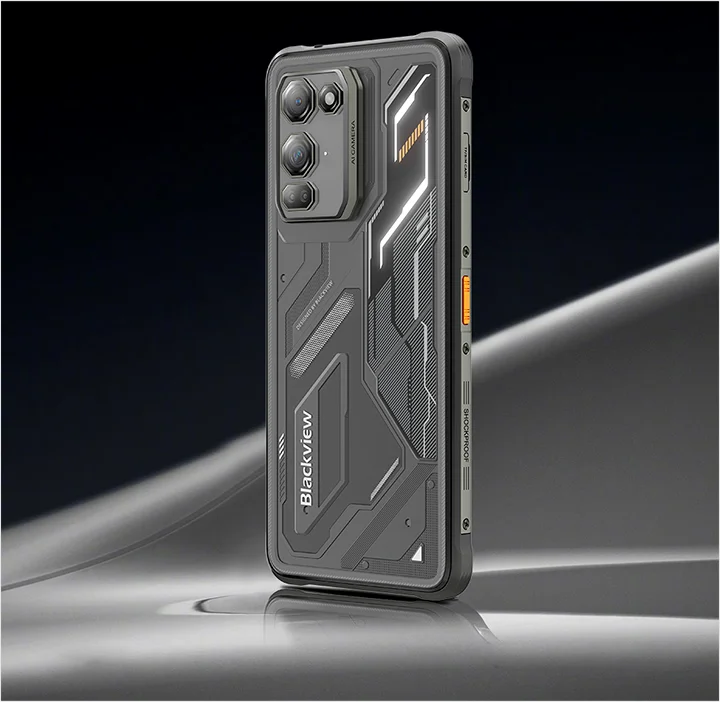
| Colore | Blaze Orange, Phantom Black |
| Dimensioni | 178,4 × 83 × 11,5 mm |
| Peso | 268 g |
| Sistema operativo | DokeOS 5.0 basato su Android 16 |
| Visualizza | |
| Display principale | Display IPS da 6,78 pollici |
| Risoluzione | 1080 × 2460 |
| Frequenza di aggiornamento | 120Hz |
| Frequenza di campionamento touch | 180Hz |
| Luminosità | Luminosità massima 700 nits |
| PPI | 396 |
| Rapporto schermo-corpo | 86% |
| Vetro | Panda Glass |
| Prestazioni | |
| CPU | MediaTek Helio G100 |
| Frequenza CPU | 2 × Cortex-A76 2.2GHz + 6 × Cortex-A55 2.0GHz |
| GPU | Grafica Mali-G57 3D |
| RAM e ROM | 12GB RAM + 256GB ROM |
| Tipo di memoria | LPDDR4X + UFS 2.2 |
| Espansione RAM | Espansione RAM fino a 36GB |
| Espansione TF | Fino a 2TB |
| Fotocamera | |
| Fotocamera frontale | Samsung® ISOCELL JN1 da 50MP |
| Fotocamera posteriore | Fotocamera principale Samsung® ISOCELL HM6 da 108MP + fotocamera per visione notturna da 13MP |
| Sensore fotocamera posteriore | Samsung® ISOCELL HM6 + OV08B10 |
| Registrazione video | Registrazione video 2K con modalità Pro |
| Funzionalità fotocamera | Motion Photo, AI Photos, zoom 8×, modalità Pro, Smart Google Lens |
| Batteria e ricarica | |
| Batteria | 5000mAh |
| Ricarica | Ricarica rapida da 33W, ricarica wireless da 15W |
| Ricarica inversa | Condivisione di energia inversa da 5W |
| Audio | |
| Altoparlante | Altoparlante Smart-K BOX da 2W |
| Durabilità | |
| Classificazione rugged | IP68 & IP69K & MIL-STD-810H |
| Resistenza all'acqua | Resistente a immersioni profonde fino a 2 m per 30 minuti |
| Resistenza alle cadute | Resistente a cadute fino a 6 m |
| Resistenza all’acqua calda | Resistenza all’acqua calda fino a 80°C |
| Resistenza a getto di pressione | 10.000 kPa |
| Temperatura di esercizio | -20°C a +55°C |
| Connettività | |
| Rete | Supporto Dual 4G SIM |
| Wi-Fi | IEEE 802.11 a/b/g/n/ac, 2.4GHz / 5GHz |
| Bluetooth | BT 5.2 |
| NFC | Supporto |
| Slot per schede | Dual: 2 × SIM / 1 × SIM + 1 × scheda TF |
| USB | Tipo-C |
| Bande di rete | |
| 2G | B2 / B3 / B5 / B8 |
| 3G | WCDMA: B1 / B2 / B4 / B5 / B8 |
| 4G | FDD: B1 / B2 / B3 / B4 / B5 / B7 / B8 / B12 / B13 / B17 / B18 / B19 / B20 / B26 / B28A / B28B / B66; TDD: B38 / B40 / B41 |
| 5G | No |
| Navigazione | |
| Posizionamento | GPS / GLONASS / Galileo / BeiDou / QZSS |
| Sensori | |
| Sensori | Sensore G, sensore P, sensore L, giroscopio, bussola, sensore magnetico, sensore impronte digitali, sensore RGB |
| Caratteristiche extra | |
| Caratteristiche outdoor | Funzione tasto laterale, telecomando a infrarossi, ToolBag, fotocamera subacquea |
| Funzionalità AI | Doke AI 2.0, AI Chat, AI Photos, AI Video, AI Music, App ImageX |
| Altre caratteristiche | Ricarica wireless, NFC, FM, OTG, sblocco con impronta digitale, modalità lettura, luce notturna, modalità scura |
What are the differences between the Blackview FORT 200 and the Blackview FORT 2?
Compared with the Blackview FORT 2, the FORT 200 features a larger, higher-resolution display, more RAM, and a higher-resolution camera, along with faster wired charging and wireless charging support. The FORT 2 is slimmer and lighter, weighing 245.3g compared with the FORT 200’s 268g.
For everyday use, the FORT 200’s larger screen makes reading documents, viewing maps, and browsing photos easier. Its camera and charging features also suit users who prioritize photography and charging convenience. Both are 4G rugged smartphones, with key differences in their displays, hardware, cameras, and dimensions.
| Feature | Blackview FORT 200 | Blackview FORT 2 |
|---|---|---|
| Processor | MediaTek Helio G100 | MediaTek Helio G81 |
| Display | 6.78-inch, 1080 × 2460 | 6.56-inch, 720 × 1612 |
| Refresh rate | 120Hz | 90Hz |
| Physical RAM | 12GB | 8GB |
| Internal storage | 256GB | 128GB / 256GB |
| Main camera | 108MP | 16MP |
| Front camera | 50MP | 13MP |
| Wired charging | Up to 33W | Up to 18W |
| Weight | 268g | 245.3g |
| Thickness | 11.5mm | 10.7mm |
Who is the Blackview FORT 200 rugged phone designed for?
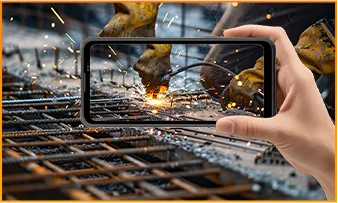
The Blackview FORT 200 is ideal for maintenance technicians, construction workers, delivery personnel (food/courier), farmers, and outdoor enthusiasts who enjoy hiking or camping. It is also well-suited for users who frequently find themselves in environments prone to dust, rain, or accidental impacts—situations where they still need to make calls, use navigation, run work-related applications, or take photos.
Its rugged design ensures reliability even in demanding work environments or during outdoor activities. The large screen provides ample space for viewing maps, reading documents, and looking at photos, while the high-resolution main camera captures detailed imagery. It is designed to support both professional tasks and everyday use.
What charging methods does the Blackview FORT 200 support?
The Blackview FORT 200 supports wired charging at up to 33W and wireless charging at 15W. Wired charging is ideal for topping up your phone’s battery before heading out or while at your workstation, while wireless charging allows you to power up simply by placing the device on a charging pad on your desk or nightstand.
For wired charging, ensure you use a compatible charger and cable. For wireless charging, place the phone accurately on a compatible charging pad and confirm that charging has begun. If you are using a thick protective case or any metal accessories, it is recommended to remove them for optimal charging performance.
What can I use the Blackview FORT 200’s 108MP main camera for?
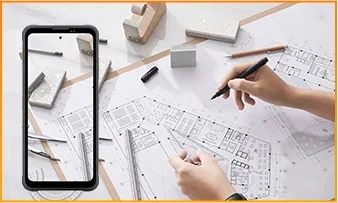
The 108MP main camera on the Blackview FORT 200 can be used to capture landscapes, equipment, documents, and various everyday scenes. It preserves a high level of detail, making it easy to zoom in or crop specific areas—such as isolating a sign within a scene or focusing on a particular detail in a portrait.
When documenting work-related tasks, you can take a wide-angle shot to show the surrounding environment, followed by close-up shots of labels, connections, or damaged areas. When photographing documents, keep the phone parallel to the page to ensure the entire content is captured within the frame.
What can I see with the Blackview FORT 200’s night vision camera?
The Blackview FORT 200’s night-vision camera helps you see people, animals, and objects nearby in the dark. Utilizing infrared illumination technology, it is well-suited for viewing the area around a campsite or observing dimly lit spaces.
For a clear view, keep the phone steady and point it directly toward the area you wish to observe. Identifying targets may be difficult if they are far away or obscured by obstacles. The night-vision feature only reveals the appearance of scenes in the dark; it cannot measure temperature or see through walls, and therefore cannot serve as a substitute for a thermal imager.
What does the Motion Photo feature do on the Blackview FORT 200?
The "Motion Photo" feature records both motion and sound while capturing a still image, allowing you to preserve more of your special moments. Beyond freezing a specific expression, it captures subtle movements—such as a smile, a pet turning its head, or leaves swaying in the breeze.
Please keep your phone steady while shooting. If you need to record for a longer duration, it is recommended to use the standard video recording mode. When sharing a "Motion Photo," please note that the recipient's device must support the playback of motion and sound; some devices may only display or transmit the image as a static photo.
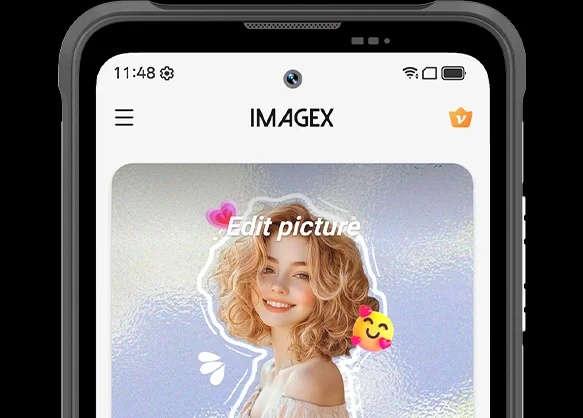
What photo-editing features does the ImageX app offer on the Blackview FORT 200?
ImageX provides a variety of AI-powered tools, including features to remove unwanted objects, expand image edges (outpainting), and apply blur effects. These tools allow you to refine your photos after they have been taken—for example, by cleaning up cluttered backgrounds or creating more space around the main subject.
The "Object Removal" feature can enhance vacation photos; "Image Expansion" (outpainting) can fill in backgrounds where the original composition was too tight; and the "Blur" tool can make specific areas less prominent. After applying these edits, be sure to carefully review the results—paying close attention to faces, text, and the edges of objects—as AI editing may sometimes require multiple attempts to achieve the desired outcome.
Can I expand the Blackview FORT 200’s storage?
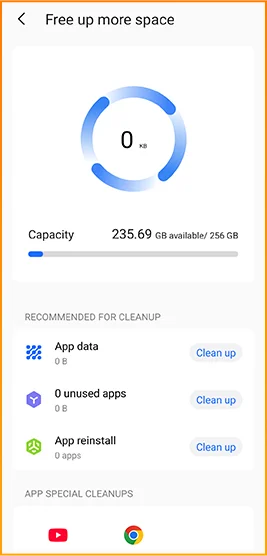
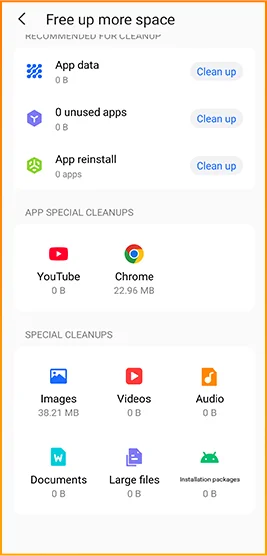
Yes. The Blackview FORT 200 supports microSD cards with a capacity of up to 2TB, providing extra space for photos, videos, music, documents, and more. Please note that the microSD card slot is shared with the second SIM card slot; You must choose between a "dual SIM" configuration or a "single SIM + one microSD card" configuration.
If your phone’s internal storage becomes full due to a large number of work-related photos, downloaded videos, or other files, you can move these items to the microSD card to free up internal space. It is recommended to keep applications and certain app data on the phone’s built-in storage; the microSD card is intended primarily for file storage and cannot replace the device's internal memory.
What mobile networks does the Blackview FORT 200 support?
The Blackview FORT 200 is a 4G rugged smartphone that supports 4G LTE, 3G, and 2G networks. When used with a compatible SIM card and mobile plan, the device allows for making calls, sending and receiving text messages, and using mobile data (including web browsing, navigation, instant messaging, and video calls).
Before purchasing, please compare the network frequency bands listed in the product specifications with those used by your mobile carrier. You may also wish to consult your carrier to confirm that their network supports the device for calls and mobile data services. Network availability depends on local coverage and your chosen mobile plan.
What devices can I control with the Blackview FORT 200’s infrared remote?
The Blackview FORT 200 can control compatible TVs, air conditioners, and set-top boxes via infrared, allowing you to change channels, adjust volume, or set temperatures, depending on the device.
Open the remote control app, select the appliance type, and follow the prompts to test and match a configuration. Point the phone’s infrared transmitter at the appliance without obstructions. Compatibility depends on the configurations available in the app. Devices that support only Bluetooth or Wi-Fi cannot be controlled via infrared.
Does the Blackview FORT 200 support NFC payments?
Yes, it does. You can make NFC payments by using a compatible payment app and linking an eligible bank card. Once set up, you can make payments without needing to take your physical card out of your wallet.
Before use, please enable the NFC function, add your bank card to the payment app, and complete the verification steps required by your bank. Ensure you have a screen lock set up and have selected your preferred payment app for contactless payments. When paying, simply unlock or verify your phone as prompted and hold it near the payment terminal. Actual availability depends on the payment service provider, your bank, and your country or region.
What protection does the Blackview FORT 200 offer for outdoor use?
The Blackview FORT 200 features IP68 and IP69K ratings and meets MIL-STD-810H testing standards. It is resistant to dust, water immersion, and impact, making it suitable for outdoor work and activities involving exposure to rain, dirt, or accidental knocks.
To maintain its protective capabilities, ensure the SIM card tray is properly installed and check the phone for damage after any severe impact. If the phone gets wet, ensure both the device and the charging port are dry before charging. Please note that water and impact resistance have limits and may diminish over time due to wear or damage; Therefore, exercise caution during high-intensity activities.
What everyday tasks can the Blackview FORT 200’s AI assistant help with?
The Blackview FORT 200's AI chat assistant can answer questions, explain complex concepts, and help you understand document content. It can interpret reading materials in plain language and summarize key points from lengthy information.
For the best results, clearly describe your specific needs. You can also ask follow-up questions regarding any unclear points. Before using the answers for work or sharing them with others, it is recommended to verify the original information, including important names, data, and instructions.
Can I connect a USB flash drive to the Blackview FORT 200?
Yes. The Blackview FORT 200 supports USB OTG functionality, allowing you to connect compatible USB flash drives to access and transfer files. Flash drives with a USB-C connector can be plugged in directly, while standard USB-A flash drives require a suitable USB-C OTG adapter.
Once connected, open the file manager and select the USB storage device to browse its contents. You can copy work documents to your phone or move photos and videos to the flash drive without needing a computer or cloud service. Wait for all transfers to complete before disconnecting; if the system offers an "Eject" option, use it to prevent incomplete transfers or file corruption.
How can I use Google Lens on the Blackview FORT 200?
You can use Google Lens on the FORT 200 to search for objects, find similar products, and process text within images. Open the Google app, tap the Lens icon, and then point your camera at the target you wish to search for, or select a photo already saved on your phone.
Google Lens can identify unfamiliar plants, search for products you have photographed, or extract text from printed documents. Ensure the subject is in focus; If the frame contains multiple objects, you may need to select the specific area of interest. Note that an internet connection is generally required to access online information.
What features make reading more comfortable on the Blackview FORT 200?
The Blackview FORT 200 offers Reading Mode, Night Light Mode, and Dark Mode. Reading Mode adjusts the display to suit reading needs; Night Light Mode adds warm tones; and Dark Mode applies a dark background to menus and applications.
Choose a mode that suits your reading content and surroundings, and adjust the text size to reduce frequent zooming. At night, lower the brightness or enable “Night Light” for warmer colors. During the day, increase the brightness as needed to keep text clear without making the screen too bright.
Jump to another section