



Blackview FORT 1 10000mAh 6,56-tommers 90Hz smart AI-skjerm 4+128GB/6+256GB Unisoc Tiger T615 Octa-core 4G AI robust mobiltelefon

Utsolgt
Høydepunkter
Høydepunkter
✔6,56-tommers HD+ IPS 90Hz Smart AI-skjerm
✔Unisoc T615 Octa-core prosessor
✔10000mAh batterimonster med 48 dagers trygghet
✔IP68 & IP69K & MIL-STD-810H sertifisert
Informasjon
Informasjon
Blackview FORT 1 er en robust 4G-telefon designet for brukere som trenger lang batterilevetid, praktisk holdbarhet og jevn daglig bruk. Den har en 6,56-tommers 90Hz HD+-skjerm, Unisoc Tiger T615-prosessor og et 10 000 mAh batteri, noe som gjør den nyttig på arbeidsplasser, reiser og utendørsaktiviteter. Med 18W hurtiglading, 16MP + 2MP bak-kameraer, NFC, dobbel 4G VoLTE, fire navigasjonssystemer, en Smart-K-høyttaler og Android 15-basert DokeOS 4.2, tilbyr den pålitelig ytelse i en tøff og praktisk body.
Om merket
Om merket
Hos Blackview mener vi at god teknologi bør gå utover imponerende spesifikasjoner. Den skal passe til det virkelige liv, løse reelle problemer og være pålitelig når det virkelig gjelder.
Blackview startet med robuste telefoner laget for tøffe miljøer. I dag tilbyr vi et bredere økosystem av smarte enheter, inkludert smarttelefoner, nettbrett, bærbare datamaskiner, smartklokker, lydprodukter og mer.
På tvers av alle kategorier er fokuset vårt det samme: holdbar kvalitet, praktisk innovasjon og tilgjengelige priser. Vi designer produkter som føles pålitelige fra første dag.
Vi forstår hva kundene verdsetter mest: jevn ytelse, langvarig pålitelighet, nyttige funksjoner og teknologi som gjør hverdagen enklere uten unødvendige kostnader.
Derfor legger Blackview ekte fokus på produkttesting, brukeropplevelse og funksjoner som gir meningsfull verdi til arbeid, reise, skapelse, utendørs utforskning og daglig kontakt.
Blackview er laget for folk som ønsker teknologi de kan stole på: smarte, kapable enheter bygget for å følge med i det moderne livet.
Pålitelige av design. Praktiske av natur. Laget for det virkelige liv.
Frakt og retur
Frakt og retur
• Frakt: Bestillinger behandles innen 1–2 virkedager. Standard levering tar 3–7 virkedager avhengig av hvor du befinner deg.
• Returer: Du kan returnere eller bytte produkter innen 30 dager etter at du har mottatt bestillingen. Varene må være i original stand med kjøpsbevis.
Hvis varen din er defekt eller skadet på grunn av produksjonsfeil, bytter vi den gjerne uten ekstra kostnad.

 FORT 1
Tenk raskere.
Holder lenger. Holder deg tryggere.
Smartere AI. Maraton 10000mAh
Batteri. Toppklasse MIL-STD robusthet.

Robust design
Din stemme, din nøkkel
Inspirert av den varige arkitekturen til fort, er FORT 1 konstruert for å tåle ekstreme forhold. Den robuste strukturen gjenspeiler militærgraders motstandskraft.

Snorhull
lar deg feste, henge eller sikre den hvor som helst du går.

Fingeravtrykk
Låse opp-støtte
gir en snarvei for å låse opp, vekke og styre enheten din.
Nr. 1 Fantastisk visning på 6,56″ 90Hz smart AI-skjerm
Nr. 2 10000mAh batterimonster med 48 dagers trygghet
Nr. 3 Problemfri. Håndfri. Drevet av Doke AI
Nr. 4 Glir gjennom oppgaver med Unisoc T615 Octa-core Prosessor & opptil 18GB RAM & 256GB ROM & 2TB TF Lagring
Nr. 5 IP68&IP69K& MIL-STD-810H sertifisert robust kropp
Nr. 6 AI-drevet. Hvert øyeblikk huskes minneverdig
Nr. 7 Nyeste DokeOS 4.2 basert på Android 15
Nr. 1 Fantastisk visning på 6,56"
90Hz smart AI-skjerm
6,56-tommers HD+ IPS-skjerm
Se mer. Bla lett
FORT 1 har en 6,56-tommers HD+ skjerm som gjør jobben – klar, responsiv og lett å lese enten du er innendørs eller under åpen himmel. Bygget robust og riktig størrelse for bruk i virkeligheten, balanserer den synlighet med bærbarhet.
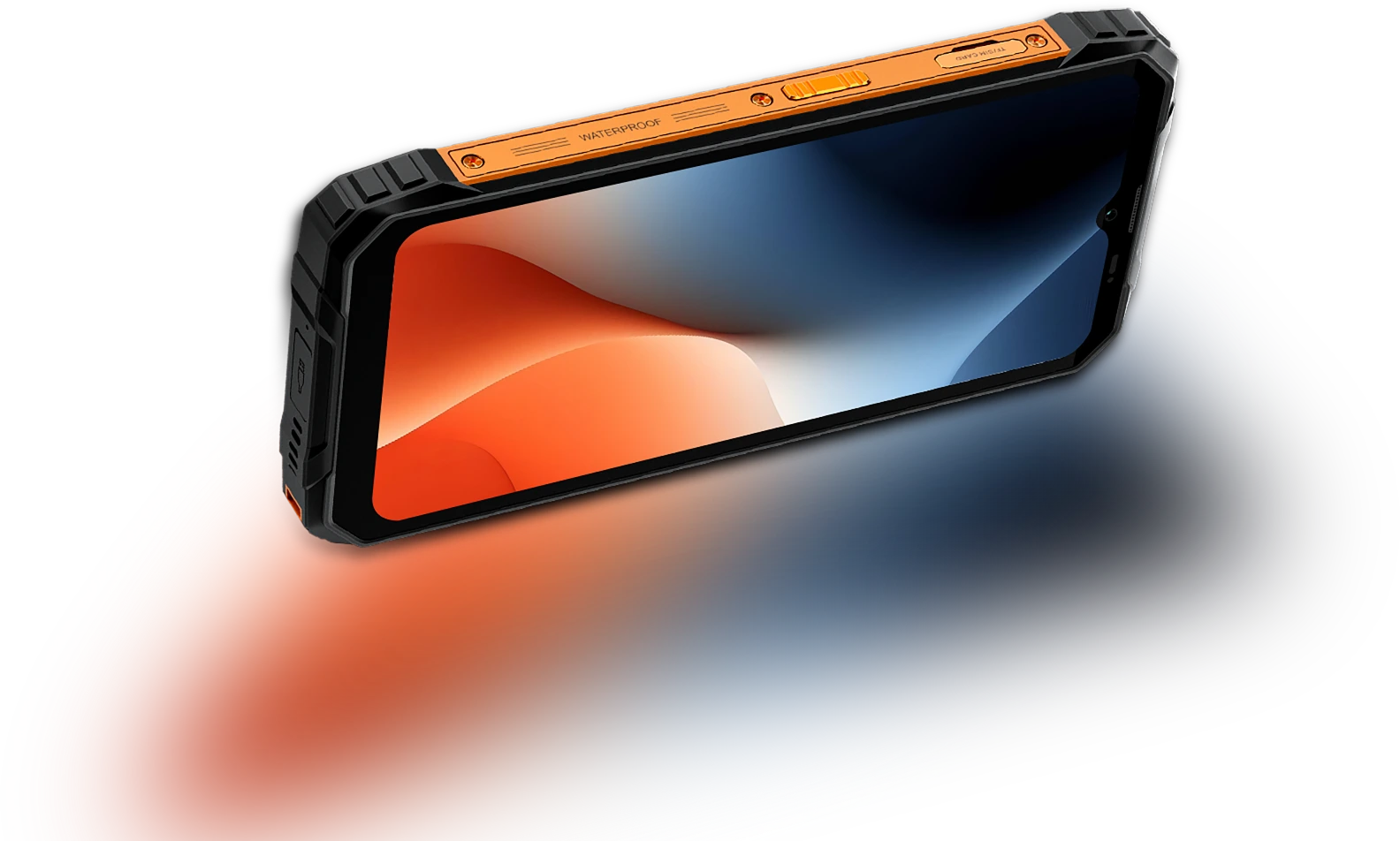
Berøringsprøvetaking Frekvens
180Hz
Skjerm-til-kropp Forhold
83%
Tynnere & lettere
INCELL IPS
PPI
269
Oppløsning
720*1612 piksler
Lysstyrke
450nits
Sideforhold
20:9
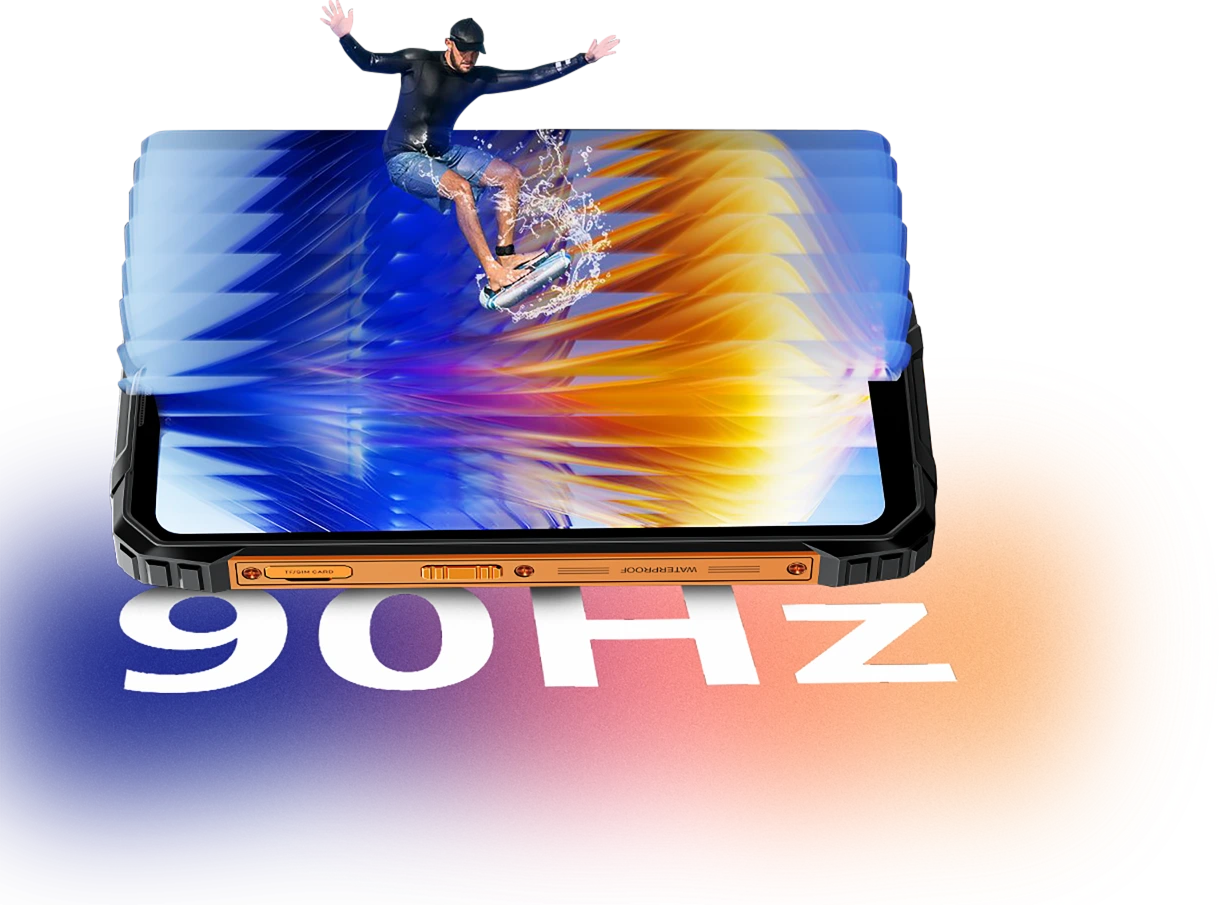
Smart AI-adaptiv 90Hz
Oppdateringsfrekvens
Hver sveip. Hver
Bilde. Kun
Jevnhet
Enten du blar gjennom meldinger, sjekker kart eller går gjennom jobboppdateringer, holder FORT 1s smarte AI-adaptive 90Hz oppdateringsfrekvens ting jevne når du trenger det, og bytter til lavere oppdateringsfrekvens når du ikke trenger det.
60Hz
holder ting mer effektivt for lesing, teksting eller standby.

90Hz
slår inn for jevnere rulling, mer flytende sveiping og animasjoner.


Øyekomfort betyr noe
Mindre belastning på øynene,
Dag eller natt
Enten du jobber lange timer, leser utendørs eller slapper av om kvelden, er Blackview FORT 1 laget for å redusere øyebelastning. Med smarte skjermmoduser som tilpasser seg omgivelsene dine, du holder deg komfortabel og fokusert, uansett tid eller oppgave.
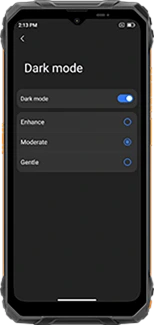
Flerlags mørk modus
(Forsterket/Moderat/Skånsom)
gir et mørkere, mer behagelig grensesnitt
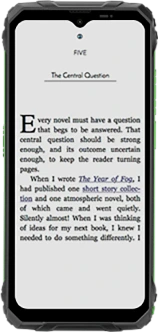
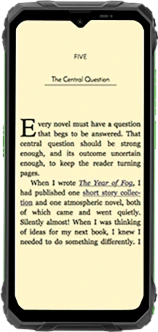
Lesemodus
demper lysstyrken og filtrerer hardt lys for en papiraktig følelse
Nattlys
reduserer blått lys for å lindre øyetretthet i svakt lys
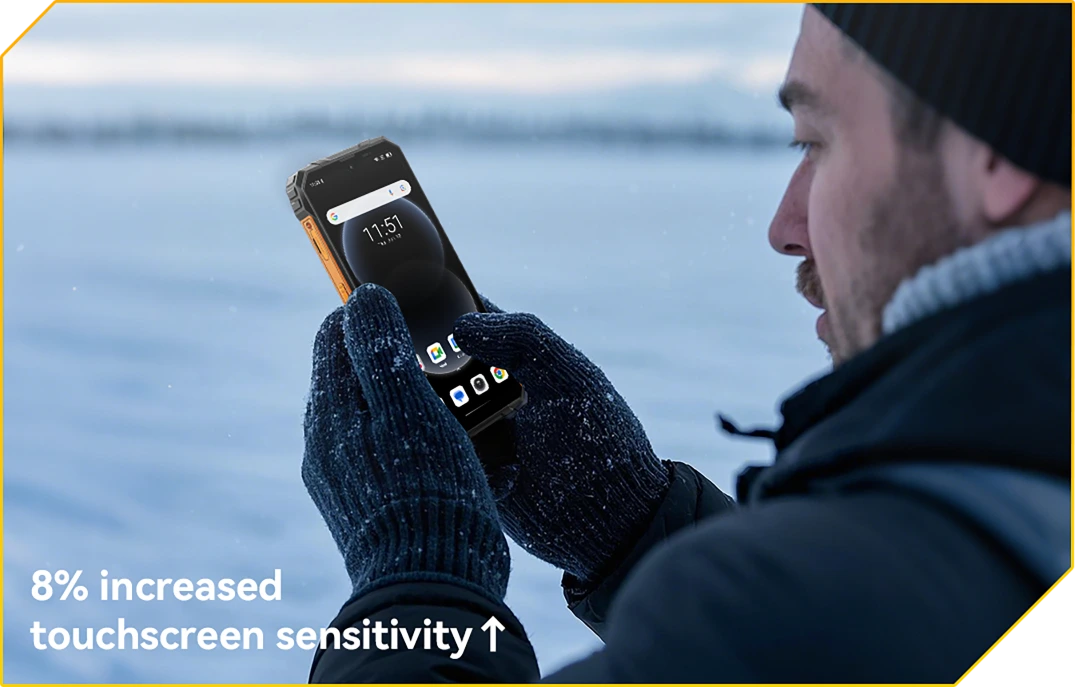
Hanskemodus 2.0
Berøringsklar. Selv med hansker på
Trykk, sveip og bla uten å ta av deg hanskene.
Nr. 2 10000mAh batterimonster
med 48 dagers trygghet
10000mAh gigantisk batteri
Kraften varer. Dag ut og dag inn
Med et massivt 10000mAh-batteri er FORT 1 bygget for å holde lenge etter at andre gir opp. Enten du er på en flerskift, uten dekning eller dypt ute i feltet, du kan jobbe, navigere og kommunisere uten å bekymre deg for neste lading.

12 timer
Spill
43 timer
Samtale
45 timer
Musikk
21 timer
Nett
21 timer
Ventemodus
AI-adaptiv
Ladebeskyttelse
sikrer tryggere lading og en
langvarig batteri.
+1 år lengre levetid↑


AI strømsparing
Algoritme
justerer automatisk bakgrunnsaktivitet, lysstyrke og ytelse for forlenget batterilevetid.
Over 500 batterisykluser
med 80 % batteri
Batterilevetid bevart
gir 2~3 bekymringsfrie brukstimer.


5W OTG omvendt ladestøtte
Kraft å dele,
Hvor enn du er
Trenger du å lade en annen enhet på farten? Med 5W OTG omvendt lading fungerer FORT 1 som en bærbar powerbank, slik at du kan lade øreproppene dine, lommelykt eller til og med en lagkamerats telefon, ingen stikkontakt nødvendig. Det er reservekraft i baklommen din.
Enheter med støtte for omvendt lading

Nr. 3 Problemfri. Håndfri.
Drevet av Doke AI.
Doke AI på FORT 1 gir neste nivå intelligens til din daglige rutine — nå integrert med verdens ledende AI-modeller, inkludert DeepSeek-R1, ChatGPT-4o mini og Gemini AI 2.0 Flash Thinking Experimental. Enten du er på stedet, på farten eller utenfor allfarvei, denne robuste AI-assistenten holder det enkelt, smart og sømløst.
Stemmeaktivering &
Stemmegjenkjenning
Din stemme.
Din tilgang.
Bare si ordet — selv med hansker på eller fulle hender. FORT 1 våkner øyeblikkelig og sikkert med din unike stemme.

Sanntids stemmeinteraksjon
Spør raskt. Få svar
Raskere.
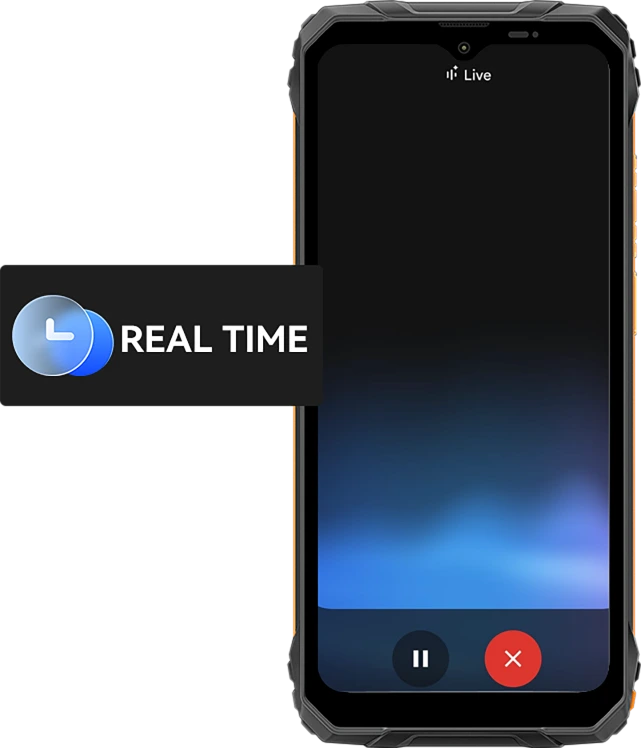
Fra raske oppdateringer til sanntidsråd, snakk med telefonen din og få umiddelbare svar med 10 uttrykksfulle stemmestiler som Nova, Orbit eller Vega — nyttig og menneskelig.
10 stemmealternativer for deg å velge mellom:
Skjermbevisst assistanse
Hjelp, rett på
Din skjerm.
Ser du en fil, et kart eller et bilde du trenger hjelp med? Bare spør. Ingen app-bryting. Ingen distraksjoner.

Global smartkontroll
Én stemme. Total kontroll.
Juster innstillinger, start apper og administrer verktøy, helt uten bruk av hender. Ideelt når du multitasker eller har på deg hansker på jobben.


Gmail

Google Kalender

Google Keep

Google Oppgaver

Google Disk

Google Dokumenter


Meldinger

Telefon

Google Maps

Google Fly

Google Hoteller

YouTube

YouTube Musikk
Den smarteste kreative hjelperen
Hei Doki App AI Smart Chat Assistant
Din AI-kompis for alle oppgaver og ideer
Enten du planlegger på en byggeplass eller får hjelp med daglige oppgaver, er Hi Doki alltid klar.

ImageX-app
Kraftige AI-fotoverktøy for virkelige eventyr
Selv i de tøffeste miljøene fortjener bildene dine profesjonell finish. Med 18 AI-redigeringsfunksjoner, ImageX på FORT 1 forvandler feltbilder, utendørsbilder og daglige øyeblikk til delingsverdige visuelle uttrykk, raskt og enkelt.
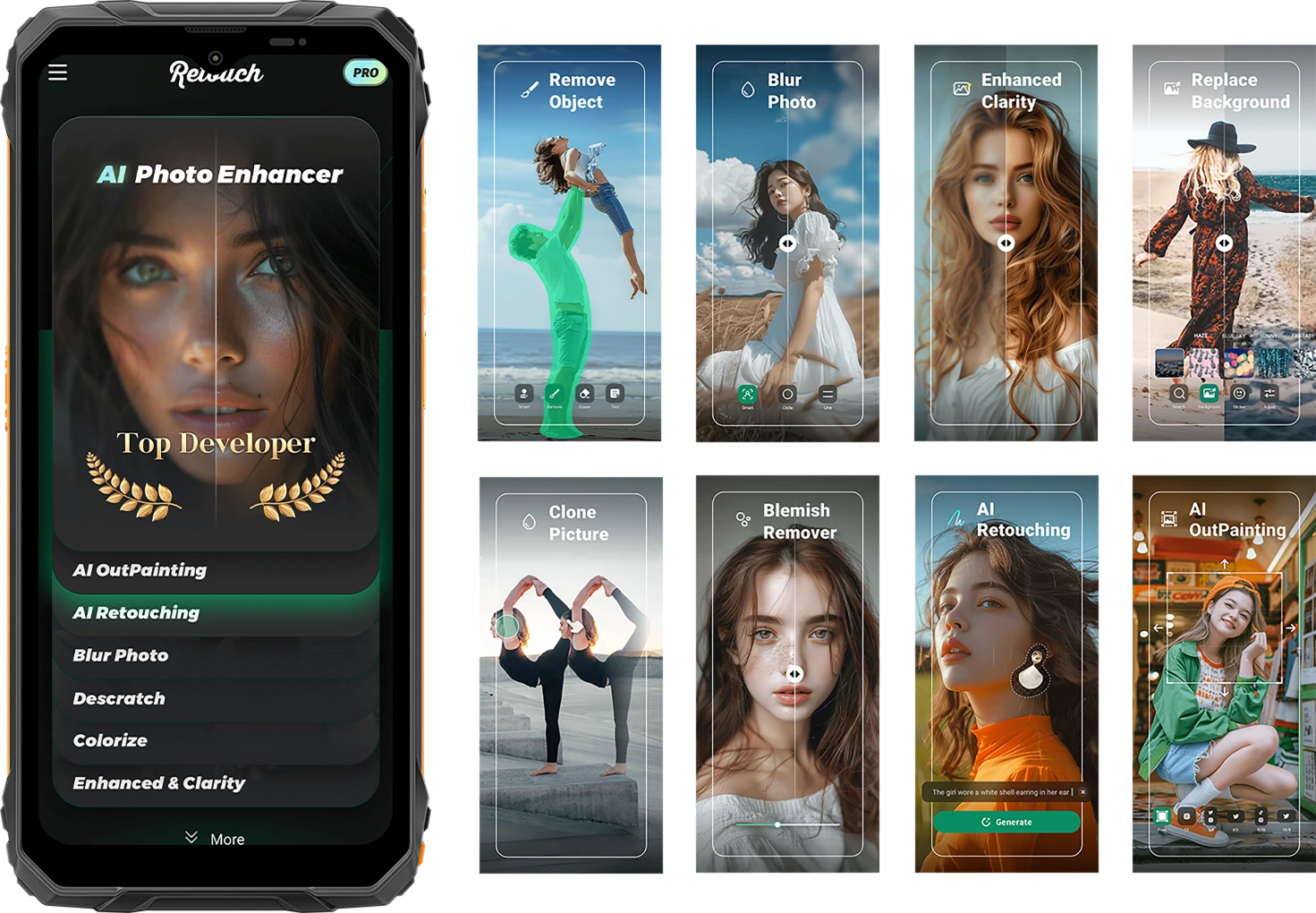
Fang livet som det er. Del det raffinert.
AI objektfjerning
Slett uønskede objekter, fremmede eller rotete utstyr på sekunder. Hold fokus der det betyr noe.

AI-adaptiv
Ladebeskyttelse
Ett trykk gjør alt. Smarte justeringer for lys, farge og balanse — ingen redigeringsferdigheter nødvendig.


AI-foto
Retusjering
Glatt automatisk ut hud, juster lys og forbedre portretter for et rent, naturlig utseende.
AI utmaling
Utvid kantene på bildet ditt for å vise mer landskap, mer kontekst — mer historie.

AI fotobasert uskarphet
Slør rotete eller distraherende bakgrunner slik at motivet ditt står skarpt og tydelig.
AI bakgrunnsbytte
Fra fjellstier til arbeidsplasser — bytt bakgrunn umiddelbart for å matche humøret eller budskapet ditt.

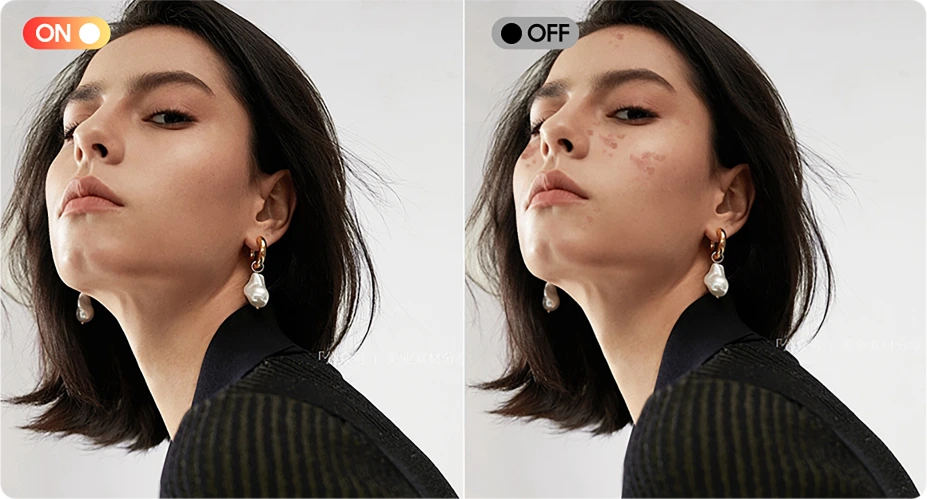
Flekkfjerner
Oppdag og forbedre enkelt urenheter, små flekker eller feil på hud eller bildets overflate, og la bildet ditt bli feilfritt og rent.

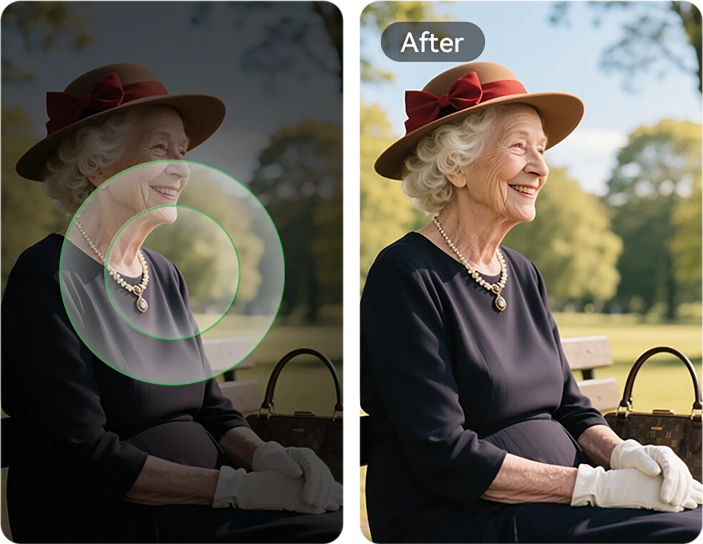
AI klarhetsforbedring
Skarp opp uklare eller mørke bilder slik at hver detalj kommer frem — selv i raske bevegelser.
AI bildeinnliming
Kopier elementer mellom bilder. Plasser verktøy, merker eller personer akkurat der du vil ha dem.

AI ripefjerning
Gjenopprett riper, skader eller aldrende bilder til nesten original kvalitet med ett enkelt trykk.
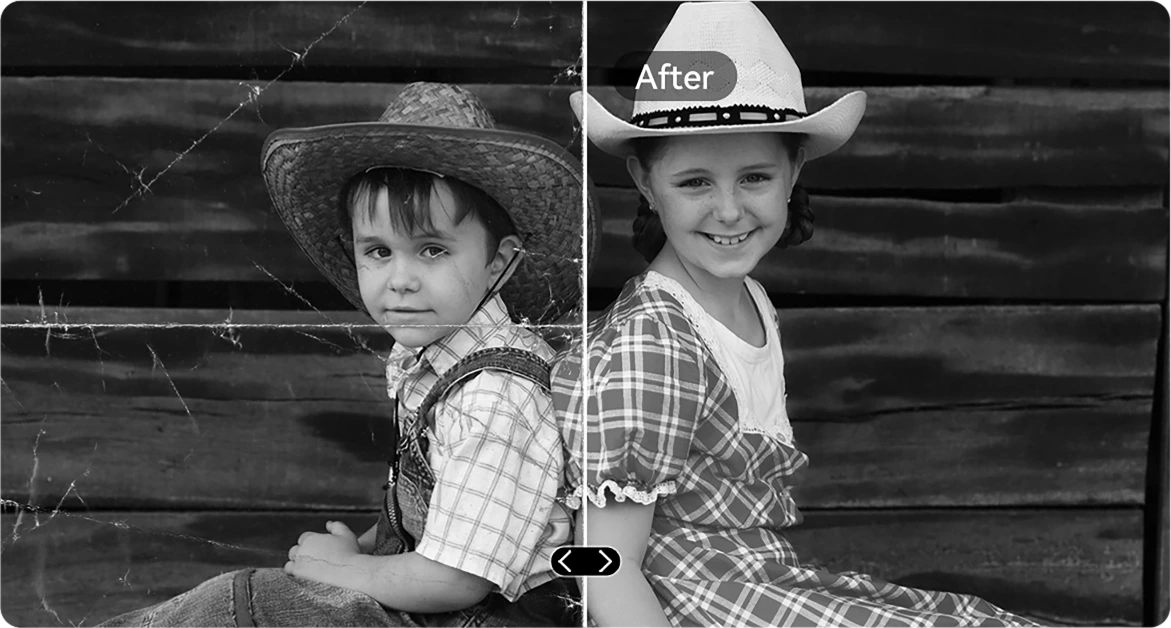
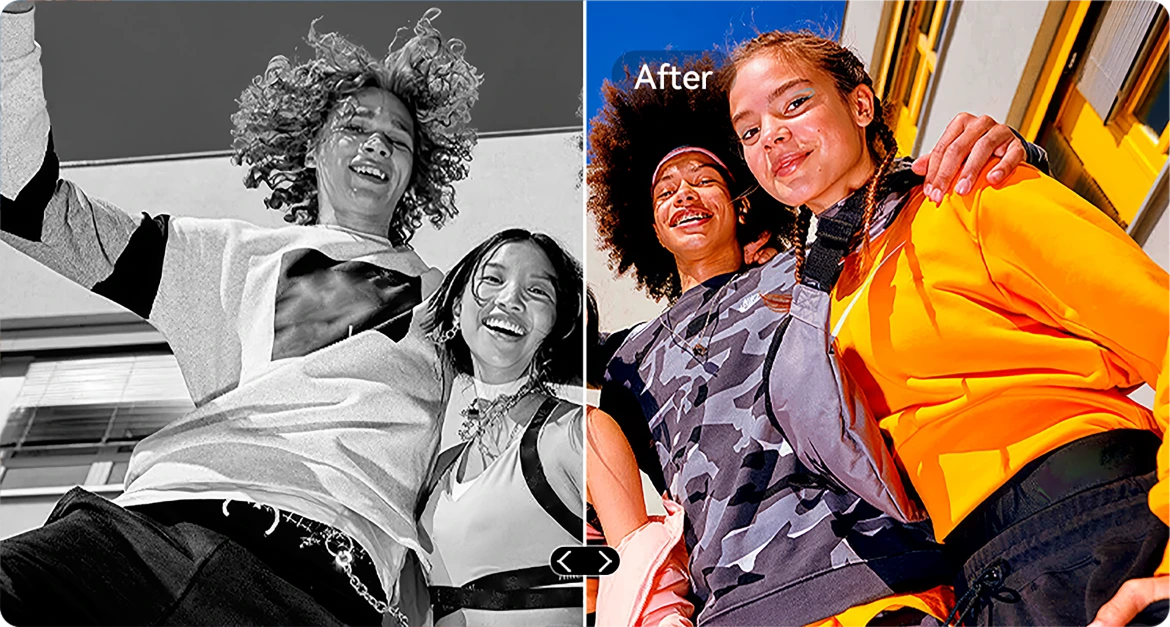
AI B&W-fargelegging
Gi nytt liv til svart-hvitt-bilder ved å nøyaktig gjenopprette farger i alle detaljer. Se hvordan mennesker, landskap og til og med en solstråle våkner til liv, som om tiden har spolt tilbake.

AI fotorektifisering
Auto-korriger skjeve eller feilvinklede bilder for rene, rette, profesjonelle bilder.
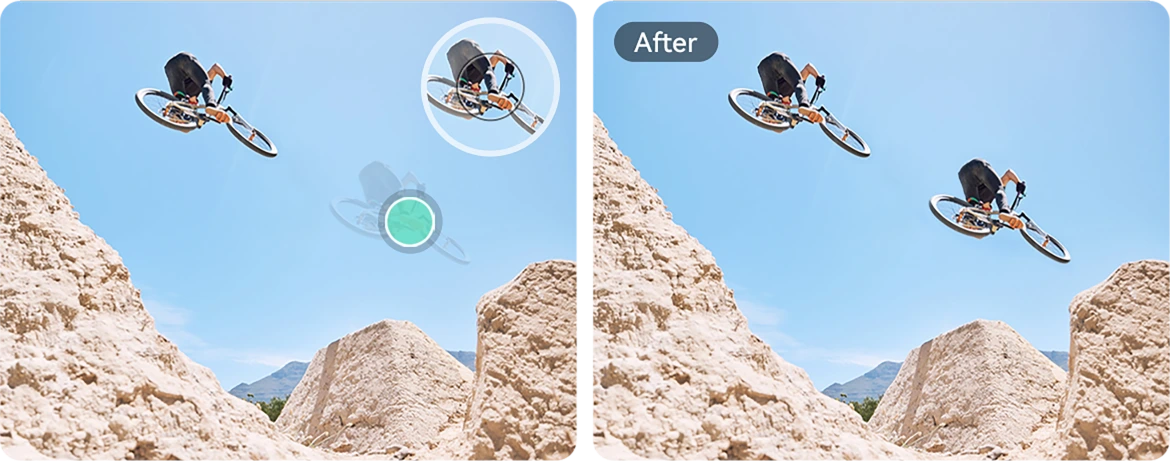
AI fotokloning
Dupliser objekter for visuell balanse, historiefortelling eller bare kreativ moro.
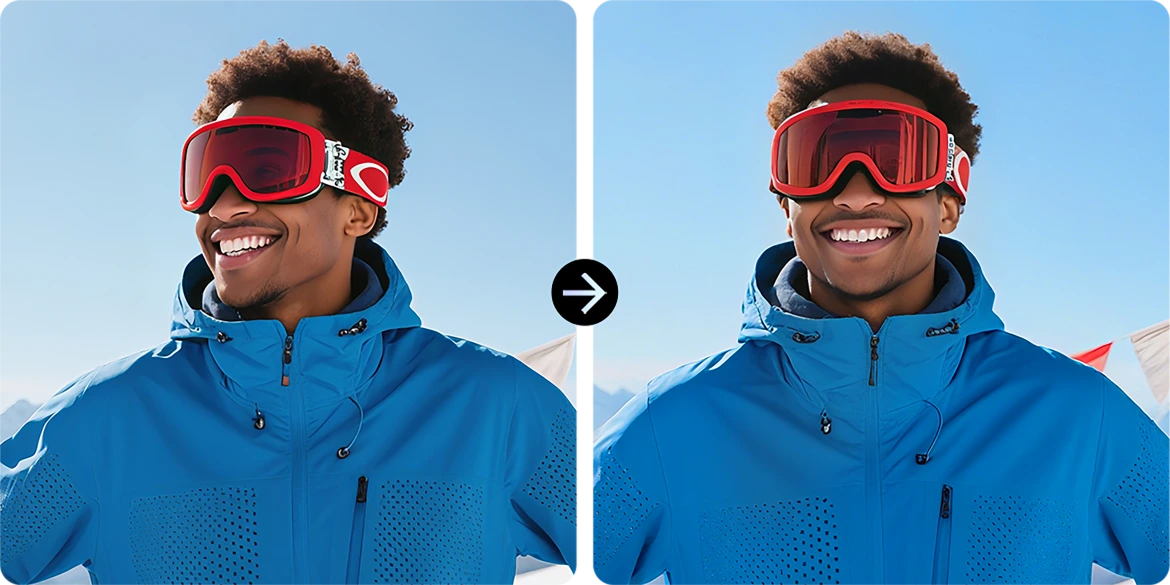
AI fotoanimasjon
Legg til subtil bevegelse i portretter — få ansikter til å bevege seg, blinke eller smile for en dynamisk effekt.
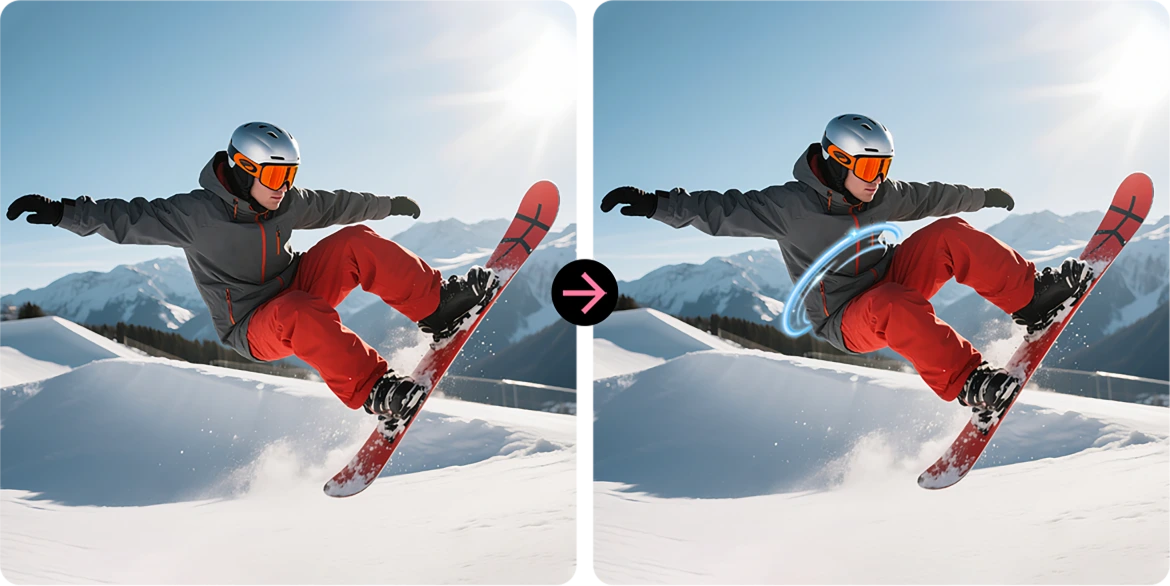
AI spiraleffekt
Legg på slående spiraloverlegg som forvandler vanlige bilder til kunst som stopper opp i feeden.
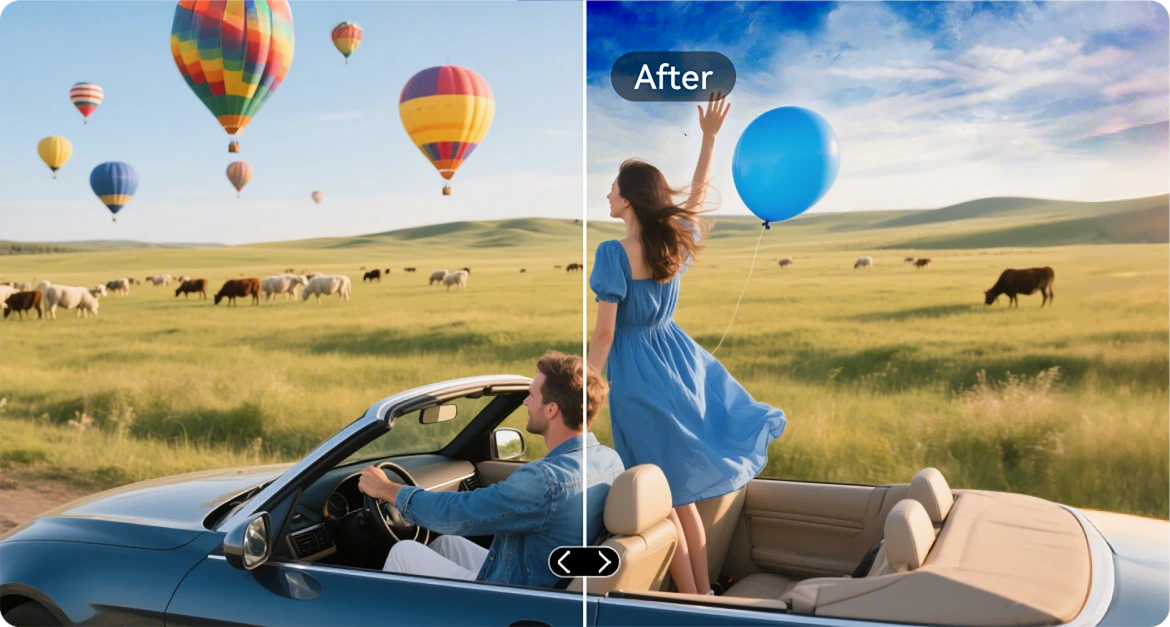
Bytt ut himmel
Oppgrader kjedelige himler med episke solnedganger, drømmende skyer eller dramatisk vær med ett enkelt trykk.
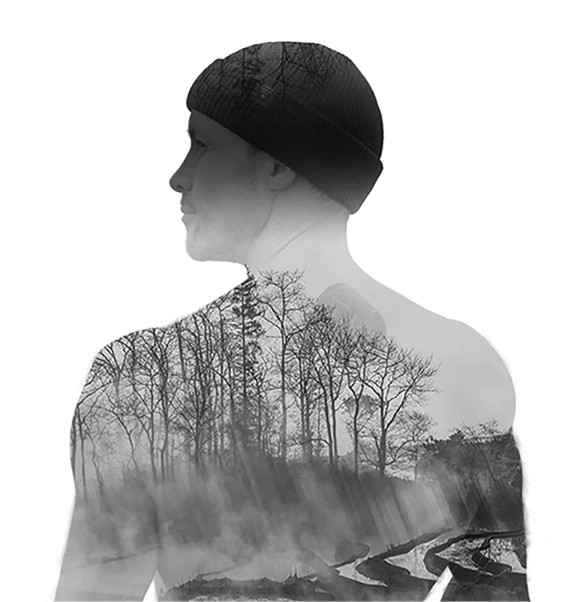
AI dobbel eksponering
Slå sammen to bilder til ett — perfekt for filmatisk stemning eller dristig historiefortelling.
AI radikal fargekontrast
Forvandle utvaskede farger til levende glans, ideelt for utendørsbelysning eller tøffe forhold.

VidGen-app
Smart AI videoredigerer
Gi liv til dine utendørs historier
Enten du klatrer, bygger, camper eller fanger hverdagen, VidGen gjør dine rå øyeblikk om til dynamiske, klare til å dele videoer med bare noen få trykk.

Gjør tekst om til video
Beskriv scenen eller ideen, og la AI bygge en levende visuell historie – fra handlingsoppsummeringer til veiledninger.

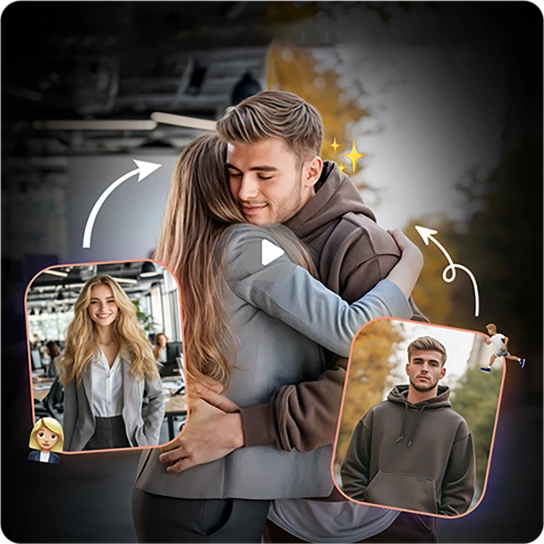
Gjør bilder om til video
Har du mange stillbilder? Se dem komme til liv når AI syr dem sammen til jevne, filmatiske minner.
Soundle-app
Smart AI-musikkomponist
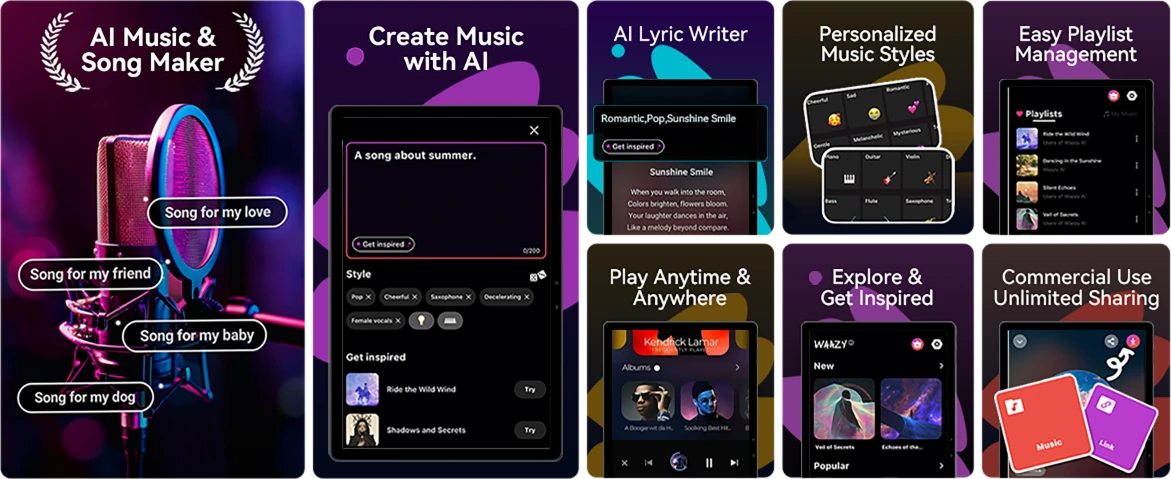
Lag musikk. Hvor som helst. Når som helst.
Ingen instrumenter? Ingen studio? Ikke noe problem. Med Soundle, din robuste telefon blir et musikkstudio, perfekt for å gjøre øyeblikk om til lydspor på farten.
Nr. 4 Glir gjennom oppgaver med Unisoc T615 Octa-core prosessor & opptil 18GB RAM & 256GB ROM & 2TB TF-lagring
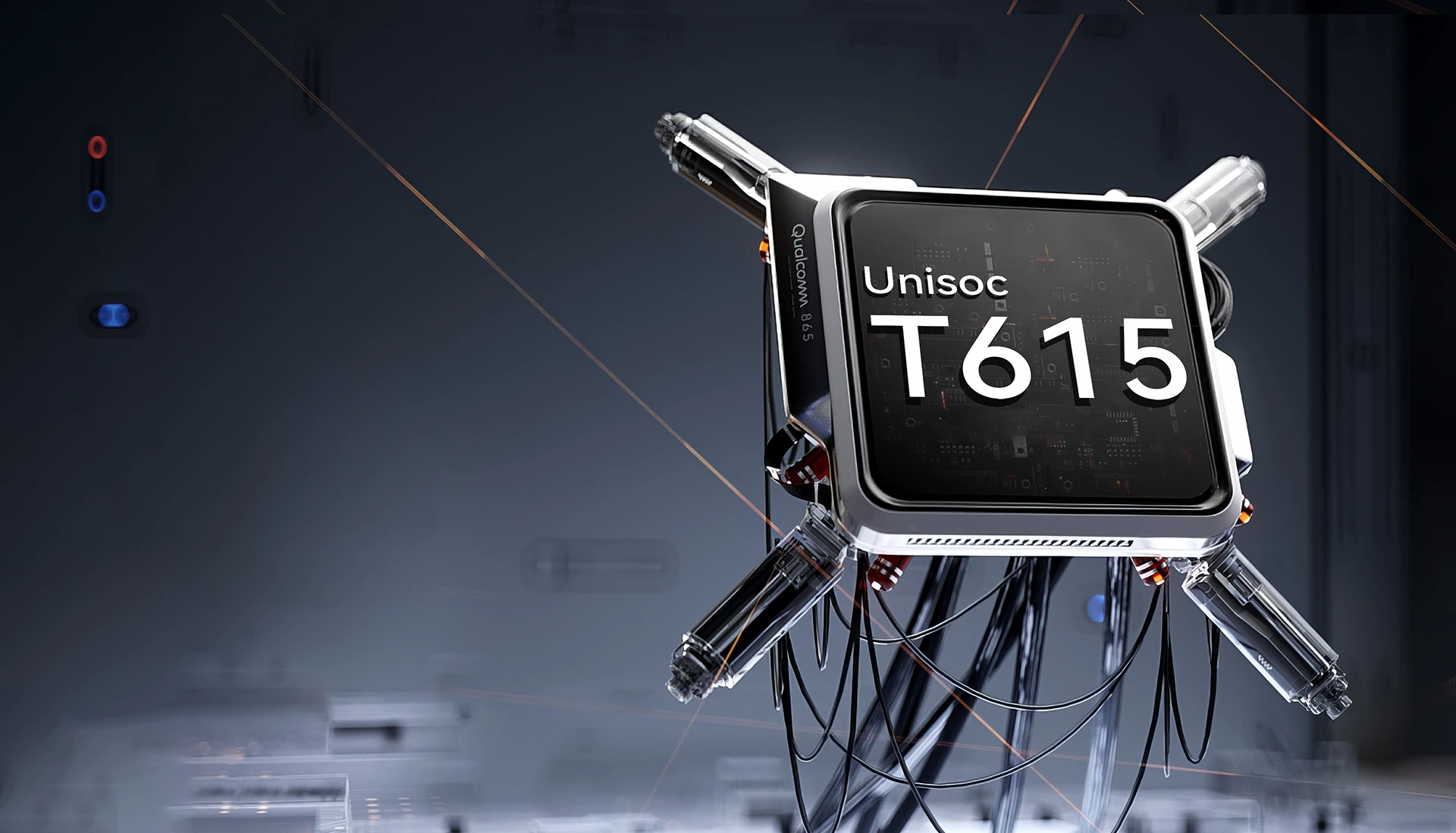
Unisoc T615 Octa-core
Prosessor
Kraft til å holde Opp
Jeven, pålitelig og effektiv. Enten du bytter mellom arbeidsapper, navigerer utenfor nettet eller ser på innhold på farten. Unisoc T615 gir deg ytelsen du trenger uten forsinkelser.
12nm EUV-prosess
optimalisert for lavere strømforbruk
2 x Cortex-A75@1.8GHz + 6 x
Cortex-A55@1.6GHz
kraftige kjerner for mer sømløs ytelse
Arm Mali-G57 GPU@850MHz
jevn grafikk og klare visuelle bilder
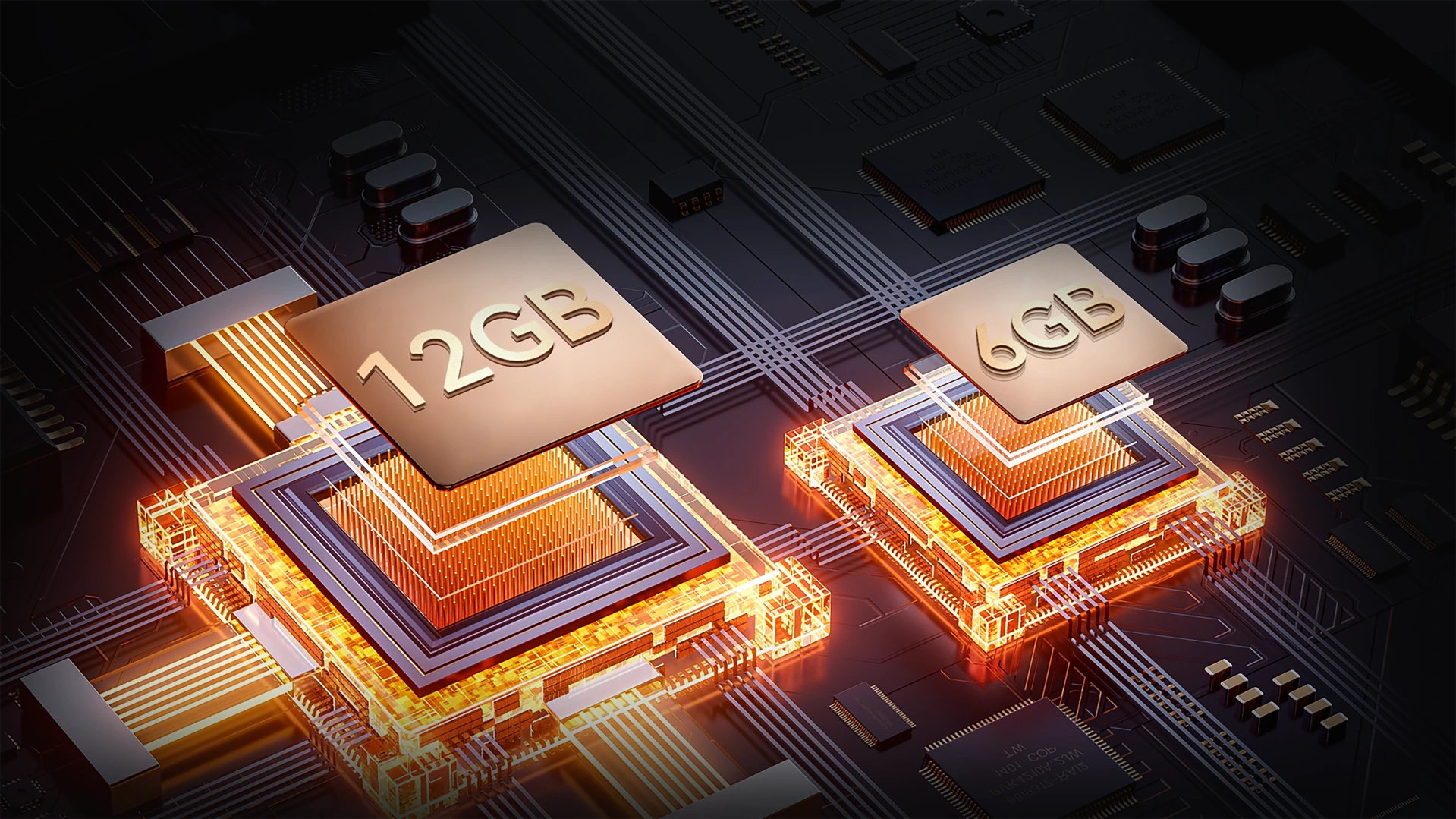
Opptil 18GB RAM (6GB + 12GB utvidelse)
Mer minne. Jevnere oppdrag.
Multitask uten problemer. Med opptil 18GB RAM håndterer FORT 1 alt fra verktøy på arbeidsplassen til underholdningsapper – raskere lasting, jevnere bytte, ingen tregheter.
Opptil 18GB RAM=
6GB RAM + 12GB utvidelse
20% Raskere responstid↑
Atomized Memory 2.0
9% Mer RAM tilgjengelig↑
256GB ROM + 2TB TF-utvidelse
Lagring som varer lenge
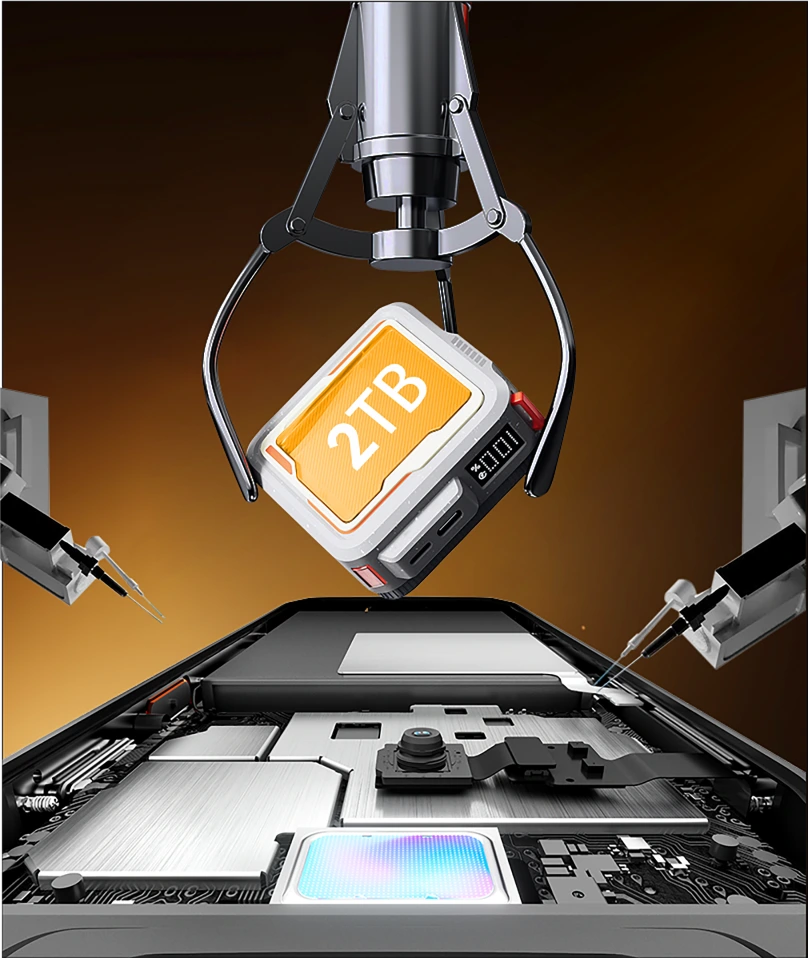
Ikke mer plassmangel på jobb eller utenfor nettet. Med 256GB innebygd og støtte for opptil 2TB TF-kort, FORT 1 lagrer alt – kart, bilder, videoer og oppdragskritiske filer – rett ved fingertuppene dine.

≈900K
+ Spor sanger

≈59,4K
+ Korte videoer

≈498,6K
+ Bilder
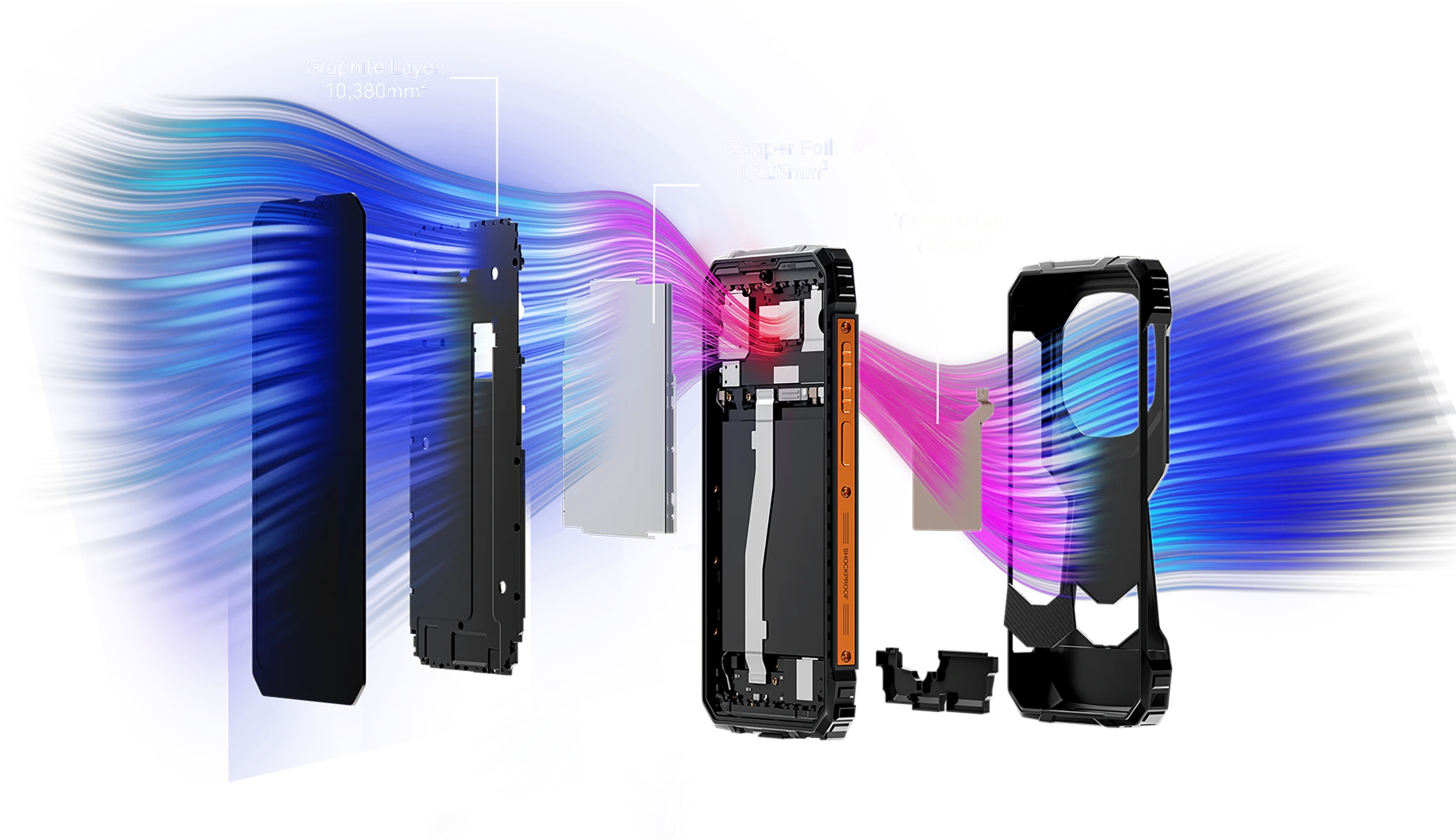
Over 12 072 mm² kjøleflate
Kjølig ytelse, ustoppelig spilling
Utstyrt med et kraftig integrert kjølesystem som dekker 12 072 mm², sikrer FORT 1 effektiv varmeavledning for vedvarende topp ytelse – selv under lange spilløkter. Si farvel til overoppheting og nyt uavbrutt spilling.
Nr. 5 IP68&IP69K& MIL-STD-810H-sertifisert
Robust kropp
Hver kant er forsterket. Hver detalj er klar for oppdrag.
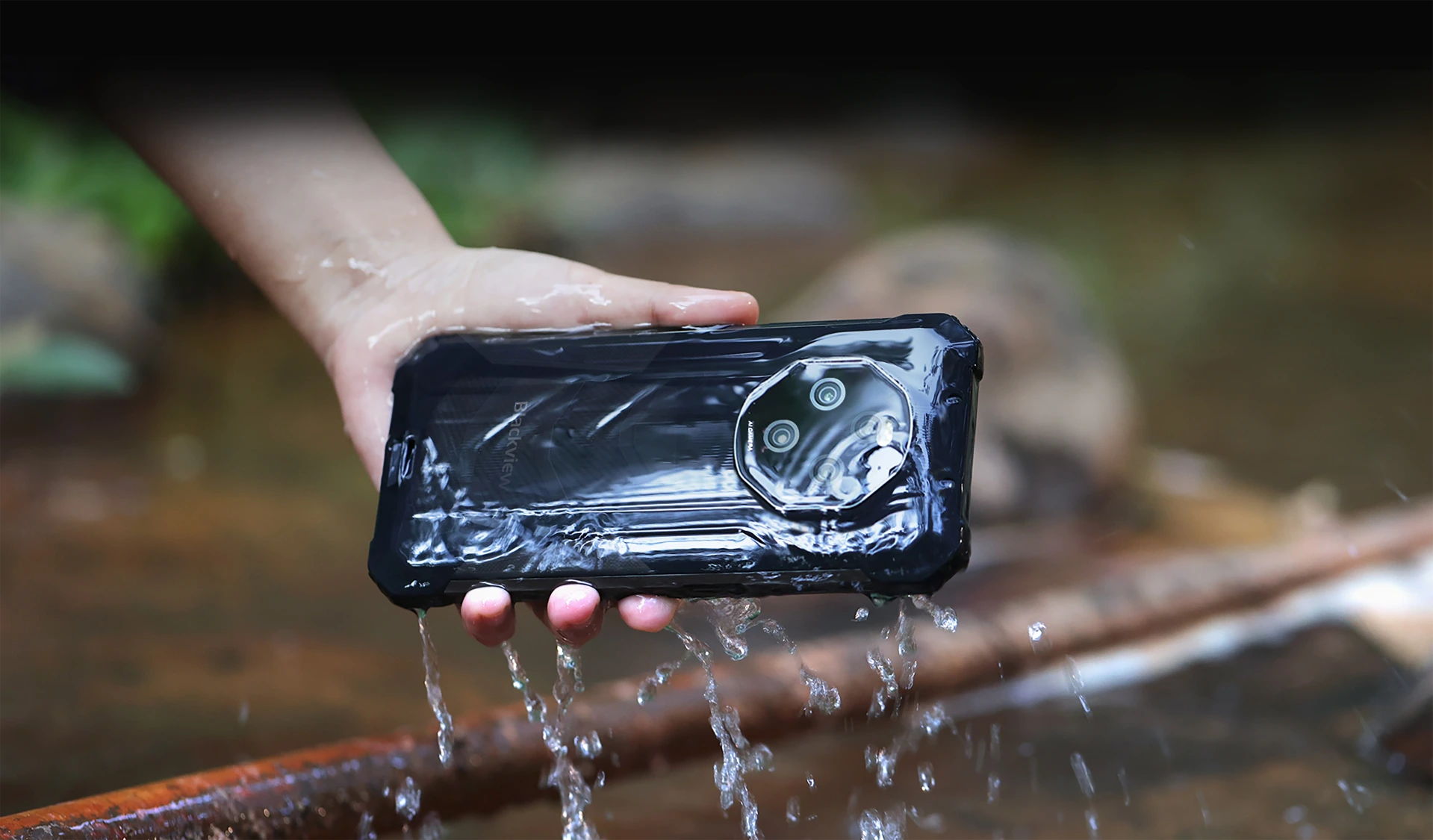
Vanntett og støvtett med IP68 & IP69K-sertifisering
Bygget for å vare. Konstruert for ytelse
FORT 1 er din ultimate robuste følgesvenn, designet for å tåle de tøffeste forholdene med IP68 & IP69K-sertifisering. Enten den er nedsenket i vann eller begravd i støv, eller utsatt for ekstreme miljøer, fortsetter FORT 1—urokkelig og kompromissløs.
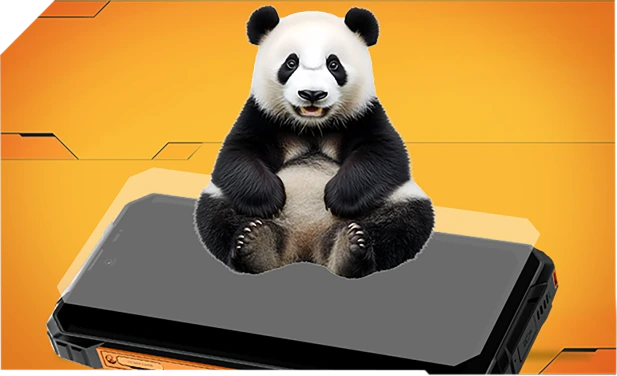
Forsterket med Panda Glass og forseglet kant-til-kant for overlegen vannmotstand—overlever til og med fall i vasker eller vaskemaskiner.
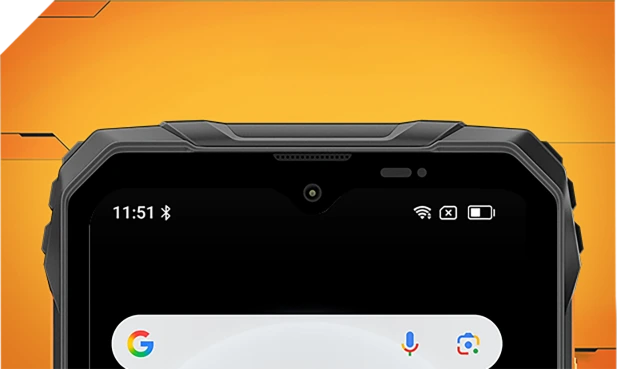
Vanntett innvendig og utvendig med raffinerte mesh-filtre—hold deg klar og tydelig uansett sprut eller storm.
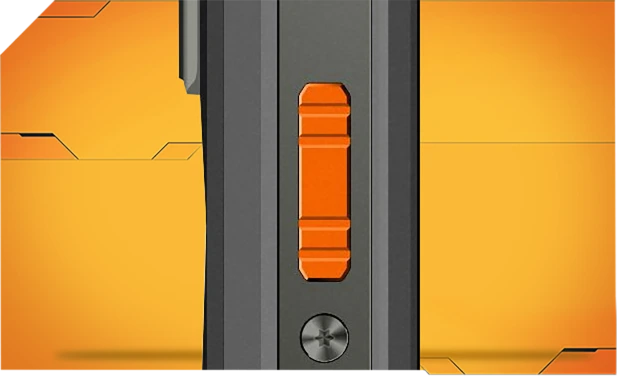
Laget av korrosjonsbestandig aluminium og forseglet med vanntette ringer for pålitelig kontroll i regn, søle eller støv.

Tett forseglet Asahi-glass holder linsene klare og tørre, selv under vann.
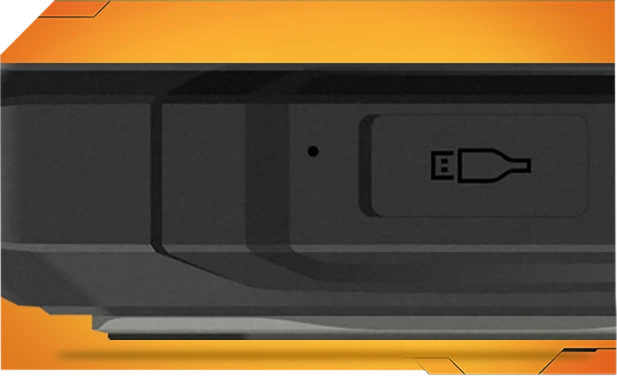
TPU-portdeksler holder ute 99 % av vann og støv—testet over 10 000 ganger for bekymringsfri utendørs bruk.
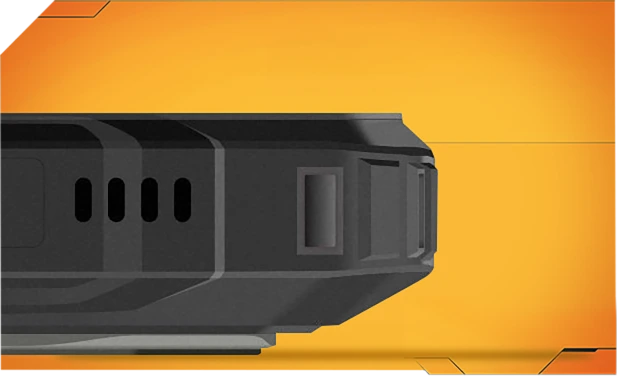
Ett trykk blåser vann og støv ut av høyttaleren med smart lydbølgeteknologi—holder lyden klar når som helst, hvor som helst.
Tøffeste MIL-STD-810H
Sertifisert robust. Klar for alt.
Testet for å møte den strenge MIL-STD-810H-standarden, er FORT 1 bygget for å overleve ekstreme forhold—varme, kulde, fuktighet, fall, støv og vibrasjoner. Enten du er på en byggeplass, en fjellsti eller ute i regnet, fortsetter den når andre gir opp.

Forsterket for de tøffeste fallene
Bygget robust fra innsiden og ut, FORT 1 tåler fall, støt og røff behandling—uten klumpete utseende.
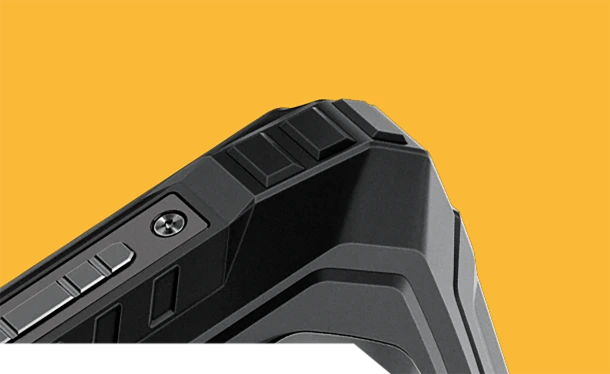
Kollisjonsbestandige hjørner
Spesielt forsterkede kanter absorberer støt der det betyr mest.
Holdbart bakdeksel
Høystyrke skall + myk gummi = seriøs støtbestandighet.


Flyklasse Metallramme
Robust aluminiumslegering, sikret med skruer—solid og stødig.
Virkelig livsresistens, hvor enn du går
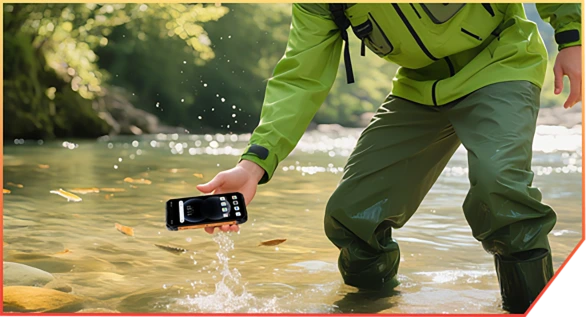
Glapp i en bekk under kanontrekking

Mist under en lagerlevering

Hoppet av steiner på en fjellsti
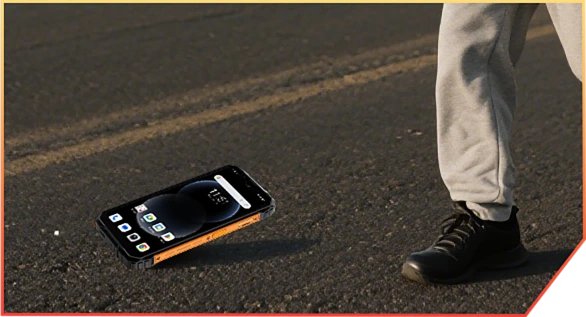
Mistet fra lastebilen på arbeidsplassen
Nr. 6 AI-drevet. Hver
Øyeblikket beholdt minneverdig
AI-magi. Hvert bilde, klart for eventyr.
Ingen filtre. Ingen nye opptak. Bare smart, robust redigering som fungerer hvor som helst—søle, støv eller fjell.
 Magisk viskelær
Fjern folkemengder, rot eller kaos med ett trykk. Behold bare det som betyr noe.
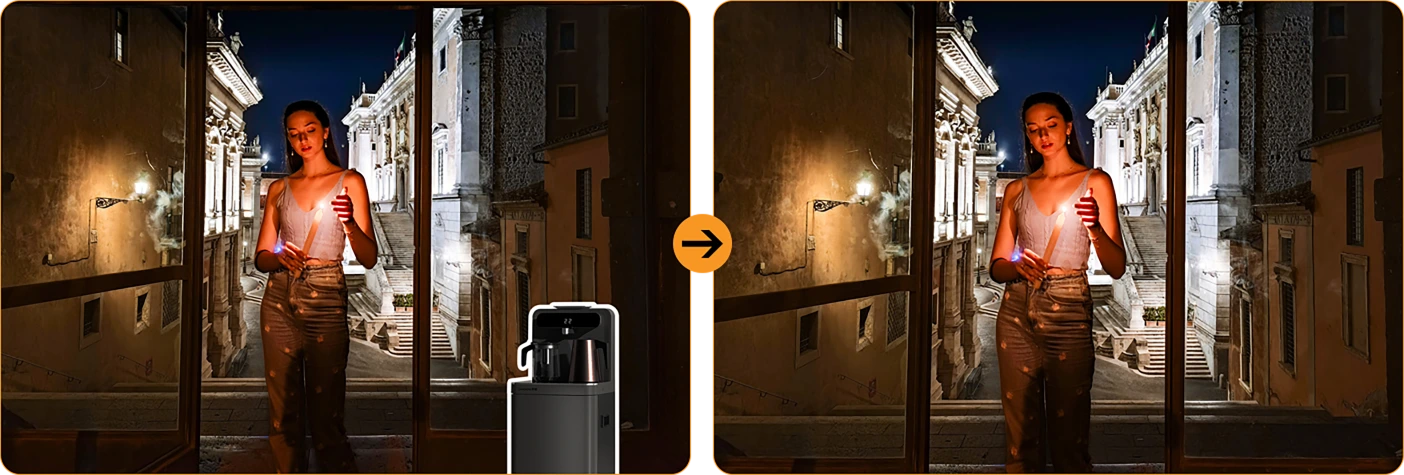
 Ett-trykk himmelutskifting
Regnvær? Dystre himler? Bytt dem ut med solskinn, stjerner eller dramatisk storm.

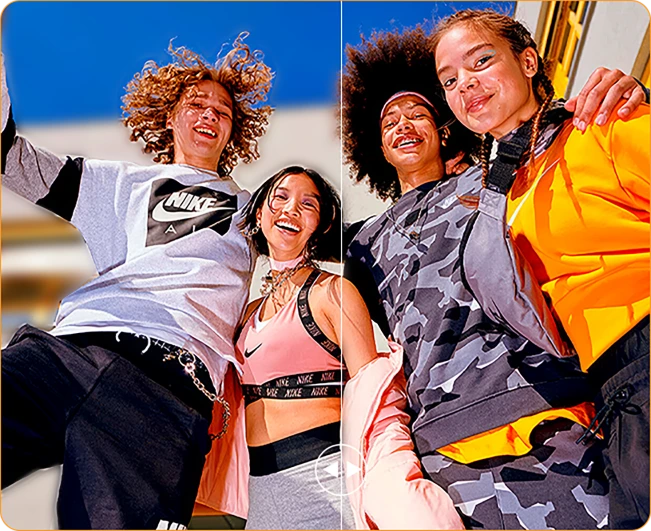

Portrettuskarphet
Få gjengen til å poppe—uskarp bakgrunnen,
ikke øyeblikket.
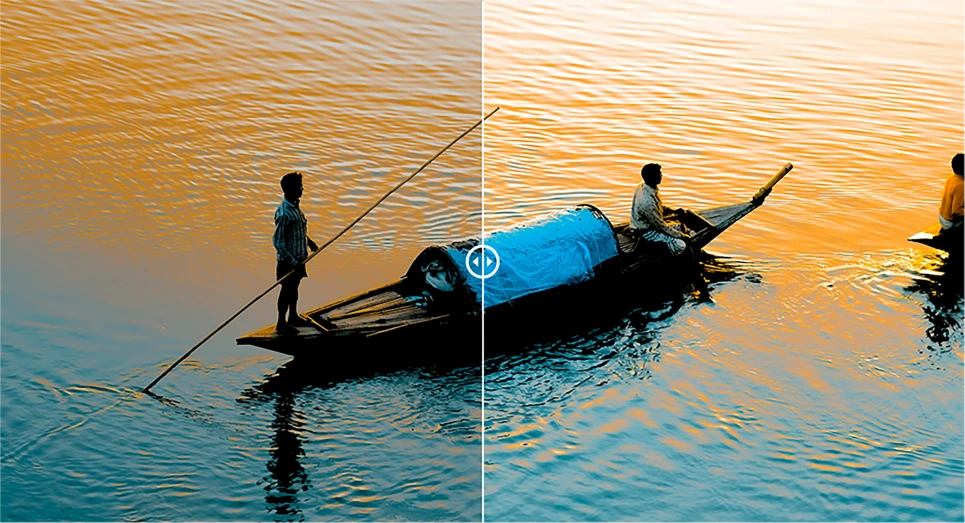
 Fokus på farge
Dempe rotet, fremheve stemningen din. Det dristige skiller seg bedre ut.
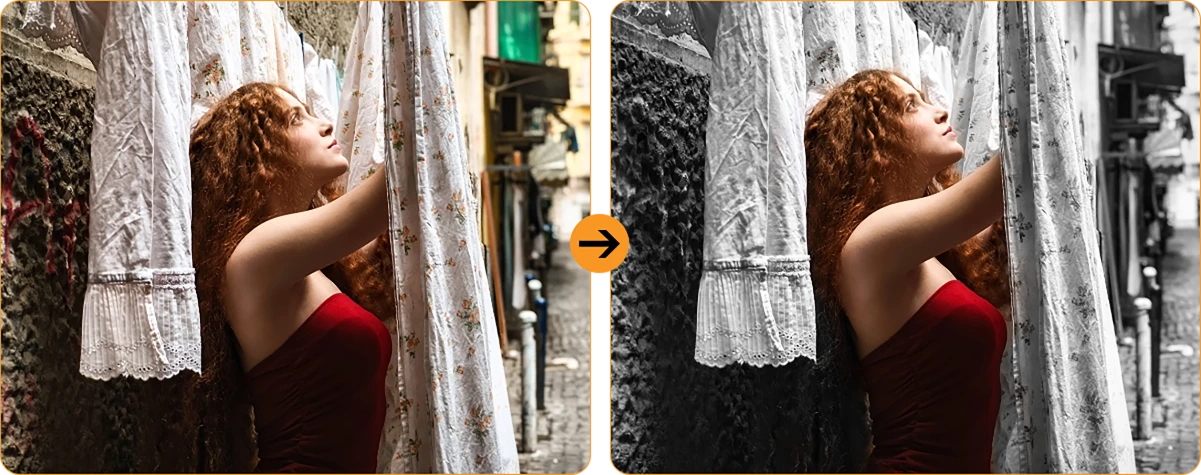
 Foto Uskarphet
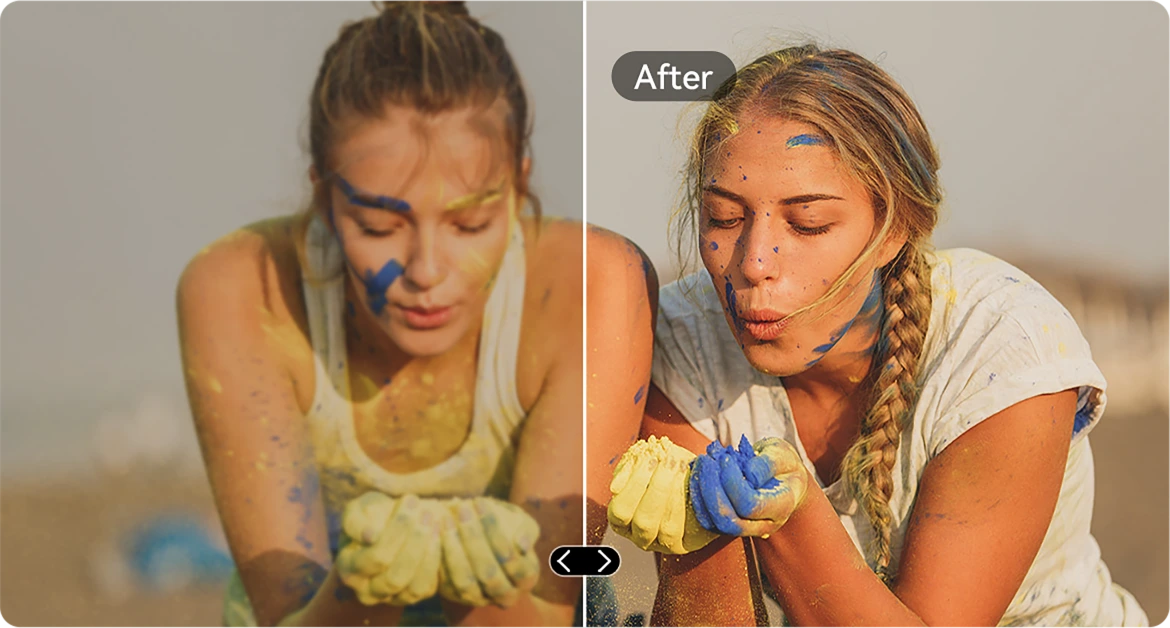
Skjelvende hender? Støvete linse? AI skjerper det som om det aldri skjedde.
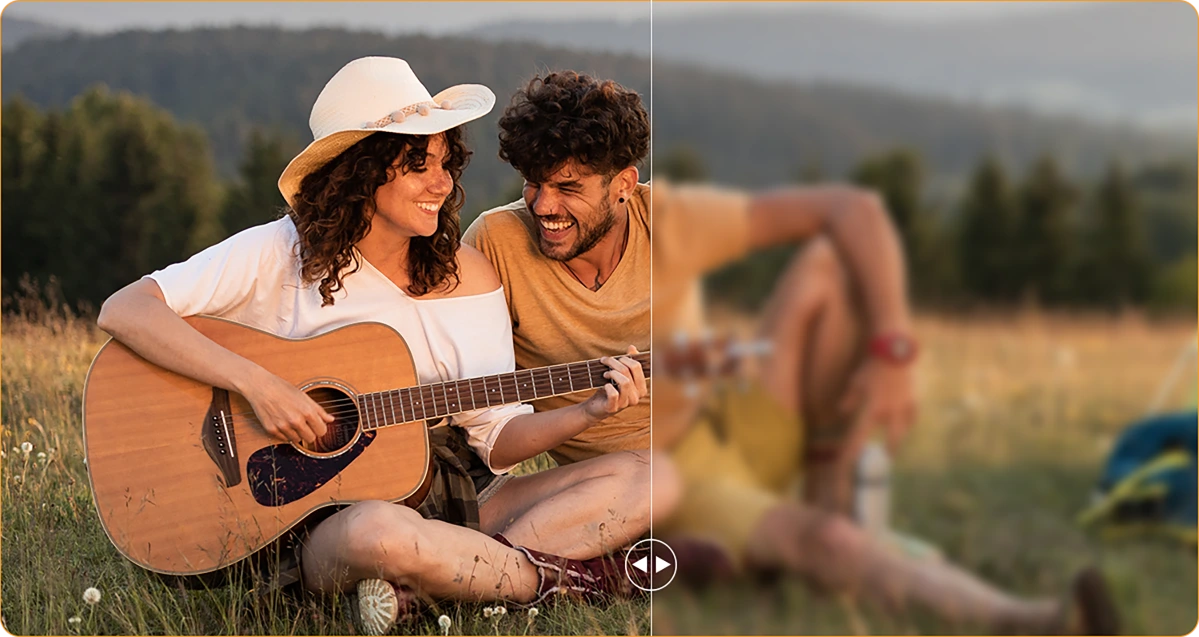
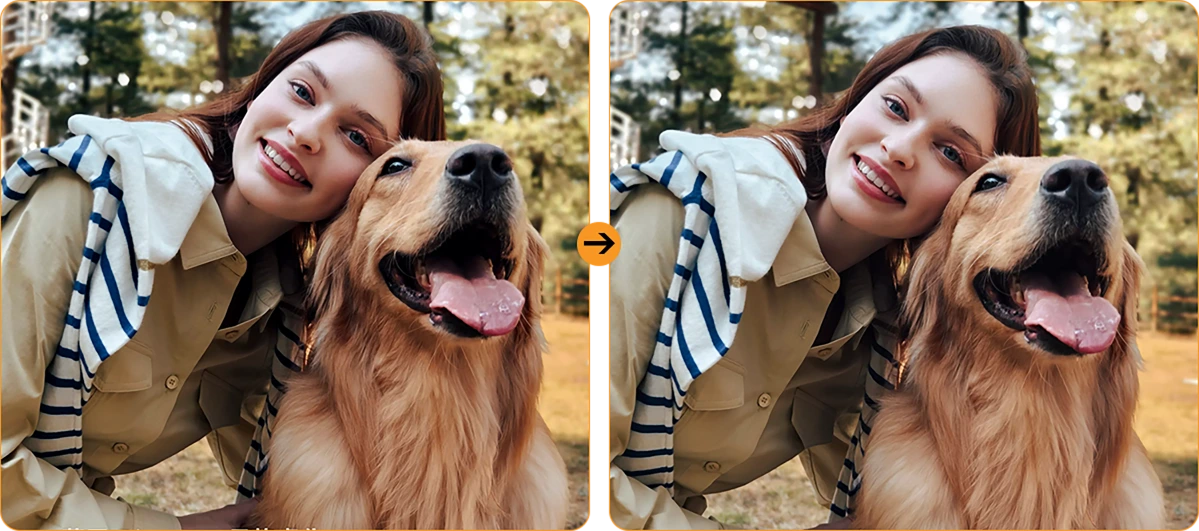
Portrettlys
Lite lys, ikke noe problem. Du holder deg opplyst—selv i skumringen eller under leirbålgløden.
16MP AI hovedkamera
Klare bilder. Ekte øyeblikk.
Fra detaljer på arbeidsplassen til helgeeventyr, fanger 16MP AI hovedkamera alt—skarpt, levende og klart til å deles. Ingen styr, bare flotte resultater hver gang du klikker.

16MP AI hovedkamera
Klare bilder. Ekte øyeblikk.
Fra detaljer på arbeidsplassen til helgeeventyr, fanger 16MP AI hovedkamera alt—skarpt, levende og klart til å deles. Ingen styr, bare flotte resultater hver gang du klikker.


Ansiktsfyllingslys
ansiktet fylles med lys
Naturen lyser ikke opp når
Glem mørke, kornete selfies. Med innebygd Face Fill Light holder ansiktet ditt seg lyst og klart—selv i svakt lys, motlys eller helt mørkt.
HDR
Balansert & naturtro
Høy dynamisk rekkevidde (HDR) fanger alle detaljer—forbedrer kontrast, farge og lys slik at bildene dine skiller seg ut, selv i utfordrende lysforhold.
Portrett
Dybde som fanger oppmerksomhet
Få motivet ditt i skarp fokus med bakgrunnsuskarphet som gir dybde og drama—drevet av AI for det perfekte proffutseendet.

Skjønnhet
Se frisk ut, føl deg naturlig
Jeven hud, lysere tone og et snev av AI-magi—perfekt for raske selfies som fortsatt føles ekte.
Natt
Lyse netter, klare detaljer
Fang natten uten støy. Automatisk forbedret eksponering gir skarpe, levende scener, selv i svakt lys.

Nr.7 nyeste DokeOS 4.2
Basert på Android 15
| Modell | FORT 1 |
| Farge | Svart, oransje, grønn |
| Dimensjon | 176.15 * 80.1 * 17.5mm |
| Vekt | 390g |
| OS | DokeOS 4.2 basert på Android 15 |
| Skjerm | 6,56-tommers HD+ IPS, 720 * 1612 oppløsning 90Hz oppdateringsfrekvens, 83 % skjerm-til-body-forhold |
| CPU | Octa-core Unisoc Tiger T615 |
| RAM & ROM | 6GB RAM & 256GB ROM, opptil 12GB utvidelse 4GB RAM & 128GB ROM, opptil 8GB utvidelse LPDDR4X + eMMC 5.1 |
| TF-utvidelse | Opptil 2TB utvidelse |
| Batteri | 10000mAh; 18W hurtiglading |
| Frontkamera | 8MP |
| Bakre kamera | 16MP hoved + 2MP dybde |
| Høyttaler | 1 stk Smart-K Box-høyttaler |
| Navigasjon | GPS+GLONASS+Galileo+Beidou |
| Kortspor | Tre; 2*nano SIM + 1*TF-kort |
| NFC | Støtte |
| Dobbelt 4G VoLTE | Støtte |
| Wi-Fi & Bluetooth | IEEE802.11 a/b/g/n/ac; BT 5.2 |
| Nettverkstilkobling | 2G-bånd: B2/B3/B5/B8 3G-bånd: B1/B2/B4/B5/B8 4G-bånd: FDD:B1/B2/B3/B4/B5/B7/B8/B12 B13/B17/B19/B20/B26/B28A/B28B/B66 TDD:B40/B41 |
| Modell | FORT 1 |
| Farge | Svart, oransje, grønn |
| Dimensjon | 176.15 * 80.1 * 17.5mm |
| Vekt | 390g |
| OS | DokeOS 4.2 basert på Android 15 |
| Skjerm | 6,56-tommers HD+ IPS, 720 * 1612 oppløsning 90Hz oppdateringsfrekvens, 83 % skjerm-til-body-forhold |
| CPU | Octa-core Unisoc Tiger T615 |
| RAM & ROM | 6GB RAM & 256GB ROM, opptil 12GB utvidelse 4GB RAM & 128GB ROM, opptil 8GB utvidelse LPDDR4X + eMMC 5.1 |
| TF-utvidelse | Opptil 2TB utvidelse |
| Batteri | 10000mAh; 18W hurtiglading |
| Frontkamera | 8MP |
| Bakre kamera | 16MP hoved + 2MP dybde |
| Høyttaler | 1 stk Smart-K Box-høyttaler |
| Navigasjon | GPS+GLONASS+Galileo+Beidou |
| Kortspor | Tre; 2*nano SIM + 1*TF-kort |
| NFC | Støtte |
| Dobbelt 4G VoLTE | Støtte |
| Wi-Fi & Bluetooth | IEEE802.11 a/b/g/n/ac; BT 5.2 |
| Nettverk Tilkobling | 2G-bånd: B2/B3/B5/B8 3G-bånd: B1/B2/B4/B5/B8 4G-bånd: FDD:B1/B2/B3/B4/B5/B7/B8/B12 B13/B17/B19/B20/B26/B28A/B28B/B66 TDD:B40/B41 |
• EU-pakke: Strømadapter ikke inkludert
• Ikke-EU-pakke: Strømadapter inkludert

Who is the Blackview FORT 1 rugged phone designed for?
The Blackview FORT 1 suits construction workers, maintenance technicians, farmers, delivery personnel, and outdoor enthusiasts who enjoy camping or hiking. It is also an excellent choice for those who frequently work in dusty or rainy environments and require a device for communication, navigation, and daily tasks.
With its high-capacity battery and rugged, durable build, it helps users stay connected, access work-related information, take photos, and use navigation tools in their everyday lives.
How does the Blackview FORT 1 perform when switching between everyday apps?
The Blackview FORT 1 is capable of handling everyday tasks, such as sending and receiving messages, managing emails, using navigation, and browsing the web—for instance, checking an email, switching to reply, and then returning to your browser. However, it may respond more slowly when running demanding applications, such as large-scale games.
If you notice a significant slowdown when switching between apps, first check whether there are any background tasks—such as downloads, software updates, or resource-intensive applications—running. You may want to wait for these tasks to finish or try restarting your phone.
Does the Blackview FORT 1 have a 10,000mAh battery?
Yes. The Blackview FORT 1 is equipped with a large-capacity 10,000mAh battery. This provides an ample power reserve for tasks such as making calls, sending and receiving messages, navigation, and entertainment—ideal for situations where you are away from charging facilities for long periods or unable to charge while working.
Actual battery life depends on how the device is used. Activities such as continuous navigation, gaming, using high screen brightness, or operating in areas with weak mobile signal will consume more power. Before embarking on a long trip, it is recommended to fully charge the phone and consider whether you need to bring a power bank, depending on the duration of your journey.
What charging speed does the Blackview FORT 1 support?
The Blackview FORT 1 supports wired charging at up to 18W (requires a compatible charger and cable). Even if a charger with a higher power rating is used, the charging speed will not exceed 18W.
Charging speed will gradually slow down as the battery nears full capacity. Using the phone while it is charging, or charging it in a high-temperature environment, may extend the time required for a full charge. Furthermore, given the device's large 10,000mAh battery, a full charge will take some time; please ensure you allow sufficient time if you intend to fully charge the phone before heading out.
Can I use the Blackview FORT 1 to charge other devices?
Yes. The Blackview FORT 1 supports 5W OTG reverse charging, so you can power compatible devices via a wired connection. This is useful for topping up other phones or small accessories when a power outlet isn't available.
Simply connect the devices using an appropriate OTG adapter and charging cable, then verify that charging has begun. With an output power of 5W, this feature is best suited for emergency charging. Please note that this will consume the FORT 1’s own battery, so ensure you retain enough power for your own essential needs, such as making calls or using navigation.
Is it normal for Blackview FORT 1 to get warm while charging?
It is normal for the device to generate some heat during charging, as the process itself produces thermal energy. Using the phone—such as watching videos, using navigation, or running other applications—while it is charging will cause it to heat up further.
We recommend using a compatible charger and cable, and charging the device in a cool environment. If the phone becomes excessively hot or displays a temperature warning while charging, please disconnect it from the power source and allow it to cool down before further use.
Does the Blackview FORT 1 come with a power adapter?
Included accessories depend on the regional version purchased. The EU version does not include a power adapter, while non-EU versions do. Please check your order details to confirm the specific version and plug type you selected.
If your version does not include an adapter, you can use an existing compatible charger or purchase one separately. To ensure the phone charges at its maximum speed, it is recommended to use a charger and cable that support 18W charging.
What can the Blackview FORT 1’s AI assistant help me with?
The AI assistant on the Blackview FORT 1 can help answer questions, explain information, and assist with daily tasks through text or voice interaction. It can also launch applications, adjust system settings, and provide support based on the content currently displayed on the screen.
To get more accurate results, be clear and specific about your needs—for example, you can ask it to explain complex topics in simpler, more accessible terms, or to help you organize your thoughts. Always verify key information before relying on its answers or taking action based on its suggestions.
What does the Blackview FORT 1’s adaptive 90Hz refresh rate do?
The adaptive refresh rate feature automatically toggles between 60Hz and 90Hz based on your current activity. At 90Hz, scrolling and animations appear much smoother; in scenarios where high fluidity isn't required, the refresh rate drops to help reduce screen power consumption.
This difference is most noticeable when browsing the web, checking messages, or navigating through app menus—it enhances the smoothness of on-screen motion. Please note that not all games can run at 90 frames per second (FPS); gaming performance depends on the specific application and the phone's hardware capabilities.
Can I use the Blackview FORT 1’s touchscreen while wearing gloves?
Yes. The Blackview FORT 1 supports "Glove Mode 2.0," allowing you to operate the touchscreen even while wearing gloves. This is highly practical for outdoor work—for instance, when you need to quickly answer calls, check messages, or look up navigation routes.
You can enable "Glove Mode" in the phone's settings and test it using the gloves you typically wear. Touch responsiveness may vary depending on the material and thickness of the gloves; Thicker gloves or those with heavy insulation might affect the precision of your interactions.
What protection does the Blackview FORT 1 offer for outdoor work?
The Blackview FORT 1 features IP68 and IP69K ingress protection ratings and complies with the MIL-STD-810H testing standard, providing effective resistance against dust, moisture, and impacts encountered during outdoor work.
When using the device, ensure that the SIM card tray and all protective covers are securely closed. If the device sustains a severe impact, check for any visible damage. If the phone gets wet, ensure the charging port is completely dry before attempting to charge it. Additionally, please note that protective seals may wear down over time; therefore, even with a rugged device like this, careful handling during daily use is still recommended.
Is the Blackview FORT 1’s camera suitable for photographing documents and equipment?
Yes, it is. The Blackview FORT 1 features a 16MP main camera, which is well-suited for everyday tasks such as documenting paperwork, equipment, labels, or work progress—delivering the best results in well-lit environments. When capturing content that includes text or fine details, ensure your composition is clear and the focus is sharp.
When photographing documents, keep the phone parallel to the page to avoid shadows or reflections. When photographing equipment, it is recommended to first take an overall shot, followed by close-up shots of specific details you need to record.
How can I manage unwanted notifications on the Blackview FORT 1?
First, identify which application (app) is sending the notifications. You can then long-press the notification to access control options, or navigate to the notification management page for that specific app within "Settings." From there, you can disable certain categories of notifications while keeping important alerts enabled.
For promotional messages, check the recommendation or marketing settings within the app itself. If you cannot locate the notification controls, or if unwanted alerts continue to appear, please contact our customer support team—be sure to include a screenshot, the name of the app, and the software version.
What should I do if the Blackview FORT 1’s speaker sounds distorted or cuts out?
First, try playing different audio clips in various applications to determine whether the issue affects all sound or is limited to a specific app. Also, check to see if the audio is being routed to a connected Bluetooth device instead of the phone’s built-in speaker.
Additionally, try setting the volume to a moderate level, ensure that the speaker openings are not obstructed, and restart your phone. If the issue—such as sound distortion or interruptions—persists across multiple applications, you may want to have the device inspected by a professional.
Jump to another section