



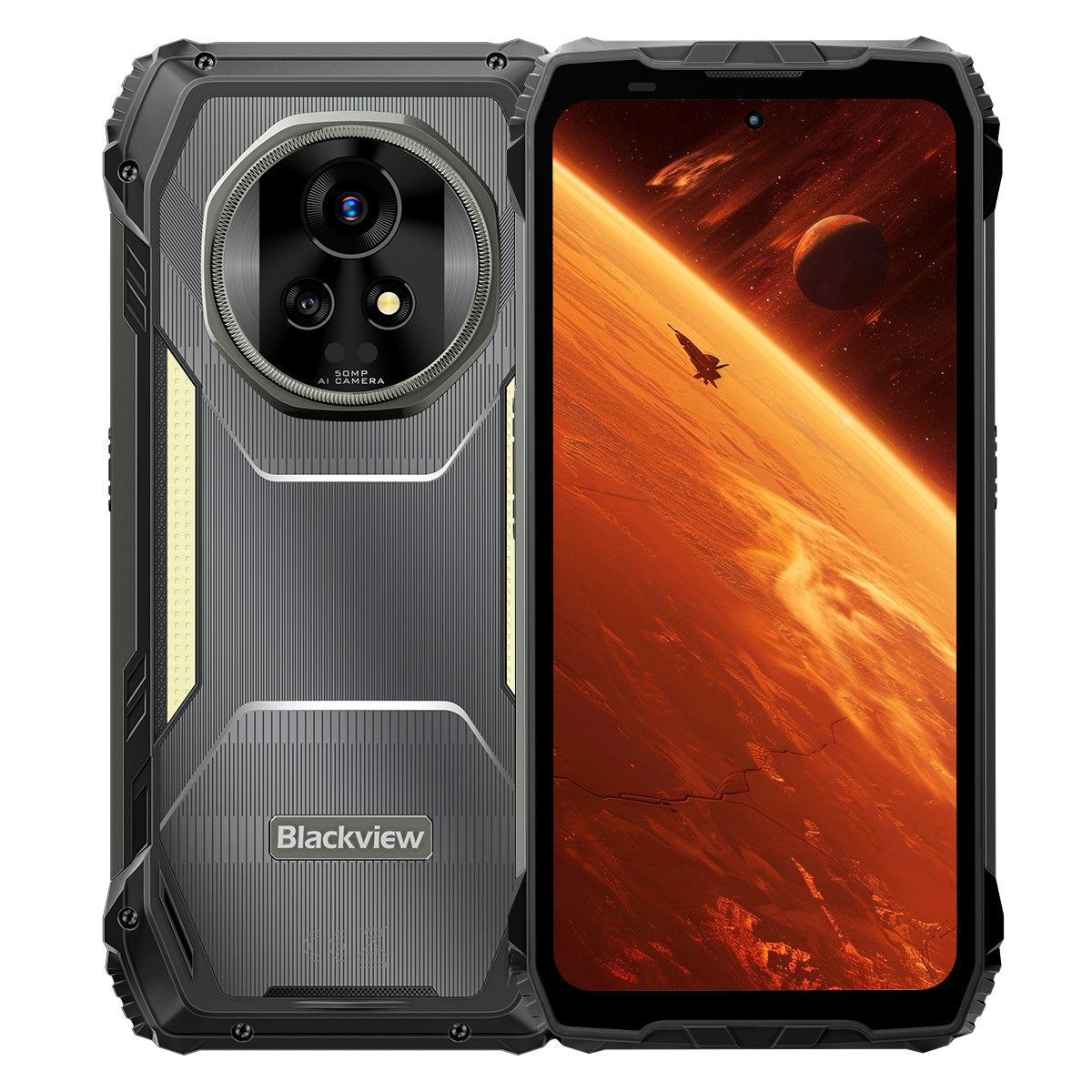


Blackview XPLORE 2 6.73인치 3.2K AMOLED 디스플레이 12+256GB 또는 16+1TB Dimensity 8300 20000mAh 467LM 캠핑 조명 5G AI 러기드폰

재고 있음 (41)
주요 특징
주요 특징
✔6.73" 120Hz 3.2K LTPO AMOLED 디스플레이
✔내장 467 루멘 듀얼 캠핑 라이트
✔MediaTek Dimensity 8300 4nm 5G 옥타코어 & WiFi 6E
✔20000mAh 배터리 및 120W 고속 충전
✔50MP 메인+20MP 야간 투시 카메라
✔IP68 & IP69K & MIL-STD-810H 인증
✔eSIM 지원
정보
정보
Blackview XPLORE 2는 최상급 디스플레이 품질, 긴 배터리 지속 시간, 전문적인 야외 활용성을 원하는 사용자를 위해 설계된 견고한 5G 플래그십입니다. 6.73인치 120Hz 3.2K AMOLED 화면, Dimensity 8300 프로세서, WiFi 6E, 그리고 120W 고속 충전을 지원하는 대용량 20,000mAh 배터리로 업무, 내비게이션, 미디어, 여행에 강력한 성능을 제공합니다. 50MP 메인 카메라, 20MP 야간 투시 카메라, 467루멘 캠핑 라이트, eSIM 지원, IP68 및 IP69K 방수·방진, MIL-STD-810H 내구성으로 까다로운 현장 환경에도 완벽히 대비되어 있습니다.
브랜드 소개
브랜드 소개
Blackview는 훌륭한 기술이 인상적인 사양을 뛰어넘어야 한다고 믿습니다. 실생활에 잘 맞고, 실제 문제를 해결하며, 가장 중요한 순간에도 믿고 쓸 수 있어야 합니다.
Blackview는 거친 환경에 맞춰 설계한 러기드폰으로 시작했습니다. 오늘날에는 스마트폰, 태블릿, 노트북, 스마트워치, 오디오 제품 등을 비롯한 더욱 폭넓은 스마트 기기 생태계를 제공합니다.
어떤 제품군에서든 우리의 초점은 같습니다. 튼튼한 품질, 실용적인 혁신, 합리적인 가격입니다. 처음부터 믿음직하게 느껴지는 제품을 설계합니다.
고객이 가장 중요하게 여기는 것이 무엇인지 잘 알고 있습니다. 원활한 성능, 오래가는 신뢰성, 유용한 기능, 불필요한 비용 없이 일상을 더 편리하게 해주는 기술입니다.
그래서 Blackview는 제품 테스트, 사용자 경험, 업무와 여행, 창작 활동, 야외 탐험, 일상 속 소통에 실질적인 가치를 더하는 기능에 세심한 주의를 기울입니다.
Blackview는 믿고 쓸 수 있는 기술을 원하는 사람들을 위해 만들어졌습니다. 현대인의 생활에 맞춰 함께할 수 있도록 스마트하고 성능이 뛰어난 기기를 만듭니다.
믿음직하게 설계했습니다. 실용성을 추구합니다. 일상에 꼭 맞게 만들었습니다.
배송 및 반품
배송 및 반품
• 배송: 선판매 제품을 제외한 주문은 일반적으로 처리에 영업일 기준 약 2~7일이 소요됩니다. 배송 기간은 공휴일이나 비영업일을 제외한 영업일 기준입니다. 배송 기간은 배송 방법에 따라 달라집니다.
• 반품: 휴대전화가 사용되지 않았고 손상되지 않았으며 모든 기본 구성품이 포함된 경우 배송일로부터 14일 이내에 반품을 요청할 수 있습니다. 제품 결함은 구매 후 한 달 이내에 점검을 거쳐 교환, 환불 또는 무상 수리 대상이 될 수 있습니다. 단, 오용, 낙하, 침수, 분해 또는 무단 개조로 인한 손상은 보증 대상이 아닙니다.


세계 최초 3.2K AMOLED 5G
AI 러기드 아머 플래그십
정상을 향해 태어나고, 야생을 위해 만들어지다.
6.73인치 3.2K AMOLED 120Hz 디스플레이 | HDR의 놀라운 영상 | 듀얼 50MP Samsung® 카메라+20MP 나이트 비전| 듀얼 손떨림 방지(OIS + EIS) | 5G 4nm Dimensity 8300 | 48GB LPDDR5X 및 1TB UFS4.0 + 최대 2TB TF 확장 | 20000mAh 대용량 배터리 및 120W 초고속 충전
Blackview를 선택해야 하는 9가지 이유
XPLORE 2

업계 최고 수준의 내구성
최고 수준의 군용 등급 MIL-STD-810H
6미터 낙하 저항 | 500kg 초고하중 | -20°C~+60°C 극한 온도 내성

방수 보호의 정점
최고 수준의 IP69K 및 IP68 방어력
한 번 터치로 먼지와 물 배출 | AI 빗속 터치| 수중 촬영
2m 수심에서 30분간 침수 방지 | 80℃ 끓는 물에서도 견디는 내구성

밤의 수호자
467lm 캠핑 조명
더 밝은 조명 | 경고 및 방어를 위한 강력한 스트로브 | 긴급 상황 즉시 SOS 신호

혁신적인 스테레오 사운드
듀얼 2W Smart-K 박스 스테레오 스피커
최대 316% 더 강력한 스테레오 사운드로 어디서나 몰입감 넘치는 오디오를 즐겨보세요.

적외선 리모컨
단 몇 초 만에 휴대폰을 만능 리모컨으로 바꿔보세요!

시각의 한계를 넘어
동급 최강의 6.73인치 3.2K HDR 디스플레이
업계 최고 수준의 최대 밝기 2600니트 | 1~120Hz LTPO 적응형 주사율 | 1920Hz 고주파 디밍 | TÜV SÜD 저청색광 인증

최고의 이미징
듀얼 50MP 삼성® AI 카메라 | 20MP 나이트 비전 | 울트라 HDR | OIS & EIS
시네마틱 4K HDR10+ 동영상 촬영 | 모션 트래킹 | 8배 줌

진화의 정점에 선 성능
최상급 5G Dimensity 8300 칩 | 16GB LPDDR5X RAM + 32GB 확장 | 1TB UFS4.0 ROM
1,339,275
AnTuTu 점수
 84%
전반적인 성능

차세대 연결성
WiFi 6E + 듀얼 5G 지원
3배 더 빠른 속도
즉시 로딩. 끊김 없는 스트리밍.
진정한 글로벌 연결

업계 최초
eSIM 지원 러기드 스마트폰
로밍 요금 최대 90% 절약 | 실물 SIM 카드 불필요 | 통신사 변경의 자유

배터리 파워의 제왕
역대 러기드폰 최대 배터리
20,000mAh 대용량 듀얼 셀 배터리 | 최대 75일 초장기 대기 시간 | 120W 초고속 충전 | 10W 역충전

업계 유일의 자체 개발
세계 3대 AI 모델을 하나로.
음성 인증 및 핸즈프리 제어

업계 유일의 자체 개발
Android 15 기반의 완전히 새로운 DokeOS 4.2

모든 상황에 맞춘 스마트 업그레이드

업계 유일의 애프터서비스 약속
강인함의 재정의
최고 수준의 러기드 보호 기능.
업계 최고 수준의 러기드 인증
군용 등급 MIL-STD-810H 및 IP68/IP69K 인증을 받은 XPLORE 2는 낙하, 먼지, 물, 압착으로부터 최상의 보호 기능을 제공하며, 러기드 내구성의 새로운 기준을 제시합니다.

6미터
진정한 낙하 방지
어떤 각도, 어떤 표면에서든 최대 6미터 높이에서 떨어져도 견딥니다.1

IP6X
진정한 방진
모래, 먼지, 산업용 미립자로부터 완벽하게 보호합니다.

IPX9K
진정한 방수
고온·고압 분사, 물 튀김, 침수에도 견딥니다.

MIL-STD-810H
진정한 내압성
극한의 압축과 충격, 험한 환경을 견딥니다.
업계 최고 수준의 내구성
어느 방향에서도 부서지지 않는 강인함
그 어느 때보다 강력합니다. 내부와 외부를 강화해 낙하, 압착력, 극한 온도를 견딥니다.
6미터
낙하 저항
차원이 다른 낙하 내구성
1.5미터
데스 드롭
수직 낙하에도 견디는
500kg
하중 용량
초고중량 압력 견디기2
-20°C~+60°C
극한 온도
넓은 작동 범위

다음 극한 테스트로 입증

초강력 내구성 설계
업계 최초
ArmorShield 구조
XPLORE 2는 5중 레이어 ArmorShield 설계를 채택했으며, Gorilla® Glass 5와 항공우주 등급 알루미늄-티타늄 합금으로 강화되어 전방위 내구성을 제공합니다.
5중 레이어
ArmorShield
구조
4개 모서리
강화
보호
400%
더 강력한 충격 저항
내구성3

방수 보호의 정점
최고 수준의 IP69K 방수
IP69K 및 IP68 인증을 받은 이 제품은 뜨거운 물, 끊임없는 고압 분사, 다양한 각도의 물 분사, 장시간 침수까지 모두 견딥니다.
80℃
끓는 물에도 견디는 내구성
10000 kPa
산업용 고압 분사에도 견딤
0° / 30° / 60° / 90°
모든 각도에서 분사되는 물로부터 보호
2m, 30분
깊은 물속 침수 방지4
1,000,000회 이상
침수 테스트로 입증된 신뢰성

듀얼 방수 USB 포트
커버 없이도 물을 막아주고, 마개를 닫으면 이중으로 보호합니다.

한 번 터치로 먼지와 물 배출
한 번의 터치로 스피커의 물기를 빼 통화음을 또렷하고 크게 유지합니다.5

AI 빗속 터치
폭우 속에서도 화면은 매끄럽고 빠르게 반응합니다.6

수중 촬영
물보라부터 잠수까지, 물속 세상을 손쉽게 촬영하세요.
밤의 수호자
더 밝고 안전한 야생을 위한 467lm 캠핑 조명
밤이 찾아오면 XPLORE 2의 467lm 캠핑 조명이 어둠을 안전한 공간으로 바꿔줍니다. 캠핑장부터 정전 상황까지, 언제나 대비하고 상황을 제어할 수 있습니다.


적외선 리모컨
단 몇 초 만에 휴대폰을 만능 리모컨으로 바꿔보세요!8

혁신적인 스테레오 사운드
듀얼 2W Smart-K 박스 스테레오 스피커
최대 316% 더 강력한 스테레오 사운드로 어디서나 몰입감 넘치는 오디오를 즐겨보세요.9

5dB
더 큰 음량 10
+50%
더 선명한 오디오11
시각의 한계를 넘어
显示屏
생생한
실물 같은
HDR
향상된 명암비와 디테일
프로급 색 정확도
향상된 명암비와 디테일
2600니트
업계 최고 수준의 최대 밝기12
6.73인치
플래그십 AMOLED 디스플레이
521 PPI
선명한 픽셀 밀도
올웨이즈 온 디스플레이
시간과 알림을 한눈에
DCI-P3
시네마급 광색역13
687억 색상
실물 같은 색상
10,000,000:1
초고명암비
1–120Hz
LTPO 가변 주사율14

显示屏
피로 완화
편안함


Full-Link HDR
눈부신 화면에서 시작해 울트라 다이내믹한 촬영으로 이어지는 Full-Link HDR은 생생한 밝기를 구현하고 모든 디테일을 보존합니다.

최고의 이미징
더 선명하고 안정적인 이미지
50MP 삼성® GN9 플래그십 메인 카메라
먼 풍경부터 움직이는 순간까지, 모든 것을 디테일하게 담아보세요.
1/1.57"
더 큰 센서
f/1.88
더 밝은 야간 촬영
6P
초선명한 화질


동급 최고 수준의 디테일
울트라 HDR 사진, 디테일 3배 향상15
작열하는 태양 아래 펼쳐진 지평선부터 어두운 오솔길까지, 모든 그림자와 하이라이트, 색감이 전에 없이 생생하게 살아나는 야생의 모습을 디테일하게 확인하세요.

업계 최고
8배 더 가까이. 여전히 초선명하게
먼 곳의 풍경도 선명한 디테일과 안정적인 초점으로 더 가까이 담아보세요.

50MP 삼성® JN1 전면 카메라
눈부신 햇빛 아래에서도 어두운 곳에서도 선명하고 밝고 자연스러운 셀카를 촬영하세요.

차세대 야간 투시
20MP Sony® 야간 투시 카메라
안전 점검부터 구조 임무까지, 완전한 어둠 속에서도 선명하게 보세요.

프로급 동영상
시네마틱 4K HDR10+
60FPS로 매우 선명한 디테일과 생생한 색상, 실감 나는 대비를 담아냅니다. 풍경부터 개인 영상까지, 모든 촬영이 영화 같은 이야기를 전합니다.

더 스마트한 촬영 도구

AI의 스마트 기능

올인원 AI  이미지 편집
한 번의 클릭으로 사진을 멋진 이미지로 바꾸세요 — 편집이 이보다 쉬울 수 없습니다!
AI 개체 제거
정밀하게 방해 요소를 간편하게 지우세요.

AI 아웃페인팅
경계를 지능적으로 확장하세요.

AI 사진 흐리게 처리
스마트 블러로 중요한 피사체에 집중하세요.

AI 배경 바꾸기
배경을 바꾸고 장면을 자유롭게 변환하세요.

다시 태어난 순간
AI 애니메이션
사진에 생동감을 더하세요! 얼굴에 움직임을 더해 추억에 활기를 불어넣으세요

진화의 정점에 선 성능
한 차원 높은 성능
최상급 5G 4nm MediaTek Dimensity 8300
4nm 공정으로 제작되고 최대 3.35GHz로 구동되는 XPLORE 2는 플래그십급 성능으로 게임을 오래 즐기고 무거운 멀티태스킹도 거뜬히 처리합니다.
40%
더 빠른 CPU16
30%
더 강력한 GPU17
84%
전반적인 성능18
1,339,275
AnTuTu 점수

메모리 성능의 극대화
최대 48GB RAM
(16GB 물리 메모리 + 32GB 확장)
최대 48GB RAM과 Atomized Memory 2.0을 탑재한 XPLORE 2는 더 빠른 응답, 원활한 멀티태스킹, 끊김 없는 성능을 제공합니다.
2X
더 빠른 데이터 전송19
45%
더 빠른 앱 실행 및 전환20
앱 22개
끊김 없는 멀티태스킹21
LPDDR5X
고속 RAM

저장 성능의 가속
1TB ROM +
최대 2TB TF 확장
1TB UFS4.0 ROM과 최대 2TB TF 확장으로 XPLORE 2는 고해상도 지도와 드론 영상부터 구조 파일까지 모두 저장합니다 — 현장에서도 즉시 이용할 수 있습니다.
2X
더 큰 저장 용량22
2.3배
더 빠른 읽기 및 쓰기 속도23
UFS4.0
초고속 저장 공간
1TB + 2TB TF 확장 = 모든 것을 저장

차세대 연결성
WiFi 6E + 듀얼 5G 지원
WiFi 6E와 듀얼 5G로 앞서 나가세요 — 더 빠르고, 더 매끄럽고, 진정한 글로벌 연결.
3배 더 빠른 속도
즉시 로딩. 끊김 없는 스트리밍.24
6GHz + 5GHz + 2.4GHz
트라이 밴드 WiFi. 더 빠르고. 더 강력하게.

2.5Gbps 업로드 속도 | 5.11Gbps 다운로드 속도
초고속 업로드 및 다운로드.25
듀얼 5G 지원
진정한 글로벌 연결

성능을 온전히 발휘하다
3-in-1 고효율 냉각 시스템
첨단 방열 설계로 격렬한 게임이나 지속적인 5G 스트리밍, 하루 종일 이어지는 야외 작업 중에도 쾌적함을 유지하세요.

흑연 + 구리 + 실리콘
세 가지 소재로 빠르게 열 전달
2,262.8 mm² 방열 면적
더 빠른 열 확산, 더 오래 유지되는 최고 성능
일상 사용 시 37°C 미만
언제나 시원하고 안정적으로
업계 최초
eSIM 지원 러기드 스마트폰
글로벌 통신의 혁신!
더 간편하고 저렴한 글로벌 통신!

비용 절감: 로밍 요금을 최대 90% 절약하세요!
간편하게: 실물 SIM 없이 자유롭게 통신사를 바꾸세요!
끊김 없는 연결, 언제나 온라인!
언제 어디서나 연결 상태를 유지하세요!
세계 여행
자유롭게 탐험하고, 늘 연결하세요!

출장
국경을 넘어, 더 스마트하게 일하세요!

야외 모험
언제나 온라인, 언제나 안전!

배터리 파워의 제왕
20,000mAh 대용량 듀얼 셀 배터리
5,000mAh 휴대폰 4대에 맞먹는 용량. 온종일 거뜬한 강력한 전력.

AI 전력 관리


1.6배
더 오래가는 배터리 수명26
36시간 이상
고강도 사용27
23시간 이상
게임
24시간 이상
웹 브라우징
166시간 이상
통화
10시간 이상
지속 조명
75일
대기
동급 최고 속도
120W 초고속 충전
39분 만에 50%, 117분 만에 100% 충전. 언제든 바로 사용할 수 있습니다.28
118% 더 빠르게
충전
기다림 없이, 강력한 전력.29
10W 역충전
언제 어디서나 전력을 나눠 주세요.


업계 유일의 자체 개발


음성 기반 지능
Gemini AI 2.0
더 똑똑하고 빠른 음성 기반 제어. XPLORE 2와 함께라면 어디서든 손을 쓰지 않고 모든 것을 제어할 수 있습니다.
음성 인증 및 핸즈프리 제어
음성으로 잠금 해제와 제어를 간편하고 안전하게 이용하세요.

글로벌 스마트 제어
하나의 음성으로 앱과 설정을 모두 제어하세요.

전체 화면 지원
어디서든 즉시 화면 도움을 받아 보세요.

실시간 상호작용
어디에 있든 자연스럽게 대화하세요.

업계 유일의 자체 개발 AI 제품군
하이 도키 | ImageX | VidGen | Soundle
앱 4개로 무한한 창작을 경험하세요. 글쓰기, 편집, 촬영, 작곡을 한계 없이 즐겨 보세요.30

업계 유일의 자체 개발
하이 도키
AI 검색, 문서 분석, 스마트 글쓰기. 조사부터 창작까지, 한 번의 탭으로 아이디어를 현실로 만들어 보세요.

업계 유일의 자체 개발
ImageX
18가지 AI 편집 도구로 평범한 사진을 멋진 비주얼로 바꿔 보세요. 보정하고 스타일을 더해 바로 공유할 수 있습니다.

업계 유일의 자체 개발
VidGen
텍스트를 동영상으로, 이미지를 이야기로 바꿔 보세요. AI가 아이디어를 브이로그와 짧은 동영상, 매력적인 이야기로 손쉽게 만들어 줍니다.

업계 유일의 자체 개발
Soundle
원하는 분위기를 입력하면 AI가 작곡해 줍니다. 로맨틱한 선율부터 에너지 넘치는 비트까지, 나만을 위한 음악을 만들어 보세요.

업계 유일의 자체 개발
Android 15 기반의 완전히 새로운 DokeOS 4.2
더 스마트하게. 더 빠르게. 더 안전하게. 더 나답게.
XPLORE 2는 속도, 효율성, 개인정보 보호, 무한한 맞춤 설정으로 성능을 새롭게 정의합니다.31

모든 상황에 맞춘 스마트 업그레이드

4중 위성 시스템
고정밀 측위로 길을 놓치지 마세요. 어떤 환경에서도 1m의 정확도를 믿을 수 있습니다.32

최신 무선 BT 5.4
파일을 50% 더 빠르게 전송하고, 더 강력한 연결을 경험하며, 모든 기기와 원활하게 페어링하세요.34

고정밀 자이로스코프
정확한 길 안내. AR로 정밀하게 측정. 모든 움직임에서 더욱 부드럽게 플레이.

사용자 지정 바로가기 버튼
필요한 기능을 버튼 하나로

全场景 NFC
결제부터 출입 카드까지, 한 번의 터치로35
업계 유일의 애프터서비스 약속
더 빠른 지원. 더 오래 지속되는 업데이트. 완벽한 안심.36

3년간 Android OS 업데이트
더 오래 지원하고, 항상 최신 상태로

콜센터 지원
필요할 때 바로 연결되는 직통 전화 지원

연중무휴 온라인 서비스
밤낮없이 즉시 도움을 드립니다

공식 수리 센터
믿고 이용할 수 있는 안정적인 오프라인 서비스
Blackview XPLORE 2 规格

| 型号 | XPLORE 2 |
| 颜色 | 黑色 |
| 尺寸 | 186 * 87.8 * 29mm |
| 重量 | 670g |
| 운영체제 | 基于 Android 15 的 DokeOS 4.2 |
| 显示屏 | 6.73인치 3.2K AMOLED 디스플레이, 1440 * 3200 해상도, Corning® Gorilla® Glass 5, 120Hz 주사율 |
| CPU | 옥타코어 5G MediaTek Dimensity 8300, 4nm, 최대 3.35GHz |
| RAM & ROM | 12GB RAM & 256GB ROM,LPDDR5X+UFS4.0 16GB RAM & 1TB ROM,LPDDR5X+UFS4.0 |
| TF 扩展 | 최대 2TB TF 카드 확장 |
| 电池 | 20,000mAh;120W Hyper 快充 |
| 전면 카메라 | 50MP |
| 후면 카메라 | 50MP 메인 카메라 + 20MP 야간 투시 카메라 |
| 扬声器 | 듀얼 스마트 K-BOX 스피커 |
| 방진·방수 등급 | IP68 & IP69K & MIL-STD-810H |
| 导航 | L1+L5 GPS/GLONASS/北斗/Galileo |
| 卡槽 | 듀얼: SIM 2개/ SIM 1개 + TF 카드 1개 |
| NFC | 支持 |
| 双卡 5G VoLTE | 支持 |
| Wi-Fi&蓝牙 | Wi-Fi 6E;蓝牙 5.4 |
| 네트워크 연결 | 2G频段:B2/B3/B5/B8 3G频段:WCDMA:B1/B2/B4/B5/B6/B8/B19 (RXD) CDMA:BC0 4G频段:TDD:B34/B38/B39/B40/B41 FDD:B1/2/3/4/5/7/8/12/13/17/18/19/20/25/26/28A/28B/30/66 5G频段:N1/3/5/7/8/20/28/38/40/41/77/78/79 |
1.Blackview 연구소의 데이터를 기반으로 합니다. 정밀 전자 기기인 휴대전화는 떨어뜨리면 손상될 수 있습니다. 기기를 떨어뜨리거나 부딪히지 않도록 주의하세요. 실제 성능은 사용 환경, 낙하 각도, 표면 재질에 따라 달라질 수 있습니다. 실제 사용 경험을 참고하세요.
2.Blackview 연구소의 데이터를 기반으로 합니다. 정밀 전자 기기인 휴대전화는 강한 압력을 받으면 손상될 수 있습니다. 기기를 누르거나 부딪히지 않도록 주의하세요.
3.데이터는 Corning 연구소에서 제공되었으며, Gorilla® Glass 5와 일반 소다석회 유리를 비교한 결과입니다. 통제된 조건에서 Gorilla® Glass 5는 우수한 성능을 보입니다.
4.XPLORE 2는 일반적인 사용 조건에서 물 튀김, 물, 먼지에 견딜 수 있으며, 통제된 연구소 조건에서 IP69K 및 IP68 등급을 획득했습니다. 보호 성능은 영구적이지 않으며 기기의 노후화, 사용 습관, 환경적 요인에 따라 실제 결과가 달라질 수 있습니다. 휴대전화가 젖은 상태에서는 충전하지 마세요.
5.음파 진동을 이용해 스피커의 먼지와 물기를 제거하여 선명한 통화와 정상적인 오디오 성능을 유지하도록 돕습니다. 실제 청소 효과는 먼지나 물기의 축적 정도와 사용 환경에 따라 달라질 수 있습니다. 실제 사용 경험을 기준으로 판단해 주세요.
6.터치 사용 경험은 강우량, 사용 환경, 개인의 사용 습관에 따라 달라질 수 있습니다. 실제 사용 경험을 기준으로 판단해 주세요.
7.데이터 출처: Blackview 연구소. 밝기는 초고휘도 467lm, 고휘도 368lm, 저휘도 236lm의 세 가지 단계로 제공됩니다.
8. 적외선 리모컨 기능은 이론상 대부분의 IR 제어 기기를 지원하지만, 실제 호환성은 특정 모델과 환경에 따라 달라질 수 있습니다. 실제 사용 시 성능이 다를 수 있습니다.
9.일반 듀얼 1W 스피커와의 성능 비교는 시뮬레이션한 연구소 테스트 결과를 바탕으로 제품의 기술적 특성을 평가한 것입니다. 실제 결과는 사용 환경, 기기 모델 또는 기술 구성에 따라 달라질 수 있습니다.
10.듀얼 1W 스피커와 비교했을 때 음량은 약 5dB 증가합니다. 오디오 성능은 사용 환경, 음원 품질, 주변 소음에 따라 달라질 수 있습니다. 실제 사용 경험을 기준으로 판단해 주세요.
11.듀얼 1W 스피커와 비교했을 때 사람이 느끼는 청취 향상 정도는 약 50%입니다. 구체적인 오디오 성능은 실제 사용 경험에 따라 달라집니다.
12.최대 밝기는 2600니트이며, 전체 화면 활성화 밝기는 1300니트입니다. 특정 환경에서만 사용할 수 있습니다. 일반 수동 밝기는 500니트입니다. 실제 사용 경험은 사용 조건에 따라 달라집니다.
13.DCI-P3 광색역 디스플레이의 효과를 최적으로 경험하려면 호환되는 이미지 및 동영상 소스가 필요합니다.
14.화면은 120Hz 동적 주사율을 지원합니다. 앱 인터페이스와 게임 환경에 따라 주사율이 약간 달라질 수 있습니다. 실제 사용 경험을 기준으로 판단해 주세요.
15.데이터는 통제된 조건에서 Blackview 연구소가 실시한 테스트를 바탕으로 합니다. 조명, 장면의 복잡성, 기기 구성 등의 요인으로 인해 실제 성능은 달라질 수 있습니다.
데이터는 Blackview 연구소의 이론적 테스트에서 얻었으며, Blackview XPLORE 1과 비교했습니다. 실제 성능은 시스템 최적화, 애플리케이션 부하, 네트워크 환경의 영향을 받을 수 있습니다. 실제 사용 경험을 참고하세요.
데이터는 Blackview 연구소의 이론적 테스트에서 얻었으며, Blackview XPLORE 1과 비교했습니다. 실제 성능은 시스템 최적화, 애플리케이션 부하, 네트워크 환경에 따라 달라질 수 있습니다. 실제 사용 경험을 참고하세요.
데이터는 Blackview 연구소의 이론적 테스트에서 얻었으며, Blackview XPLORE 1과 비교했습니다. 시스템 최적화, 애플리케이션 부하, 네트워크 환경에 따라 종합 성능이 달라질 수 있습니다. 실제 사용 경험을 참고하세요.
데이터는 표준화된 테스트 환경에서 Blackview 연구소가 얻은 결과로, Blackview XPLORE 1과 비교했습니다. 구체적인 성능은 실제 사용 환경에 따라 달라질 수 있습니다.
데이터는 표준화된 테스트 환경에서 Blackview 연구소가 얻은 결과로, Blackview XPLORE 1과 비교했습니다. 구체적인 성능은 실제 사용 환경에 따라 달라질 수 있습니다.
데이터는 Blackview 연구소에서 통제된 환경으로 진행한 테스트를 기반으로 합니다. 실제 성능은 앱 유형, 시스템 설정, 백그라운드 프로세스 등의 요인에 따라 달라질 수 있습니다.
데이터는 Blackview 연구소에서 얻었으며, Blackview XPLORE 1과 비교했습니다.
데이터는 Blackview 연구소의 이론적 테스트에서 얻었으며, Blackview XPLORE 1과 비교했습니다. 실제 속도는 실제 사용 환경에 따라 달라질 수 있습니다.
데이터는 Blackview 연구소에서 WiFi 5와 비교해 얻은 결과입니다. 실제 사용 경험은 환경 및 기기 요인에 따라 다를 수 있습니다.
명시된 네트워크 속도는 이론상 최대 속도입니다. 실제 속도는 네트워크 상태, 통신사 지원, 기기 구성 및 기타 요인에 따라 달라질 수 있습니다. 성능은 실제 사용 환경에 따라 달라집니다.
최대 800회의 완전 충전을 지원합니다. 실제 성능은 사용 패턴, 환경 요인, 기기 관리 등에 따라 달라질 수 있습니다.
27.모든 사용 시간은 Blackview 연구소 모델을 대상으로 실시한 테스트를 기준으로 합니다. 실제 성능은 사용 시나리오, 앱 부하, 네트워크 상태 및 개인별 사용 습관에 따라 달라질 수 있습니다.
28.충전 속도는 충전기, 충전 케이블, 전압 및 주변 온도에 따라 달라질 수 있습니다. 실제 사용 조건을 기준으로 확인해 주세요.
29.Blackview 연구소 제공 데이터로, Blackview XPLORE 1과 비교한 결과입니다.
30.Doke AI는 30일 무료 체험을 지원합니다. AI 기능의 효과는 사용 시나리오, 입력 내용 및 개인별 사용 습관에 따라 달라질 수 있습니다. 실제 사용 경험을 기준으로 확인해 주세요.
31.OTA 업데이트를 통해 기능이 지속적으로 개선됩니다. 실제 사용 경험을 기준으로 확인해 주세요.
32.Blackview 연구소 제공 데이터입니다. 위치 측정 정확도는 주변 장애물, 간섭 및 다중 경로 효과에 따라 달라질 수 있습니다. 실제 사용 경험을 기준으로 확인해 주세요.
33.Blackview 연구소 제공 데이터로, Blackview XPLORE 1과 비교한 결과입니다.
34.구체적인 사용 결과는 카드 종류, 암호화 방식 및 기기 호환성에 따라 달라질 수 있습니다. 암호화된 출입 카드는 지원되지 않을 수 있으며, 결제 기능을 사용할 때 비밀번호 입력이나 인증이 필요할 수 있습니다. 실제 사용 경험을 기준으로 확인해 주세요.
35.구체적인 서비스 내용은 지역별 정책과 수리 센터의 역량에 따라 달라질 수 있습니다. 실제 상황을 기준으로 확인해 주세요.
*사진 및 동영상 모드에 따라 픽셀 차이가 발생할 수 있습니다. 실제 사용 환경을 기준으로 확인해 주세요.
*위 페이지의 제품 이미지와 화면 내용은 참고용입니다. 실제 제품의 외관, 색상, 크기 등과 화면에 표시되는 배경, UI, 일러스트 등은 이미지와 다소 차이가 있을 수 있습니다. 실제 제품을 기준으로 확인해 주세요.
*위 페이지의 데이터는 Blackview 연구소에서 제공한 이론값으로, 특정 테스트 환경에서 측정되었습니다(각 항목의 구체적인 설명 참조). 제품 개체별 차이, 소프트웨어 버전, 사용 조건 및 환경 요인으로 인해 실제 사용 결과는 다소 다를 수 있습니다. 실제 사용 조건을 기준으로 확인해 주세요.
*제품 배치와 생산 공급 상황이 실시간으로 변함에 따라, Blackview는 실제 제품의 성능, 사양, 지표 및 구성품을 최대한 정확하게 반영하기 위해 위 페이지의 텍스트 설명과 이미지 표현을 조정 및 수정할 수 있습니다.
*이러한 수정 및 조정이 필요한 경우 별도로 안내하지 않습니다.
| 모델 | XPLORE 2 |
| 색상 | 검정색 |
| 크기 | 186 * 87.8 * 29mm |
| 무게 | 670g |
| 운영체제 | Android 15 기반 DokeOS 4.2 |
| 디스플레이 | 6.73인치 3.2K AMOLED 디스플레이, 1440 * 3200 해상도, 코닝® 고릴라® 글래스 5, 120Hz 주사율 |
| CPU | 옥타코어 5G MediaTek Dimensity 8300, 4nm, 최대 3.35GHz |
| RAM & ROM | 12GB RAM & 256GB ROM, LPDDR5X+UFS4.0 16GB RAM & 1TB ROM, LPDDR5X+UFS4.0 |
| TF 확장 | 최대 2TB TF 확장 |
| 배터리 | 20,000mAh; 120W 하이퍼 고속 충전 |
| 전면 카메라 | 50MP |
| 후면 카메라 | 50MP 메인+20MP 야간 촬영 |
| 스피커 | 듀얼 스마트-K BOX 스피커 |
| 내구 등급 | IP68 & IP69K & MIL-STD-810H |
| 내비게이션 | L1+L5 GPS/GLONASS/BeiDou/Galileo |
| 카드 슬롯 | 듀얼: 2*SIM/1*SIM +1*TF 카드 |
| NFC | 지원 |
| 듀얼 5G VoLTE | 지원 |
| Wi-Fi&블루투스 | Wi-Fi6E; BT 5.4 |
| 네트워크 연결 | 2G 대역: B2/B3/B5/B8 3G 대역: WCDMA: B1/B2/B4/B5/B6/B8/B19 (RXD) CDMA: BC0 4G 대역: TDD: B34/B38/B39/B40/B41 FDD: B1/2/3/4/5/7/8/12/13/17/18/19/20/25/26/28A/28B/30/66 5G 대역: N1/3/5/7/8/20/28/38/40/41/77/78/79 |
• EU 패키지: 전원 어댑터 미포함
• 비EU 패키지: 전원 어댑터 포함

How can I check whether the Blackview XPLORE 2 is compatible with my mobile carrier?
The Blackview XPLORE 2 supports 2G, 3G, 4G LTE, and 5G networks. Before purchasing, please check that the network bands supported by the XPLORE 2 match those used by your mobile network operator. First, identify which networks you use, then check the supported network bands in the specifications section of the product details page.
Alternatively, you can contact your mobile network operator to enquire whether this handset supports voice calls, text messages, and mobile data services via a SIM card. This will help you determine whether it is compatible. Please note that the availability of 4G or 5G services also depends on your operator’s network coverage, your mobile plan, and the operator’s support for this handset.
Does the Blackview XPLORE 2 support eSIM, and how do I activate it?
Yes. The Blackview XPLORE 2 series supports eSIM, allowing you to activate a mobile plan online without inserting a physical SIM card. To use this feature, you will need to register for the eSIM service with a mobile network operator or service provider that supports the XPLORE 2.
Before registering, please check whether this service is available in your region and whether it includes all the features you require. Some eSIM plans offer mobile data only, whilst others also include voice calls and text messaging. Ask your service provider for instructions on how to activate the service.
How long does the Blackview XPLORE 2’s 20,000mAh battery last with everyday use?
In laboratory testing, the Blackview XPLORE 2’s 20,000mAh battery delivered more than 36 hours of heavy use, making it well suited to long workdays and outdoor activities. Actual battery life varies depending on how much time you spend on calls, navigation, browsing, and entertainment.
Keeping navigation running on screen throughout the day uses more power than occasionally checking directions or replying to messages. Gaming and high screen brightness also drain the battery faster. Before a longer trip, try using the phone as you normally would for a day to get a better idea of how long a charge will last for you. This can help you decide whether to bring a power bank.
Should I choose the Blackview XPLORE 2 with 12GB RAM and 256GB storage or 16GB RAM and 1TB storage?
The 12GB/256GB version is suitable for everyday use, photography, navigation, and gaming. If you frequently use large apps or prefer to store more large games, videos, and work files, we recommend the 16GB/1TB version.
You can base your decision on your storage habits. If you regularly back up your photos and clear out junk files, 256GB should be sufficient. Conversely, if you prefer to keep everything—such as downloaded films and offline maps—1TB would be more suitable, as you won’t need to free up space as frequently.
How does the Blackview XPLORE 2 perform in demanding games like Genshin Impact?
Yes, you can play demanding games such as Genshin Impact on the Blackview XPLORE 2. Its Dimensity 8300 processor and LPDDR5X RAM enable it to handle these games and deliver smooth gameplay with appropriate graphics settings. It is recommended to start with medium graphics settings, which offer a better balance of image quality and responsiveness.
Higher graphics settings and extended play sessions may result in occasional drops in frame rate, particularly in complex scenes or when the device is warm. Should this occur, reducing the graphics quality can help maintain smoother gameplay. However, a consistent frame rate or the complete absence of stuttering cannot be guaranteed.
Is the Blackview XPLORE 2’s camera suitable for quick snapshots and moving subjects?
Yes. The XPLORE 2’s 50-megapixel main camera is ideal for everyday snapshots, such as moments in family life or work scenes. The optical image stabilisation feature helps reduce camera shake, whilst the motion tracking function ensures moving objects remain sharply in focus at all times.
When photographing children, pets, or other moving subjects, it is advisable to shoot in well-lit conditions and ensure the subject remains within the frame at all times. In low light, ask the subject to pause briefly; This will yield better results than adjusting the camera settings. The image stabilisation feature effectively minimises hand shake, but cannot eliminate blurring caused by fast-moving subjects.
How do I turn on the Blackview XPLORE 2’s camping light, and what lighting modes are available?
The XPLORE 2’s camping light offers three modes: steady, flashing, and SOS. Steady mode is suitable for lighting while pitching a tent, searching for equipment, or during a power cut; flashing mode can attract the attention of people nearby; SOS mode lets you send a distress signal with the light.
When using the light, select the appropriate mode for the situation; switch it off when not in use to conserve battery power. Please note that SOS mode is merely a visible light signal; it does not automatically transmit your location or contact emergency services.
What can I use the Blackview XPLORE 2’s night vision camera for?
The 20-megapixel infrared night vision camera helps you observe and photograph your surroundings in the dark. When there is insufficient ambient light, you can use it to check around your tent, inspect unlit storage spaces, or capture details of your equipment.
The images produced by the night vision function are in black and white, not colour photographs. Its operating principle also differs from thermal imaging: you can see the outline of objects in the dark, but you cannot use it to measure temperature or identify hot or cold areas.
Can I replace the Blackview XPLORE 2’s battery myself?
If your XPLORE 2’s battery life isn’t as long as it used to be and you don’t want to buy a new phone, you can replace the battery. We recommend contacting Blackview’s after-sales team first to help determine whether the issue requires a battery replacement or a repair. If you find it more convenient or quicker to visit a local repair shop, be sure to ask the technician whether they are familiar with repairing rugged smartphones to ensure the phone functions correctly after repair.
Alternatively, if you are a qualified repair technician or have the relevant experience and tools, you may purchase a suitable battery and replace it yourself. Before replacing the battery, please ensure it is compatible and that you can reassemble and reseal the phone correctly. Please note that opening the phone will affect its water resistance, and any damage caused during unauthorised repairs will not be covered by the Blackview warranty.
What are the differences between the Blackview XPLORE 2 Standard, Satellite, and Projector versions?
The Blackview XPLORE 2 Standard is primarily designed for everyday tasks. The Satellite Edition adds messaging capabilities in supported areas without mobile network coverage, whilst the Projector Edition allows you to watch films at your campsite or share presentations on a wall or screen. The table below outlines their main differences.
| Feature | XPLORE 2 Standard | XPLORE 2 Satellite | XPLORE 2 Projector |
|---|---|---|---|
| eSIM support | Yes | Yes | Yes |
| Satellite messaging | No | Yes—voice, text, and location messages* | No |
| Built-in projector | No | No | 100 lumens; 854 × 480 resolution; up to 100″ |
| Processor | MediaTek Dimensity 8300 | MediaTek Dimensity 8300 | MediaTek Dimensity 8300 |
| RAM / Storage | 12GB / 256GB or 16GB / 1TB | 12GB / 256GB or 16GB / 1TB | 12GB / 256GB or 16GB / 1TB |
| Battery / Charging | 20,000mAh / Up to 120W wired | 20,000mAh / Up to 120W wired | 20,000mAh / Up to 120W wired |
| Weight / Dimensions | 670g / 186 × 87.8 × 29mm | 675g / 186 × 87.8 × 29mm | 710g / 186 × 87.8 × 29mm |
| Best suited for | Everyday work and outdoor activities | Remote work and exploration beyond mobile coverage | Movies, camping entertainment, and presentations |
What software updates are available for the Blackview XPLORE 2, and how do I install them?
The XPLORE 2 comes pre-installed with DokeOS 4.2, based on Android 15, and offers three years of Android operating system update support. This refers to the support period, not a guaranteed number of major Android version upgrades.
When your phone notifies you that an update is available, connect to Wi-Fi and follow the on-screen instructions to install it. Before starting the update, we recommend backing up important files and ensuring the battery is sufficiently charged. If the installation fails, please send the error message and the current software version to Blackview Customer Service so that we can assist you with the next steps.
What warranty and after-sales services are available for the Blackview XPLORE 2 purchased from the official shop?
If you have purchased the XPLORE 2 from the official Blackview store, you are entitled to a 12-month repair warranty covering eligible faults. Should your mobile phone fail to function properly, please provide your order number and a brief description of the issue to our official customer service team. Attaching photographs or videos will help us understand the problem and provide more useful troubleshooting advice.
If repairs are required, please contact us before posting the phone so that we can confirm the relevant arrangements. For approved warranty repairs, you will be responsible for the cost of returning the phone, whilst Blackview will cover the cost of returning the repaired device. Damage caused by improper use is not covered by the free repair service; Please check with our team in advance if any repair costs are incurred.
Can I use the Blackview XPLORE 2 Projector to watch movies at home or while camping?
Yes. The XPLORE 2 projector allows you to turn any suitable wall or portable screen into a cinema. It supports a maximum screen size of 100 inches, with a brightness of 100 lumens and a resolution of 854 × 480.
For a family film night, we recommend a dimly lit room or watching after dark, using a smooth, light-coloured surface. If the image appears too dark, you can reduce the image size or dim the surrounding lights. Before going camping, download films onto your mobile phone in advance to avoid issues with unstable network signals at your campsite.
How do I turn on the projector on the Blackview XPLORE 2 Projector and adjust the image for a clear picture?
Once the projection function is enabled, point the lens at a flat surface and turn the physical focus knob until the text and edges appear clear and sharp. When the phone is projecting at an upward or downward angle, the automatic vertical keystone correction feature helps to correct the image.
Place the phone on a stable coffee table or desk, facing the centre of the viewing area. Move the phone closer to produce a smaller image, or further away to produce a larger one, then refocus. If the image remains blurry, try dimming the surrounding lights first, then increase the projection size.
Where are satellite services available for the Blackview XPLORE 2 Satellite, and do they require a subscription?
The Blackview XPLORE 2 Satellite service covers satellite messaging in 36 countries across regions including Australia and New Zealand. If you are unsure whether the service is available in your area before purchasing, please contact the Blackview customer service team and let us know where you plan to use it, so that we can help you check whether that location is supported.
Satellite messaging is a paid service separate from standard mobile plans. Before travelling to areas without mobile coverage, please check the available plans, text message limits, and activation requirements, and complete the setup in advance.
Jump to another section