



Blackview FORT 200 Slim & Wireless Charging 6.78-inch MediaTek Helio G100 Octa-core 5000mAh 108MP+13MP Night Vision Camera Rugged 4G Phone

Out of stock
Highlights
Highlights
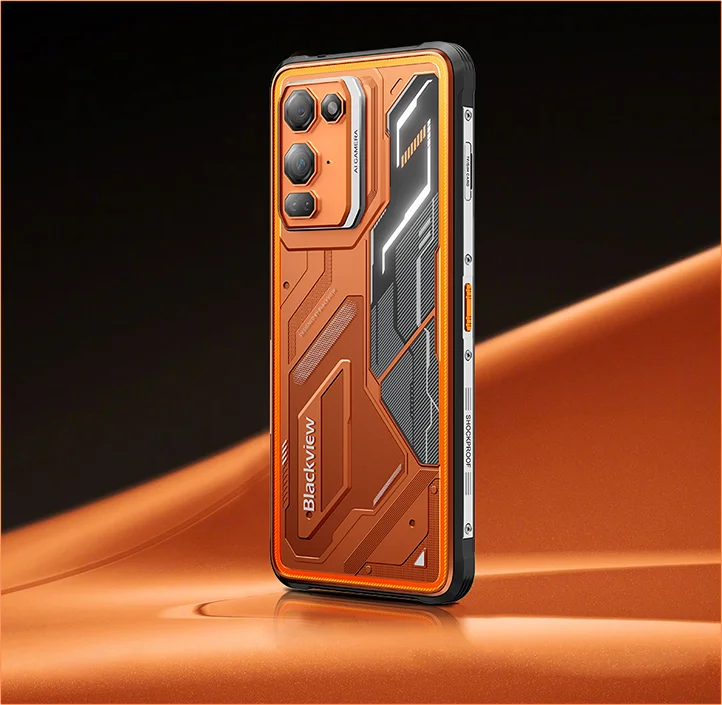
✔6.78-inch 268g & 11.5mm Slim
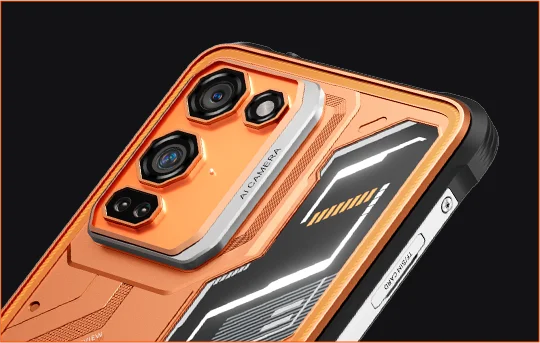
✔108MP Samsung® HM6 + 13MP Night Vision Camera
✔ Octa-core MediaTek Helio G100 Processor
✔5000mAh & 33W Fast Charging+15W Wireless Charging
✔IP68 & IP69K & MIL-STD-810H Certified
Infomations
Infomations
The Blackview FORT 200 is a slim rugged 4G phone built for users who want stronger imaging, smoother viewing, and outdoor-ready durability without carrying a bulky device. Its 6.78-inch 120Hz 2.4K display stays clear with 700-nit brightness, while the MediaTek Helio G100 keeps daily tasks, navigation, and field work responsive. A 108MP Samsung rear camera, 13MP night vision camera, 5000mAh battery, 33W fast charging, and 15W wireless charging make it practical for work and adventure. With IP68 & IP69K and MIL-STD-810H protection, it is ready for tough environments.
About Brand
About Brand
At Blackview, we believe great technology should go beyond impressive specs. It should fit real life, solve real problems, and stay reliable when it matters most.
Blackview began with rugged phones built for tough environments. Today, we offer a wider ecosystem of smart devices, including smartphones, tablets, laptops, smartwatches, audio products, and more.
Across every category, our focus stays the same: durable quality, practical innovation, and accessible pricing. We design products that feel dependable from day one.
We understand what customers value most: smooth performance, long-lasting reliability, useful features, and technology that makes everyday life easier without unnecessary cost.
That’s why Blackview puts real attention into product testing, user experience, and features that bring meaningful value to work, travel, creation, outdoor exploration, and daily connection.
Blackview is made for people who want technology they can trust: smart, capable devices built to keep up with modern life.
Reliable by design. Practical by nature. Made for real life.
Shipping & Rerturns
Shipping & Rerturns
• Shipping: The order processing time usually takes about 2-7 business days except for the presale products. The shipping period, is only for business days excluding the holidays or non-working days. Shipping times will depends on the shipping methods.
• Returns: You may request a return within 14 days of delivery if the phone is unused, undamaged, and includes all original accessories. Product-related faults within one month may qualify for a replacement, refund, or free repair after inspection, while damage caused by misuse, drops, water, disassembly, or unauthorized modifications is not covered.


Rugged Imaging Flagship Slim in Hand. Sharp in Vision. Ready for the Unknown.
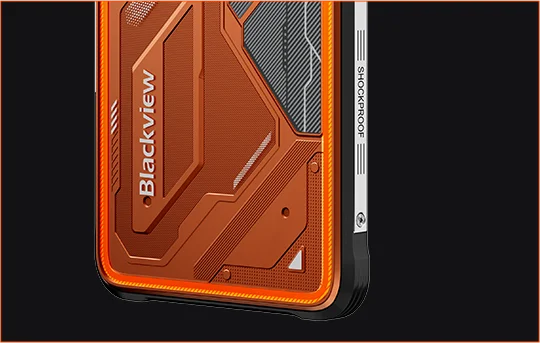
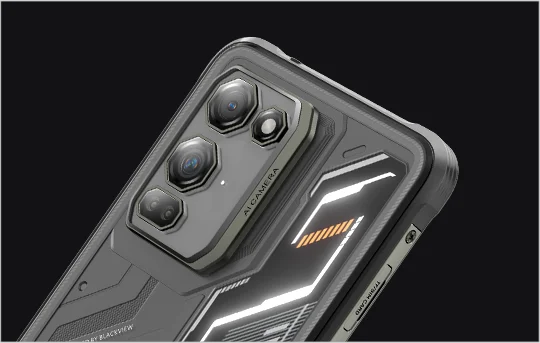
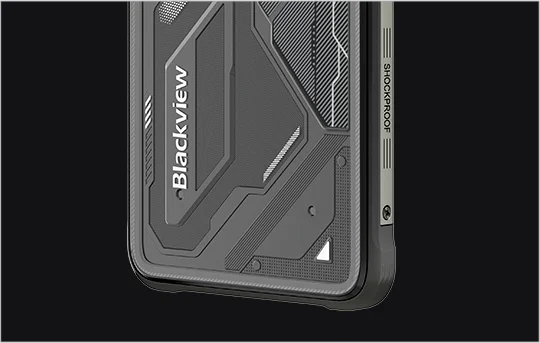
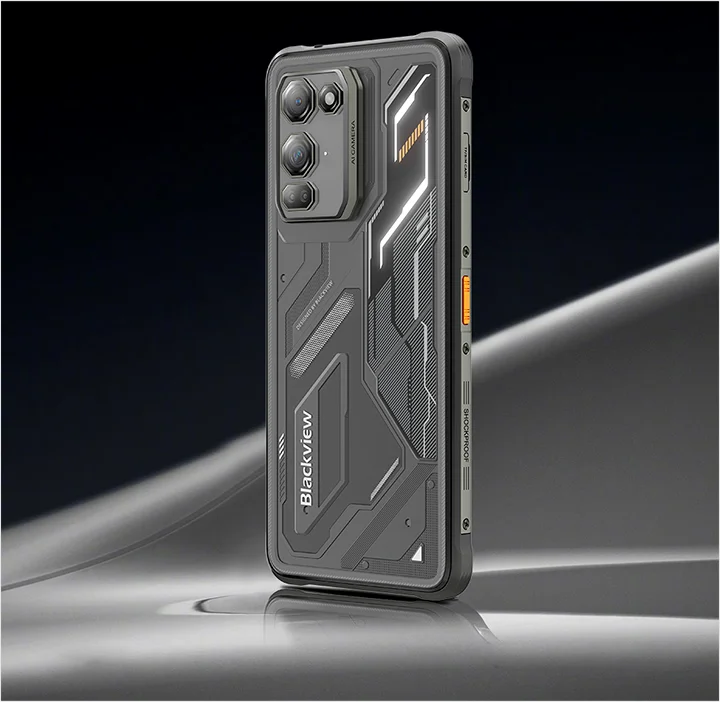
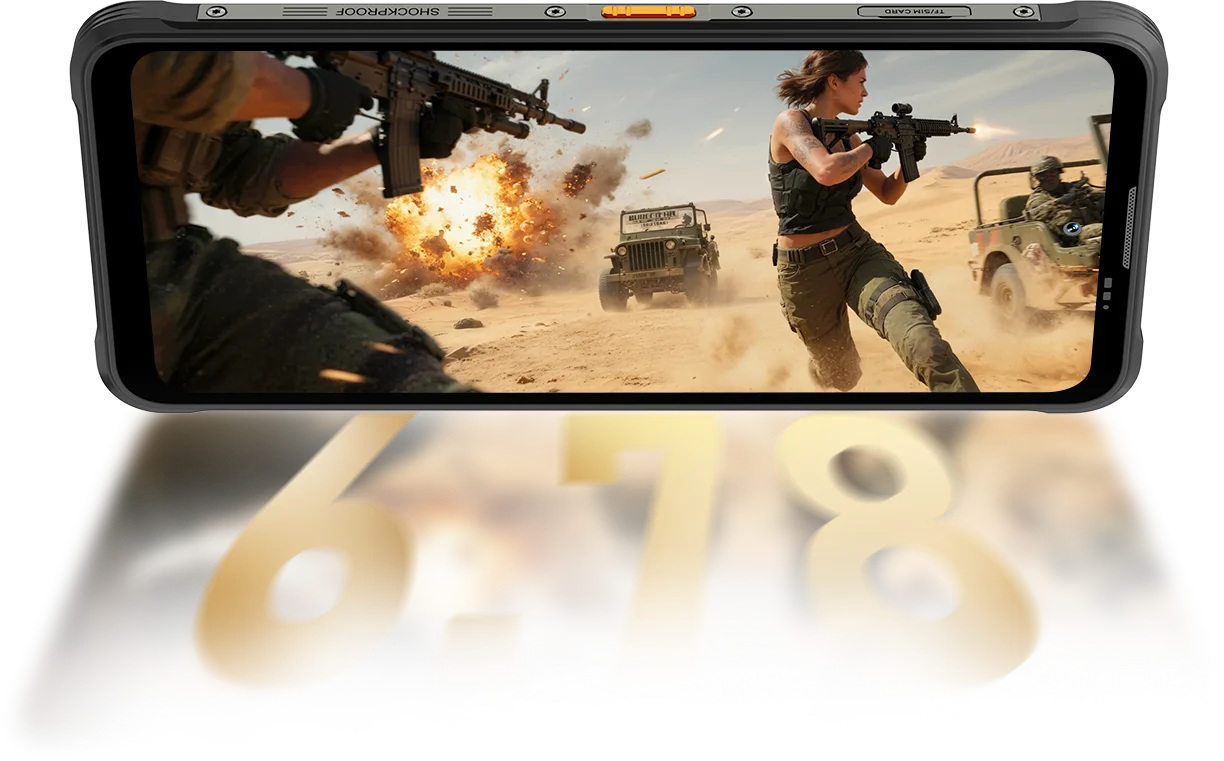
 Slim. Bright. Unbelievably Clear See It Clear. See It Anywhere
Resolution
IPS Full View
Peak Brightness
PPI
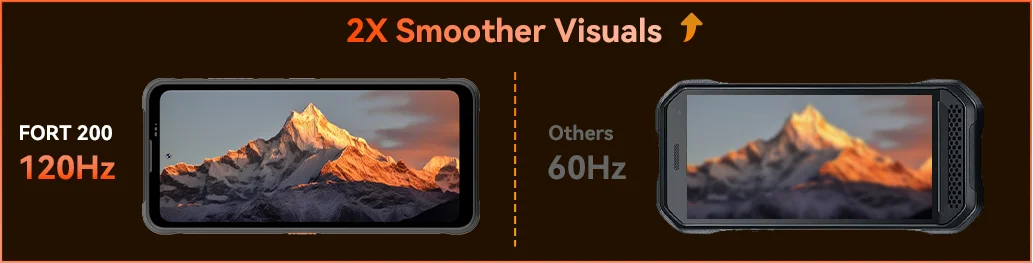
AI Smart Refresh Rate
Screen-to-Body Ratio
Touch Sampling Rate
FORT 200 pushes up to 700 nits to stay bright and readable when lesser displays fade.

 Others
 500 nits
Feel the smoothness kick in with Blackview FORT 200’s 120Hz AI Smart Refresh Rate — saving power when you scroll, boosting fluidity when you game, and keeping every move ultra-responsive wherever you go.
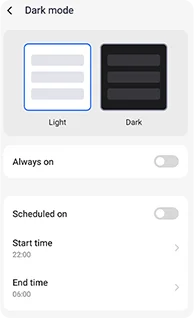
Adjustable dark themes designed for reduced strain and longer battery life.
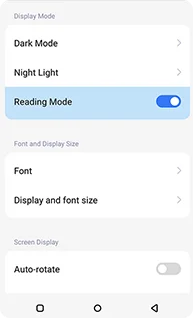
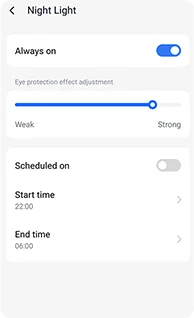
Soft amber tones with adjustable intensity to help your eyes relax comfortably at night.
A clean, kindle-like effect that stays comfortable for long reading.
 See More. Capture Clearer. Lead the Class Capture It All — Sharper by Day, Visible by Night Built with the Industry’s Clearest Imaging Power.
1.28μm 4-in-1 Pixels
1/2.76" Sensor
5P Lens
1/1.67" Large Sensor
1.92μm Nonapixel Plus
f/1.9 Aperture
6P Lens
Brighter nights.
Less noise. More detail.
Sharper images.
Cleaner optics.
Wider dynamic range.
Truer colors.
Smarter exposure.
Better contrast.
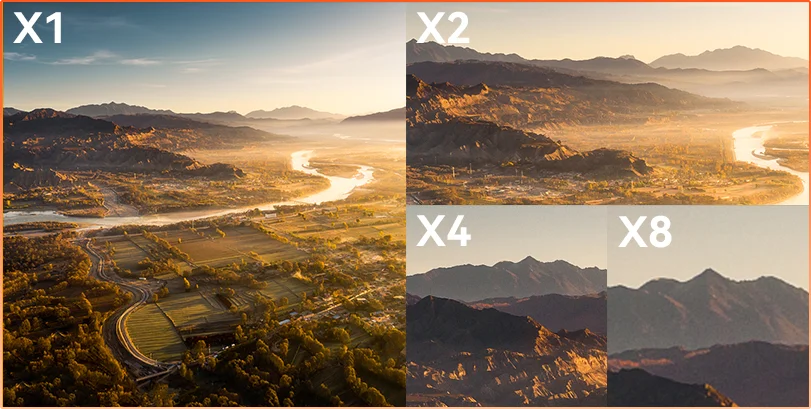
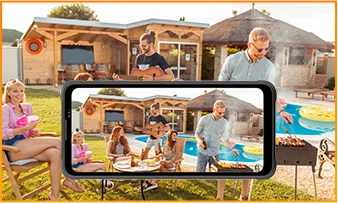
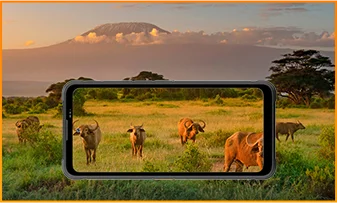
Distance Hides Whether you're observing, inspecting, or documenting, 8× zoom brings distant details into sharp, usable clarity.
 ISOCELL 2.0
 Tetrapixel 4-in-1 Tech
 Double Super PD
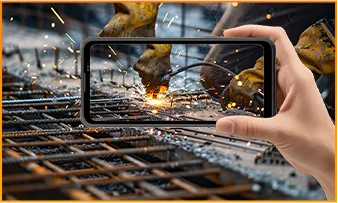
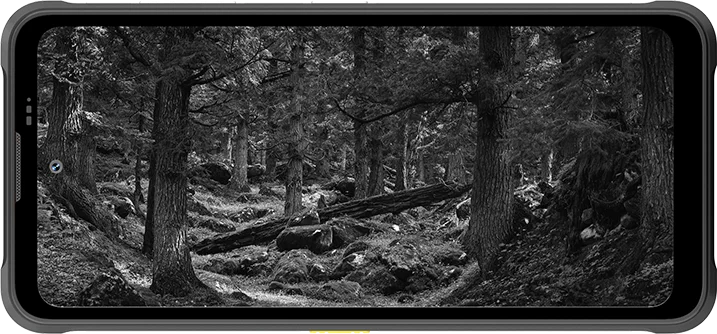
Stay aware in any environment with FORT 200’s 13MP Night Vision Camera — providing clear visibility when the lights go out and conditions get tough.
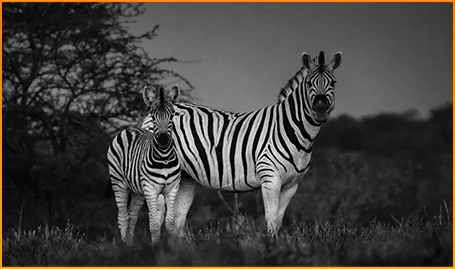
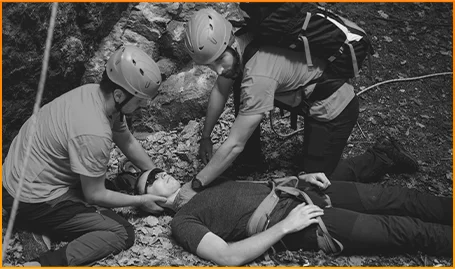
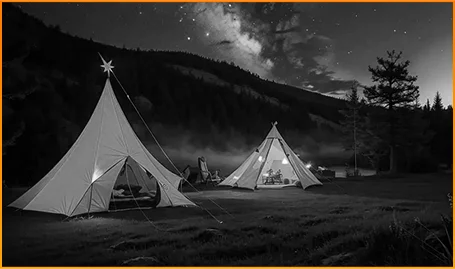
Spot animals clearly — even when darkness hides their movement.
Locate people and objects fast when every second matters.
Stay aware of what moves around your campsite after dark.
Catch the moment before it fades with FORT 200’s Motion Photo — capturing the movement, the sound, and the split-second energy that still photos usually miss.
Shoot with purpose using FORT 200’s sharper 2K video, and fine-tune your settings with Pro Mode when Auto mode can’t keep up with tough lighting or fast-moving moments.
 AI Photos
Rain / Sand and Dust / Vibration / Shock / Acceleration / High Temperature / Low Temperature / Humidity / Altitude
Drop Proof
Death-Broke
Extreme Temps Operation
All-Angle Waterproofing
Ready for Every Challenge.
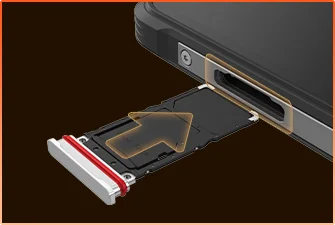 SIM Tray Waterproof Sealing
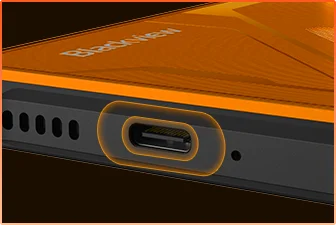 USB Port Waterproof Protection
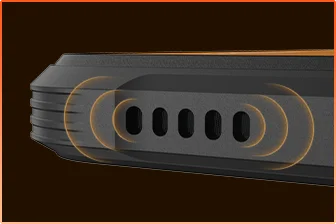 Speaker Grill Water-Block Design
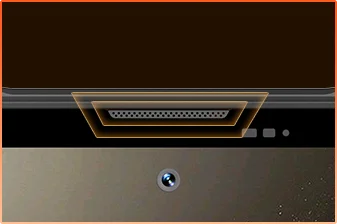 Microphone Port Waterproof Shielding
You Ready.
Camera
BOX Speaker
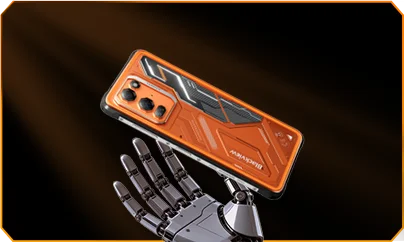
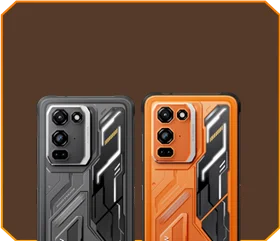





 Phantom Black
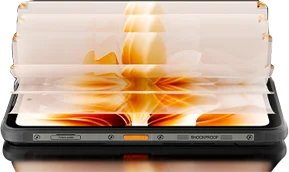
Brightness


1.5m Death-Broke
-20°C to +55°C Extreme
Temps Operation
 Side Key
Function
 Useful
ToolBag

Remote
Control
 Under Water
Camera
 2W Smart-K
BOX Speaker
IP69K Ratings
MediaTek Helio G100
12GB RAM+36GB Expansion
Card Expansion


≈303K+ Photos
≈5.1K+ Short Videos
with 33W Fast Charging
1/1.67" Large Sensor
6P Crystal Clear Lens
Smart-ISO Pro
8X Zoom
Tetrapixel 4-in-1 Tech
Double Super PD
with All-New Pro Mode

AI OutPainting
AI Blur Photo

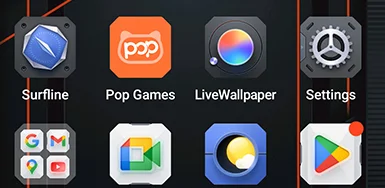


 System
Manager
2.0
 Camera
2.0
 Global
Network
Ready
 Smart
NFC
Access
 More Power. More Speed. More Done. No Lag. No Limits. Just Power

Run Simultaneously
Next-Gen Expandable Tech
Faster App Loading
 ≈796K+Songs
 ≈303K+ Photos
 ≈5.1K+ Short Videos

 15W Wireless
Charging
 5W Reverse
Power Share
 Battery Saver
Algorithm
 Super Power
Saving Mode
 Charging
Protection
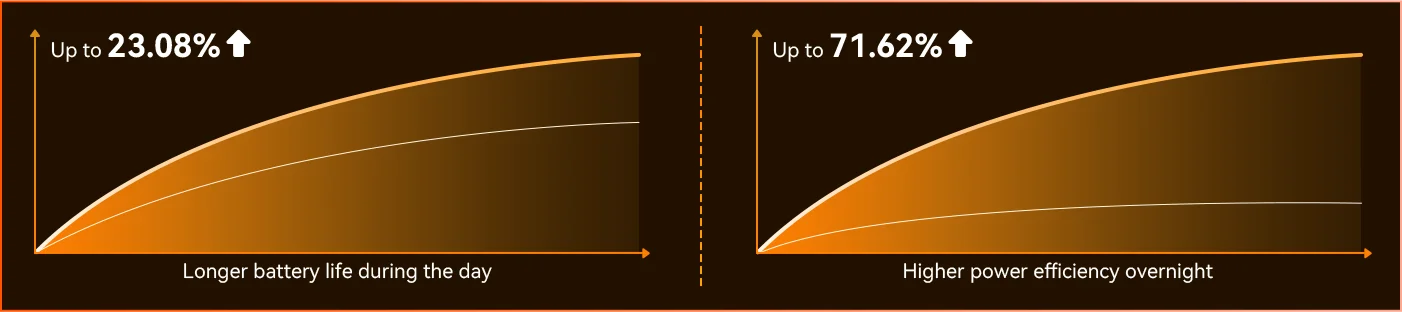
Every Day *Data from Blackview Lab. Actual results may vary based on usage and environment.

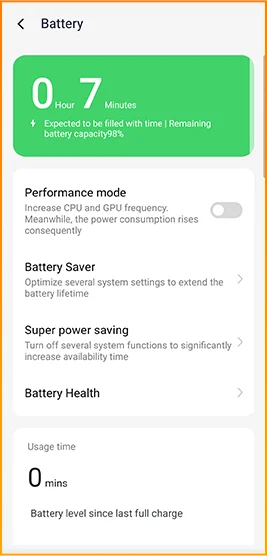
Notice the difference as FORT 200 adapts to your day — the all-new Deep Power-saving Mode identifies idle time even in daylight and reduces power use without you lifting a finger.
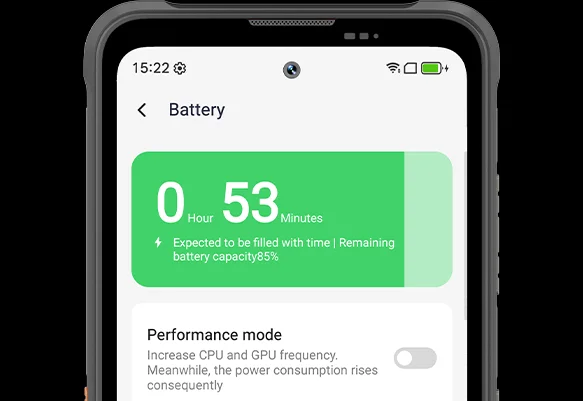
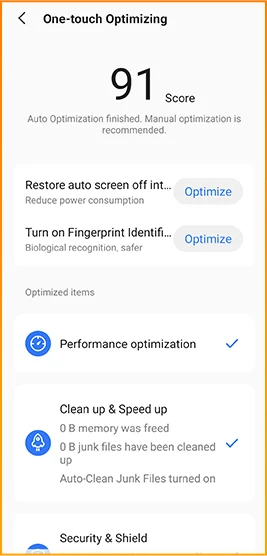
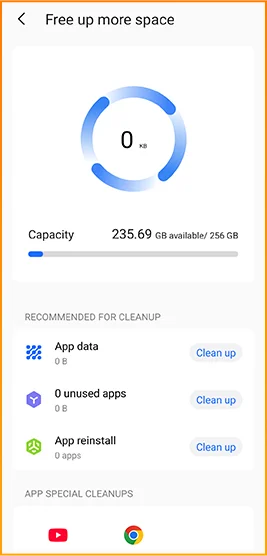
 Smarter, Smoother, Designed to Know You Better. All-new DokeOS 5.0 (Android 16)
 Convenience Upgrade Personalization Upgrade Privacy & Security Upgrade AI Intelligence Upgrade
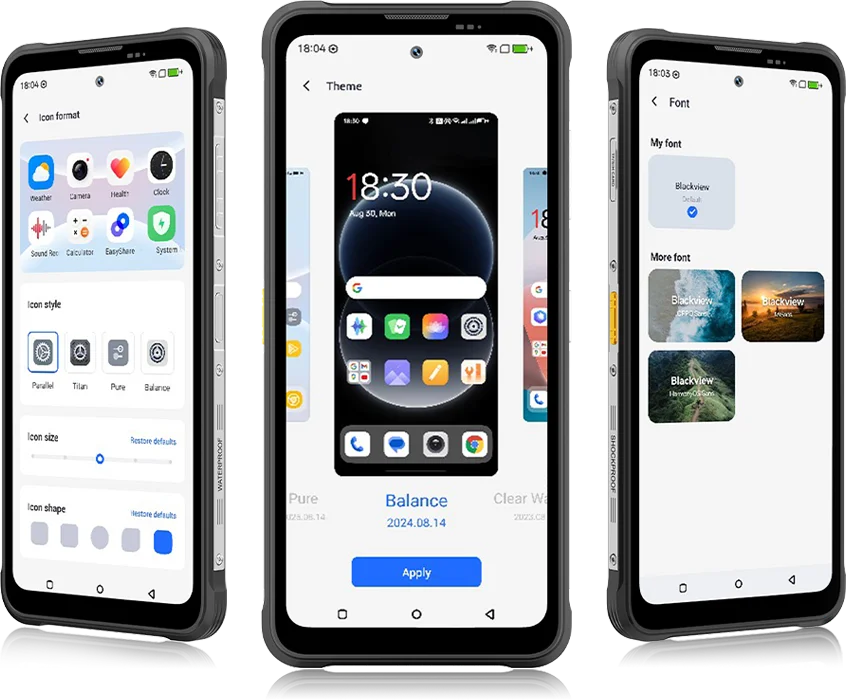 From DokeOS 4.2 to 5.0, everything has evolved — the speed you feel, the fluidity you see, the intelligence that anticipates your next move. It’s smoother, smarter, and more personal than ever, turning everyday moments into effortless experiences.
for Everyday Tasks


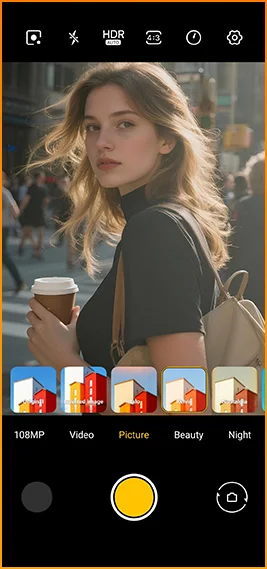
Cinematic looks in one tap.
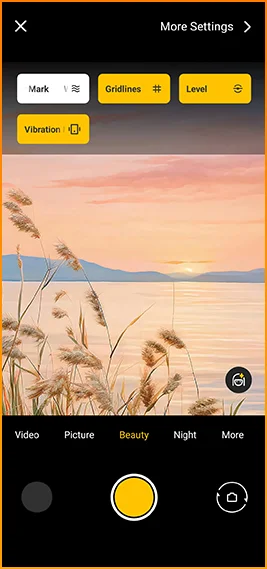
Grids, watermarks, level,
and haptics instantly at hand.
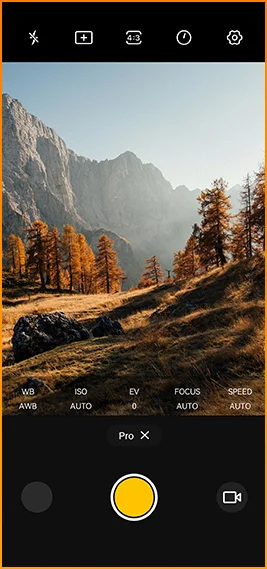
Fine-tune color
temperature andmetering
with pro-level control.



Designed for reliable connectivity across
regions worldwide.
Unlock doors, pay instantly, and connect faster
with a single tap.
Blackview FORT 200 Specifications
120Hz Smart Refresh Rate, 86% Screen-to-body Ratio
13MP(Night Vision)
3G Band: WCDMA:B1/2/4/5/8
4G Band: FDD:B1/2/3/4/5/7/8/12/13/17/18/19/20/26/28A/28B/66
TDD:B38/40/41
| Design | |
| Product | Blackview FORT 200 |
| Color | Blaze Orange, Phantom Black |
| Dimensions | 178.4 × 83 × 11.5 mm |
| Weight | 268 g |
| OS | DokeOS 5.0 based on Android 16 |
| Display | |
| Main Display | 6.78-inch IPS display |
| Resolution | 1080 × 2460 |
| Refresh Rate | 120Hz |
| Touch Sampling Rate | 180Hz |
| Brightness | 700 nits peak brightness |
| PPI | 396 |
| Screen-to-Body Ratio | 86% |
| Glass | Panda Glass |
| Performance | |
| CPU | MediaTek Helio G100 |
| CPU Clock | 2 × Cortex-A76 2.2GHz + 6 × Cortex-A55 2.0GHz |
| GPU | Mali-G57 3D Graphics |
| RAM & ROM | 12GB RAM + 256GB ROM |
| Memory Type | LPDDR4X + UFS 2.2 |
| RAM Expansion | Up to 36GB expansion |
| TF Expansion | Up to 2TB |
| Camera | |
| Front Camera | 50MP Samsung® ISOCELL JN1 |
| Rear Camera | 108MP Samsung® ISOCELL HM6 main camera + 13MP night vision camera |
| Rear Camera Sensor | Samsung® ISOCELL HM6 + OV08B10 |
| Video Recording | 2K video recording with Pro Mode |
| Camera Features | Motion Photo, AI Photos, 8× Zoom, Pro Mode, Smart Google Lens |
| Battery & Charging | |
| Battery | 5000mAh |
| Charging | 33W fast charging, 15W wireless charging |
| Reverse Charging | 5W reverse power share |
| Audio | |
| Speaker | 2W Smart-K BOX speaker |
| Durability | |
| Rugged Rating | IP68 & IP69K & MIL-STD-810H |
| Water Resistance | 2m / 30 min deep submersion proof |
| Drop Resistance | Up to 6m drop proof |
| Hot-Water Resistance | 80°C hot-water resistance |
| Pressure Jet Defense | 10,000 kPa |
| Operating Temperature | -20°C to +55°C |
| Connectivity | |
| Network | Dual 4G SIM support |
| Wi-Fi | IEEE 802.11 a/b/g/n/ac, 2.4GHz / 5GHz |
| Bluetooth | BT 5.2 |
| NFC | Support |
| Card Slot | Dual: 2 × SIM / 1 × SIM + 1 × TF Card |
| USB | Type-C |
| Network Bands | |
| 2G | B2 / B3 / B5 / B8 |
| 3G | WCDMA: B1 / B2 / B4 / B5 / B8 |
| 4G | FDD: B1 / B2 / B3 / B4 / B5 / B7 / B8 / B12 / B13 / B17 / B18 / B19 / B20 / B26 / B28A / B28B / B66; TDD: B38 / B40 / B41 |
| 5G | No |
| Navigation | |
| Positioning | GPS / GLONASS / Galileo / BeiDou / QZSS |
| Sensors | |
| Sensors | G-sensor, P-sensor, L-sensor, gyroscope, compass, magnetic sensor, fingerprint sensor, RGB sensor |
| Extra Features | |
| Outdoor Features | Side key function, infrared remote control, ToolBag, underwater camera |
| AI Features | Doke AI 2.0, AI Chat, AI Photos, AI Video, AI Music, ImageX App |
| Other Features | Wireless charging, NFC, FM, OTG, fingerprint unlock, reading mode, night light, dark mode |
What are the differences between the Blackview FORT 200 and the Blackview FORT 2?
Compared with the Blackview FORT 2, the FORT 200 features a larger, higher-resolution display, more RAM, and a higher-resolution camera, along with faster wired charging and wireless charging support. The FORT 2 is slimmer and lighter, weighing 245.3g compared with the FORT 200’s 268g.
For everyday use, the FORT 200’s larger screen makes reading documents, viewing maps, and browsing photos easier. Its camera and charging features also suit users who prioritize photography and charging convenience. Both are 4G rugged smartphones, with key differences in their displays, hardware, cameras, and dimensions.
| Feature | Blackview FORT 200 | Blackview FORT 2 |
|---|---|---|
| Processor | MediaTek Helio G100 | MediaTek Helio G81 |
| Display | 6.78-inch, 1080 × 2460 | 6.56-inch, 720 × 1612 |
| Refresh rate | 120Hz | 90Hz |
| Physical RAM | 12GB | 8GB |
| Internal storage | 256GB | 128GB / 256GB |
| Main camera | 108MP | 16MP |
| Front camera | 50MP | 13MP |
| Wired charging | Up to 33W | Up to 18W |
| Weight | 268g | 245.3g |
| Thickness | 11.5mm | 10.7mm |
Who is the Blackview FORT 200 rugged phone designed for?
The Blackview FORT 200 is ideal for maintenance technicians, construction workers, delivery personnel (food/courier), farmers, and outdoor enthusiasts who enjoy hiking or camping. It is also well-suited for users who frequently find themselves in environments prone to dust, rain, or accidental impacts—situations where they still need to make calls, use navigation, run work-related applications, or take photos.
Its rugged design ensures reliability even in demanding work environments or during outdoor activities. The large screen provides ample space for viewing maps, reading documents, and looking at photos, while the high-resolution main camera captures detailed imagery. It is designed to support both professional tasks and everyday use.
What charging methods does the Blackview FORT 200 support?
The Blackview FORT 200 supports wired charging at up to 33W and wireless charging at 15W. Wired charging is ideal for topping up your phone’s battery before heading out or while at your workstation, while wireless charging allows you to power up simply by placing the device on a charging pad on your desk or nightstand.
For wired charging, ensure you use a compatible charger and cable. For wireless charging, place the phone accurately on a compatible charging pad and confirm that charging has begun. If you are using a thick protective case or any metal accessories, it is recommended to remove them for optimal charging performance.
What can I use the Blackview FORT 200’s 108MP main camera for?
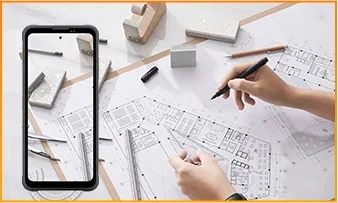
The 108MP main camera on the Blackview FORT 200 can be used to capture landscapes, equipment, documents, and various everyday scenes. It preserves a high level of detail, making it easy to zoom in or crop specific areas—such as isolating a sign within a scene or focusing on a particular detail in a portrait.
When documenting work-related tasks, you can take a wide-angle shot to show the surrounding environment, followed by close-up shots of labels, connections, or damaged areas. When photographing documents, keep the phone parallel to the page to ensure the entire content is captured within the frame.
What can I see with the Blackview FORT 200’s night vision camera?
The Blackview FORT 200’s night-vision camera helps you see people, animals, and objects nearby in the dark. Utilizing infrared illumination technology, it is well-suited for viewing the area around a campsite or observing dimly lit spaces.
For a clear view, keep the phone steady and point it directly toward the area you wish to observe. Identifying targets may be difficult if they are far away or obscured by obstacles. The night-vision feature only reveals the appearance of scenes in the dark; it cannot measure temperature or see through walls, and therefore cannot serve as a substitute for a thermal imager.
What does the Motion Photo feature do on the Blackview FORT 200?
The "Motion Photo" feature records both motion and sound while capturing a still image, allowing you to preserve more of your special moments. Beyond freezing a specific expression, it captures subtle movements—such as a smile, a pet turning its head, or leaves swaying in the breeze.
Please keep your phone steady while shooting. If you need to record for a longer duration, it is recommended to use the standard video recording mode. When sharing a "Motion Photo," please note that the recipient's device must support the playback of motion and sound; some devices may only display or transmit the image as a static photo.
What photo-editing features does the ImageX app offer on the Blackview FORT 200?
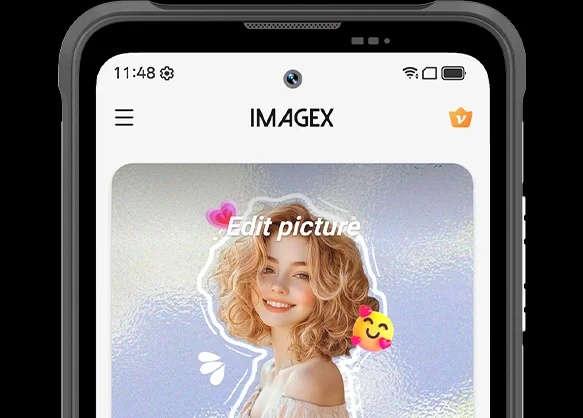
ImageX provides a variety of AI-powered tools, including features to remove unwanted objects, expand image edges (outpainting), and apply blur effects. These tools allow you to refine your photos after they have been taken—for example, by cleaning up cluttered backgrounds or creating more space around the main subject.
The "Object Removal" feature can enhance vacation photos; "Image Expansion" (outpainting) can fill in backgrounds where the original composition was too tight; and the "Blur" tool can make specific areas less prominent. After applying these edits, be sure to carefully review the results—paying close attention to faces, text, and the edges of objects—as AI editing may sometimes require multiple attempts to achieve the desired outcome.
Can I expand the Blackview FORT 200’s storage?
Yes. The Blackview FORT 200 supports microSD cards with a capacity of up to 2TB, providing extra space for photos, videos, music, documents, and more. Please note that the microSD card slot is shared with the second SIM card slot; You must choose between a "dual SIM" configuration or a "single SIM + one microSD card" configuration.
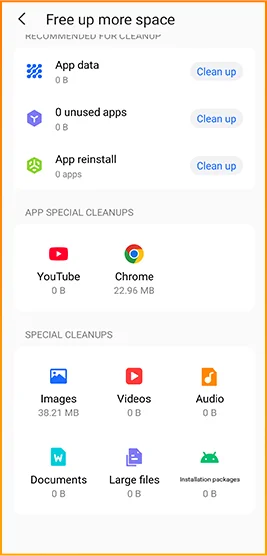
If your phone’s internal storage becomes full due to a large number of work-related photos, downloaded videos, or other files, you can move these items to the microSD card to free up internal space. It is recommended to keep applications and certain app data on the phone’s built-in storage; the microSD card is intended primarily for file storage and cannot replace the device's internal memory.
What mobile networks does the Blackview FORT 200 support?
The Blackview FORT 200 is a 4G rugged smartphone that supports 4G LTE, 3G, and 2G networks. When used with a compatible SIM card and mobile plan, the device allows for making calls, sending and receiving text messages, and using mobile data (including web browsing, navigation, instant messaging, and video calls).
Before purchasing, please compare the network frequency bands listed in the product specifications with those used by your mobile carrier. You may also wish to consult your carrier to confirm that their network supports the device for calls and mobile data services. Network availability depends on local coverage and your chosen mobile plan.
What devices can I control with the Blackview FORT 200’s infrared remote?
The Blackview FORT 200 can control compatible TVs, air conditioners, and set-top boxes via infrared, allowing you to change channels, adjust volume, or set temperatures, depending on the device.
Open the remote control app, select the appliance type, and follow the prompts to test and match a configuration. Point the phone’s infrared transmitter at the appliance without obstructions. Compatibility depends on the configurations available in the app. Devices that support only Bluetooth or Wi-Fi cannot be controlled via infrared.
Does the Blackview FORT 200 support NFC payments?
Yes, it does. You can make NFC payments by using a compatible payment app and linking an eligible bank card. Once set up, you can make payments without needing to take your physical card out of your wallet.
Before use, please enable the NFC function, add your bank card to the payment app, and complete the verification steps required by your bank. Ensure you have a screen lock set up and have selected your preferred payment app for contactless payments. When paying, simply unlock or verify your phone as prompted and hold it near the payment terminal. Actual availability depends on the payment service provider, your bank, and your country or region.
What protection does the Blackview FORT 200 offer for outdoor use?
The Blackview FORT 200 features IP68 and IP69K ratings and meets MIL-STD-810H testing standards. It is resistant to dust, water immersion, and impact, making it suitable for outdoor work and activities involving exposure to rain, dirt, or accidental knocks.
To maintain its protective capabilities, ensure the SIM card tray is properly installed and check the phone for damage after any severe impact. If the phone gets wet, ensure both the device and the charging port are dry before charging. Please note that water and impact resistance have limits and may diminish over time due to wear or damage; Therefore, exercise caution during high-intensity activities.
What everyday tasks can the Blackview FORT 200’s AI assistant help with?
The Blackview FORT 200's AI chat assistant can answer questions, explain complex concepts, and help you understand document content. It can interpret reading materials in plain language and summarize key points from lengthy information.
For the best results, clearly describe your specific needs. You can also ask follow-up questions regarding any unclear points. Before using the answers for work or sharing them with others, it is recommended to verify the original information, including important names, data, and instructions.
Can I connect a USB flash drive to the Blackview FORT 200?
Yes. The Blackview FORT 200 supports USB OTG functionality, allowing you to connect compatible USB flash drives to access and transfer files. Flash drives with a USB-C connector can be plugged in directly, while standard USB-A flash drives require a suitable USB-C OTG adapter.
Once connected, open the file manager and select the USB storage device to browse its contents. You can copy work documents to your phone or move photos and videos to the flash drive without needing a computer or cloud service. Wait for all transfers to complete before disconnecting; if the system offers an "Eject" option, use it to prevent incomplete transfers or file corruption.
How can I use Google Lens on the Blackview FORT 200?
You can use Google Lens on the FORT 200 to search for objects, find similar products, and process text within images. Open the Google app, tap the Lens icon, and then point your camera at the target you wish to search for, or select a photo already saved on your phone.
Google Lens can identify unfamiliar plants, search for products you have photographed, or extract text from printed documents. Ensure the subject is in focus; If the frame contains multiple objects, you may need to select the specific area of interest. Note that an internet connection is generally required to access online information.
What features make reading more comfortable on the Blackview FORT 200?
The Blackview FORT 200 offers Reading Mode, Night Light Mode, and Dark Mode. Reading Mode adjusts the display to suit reading needs; Night Light Mode adds warm tones; and Dark Mode applies a dark background to menus and applications.
Choose a mode that suits your reading content and surroundings, and adjust the text size to reduce frequent zooming. At night, lower the brightness or enable “Night Light” for warmer colors. During the day, increase the brightness as needed to keep text clear without making the screen too bright.
Jump to another section