



Blackview FORT 200 Delgado y con carga inalámbrica Teléfono resistente 4G con pantalla de 6.78 pulgadas, MediaTek Helio G100 Octa-core, batería de 5000mAh, cámara de visión nocturna 108MP+13MP

Agotado
Destacados
Destacados
✔Pantalla de 6.78 pulgadas, 268g y 11.5mm de grosor
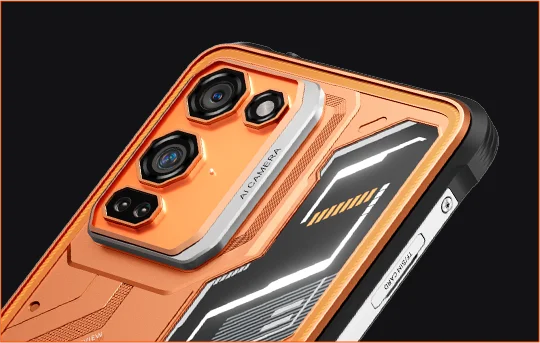
✔Cámara Samsung® HM6 de 108MP + Cámara de Visión Nocturna de 13MP
✔ Procesador MediaTek Helio G100 de ocho núcleos
✔Batería de 5000mAh y carga rápida de 33W + carga inalámbrica de 15W
✔Certificación IP68, IP69K y MIL-STD-810H
Información
Información
El Blackview FORT 200 es un teléfono robusto y delgado con 4G, diseñado para usuarios que desean una mejor calidad de imagen, una visualización más fluida y durabilidad para exteriores sin llevar un dispositivo voluminoso. Su pantalla de 6.78 pulgadas con 120Hz y resolución 2.4K se mantiene nítida con un brillo de 700 nits, mientras que el MediaTek Helio G100 asegura que las tareas diarias, la navegación y el trabajo de campo sean ágiles. Cuenta con una cámara trasera Samsung de 108MP, una cámara de visión nocturna de 13MP, batería de 5000mAh, carga rápida de 33W y carga inalámbrica de 15W, lo que lo hace práctico para el trabajo y la aventura. Con protección IP68 e IP69K y certificación MIL-STD-810H, está listo para entornos exigentes.
Acerca de la marca
Acerca de la marca
En Blackview, creemos que la gran tecnología debe ir más allá de especificaciones impresionantes. Debe adaptarse a la vida real, resolver problemas reales y mantenerse confiable cuando más importa.
Blackview comenzó con teléfonos resistentes diseñados para entornos difíciles. Hoy, ofrecemos un ecosistema más amplio de dispositivos inteligentes, incluyendo smartphones, tablets, laptops, smartwatches, productos de audio y más.
En cada categoría, nuestro enfoque sigue siendo el mismo: calidad duradera, innovación práctica y precios accesibles. Diseñamos productos que se sienten confiables desde el primer día.
Entendemos lo que los clientes valoran más: rendimiento fluido, confiabilidad duradera, funciones útiles y tecnología que facilita la vida diaria sin costos innecesarios.
Por eso, Blackview pone verdadera atención en las pruebas de producto, la experiencia del usuario y las características que aportan un valor significativo al trabajo, los viajes, la creación, la exploración al aire libre y la conexión diaria.
Blackview está hecho para personas que quieren tecnología en la que puedan confiar: dispositivos inteligentes y capaces, diseñados para seguir el ritmo de la vida moderna.
Confiable por diseño. Práctico por naturaleza. Hecho para la vida real.
Envíos y Devoluciones
Envíos y Devoluciones
• Envío: Los pedidos se procesan en 1–2 días hábiles. La entrega estándar tarda de 3 a 7 días hábiles, según su ubicación.
• Devoluciones: Puede devolver o cambiar productos dentro de los 30 días posteriores a la recepción de su pedido. Los artículos deben estar en condiciones originales con comprobante de compra.
Si su artículo está defectuoso o dañado por problemas de fabricación, con gusto lo reemplazaremos sin costo adicional.


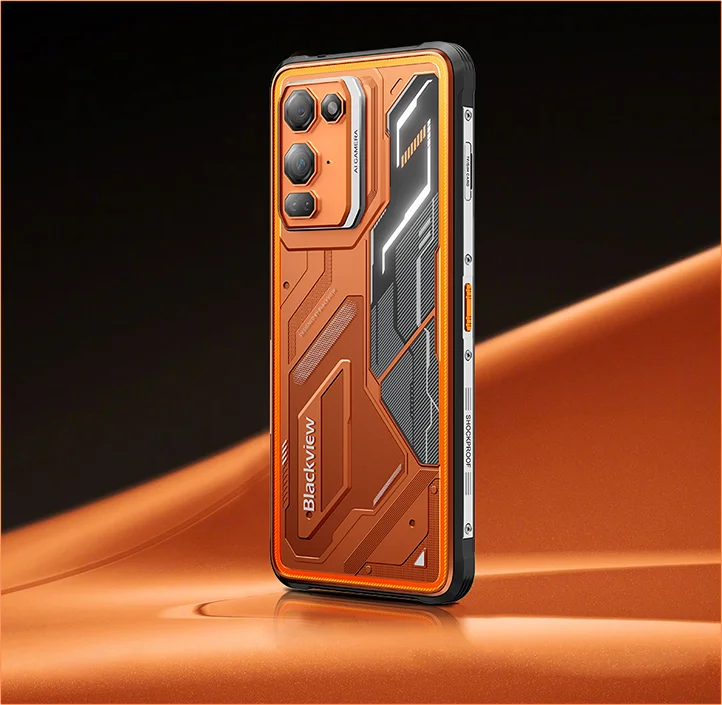
Buque insignia de imagen resistente Delgado en mano. Nítido en visión. Listo para lo desconocido.
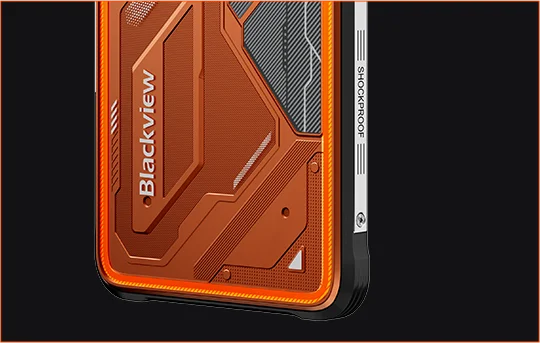
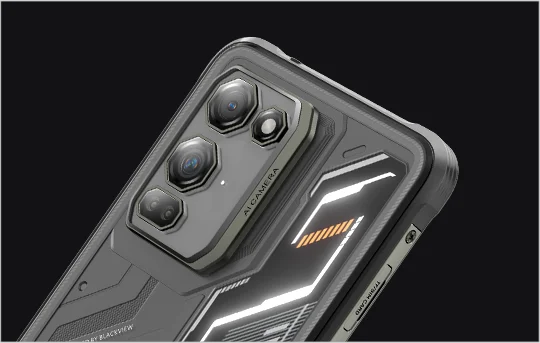
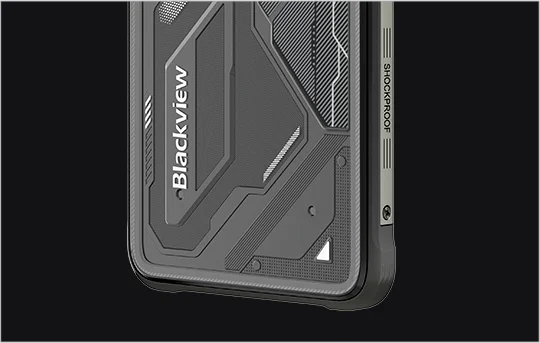
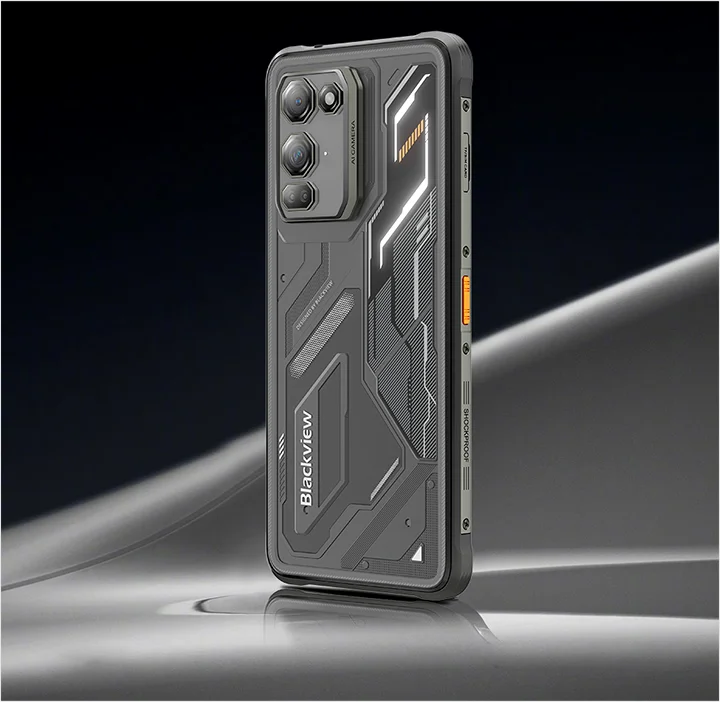
 Delgado. Brillante. Increíblemente Claro Véalo Claro. Véalo en Cualquier Lugar
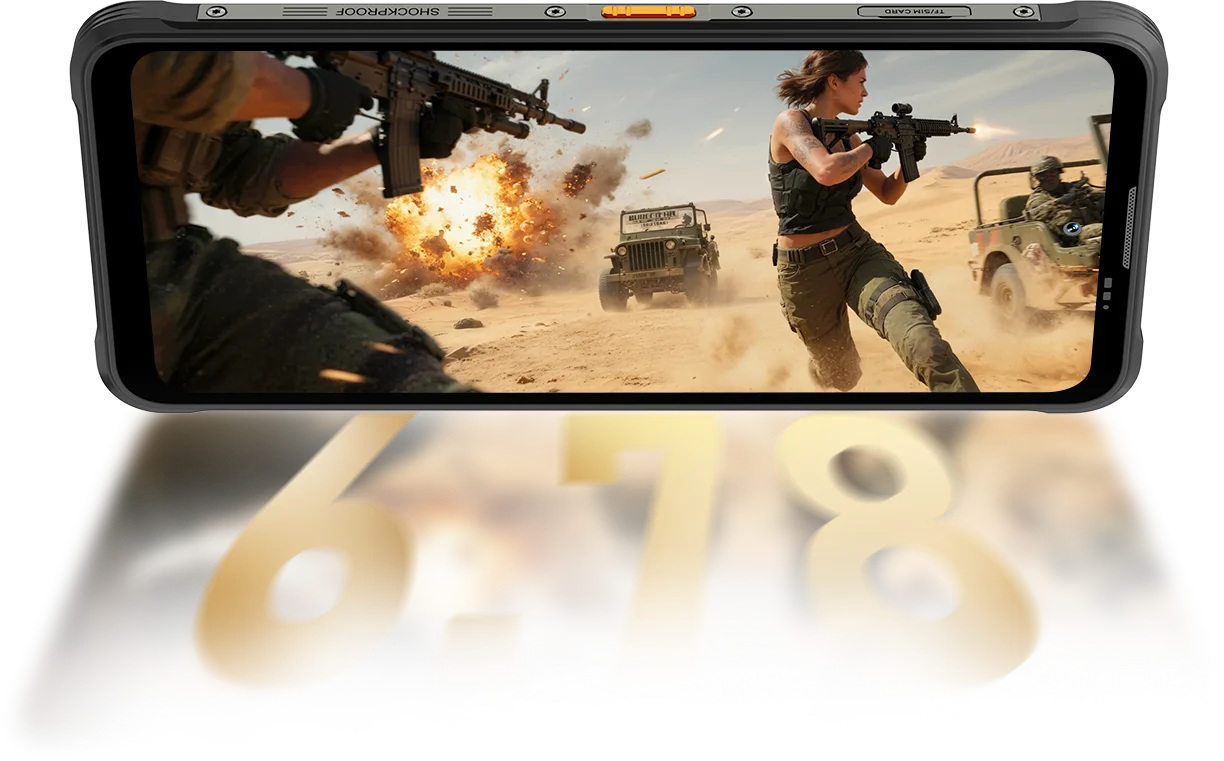
Resolución
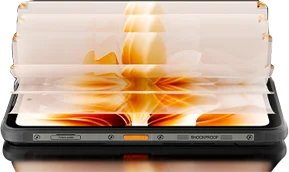
IPS Full View
Brillo máximo
PPI
Tasa de refresco inteligente AI
Relación pantalla-cuerpo
Tasa de muestreo táctil
FORT 200 alcanza hasta 700 nits para mantenerse brillante y legible cuando otras pantallas se desvanecen.

 Otros
 500 nits
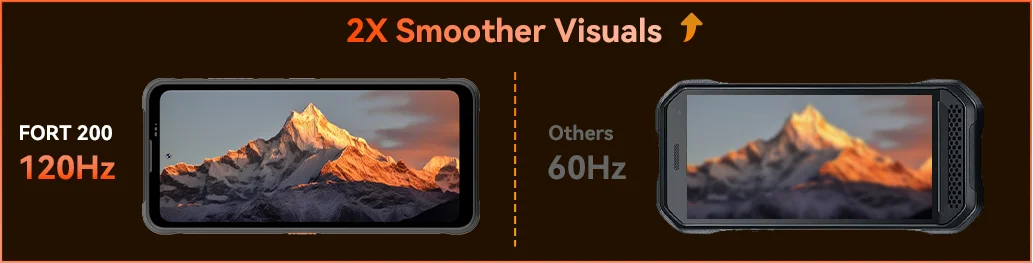
Siente la suavidad con la tasa de refresco inteligente AI de 120Hz de Blackview FORT 200 — ahorrando energía al desplazarte, aumentando la fluidez al jugar y manteniendo cada movimiento ultra sensible dondequiera que vayas.
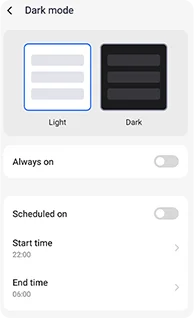
Temas oscuros ajustables diseñados para reducir la fatiga y prolongar la duración de la batería.
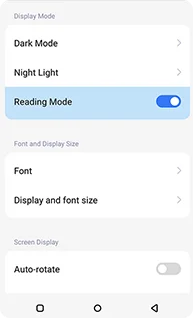
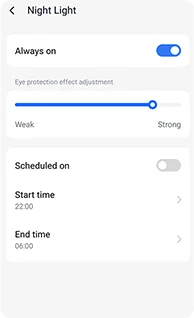
Tonos ámbar suaves con intensidad ajustable para ayudar a que tus ojos se relajen cómodamente por la noche.
Un efecto limpio, similar al de un kindle, que se mantiene cómodo para largas lecturas.
 Ve Más. Captura Más Claro. Lidera la Clase Captura Todo — Más Nítido de Día, Visible de Noche Construido con el Poder de Imagen Más Claro de la Industria.
Píxeles 4 en 1 de 1.28μm
Sensor 1/2.76"
Lente 5P
Sensor grande de 1/1.67"
Nonapíxel Plus de 1.92μm
Apertura f/1.9
Lente 6P
Noches más brillantes.
Menos ruido. Más detalle.
Imágenes más nítidas.
Óptica más limpia.
Rango dinámico más amplio.
Colores más reales.
Exposición más inteligente.
Mejor contraste.
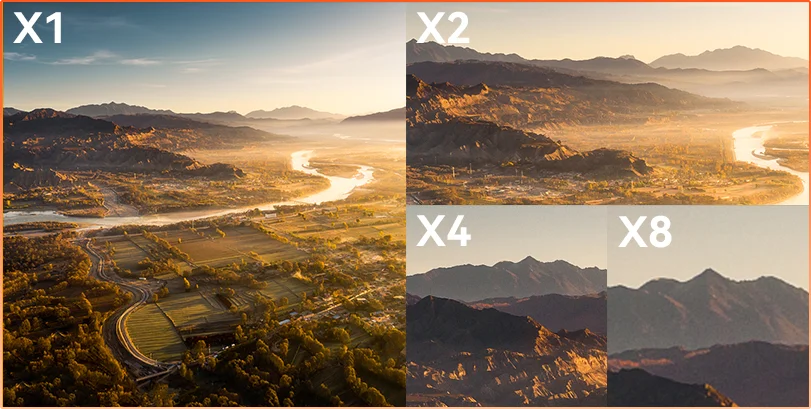
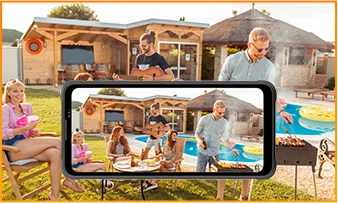
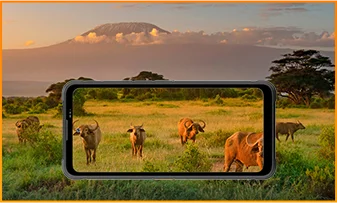
La distancia oculta Ya sea que estés observando, inspeccionando o documentando, el zoom 8× acerca detalles distantes con claridad nítida y útil.
 ISOCELL 2.0
 Tecnología Tetrapixel 4 en 1
 Doble Super PD
Mantente alerta en cualquier entorno con la cámara de visión nocturna de 13MP de FORT 200 — que ofrece visibilidad clara cuando se apagan las luces y las condiciones se vuelven difíciles.
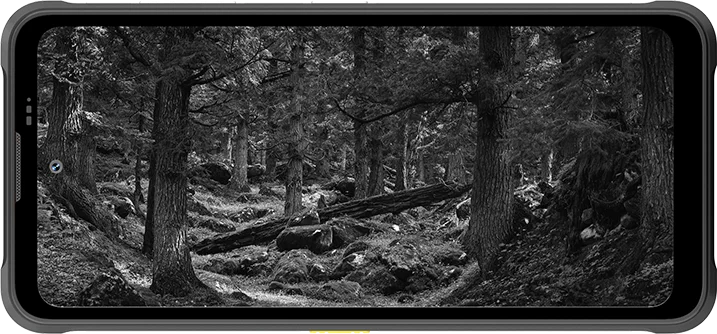
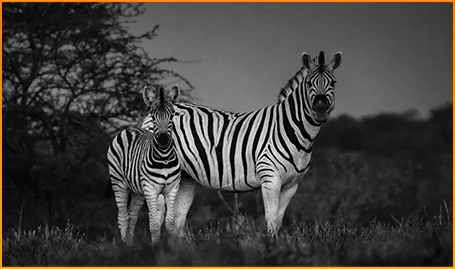
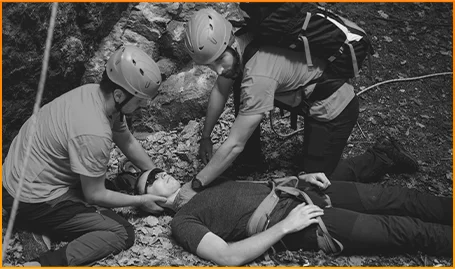
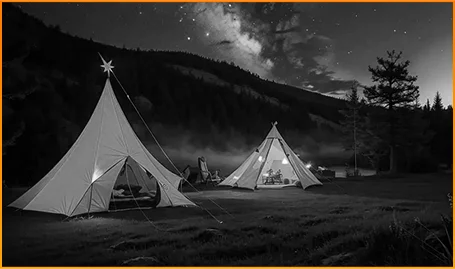
Detecta animales claramente — incluso cuando la oscuridad oculta su movimiento.
Localiza personas y objetos rápido cuando cada segundo cuenta.
Mantente alerta a lo que se mueve alrededor de tu campamento después del anochecer.
Captura el momento antes de que desaparezca con la Foto en Movimiento de FORT 200 — capturando el movimiento, el sonido y la energía de un instante que las fotos fijas suelen perder.
Dispara con propósito usando el video 2K más nítido de FORT 200, y ajusta tus configuraciones con el Modo Pro cuando el modo automático no pueda seguir el ritmo de la iluminación difícil o momentos rápidos.
 Fotos AI
Lluvia / Arena y polvo / Vibración / Impacto / Aceleración / Alta temperatura / Baja temperatura / Humedad / Altitud
A prueba de caídas
Resistente a la muerte
Funcionamiento en temperaturas extremas
Impermeabilidad en todos los ángulos
Listo para cada desafío.
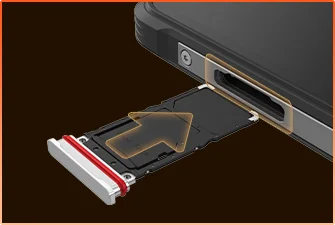 Sellado impermeable para bandeja SIM
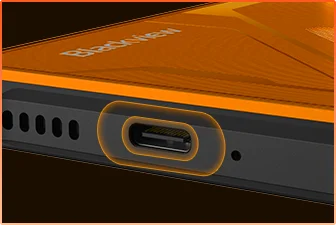 Protección impermeable para puerto USB
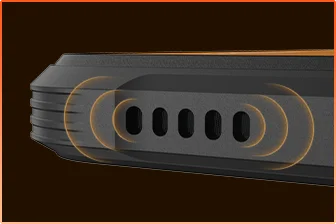 Diseño de bloqueo de agua en rejilla de altavoz
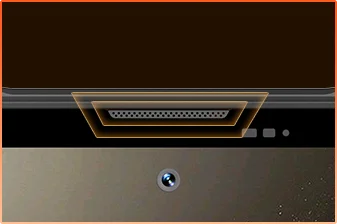 Protección impermeable para puerto de micrófono
Tú listo.
Cámara
Altavoz BOX
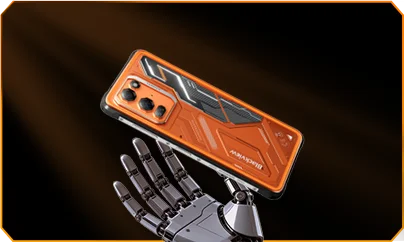
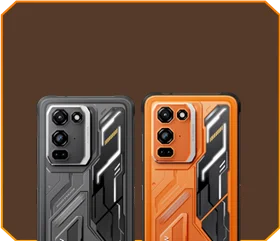





 Negro fantasma
Brillo


Caída mortal de 1.5m
-20°C a +55°C extremo
Temperaturas de operación
 Función de tecla lateral
 Bolsa de herramientas
útil

Remoto
Control
 Bajo el agua
Cámara
 2W Smart-K
Altavoz BOX
Calificaciones IP69K
MediaTek Helio G100
12GB RAM+36GB expansión
Expansión de tarjeta


≈303K+ fotos
≈5.1K+ videos cortos
con carga rápida de 33W
Sensor grande de 1/1.67"
Lente cristalina 6P
Smart-ISO Pro
Zoom 8X
Tecnología Tetrapixel 4 en 1
Doble Super PD
con modo Pro totalmente nuevo

AI OutPainting
Foto con desenfoque AI

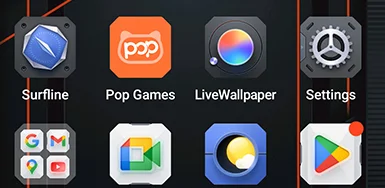


 Sistema
Administrador
2.0
 Cámara
2.0
 Global
Red
Listo
 Inteligente
NFC
Acceso
 Más potencia. Más velocidad. Más logrado. Sin retrasos. Sin límites. Solo potencia

Ejecuta simultáneamente
Tecnología expandible de próxima generación
Carga de aplicaciones más rápida
 ≈796K+ canciones
 ≈303K+ fotos
 ≈5.1K+ videos cortos

 Carga inalámbrica de 15W
Cargando
 Compartir energía inversa de 5W
 Algoritmo de ahorro
de batería
 Modo de ahorro
superpotente
 Protección
de carga
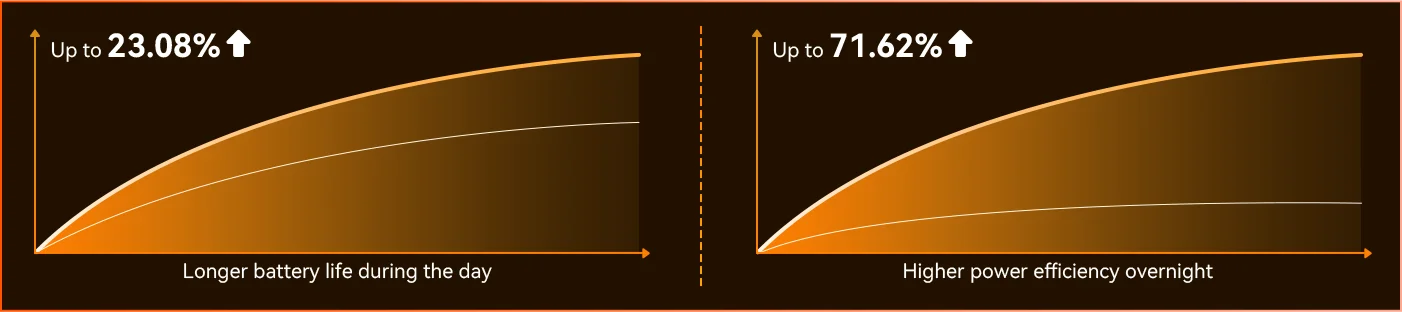
Cada día *Datos de Blackview Lab. Los resultados reales pueden variar según el uso y el entorno.
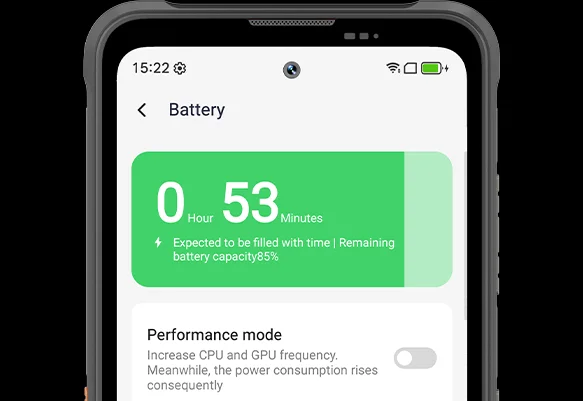
Nota la diferencia mientras FORT 200 se adapta a tu día — el nuevo modo de ahorro de energía profundo identifica el tiempo inactivo incluso a la luz del día y reduce el consumo sin que muevas un dedo.
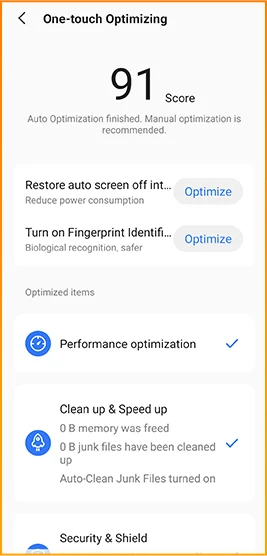
 Más inteligente, más suave, diseñado para conocerte mejor. Nuevo DokeOS 5.0 (Android 16)
 Actualización de conveniencia Actualización de personalización Actualización de privacidad y seguridad Actualización de inteligencia AI
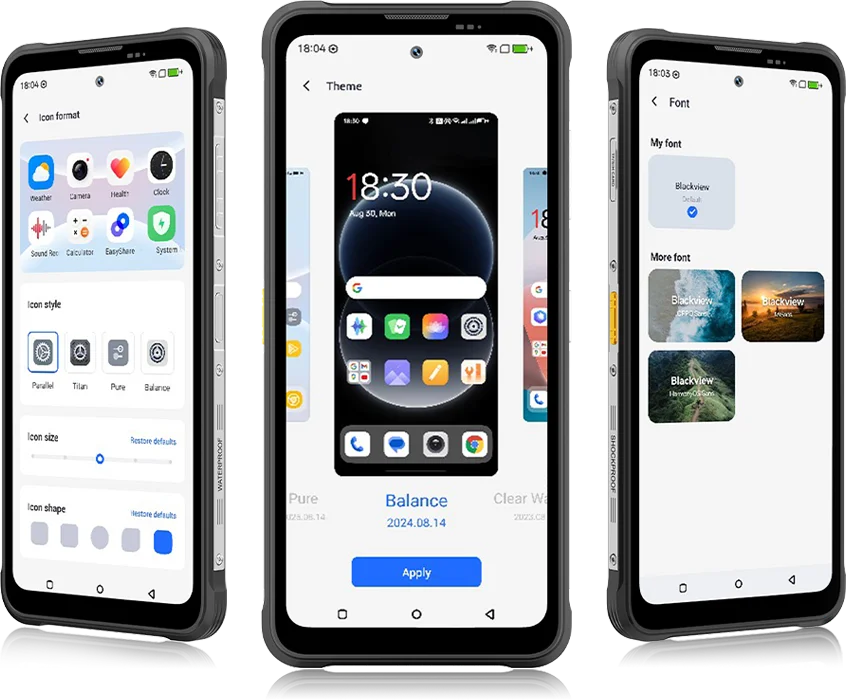 De DokeOS 4.2 a 5.0, todo ha evolucionado — la velocidad que sientes, la fluidez que ves, la inteligencia que anticipa tu próximo movimiento. Es más suave, más inteligente y más personal que nunca, convirtiendo momentos cotidianos en experiencias sin esfuerzo.
para tareas diarias


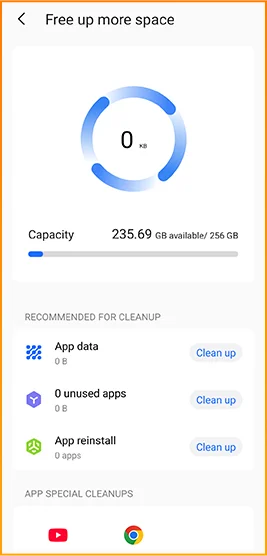
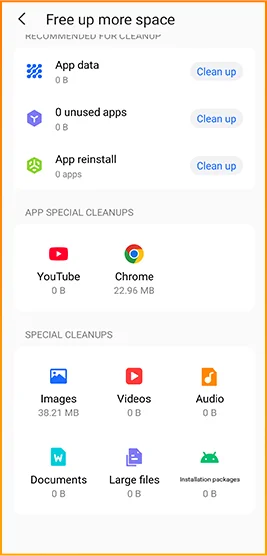
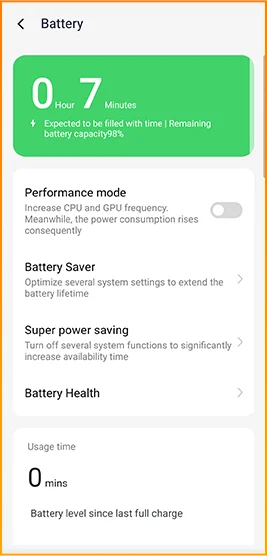
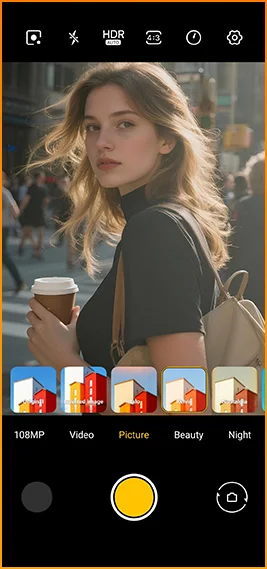
Estilos cinematográficos con un toque.
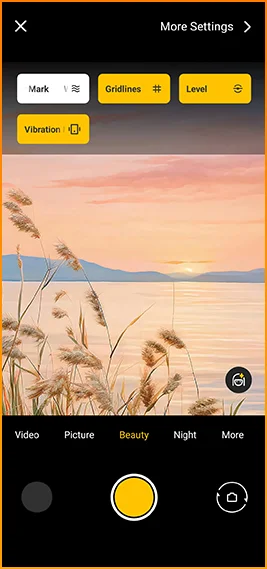
Cuadrículas, marcas de agua, nivel,
y hápticos al instante al alcance.
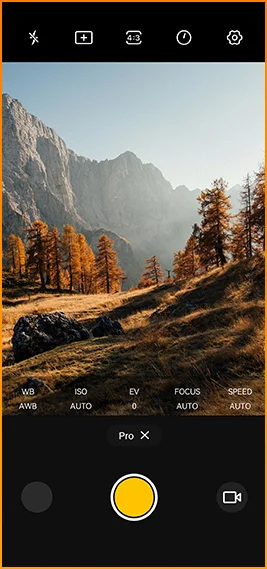
Ajustar color
temperatura y medición
con control de nivel profesional.



Diseñado para conectividad confiable en
regiones en todo el mundo.
Desbloquea puertas, paga al instante y conéctate más rápido
con un solo toque.
Especificaciones Blackview FORT 200
Frecuencia de actualización inteligente de 120Hz, relación pantalla-cuerpo del 86%
13MP (Visión nocturna)
Banda 3G: WCDMA:B1/2/4/5/8
Banda 4G: FDD:B1/2/3/4/5/7/8/12/13/17/18/19/20/26/28A/28B/66
TDD:B38/40/41
| Diseño | |
| Producto | Blackview FORT 200 |
| Color | Blaze Orange, Phantom Black |
| Dimensiones | 178.4 × 83 × 11.5 mm |
| Peso | 268 g |
| TALLA ÚNICA | DokeOS 5.0 basado en Android 16 |
| Mostrar | |
| Pantalla principal | Pantalla IPS de 6.78 pulgadas |
| Resolución | 1080 × 2460 |
| Frecuencia de actualización | 120Hz |
| Frecuencia de muestreo táctil | 180Hz |
| Brillo | Brillo máximo de 700 nits |
| PPI | 396 |
| Relación pantalla-cuerpo | 86% |
| Vidrio | Panda Glass |
| Rendimiento | |
| CPU | MediaTek Helio G100 |
| Frecuencia del CPU | 2 × Cortex-A76 2.2GHz + 6 × Cortex-A55 2.0GHz |
| GPU | Gráficos Mali-G57 3D |
| RAM y ROM | 12GB RAM + 256GB ROM |
| Tipo de memoria | LPDDR4X + UFS 2.2 |
| Expansión de RAM | Expansión de hasta 36GB |
| Expansión TF | Hasta 2TB |
| Cámara | |
| Cámara frontal | Samsung® ISOCELL JN1 de 50MP |
| Cámara trasera | Cámara principal Samsung® ISOCELL HM6 de 108MP + cámara de visión nocturna de 13MP |
| Sensor de cámara trasera | Samsung® ISOCELL HM6 + OV08B10 |
| Grabación de video | Grabación de video 2K con modo Pro |
| Funciones de cámara | Foto en movimiento, Fotos AI, zoom 8×, modo Pro, Google Lens inteligente |
| Batería y carga | |
| Batería | 5000mAh |
| Carga | Carga rápida de 33W, carga inalámbrica de 15W |
| Carga inversa | Compartición de energía inversa de 5W |
| Audio | |
| Altavoz | Altavoz Smart-K BOX de 2W |
| Durabilidad | |
| Clasificación resistente | IP68 & IP69K & MIL-STD-810H |
| Resistencia al agua | Resistente a inmersión profunda de 2 m / 30 min |
| Resistencia a caídas | Resistente a caídas de hasta 6 m |
| Resistencia al agua caliente | Resistencia a agua caliente de 80°C |
| Defensa contra chorro de presión | 10,000 kPa |
| Temperatura de funcionamiento | -20°C a +55°C |
| Conectividad | |
| Red | Soporte para SIM 4G dual |
| Wi-Fi | IEEE 802.11 a/b/g/n/ac, 2.4GHz / 5GHz |
| Bluetooth | BT 5.2 |
| NFC | Soporte |
| Ranura para tarjeta | Dual: 2 × SIM / 1 × SIM + 1 × tarjeta TF |
| USB | Tipo-C |
| Bandas de red | |
| 2G | B2 / B3 / B5 / B8 |
| 3G | WCDMA: B1 / B2 / B4 / B5 / B8 |
| 4G | FDD: B1 / B2 / B3 / B4 / B5 / B7 / B8 / B12 / B13 / B17 / B18 / B19 / B20 / B26 / B28A / B28B / B66; TDD: B38 / B40 / B41 |
| 5G | No |
| Navegación | |
| Posicionamiento | GPS / GLONASS / Galileo / BeiDou / QZSS |
| Sensores | |
| Sensores | Sensor G, sensor P, sensor L, giroscopio, brújula, sensor magnético, sensor de huellas dactilares, sensor RGB |
| Características adicionales | |
| Funciones para exteriores | Función de tecla lateral, control remoto por infrarrojos, ToolBag, cámara submarina |
| Funciones de IA | Doke AI 2.0, Chat AI, Fotos AI, Video AI, Música AI, aplicación ImageX |
| Otras características | Carga inalámbrica, NFC, FM, OTG, desbloqueo por huella dactilar, modo lectura, luz nocturna, modo oscuro |
What are the differences between the Blackview FORT 200 and the Blackview FORT 2?
Compared with the Blackview FORT 2, the FORT 200 features a larger, higher-resolution display, more RAM, and a higher-resolution camera, along with faster wired charging and wireless charging support. The FORT 2 is slimmer and lighter, weighing 245.3g compared with the FORT 200’s 268g.
For everyday use, the FORT 200’s larger screen makes reading documents, viewing maps, and browsing photos easier. Its camera and charging features also suit users who prioritize photography and charging convenience. Both are 4G rugged smartphones, with key differences in their displays, hardware, cameras, and dimensions.
| Feature | Blackview FORT 200 | Blackview FORT 2 |
|---|---|---|
| Processor | MediaTek Helio G100 | MediaTek Helio G81 |
| Display | 6.78-inch, 1080 × 2460 | 6.56-inch, 720 × 1612 |
| Refresh rate | 120Hz | 90Hz |
| Physical RAM | 12GB | 8GB |
| Internal storage | 256GB | 128GB / 256GB |
| Main camera | 108MP | 16MP |
| Front camera | 50MP | 13MP |
| Wired charging | Up to 33W | Up to 18W |
| Weight | 268g | 245.3g |
| Thickness | 11.5mm | 10.7mm |
Who is the Blackview FORT 200 rugged phone designed for?
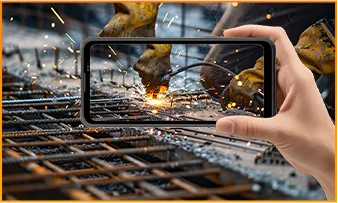
The Blackview FORT 200 is ideal for maintenance technicians, construction workers, delivery personnel (food/courier), farmers, and outdoor enthusiasts who enjoy hiking or camping. It is also well-suited for users who frequently find themselves in environments prone to dust, rain, or accidental impacts—situations where they still need to make calls, use navigation, run work-related applications, or take photos.
Its rugged design ensures reliability even in demanding work environments or during outdoor activities. The large screen provides ample space for viewing maps, reading documents, and looking at photos, while the high-resolution main camera captures detailed imagery. It is designed to support both professional tasks and everyday use.
What charging methods does the Blackview FORT 200 support?
The Blackview FORT 200 supports wired charging at up to 33W and wireless charging at 15W. Wired charging is ideal for topping up your phone’s battery before heading out or while at your workstation, while wireless charging allows you to power up simply by placing the device on a charging pad on your desk or nightstand.
For wired charging, ensure you use a compatible charger and cable. For wireless charging, place the phone accurately on a compatible charging pad and confirm that charging has begun. If you are using a thick protective case or any metal accessories, it is recommended to remove them for optimal charging performance.
What can I use the Blackview FORT 200’s 108MP main camera for?
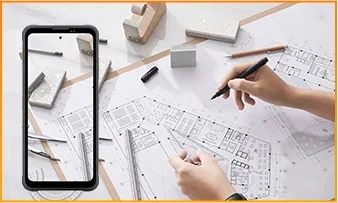
The 108MP main camera on the Blackview FORT 200 can be used to capture landscapes, equipment, documents, and various everyday scenes. It preserves a high level of detail, making it easy to zoom in or crop specific areas—such as isolating a sign within a scene or focusing on a particular detail in a portrait.
When documenting work-related tasks, you can take a wide-angle shot to show the surrounding environment, followed by close-up shots of labels, connections, or damaged areas. When photographing documents, keep the phone parallel to the page to ensure the entire content is captured within the frame.
What can I see with the Blackview FORT 200’s night vision camera?
The Blackview FORT 200’s night-vision camera helps you see people, animals, and objects nearby in the dark. Utilizing infrared illumination technology, it is well-suited for viewing the area around a campsite or observing dimly lit spaces.
For a clear view, keep the phone steady and point it directly toward the area you wish to observe. Identifying targets may be difficult if they are far away or obscured by obstacles. The night-vision feature only reveals the appearance of scenes in the dark; it cannot measure temperature or see through walls, and therefore cannot serve as a substitute for a thermal imager.
What does the Motion Photo feature do on the Blackview FORT 200?
The "Motion Photo" feature records both motion and sound while capturing a still image, allowing you to preserve more of your special moments. Beyond freezing a specific expression, it captures subtle movements—such as a smile, a pet turning its head, or leaves swaying in the breeze.
Please keep your phone steady while shooting. If you need to record for a longer duration, it is recommended to use the standard video recording mode. When sharing a "Motion Photo," please note that the recipient's device must support the playback of motion and sound; some devices may only display or transmit the image as a static photo.
What photo-editing features does the ImageX app offer on the Blackview FORT 200?
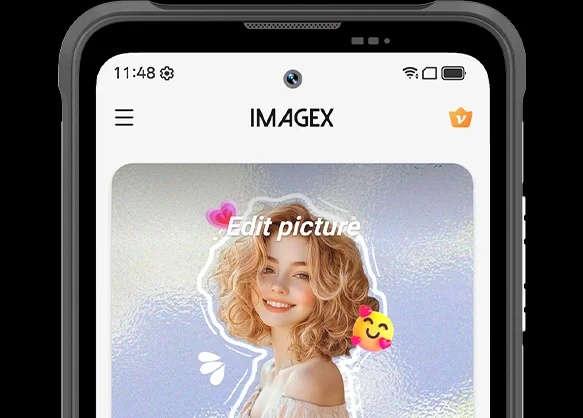
ImageX provides a variety of AI-powered tools, including features to remove unwanted objects, expand image edges (outpainting), and apply blur effects. These tools allow you to refine your photos after they have been taken—for example, by cleaning up cluttered backgrounds or creating more space around the main subject.
The "Object Removal" feature can enhance vacation photos; "Image Expansion" (outpainting) can fill in backgrounds where the original composition was too tight; and the "Blur" tool can make specific areas less prominent. After applying these edits, be sure to carefully review the results—paying close attention to faces, text, and the edges of objects—as AI editing may sometimes require multiple attempts to achieve the desired outcome.
Can I expand the Blackview FORT 200’s storage?
Yes. The Blackview FORT 200 supports microSD cards with a capacity of up to 2TB, providing extra space for photos, videos, music, documents, and more. Please note that the microSD card slot is shared with the second SIM card slot; You must choose between a "dual SIM" configuration or a "single SIM + one microSD card" configuration.
If your phone’s internal storage becomes full due to a large number of work-related photos, downloaded videos, or other files, you can move these items to the microSD card to free up internal space. It is recommended to keep applications and certain app data on the phone’s built-in storage; the microSD card is intended primarily for file storage and cannot replace the device's internal memory.
What mobile networks does the Blackview FORT 200 support?
The Blackview FORT 200 is a 4G rugged smartphone that supports 4G LTE, 3G, and 2G networks. When used with a compatible SIM card and mobile plan, the device allows for making calls, sending and receiving text messages, and using mobile data (including web browsing, navigation, instant messaging, and video calls).
Before purchasing, please compare the network frequency bands listed in the product specifications with those used by your mobile carrier. You may also wish to consult your carrier to confirm that their network supports the device for calls and mobile data services. Network availability depends on local coverage and your chosen mobile plan.
What devices can I control with the Blackview FORT 200’s infrared remote?
The Blackview FORT 200 can control compatible TVs, air conditioners, and set-top boxes via infrared, allowing you to change channels, adjust volume, or set temperatures, depending on the device.
Open the remote control app, select the appliance type, and follow the prompts to test and match a configuration. Point the phone’s infrared transmitter at the appliance without obstructions. Compatibility depends on the configurations available in the app. Devices that support only Bluetooth or Wi-Fi cannot be controlled via infrared.
Does the Blackview FORT 200 support NFC payments?
Yes, it does. You can make NFC payments by using a compatible payment app and linking an eligible bank card. Once set up, you can make payments without needing to take your physical card out of your wallet.
Before use, please enable the NFC function, add your bank card to the payment app, and complete the verification steps required by your bank. Ensure you have a screen lock set up and have selected your preferred payment app for contactless payments. When paying, simply unlock or verify your phone as prompted and hold it near the payment terminal. Actual availability depends on the payment service provider, your bank, and your country or region.
What protection does the Blackview FORT 200 offer for outdoor use?
The Blackview FORT 200 features IP68 and IP69K ratings and meets MIL-STD-810H testing standards. It is resistant to dust, water immersion, and impact, making it suitable for outdoor work and activities involving exposure to rain, dirt, or accidental knocks.
To maintain its protective capabilities, ensure the SIM card tray is properly installed and check the phone for damage after any severe impact. If the phone gets wet, ensure both the device and the charging port are dry before charging. Please note that water and impact resistance have limits and may diminish over time due to wear or damage; Therefore, exercise caution during high-intensity activities.
What everyday tasks can the Blackview FORT 200’s AI assistant help with?
The Blackview FORT 200's AI chat assistant can answer questions, explain complex concepts, and help you understand document content. It can interpret reading materials in plain language and summarize key points from lengthy information.
For the best results, clearly describe your specific needs. You can also ask follow-up questions regarding any unclear points. Before using the answers for work or sharing them with others, it is recommended to verify the original information, including important names, data, and instructions.
Can I connect a USB flash drive to the Blackview FORT 200?
Yes. The Blackview FORT 200 supports USB OTG functionality, allowing you to connect compatible USB flash drives to access and transfer files. Flash drives with a USB-C connector can be plugged in directly, while standard USB-A flash drives require a suitable USB-C OTG adapter.
Once connected, open the file manager and select the USB storage device to browse its contents. You can copy work documents to your phone or move photos and videos to the flash drive without needing a computer or cloud service. Wait for all transfers to complete before disconnecting; if the system offers an "Eject" option, use it to prevent incomplete transfers or file corruption.
How can I use Google Lens on the Blackview FORT 200?
You can use Google Lens on the FORT 200 to search for objects, find similar products, and process text within images. Open the Google app, tap the Lens icon, and then point your camera at the target you wish to search for, or select a photo already saved on your phone.
Google Lens can identify unfamiliar plants, search for products you have photographed, or extract text from printed documents. Ensure the subject is in focus; If the frame contains multiple objects, you may need to select the specific area of interest. Note that an internet connection is generally required to access online information.
What features make reading more comfortable on the Blackview FORT 200?
The Blackview FORT 200 offers Reading Mode, Night Light Mode, and Dark Mode. Reading Mode adjusts the display to suit reading needs; Night Light Mode adds warm tones; and Dark Mode applies a dark background to menus and applications.
Choose a mode that suits your reading content and surroundings, and adjust the text size to reduce frequent zooming. At night, lower the brightness or enable “Night Light” for warmer colors. During the day, increase the brightness as needed to keep text clear without making the screen too bright.
Jump to another section