



Blackview FORT 1 6,56-Zoll 90Hz Smart AI Display Unisoc Tiger T615 Octa-Core 10000mAh 4G AI Robust Telefon

Ausverkauft
Highlights
Highlights
✔6,56-Zoll HD+ IPS 90Hz Smart AI Display
✔Unisoc T615 Octa-Core Prozessor
✔10000mAh Batterie-Monster mit 48 Tagen sorgenfreier Nutzung
✔IP68&IP69K& MIL-STD-810H Zertifiziert
Informationen
Informationen
Das Blackview FORT 1 ist ein robustes 4G-Telefon, das für Nutzer entwickelt wurde, die lange Akkulaufzeit, praktische Haltbarkeit und eine reibungslose Alltagsnutzung benötigen. Sein 6,56-Zoll-90Hz-HD+-Display, der Unisoc Tiger T615 Prozessor und der 10.000mAh Akku machen es nützlich für Baustellen, Reisen und Outdoor-Aktivitäten. Mit 18W Schnellladung, 16MP + 2MP Hauptkameras, NFC, dualem 4G VoLTE, Quad-Navigation, einem Smart-K Lautsprecher und Android 15-basiertem DokeOS 4.2 bietet es zuverlässige Leistung in einem robusten und praktischen body.
Über die Marke
Über die Marke
Bei Blackview sind wir der Meinung, dass großartige Technologie mehr als nur beeindruckende Spezifikationen bieten sollte. Sie muss zum echten Leben passen, reale Probleme lösen und zuverlässig bleiben, wenn es am wichtigsten ist.
Blackview begann mit robusten Handys für anspruchsvolle Umgebungen. Heute bieten wir ein breiteres Ökosystem intelligenter Geräte an, darunter Smartphones, Tablets, Laptops, Smartwatches, Audioprodukte und mehr.
In jeder Kategorie bleibt unser Fokus derselbe: langlebige Qualität, praktische Innovation und erschwingliche Preise. Wir entwerfen Produkte, die sich von Anfang an verlässlich anfühlen.
Wir verstehen, was Kunden am meisten schätzen: reibungslose Leistung, langanhaltende Zuverlässigkeit, nützliche Funktionen und Technologie, die den Alltag erleichtert, ohne unnötige Kosten.
Deshalb legt Blackview großen Wert auf Produkttests, Benutzererfahrung und Funktionen, die echten Mehrwert für Arbeit, Reisen, Kreativität, Outdoor-Erkundungen und tägliche Vernetzung bieten.
Blackview ist für Menschen gemacht, die Technologie wollen, der sie vertrauen können: intelligente, leistungsfähige Geräte, die mit dem modernen Leben Schritt halten.
Zuverlässig durch Design. Praktisch von Natur aus. Für das echte Leben gemacht.
Versand & Rückgabe
Versand & Rückgabe
• Versand: Bestellungen werden innerhalb von 1–2 Werktagen bearbeitet. Die Standardlieferung dauert je nach Standort 3–7 Werktage.
• Rückgaben: Sie können Produkte innerhalb von 30 Tagen nach Erhalt Ihrer Bestellung zurückgeben oder umtauschen. Die Artikel müssen sich im Originalzustand befinden und ein Kaufnachweis vorliegen.
Wenn Ihr Artikel aufgrund von Herstellungsfehlern defekt oder beschädigt ist, ersetzen wir ihn gerne kostenlos.

 FORT 1
Schneller denken.
Länger halten. Sicherer bleiben.
Intelligentere KI. Marathon 10000mAh
Batterie. Top-MIL-STD-Haltbarkeit.

Robustes Design
Deine Stimme, dein Schlüssel
Inspiriert von der beständigen Architektur von Festungen ist das FORT 1 darauf ausgelegt, extremen Bedingungen standzuhalten. Seine robuste Struktur spiegelt militärische Widerstandsfähigkeit wider.

Öse für Trageschlaufe
ermöglicht es dir, es überall anzuklemmen, aufzuhängen oder zu sichern.

Fingerabdruck
Entsperr-Unterstützung
bietet eine Abkürzung zum Entsperren, Aufwecken und Steuern deines Geräts.
Nr. 1 Beeindruckende Ansicht auf 6,56″ 90Hz Smart AI Display
Nr. 2 10000mAh Batterie-Monster mit 48 Tagen sorgenfreier Nutzung
Nr. 3 Problemlos. Freihändig. Angetrieben von Doke AI
Nr. 4 Aufgaben mühelos erledigen mit Unisoc T615 Octa-Core Prozessor & bis zu 18GB RAM & 256GB ROM & 2TB TF Speicher
Nr. 5 IP68&IP69K& MIL-STD-810H zertifiziertes robustes Gehäuse
Nr. 6 KI-gestützt. Jeder Moment bleibt unvergesslich
Nr. 7 Neuestes DokeOS 4.2 basierend auf Android 15
Nr. 1 Beeindruckende Ansicht auf 6,56"
90Hz Smart AI Display
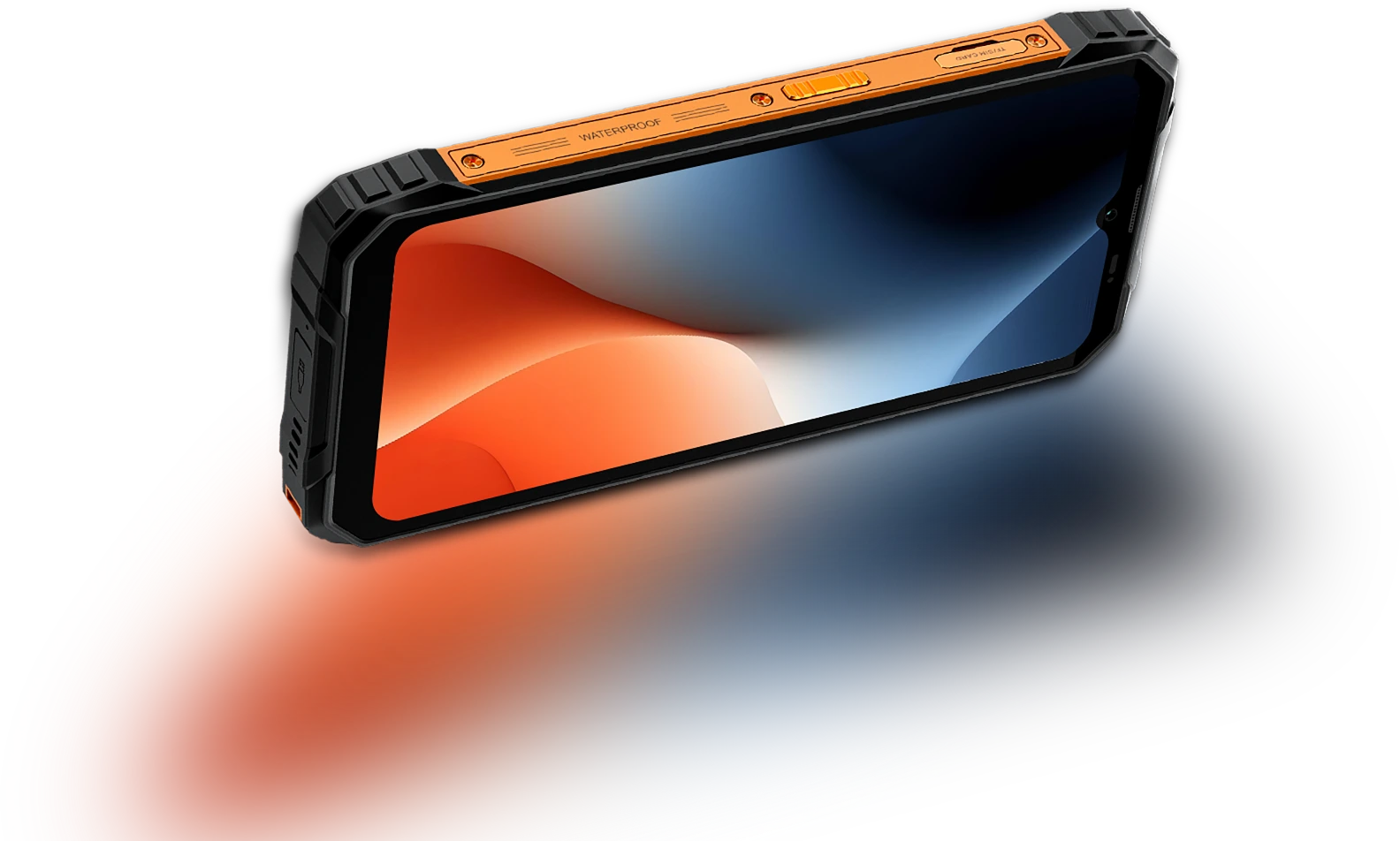
6,56-Zoll-HD+ IPS-Display
Mehr sehen. Einfach scrollen
Das FORT 1 verfügt über ein 6,56-Zoll-HD+-Display, das zuverlässig arbeitet – klar, reaktionsschnell und gut lesbar, egal ob drinnen oder unter freiem Himmel. Robust gebaut und perfekt dimensioniert für den Alltag, verbindet es Sichtbarkeit mit Portabilität.
Touch-Abtastrate Rate
180Hz
Bildschirm-zu-Gehäuse Verhältnis
83%
Dünner & leichter
INCELL IPS
PPI
269
Auflösung
720*1612 Pixel
Helligkeit
450nits
Seitenverhältnis
20:9
Smart AI-adaptive 90Hz
Bildwiederholrate
Jeder Wisch. Jeder
Bild. Nur
Flüssigkeit
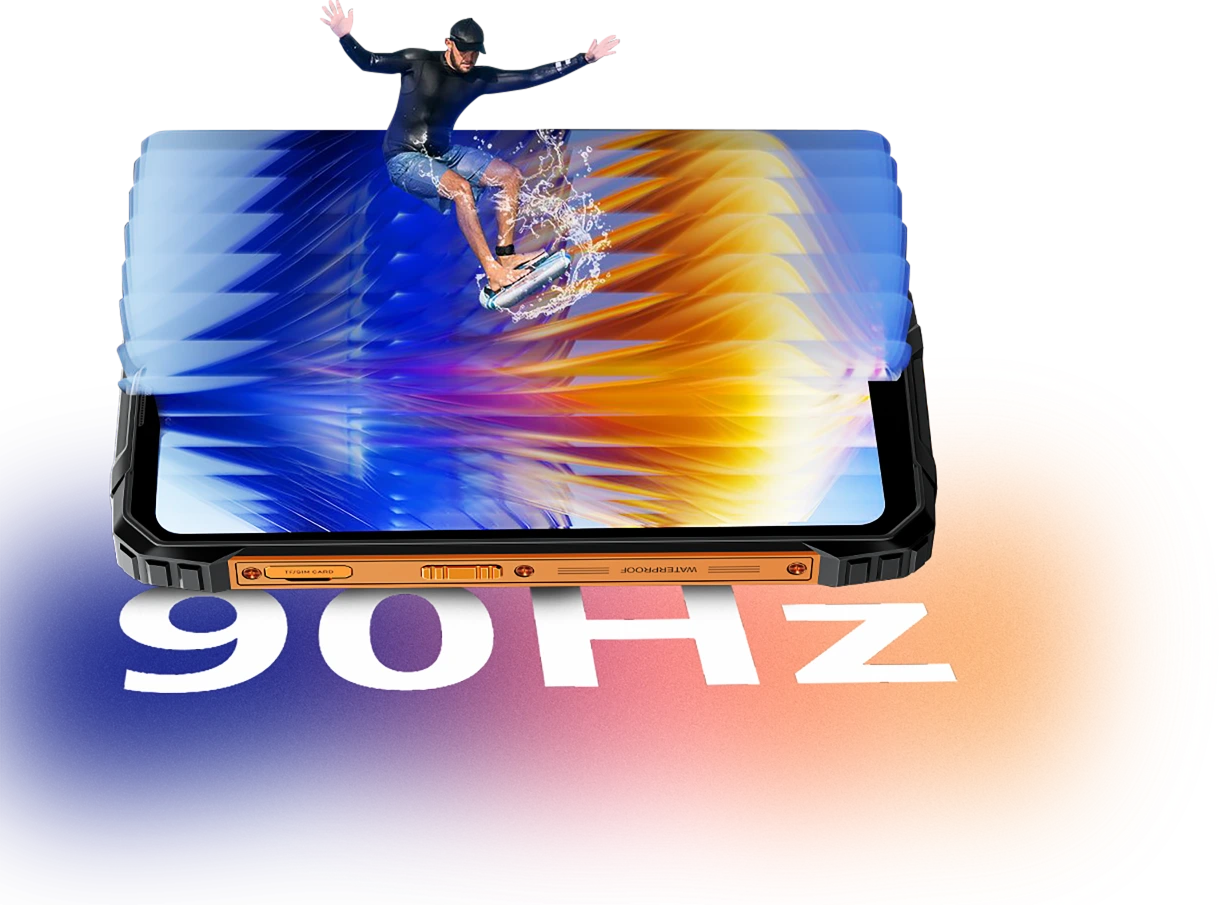
Egal, ob du Nachrichten durchscrollst, Karten ansiehst oder Job-Updates prüfst – die Smart AI-adaptive 90Hz Bildwiederholrate des FORT 1 sorgt für flüssige Abläufe, wenn du sie brauchst, und wechselt zu einer niedrigeren Bildwiederholrate, wenn du es nicht brauchst.
60Hz
hält alles effizienter beim Lesen, Schreiben oder im Standby.

90Hz
schaltet für flüssigeres Scrollen, geschmeidigeres Wischen und Animationen ein.


Augenkomfort zählt
Augenfreundlicher,
Tag oder Nacht
Ob du lange arbeitest, draußen liest oder abends entspannst, das Blackview FORT 1 ist darauf ausgelegt, die Augen zu entlasten. Mit intelligenten Bildschirmmodi, die sich an deine Umgebung anpassen, du bleibst komfortabel und konzentriert, egal zu welcher Zeit oder bei welcher Aufgabe.
Mehrschichtiger Dunkelmodus
(Stark/Moderat/Sanft)
zeigt eine dunklere, angenehmere Benutzeroberfläche
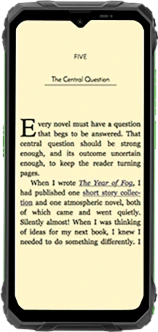
Lesemodus
dämpft die Helligkeit und filtert grelles Licht für ein papierähnliches Gefühl
Nachtlicht
reduziert blaues Licht, um die Augenbelastung bei schwachem Licht zu verringern
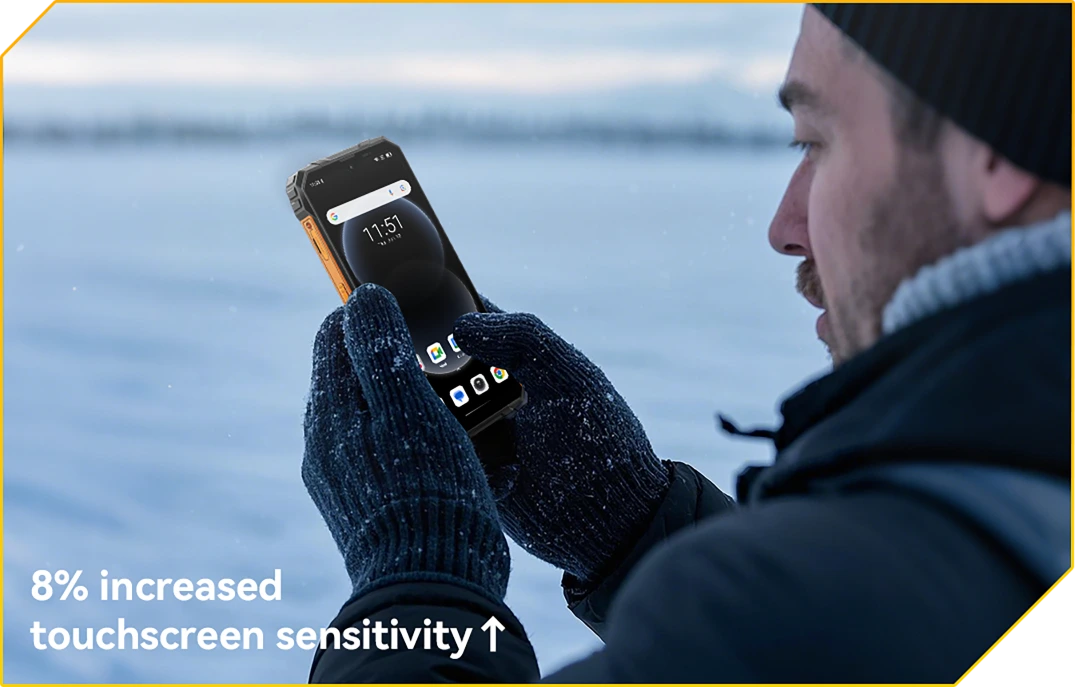
Handschuhmodus 2.0
Touch Ready. Auch mit Handschuhen an
Tippen, wischen und scrollen, ohne die Handschuhe auszuziehen.
Nr. 2 10000mAh Batterie-Monster
mit 48 Tagen sorgenfreier Nutzung
10000mAh Gigantischer Akku
Leistung hält. Tag für Tag
Mit einem riesigen 10000mAh-Akku ist der FORT 1 gebaut, um lange durchzuhalten, wenn andere aufgeben. Ob Sie eine Mehrtagesschicht, offline oder tief im Gelände, Sie können arbeiten, navigieren und kommunizieren, ohne sich um den nächsten Ladevorgang sorgen zu müssen.

12 Std.
Spiel
43 Std.
Anruf
45 Std.
Musik
21 Std.
Web
21 Std.
Standby
KI-adaptiv
Ladeschutz
sorgt für sicheres Laden und eine
langlebiger Akku.
+1 Jahr längere Lebensdauer↑


KI-Stromsparfunktion
Algorithmus
passt automatisch Hintergrundaktivitäten, Helligkeit und Leistung an für längere Akkulaufzeit.
Über 500 Ladezyklen
mit 80 % Akku
Lebensdauer erhalten
bedeutet 2~3 sorgenfreie Nutzung.


5W OTG Reverse Charging Unterstützung
Strom zum Teilen,
Wo immer Sie sind
Müssen Sie unterwegs ein anderes Gerät aufladen? Mit 5W OTG Reverse Charging dient der FORT 1 auch als tragbare Powerbank, damit Sie Ihre Ohrhörer aufladen können, Taschenlampe oder sogar das Telefon eines Teamkollegen, keine Steckdose nötig. Es ist Backup-Strom in Ihrer Tasche.
Geräte mit Reverse Charging-Unterstützung

Nr. 3 Mühelos. Freihändig.
Angetrieben von Doke AI.
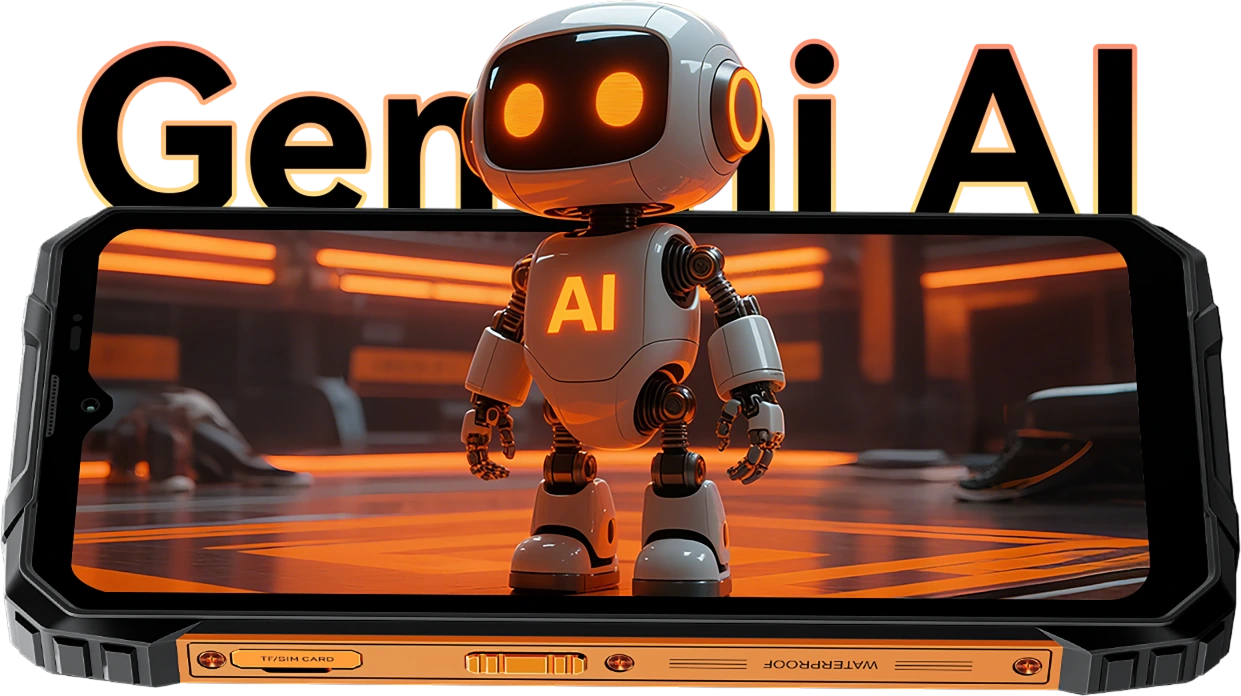
Doke AI auf FORT 1 bringt Intelligenz auf die nächste Stufe in Ihren Alltag – jetzt integriert mit den weltweit führenden KI-Modellen, darunter DeepSeek-R1, ChatGPT-4o mini und Gemini AI 2.0 Flash Thinking Experimental. Ob vor Ort, unterwegs oder abseits der Wege, Dieser robuste KI-Assistent hält alles einfach, intelligent und nahtlos.
Sprachaktivierung &
Stimmerkennung
Ihre Stimme.
Ihr Zugang.
Sagen Sie einfach das Wort – auch mit Handschuhen oder vollen Händen. FORT 1 wacht sofort und sicher mit Ihrer einzigartigen Stimme auf.

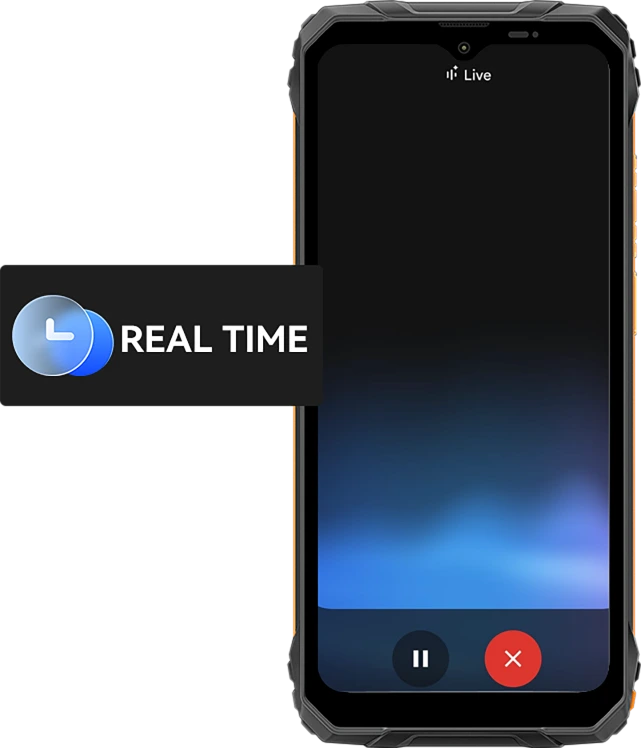
Echtzeit-Sprachinteraktion
Frag schnell. Erhalte Antworten.
Schneller.
Von schnellen Updates bis zu Echtzeit-Ratschlägen – sprechen Sie mit Ihrem Telefon und erhalten Sie sofortige Antworten mit 10 ausdrucksstarken Stimmen wie Nova, Orbit oder Vega – nützlich und menschenähnlich.
10 Sprachoptionen zur Auswahl:
Bildschirmbewusste Unterstützung
Hilfe, direkt auf
Ihr Display.
Sehen Sie eine Datei, Karte oder ein Bild, bei dem Sie Hilfe brauchen? Fragen Sie einfach. Kein App-Wechsel. Keine Ablenkungen.

Global Smart Control
Eine Stimme. Volle Kontrolle.
Einstellungen anpassen, Apps starten und Werkzeuge verwalten – alles freihändig. Ideal beim Multitasking oder wenn Sie Handschuhe bei der Arbeit tragen.


Gmail

Google Kalender

Google Keep

Google Tasks

Google Drive

Google Docs


Nachrichten

Telefon

Google Maps

Google Flüge

Google Hotels

YouTube

YouTube Musik
Der intelligenteste kreative Sidekick
Hi Doki App AI Intelligenter Chat-Assistent
Dein KI-Kumpel für jede Aufgabe und Idee
Ob du auf der Baustelle brainstormst oder Hilfe bei täglichen Aufgaben brauchst, Hi Doki ist immer bereit.

ImageX App
Leistungsstarke KI-Fototools für Abenteuer in der realen Welt
Selbst unter härtesten Bedingungen verdienen deine Fotos eine professionelle Veredelung. Mit 18 KI-Bearbeitungsfunktionen, ImageX auf FORT 1 verwandelt Schnappschüsse vom Feld, Outdoor-Aufnahmen und Alltagserlebnisse schnell und unkompliziert in teilenswerte Bilder.
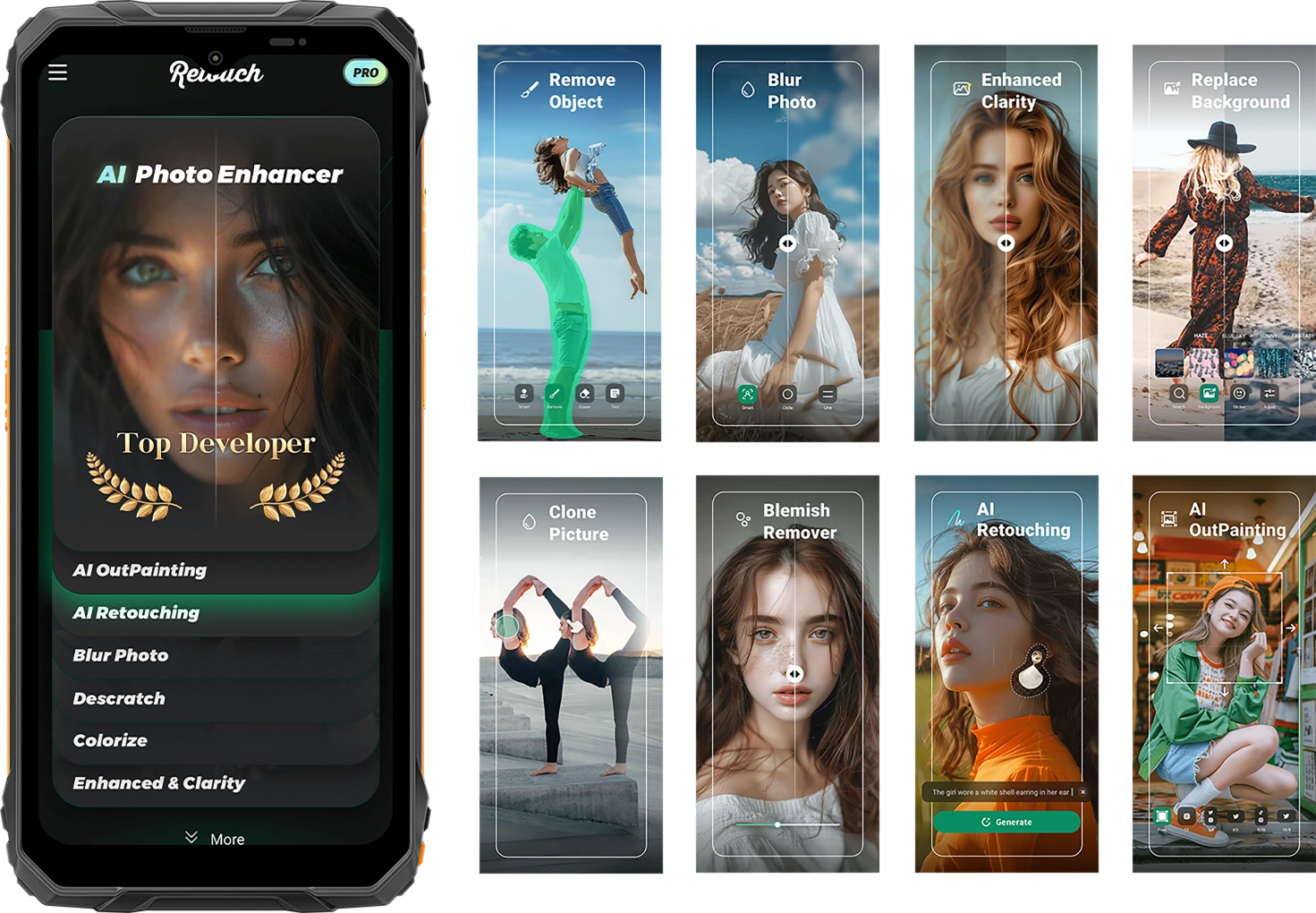
Halte das Leben roh fest. Teile es veredelt.
KI Objektentfernung
Entferne unerwünschte Objekte, Fremde oder Ausrüstungschaos in Sekunden. Halte den Fokus dort, wo er zählt.

KI-adaptiv
Ladeschutz
Ein Fingertipp reicht. Intelligente Anpassungen für Beleuchtung, Farbe und Balance – keine Bearbeitungskenntnisse erforderlich.


KI Foto
Retusche
Glätte automatisch die Haut, korrigiere die Beleuchtung und verbessere Porträts für einen sauberen, natürlichen Look.
KI OutPainting
Erweitere die Ränder deines Bildes, um mehr Landschaft, mehr Kontext – mehr Geschichte zu zeigen.

KI Fotounschärfe
Blende unordentliche oder ablenkende Hintergründe aus, damit dein Motiv scharf und klar hervorsticht.
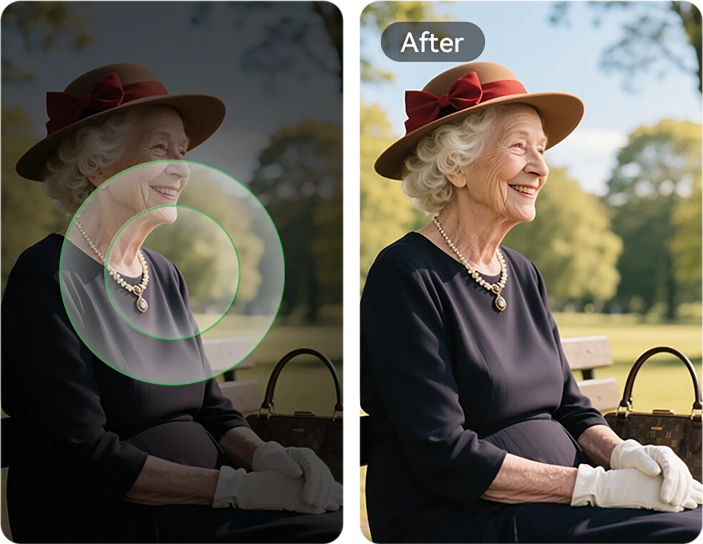
KI Hintergrundwechsel
Von Bergpfaden bis zu Baustellen – wechsle jeden Hintergrund sofort, um deine Stimmung oder Botschaft zu unterstreichen.

Unreinheiten Entferner
Erkenne und verfeinere mühelos Hautunreinheiten, kleine Flecken oder Makel auf Haut oder Fotooberflächen, sodass dein Bild makellos und rein bleibt.

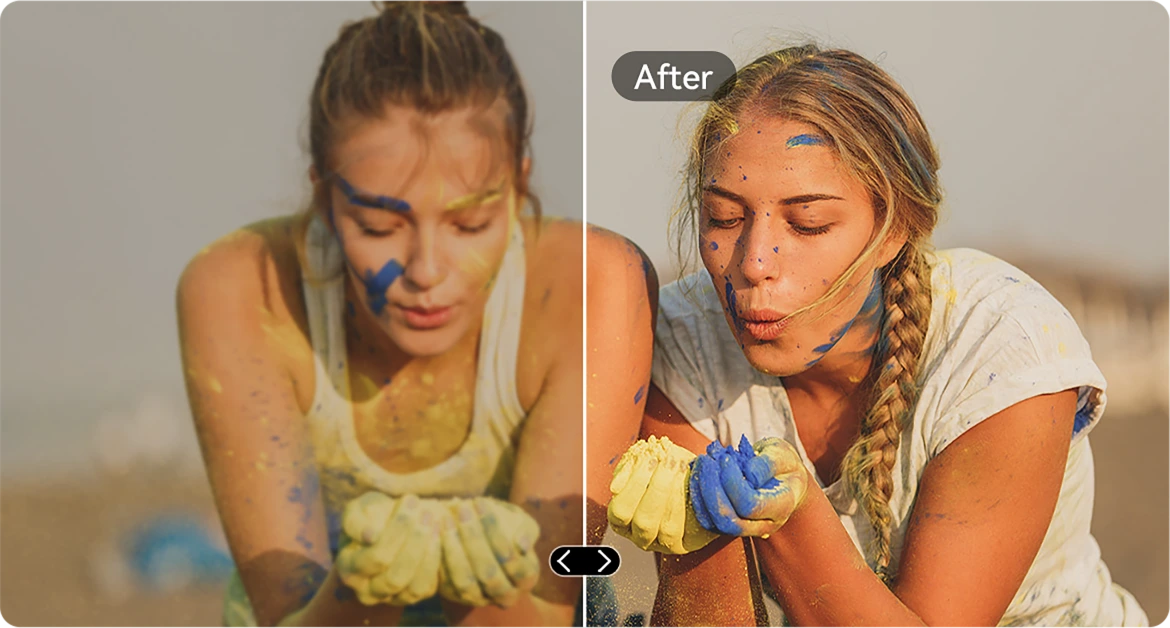
KI Klarheitsverbesserung
Schärfe unscharfe oder lichtschwache Bilder, sodass jedes Detail hervorsticht – selbst bei schnellen Bewegungen.
KI Bild-Einfügen
Kopiere Elemente zwischen Fotos. Platziere Werkzeuge, Tags oder Personen genau dort, wo du sie haben möchtest.

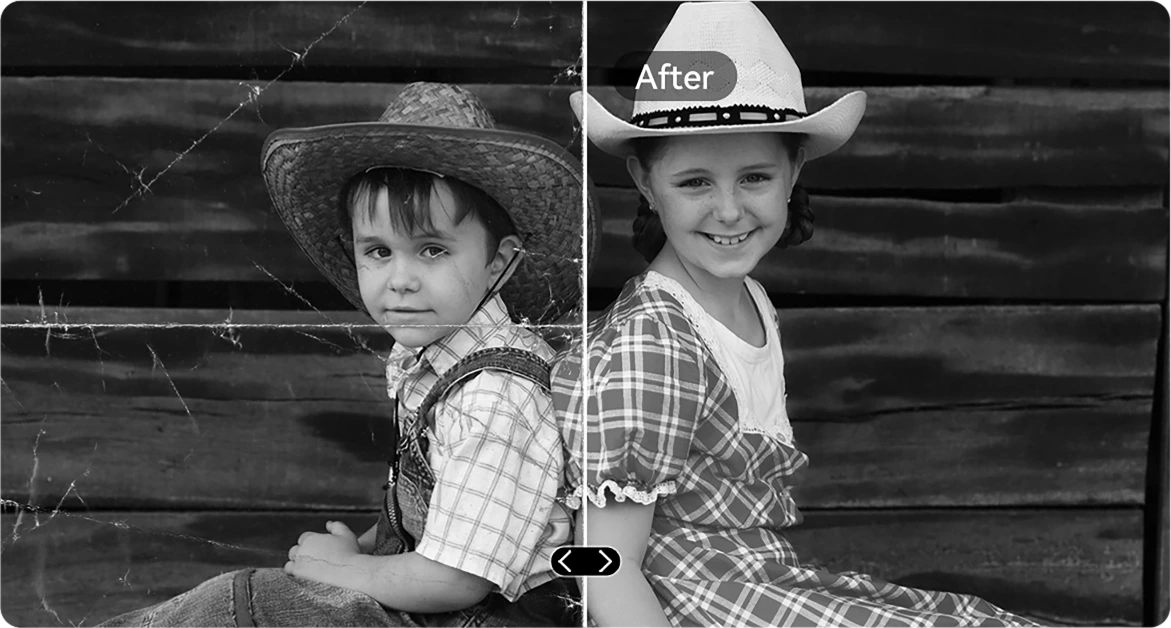
KI Kratzerentfernung
Stelle zerkratzte, beschädigte oder gealterte Bilder mit nur einem Fingertipp nahezu in Originalqualität wieder her.
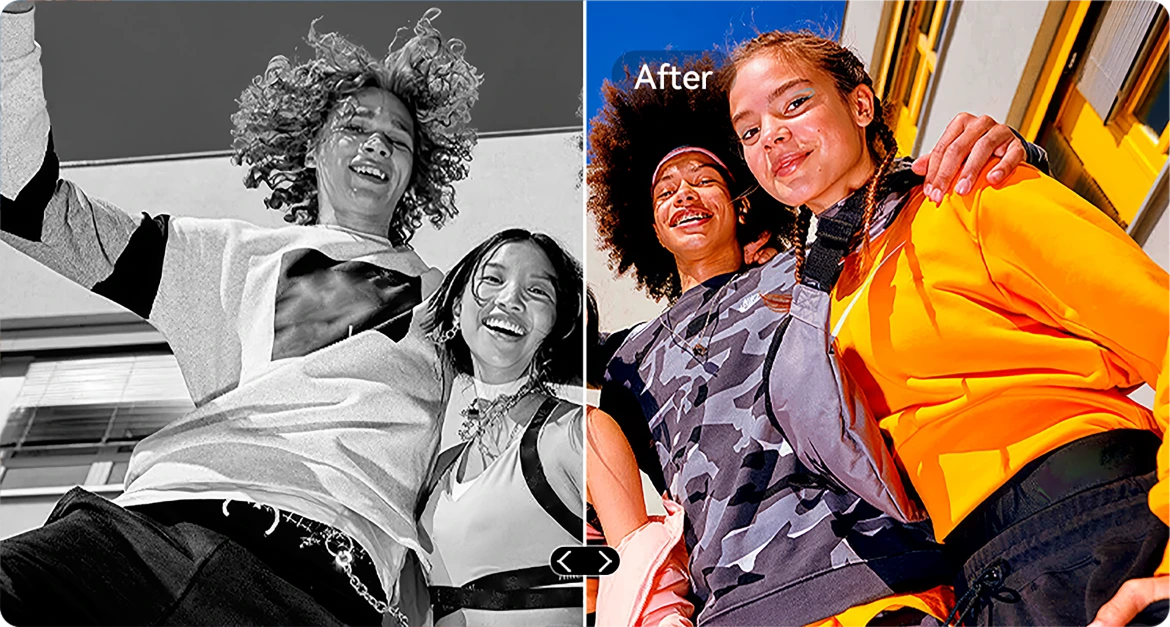
KI S/W-Farbgebung
Erwecke Schwarz-Weiß-Fotos zu neuem Leben, indem du Farben in jedem Detail präzise wiederherstellst. Sieh zu, wie Menschen, Landschaften und sogar ein Sonnenstrahl lebendig werden, als ob die Zeit zurückgedreht wurde.

KI Fotorektifikation
Behebe automatisch schiefe oder verzerrte Aufnahmen für saubere, gerade und professionell aussehende Fotos.
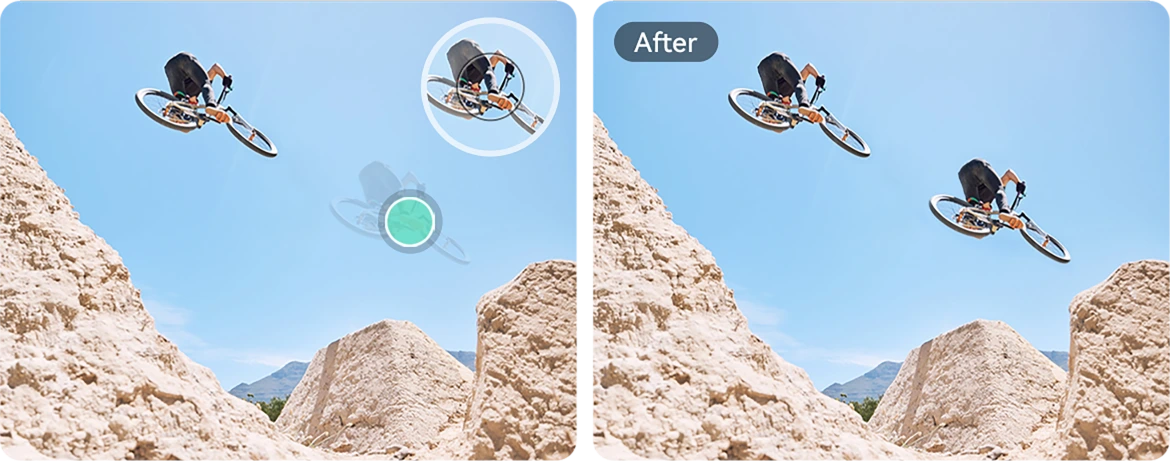
KI Fotoklonen
Dupliziere Objekte für visuelles Gleichgewicht, Storytelling oder einfach kreativen Spaß.
KI Fotoanimation
Füge Porträts subtile Bewegung hinzu – lass Gesichter sich bewegen, blinzeln oder lächeln für eine dynamische Note.

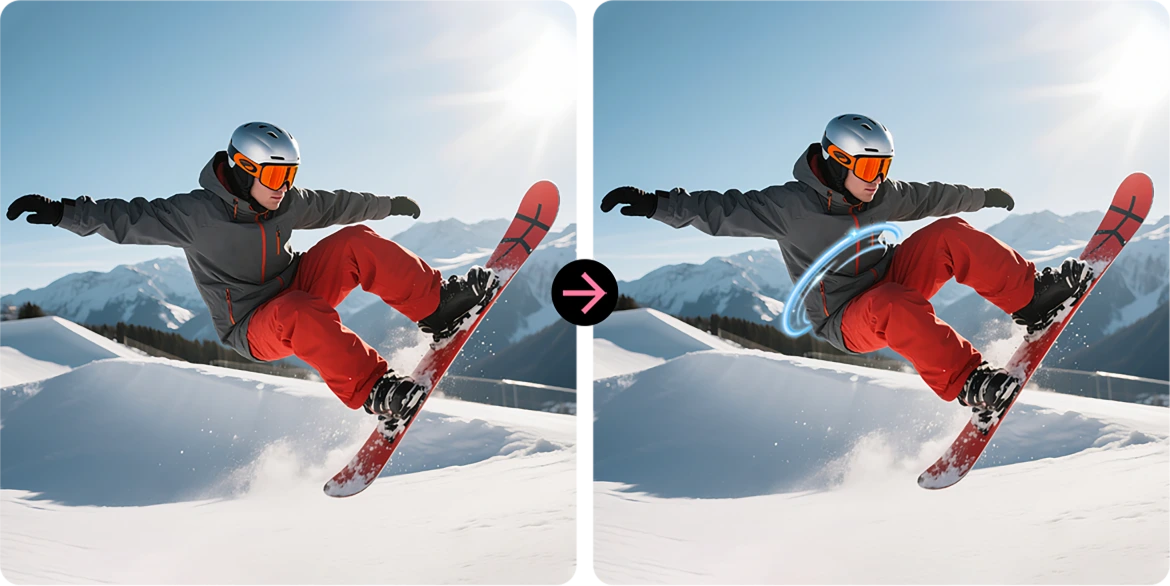
KI Spiraleffekt
Wende auffällige Spiralüberlagerungen an, die gewöhnliche Aufnahmen in scrollstoppende Kunst verwandeln.
Himmel ersetzen
Verbessere trübe Himmel mit epischen Sonnenuntergängen, verträumten Wolken oder dramatischem Wetter mit nur einem Fingertipp.
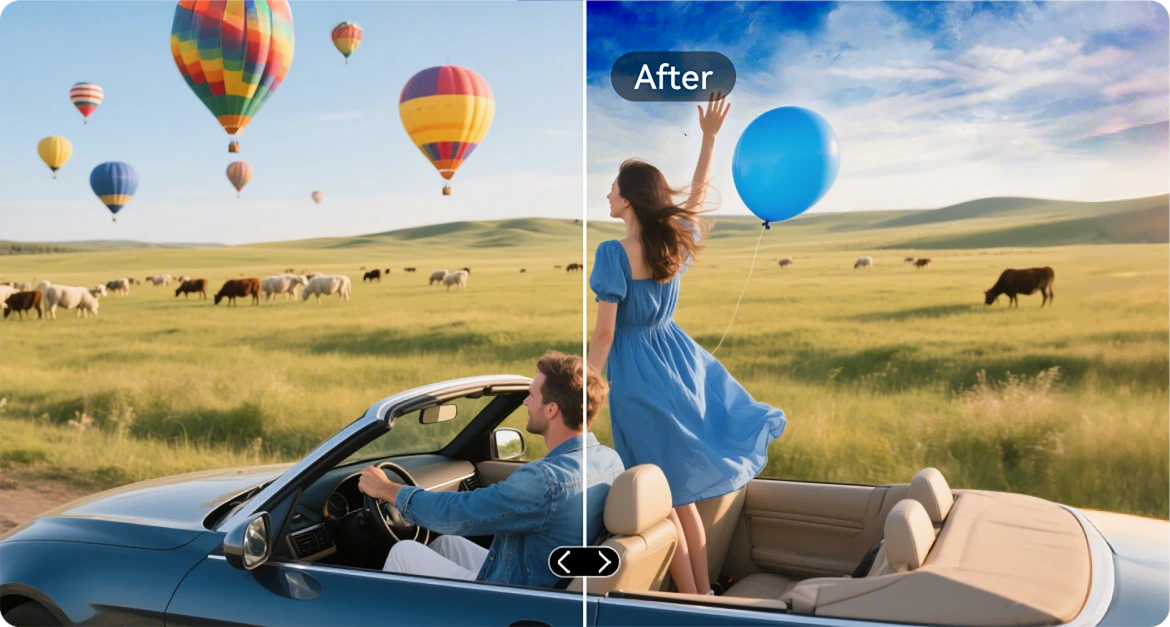
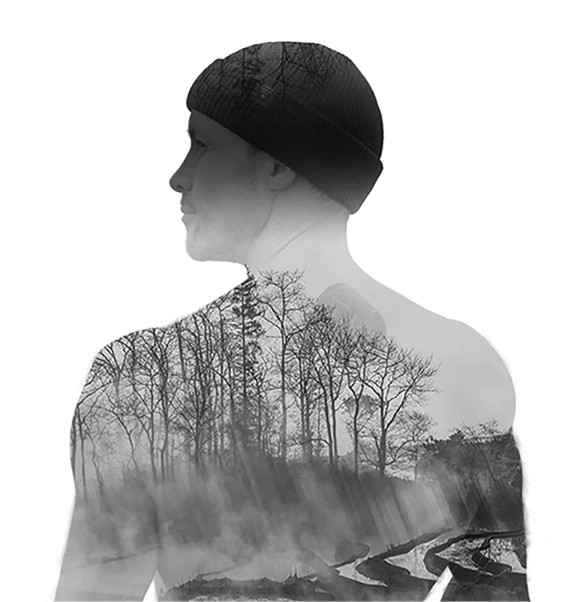
KI Doppelbelichtung
Verschmelze zwei Bilder zu einem – perfekt für cineastische Stimmungen oder mutiges Storytelling.
KI Radikaler Farbkontrast
Verwandle ausgewaschene Farben in lebendige Brillanz, ideal für Außenbeleuchtung oder raue Bedingungen.

VidGen App
Intelligenter KI-Videoeditor
Erwecke deine Outdoor-Geschichten zum Leben
Ob du kletterst, baust, campst oder den Alltag festhältst, VidGen verwandelt deine Rohmomente in dynamische, sofort teilbare Videos mit nur wenigen Klicks.

Text in Video verwandeln
Beschreibe die Szene oder Idee, und lass AI eine lebendige visuelle Geschichte erstellen – von Action-Rückblicken bis zu Anleitungen.

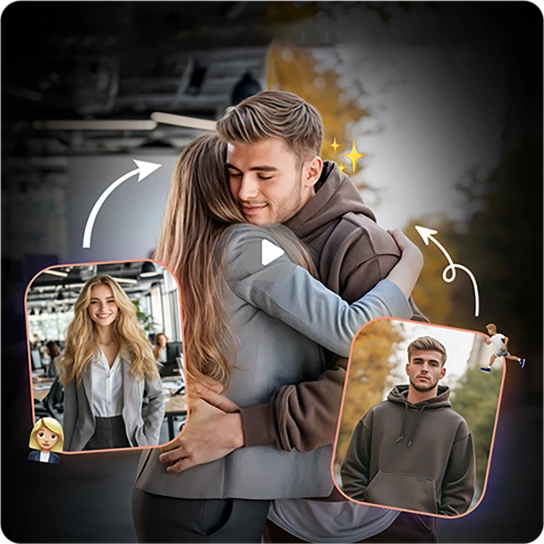
Fotos in Videos verwandeln
Hast du viele Standbilder? Sieh zu, wie sie lebendig werden, wenn AI sie zu flüssigen, cineastischen Erinnerungen zusammensetzt.
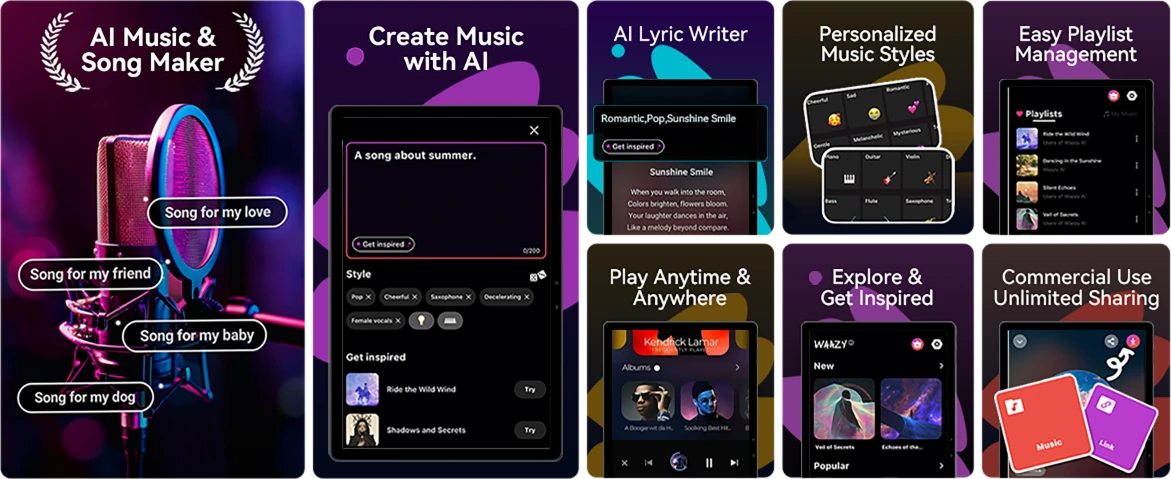
Soundle App
Intelligenter AI-Musikkomponist
Mach Musik. Überall. Jederzeit.
Keine Instrumente? Kein Studio? Kein Problem. Mit Soundle, Dein robustes Telefon wird zum Musikstudio, perfekt, um Momente unterwegs in Soundtracks zu verwandeln.
Nr. 4 Aufgaben mühelos erledigen mit Unisoc T615 Octa-Core Prozessor & bis zu 18GB RAM & 256GB ROM & 2TB TF-Speicher
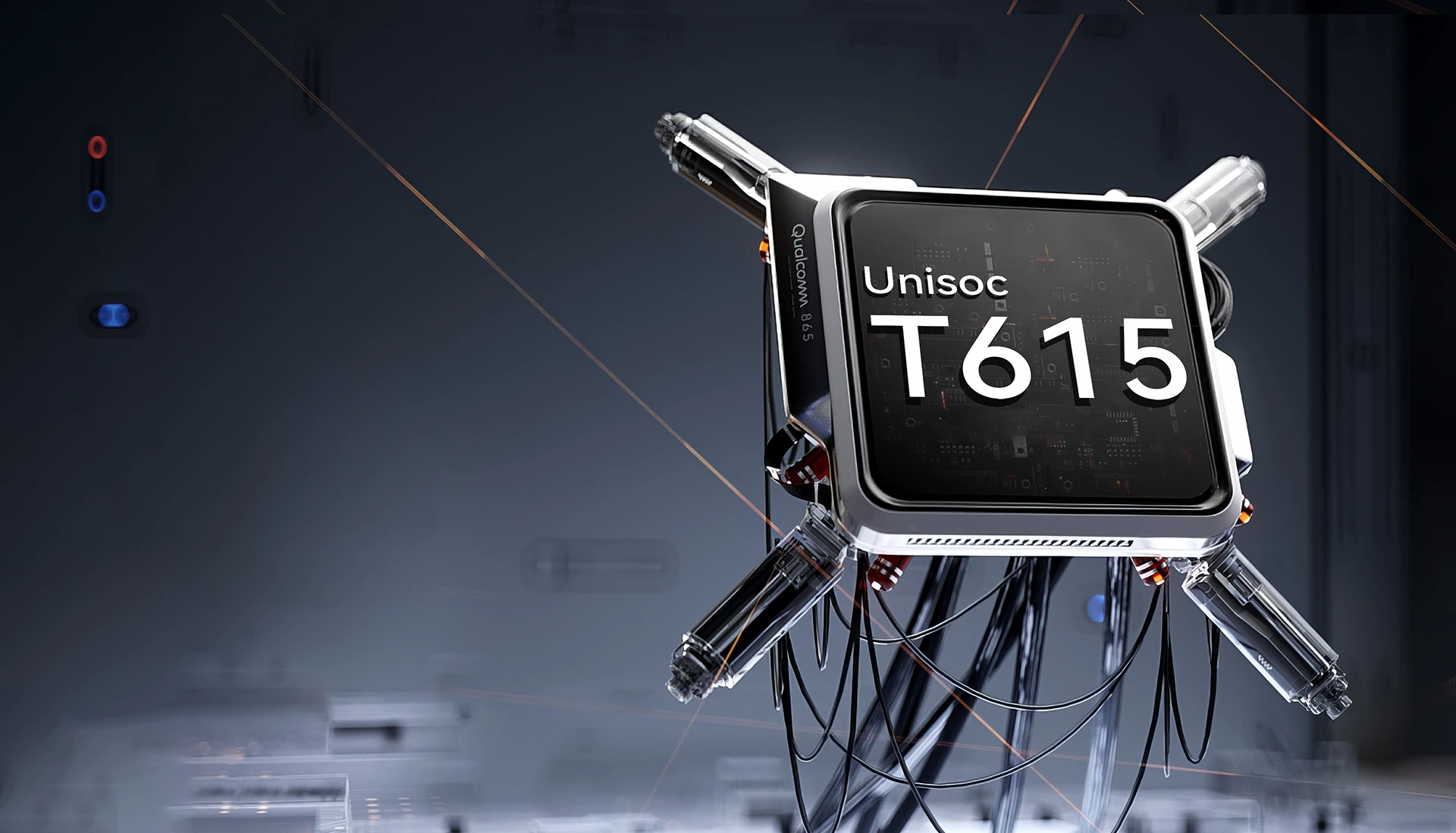
Unisoc T615 Octa-Core
Prozessor
Leistung, die hält Auf
Flüssig, zuverlässig und effizient. Egal, ob du zwischen Arbeits-Apps wechselst, offline navigierst oder unterwegs Inhalte ansiehst. Der Unisoc T615 liefert dir die Leistung, die du brauchst, ohne Verzögerungen.
12nm EUV-Prozess
optimiert für geringeren Stromverbrauch
2 x Cortex-A75@1,8GHz + 6 x
Cortex-A55@1.6GHz
leistungsstarke Kerne für nahtlosere Performance
Arm Mali-G57 GPU@850MHz
flüssige Grafik & klare Bilder
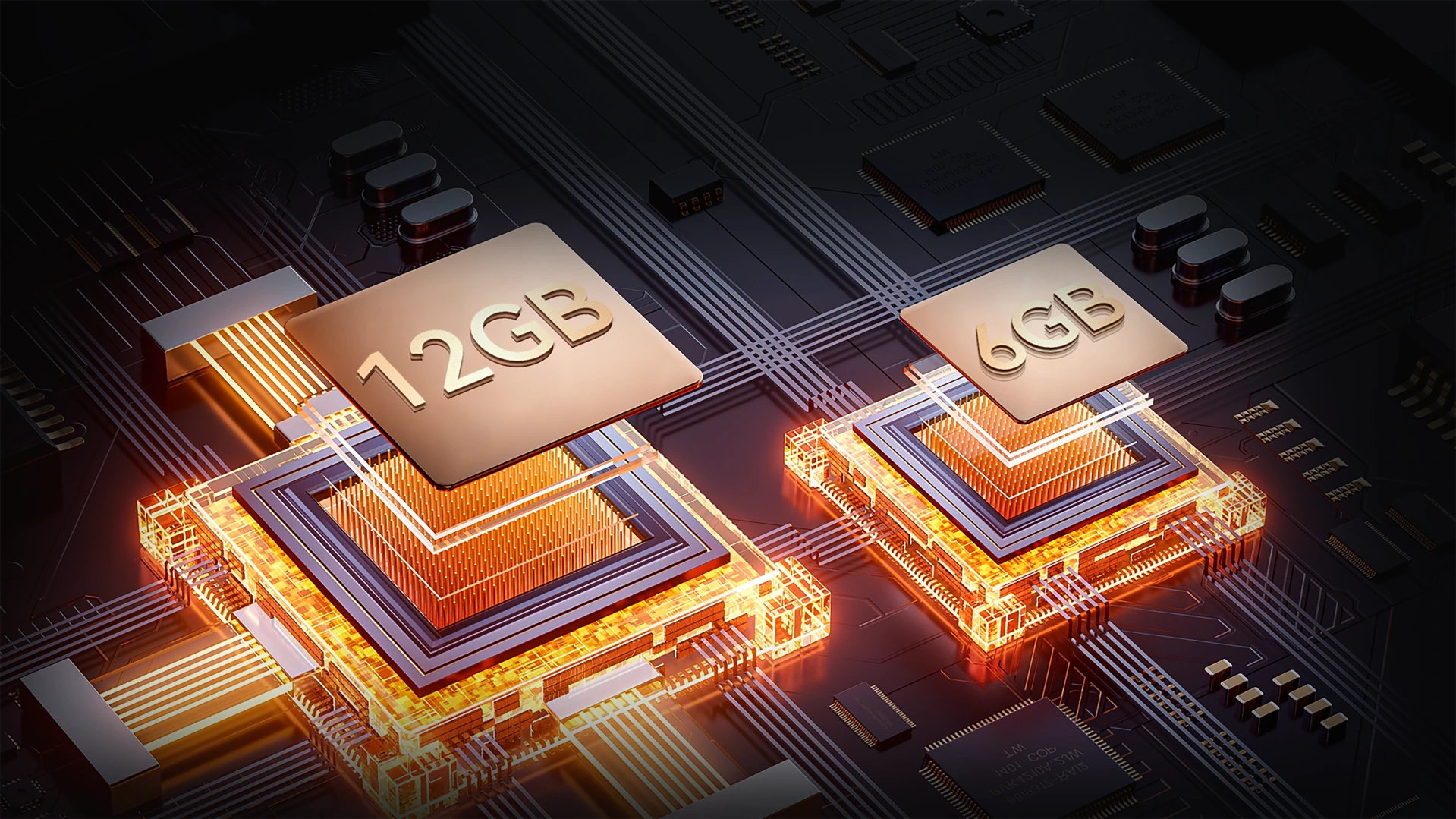
Bis zu 18GB RAM (6GB + 12GB Erweiterung)
Mehr Speicher. Reibungslosere Einsätze.
Multitasking ohne Probleme. Mit bis zu 18GB RAM bewältigt der FORT 1 alles von Baustellen-Tools bis zu Unterhaltungs-Apps – schnelleres Laden, flüssigeres Wechseln, keine Verzögerungen.
Bis zu 18GB RAM=
6GB RAM + 12GB Erweiterung
20% Schnellere Reaktionsgeschwindigkeit↑
Atomized Memory 2.0
9% Mehr RAM verfügbar↑
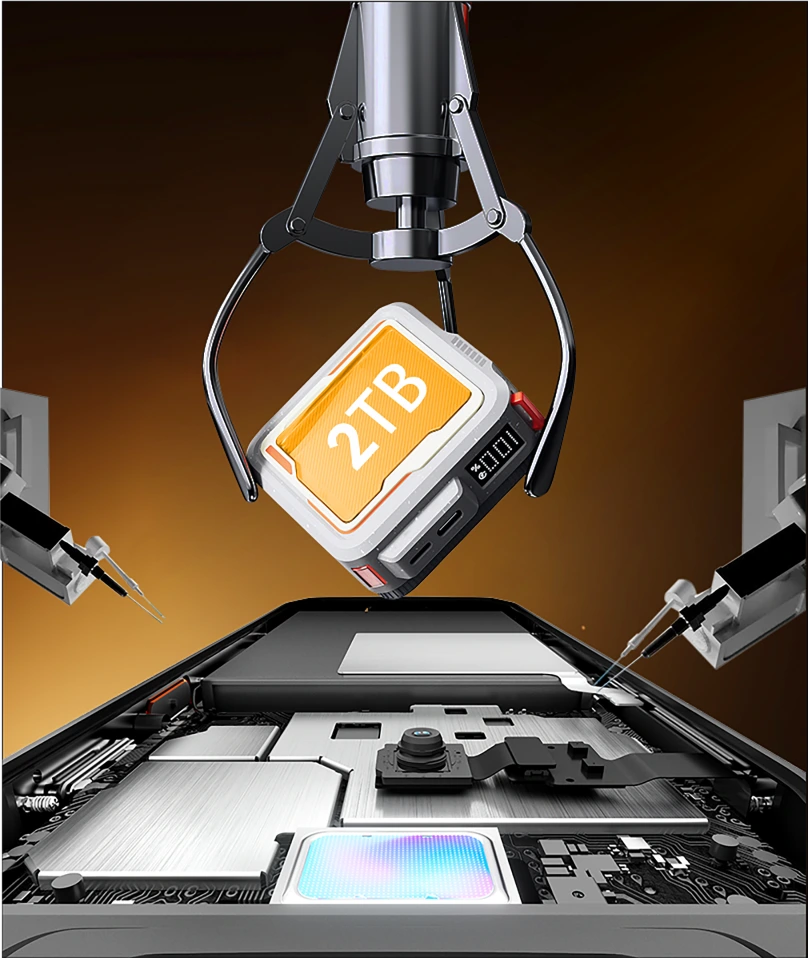
256GB ROM + 2TB TF-Erweiterung
Speicher, der mit dir mithält
Nie wieder Platzmangel bei der Arbeit oder abseits der Zivilisation. Mit 256GB internem Speicher und Unterstützung für bis zu 2TB TF-Karten, Der FORT 1 speichert alles – Karten, Fotos, Videos und missionskritische Dateien – direkt griffbereit.

≈900K
+ Tracks Songs

≈59,4K
+ Kurzvideos

≈498,6K
+ Fotos
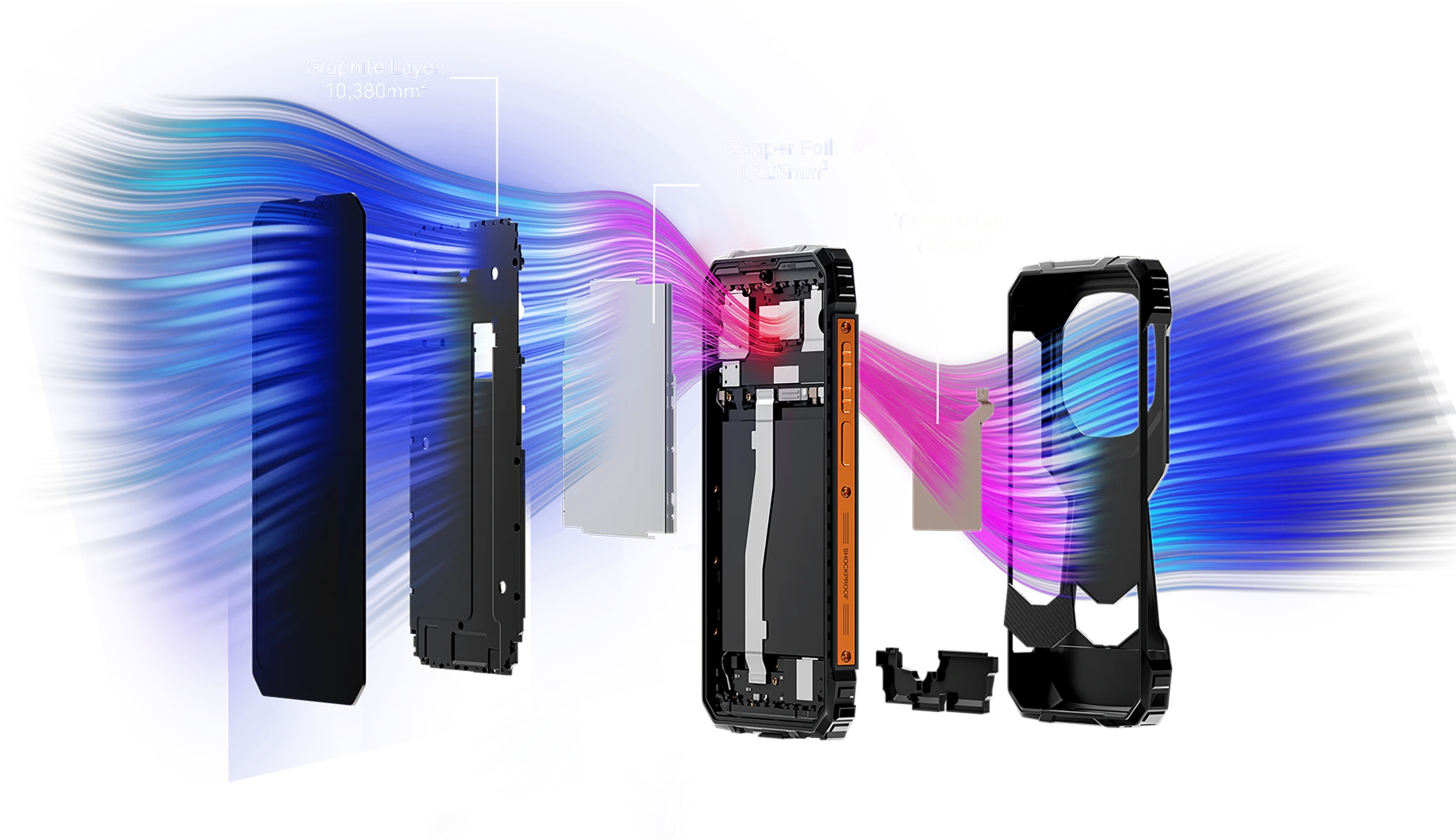
Über 12.072 mm² Kühlfläche
Kühle Leistung, unaufhaltsames Gaming
Ausgestattet mit einem leistungsstarken integrierten Kühlsystem mit 12.072 mm² sorgt der FORT 1 für effiziente Wärmeableitung und anhaltende Spitzenleistung – selbst während lange Gaming-Sessions. Verabschiede dich von Überhitzung und genieße unterbrechungsfreies Spielen.
Nr. 5 IP68 & IP69K & MIL-STD-810H zertifiziert
Robustes Gehäuse
Jede Kante ist verstärkt. Jedes Detail einsatzbereit.
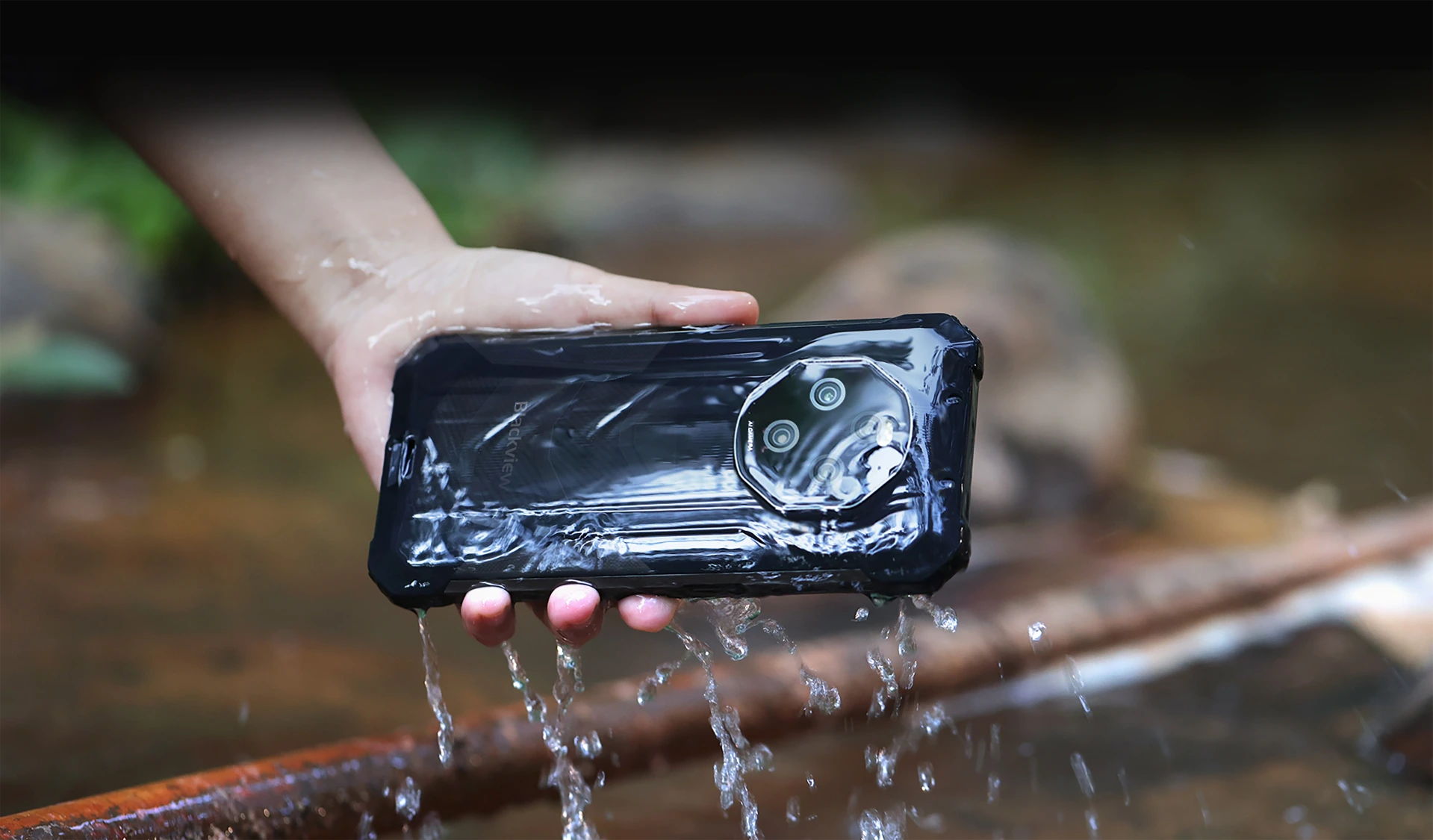
Wasser- & staubdicht mit IP68- & IP69K-Zertifizierung
Gebaut, um zu bestehen. Entwickelt für Leistung
Der FORT 1 ist dein ultimativer robuster Begleiter, entwickelt, um den härtesten Bedingungen mit IP68- & IP69K-Zertifizierung standzuhalten. Ob unter Wasser getaucht oder im Staub vergraben, or exposed to extreme environments, FORT 1 keeps going—unshaken and uncompromised.
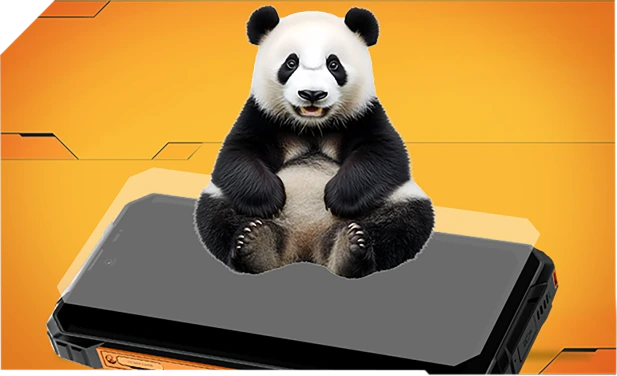
Oder extremen Umgebungen ausgesetzt, FORT 1 macht weiter – unerschüttert und kompromisslos.
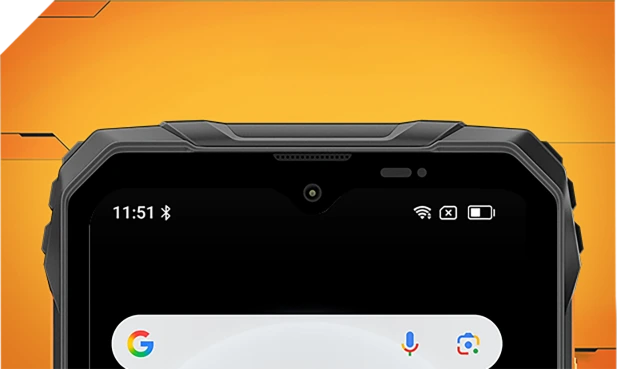
Verstärkt mit Panda-Glas und randversiegelt für überlegenen Wasserschutz – übersteht sogar Stürze in Waschbecken oder Waschmaschinen.
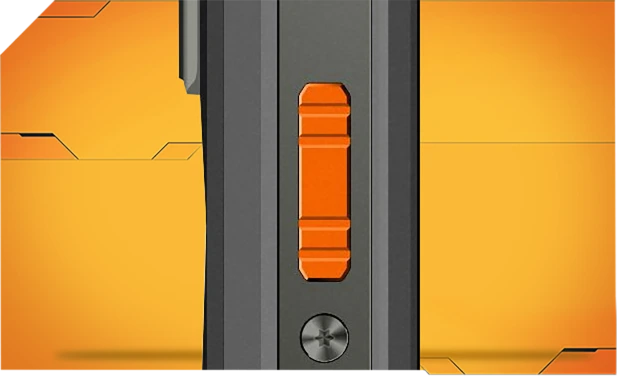
Innen und außen wasserdicht mit feinen Mesh-Filtern – bleib klar und deutlich, egal bei Spritzwasser oder Sturm.

Aus korrosionsbeständigem Aluminium gefertigt und mit wasserdichten Dichtungen versehen für zuverlässige Kontrolle bei Regen, Schlamm oder Staub.
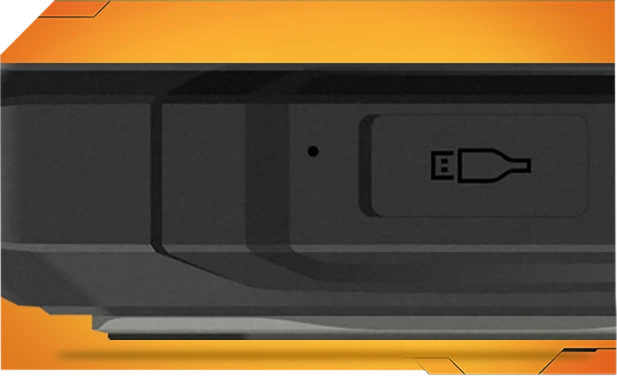
Dicht verschlossenes Asahi-Glas hält die Linsen klar und trocken, sogar unter Wasser.
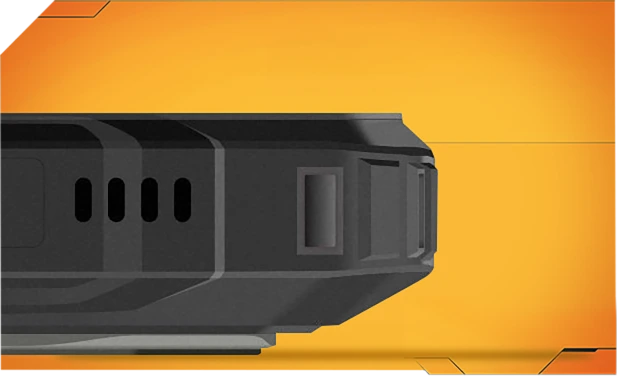
TPU-Anschlussabdeckungen halten 99 % Wasser und Staub fern – über 10.000 Mal getestet für sorgenfreie Outdoor-Nutzung.
Mit einem Tipp werden Wasser und Staub mit smarter Schallwellen-Technologie aus deinem Lautsprecher geblasen – für jederzeit klaren Sound.
Härtester MIL-STD-810H
Zertifiziert robust. Für alles bereit.

Getestet nach dem strengen MIL-STD-810H-Standard, ist FORT 1 gebaut, um extremen Bedingungen zu widerstehen – Hitze, Kälte, Feuchtigkeit, Stürze, Staub und Vibrationen. Ob auf der Baustelle, einem Bergpfad oder im Regen – es macht weiter, wenn andere aufgeben.
Verstärkt für die härtesten Stürze
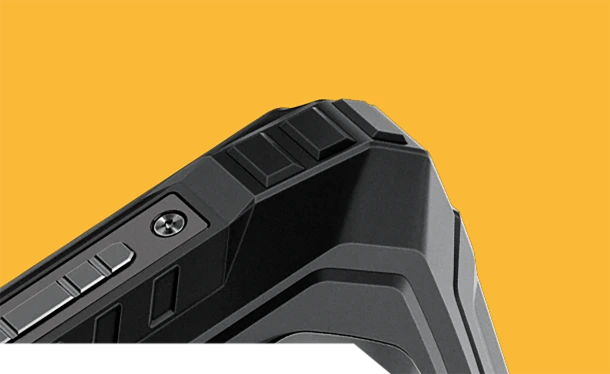
Von innen nach außen robust gebaut, trotzt FORT 1 Stürzen, Erschütterungen und grober Behandlung – ohne klobiges Aussehen.
Stoßfeste Ecken
Speziell verstärkte Kanten absorbieren Stöße dort, wo es am wichtigsten ist.
Robuste Rückseite


Hochfeste Hülle + weicher Gummi = ernsthafte Sturzfestigkeit. Luftfahrtqualität
Metallrahmen
Robuste Aluminiumlegierung, mit Schrauben gesichert – stabil und zuverlässig.
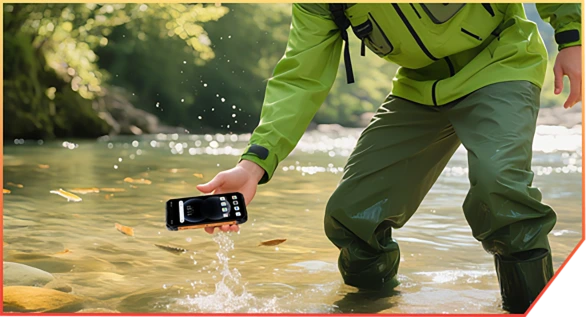
Lebensnahe Widerstandsfähigkeit, wo immer du bist

Beim Canyonwandern in einen Bach gefallen

Beim Lagerversand fallen gelassen
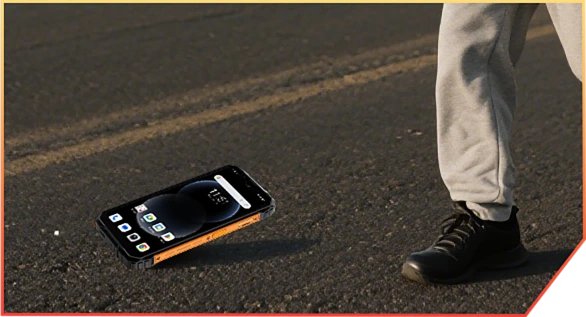
An Felsen auf einem Bergpfad abgeprallt
Vom LKW auf der Baustelle gefallen
Nr. 6 KI-gestützt. Jedes
Moment bewahrt, unvergesslich
KI-Magie. Jedes Foto, abenteuerbereit.
 Keine Filter. Keine Wiederholungen. Nur smarte, robuste Bearbeitung, die überall funktioniert – Schlamm, Staub oder Berge.
Magischer Radierer
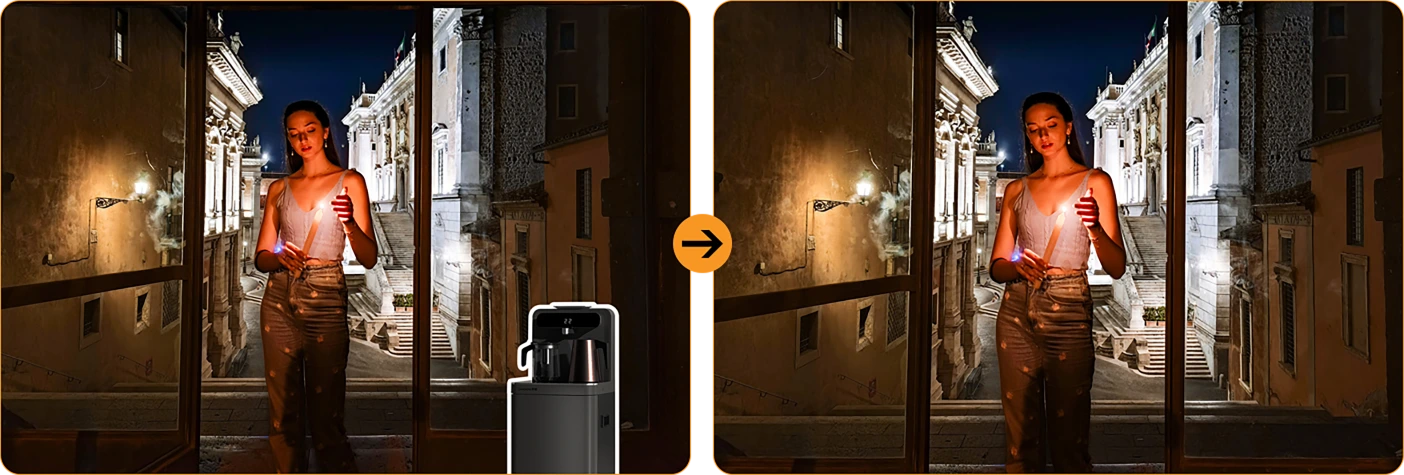
 Räume Menschenmengen, Unordnung oder Chaos mit einem Tipp weg. Behalte nur das Wesentliche.
Himmel mit einem Tipp austauschen



Regnerisches Foto? Trüber Himmel? Ersetze sie durch Sonnenschein, Sterne oder dramatisches Gewitter.
Porträtunschärfe
Lass deine Crew hervorstechen – den Hintergrund unscharf machen,
 nicht der Moment.
Farbfokus

 Störgeräusche ausblenden, deine Stimmung hervorheben. Das Wichtige fällt besser auf.
Foto-Entwackelung
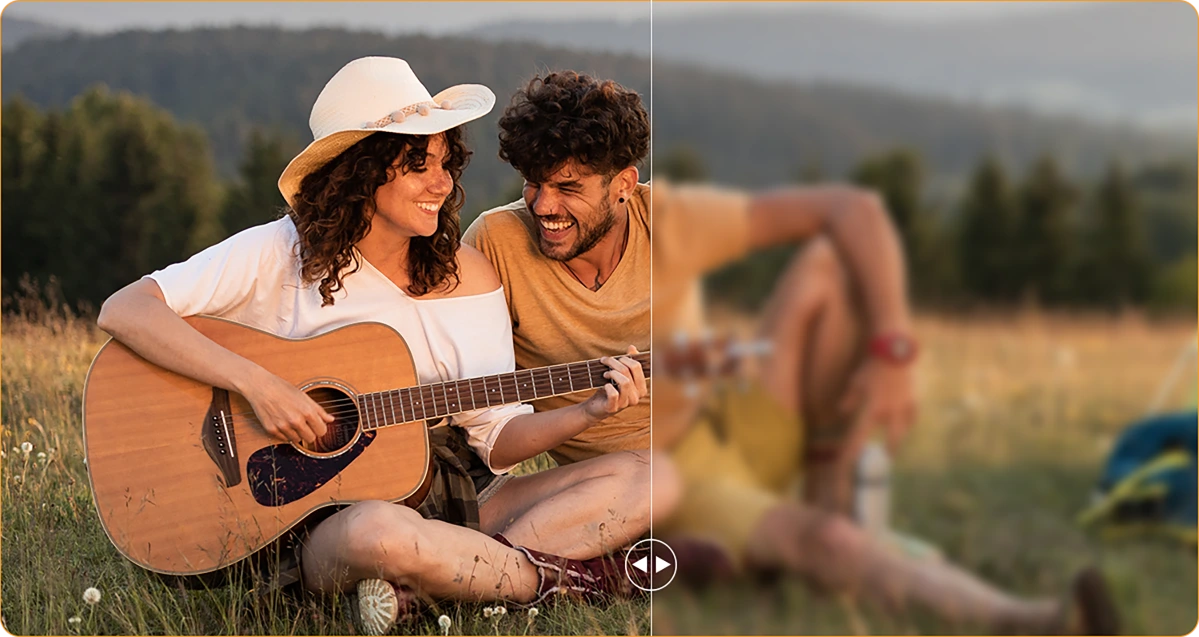
Zitternde Hände? Staubige Linse? KI schärft alles, als wäre nichts passiert.
Porträtlicht
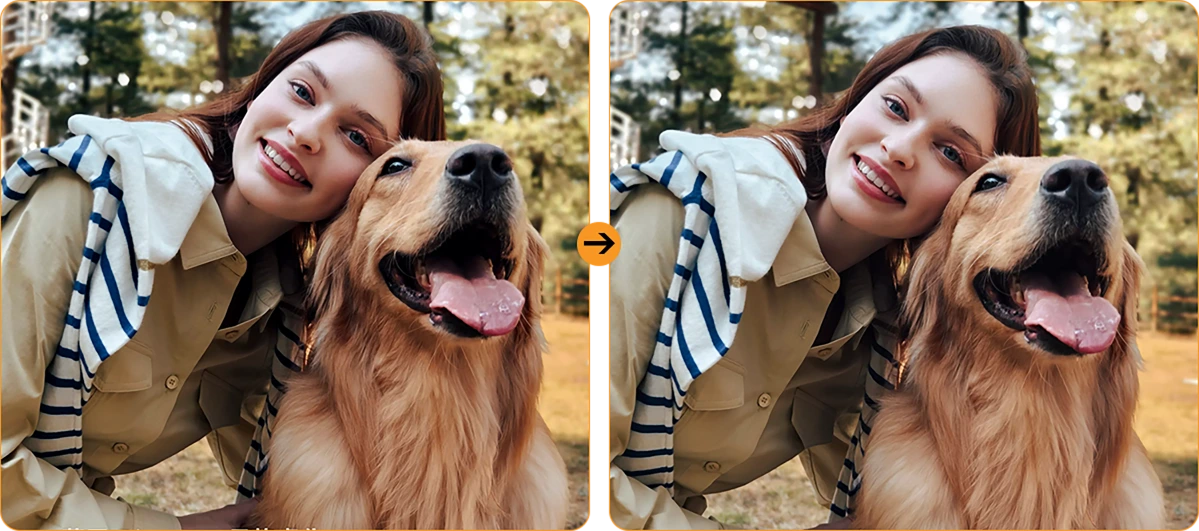
Schwaches Licht? Kein Problem. Du bleibst beleuchtet – selbst in der Dämmerung oder am Lagerfeuer.
16MP KI-Hauptkamera
Klare Aufnahmen. Echte Momente. Von Baustellendetails bis zu Wochenendabenteuern – die 16MP KI-Hauptkamera hält alles fest – scharf, lebendig und bereit zum Teilen. Kein Aufwand,

Schwaches Licht? Kein Problem. Du bleibst beleuchtet – selbst in der Dämmerung oder am Lagerfeuer.
16MP KI-Hauptkamera
Klare Aufnahmen. Echte Momente. Von Baustellendetails bis zu Wochenendabenteuern – die 16MP KI-Hauptkamera hält alles fest – scharf, lebendig und bereit zum Teilen. Kein Aufwand,


einfach großartige Ergebnisse bei jedem Klick.
Gesichtsausleuchtung
Die Natur leuchtet nicht auf, wenn
Vergiss dunkle, körnige Selfies. Mit eingebautem Face Fill Light bleibt dein Gesicht hell und klar – selbst bei wenig Licht, Gegenlicht oder völliger Dunkelheit.
HDR
Ausgewogen & naturgetreu
High Dynamic Range (HDR) erfasst jedes Detail – verbessert Kontrast, Farbe und Licht, damit deine Fotos auch bei schwierigen Lichtverhältnissen hervorstechen.

Porträt
Tiefe, die Aufmerksamkeit erregt
Bringe dein Motiv mit Hintergrundunschärfe scharf in den Fokus, die Tiefe und Dramatik verleiht – angetrieben von KI für den perfekten Profi-Look.

Schönheit
Frisch aussehen, natürlich fühlen
Glatte Haut, hellerer Ton und ein Hauch von KI-Magie – perfekt für schnelle Selfies, die trotzdem natürlich wirken.

Nacht
Helle Nächte, klare Details
Fange die Nacht ohne Rauschen ein. Automatisch verbesserte Belichtung bringt scharfe, lebendige Szenen selbst bei wenig Licht hervor.

Nr.7 Neueste DokeOS 4.2
Basierend auf Android 15
| Modell | FORT 1 |
| Farbe | Schwarz, Orange, Grün |
| Abmessungen | 176.15 * 80.1 * 17.5mm |
| Gewicht | 390g |
| Betriebssystem | DokeOS 4.2 basierend auf Android 15 |
| Display | 6,56-Zoll HD+ IPS, 720 * 1612 Auflösung 90Hz Bildwiederholrate, 83% Bildschirm-zu-body-Verhältnis |
| CPU | Octa-core Unisoc Tiger T615 |
| RAM & ROM | 6GB RAM & 256GB ROM, bis zu 12GB Erweiterung 4GB RAM & 128GB ROM, bis zu 8GB Erweiterung LPDDR4X + eMMC 5.1 |
| TF-Erweiterung | Bis zu 2TB Erweiterung |
| Akku | 10000mAh; 18W Schnellladung |
| Frontkamera | 8MP |
| Rückkamera | 16MP Hauptkamera + 2MP Tiefensensor |
| Lautsprecher | 1PC Smart-K Box Lautsprecher |
| Navigation | GPS+GLONASS+Galileo+Beidou |
| Kartensteckplatz | Drei; 2*nano SIM + 1*TF-Karte |
| NFC | Unterstützung |
| Dual 4G VoLTE | Unterstützung |
| Wi-Fi & Bluetooth | IEEE802.11 a/b/g/n/ac; BT 5.2 |
| Netzwerkverbindung | 2G Band: B2/B3/B5/B8 3G Band: B1/B2/B4/B5/B8 4G Band: FDD:B1/B2/B3/B4/B5/B7/B8/B12 B13/B17/B19/B20/B26/B28A/B28B/B66 TDD:B40/B41 |
| Modell | FORT 1 |
| Farbe | Schwarz, Orange, Grün |
| Abmessungen | 176.15 * 80.1 * 17.5mm |
| Gewicht | 390g |
| Betriebssystem | DokeOS 4.2 basierend auf Android 15 |
| Display | 6,56-Zoll HD+ IPS, 720 * 1612 Auflösung 90Hz Bildwiederholrate, 83% Bildschirm-zu-body-Verhältnis |
| CPU | Octa-Core Unisoc Tiger T615 |
| RAM & ROM | 6GB RAM & 256GB ROM, bis zu 12GB Erweiterung 4GB RAM & 128GB ROM, bis zu 8GB Erweiterung LPDDR4X + eMMC 5.1 |
| TF-Erweiterung | Bis zu 2TB Erweiterung |
| Akku | 10000mAh; 18W Schnellladung |
| Frontkamera | 8MP |
| Rückkamera | 16MP Hauptkamera + 2MP Tiefensensor |
| Lautsprecher | 1PC Smart-K Box Lautsprecher |
| Navigation | GPS+GLONASS+Galileo+Beidou |
| Kartensteckplatz | Drei; 2*nano SIM + 1*TF-Karte |
| NFC | Unterstützung |
| Dual 4G VoLTE | Unterstützung |
| Wi-Fi & Bluetooth | IEEE802.11 a/b/g/n/ac; BT 5.2 |
| Netzwerk Konnektivität | 2G Band: B2/B3/B5/B8 3G Band: B1/B2/B4/B5/B8 4G Band: FDD:B1/B2/B3/B4/B5/B7/B8/B12 B13/B17/B19/B20/B26/B28A/B28B/B66 TDD:B40/B41 |
• EU-Paket: Netzteil nicht enthalten
• Nicht-EU-Paket: Netzteil enthalten

Who is the Blackview FORT 1 rugged phone designed for?
The Blackview FORT 1 suits construction workers, maintenance technicians, farmers, delivery personnel, and outdoor enthusiasts who enjoy camping or hiking. It is also an excellent choice for those who frequently work in dusty or rainy environments and require a device for communication, navigation, and daily tasks.
With its high-capacity battery and rugged, durable build, it helps users stay connected, access work-related information, take photos, and use navigation tools in their everyday lives.
How does the Blackview FORT 1 perform when switching between everyday apps?
The Blackview FORT 1 is capable of handling everyday tasks, such as sending and receiving messages, managing emails, using navigation, and browsing the web—for instance, checking an email, switching to reply, and then returning to your browser. However, it may respond more slowly when running demanding applications, such as large-scale games.
If you notice a significant slowdown when switching between apps, first check whether there are any background tasks—such as downloads, software updates, or resource-intensive applications—running. You may want to wait for these tasks to finish or try restarting your phone.
Does the Blackview FORT 1 have a 10,000mAh battery?
Yes. The Blackview FORT 1 is equipped with a large-capacity 10,000mAh battery. This provides an ample power reserve for tasks such as making calls, sending and receiving messages, navigation, and entertainment—ideal for situations where you are away from charging facilities for long periods or unable to charge while working.
Actual battery life depends on how the device is used. Activities such as continuous navigation, gaming, using high screen brightness, or operating in areas with weak mobile signal will consume more power. Before embarking on a long trip, it is recommended to fully charge the phone and consider whether you need to bring a power bank, depending on the duration of your journey.
What charging speed does the Blackview FORT 1 support?
The Blackview FORT 1 supports wired charging at up to 18W (requires a compatible charger and cable). Even if a charger with a higher power rating is used, the charging speed will not exceed 18W.
Charging speed will gradually slow down as the battery nears full capacity. Using the phone while it is charging, or charging it in a high-temperature environment, may extend the time required for a full charge. Furthermore, given the device's large 10,000mAh battery, a full charge will take some time; please ensure you allow sufficient time if you intend to fully charge the phone before heading out.
Can I use the Blackview FORT 1 to charge other devices?
Yes. The Blackview FORT 1 supports 5W OTG reverse charging, so you can power compatible devices via a wired connection. This is useful for topping up other phones or small accessories when a power outlet isn't available.
Simply connect the devices using an appropriate OTG adapter and charging cable, then verify that charging has begun. With an output power of 5W, this feature is best suited for emergency charging. Please note that this will consume the FORT 1’s own battery, so ensure you retain enough power for your own essential needs, such as making calls or using navigation.
Is it normal for Blackview FORT 1 to get warm while charging?
It is normal for the device to generate some heat during charging, as the process itself produces thermal energy. Using the phone—such as watching videos, using navigation, or running other applications—while it is charging will cause it to heat up further.
We recommend using a compatible charger and cable, and charging the device in a cool environment. If the phone becomes excessively hot or displays a temperature warning while charging, please disconnect it from the power source and allow it to cool down before further use.
Does the Blackview FORT 1 come with a power adapter?
Included accessories depend on the regional version purchased. The EU version does not include a power adapter, while non-EU versions do. Please check your order details to confirm the specific version and plug type you selected.
If your version does not include an adapter, you can use an existing compatible charger or purchase one separately. To ensure the phone charges at its maximum speed, it is recommended to use a charger and cable that support 18W charging.
What can the Blackview FORT 1’s AI assistant help me with?
The AI assistant on the Blackview FORT 1 can help answer questions, explain information, and assist with daily tasks through text or voice interaction. It can also launch applications, adjust system settings, and provide support based on the content currently displayed on the screen.
To get more accurate results, be clear and specific about your needs—for example, you can ask it to explain complex topics in simpler, more accessible terms, or to help you organize your thoughts. Always verify key information before relying on its answers or taking action based on its suggestions.
What does the Blackview FORT 1’s adaptive 90Hz refresh rate do?
The adaptive refresh rate feature automatically toggles between 60Hz and 90Hz based on your current activity. At 90Hz, scrolling and animations appear much smoother; in scenarios where high fluidity isn't required, the refresh rate drops to help reduce screen power consumption.
This difference is most noticeable when browsing the web, checking messages, or navigating through app menus—it enhances the smoothness of on-screen motion. Please note that not all games can run at 90 frames per second (FPS); gaming performance depends on the specific application and the phone's hardware capabilities.
Can I use the Blackview FORT 1’s touchscreen while wearing gloves?
Yes. The Blackview FORT 1 supports "Glove Mode 2.0," allowing you to operate the touchscreen even while wearing gloves. This is highly practical for outdoor work—for instance, when you need to quickly answer calls, check messages, or look up navigation routes.
You can enable "Glove Mode" in the phone's settings and test it using the gloves you typically wear. Touch responsiveness may vary depending on the material and thickness of the gloves; Thicker gloves or those with heavy insulation might affect the precision of your interactions.
What protection does the Blackview FORT 1 offer for outdoor work?
The Blackview FORT 1 features IP68 and IP69K ingress protection ratings and complies with the MIL-STD-810H testing standard, providing effective resistance against dust, moisture, and impacts encountered during outdoor work.
When using the device, ensure that the SIM card tray and all protective covers are securely closed. If the device sustains a severe impact, check for any visible damage. If the phone gets wet, ensure the charging port is completely dry before attempting to charge it. Additionally, please note that protective seals may wear down over time; therefore, even with a rugged device like this, careful handling during daily use is still recommended.
Is the Blackview FORT 1’s camera suitable for photographing documents and equipment?
Yes, it is. The Blackview FORT 1 features a 16MP main camera, which is well-suited for everyday tasks such as documenting paperwork, equipment, labels, or work progress—delivering the best results in well-lit environments. When capturing content that includes text or fine details, ensure your composition is clear and the focus is sharp.
When photographing documents, keep the phone parallel to the page to avoid shadows or reflections. When photographing equipment, it is recommended to first take an overall shot, followed by close-up shots of specific details you need to record.
How can I manage unwanted notifications on the Blackview FORT 1?
First, identify which application (app) is sending the notifications. You can then long-press the notification to access control options, or navigate to the notification management page for that specific app within "Settings." From there, you can disable certain categories of notifications while keeping important alerts enabled.
For promotional messages, check the recommendation or marketing settings within the app itself. If you cannot locate the notification controls, or if unwanted alerts continue to appear, please contact our customer support team—be sure to include a screenshot, the name of the app, and the software version.
What should I do if the Blackview FORT 1’s speaker sounds distorted or cuts out?
First, try playing different audio clips in various applications to determine whether the issue affects all sound or is limited to a specific app. Also, check to see if the audio is being routed to a connected Bluetooth device instead of the phone’s built-in speaker.
Additionally, try setting the volume to a moderate level, ensure that the speaker openings are not obstructed, and restart your phone. If the issue—such as sound distortion or interruptions—persists across multiple applications, you may want to have the device inspected by a professional.
Jump to another section